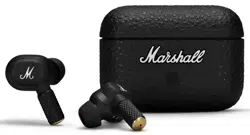

MOTIF II A.N.C. – TRUE WIRELESS A.N.C.
FULL ONLINE MANUAL

CONTENTS
INDEX
Device layout . . . . . . . . . . . . . . . . . . . . . . . . . . . . . . . . . . . . . . . . . . . . . . . . . . . . . . . . . . . . 003
Getting started . . . . . . . . . . . . . . . . . . . . . . . . . . . . . . . . . . . . . . . . . . . . . . . . . . . . . . . . . 005
Charging the earbuds . . . . . . . . . . . . . . . . . . . . . . . . . . . . . . . . . . . . . . . . . . . . 005
Charging the case . . . . . . . . . . . . . . . . . . . . . . . . . . . . . . . . . . . . . . . . . . . . . . . . . . . 005
Noise control . . . . . . . . . . . . . . . . . . . . . . . . . . . . . . . . . . . . . . . . . . . . . . . . . . . . . . . . . . . . 005
Spotify Tap . . . . . . . . . . . . . . . . . . . . . . . . . . . . . . . . . . . . . . . . . . . . . . . . . . . . . . . . . . . . . . . . 006
Battery care guide . . . . . . . . . . . . . . . . . . . . . . . . . . . . . . . . . . . . . . . . . . . . . . . . . . 006
Cleaning your Motif II A.N.C. . . . . . . . . . . . . . . . . . . . . . . . . . . . . . . . . 007
Pairing a new device . . . . . . . . . . . . . . . . . . . . . . . . . . . . . . . . . . . . . . . . . . . . . . 007
Resetting the earbuds . . . . . . . . . . . . . . . . . . . . . . . . . . . . . . . . . . . . . . . . . . . 008
Troubleshooting . . . . . . . . . . . . . . . . . . . . . . . . . . . . . . . . . . . . . . . . . . . . . . . . . . . . . . . 009

004MOTIF II A.N.C. – FULL ONLINE MANUAL
BACK TO INDEX
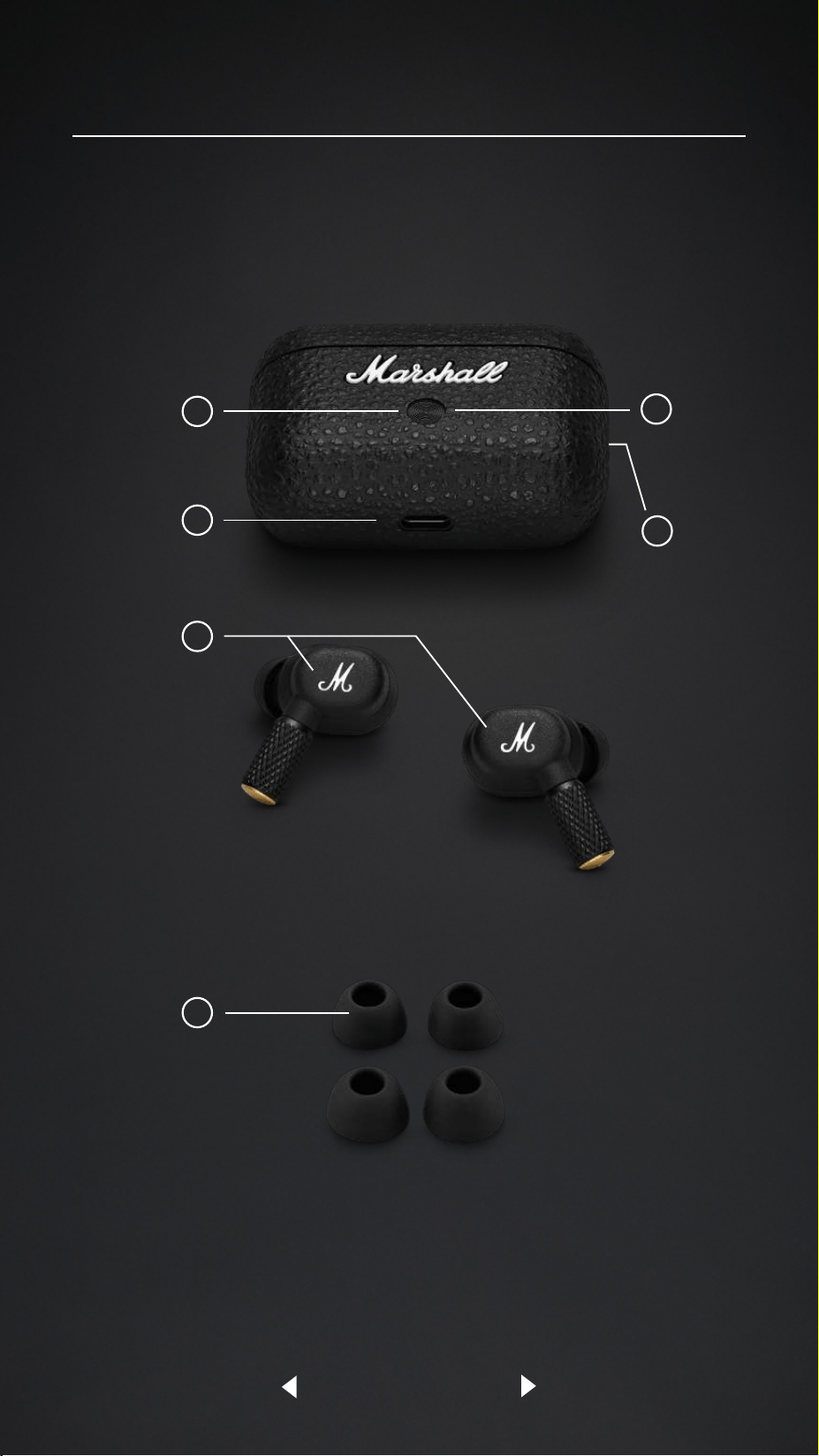
DEVICE LAYOUT
1
CHARGING CASE INDICATOR
The LED shows the case battery charge, from red through yellow to
green (0–100%). It pulses blue while in Bluetooth
®
pairing mode.
2
CHARGING CASE BUTTON
Quick press to see the charging case battery level. With the earbuds in
the case and the lid open, push and hold for 2 seconds to initiate pairing.
3
WIRELESS CHARGING
Charge the case by placing it on a wireless charging pad.
4
USB-C POWER INPUT
Charge the case by plugging it into a USB power source.
5
TOUCH CONTROLS
Touch the left or right earbud to control your music, phone calls and
more. The touch control behaviour can be customised in the app.
I. Tap to play/pause.
II. Double tap to skip forward or answer/end a call.
III. Triple tap to skip backward.
IV. Long touch to toggle between noise cancelling and transparency,
or to reject a call.
V. Double tap and hold for Spotify Tap to start playing music based
on your listening taste.
6
EAR TIPS
Motif II A.N.C. come with 3 sizes of ear tips and getting the best fit is
important in ensuring you enjoy the best audio experience.
Take the time to find the ear tips that best fit your ear. The ear
tips should fit snugly in your ear but still feel comfortable. It is not
uncommon to use dierent sizes for left and right.
ENGLISH

005MOTIF II A.N.C. – FULL ONLINE MANUAL
BACK TO INDEX
INSTRUCTIONS
GETTING STARTED
I. Open the charging case.
II. Press and hold the button on the case until the LED turns to a slow blue pulse.
III. Select MOTIF II A.N.C. from your sound device’s Bluetooth list.
IV. Download the Marshall Bluetooth app and follow the in-app instructions
to complete the setup.
CHARGING THE EARBUDS
Put your earbuds back in the case and close the lid to turn them o and begin
charging.
CHARGING THE CASE
Use a wireless charger or plug the case into a USB power source to charge it.
The case is fully charged when the front-facing LED is steady green.
To charge the case using a wireless charger, follow the instructions below.
I. Place the charging case with its back flat against the
wireless charging pad.
II. Make sure that the front LED lights up to indicate that the case
is charging.
III. Once the LED light has turned steady green the case is fully charged.
NOISE CONTROL
Motif II A.N.C. can be in one of three noise control modes.
• Active Noise Cancelling - blocks out your surroundings and lets you focus
on the music.
• Transparency - allows you to hear your surroundings and hold
conversations without removing your earbuds.
• O – noise control is turned o.
The amount of Active Noise Cancelling and Transparency can be adjusted in
the Marshall Bluetooth app.
ENGLISHENGLISH

006MOTIF II A.N.C. – FULL ONLINE MANUAL
BACK TO INDEX
INSTRUCTIONS
SPOTIFY TAP
Get straight to the music with Spotify Tap. Wherever your day takes you,
Spotify Tap is the easiest, most personal way to take your music with you,
and it’s ready in seconds.
I. Double tap and hold to play a recommendation based on your
listening taste.
II. Double tap and hold again again for the next recommendation
made just for you.
To use Spotify Tap, make sure your Spotify app is up to date.
BATTERY CARE GUIDE
Your earbuds come equipped with high-performance lithium-ion batteries
and battery life span is aected by charging and usage. Follow the guidelines
below to keep your batteries in great condition for as long possible.
• Avoid using fast chargers if possible. Fast charging causes stress on the
battery and will degrade it.
• Avoid letting the battery drain completely or charging it when it’s already
full. Try to keep the charge between 30% and 80%.
• If the earbuds are stored for a long time, it’s recommended to charge
the earbuds to about half-charge and then do a factory reset. Store the
earbuds and case in a cool, dark, and dry place.
• Avoid using or charging the earbuds in hot and unventilated places,
45°C/113°F and above.
• Avoid charging the battery at low temperatures, below 10°C/50°F and
using the earbuds below 0°C/32°F.
• Avoid strong mechanical shocks such as dropping the earbuds or case on
hard surfaces as it might harm the batteries.
Download the Marshall Bluetooth app and select the battery preservation level
that best suits you and your earbuds.
ENGLISHENGLISH

007MOTIF II A.N.C. – FULL ONLINE MANUAL
BACK TO INDEX
INSTRUCTIONS
CLEANING YOUR MOTIF II A.N.C.
Earbuds come in close contact with your skin often and sometimes for long
periods. This will over time cause build-up of dirt and grease that can aect
performance and may cause skin irritation. Clean your earbuds regularly to
keep them fresh and make them last longer.
Unplug any cables before cleaning the case. Make sure everything is
completely dry before using the earbuds, putting the earbuds back in the
case, or plugging in a USB charger.
Remove the silicone ear tips from the earbuds and clean them separately.
Use a disinfectant wipe or a lint-free cloth, slightly damp with 70% isopropyl
alcohol or 75% ethyl alcohol to gently clean the ear tips, the exterior surfaces
of the earbuds and the case. Avoid getting moisture in any openings or in the
speaker mesh. Carefully clean those areas with a dry and soft brush, or a
cotton swab.
• Do not use any sharp objects.
• Do not use compressed air.
• Do not use products containing bleach or hydrogen peroxide.
• Do not submerge the earbuds in any cleaning agents.
PAIRING A NEW DEVICE
Motif II A.N.C. remembers the last 8 paired sound devices. It will auto-connect
to the two most recently used sound devices that are available.
I. Place the earbuds in the case and keep the lid open.
II. Press and hold the button on the case until the LED turns to a
slow blue pulse.
III. Select MOTIF II A.N.C. from your sound device’s Bluetooth list.
Note: Motif II A.N.C. will not change sound source while playing. Pause the
current audio playback before changing sound source.
ENGLISHENGLISH

GET IT ONGET IT ON
008
BACK TO INDEX
MOTIF II A.N.C. – FULL ONLINE MANUAL
INSTRUCTIONS
RESETTING THE EARBUDS
If your earbuds become erratic or unresponsive, follow the instructions below.
I. Place the earbuds in the case and close the lid to restart the earbuds.
If the problem persists, perform a hardware reset:
I. Take out your earbuds and place them in your ears.
II. Press and hold the touch surface on both earbuds for 10 seconds to reset
the earbuds.
If the problem persists, perform a factory reset.
Note: This will delete all user settings and the earbuds will need to be
set up again.
I. Place the earbuds in the case and keep the lid open.
II. Press and hold the button on the case for 10 seconds, until the LED turns
purple, to reset the earbuds to factory settings.
III. Remove MOTIF II A.N.C. from your sound device’s Bluetooth list before
pairing again.
MARSHALL BLUETOOTH APP
Download the Marshall Bluetooth app to get the most out of your
earbuds and keep them up to date with the latest software.
ENGLISH
009MOTIF II A.N.C. – FULL ONLINE MANUAL
BACK TO INDEX
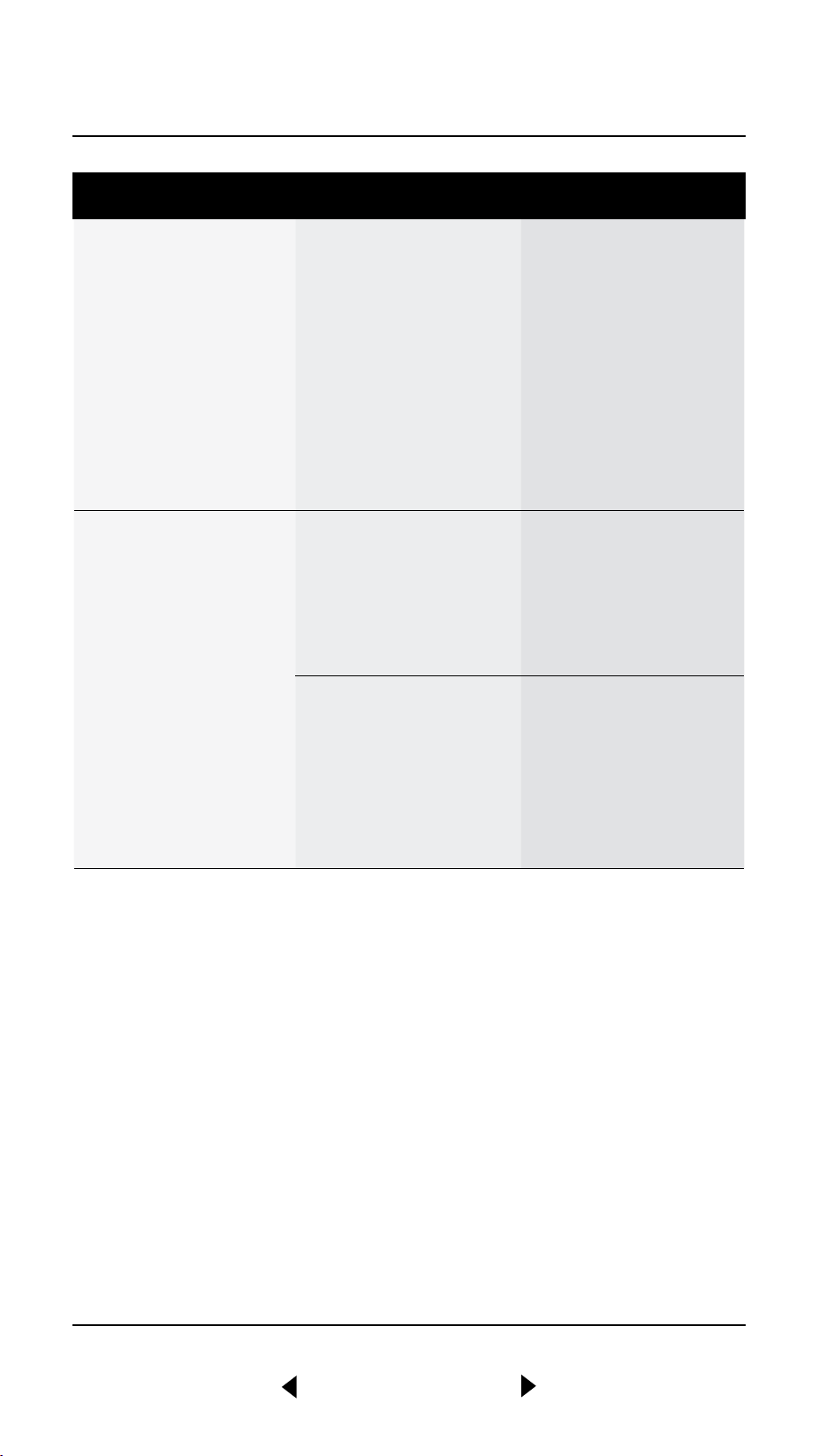
PROBLEM CAUSE ACTION
The earbuds do not
turn on
The battery has
no charge.
Place the earbuds in
the case to charge
them.
If the case LED does
not turn on, use a USB
power source or a
wireless charging plate
to charge the case.
Cannot connect
or pair with a
Bluetooth device
Bluetooth is not
enabled on your
device (smartphone,
tablet, computer).
Activate Bluetooth on
your playback device.
The earbuds are not in
pairing mode.
Make sure that the
earbuds are in the case
with the case lid open
when start paring, see
Pairing a new device.
TROUBLESHOOTING ENGLISHENGLISH

010MOTIF II A.N.C. – FULL ONLINE MANUAL
BACK TO INDEX
PROBLEM CAUSE ACTION
Erratic behavior The earbuds are
not using the latest
firmware version.
Download the Marshall
Bluetooth app and
connect to the earbuds.
Follow the in-app
instructions to ensure
that Motif II A.N.C. has
the latest firmware
version.
There is a
software error.
Perform a factory
reset, see Resetting
the earbuds.
The earbuds need to be
set up again.
TROUBLESHOOTING ENGLISH

Design of device and packaging are intellectual properties of Zound Industries International AB and
Marshall Amplification Plc. © All Rights Reserved. MARSHALL, Marshall Amps, their respective logos,
“Marshall” and “Marshall” trade dress are trademarks and intellectual property of Marshall Amplification
Plc and may not be used without permission. Permission granted to Zound Industries International AB. The
Bluetooth
®
wordmark and logos are registered trademarks owned by the Bluetooth SIG, Inc. and any use
of such marks by Zound Industries International AB is under license. Google Play is a trademark of Google
LLC. App Store is a service mark of Apple Inc., registered in the U.S. and other countries. R 0.12
