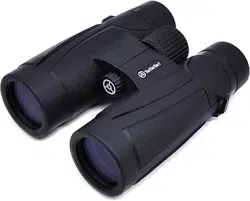
BPROWILD
10 X 42 MM BINOCULARS
H
A
E
B
F
C
D
G
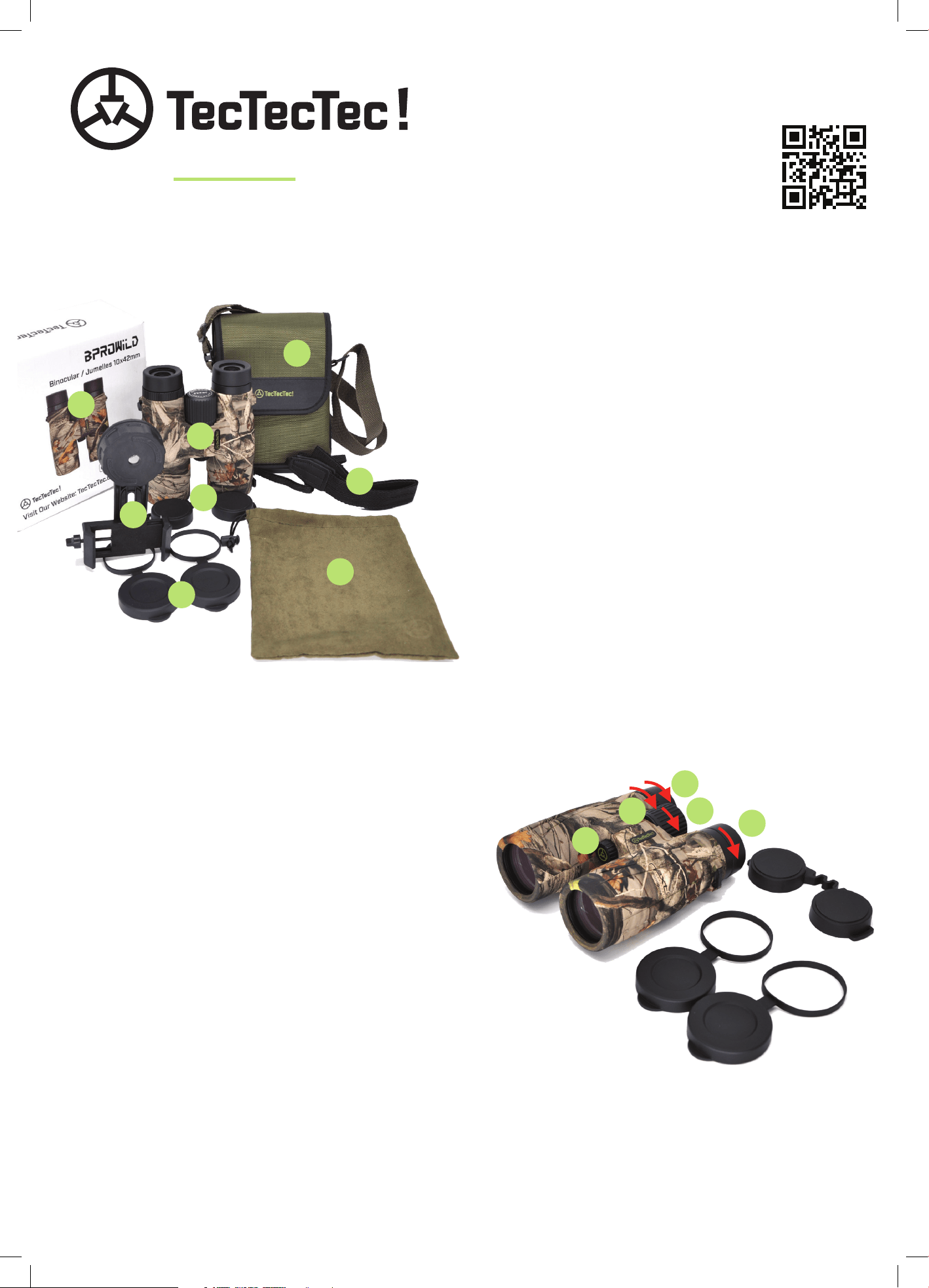
WHAT’S INCLUDED
TecTecTec ! BPROWILD 10 x 42 MM Binoculars
Ocular Lens Caps
Neck Strap
Smartphone and Tripod Adapter
42mm Objective Lens Caps
Microfiber Cleaning Cloth/Pouch
Carrying Case with Shoulder Strap and Belt Loop
Box and Instruction Booklet
x 1
x 1
x 1
x 1
x 2
x 1
x 1
x 1
A)
B)
C)
D)
E)
F)
G)
H)
THANK YOU
for choosing TecTecTec !®
Any questions, suggestions, or concerns with
this product, can be directed to: [email protected]
REGISTER TO ACTIVATE
YOUR WARRANTY
Scan the QR Code or visit:
https://tectectec.com/warranty
INSTRUCTIONS FOR OPTIMAL USE
1. Remove all rubber protection from the optics as pictured.
2. The ocular lenses (1) have two levels. Use the first level
if you are wearing eyeglasses.
3. Always aim your objectives in the direction of
magnification before bringing them to your field of view.
4. Adjust the orientation of the center hinge manually to
make it fit with your interocular morphology.
5. With your naked eye, aim for an observation point,
then bring the binoculars up to view that same point.
6. Adjust the ocular lenses (1) to level one or two as necessary.
7. Close your right eye and open the left. Adjust the center
adjustment dial (2) to focus the lenses on your target
until you get a clear view.
8. Close your left eye and open the right. Continue the adjustment
by rotating the diopter wheel (3) until you have a crystal clear view.
9. Adjust the magnification with the center dial depending on the distance to the target.
10. For prolonged use, consider connecting the neck strap to your binoculars to free your hands.
11. By unscrewing the cover (4) at the center you will have access to 1/4” thread where a tripod can be axed.
12. Dry your binoculars quickly and completely after contact with a liquid without using compressed air.
NEVER OBSERVE THE SUN OR ANY OTHER LIGHT SOURCE DIRECTLY USING YOUR OPTICS.
1
1
23
4
PHOTOGRAPHING WITH A SMARTPHONE
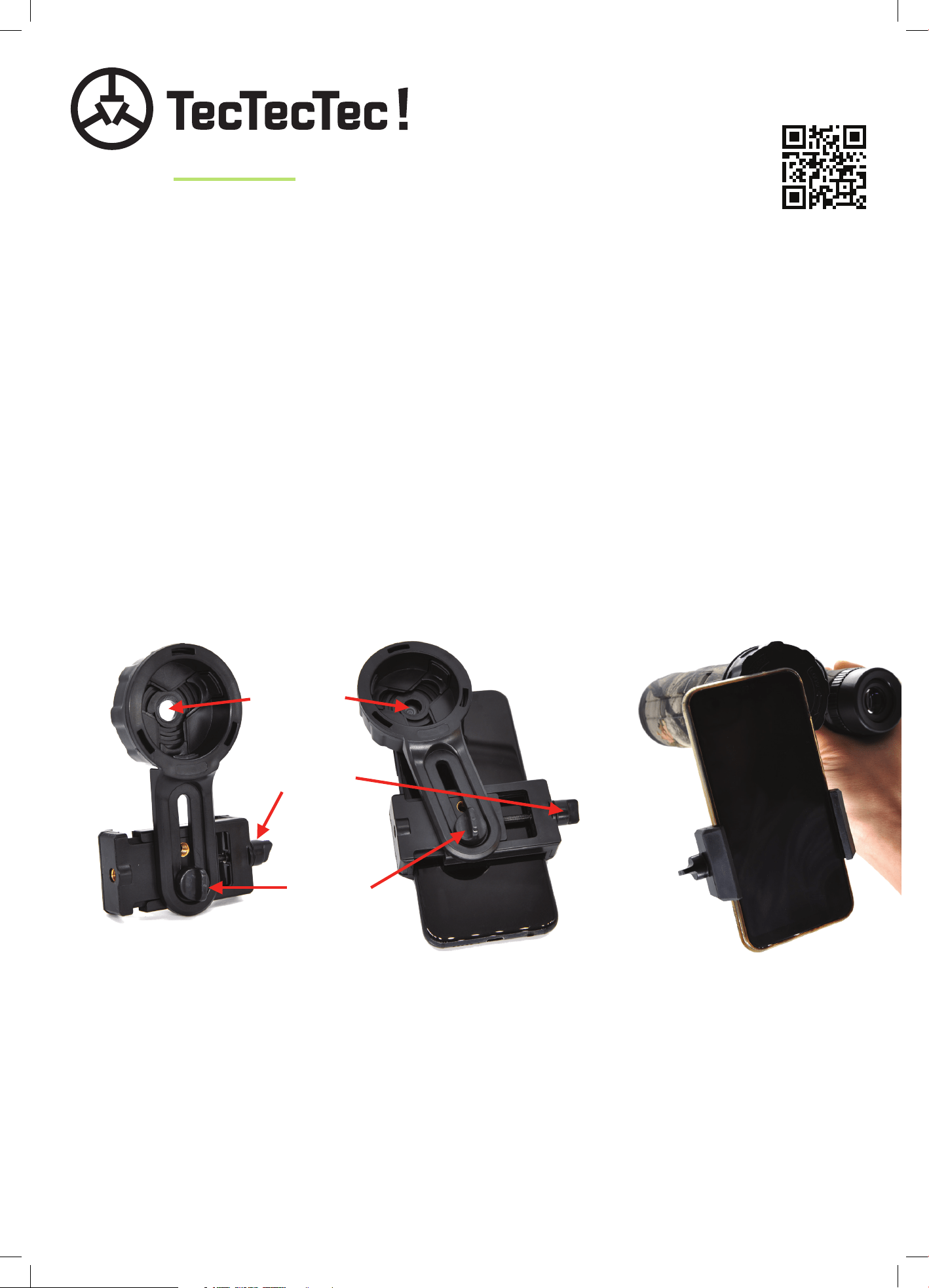
1. Loosen the Y screw located on the right side of the adapter.
2. Loosen screw X located on the underside of the adapter.
3. Insert your phone halfway into the jaws of the adapter and tighten the Y screw.
4. Align the phone’s camera lens with the hole in the cap and tighten screw X.
5. Click the adapter cap arround the left eyepiece.
6. Hold the assembly up as you rotate the adapter cap in order to tighten it around the eyepiece.
7. Check to be sure that the setup is solidly in place.
8. Adjust holding position in your hands according to your needs.
9. Activate the camera function of your smartphone.
10. Adjust the center dial of your binoculars in order to focus on your target.
11. The automatic zoom of the phone must be enabled. You will then be able to focus using on-screen controls.
12. Zoom in with your smartphone between 1.4x and 2x so that the border of the ocular lens is not seen.
13. Hold the set with both hands in order to take a photo.
14. Remember to set up your phone so that you’ll have instant access to the camera from the lockscreen.
BPROWILD
10 X 42 MM BINOCULARS
REGISTER TO ACTIVATE
YOUR WARRANTY
Scan the QR Code or visit:
https://tectectec.com/warranty
NEVER DISASSEMBLE YOUR BINOCULARS!
PREVENTIVE MAINTENANCE
1. Minimize exposure to dust, liquids, and chemicals.
2. Use a few drops of isopropyl alcohol applied first to a lint-free textile to clean your optics.
3. Stay alert and avoid placing your device on rough and / or dirty surfaces.
4. Do not use chemicals to clean the exterior of the binoculars.
5. Cover all lenses with their rubber protectors when the unit is not in use.
6. Protect your binoculars by placing them in the closed microfiber pouch before storing or transporting.
7. Keep the microfiber pouch containing your binoculars inside the carrying bag.
8. Be sure to use your binoculars within the ideal temperature range: 1 ° C to 40 ° C.
CAP HOLE
Y SCREW
X SCREW
