www.silverstonetek.com
User manual
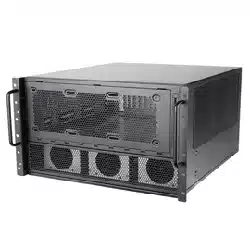
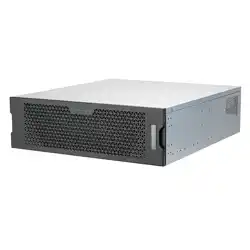
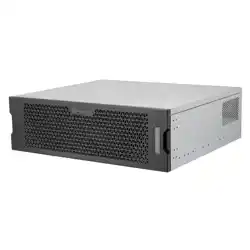
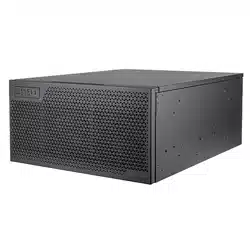
5U rackmount server chassis
with enhanced liquid cooling compatibility
RM52
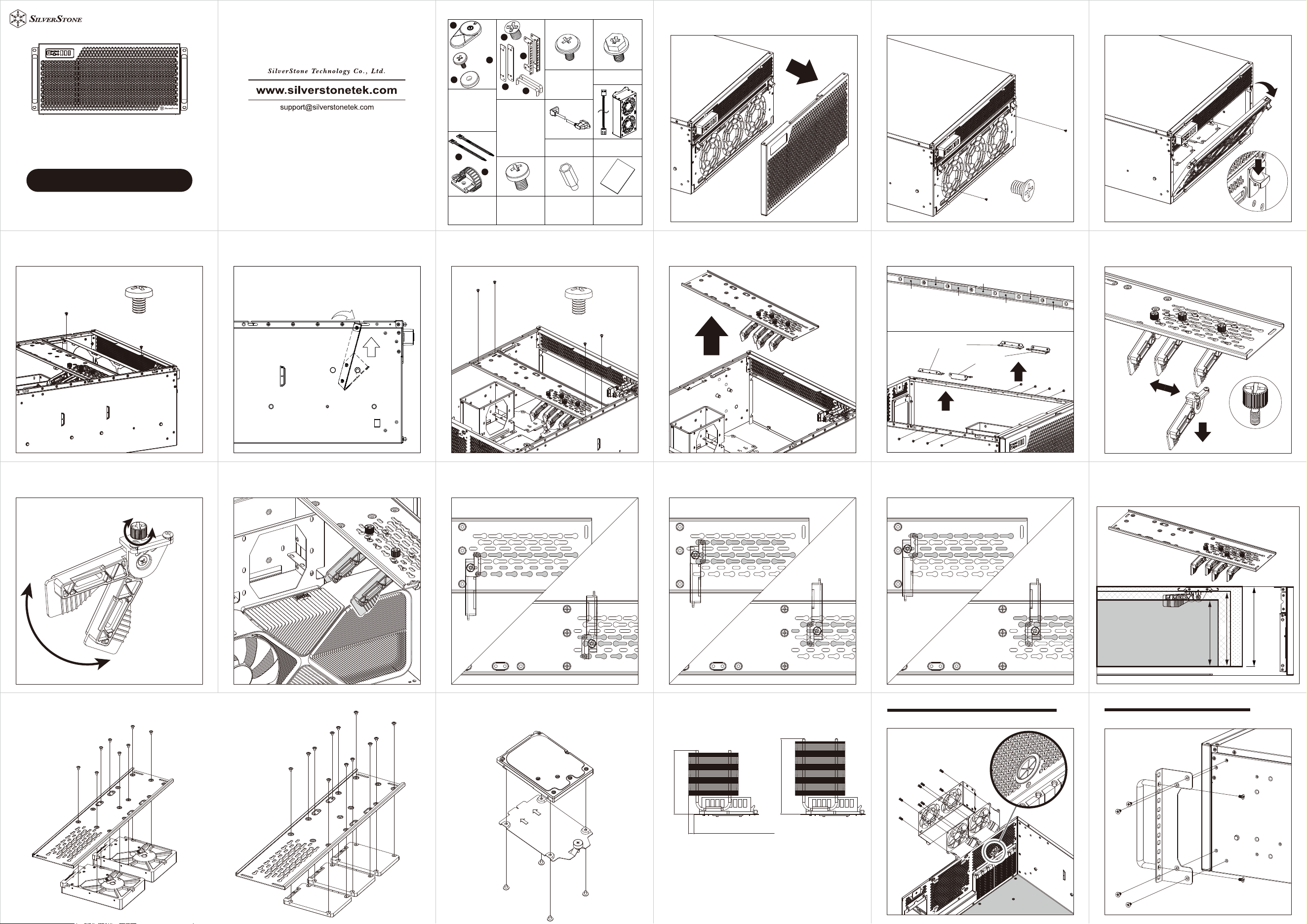
1.Remove front panel 2-1.Remove front radiator bracket screws
X2
G11248350
2-2.Press down on the clips from both sides to remove
front radiator bracket
X2
3-1.Remove top panel then remove internal radiator
bracket screws
X2
3-1.Remove top panel then remove internal radiator
bracket screws
X2
3-2.Remove the internal radiator bracket by tilting it at
a 15° angle, then lifting it upwards out the chassis
1
2
4-1.Remove graphics card retainer screws
X4
4-2.Remove graphics card retainer
4-2-A.Graphics card retainer and internal radiator bracket
position adjustments
Position 1
Position 2
Position 3
Position 4
Position 5
Position 6
Position 7
Internal radiator bracket can be installed in
position 6 or 7, when removed, L-shaped bracket
(GPU) can be installed on positions 1 to 7
L-shaped bracket (GPU)
L-shaped bracket (radiator)
1
2
4-3-1.Remove thumbscrews and clamps
4-3-2.Loosen the thumbscrew to adjust the clamps to
the desired angle
tighten
loosen
4-3-3.Utilize two clamps to stabilize the graphics card
firmly
4-4-1.Mounting positions - 1
Clamps facing forward
Clamps facing backward
4-4-2.Mounting positions - 2
Clamps facing forward
Clamps facing backward
4-4-3.Mounting positions - 3
Clamps facing forward
Clamps facing backward
Graphics card width limitation:
1.Graphics card retainer clamps installed: 165mm
2.Graphics card retainer clamps removed: 186mm
3.Graphics card retainer removed: 198mm
165
186
198
4-5.Hard drives installed on the graphics card retainer
or
3.5"HDD
2.5"SSD
4-5-A.2.5” SSD installation 5.CPU cooler height limitation
CPU cooler height limitation
Graphics card retainer installed: 181mm
Graphics card retainer removed: 192mm
Maximum 181mm
Maximum 15mm
Maximum 192mm
6.The thickness of the rear fan cage fans are limited to 38mm
Run the cable through
the pass-through hole
80mm external fan cage installation
7.Assemble the handle bars with the L-shaped bracket,
then secure the assembly on both sides of the chassis
X2
Horizontal orientation installation
Parts package component list
x4
A
D
E
F
G
H
I
B
C
x4
x4
Horizontal to vertical
position accessories
A:Case feet
B:Case feet screws
C:Case feet washers
Manual
D.Handle bar
bracket screws
E.Handle brackets
F.Handle bars
G.L-shaped brackets
Handle bar
accessories
H.Cable ties
I.Cable
management
buckle
PSU Mounting
screws
Secondary PSU
extension adapter
Mounting for
3.5” HDD,
external 80mm
fan cage
80mm fan cage
Fan extension cable
Motherboard
standoff
4. Motherboard,
2.5” SSD, Power
extension cord
extension
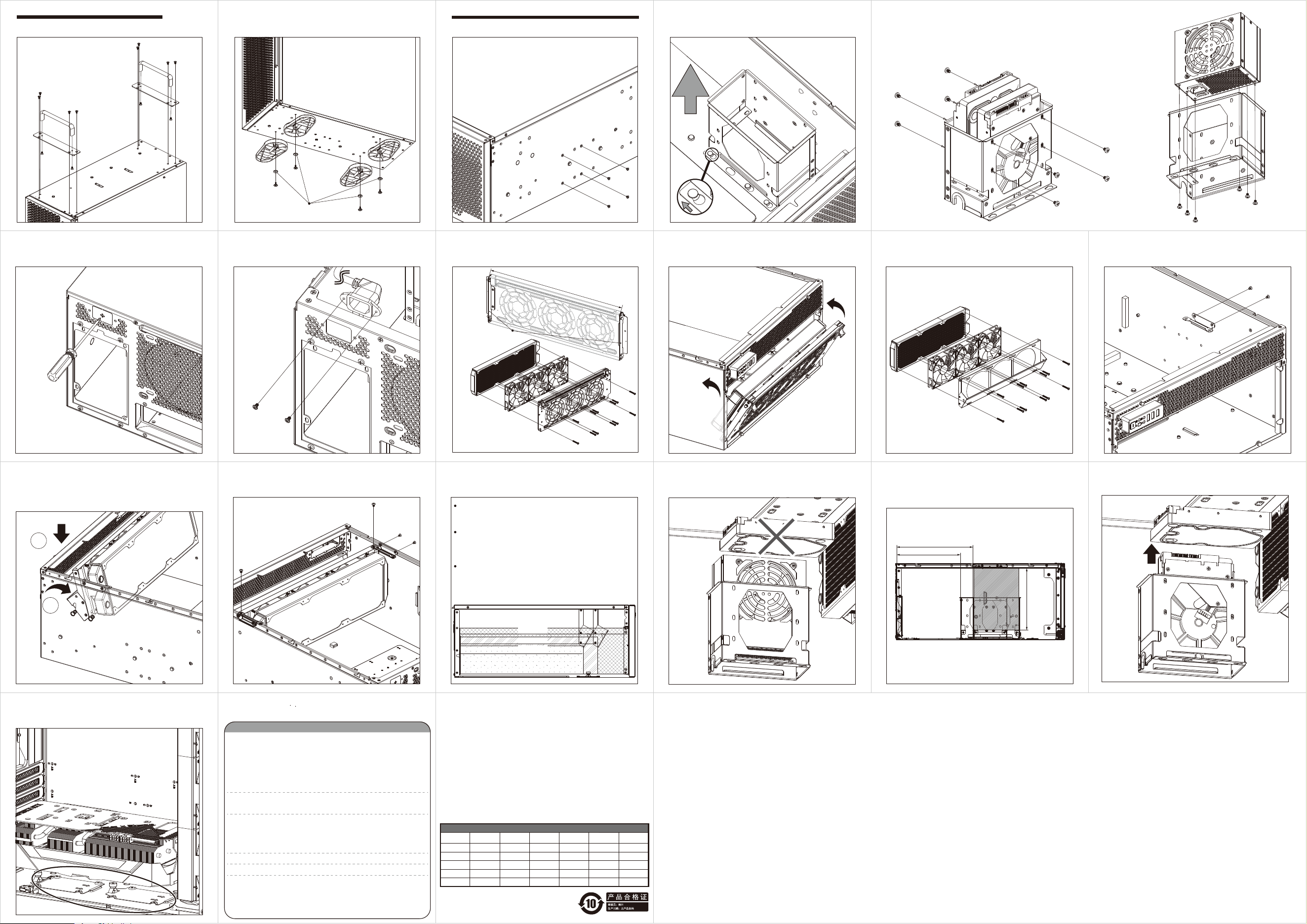
8-1.Install handle bar onto the flat handle bar bracket
Vertical orientation installation
8-2.Install case feet (including case feet washers)
Rubber Washer
9-1.Remove side mounting screws
SFX PSU or 3.5” HDD installation guide
9-2.Shift the cage off the buckle then remove the cage
9.3.A
Insert 3.5” HDD into the cage, then secure with screws
9.3.B
Insert SFX PSU into the cage, then secure with screws
(Note: To install both primary and secondary PSUs, it’s recommended to
purchase PP10 cables to operate both PSUs on a single motherboard)
or
10-1.To install the SFX PSU, first remove the plate that
sits on the PSU extension adapter pass-through hole
with a Phillips screwdriver
10-2.Insert the extension adapter cable through the rear
of the pass-through hole, then secure with screws
11-A-1.Front radiator installation
Front radiator must be
installed between the
baffles on both sides
Radiator length limitation: 407mm
Radiator
fans must be
installed between front
radiator bracket and radiator to
achieve the optimal cooling
performance whilst avoiding interference with
internal components. Must not exceed 78mm.
11-A-2.Reattach the front radiator bracket module
11-B-1.Internal radiator installation
Example
11-B-2.Install the radiator support on one side first
11-B-3.Align the radiator bracket to the clip then slightly
tilt and insert the module into the chassis (Note: if the front
radiator + fans exceeds total thickness of 60mm,
its recommended to shift the radiator mount back one
position to open up more clearance)
1
2
11-B-4.Install the L-shaped brackets for radiators on
the other side of the chassis
11-C.Radiator thickness and graphics card length correlations
Graphics card length + front radiator + fan thickness cannot
exceed 512mm
(without installing internal radiator bracket)
Graphics card length + internal radiator + fan thickness cannot
exceed 419mm
(Front radiator + fan thickness cannot exceed 60mm)
(Internal radiator mounted on the frontmost position A)
Graphics card length + internal radiator + fan thickness cannot
exceed 375mm
(Front radiator + fan thickness cannot exceed 78mm
(Internal radiator mounted on position B)
AB
512mm
419mm
375mm
12.If a 3.5"HDD is to be installed on the expansion
card retainer,it's recommended to install a SFX PSU
due to lack of clearance of cabling.
13.When SFX PSU bracket is installed,the depth
limitation (including adequate cabel space for the
primary PSU is 219mm)13-2.The depth limitation
(including adequate cable space of SFX PSU is
180mm)
183mm
Max219mm (incl. cable spacel)
Max180mm
(incl. cable spacel)
14.If 3.5"HDD are installed on the expansion card
retainer,then the 3.5'HDD installed in below cage are
left with 27mm cable clearance
15.If the 8th slot is to be used for expansion
cards,please remove the 2.5"drive tray as appropriate.
Warranty terms & conditions
Warranty Information
This product has a limited 1 year warranty in North America and Australia.
For information on warranty periods in other regions, please contact your reseller or SilverStone authorized distributor.
㦻ℶ❐呹徼㡴怆᧨ℝ₼⦌⦿◉᧤ₜ▔⚺䉂桷᧨氨䂾䔈Ⓔ嫛㟎◉᧥℺㦘㦘棟徲↊≬⦉᧤捷⒕ℶ❐ℛ᧨ₘ㒥℣᧥ᇭ
幵兕≬⦉棟庆♑䏶⸧㡈几䵨KWWSVVLOYHUVWRQHWHNFRPFQ⏻をℶ❐⨚⚆∬㗽ᇭ
3URGXFWFRPSRQHQWGHIHFWVRUGDPDJHVUHVXOWHGIURPGHIHFWLYHSURGXFWLRQLVFRYHUHGXQGHU
ZDUUDQW\'HIHFWVRUGDPDJHVZLWKWKHIROORZLQJFRQGLWLRQVZLOOEHIL[HGRUUHSODFHGXQGHU
6LOYHU6WRQH7HFKQRORJ\ಬVMXULVGLFWLRQ
D8VDJHLQDFFRUGDQFHZLWKLQVWUXFWLRQVSURYLGHGLQWKLVPDQXDOZLWKQRPLVXVHRYHUXVH
RURWKHULQDSSURSULDWHDFWLRQV
E'DPDJHQRWFDXVHGE\QDWXUDOGLVDVWHUWKXQGHUILUHHDUWKTXDNHIORRGVDOWZLQGLQVHFW
DQLPDOVHWFಹ
F3URGXFWLVQRWGLVDVVHPEOHGPRGLILHGRUIL[HG&RPSRQHQWVQRWGLVDVVHPEOHGRU
UHSODFHG
G:DUUDQW\PDUNVWLFNHUVDUHQRWUHPRYHGRUEURNHQ/RVVRUGDPDJHVUHVXOWHGIURP
FRQGLWLRQVRWKHUWKDQRQHVOLVWHGDERYHDUHQRWFRYHUHGXQGHUZDUUDQW\
8QGHUZDUUDQW\6LOYHU6WRQH7HFKQRORJ\ಬVPD[LPXPOLDELOLW\LVOLPLWHGWRWKHFXUUHQWPDUNHW
YDOXHIRUWKHSURGXFWGHSUHFLDWHGYDOXHH[FOXGLQJVKLSSLQJKDQGOLQJDQGRWKHUIHHV
6LOYHU6WRQH7HFKQRORJ\LVQRWUHVSRQVLEOHIRURWKHUGDPDJHVRUORVVDVVRFLDWHGZLWKWKHXVH
RISURGXFW
8QGHUZDUUDQW\6LOYHU6WRQH7HFKQRORJ\LVREOLJDWHGWRUHSDLURUUHSODFHLWVGHIHFWLYH
SURGXFWV8QGHUQRFLUFXPVWDQFHVZLOO6LOYHU6WRQH7HFKQRORJ\EHOLDEOHIRUGDPDJHVLQ
FRQQHFWLRQZLWKWKHVDOHSXUFKDVHRUXVHLQFOXGLQJEXWQRWOLPLWHGWRORVVRIGDWDORVVRI
EXVLQHVVORVVRISURILWVORVVRIXVHRIWKHSURGXFWRULQFLGHQWDORUFRQVHTXHQWLDOGDPDJH
ZKHWKHURUQRWIRUHVHHDEOHDQGZKHWKHURUQRWEDVHGRQEUHDFKRIZDUUDQW\FRQWUDFWRU
QHJOLJHQFHHYHQLI6LOYHU6WRQH7HFKQRORJ\KDVEHHQDGYLVHGRIWKHSRVVLELOLW\RIVXFK
GDPDJHV
:DUUDQW\FRYHUVRQO\WKHRULJLQDOSXUFKDVHUWKURXJKDXWKRUL]HG6LOYHU6WRQHGLVWULEXWRUVDQG
UHVHOOHUVDQGLVQRWWUDQVIHUDEOHWRDVHFRQGKDQGSXUFKDVHU
<RXPXVWSURYLGHVDOHVUHFHLSWRULQYRLFHZLWKFOHDULQGLFDWLRQRISXUFKDVHGDWHWRGHWHUPLQH
ZDUUDQW\HOLJLELOLW\
,IDSUREOHPGHYHORSVGXULQJWKHZDUUDQW\SHULRGSOHDVHFRQWDFW\RXUUHWDLOHUUHVHOOHU6LOYHU-
6WRQHDXWKRUL]HGGLVWULEXWRUVRU6LOYHU6WRQHKWWSZZZVLOYHUVWRQHWHNFRP
3OHDVHQRWHWKDWL<RXPXVWSURYLGHSURRIRIRULJLQDOSXUFKDVHRIWKHSURGXFWE\DGDWHG
LWHPL]HGUHFHLSWLL<RXVKDOOEHDUWKHFRVWRIVKLSSLQJRURWKHUZLVHWUDQVSRUWLQJWKH
SURGXFWWR6LOYHU6WRQHDXWKRUL]HGGLVWULEXWRUV6LOYHU6WRQHDXWKRUL]HGGLVWULEXWRUVZLOOEHDU
WKHFRVWRIVKLSSLQJRURWKHUZLVHWUDQVSRUWLQJWKHSURGXFWEDFNWR\RXDIWHUFRPSOHWLQJWKH
ZDUUDQW\VHUYLFHLLL%HIRUH\RXVHQGWKHSURGXFW\RXPXVWEHLVVXHGD5HWXUQ
0HUFKDQGLVH$XWKRUL]DWLRQಯ50$ರQXPEHUIURP6LOYHU6WRQH8SGDWHGZDUUDQW\
Additional info & contacts
For North America ([email protected])
SilverStone Technology in North America may repair or replace defective product with refurbished
product that is not new but has been functionally tested. Replacement product will be warranted
for remainder of the warranty period or thirty days, whichever is longer. All power supplies should
be sent back to the place of purchase if it is within 30 days of purchase, after 30 days, customers
need to initiate RMA procedure with SilverStone Technology in USA by first downloading the “
USA RMA form for end-users” form from the below link and follow its instructions.
http://silverstonetek.com/contactus.php
For Australia only ([email protected])
Our goods come with guarantees that cannot be excluded under the Australian Consumer Law.
You are entitled to a replacement or refund for a major failure and for compensation for any other
reasonably foreseeable loss or damage. You are also entitled to have the goods repaired or
replaced if the goods fail to be of acceptable quality and the failure does not amount to a major
failure. Please refer to above “Warranty terms & conditions” for further warranty details.
SilverStone Technology Co., Ltd. 12F No. 168 Jiankang Rd., Zhonghe Dist., New Taipei City 235
Taiwan R.O.C. +886-2-8228-1238 (standard international call charges apply)
For Europe ([email protected])
For China ([email protected])
For all other regions ([email protected])
ᴿ∈ᴿᇩ⢟䍞/ݹ㍖ެᆜ䠅㺞
䜞Ԭ〦
伄
ᵰ༩
δ䠇ኔε
⊔
(Hg)
䭿
(Cd)
ޣԭ䬢
(Cr(VI))
ཐ⓪㚊㤥
(PBB)
ཐ⓪ӂ㤥䟐
(PBDE)
Ȗ Ȗ Ȗ Ȗ Ȗ
䫻
(Pb)
Ȗ
Ȗ Ȗ Ȗ Ȗ ȖȖ
㓵ᶆ
Ȗ Ȗ Ȗ Ȗ ȖȖ
㷰ѓ
Ȗ Ȗ Ȗ Ȗ Ȗ
Ȗ
ᶆ
Ȗ Ȗ Ȗ Ȗ Ȗ
Ȗ
Ȗφ㺞⽰䈛ᴿ∈ᴿᇩ⢟䍞൞䈛䜞Ԭᡶᴿൽ䍞ᶆᯏѣⲺ䠅ൽ൞*%7㿺ᇐⲺ䲆䠅
㾷≸ԛсȾ
ᵢ㺞Ṳדᦤ6-7Ⲻ㿺ᇐ㕌
hφ㺞⽰䈛ᴿ∈ᴿᇩ⢟䍞㠩ቇ൞䈛䜞ԬⲺḆжൽ䍞ᶆᯏѣⲺ䠅䎻࠰*%7㿺ᇐⲺ
䲆䠅㾷≸Ⱦ