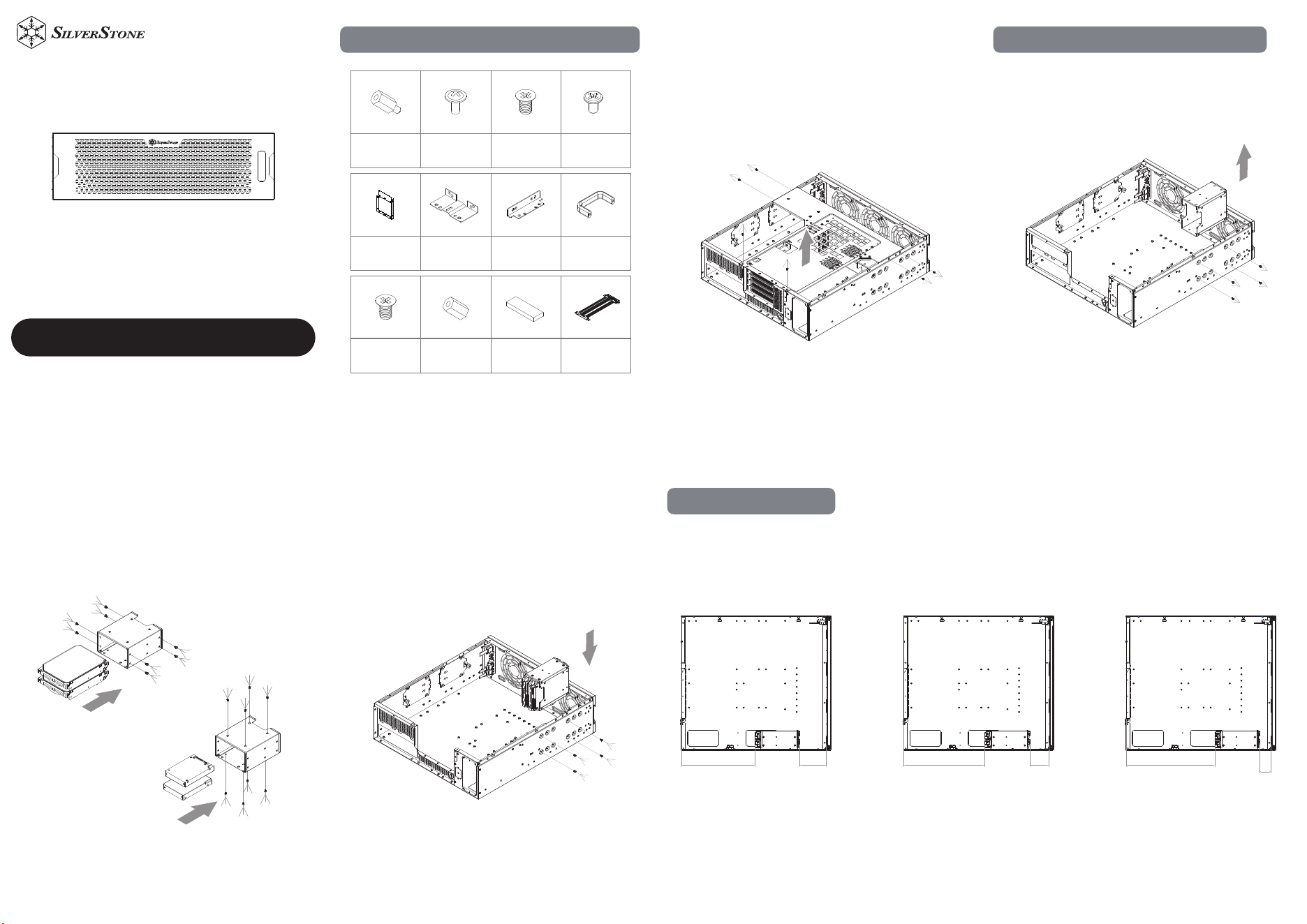
Accessories Content
Motherboard
standoff
Motherboard,
CRPS standoff
screws
Secure 2.5” SSD,
CRPS standoff
screws
Secure 3.5” HDD,
power supply
screws
Graphics card
rubber
Riser cable
CRPS power
supply bracket
CRPS extension
bracket
Handle bar
bracket screws
Support CRPS,
Riser card standoff
L-shaped bracket Handle bar
1. Remove the graphics card bracket 2-1 Remove the drive cage
3.5" or 2.5" Hard Drive Installation
2-2 Install 2x 3.5" or 2x 2.5" hard drive 2-3 Install the drive cage
2-4
Space Limitation
80MM239MM
55MM
264MM
30MM
289MM
When the drive position is
set toward the rear:
• PSU clearance: 239 mm
• Front fan/radiator
clearance: 80 mm
When the drive position is
set toward the middle:
• PSU clearance: 264 mm
• Front fan/radiator
clearance: 55 mm
When the drive position is
set toward the front:
• PSU clearance: 289 mm
• Front fan/radiator
clearance: 30 mm
www.silverstonetek.com
User manual
RM32
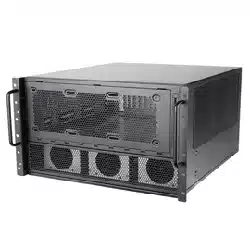
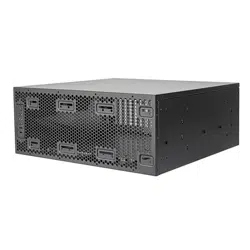
3U rackmount server chassis supporting
4-slot high-end retail graphics cards and 360mm radiators.
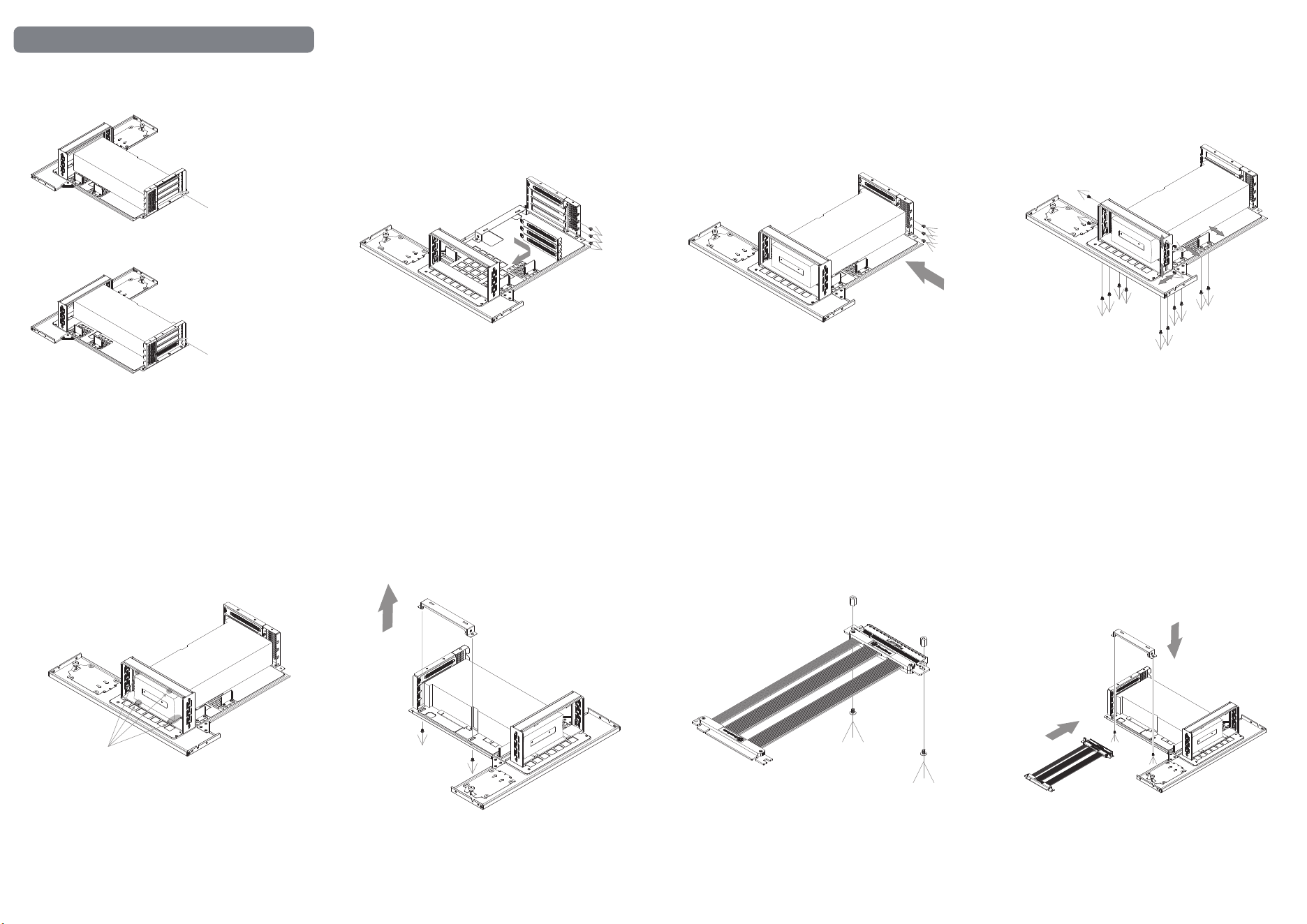
Full-Height Graphics Card Installation
3.
Graphics Card
Graphics Card
Install the
graphics card in
the first slot
Install the
graphics card in
the second slot
3-1 Remove the PCI slot cover
3-2 Secure the graphics card
Graphics Card
3-3 Adjust the graphics card support bracket in all
three dimensions
Graphics Card
3-4 Apply the adhesive rubber pad. After applying,
check to ensure the fan is not obstructed
Graphics Card
Adhesive rubber pad
3-5 Remove the riser cable bracket
Graphics Card
3-6 Fasten the standoffs onto the riser cable
(A 180-degree riser cable is required;
a 90-degree riser cable is not compatible.)
3-7-1 Place the riser cable bracket onto
the graphics card support, while inserting
the riser cable into the graphics card
Graphics Card
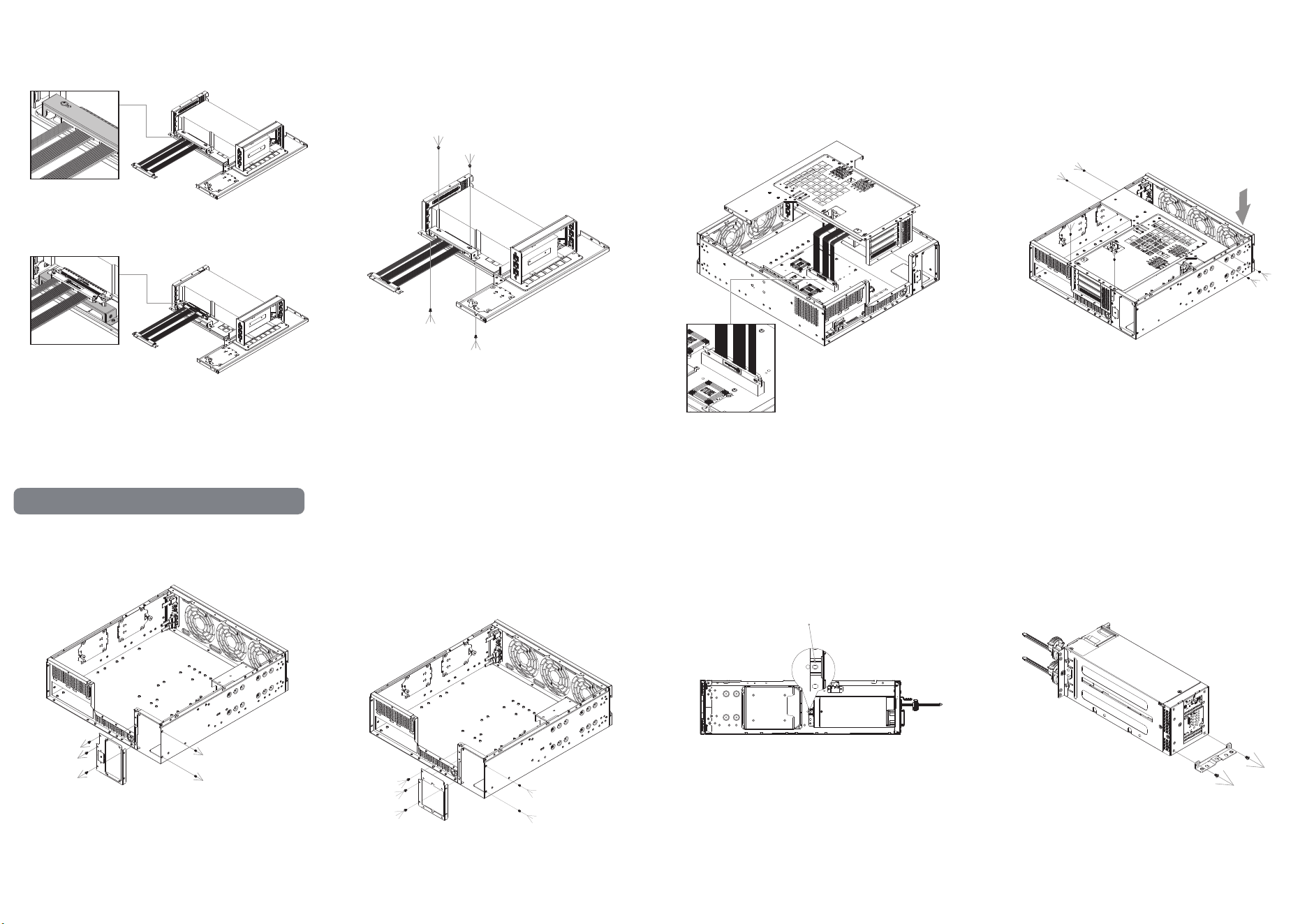
3-7-2
If the graphics card is installed in the first slot, the
riser cable will be positioned inside the bracket.
If the graphics card is installed in the second slot,
the riser cable will be positioned outside the
bracket.
Graphics Card
Graphics Card
3-8 Secure the screws between the riser cable bracket
and the riser cable, and secure the screws between
the riser cable bracket and the graphics card support
bracket.
Graphics Card
3-9 Connect the riser cable to the motherboard. 3-10 Reinstall the graphics card support bracket back
into the chassis.
2U CRPS Power Supply Installation
4-1 Remove the SFX power supply bracket 4-2 Install the 2U CRPS bracket 4-3 If the rear PSU mounting holes do not align with
the chassis, replace it with the extension bracket
and install a standoff in the center position
,
4-4 Remove the rear mounting bracket
,
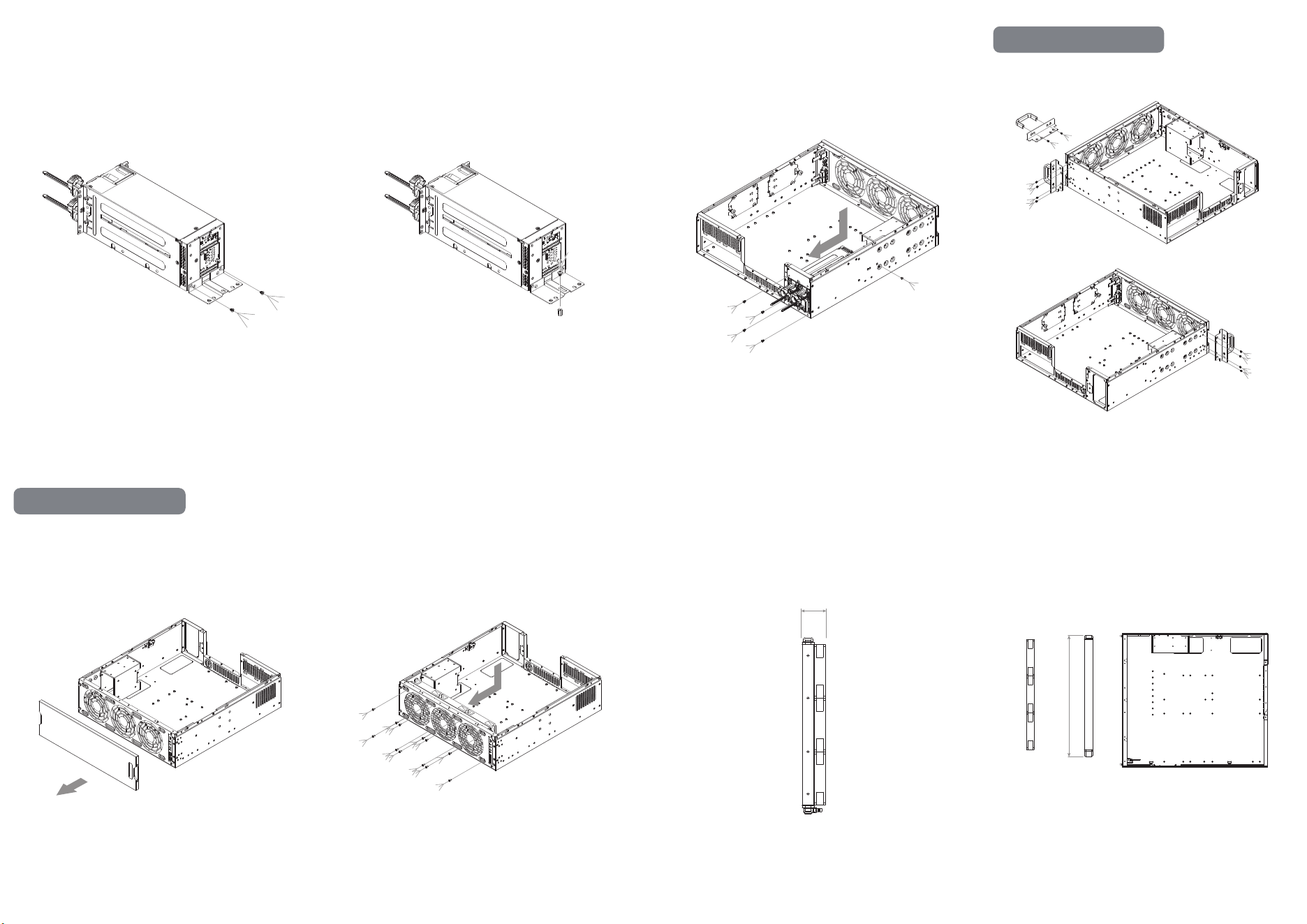
4-5 Install the CRPS extension bracket
,
4-6 Fasten a standoff onto the CRPS extension bracket.
,
4-7 Install the 2U CRPS power supply
,
Radiator Installation
6-1 Remove Front Panel 6-2 Install the 120mm fans and radiator 6-3 120mm fan + radiator, maximum combined
thickness 80 mm
80mm
6-4 If the radiator length exceeds 397 mm, the fans
must be installed in the front with the radiator
positioned behind
397mm
3×120mm fans
Radiator
Handles Installation
5. Secure the handle assemblies to both sides
of the chassis
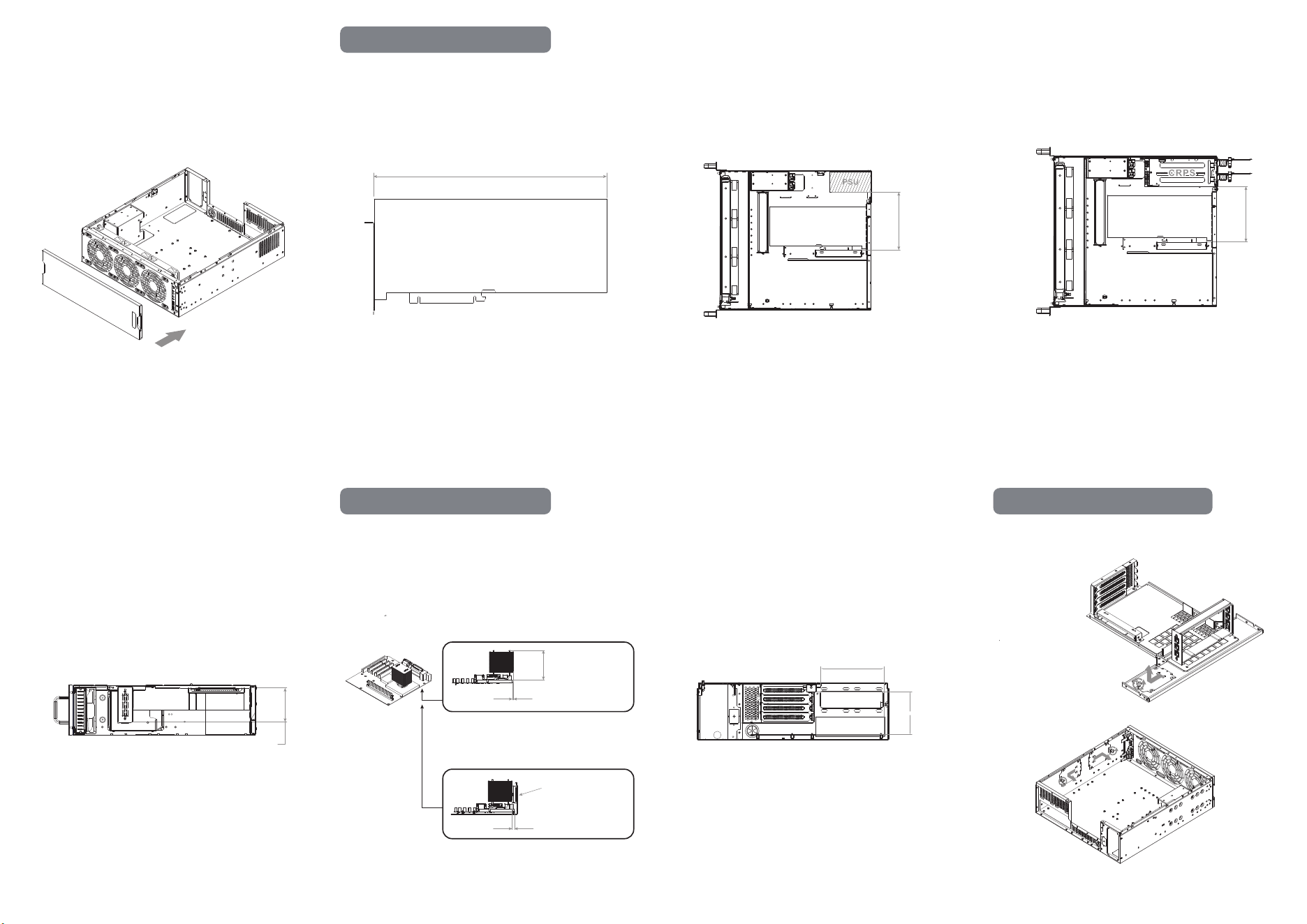
6-5 Install the front Panel
Graphics Card Limitation
7-1 Maximum card length: 360 mm
MAX 360mm
7-2 Maximum card width when using
an SFX-L power supply: 177 mm
177mm
7-3 Maximum card width when using
a SilverStone 2U CRPS power supply: 162 mm
162mm
7-4 Maximum card thickness: 88 mm
88mm
CPU Cooler Limitation
8-1 Maximum CPU cooler height: 110 mm
When the side tray is not installed, the CPU cooler
may extend up to 6 mm beyond the motherboard edge
When the side tray and a 2.5" drive are installed,
the CPU cooler must stay within 7 mm inside
the motherboard boundary
Maximum110mm
6 mm max beyond edge.
2.5"SSD
or
2.5"bracket
Keep 7 mm from edge.
8-2 Maximum CPU cooler height under
the riser cable: 86 mm
The riser cable bracket extends 143 mm inside
the motherboard boundary
143mm
86mm
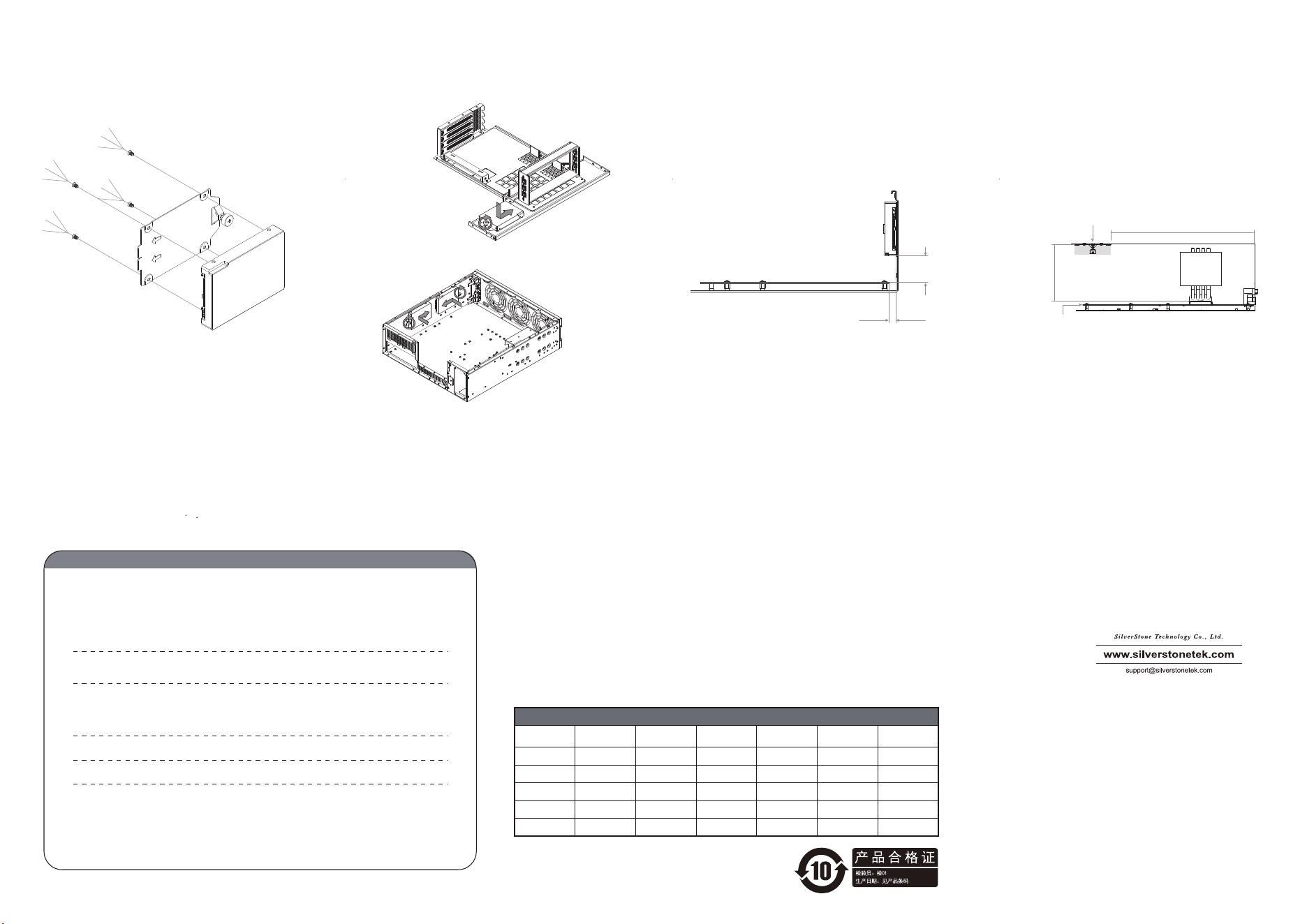
2.5” Drive Tray Installation
9-1 Remove the 2.5" drive tray
Warranty terms & conditions
Warranty Information
This product has a limited 1 year warranty in North America and Australia.
For information on warranty periods in other regions, please contact your reseller or SilverStone authorized distributor.
本产品自购买之日起,于中国地区(不包含澳门,香港特别行政区)享有一年有限责任保固(部分产品为二年,三年或五年)。
详细保固年限请参照官方网站 https://silverstonetek.com.cn/ 公布之产品型号为依据。
1. Product component defects or damages resulted from defective production is covered under warranty.
Defects or damages with the following conditions will be fixed or replaced under SilverStone
Technology’s jurisdiction.t
a) Usage in accordance with instructions provided in this manual, with no misuse, overuse, or other
inappropriate actions.
b) Damage not caused by natural disaster (thunder, fire, earthquake, flood, salt, wind, insect, animals, etc…)
c) Product is not disassembled, modified, or fixed. Components not disassembled or replaced.
d) Warranty mark/stickers are not removed or broken.
Loss or damages resulted from conditions other than ones listed above are not covered under warranty.
2. Under warranty, SilverStone Technology’s maximum liability is limited to the current market value for
the product (depreciated value, excluding shipping, handling, and other fees). SilverStone Technolog
y
is not responsible for other damages or loss associated with the use of product.
3. Under warranty, SilverStone Technology is obligated to repair or replace its defective products. Under
no circumstances will SilverStone Technology be liable for damages in connection with the sale,
purchase, or use including but not limited to loss of data, loss of business, loss of profits, loss of use
of the product or incidental or consequential damage whether or not foreseeable and whether or not
based on breach of warranty, contract or negligence, even if SilverStone Technology has been advised
of the possibility of such damages.
4. Warranty covers only the original purchaser through authorized SilverStone distributors and resellers
and is not transferable to a second hand purchaser.
5. You must provide sales receipt or invoice with clear indication of purchase date to determine warrant
y
eligibility.
6. If a problem develops during the warranty period, please contact your retailer/reseller/SilverStone
authorized distributors or SilverStone http://www.silverstonetek.com.
Please note that: (i) You must provide proof of original purchase of the product by a dated itemized
receipt; (ii) You shall bear the cost of shipping
(or otherwise transporting) the product to SilverStone authorized distributors. SilverStone authorized
distributors will bear the cost of shipping (or otherwise transporting) the product back to you after
completing the warranty service; (iii) Before you send the product, you must be issued a Return
Merchandise Authorization (“RMA”) number from SilverStone. Updated warranty information will be
posted on SilverStone’s official website.
Please visit http://www.silverstonetek.com for the latest updates.
Additional info & contacts
For North America (usasupport@silverstonetek.com)
SilverStone Technology in North America may repair or replace defective product with refurbished product that is not new but has been
functionally tested.
Replacement product will be warranted for remainder of the warranty period or thirty days, whichever is longer. All products should be sent
back to the place of purchase if it is
within 30 days of purchase, after 30 days, customers need to initiate RMA procedure with SilverStone Technology in USA by first downloading
the “USA RMA form for end-users”
form from the below link and follow its instructions. http://silverstonetek.com/contactus.php
For Australia only (support@silverstonetek.com)
Our goods come with guarantees that cannot be excluded under the Australian Consumer Law.
You are entitled to a replacemen
t or refund for a major failure and for compensation for any other reasonably foreseeable loss or damage.
You are also entitled to have the goods repaired or replaced if the goods fail to be of acceptable quality and the failure does not amount to a
major failure.
Please refer to above “Warranty terms & conditions” for further warranty details.
SilverStone Technology Co., Ltd. 12F No. 168 Jiankang Rd., Zhonghe Dist., New Taipei City 235 Taiwan R.O.C. + 886-2-8228-1238 (standard
international call charges apply)
For Europe (support.eu@silverstonetek.de)
For China (support@silverstonetek.com.cn)
For all other regions (support@silverstonetek.com)
有毒有害物质/元素及其化学含量表
部件名称
风扇
机壳
(金属)
汞
(Hg)
镉
(Cd)
六价铬
(Cr(VI))
多溴联苯
(PBB)
多溴二苯醚
(PBDE)
○ ○ ○ ○ ○
铅
(Pb)
○
○ ○ ○ ○ ○○
线材
○ ○ ○ ○ ○○
螺丝
○ ○ ○ ○ ○
○
包材
○ ○ ○ ○ ○
○
○:表示该有毒有害物质在该部件所有均质材料中的含量均在GB/T 26572 规定的限量
要求以下。
本表格依据SJ/T 11364的规定编制
×:表示该有毒有害物质至少在该部件的某一均质材料中的含量超出GB/T 26572 规定的
限量要求。
G11256050
9-2 Install the 2.5" drive 9-3 Mount the drive onto the chassis 9-4 The drive mounting surface sits 8 mm outside
the motherboard boundary, and the drive is 33 mm
above the motherboard.
33mm
8mm
*Please check these two clearances along with the
drive’s thickness to determine whether it may interfere
with motherboard components.
9-5 The 2.5" drive mounting surface is 106 mm from
the CPU and 275 mm from the rear edge of
the motherboard.
106mm
275mm
COOLER
SSD
MB
*Please check the thickness of the installed 2.5" drive
to determine whether it will interfere withthe CPU cooler.