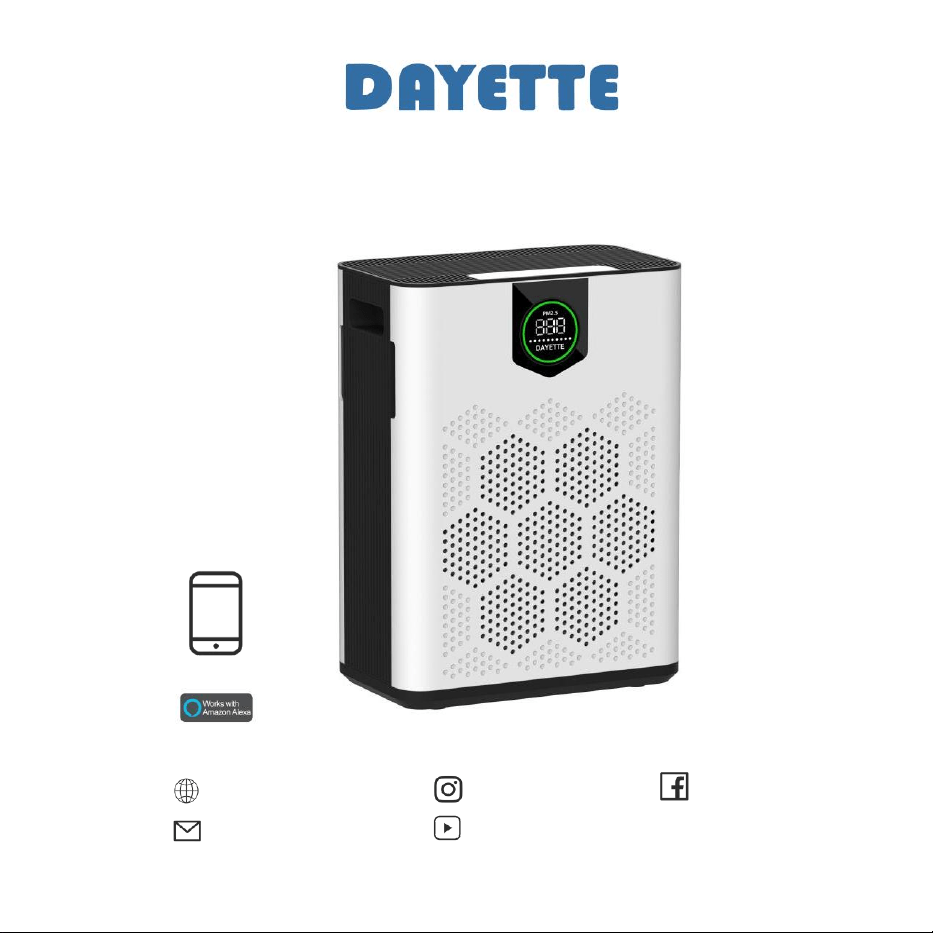
AP304 HEPA Air Purifier
Smart Home Life APP Setup
www.dayette.com
info@dayette.com
@dayetteofficial
@Dayette
@Dayette
Model: KJ3-5S
Wifi Enabled
Connect to the Smart home life app
Connecting to the Smart home life app allows you to control the air purifier remotely and monitor filter usage. The
app offers additional functions to the air purifier.
Step 1
Download the Smart home life
app from the App store or
Google play.
Step 2
Open the app. Create or sign into
your account with a valid email
address.
Step 3
Tap Add Device and select Air
Purifier. Follow the instructions to
complete app pairing.
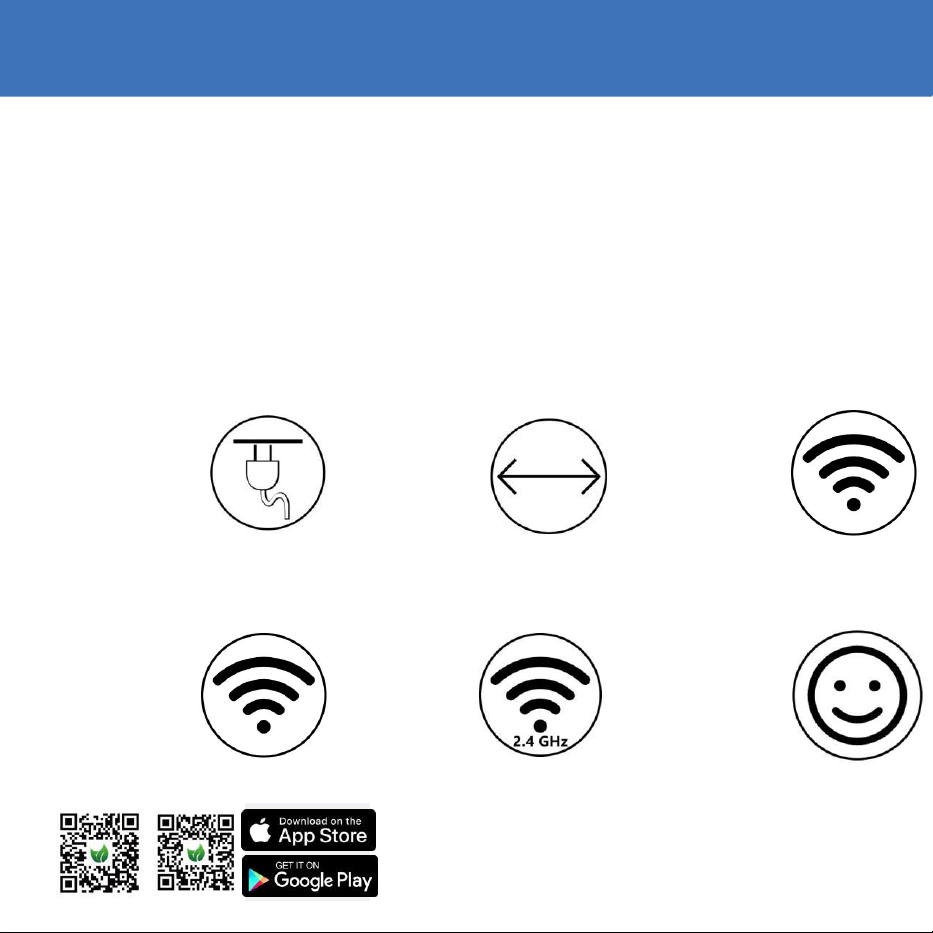
First time connection tips
Make sure to turn on
your air purifier.
Press and hold the
wifi button on the
Air Purifier for 3-5
seconds . Once the
Wi-Fi indicator is
blinking, it is ready to
be paired with your
app.
Make sure you are
using a visible Wi- Fi
network that is not
hidden.
VPN (Virtual Private
Network) should be
deactivated while using
Ensure both the Air
Purifier and your
mobile device are
within close proximity
to the router during
the setup process.
This air purifier can
only connect to 2 .4
GHz Wi- Fi.
If you are using a
dual-band Wi- Fi
router, make sure to
select 2.4GHz.
the App.
Double-check that
have entered the
correct Wi-Fi network
name and password
when connecting the
Air Purifier.
Avoid Special
Characters: Avoid
using emojis, special
characters, or symbols
in your Wi-Fi name
and password.Stick to
alphanumeric
characters for
seamless connectivity.
EN
you
App Store® is a trademark of Apple Inc.
Google and Google Play are trademarks of Google LLC.
Amazon, Alexa and all related logos are trademarks of Amazon.com,Inc.or
its affiliates.
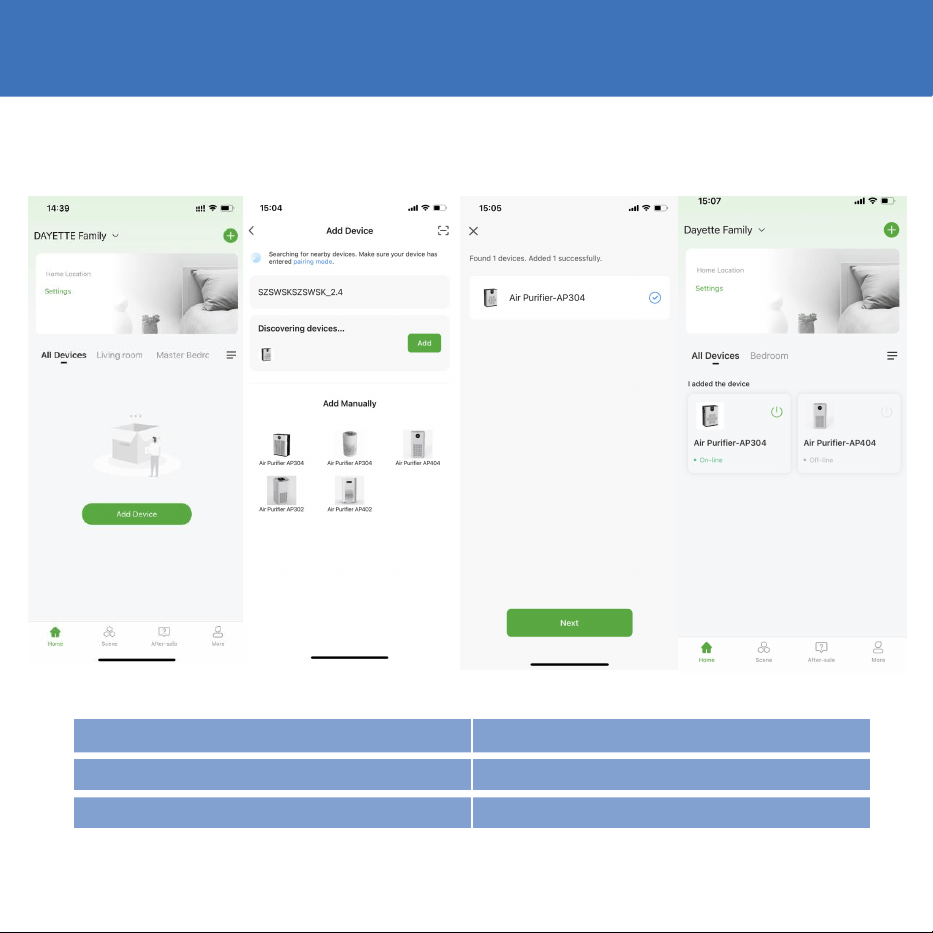
APP Operation Steps
Step 1
Tap Add device
Step 2
Select the model of
your air purifier
Step 3
Select the same router’s WIFI
and add the found device
Step 4
Connected
WIFI Indicator Status
Flash WiFi
Ready for APP Mode Connection
Long Bright State
Wifi Connected
Without WiFi Status icon
Not mached the APP device
EN
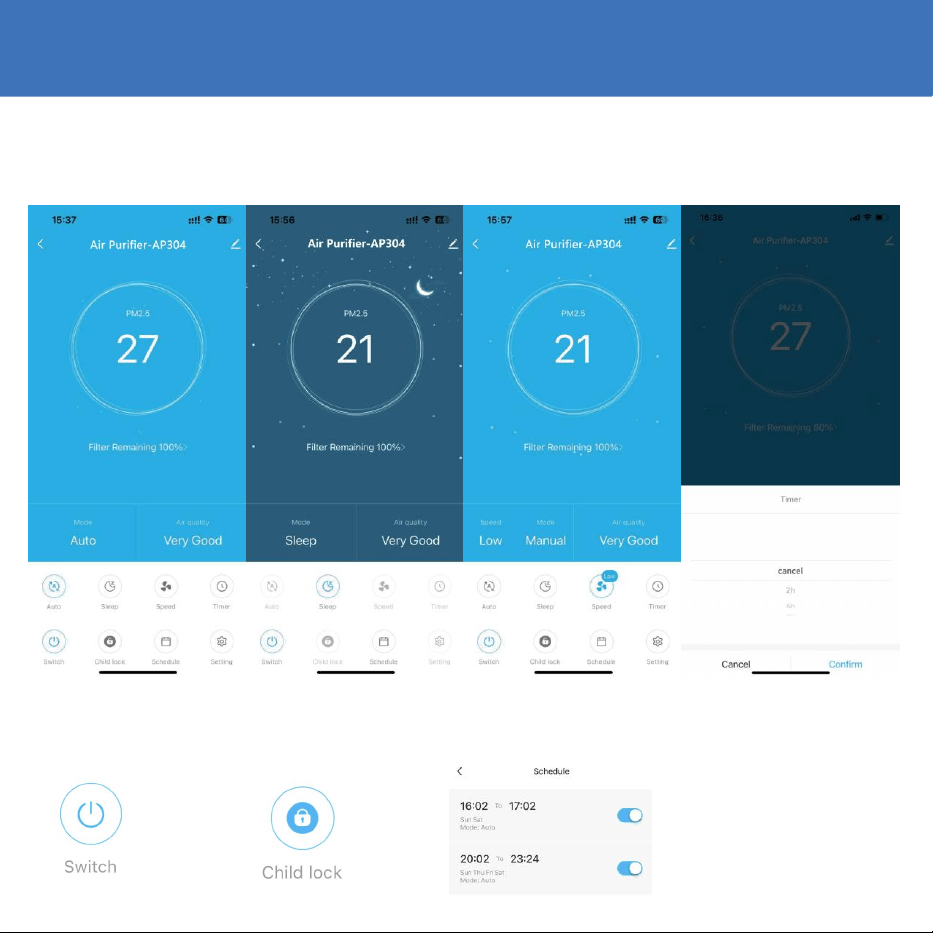
With More Functions
Auto Mode
Click device to enter the
control panel, the default
is automatic mode
Sleep Mode
Click to enter sleep mode,
then click once to exit and
turn to low speed
Manual Speed Mode
Select the 4 fan speeds of
Low, Medium, High and
Turbo
Set Timers
Enter the 2 4 6 8 h timer
function with countdown
display
Switch
On/Off button
Child Lock
Child lock mode
Schedule
Multi-Time(Now/Future),
repeat time not recognized
Filter Reminder
Check filter life to replace
filter in time
FiterRemaming100%>
EN

Control the Air Purifier with Amazon Alexa
Step 1
Step 2
Step 3
Sign in with your Amazon
Search and select Smart
Enter the email address and
account to the Alexa app, tap
home Life, then enable it
password for logging in to the
the upper-left corner of the
by tapping ENABLE TO
“Smart home life” APP, then
home screen, and then
use.
tap Authorize to continue.
select Skills and Games.
Step 4
Step 5
Step 6
Tap Done to close the page,
After the Air Purifier is
Tap and allow Alexa
then tap DISCOVER
discovered, please tap
APP to access the
DEVICES to discover the Air
CHOOSE DEVICE to set up
microphone of your
Purifier which has been
your device.
mobile device.
connected in Smart home life
APP.
"Alexa, turn on the Air Purifier(or your air Purifier's name if you changed the device name)."
"Alexa, turn off the Air Purifier."
Note:If you have an Echo device at hand, please follow the steps below to make it available for voice commands.
Step 1:
Log in to your Echo device with the same Amazon account for logging into Alexa APP.
Step 2:
Tap Devices on the bottom,then tap Echo & Alexa to show your Echo device.
EN

Control the Air Purifier with Google Assistant
Step 1
Step 2
Step 3
Launch Google Home
Tap Settings on the
Tap on the upper right
APP,then follow the in-app
main page, then scroll
corner,then search and
instructions to set up your
down to the bottom to
select Smart Home Life.
Google account.
tap "Works with Google."
Step 4
Enter the email address and
password for logging in to
“Smart home life.”
Step 5
Tap Link Now and
Authorize,it will show you
Smart Home Life is linked
Step 6
Follow the instructions to
set up the device to
finish the settings
"OK Google, turn on the air Purifier(or your air Purifier's name if you changed the device
name)."
"OK Google, turn off the air Purifier."
Note: If you have a Google Home Speaker at hand.Please follow the steps below to make it available for voice commands.
Step 1:
Plug your Google Home Speaker into the socket.
Step 2:
Tap + on the upper left corner of the main page,then select Set up device.
Step 3:
Tap Setup new devices, and then select Next to search for devices.
Step 4:
Follow the instructions of Google Home APP to connect your Google Home Speaker to WiFi.
Then you can speak the voice commands mentioned above,and the air Purifier will respond accordingly as well.
EN

FAQs
Question
Answer
How many schedules can I set by the APP?
You can set 7 schedules via Smart APP by tapping
Settings> Schedule.
Why does the Air Purifier show that it's
offline?
*Make sure you have turn on the Air Purifier.
*Check the network connection of your mobile device.
Why cannot the Air Purifier connect to
WiFi?
*Make sure you've entered the right password.
*Keep the air purifier,mobile device and your router
being as close as possible.
*Make sure you selected a 2.4GHz WiFi.
Why can not control the Air Purifier with
Alexa/Google Assistant?
*Please check the network connection of your mobile
device.
*Make sure you've connected the Air Purifier to “Smart
home life” APP.
*Make sure your air purifier has been discovered in
Alexa/Google Home APP.
*Make sure you start the voice command
How many Air Purifiers can l connect to
the same account?
There is no limitation on the numbers of Air Purifier.
For more information and troubleshooting tips, please check the user manual or contact us via info@dayette.com
We provide satisfying consultation and services concerning your complaints, suggestions, and
recommendations upon receiving your troubled product model name, status, and contact information.
• After reading this manual, keep it in a place easily accessible to the user for future reference.
•
Caution : Please read this manual carefully to ensure safety and a longer product lifespan.
www.dayette.com [email protected]om
EN
