Copyright © 2025, PuroAir
PUROAIR 400
USER MANUAL
1
user manual

TABLE OF CONTENTS
Safety precautions 4
Product information 6
Product Anatomy 7
Removal of base cover 8
Placement of air purifier 9
Filter installation 10
Understand the role of filters 13
3 stage filter 14
Using the purifier 16
Turning on the purifier and auto mode 17
Manual & automatic mode 17
Fan speed, timer, sleep mode and filter reset 18
Child lock function 19
Maintenance 20
Troubleshooting 22
Other products 24
Filter subscriptions 25
Warranty 26
Sensor test 28
Customer support 31
2
puroair
3
user manual
SAFETY
PRECAUTIONS
In order to avoid possible injury or financial loss to you or
others, please pay attention to the following safety precautions.
If the power cord is damaged, do not attempt to repair it at home.
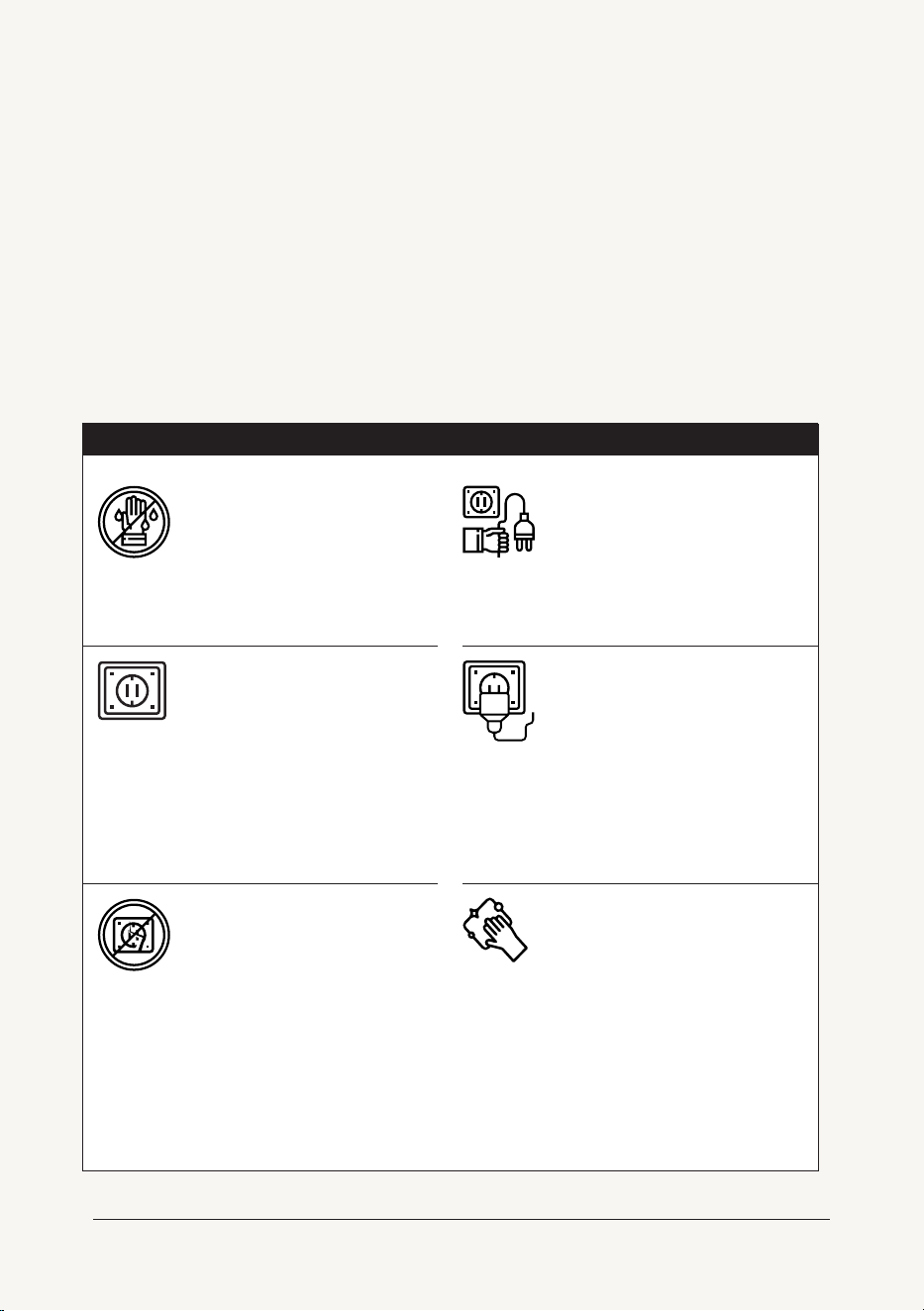
Do not touch power plug
with wet hands.
Only 120V ~AC power
supply should be used.
Do not damage the power
cord and socket.
When using the purifier, do not bind the
wires. Using damaged wires may lead to
electric shock, short circuit or fire.
Do not cut, twist, poke and pull wires, or
place heavy objects on wires or sockets.
Before cleaning the
purifier, make sure that
the power supply has
been disconnected.
Fully plug in the air
purifier before turning on.
If the plug is not fully inserted into the
socket, it may cause electric shock or
overheating.
Do not use damaged plugs or loose power
outlets.
Please clean the power
plug regularly.
Pull out the power plug and clean it with a
dry cloth (do not use a wet cloth).
If the appliance is not used for a long time,
the power plug should be removed.
WARNING
4
puroair
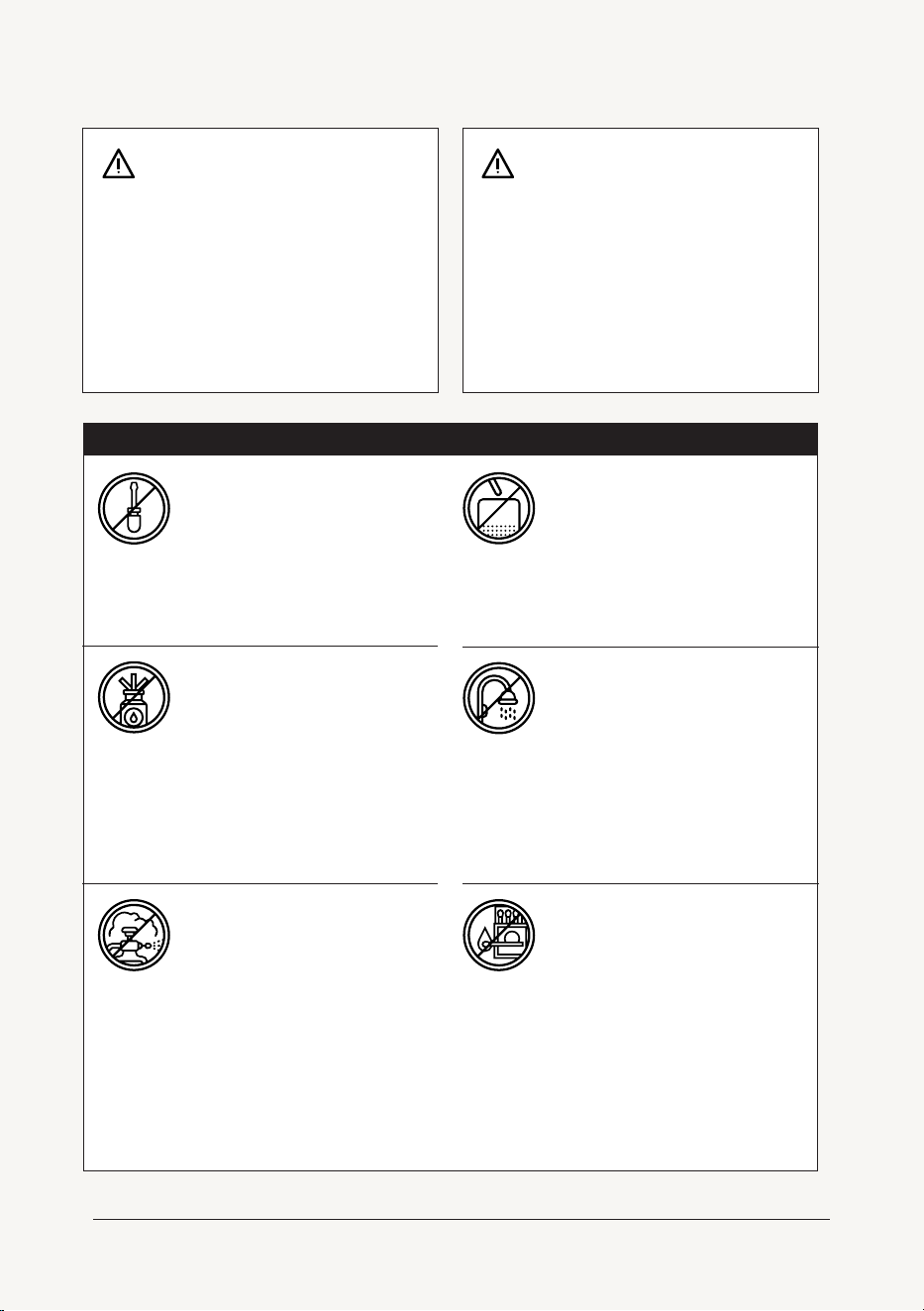
Do not use benzene, thin-
ner or other solvents to
clean the air purifier.
Do not use the air purifier
in a room with fumigation
insecticides.
Chemical residues may accumulate in the
unit and then be released from the air
outlet which can be dangerous.
After using insecticide, the room should
be thoroughly ventilated before using the
air purfier.
Do not use this air purifier
in a place with a high tem-
perature, high humidity or
a wet enviroment such as
a bathroom.
Do not let volatile
substances or combus-
tible materials, such as
tobacco and sparks,
float into the purifier.
Do not disassemble or
refit the air purifier
without authorization.
If you need to move the product, please disconnect
the power first.
Be sure to move the product slowly.
Do not move the product by pulling the power cord.
Do not move the machine while the product is in
operation. If you need to move the machine, please
turn o the power.
If a switch does not work.
If the power cord or plug is abnormally hot.
If the fuse burns out.
If you notice a burnt odor or abnormal sound or
vibration.
If there is any other abnormal phenomenon or fault.
Do not place rods or metal
objects near or in the air
outlet or opening.
WARNING
Do not use if:
5
user manual

This product has been tested and evaluated for electromagnetic fields (EMF)
emissions in accordance with applicable safety standards. The product is
designed to comply with the international guidelines established by the Inter-
national Commission on Non-Ionizing Radiation Protection (ICNIRP) and the
Institute of Electrical and Electronics Engineers (IEEE) for exposure to electro-
magnetic fields.
The levels of EMF generated by this product are well below the limits recom-
mended by these standards, ensuring that the product is safe to use under
normal operating conditions. The product has been tested in compliance with
the relevant electromagnetic compatibility (EMC) and radio frequency (RF)
safety standards, including:
This product is safe for use as intended and does not pose any significant risk
to health due to EMF exposure. Please follow the safety instructions provided
in the user manual to ensure proper usage and handling of the product.
IEC/EN 62233: Measurement methods for electromagnetic
fields of household appliances and similar apparatus with
regard to human exposure.
IEEE C95.1-2019: IEEE Standard for Safety Levels with
Respect to Human Exposure to Electric, Magnetic, and
Electromagnetic Fields.
FCC CFR 47 Part 15: Radio Frequency Devices, including
RF exposure limits.
ELECTROMAGNETIC FIELDS
6
puroair
PRODUCT INFORMATION
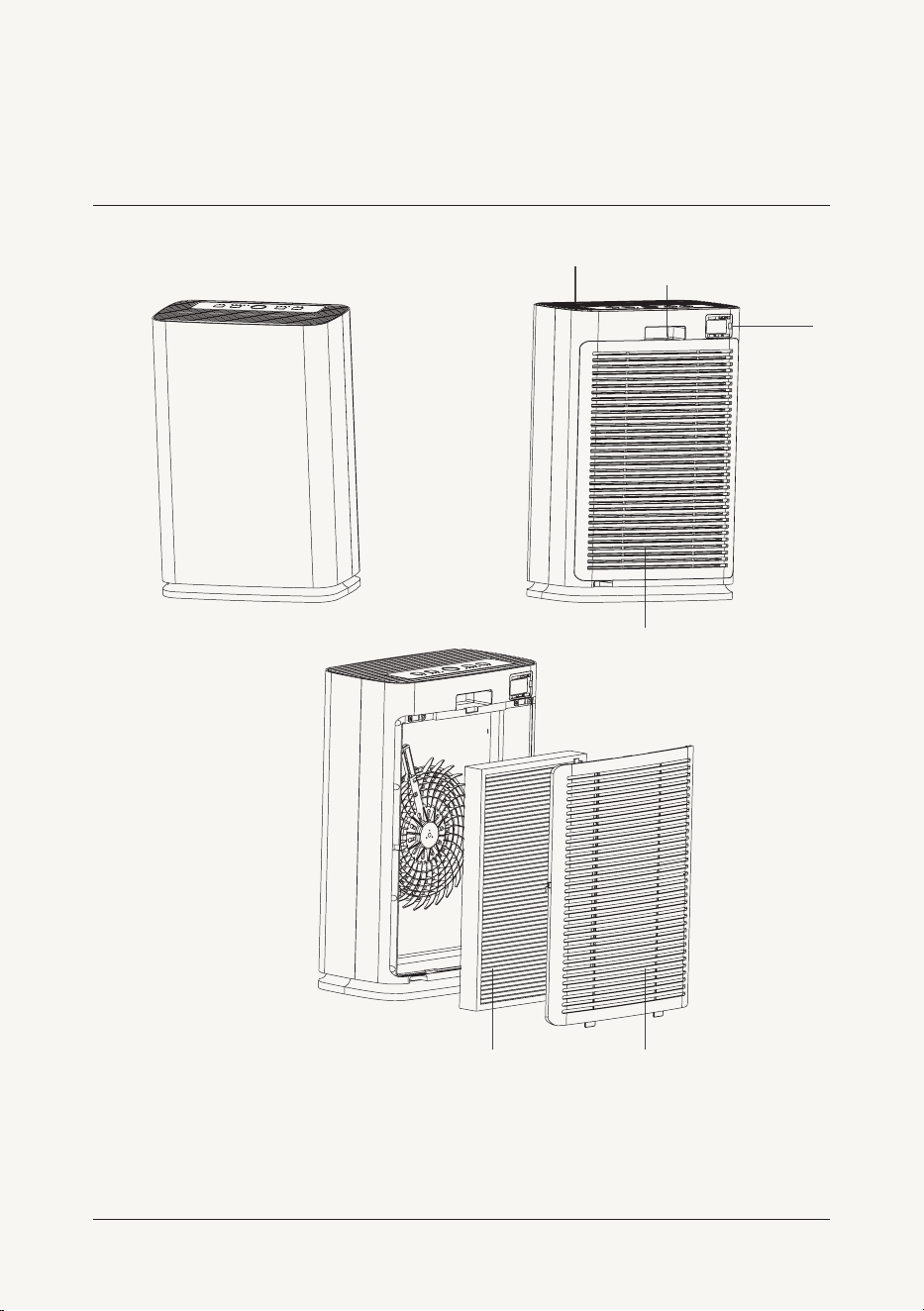
PRODUCT ANATOMY
HEPA Filter with
Activated Carbon Layer
Back Cover
Air Intake
Air Output
Handle
Air Quality
Sensor
7
user manual
8
puroair
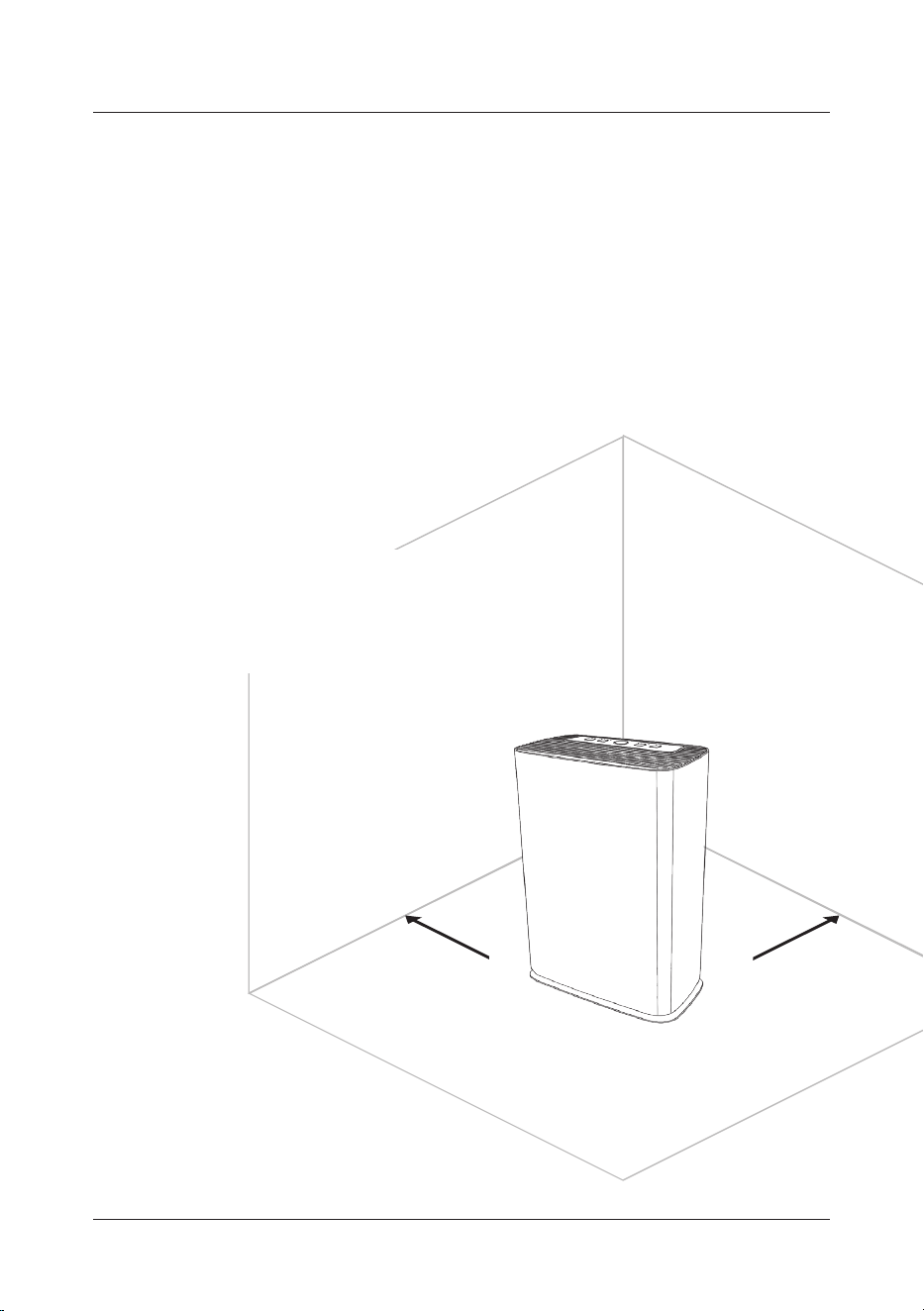
PLACEMENT OF AIR PURIFIER
In order to achieve optimal air circulation and filtration, make
sure the air intake and output of the machine are more than 8
inches away from any obstacles.
Please keep the air purifier 3 ft away from
other electrical appliances.
Please do not plug the power into the same
socket as another electrical appliance.
Do not obstruct the air intake or output to
ensure adequate ventilation and maximum
eiciency.
9
product information
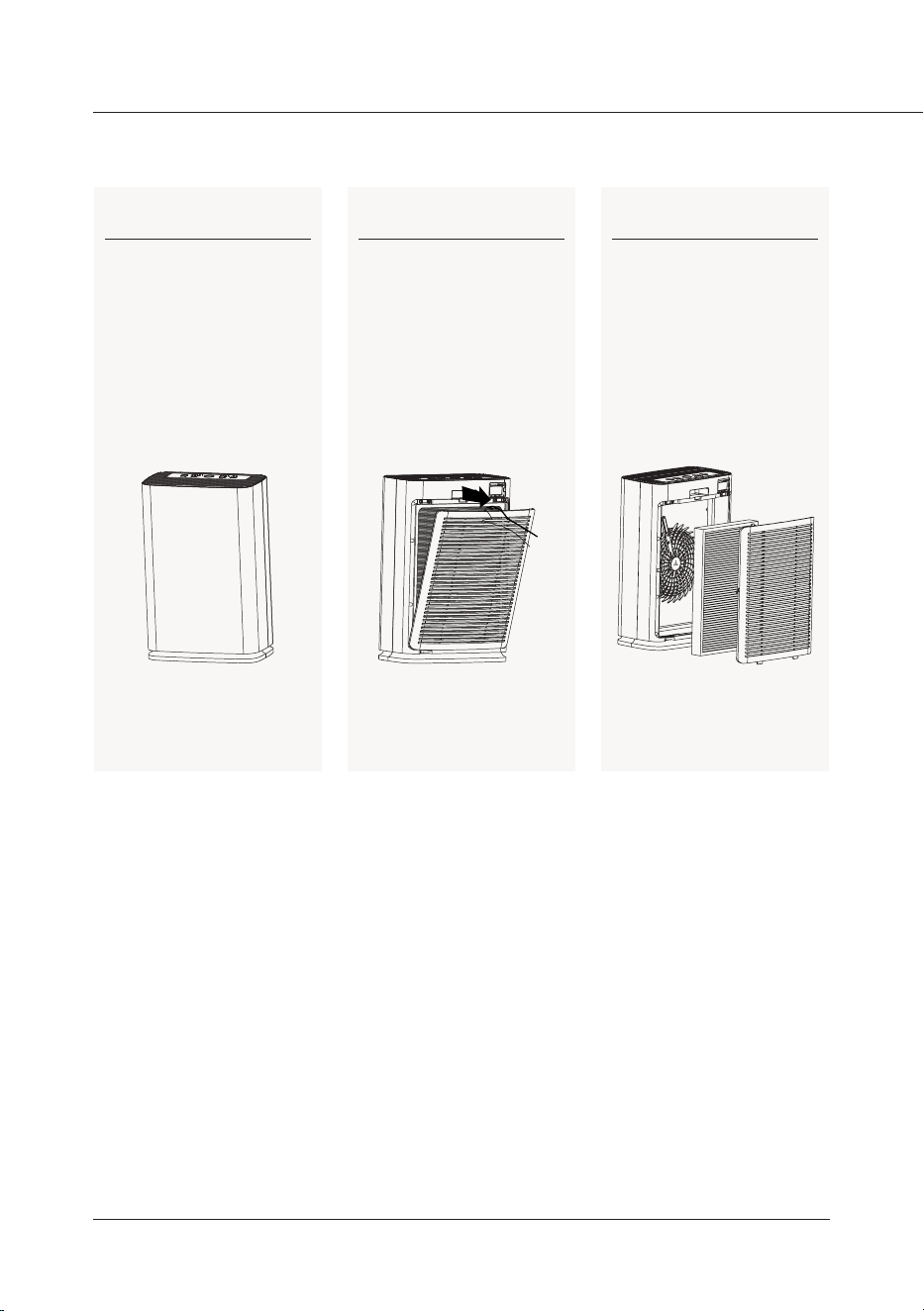
FILTER INSTALLATION
Step 1
Remove all packaging
materials and place the
machine on a dry, stable,
level surface.
Step 2
Press the groove on the rear
cover plate by hand, pull the
cover plate outward at the
same time, and gently pull
the cover plate upward.
Step 3
Remove the filter screen
inside the purifier.
10
puroair
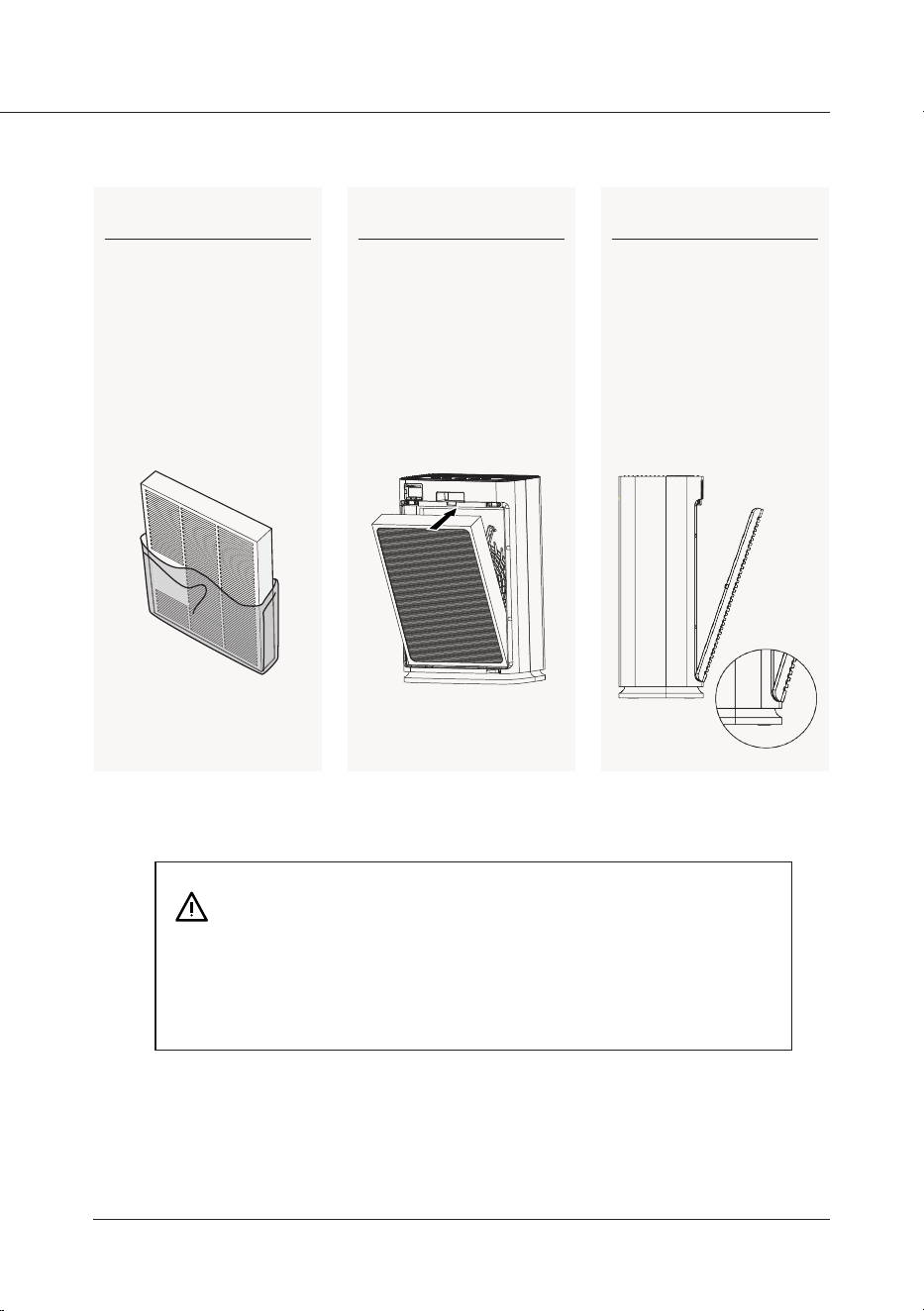
Step 4
Remove the plastic bag
around the filter if present.
Step 5
Place the filter into the
purifier, with the white side
facing outward.
Step 6
Reattach the rear cover plate,
align and insert into the fixed
groove.
• Do not operate the purifier without a filter.
• Only use genuine PuroAir filters with this purifier. Alternative filters can
cause operational issues and impact the quality of air purification.
11
user manual
12
puroair
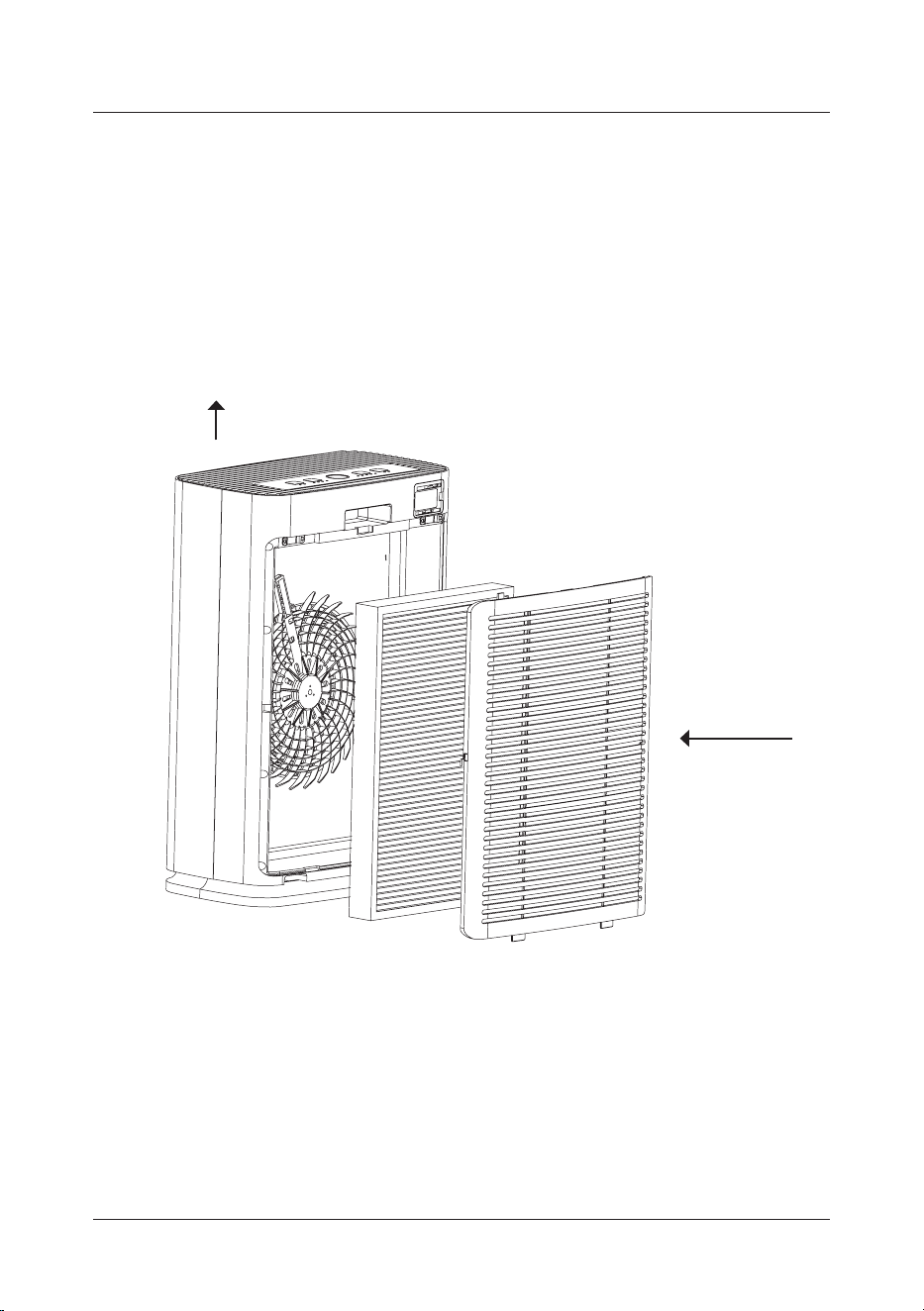
UNDERSTANDING THE ROLE OF FILTERS
Polluted air
enters here
Clean air output
13
user manual
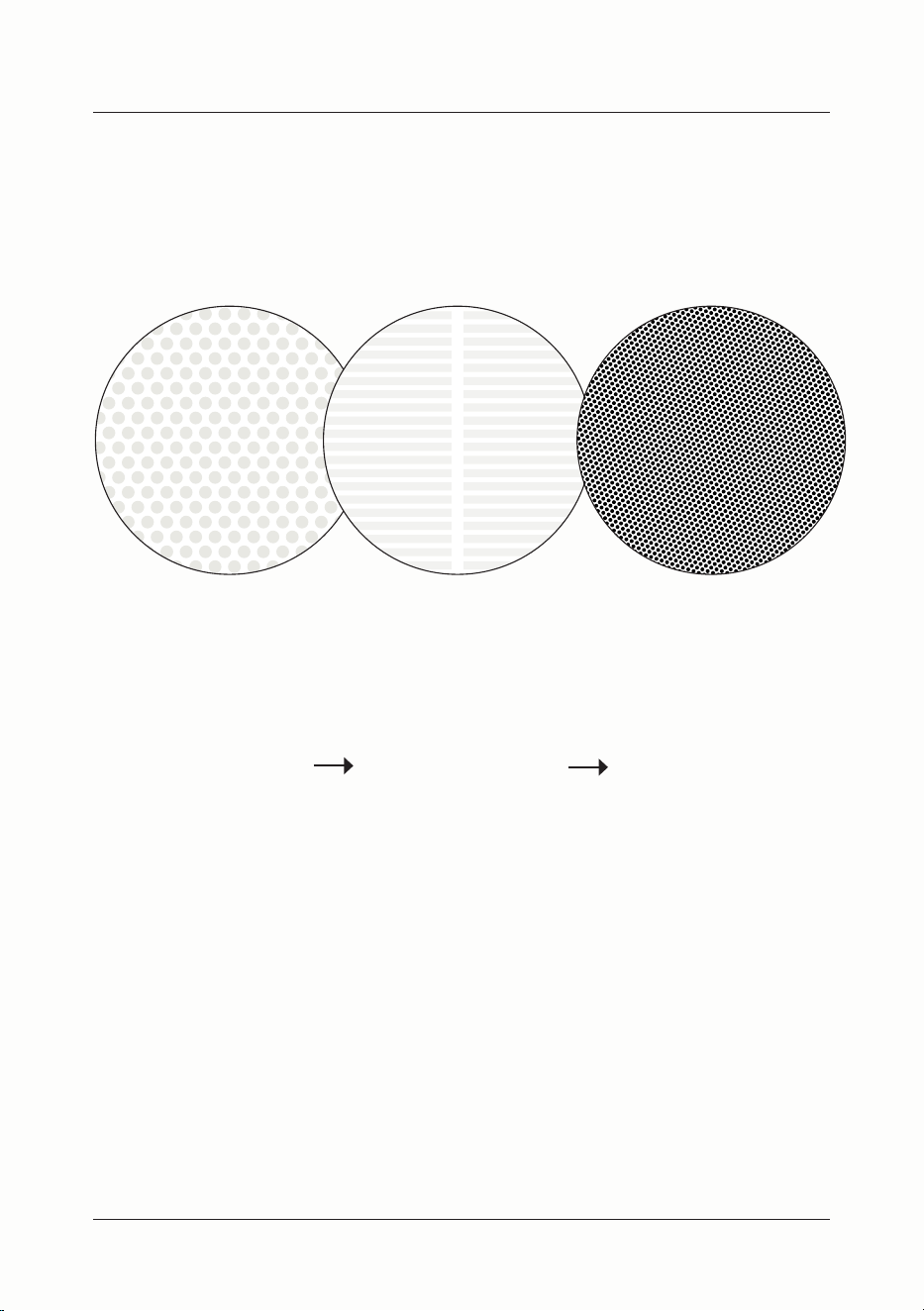
UNIQUE TRIPLE PURIFICATION TECHNOLOGY
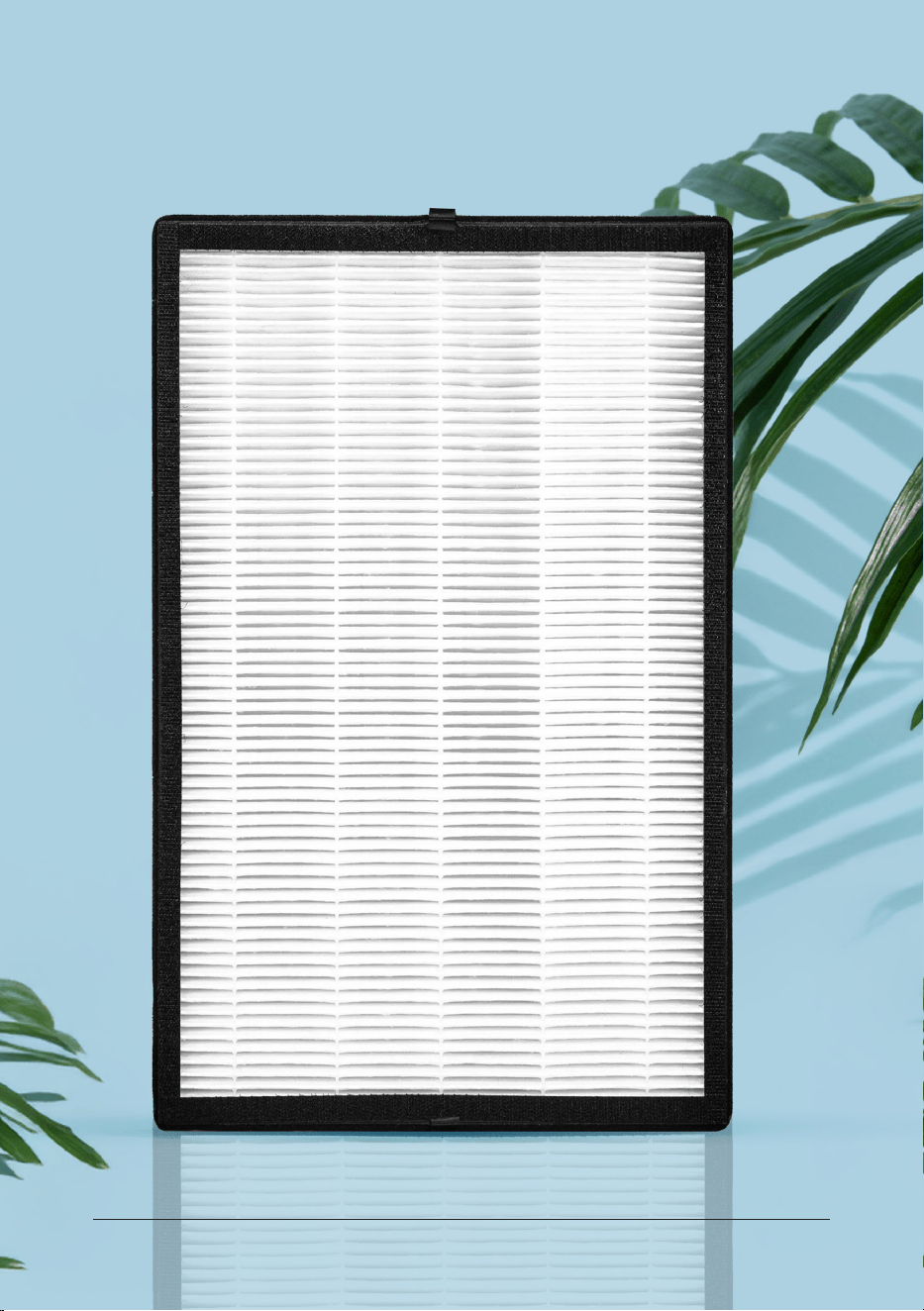
High eiciency HEPA & activated carbon are combined in the same filter.
Prefilter
Screen
High Eiciency
PuroAir Filter
High Eiciency
Activated Carbon
14
puroair
15
user manual
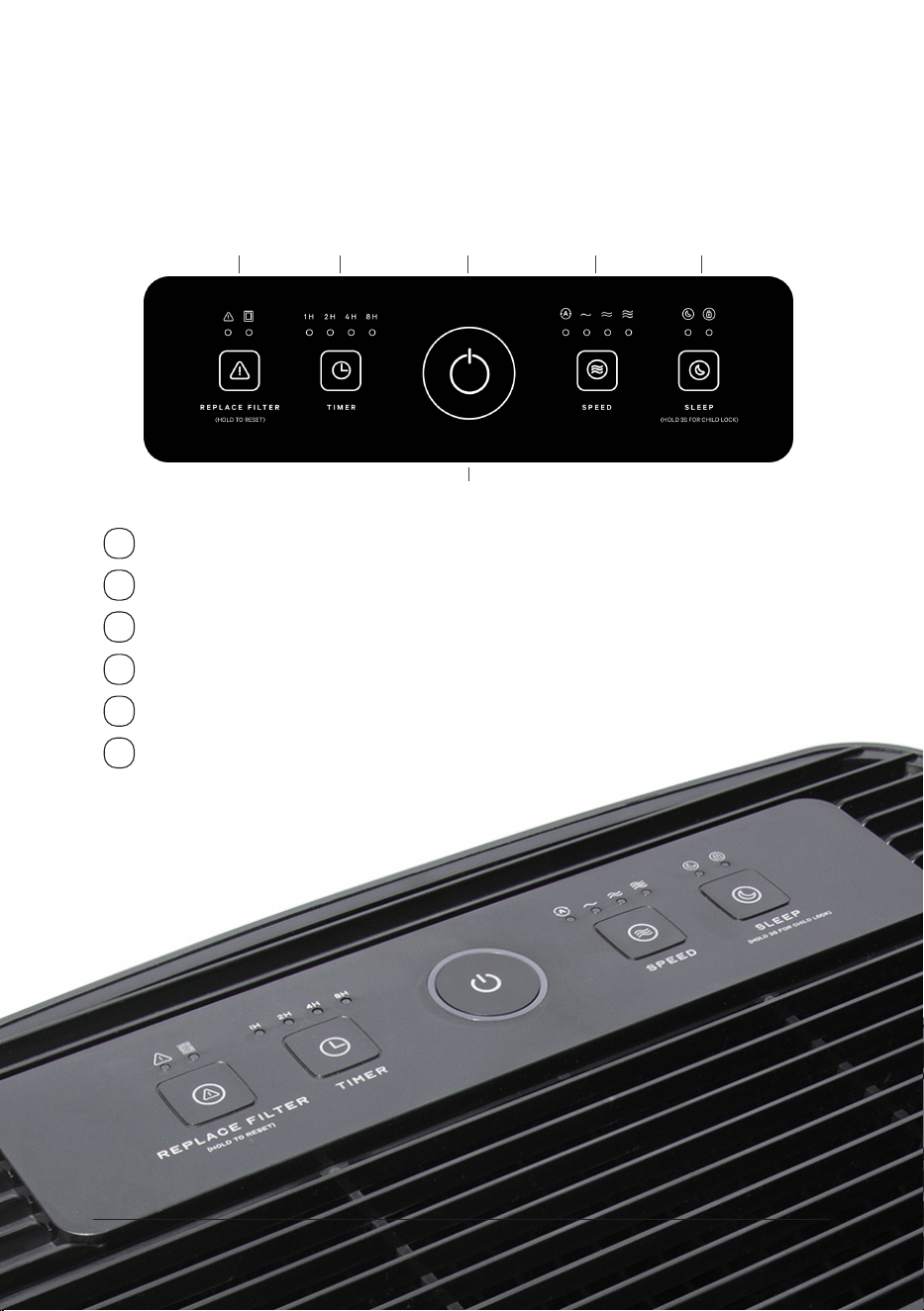
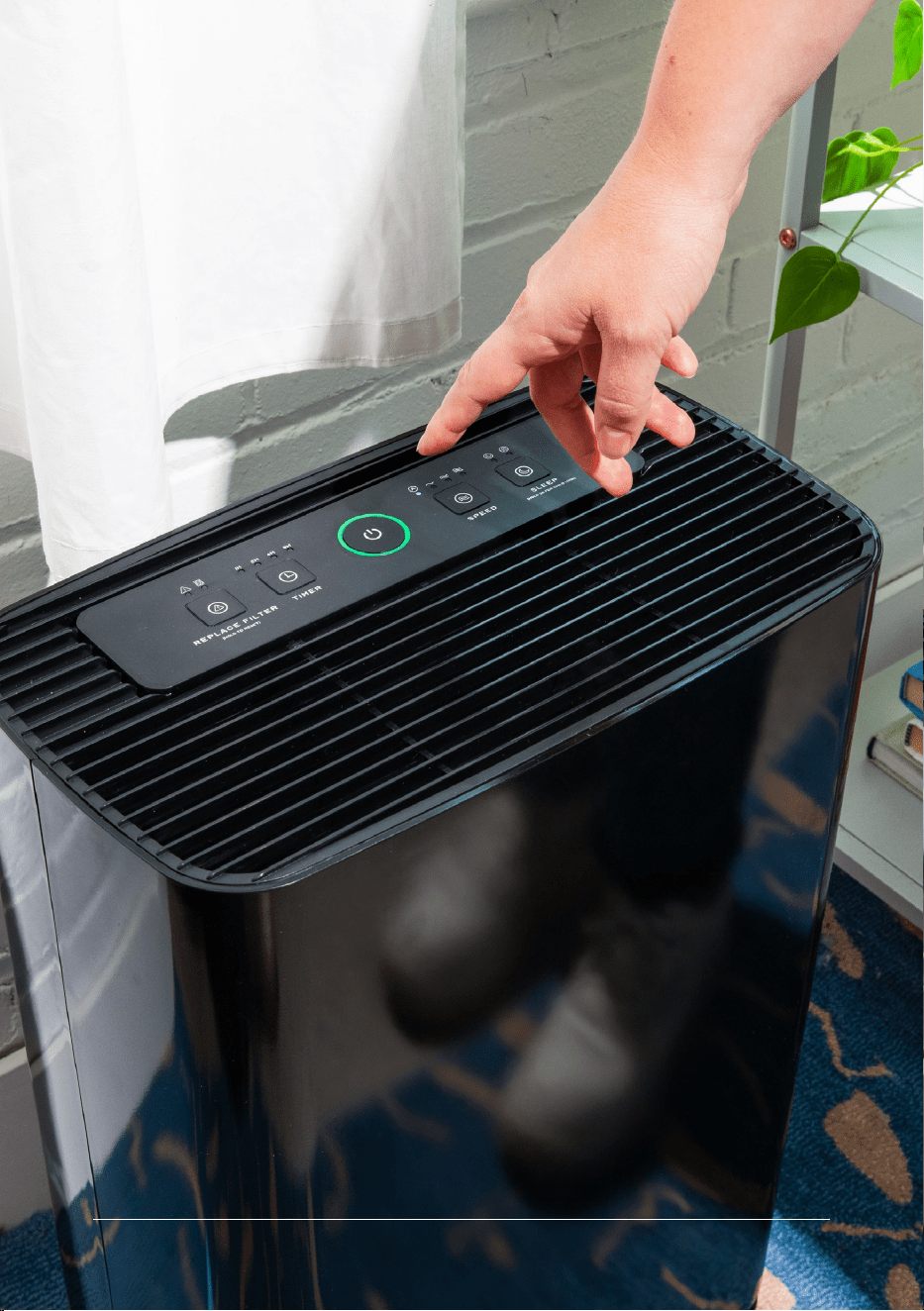
CONTROL PANEL KEY
USING THE PURIFIER
1 Power
2 Filter reset
3 Timer
4 Fan speed
5 Sleep and child lock
6 Air quality indicator light
1
2
3 6 4 5
16
puroair
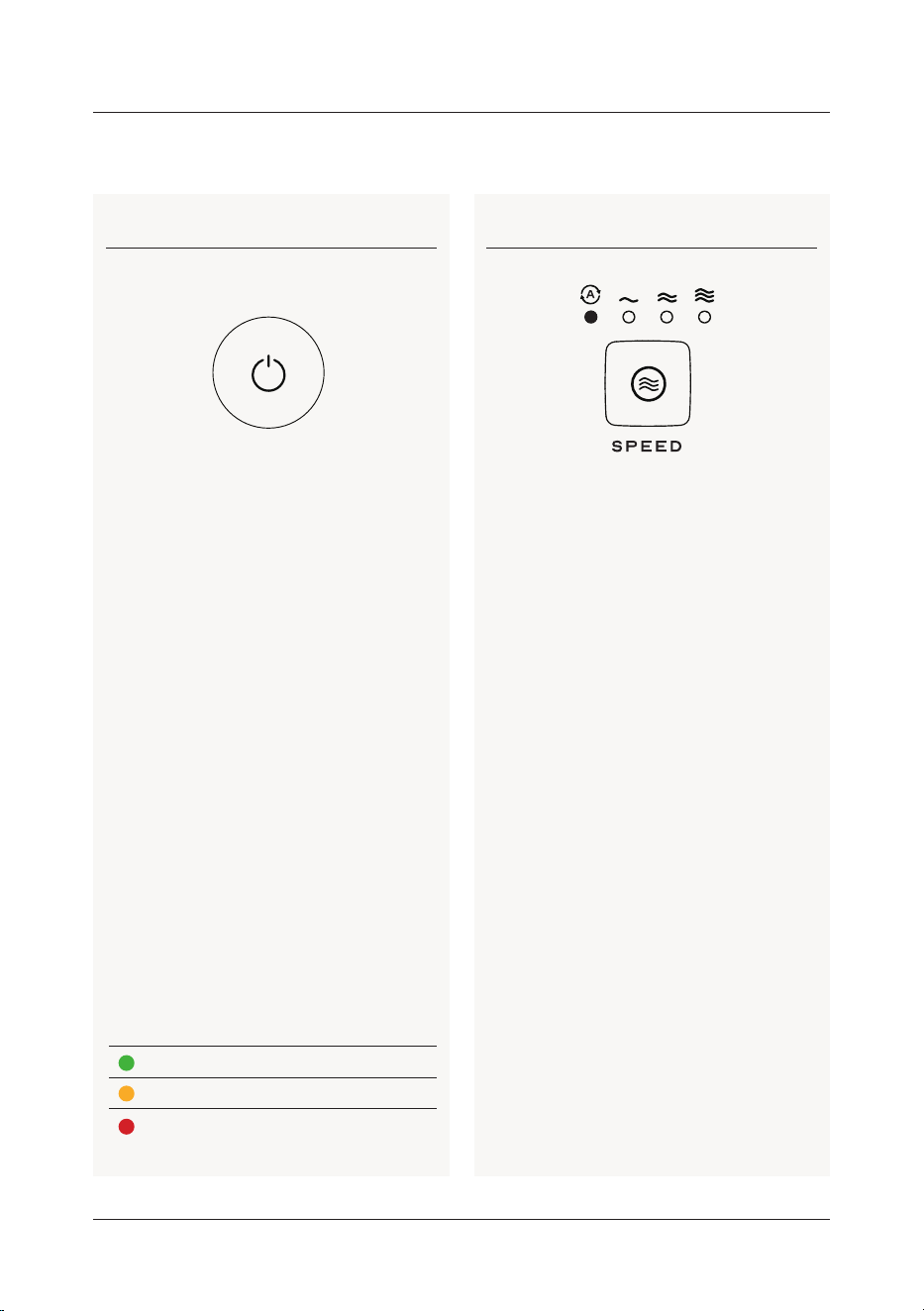
FUNCTIONS IN DETAIL
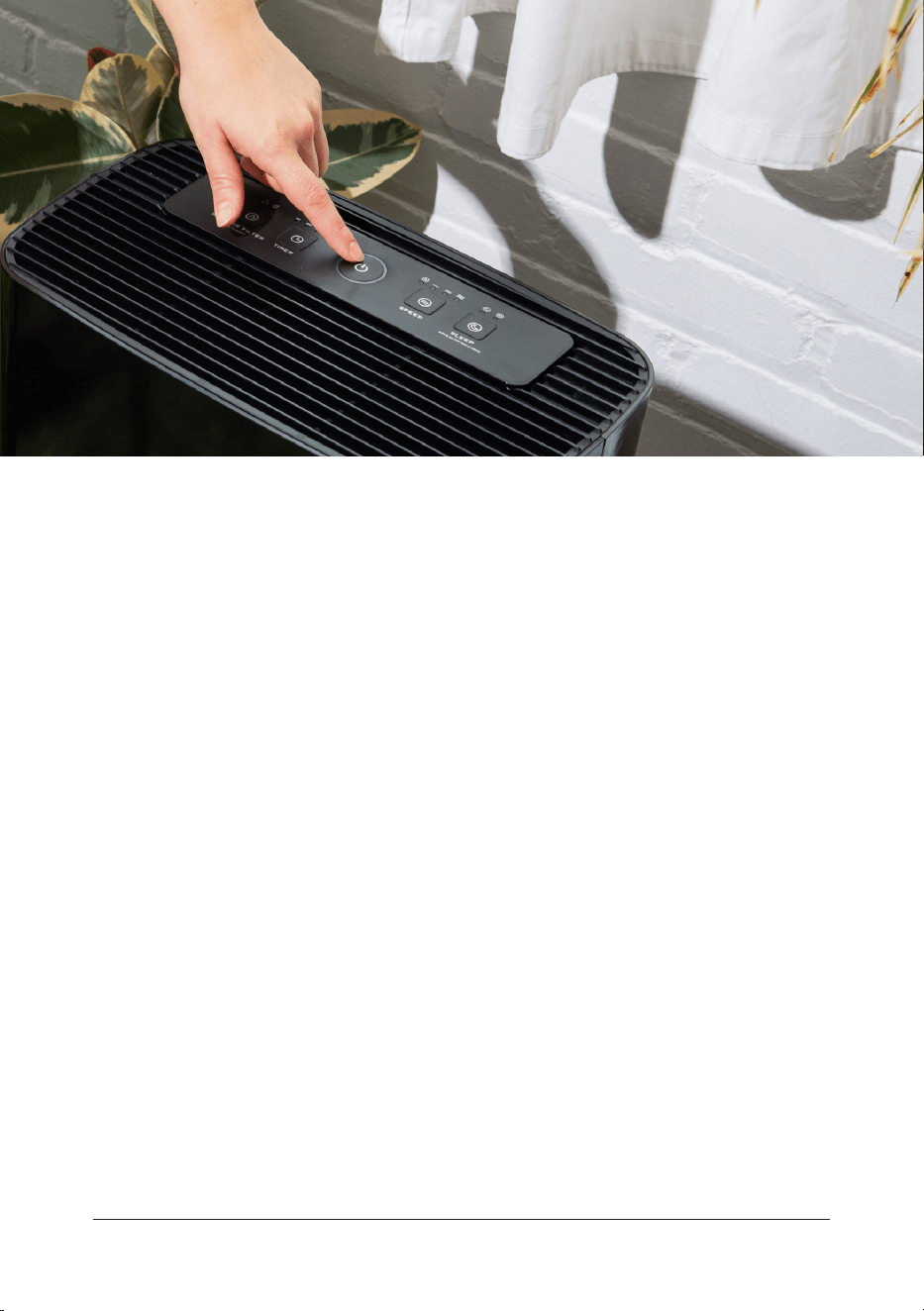
Press the power button to power on
the purifier. The machine will enter auto
mode and the automatic light will illumi-
nate and the air quality indicator will dis-
play colors while the purifier calibrates.
After a 10-20 second calibration, the air
quality indicator will be displayed based
on the quality of the air surrounding the
unit. When the purifier is running in auto
mode, the fan speed will be selected
automatically based on the air quality
detected.
To turn off the product, press the power
button again.
Powering on or off Auto mode
After powering on, the air purifier will
enter standby mode. Press the power
button to start the air purifier. To enter
auto mode, press the fan speed adjust-
ment button (labelled “auto/mode”). To
manually set the fan speed, press the
auto/mode button again until the unit
reaches the fan speed as desired. If you
continue to press this button, it will cycle
through low, medium, high, and sleep. Af-
ter adjusting the fan speed, the product
runs continually at that speed.
When in auto mode, the purifier will
automatically adjust the fan speed and
air quality indicator light based on the
quality of air surrounding the unit.
If indoor air humidity is high, it can
trigger a poor air quality reading and may
increase the fan speed. This is normal. To
override, manually adjust the fan speed.
Color
Air
Quality
Fan
Speed
Air Quality
Index (AQI)
excellent low 0-50
general medium 51-150
poor high >150
17
user manual
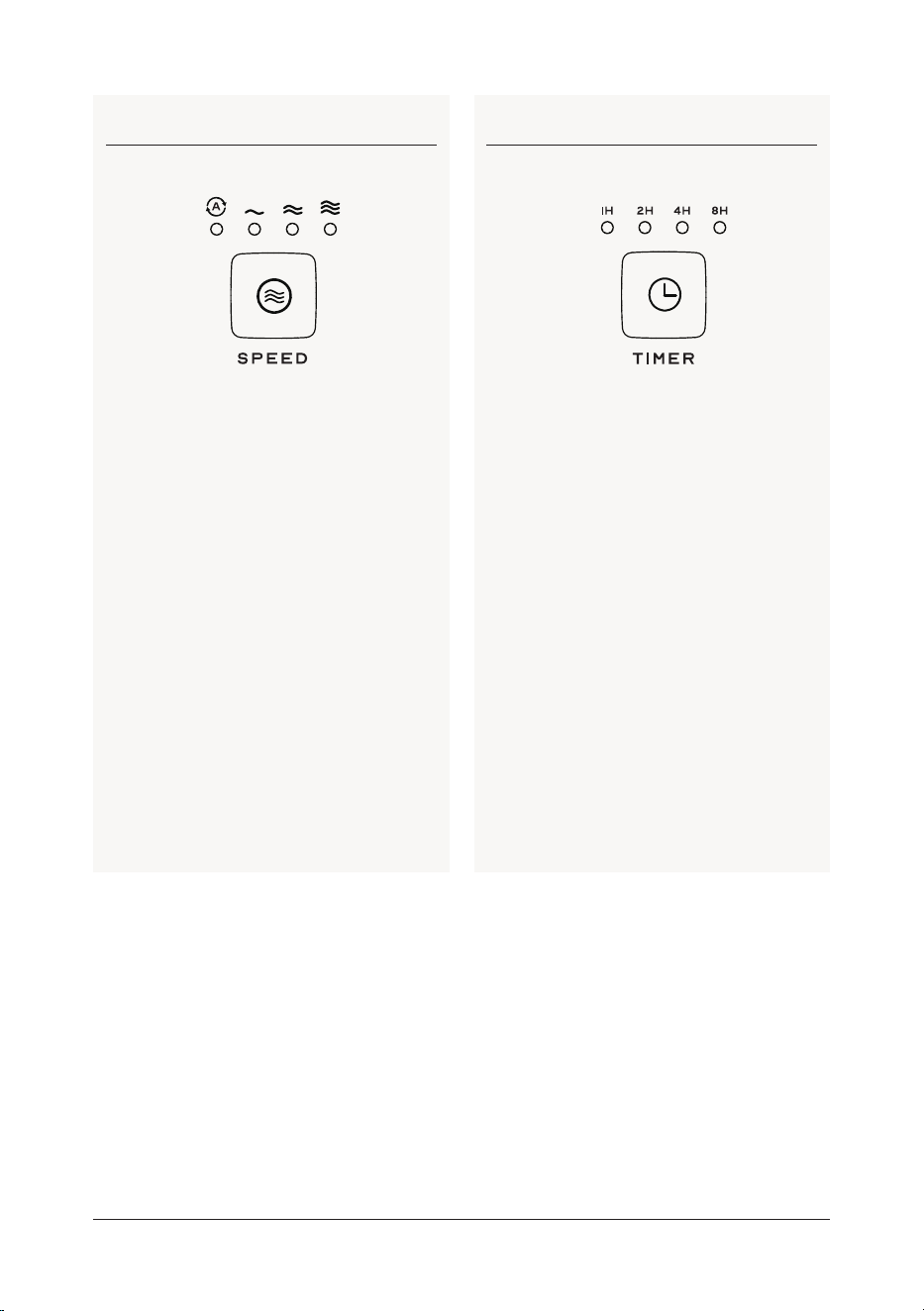
Fan speed Timer
To enter auto mode, press the fan speed
adjustment button (labled “auto/mode”).
To manually set the fan speed, press the
auto/mode button again until the unit
reaches the fan speed as desired.
To run the purifier for a specific amount
of time, select the timer button. The puri-
fier can be selected in 2 hours, 4 hours, 6
hours or 8 hours.
18
puroair
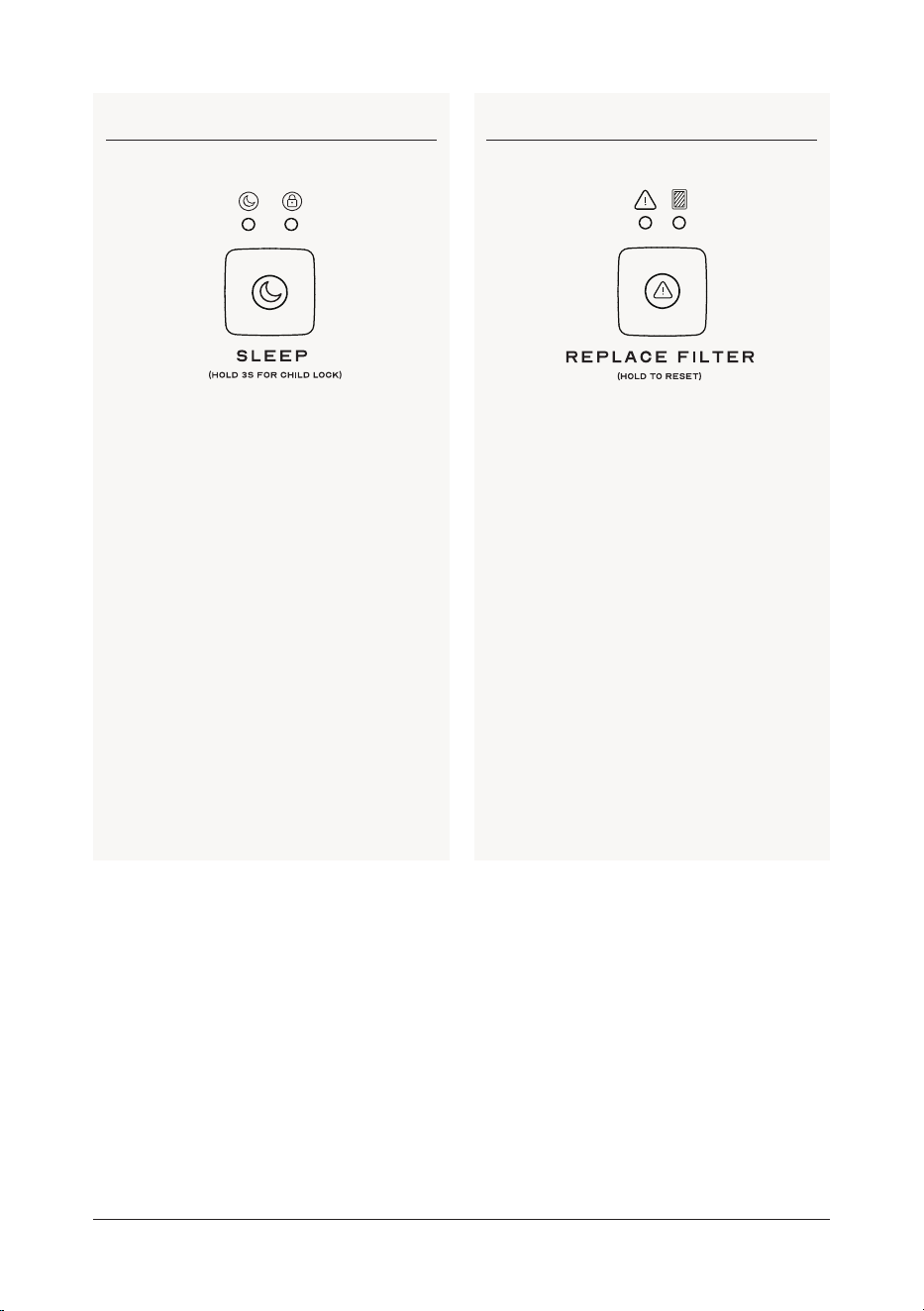
Sleep mode and child lock Filter reset
When the product is running, press the
fan speed button until the sleep indicator
is illuminated. When in sleep mode, the
fan will run at a low speed, and other
indicators will be off.
When the product is running (except for
sleep mode), press and hold the sleep
button for 3 seconds to enable child lock.
Child lock prevents any other functions
from being used.
To disable child lock, press and hold
the
child lock button for 5 seconds and all
functions will return to normal.
When the replace filter lights are
illuminated or flashing, the current filter
needs to be replaced with a new one.
Filters can be found at getpuroair.com.
Press and hold for 10 seconds to reset
the filter sensor.
19
user manual
MAINTENANCE
& CLEANING
Clean air purifier
Clean the inside and outside of the
purifier body regularly to prevent dust
accumulation.
• Use a soft dry cloth to wipe the dust off
the purifier.
• Clean the air intake and output with a
soft dry cloth.
Unplug the power plug before cleaning the product.
Do not immerse the product in water or any other liquid.
Do not use abrasives or corrosive cleaning agents.
The filter is not washable.
20
MACHINE
TROUBLESHOOTING
Problem?
Our Phoenix based team is here to help.
Email us at help@getpuroair.com!
22
puroair
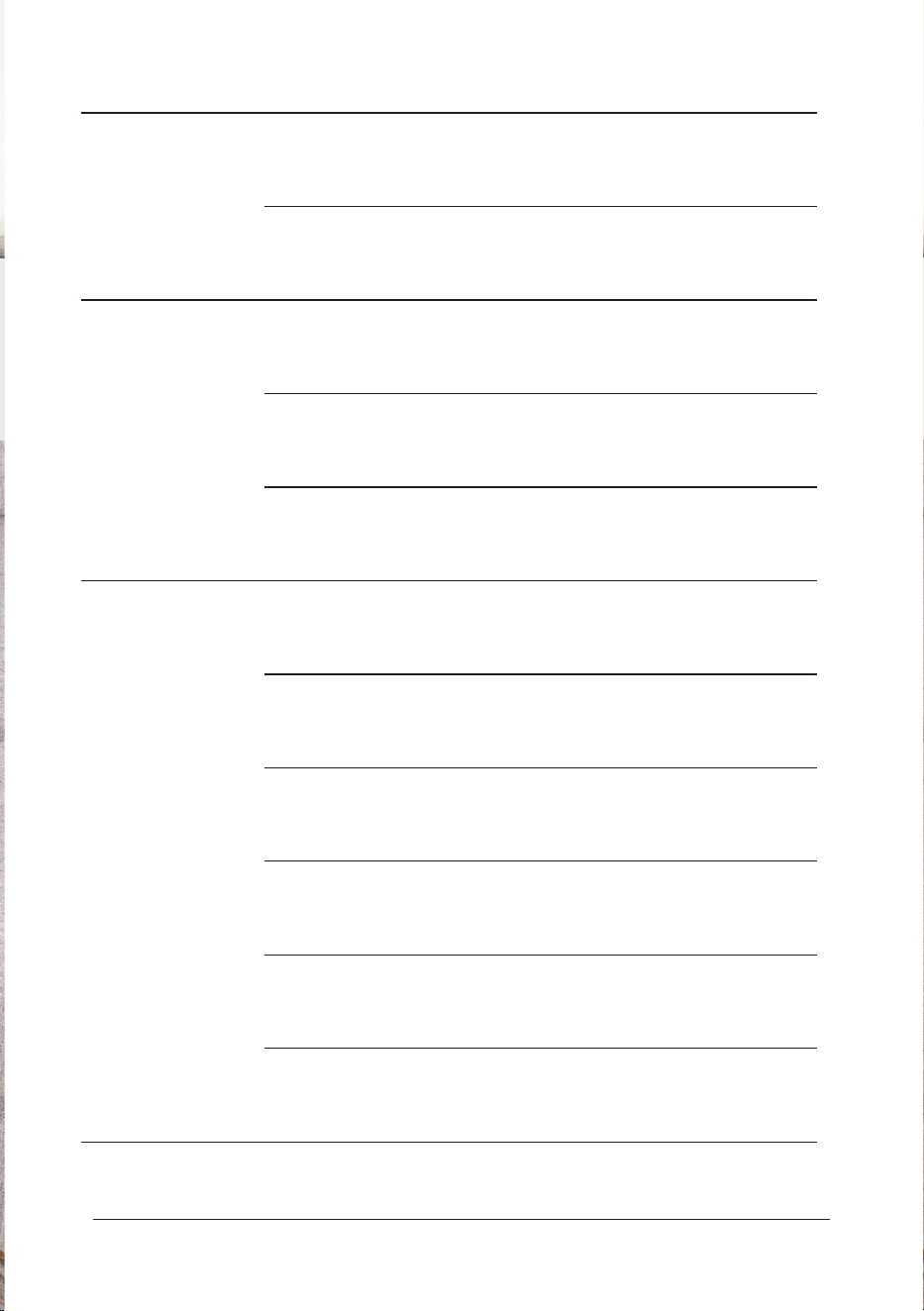
State Possible causes Possible solution
Machine won’t
turn on
The power plug is not in place Pull out the power plug and plug in the power
again
The power plug or wire
is damaged
Contact us at help@getpuroair.com
Fan is not working
The machine is not on Plug in the power and turn on the machine again
The motor is damaged Contact us at help@getpuroair.com
Motor loose or foreign
particles inside the machine
Contact us at help@getpuroair.com
Poor purification
performance or
suboptimal purification
capacity
The filter was not replaced Replace with a new filter
(you can find filters at getpuroair.com)
The air inlet or outlet of the
machine is blocked
Contact customer service center or dealer
The plastic package of the filter
is not removed
Remove the plastic package of the filter screen
for reuse
There is not proper clearance or
space around the machine to
ventilate it
Make sure that the air inlet and outlet of the
machine are not less than 3 feet away from the
obstacles
There is no filter in the machine Make sure that the filters are placed in the
machine in the order indicated
More than expected room coverage Recheck whether the area of the used room is
consistent with the specified area of the purifier
23
user manual
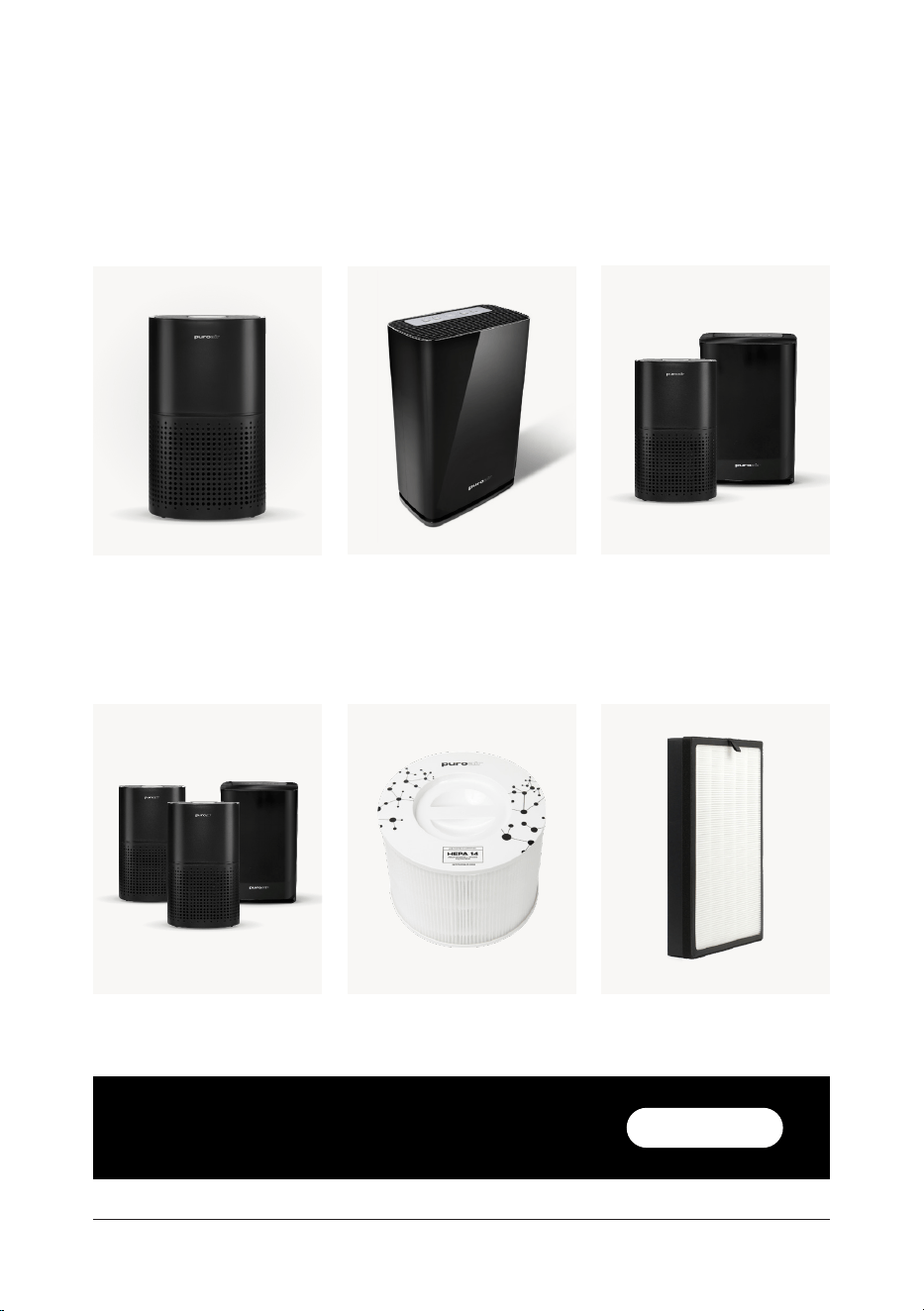
BROWSE OUR OTHER
PRODUCTS:
AIR PURIFIERS
REPLACEMENT AIR FILTERS:
PuroAir 400PuroAir 240
PuroAir 240 FilterWhole Home+ Bundle
Whole Home Bundle
PuroAir 400 Filter
with code UM15 on new purifiers.
getpuroair.com
SAVE $15
24
puroair
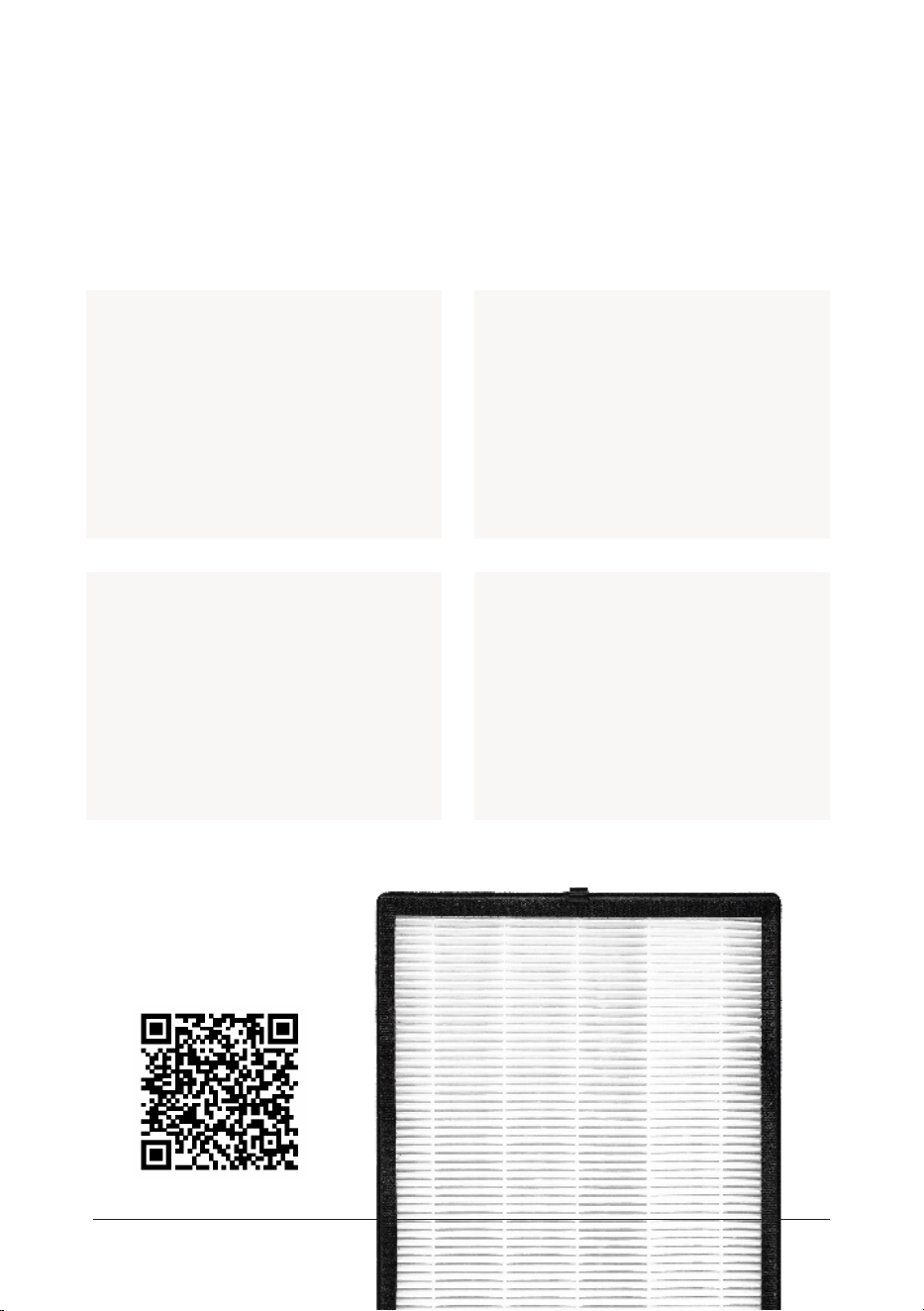
READY TO REPLACE YOUR
AIR FILTER?
Join our Filter Subscription program and receive amazing benefits:
Order your
replacement
filter today:
Hassle-Free:
No need to remember when to
reorder filters—they arrive at
your doorstep just when you
need them.
Cost Savings
Every filter you receive through
your subscription comes with a
discount, saving you money com-
pared to one-time purchases.
Flexible Management
You can skip shipments or
adjust your delivery schedule
anytime to fit your needs.
Lifetime Warranty:
Your purifier is covered under
our Lifetime Warranty for as
long as your subscription
remains active.
REPLACEMENT AIR FILTERS:
25
user manual

WARRANTY INFORMATION
Congratulations on your purchase of a PuroAir purifier! We stand by the quality of
our products and are pleased to oer you peace of mind with our comprehensive
warranty coverage.
For detailed warranty information, please visit getpuroair.com/policies/refund-policy
All PuroAir purifiers purchased directly
from us or through our authorized
reseller include a 2-year warranty with
registration. This covers any defects or
issues with your device for up to two
years from the date of purchase.
We go even further for our loyal custom-
ers. By maintaining an active filter sub-
scription, your purifier is covered under
our exclusive Lifetime Warranty. This
means as long as your filter subscription
remains active, your purifier is protected
against any defects or issues.
Purifier Limited Warranty: Purifier Lifetime Warranty:
26
puroair
100-DAY CLEANER AIR
GUARANTEE
At PuroAir, your satisfaction is our top priority. That’s why we oer our 100-Day
Cleaner Air Guarantee with a 100% Refund Return Policy. If, for any reason, you are
not completely satisfied with your PuroAir purifier purchased from PuroAir, you have
100 days from the date of shipment to request a full refund. This includes a refund of
any shipping charges.
Please note that purifiers are not eligible for return after 100 days. If you choose to
return your purifier, you may also cancel any active filter subscriptions at the time of
return.
Your journey to cleaner air should be worry-free, and we’re here to ensure just that.
For detailed warranty information, please visit getpuroair.com/policies/refund-policy
27
user manual
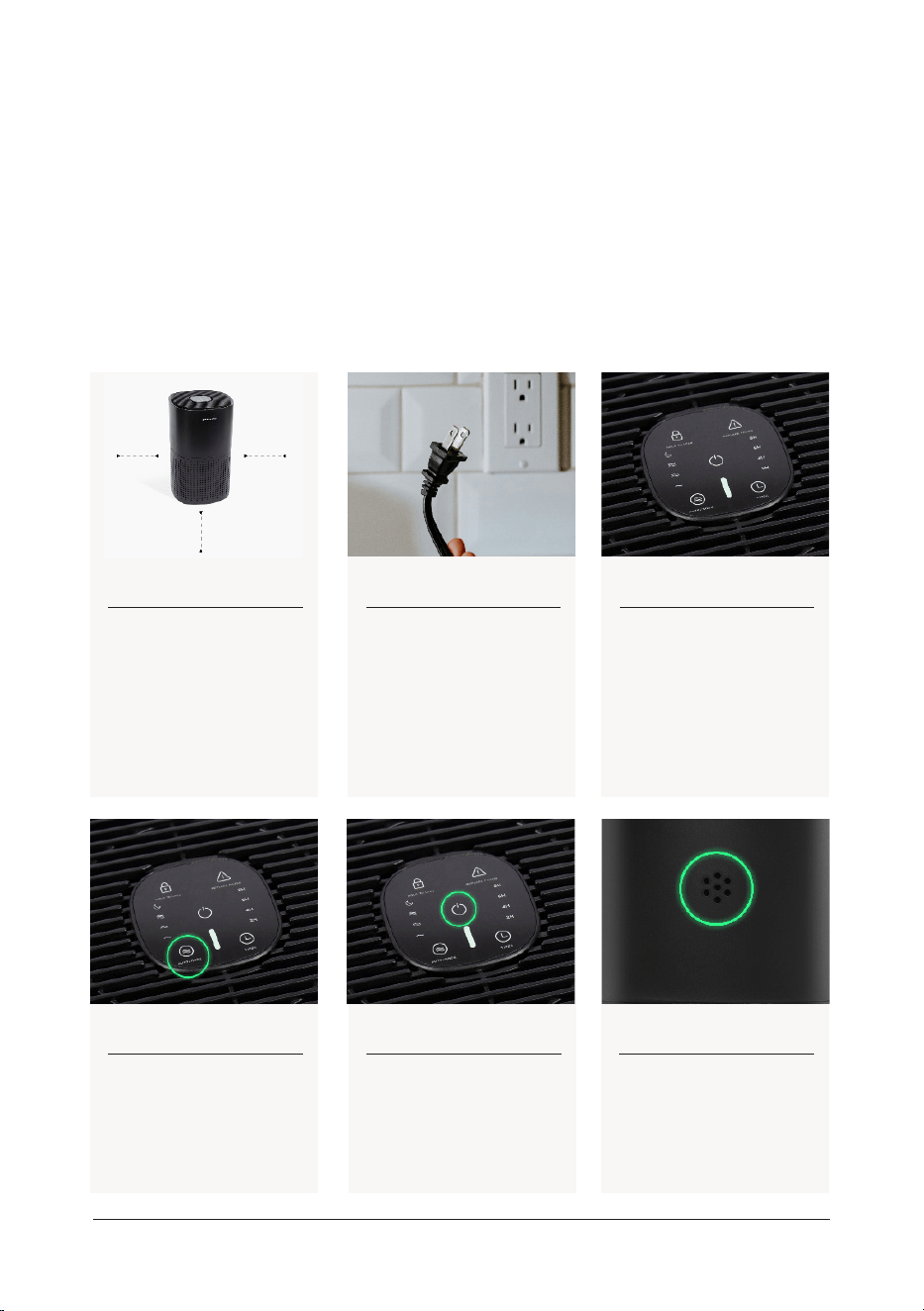
AT-HOME SENSOR TEST
WHAT YOU’LL NEED PREP YOUR TEST SPACE
1. Your PuroAir Purifier
2. Small towel or washcloth (non-microfiber, prefer-
ably a dark color)
3. Baking flour, talcum powder, baby powder, or
similar powder.
Prepare an area with at least 12 inches of clearance around the
air purifier to ensure proper airflow during the test. Choose a
solid surface that can be easily wiped down with a cloth after
the test. Using a clean cloth, find the sensor on the back of the
unit and wipe it down to ensure proper air flow.
One way to test if your purifier is working!
Step 1
Place the air purifier in an
open area on a hard surface
with at least 12 inches of
clearance around the unit.
Step 4
Press the power button to
turn on the air purifier.
Step 5
Ensure the Auto/Mode
is enabled. If not, tap the
auto/mode button until it
lights up.
Step 6
Locate the sensor opening
on the back of the unit.
Step 2
Plug in the air purifier to
power.
Step 3
The air purifier will beep and
begin an automated calibra-
tion process cycling through
red, yellow, and green colors.
The calibration process is
complete when all of the
panel buttons turn o.
28
puroair
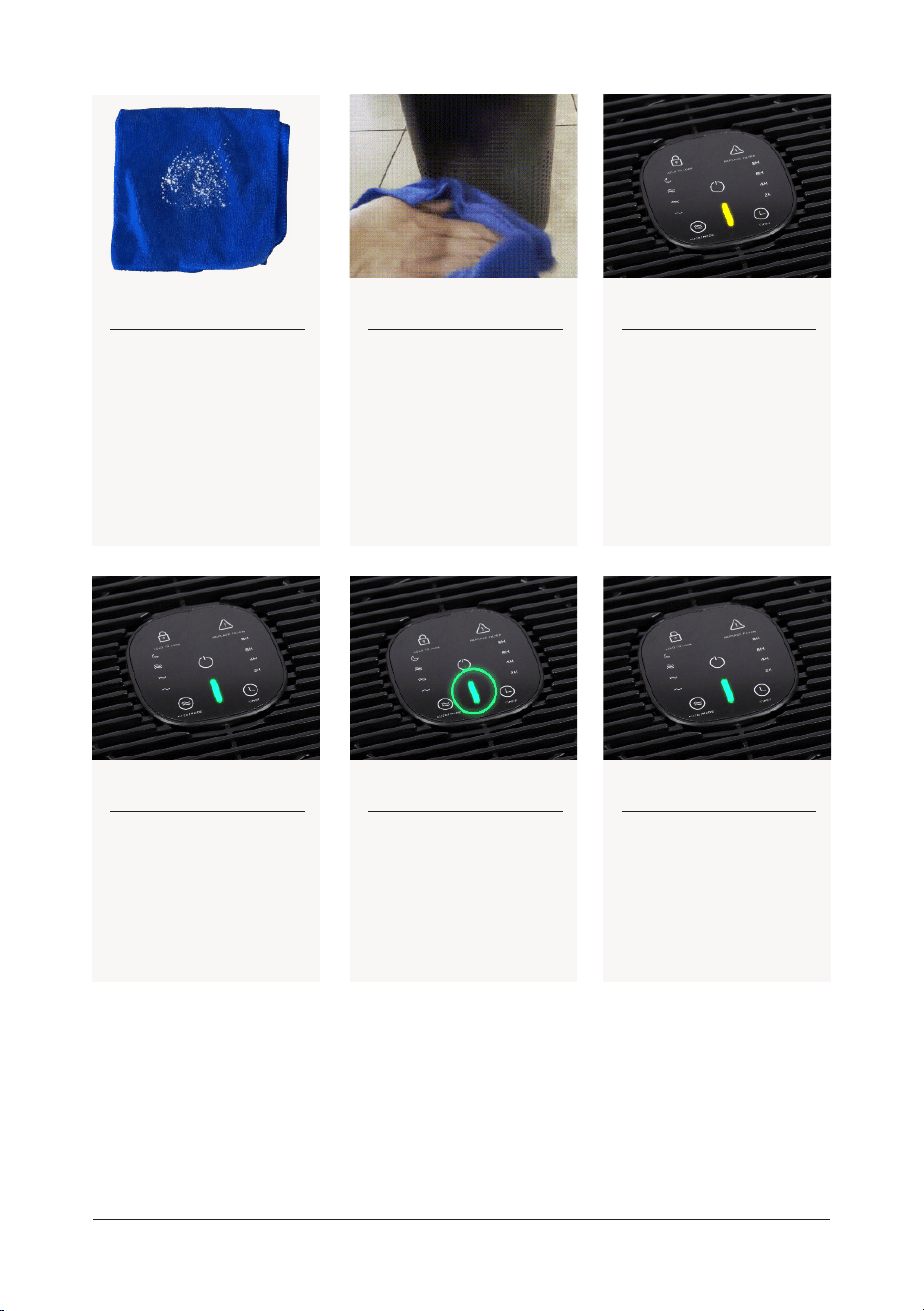
By following these steps, you can confidently test your PuroAir
air purifier to ensure it’s doing its job. If you have any issues,
our friendly customer service team is here to assist you!
Step 7
Take a cloth or paper
towel and sprinkle a small
amount (no more than
1/8 teaspoon) of talcum
powder or baking flour near
the sensor opening, holding
it approximately 3 inches
away.
Step 10
If the indicator changes
to yellow or red, the air
purifier is working properly.
The indicator should return
to green within 5 to 10
minutes.
Step 8
Keep the cloth or paper
towel even with the sensor
opening and quickly slap
it to spread the talcum
powder or baking flour into
the air. Repeat until all the
substance is dispersed.
Step 11
If the indicator remains
green, repeat Steps 4
through 8.
Step 9
Monitor the indicator light
on the air purifier to see if
it changes to yellow or red
Step 12
If the indicator continues
to stay green after repeat-
ing the test, please get in
touch with customer ser-
vice for further assistance.
HELP@GETPUROAIR.COM
29
user manual
DUST SENSOR TEST
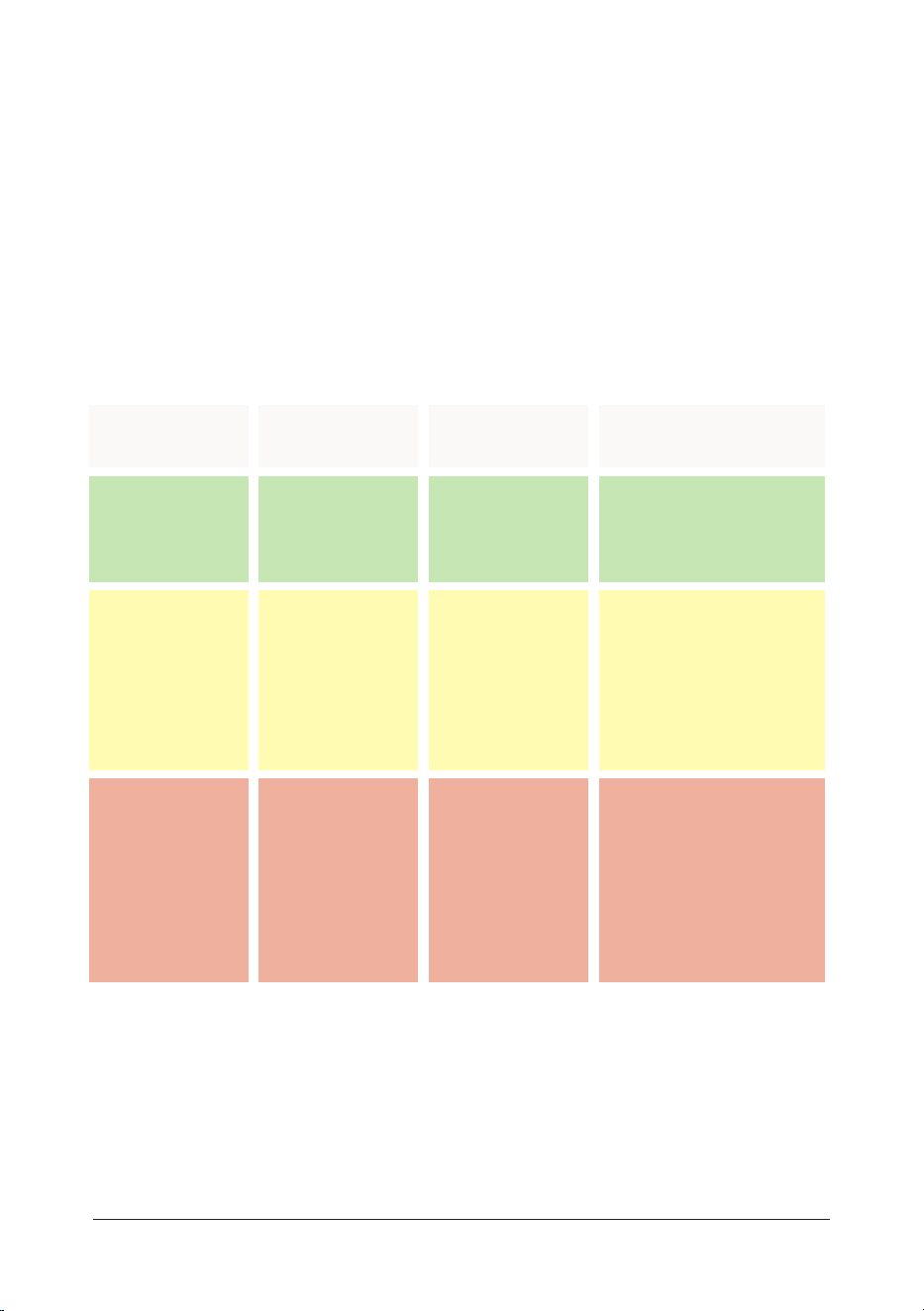
AQI GUIDELINES:
From time to time, customers may have a need to test the eicacy of the dust sensor
located on the back of each purifier unit. This sensor is intended to detect changes in
air quality following the Air Quality Index guidelines:
Daily AQI Color
Green
Yellow
Red
Levels of Concern
Good
Moderate
Unhealthy
Values of Index
0-50
51-100
151-200
Description of Air Quality
Air quality is
satisfactory, and air pollu-
tion poses little or no risk.
Air quality is
acceptable. However,
there may be a risk for
some people, particularly
those who are unusually
sensitive to air pollution.
Some members of the gen-
eral public may experience
health eects; members
of sensitive groups may
experience more serious
health eects.
30
puroair
CUSTOMER SUPPORT
If you have any questions or concerns about your new
product, replacement filters, or your subscription, please
contact our US-based Customer Support team.
help@getpuroair.com
+1 (866) 552-9322
Monday-Friday, 8:00am-5:00pm MST
PuroAir
1001 N. Central Ave. | 6th Floor
Phoenix, AZ 85004, USA
31
user manual