User Manual

Overview
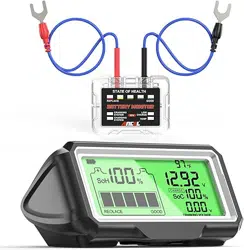
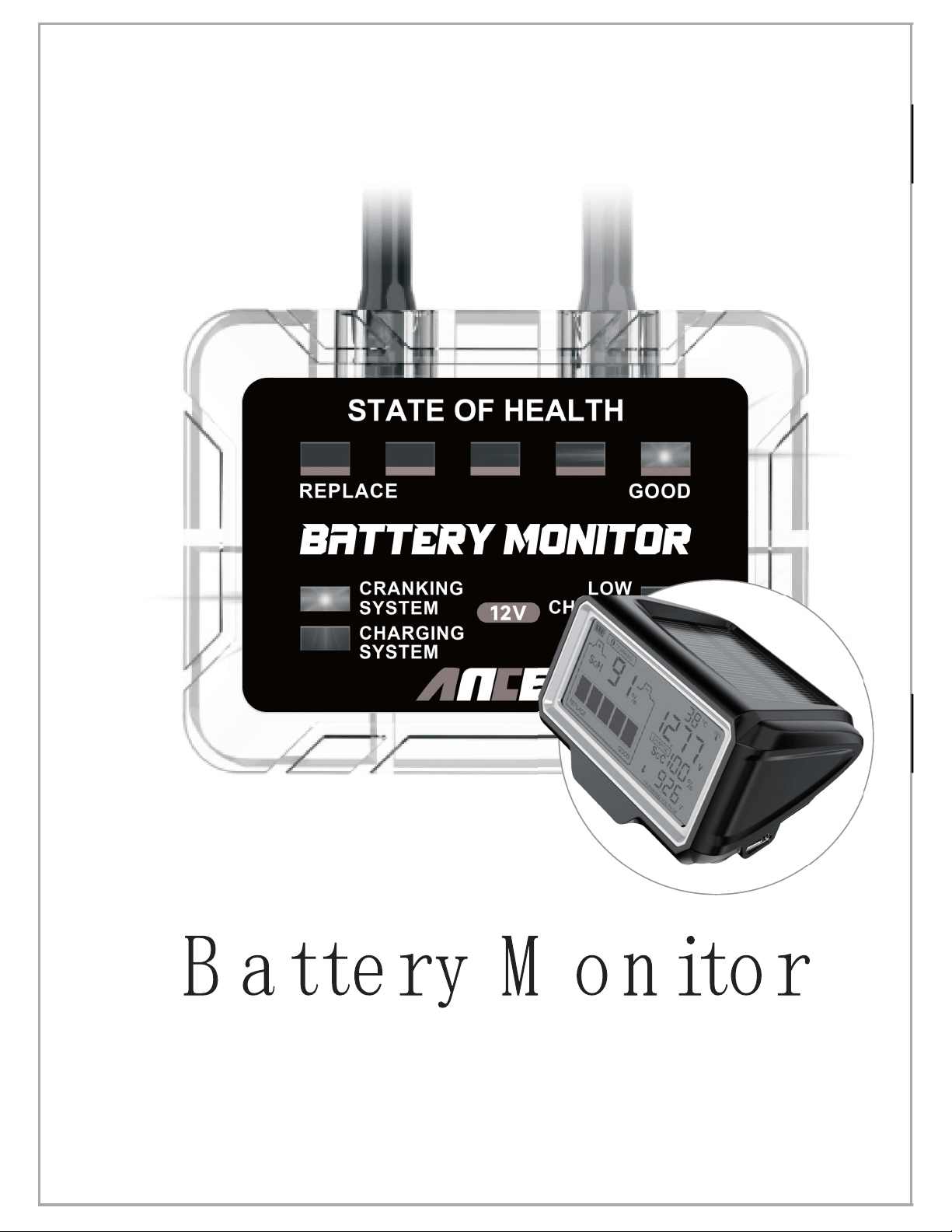
This product is a 12V lead-acid battery
monitor, which consists of a wireless host
unit (hereinafter referred to as the host) and
a wireless display (hereinafter referred to as
the display).
It can
display the voltage, power, temperature
and
health of the battery in real time, and
automatically test the starting and charging
systems of the vehicle. Automatically alarm
when the value exceeds the normal range.
Safety Notes
1
.
When installing the host, the Red
terminal
must be installed on the Positive
pole (+) of
the battery, and the Black
terminal must be
installed on the Negative
pole (-) of the battery, do not reverse the
connection.
1

2
2
.
The display is built-in a lithium battery,
please use a 5V charger that meets safety
standards for charging. Do not explode
and keep away from flammable materials
when charging.
3
.
For safety, do not operate the device while
driving.
Limitation of Liability
1
.
To the extent permitted by applicable law,
under no circumstances shall the seller be
liable for any special, incidental, indirect
or consequential damages arising from the
use of the contents of this manual and the
products described in this manual, nor
shallcompensateforanylossofprofits,
data, goodwill or anticipated savings.

Main Functions and Featur es
1. Real-time display of battery health,
temperature, power and voltage.
2. Automatically test the starting and
charging systems of the vehicle.
3. Built-in alarm function. An alarm tone will
be emitted for abnormal temperature, low
battery, low voltage, starting system failure
and charging system failure.
2
.
To the extent permitted by relevant laws, in
any event, the seller's maximum liability
for damages suffered from the use of the
products described in this manual
(except for damages under applicable law
in cases involving personal injury) shall be
limited to the price paid for this product.
3

4. The display is powered by lithium battery
and solar panel, no cables, and no
installation required. Type-C fast charging
is available when the battery is low.
5. Power and charging by solar panel make
the device not require frequent charging.
6. Adopt stable 433MHz wireless
transmission technology.
7. Built-in vibration sensor. The device will
automatically turn on when the vehicle is
slightly moved, and will automatically turn
off after a long period of stationary.
8. Built-in fuse and reverse connection
protection.
9. Professional algorithm, the longer
connection time, the more accurate result.
4
Appearance
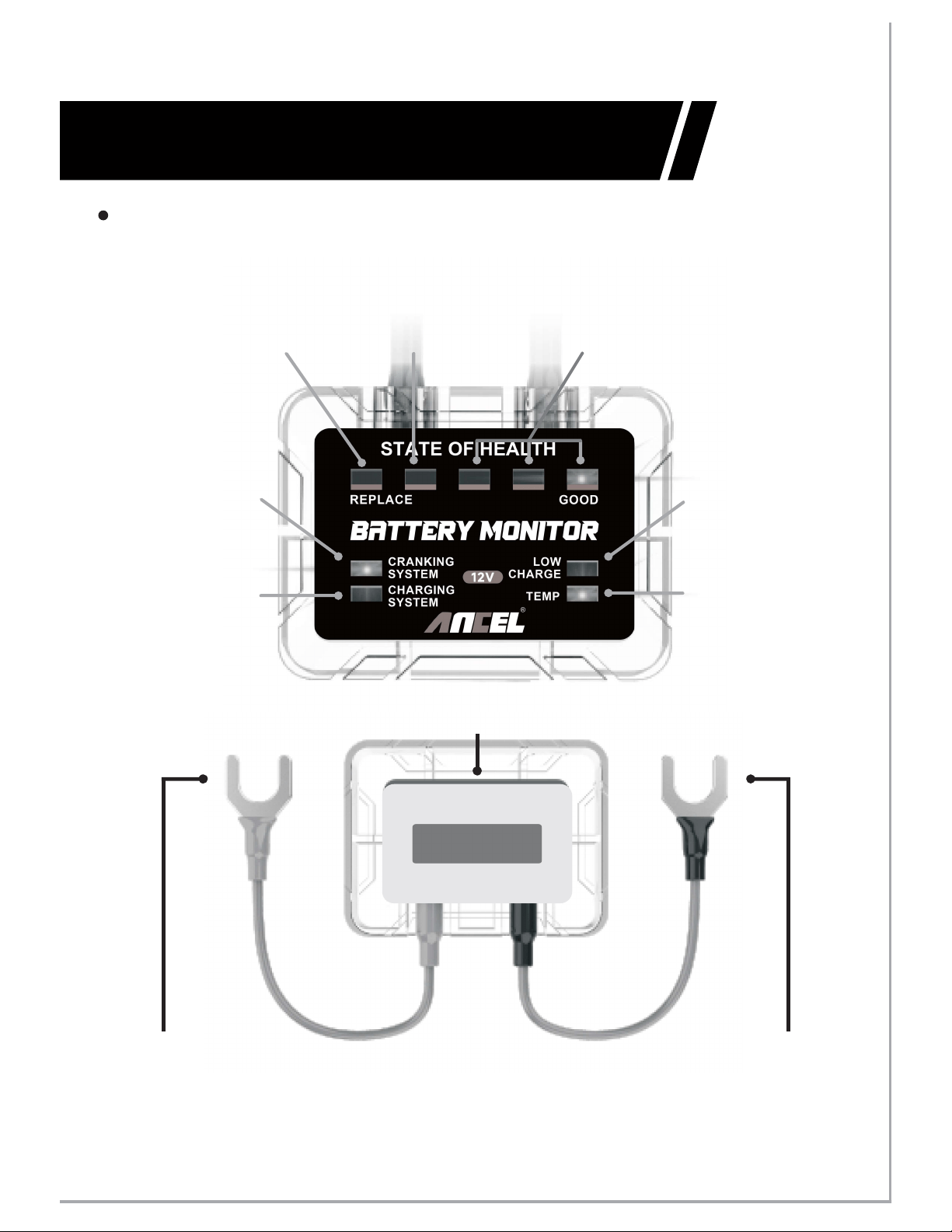
Good
Battery
Temperature
High or Low
Low Charge
Cranking
System Error
Replace
Battery
Low
Battery Life
Charging
System Error
Negative Terminal
(Black)
Positive Terminal
(Red)
Double-sided Tape
5
Host
(Front Side)
(Back Side)
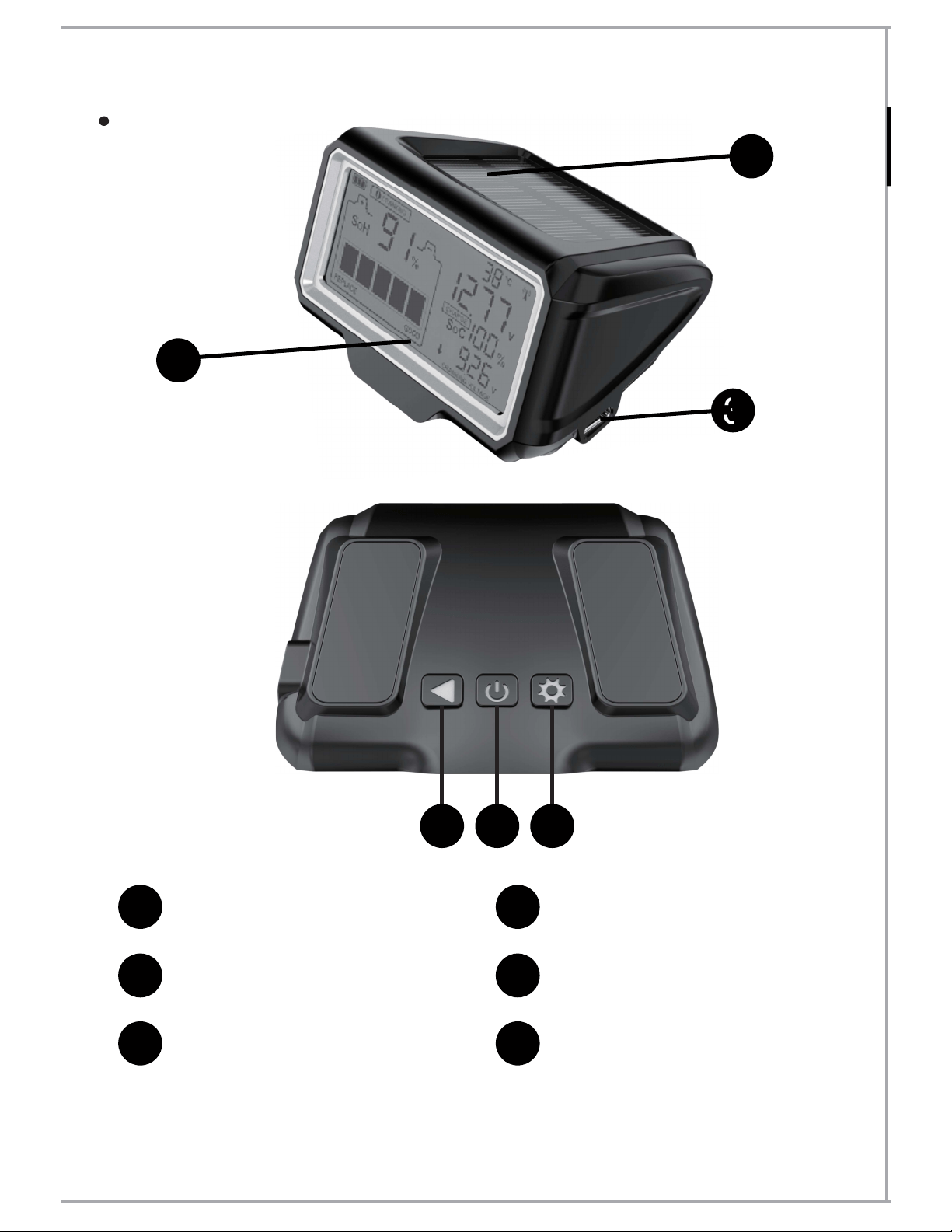
3
4 5 6
1
Solar Panel
2
3 4
5
On/Off Key
6
6
Display
1
2
Backlight Setting
Key
Unit Switch Key
LCD Display
Type-C Port

Host
Input
Voltage
Working
Temperature
Display
9 LED Indicators
Protection
6V
~
25V
-
40 °C~80 °C (-40
°
F~176
°
F)
7
Specifications
Applicable
Battery
All 12V Lead-acid Batteries
Radio
Frequency
433MHz
Power
Consumption
2
.
3
mA(Average)
Short-circuit and
Overcurrent Protection

8
Display
750mAh
Charging Input
Display
Monochrome LCD
with Backlight
Protection
Working
Temperature
Storage
Temperature
-
30 °C~80 °C
(-22
°
F~176
°
F)
-
20 °C~70 °C
(-4
°
F~158
°
F)
Lithium Battery
Capacity
Solar Panel
Type-C Port
(
5V
)
、
Short-circuit and
Overcurrent Protection
Radio Frequency
433MHz
Installation Steps
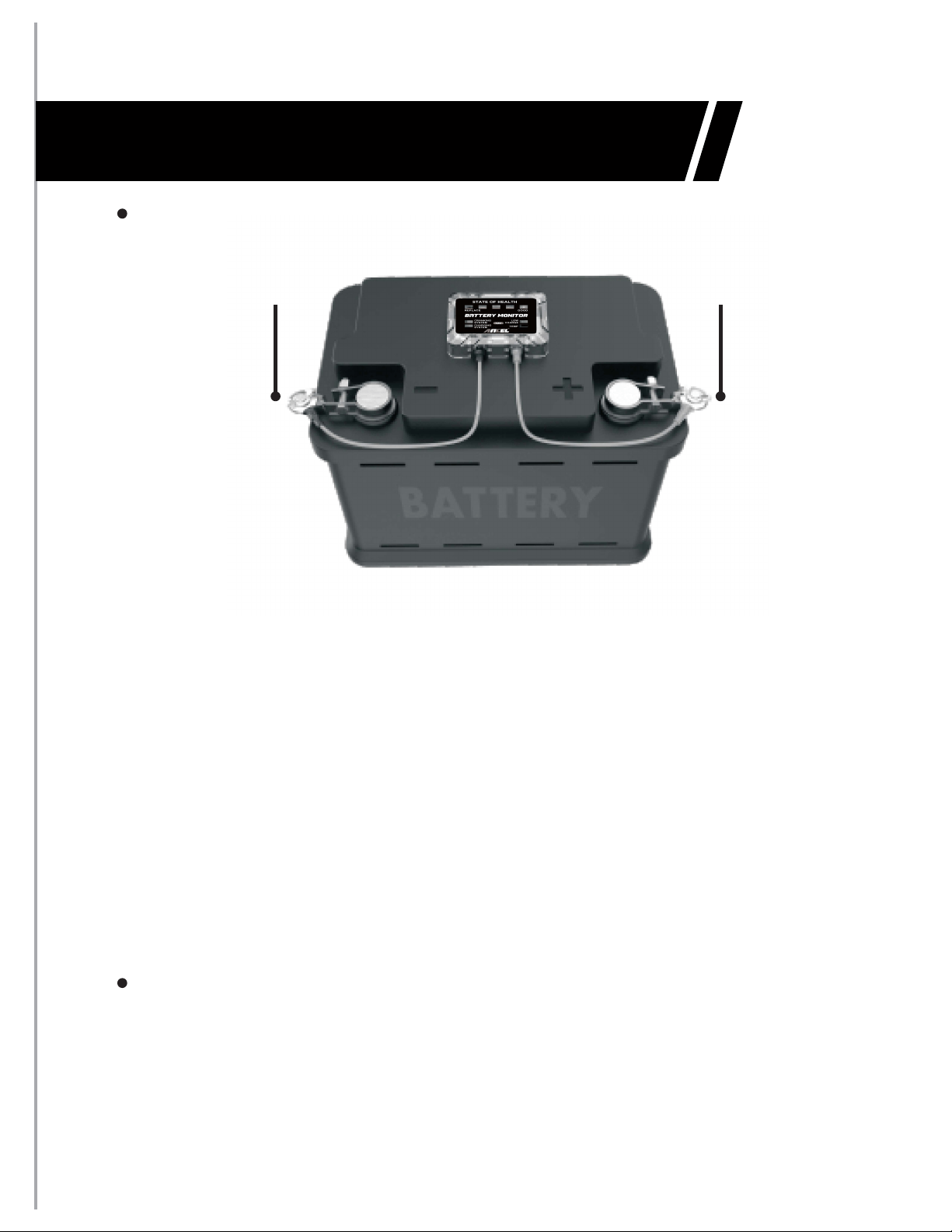
Host
1. Firmly attach the Negative (Black)
connector to the Negative battery terminal.
2. Firmly attach the Positive (Red) connector
to the Positive battery terminal.
3.
Mount the device to the battery surface
with the supplied double-sided tape.
Please wipe the battery surface clean
beforefixing.
Positive Terminal
(Red)
Negative Terminal
(Black)
Display
No installation required, just place it in front
of the windshield.
9
Instructions
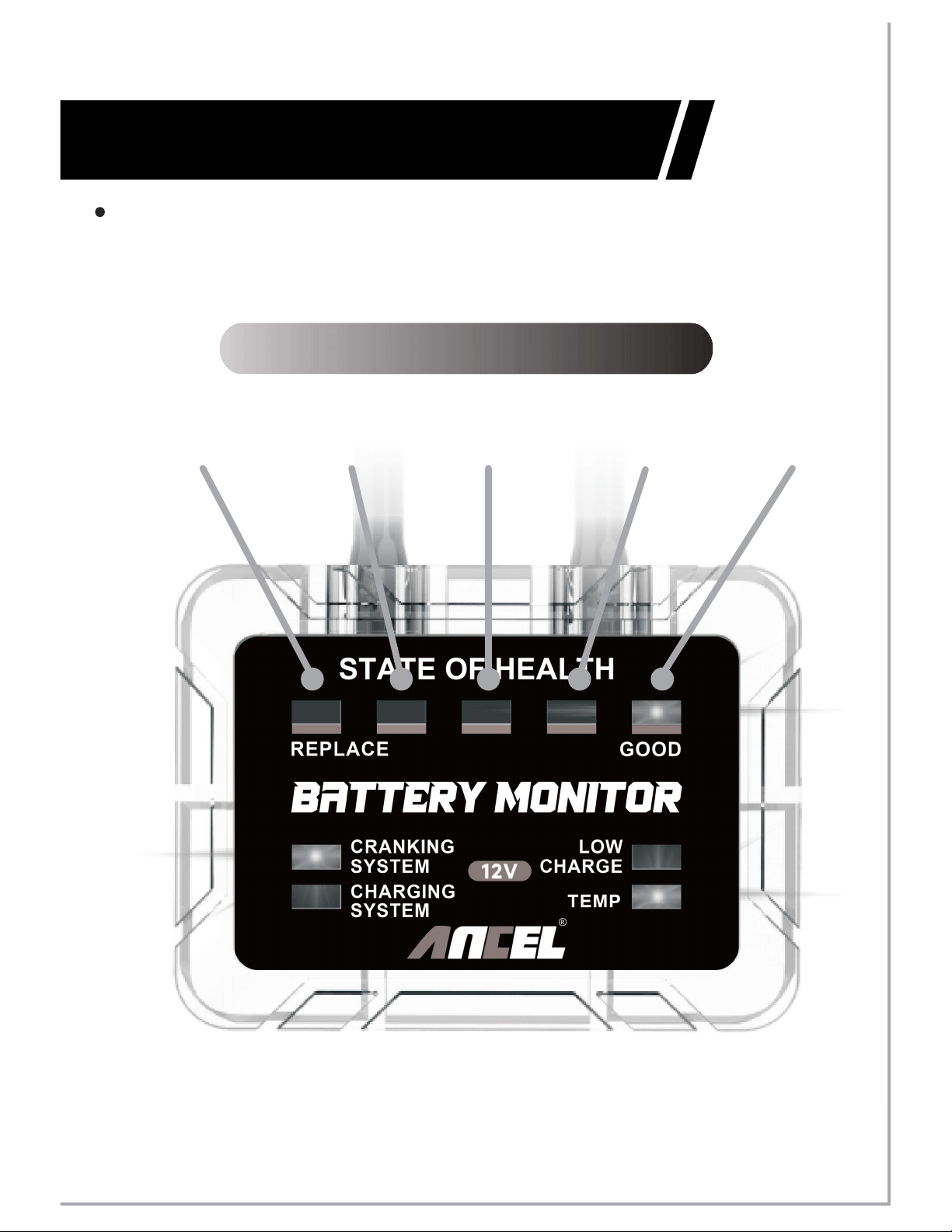
Host
LED 1
LED 5
LED 2 LED 3
LED 4
1
.
Battery State of Health
High
Low
10

2
.
Indicator Status Description
※LED1ison
※LED2ison
※LED3~5ison
Indicating that the battery has
reached the
disposal standard, please replace the
battery.
Indicating poor battery life.
Indicating that the battery is in good health,
LED5 is the best, LED4 and LED3 are next.
Note: Only one LED light will be on
at
any time.
3. The battery health status indicator will not
light up when the device is just installed
forthefirsttime,untilthecarenginestarts
once or the device works over one hour.
In this situation, the indicator represents
an estimated test result. It will be more
accurate when the device works for over
48 hours.
11

4. The device adopts intelligent learning
algorithm, the longer working time, the
more accurate result.
5. If disconnect and reconnect the device,
the data in the device will be cleared,
whichisequivalenttothefirstinstallation.
Display
1
.
Forthefirsttime,short press the key
to power on, then a
fixedinterface display
will appear after power on.
""
Note: If there is no response after pressing
the key
,
the built-in battery may be
low, please use a 5V charger to charge it.
""
2. After power on, the display will
automatically search for the host
and
establish connection, then the
successful
connection icon
"
"
is always on, and the
screen starts to display real-time data.
12

※
cell
standard, please replace the battery.
SoH shows 1 : Indicating that the
battery has reached the disposal
※
battery life
SoH shows 2 cells: Indicating poor
.
※
cells
battery life. 5 cells are the best, 4 cells
and 3 cells are the next.
SoH shows 3~5 : Indicating good
13
3. Press the key to switch the backlight
mode
""
.
※
the backlight on or off according to the
brightness of the ambient light.
Auto mode (default): Automatically turn
※
backlight.
Power-saving mode: Turn off the
4. Press the key to force the power on
and off. Afterthefirstpoweron,noneedto
manually force the power off. The display
will automatically power on and off
according to the vibration of the vehicle.
""
5. Press the key to switch the
temperature unit to Celsius or Fahrenheit.
" "
Fault Alarm Description
1. The LED1 on the host is on or display
shows 1 cell SoH: Indicating that the
battery has reached the disposal standard
and should be replaced.
Note: Due to different vehicle conditions,
temperature etc., the battery may still be
able to start the engine, but it is
recommended to replace it.
2
.
The cranking system warning light on the
host is on or the icon
"
"
on the display is on: Indicating low
cranking voltage. It might be a cranking
system failure or battery failure.
CRANKING
14
5. The temperature warning light on the
host is on or the temperature value on
the display is higher than 60
℃(
140°F)
:
Indicating high battery temperature. High
temperature environment will accelerate
battery life degradation.
3
.
The charging system warning light on the
host is on or the icon
"
"
on the display
is on: Indicating abnormal
charging system.
There may be cases
such as high voltage, low voltage, or no
charging in the charging system etc.
CHARGIN G
4. The low charge warning light on the
host is on or the icon
"
"
on the
display is on: Indicating low battery level or
the battery voltage is lower than 12V.
Please charge .
CHARGE
15

Pr ecautions
1.
Be sure to attach the host to the
battery case, otherwise accurate battery
temperature will not be obtained.
2. Do not block the front of the solar panel
on the display. The stronger the sunlight,
the higher the charging efficiencyofthe
solar panel. The solar panel is not sensitive
to lamplight.
6 The icon on the display is on:
Indicating that the value is high.
.
"
"
7. The icon on the display is on:
Indicating that the value is low.
"
"
16
3. It is normal for solar panels to convert
electricity might be very weakly in different
light environments.