Software update guide for AJ400 GDI
Prepare work:
One Micro-USB cable
A laptop
Software for update
1. Turn off the machine. Loosen the four screws and open the front panel.
2. Use a micro-USB cable
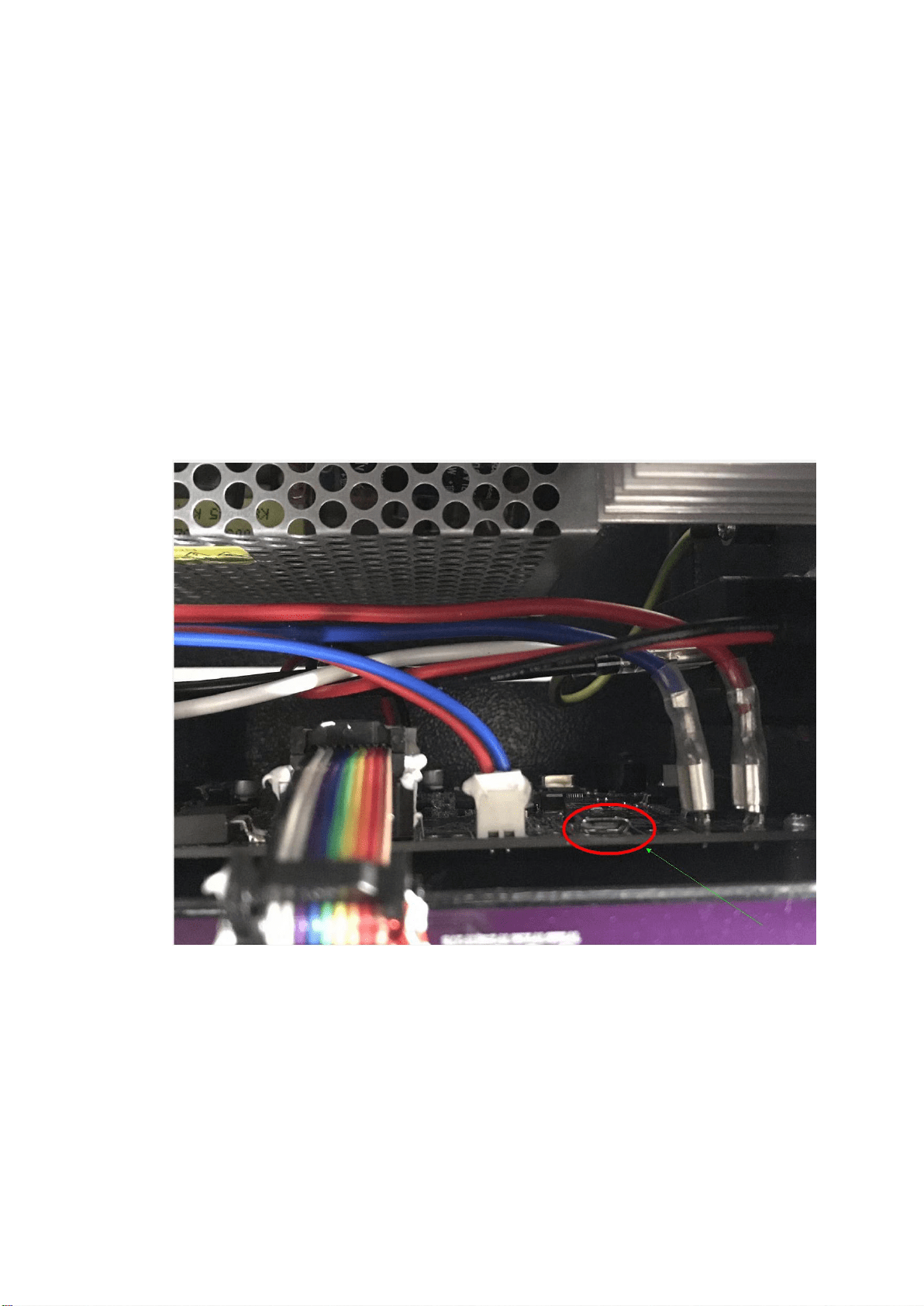
3. Find the USB interface to connect the micro-USB cable, and connect the laptop
USB port as well.
4. Run the *.exe file on the laptop to start the updating.
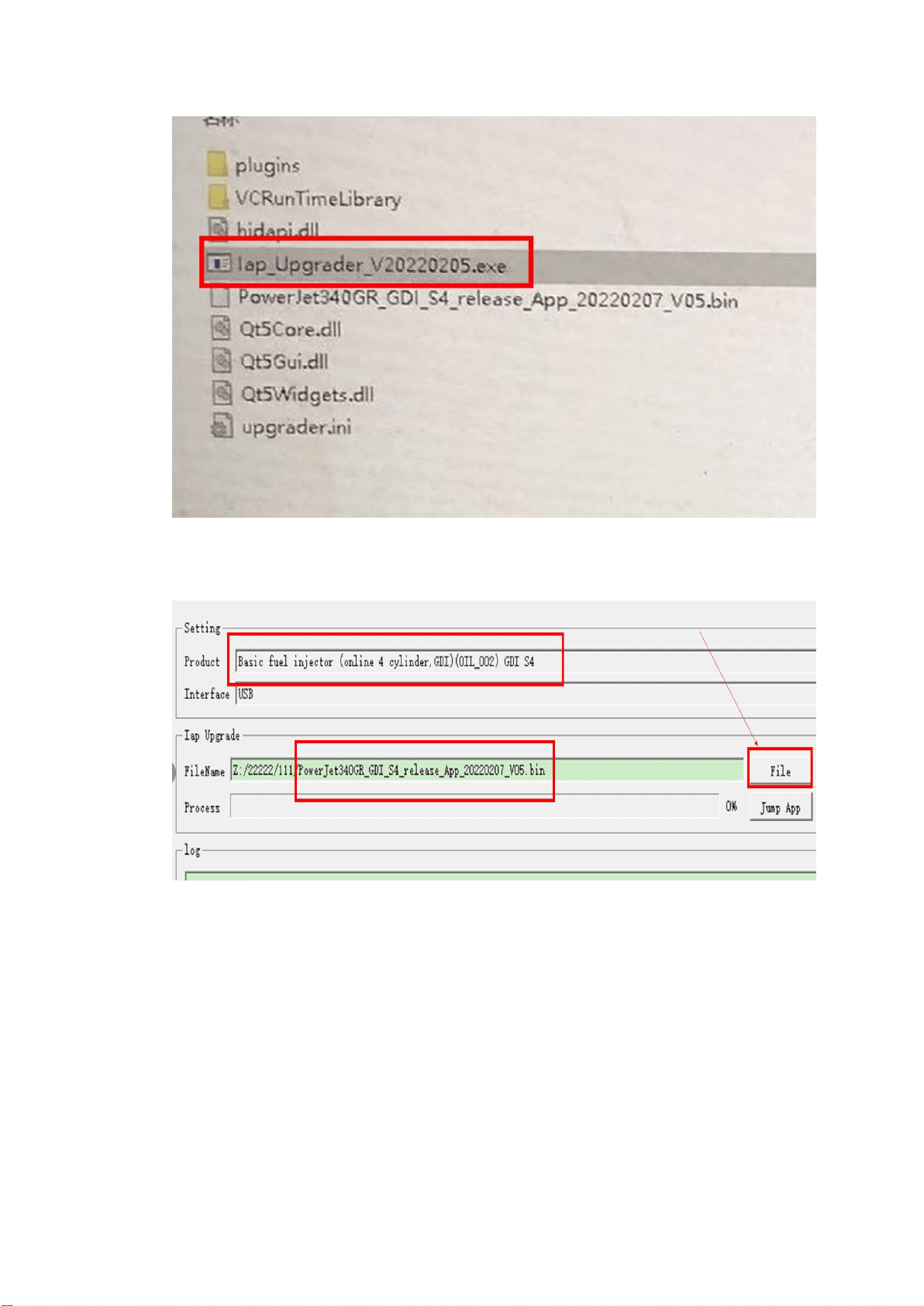
5. Choose product “…GDI S4”, click “File” to choose the *.bin file in the update files
folder.
6. Make sure the color of hint at the right corner below is green.
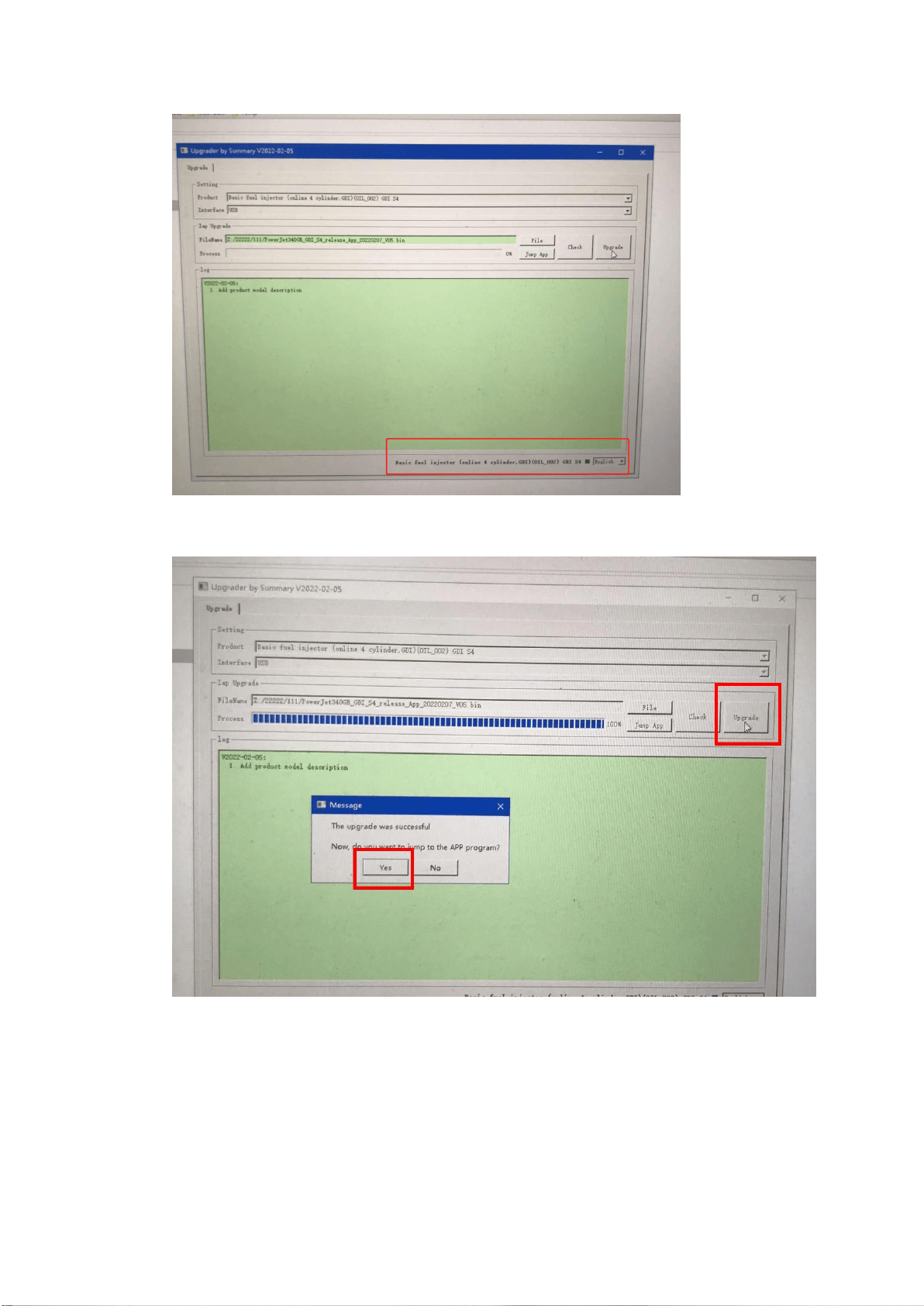
7. Click the “update” and waiting for the pop-window as below. Choose yes.
8. Unplug the micro-USB cable and turn on the machine. Updating Finished.