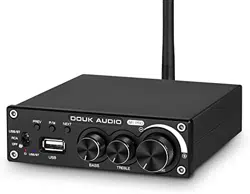

Douk - Audio 320W Bluetooth 5.0 Power Amplifier 2.0 Channel
Stereo Subwoofer Amp Music Player - DZ071
e mail: nobsound@doukaudio.com https://www.doukaudio.com
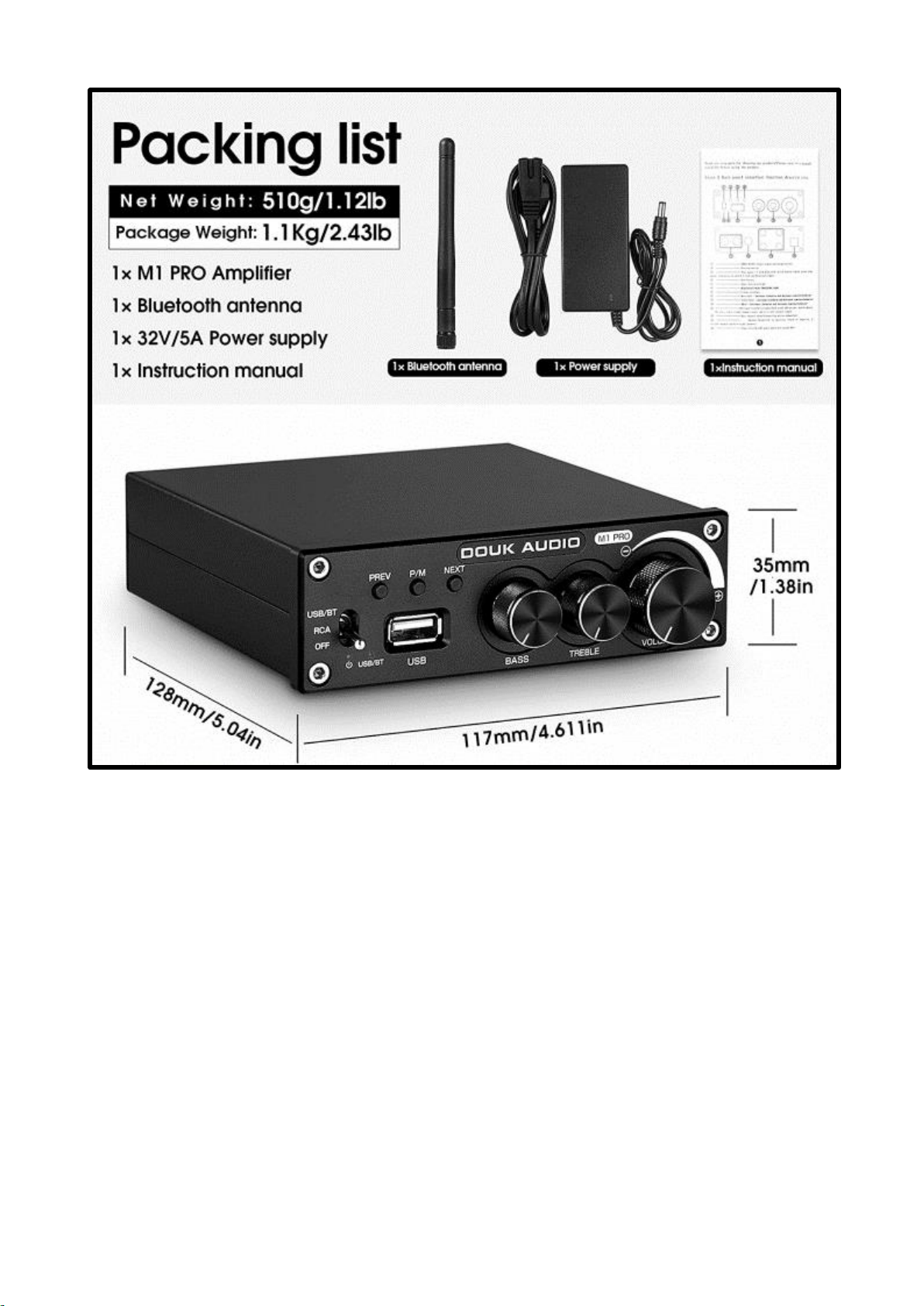
Max output power can reach 160W per channel, using the 35V/5A power supply supplied
with the amplifier. This amplifier matches with many makes of loudspeaker.
Features
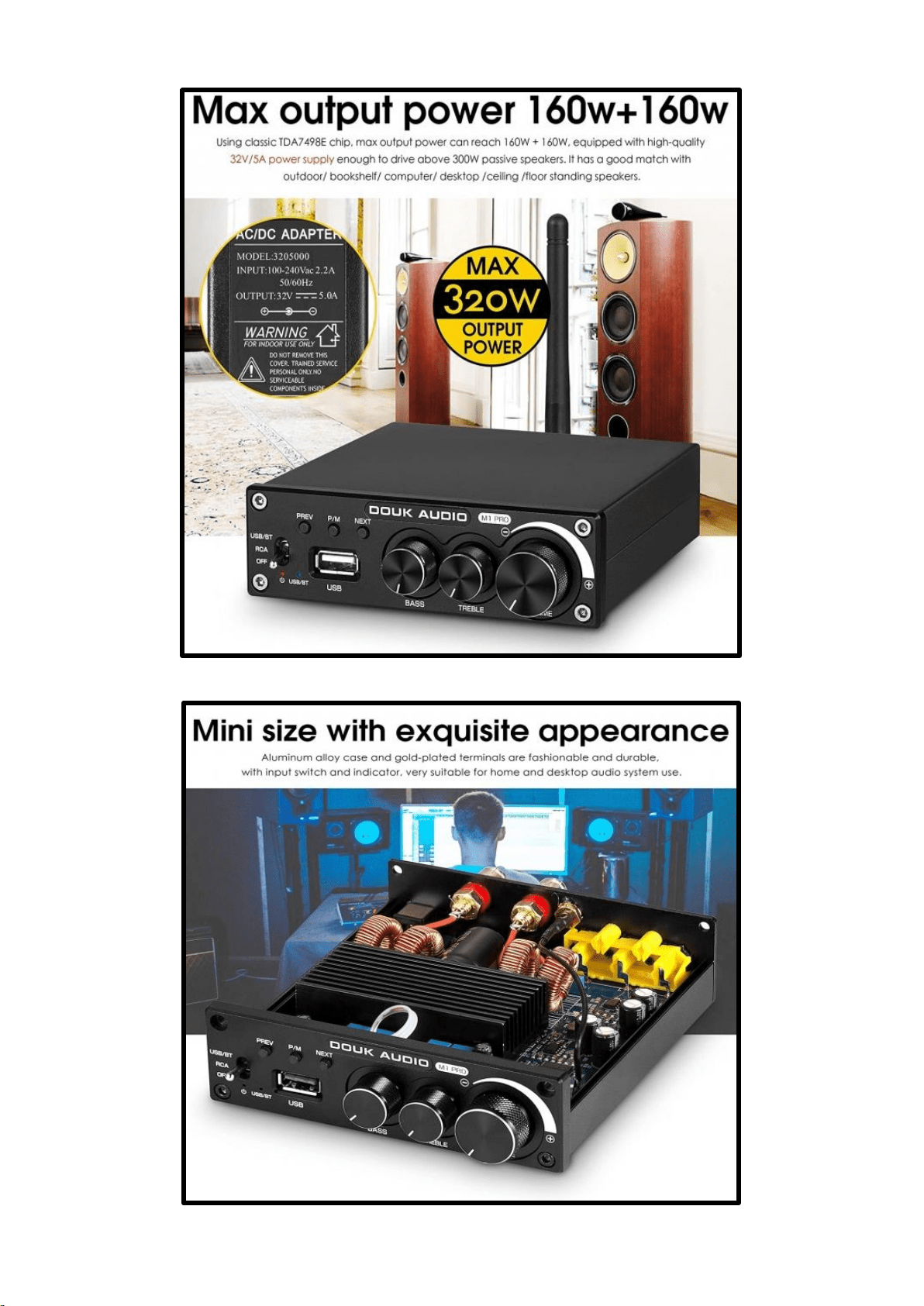
Using the TDA7498E chip, the maximum output power can reach 160W per channel
when using the 35V/5A power supply.
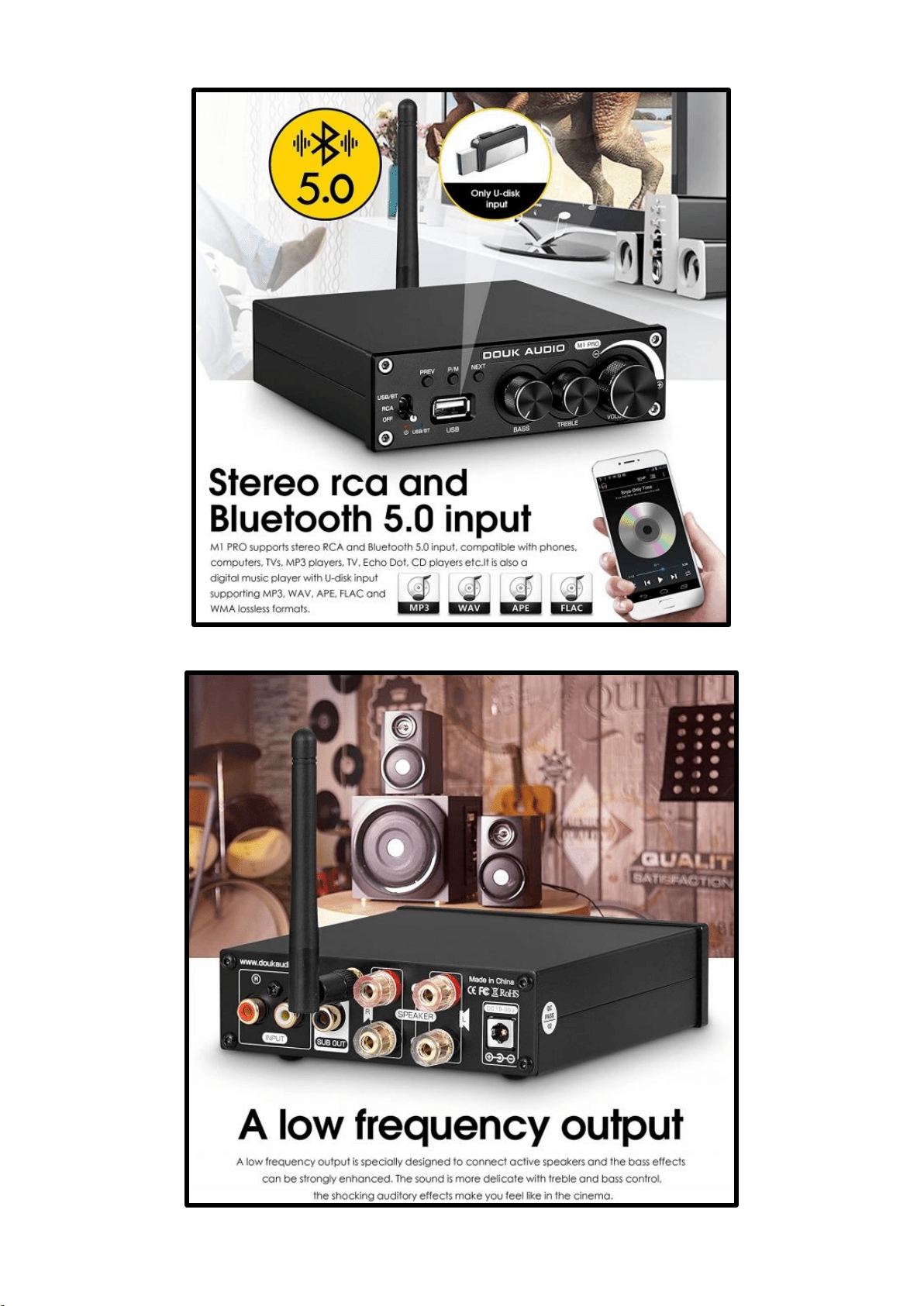
M1 PRO supports stereo RCA and Bluetooth 5.0 input, it is compatible with phones,
computers, TVs, MP3 players, TV, CD players etc. It is also a digital music player with
U-disk input supporting MP3, WAV, APE, FLAC and WMA formats.
A low frequency output will connect to active speakers to enable enhanced bass.
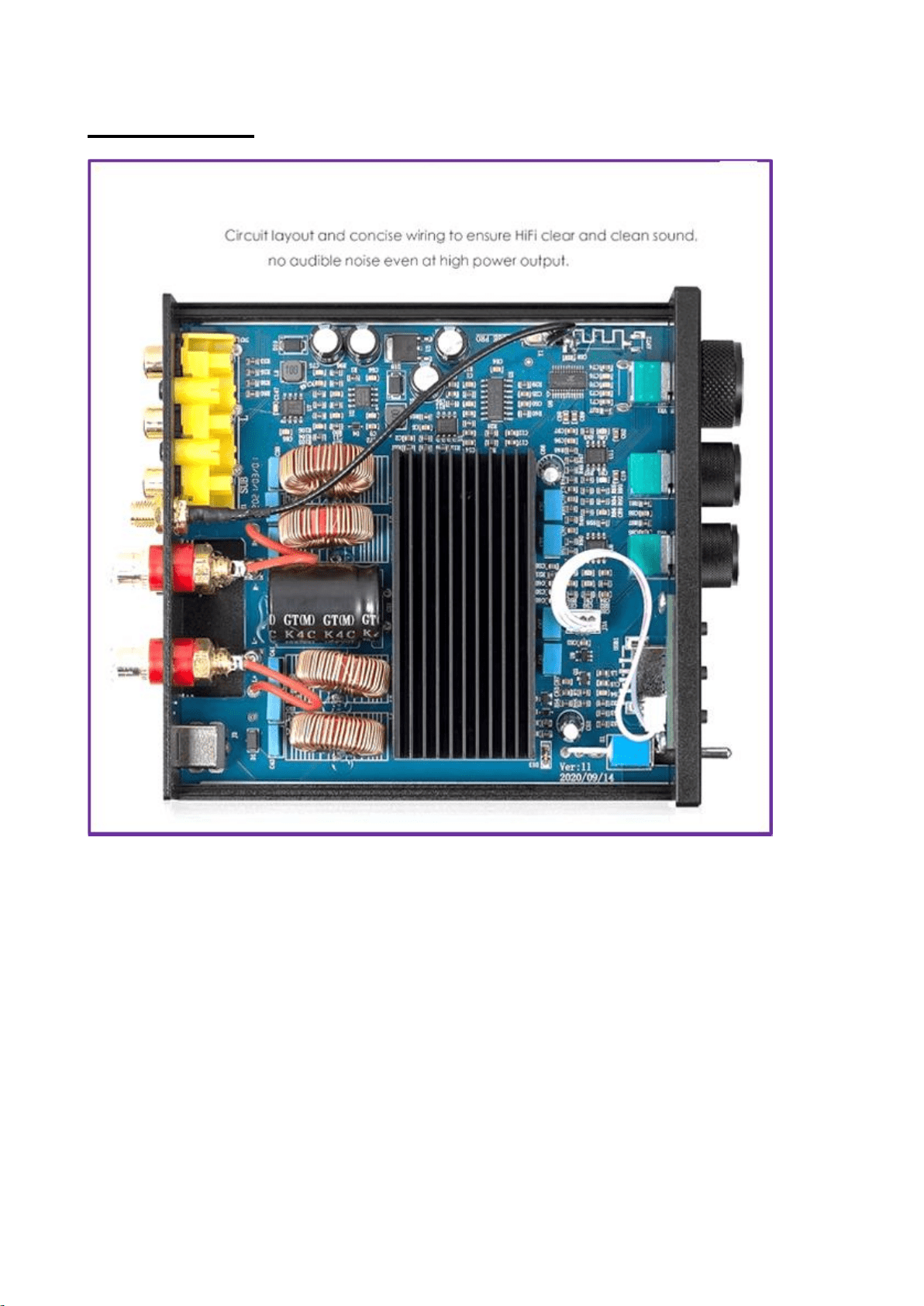
Circuit layout and concise wiring ensures that the HiFi sound is clear and clean, no audible
noise even at high power output. Unique Bluetooth design using an external antenna.
Mini size, aluminium alloy case and gold-plated terminals are durable, with input switch
and indicator.
For Bluetooth reception - Turn the toggle switch (No.1) to the BT position. Then you
will be able to see the Bluetooth name "BT HIFI AUDIO" on your laptop and you
can then click it to connect the Bluetooth function.
Specification
• Model: M1 PRO
• Channels: 2.0
• Audio input: Bluetooth/RCA/U-disk
• Audio output: banana speaker jacks / low frequency signal (to connect to active
subwoofers)
• Support format: MP3, WMA, APE, FLAC, WAV
• U-disk capacity: max 32G (i.e. USB Memory Stick)
• Bluetooth version: 5.0
• Speaker impedance: 4-8Ω
• Max output power: 160W x 2 (into a 4Ω load)
• SNR: ≥98dB
• Input sensitivity: 0.775V
• THD: 0.05% (1kHz 1W)
• Frequency Response: 20Hz-20KHz (±3dB)
• Working voltage: DC 19-35V
• Colour: Black
• Dimensions(L x W x H): 118*117*35mm
• Net weight: 0.455KG
Circuit Layout
Douk Audio M1 Pro Hi-Fi 320W Bluetooth 5.0 Power Amplifier Stereo Subwoofer Amp
USB Music Player: Home Audio & Theatre. Douk Audio M1 Pro Hi-Fi 320W Bluetooth 5.0
Power Amplifier Stereo Subwoofer Amp USB Music Player.
The RCA connector mentioned in the text - (or RCA Phono connector or Phono
connector) is a type of electrical connector commonly used to carry audio and video
signals. The name RCA derives from the company Radio Corporation of America, which
introduced the design in the 1930s.
(The word phono in phono connector is an abbreviation of the word phonograph, because
this connector was originally created to allow the connection of a phonograph turntable to
a radio receiver. RCA jacks are often used in phono inputs, a set of input jacks usually
located on the rear panel of a preamp, mixer or amplifier, especially on early radio sets, to
which a phonograph or turntable is attached.)
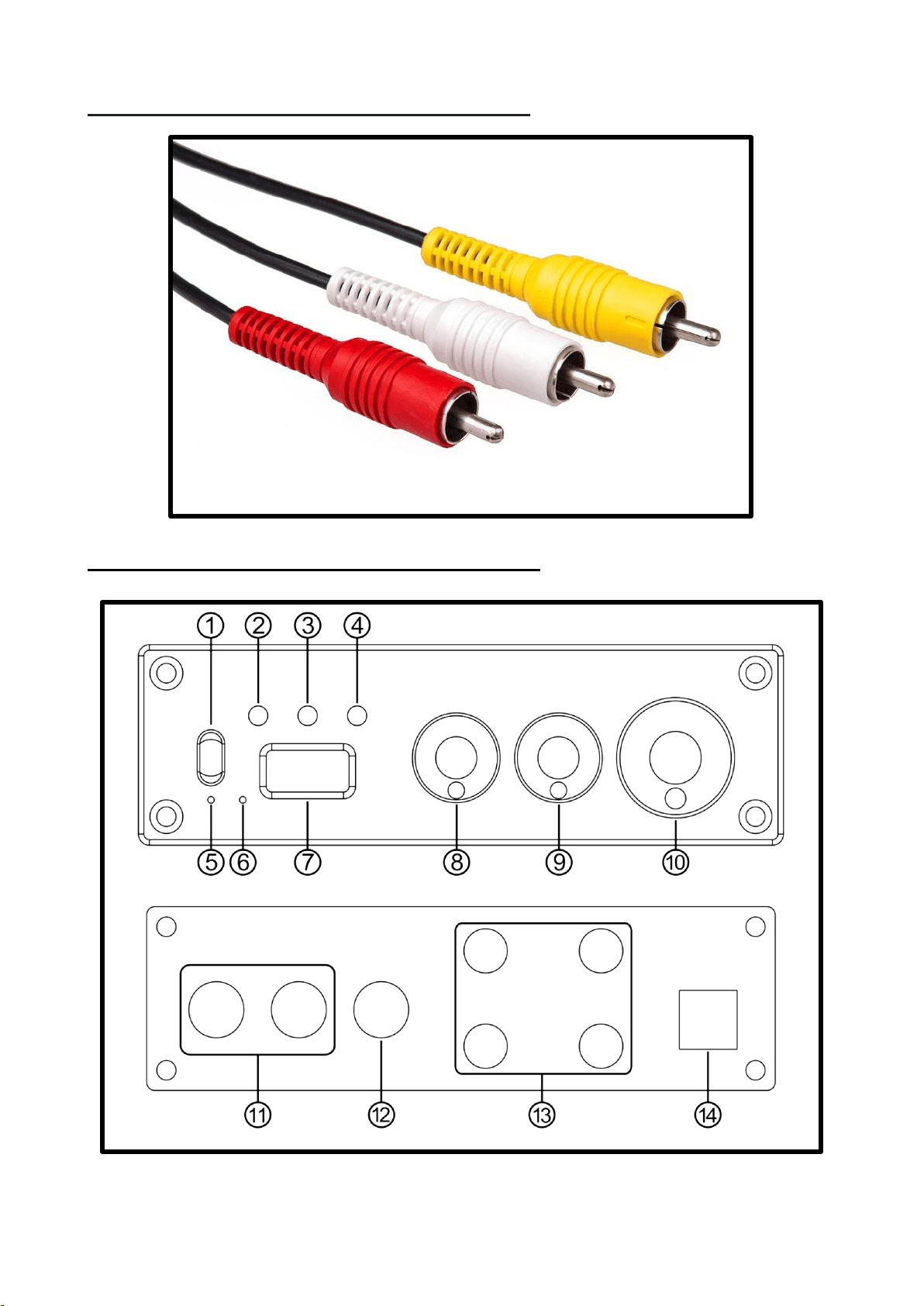
This is what the RCA plugs look like:-
Front and Rear Panels of the Amplifier

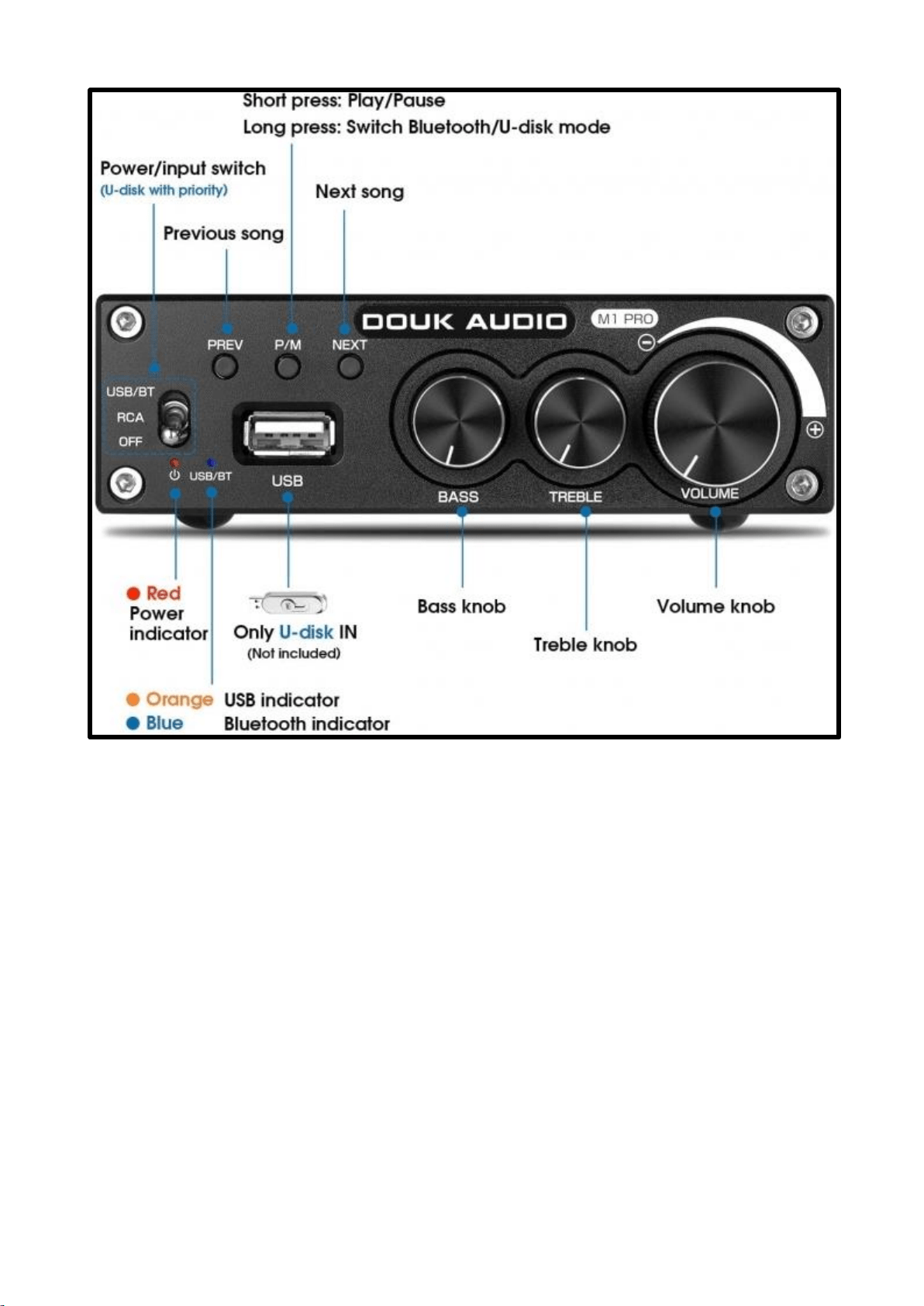
Front & Rear panel interface - function description:
① ………………………… POWER ON/OFF(Input signal switching button)
② ………………………… Previous button
③ ………………………… Play pause / U disk, Bluetooth switch button (short press play
pause, long press to switch U disk and Bluetooth input)
④ ………………………… Next button
⑤ ………………………… Power Indicator Light
⑥ ………………………… Bluetooth/U-Disk INDICATOR LIGHT
⑦ ………………………… U-disk interface
⑧ ………………………… Bass Knob (increase clockwise and decrease counter
clockwise)
⑨ ………………………… Treble Knob (increase clockwise and decrease counter
clockwise)
⑩ ………………………… VOL+/- (increase clockwise and decrease counter clockwise)
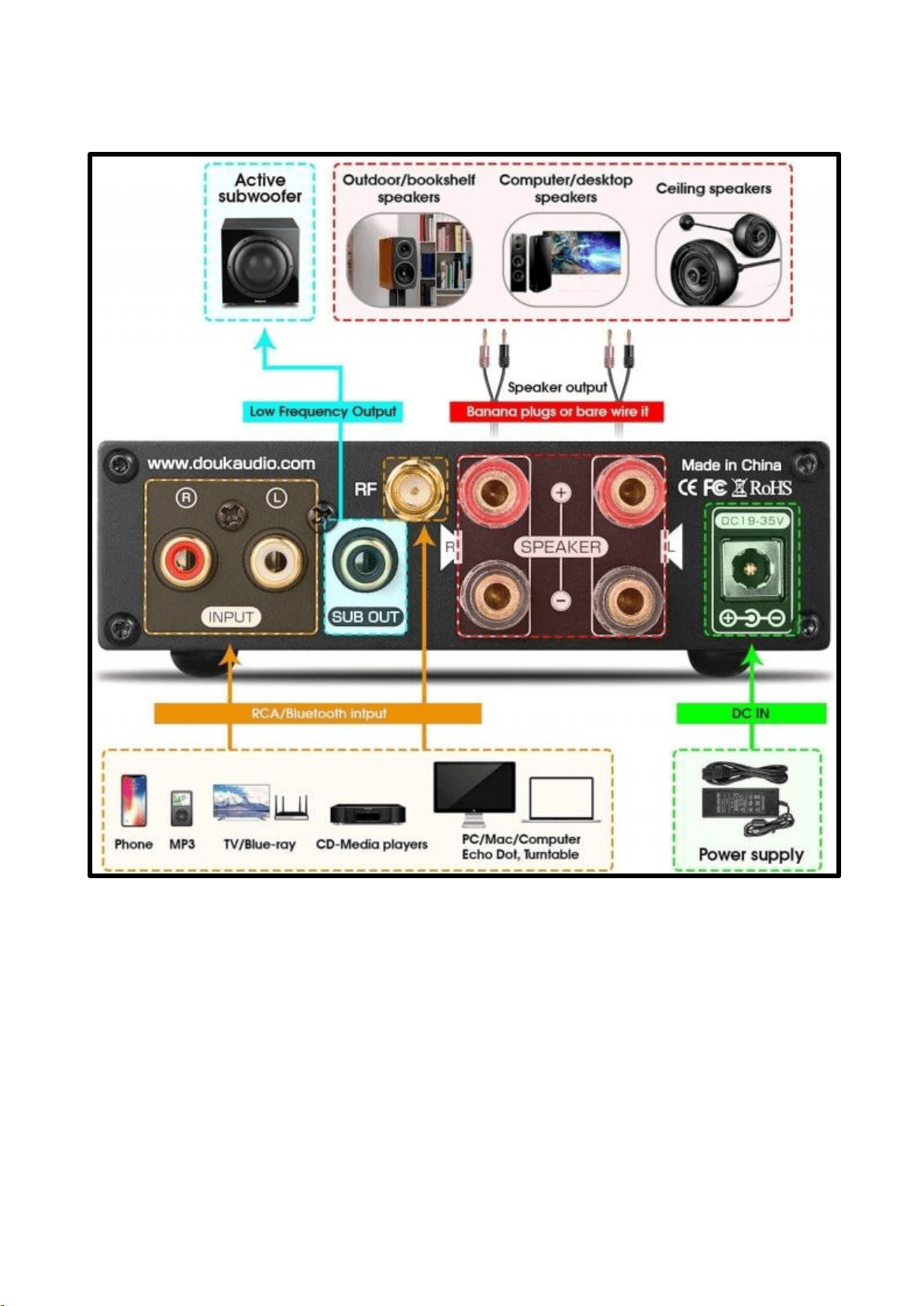
⑪ ………………………… RCA Input interface of audio (e.g. CD, DAC decoder, mobile
phone, TV, etc., red to right channel input, white to left channel
input)
⑫ ………………………… Bass channel output for an active speaker only (Connects
To an active subwoofer)
⑬ ………………………… Speaker Output (red to positive, black to negative, L to left
speaker and R to right speaker)
⑭ ………………………… Power DC input (This MUST NOT exceed 35V)
Operational Steps:
1.Make sure that the VOL (Volume) button is set to MINIMUM.
2.Connect the speakers according to the rear panel interface, pay attention to distinguish
between positive and negative.
3.Connect the sound source that needs to be used (Optional RCA/Bluetooth, U disk)
4.In the current playback state, inserting a U-disk and it will automatically jump to
the U-disk mode.
5.Connect to the power supply.
6.Press the power switch to turn the amplifier on.

Specifications:
Max power output
160W*2
4Ωload
THD
W 0.05%
Speaker matching
impedance
4-8Ω
SNR
≥98dB
Working voltage
19-35V
Case size
L118.5*W117.5*H35mm
Input sensitivity
0.775V
Total Weight
0.48kg
Frequency
response
20Hz-
20kHz(±3dB)
Supports music formats
MP3 , WMA, APE, FLAC, WAV
Frequently Asked Questions:
Q: All the cables are connected to the amplifier, but there is no sound output?
A: Check the POWER indicator is on, press the POWER button if the light is still off, At this
point if you can find another DC supply with the same output voltage power supply (must
12V min) to check if the power supply has failed. If the POWER indicator light is on, check
whether the corresponding input signal is selected correctly.
2. If the indicator light is on, check whether the VOL knob is in the minimum position. If
so, turn clockwise to normal Volume.
3. If both of the above are normal, check if the input device is paused, muted, or the
volume is minimised.
Q: Why is the sound cracking?
A: This product is used in the DAC decoder and can also be used as a preamplifier. If the
rear stage device has the highest volume and the front stage is also the largest, it is easy to
be distorted. In this case, you only need to turn down the volume of the previous or
subsequent stage.
Q: Why do the loudspeakers make a lot of electric noise?
A: if you are not using the original power supply, please replace the power supply before
testing. Many power supplies in the market produce a large amount of interference , this
will cause a lot of current sound/noise.
Q: Why is the speaker noisy when I plug in the input cable but no sound source is
connected?
A: If an unshielded signal line is used, an interfering signal will enter the power amplifier.
It is recommended that you use a shielded signal cable or unplug the signal cable.

Q: Why does the amplifier stop working after a period of time? Then after a period of
time with no sound, it works again ?
A: The amplifier is probably overheating. It is protected, and the output power may have
exceeded the designed power, best to lower the volume a little and then try again.
Q: why does the volume of the amplifier stay the same, while the sound of different
audio sources (such as CDS and mobile phones) is different?
A: Different types of audio equipment have different output frequency ranges. The mobile
phone is usually 0.35mV and the CD is 1V. The signal output frequency of the sound
source will directly affect the volume.
Q: Why is the sound of the power amplifier poor at the beginning, the high
frequency is not clear, but after working for 8 hours the sound is normal?
A: Speakers and amplifiers are a very sensitive devices that also need to know each other.
Sounds usually get better after working on new amplifiers and speakers for more than ten
hours.
Warning:
1. Please do not open the metal case since damage to the circuit may result.
2. Please use the power supply provided with this amplifier, otherwise it may damage the
amplifier.
3. Please do not use the amplifier in a high temperature or high humidity environment.
