PG camera added to DaHua NVR
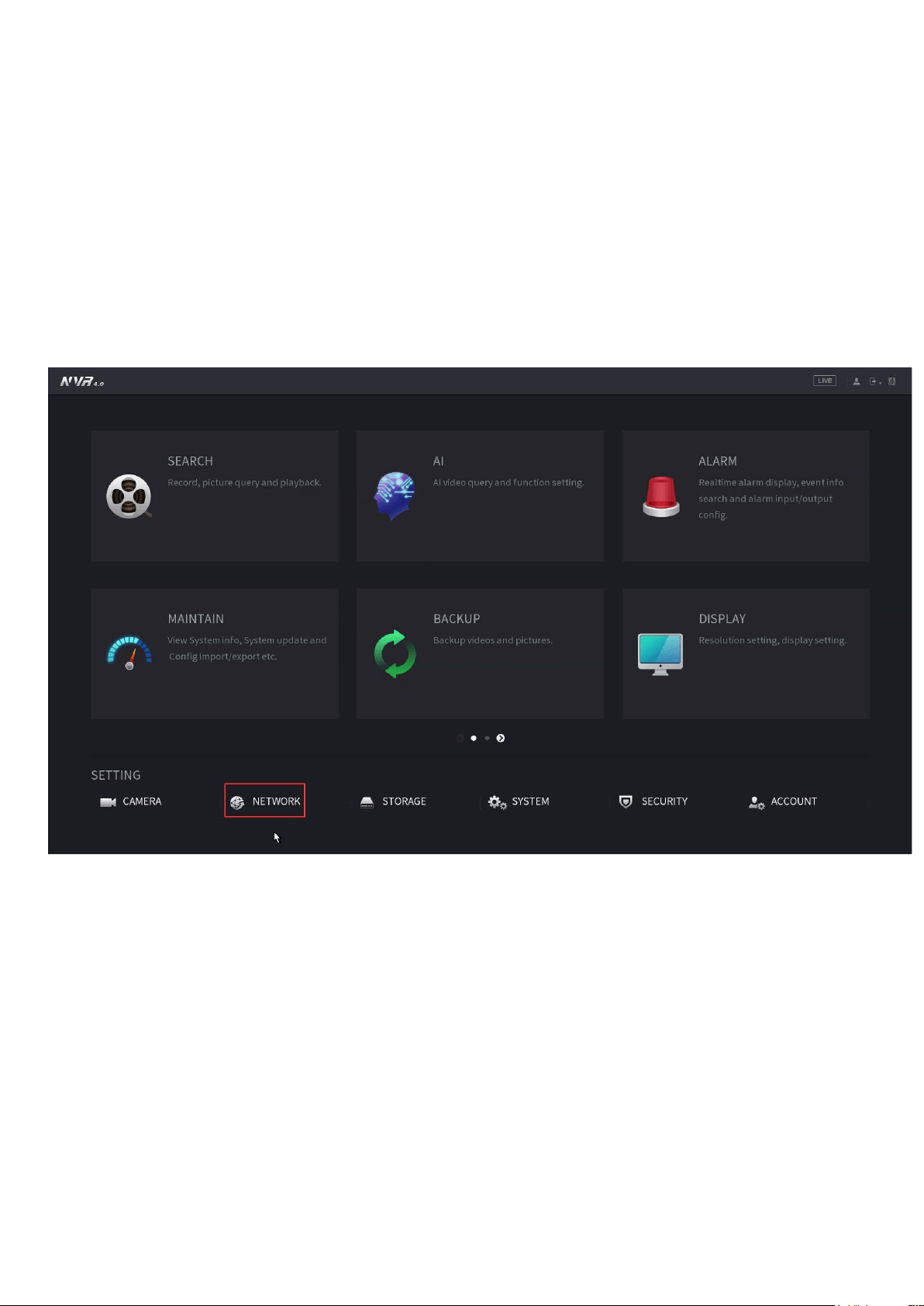
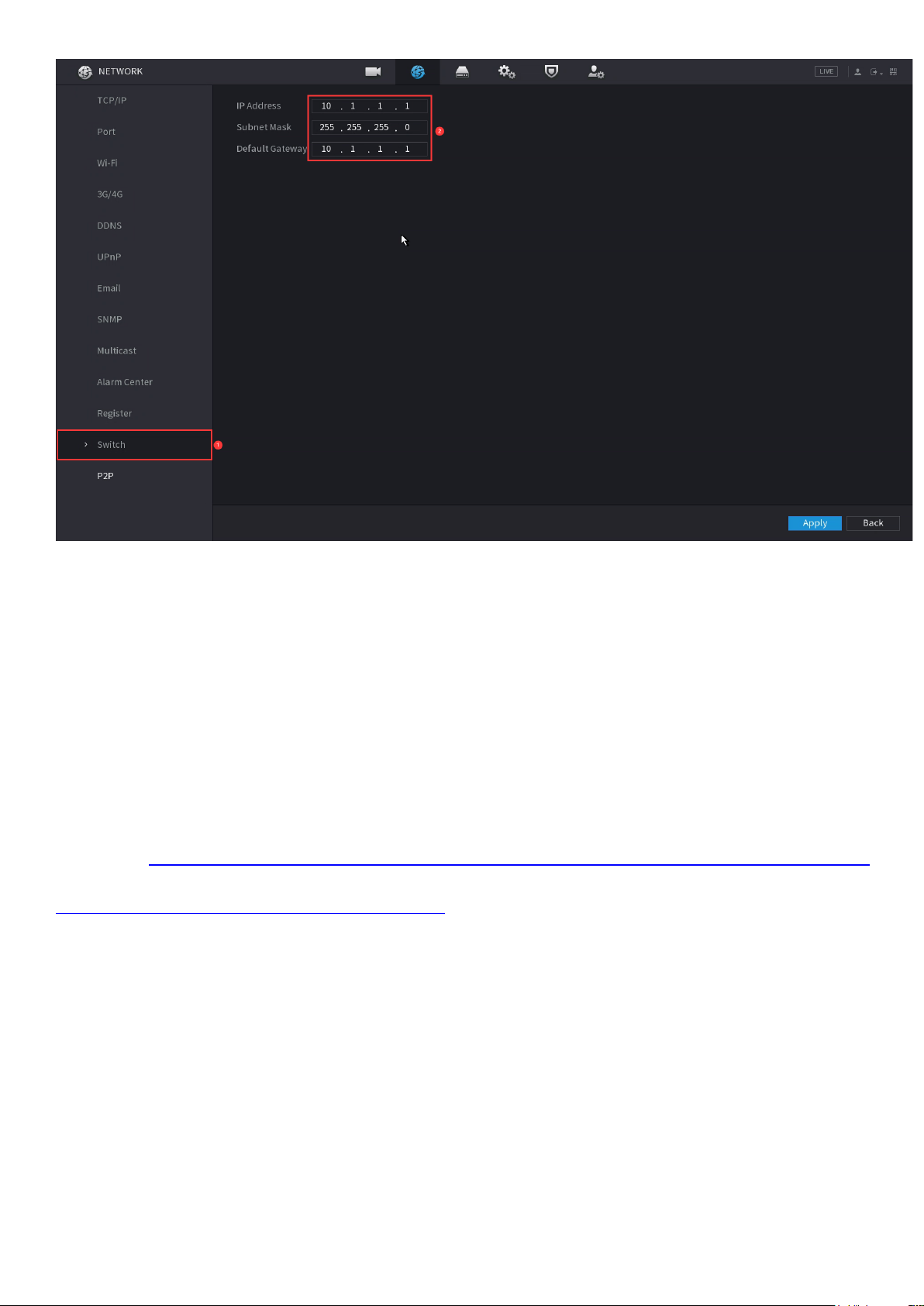
1.At first ,check the network segment where the SWITCH IP address in the
Dahua NVR is located, and enter the main menu—NETWORK—SWITCH. You
can see that the NVR network segment is 10.1.1.1
2, Modify the IP network segment of the camera to be the same as that of the
NVR (10.1.1.X) X can be any number between 2-254, except the
ones occupied by other devices.
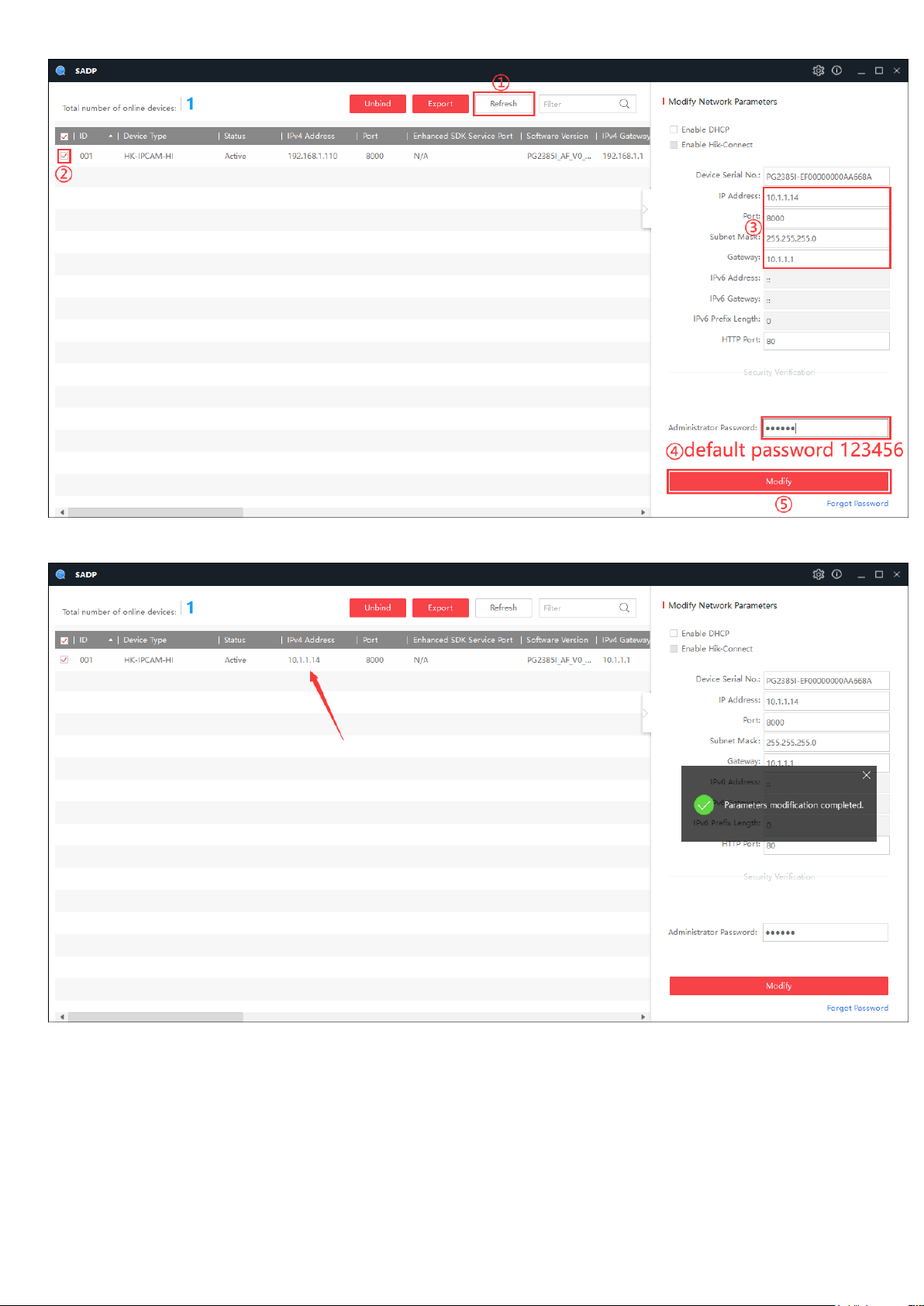
After the camera is powered on, connect to the router or directly to the comp
uter, and open the SADP search tool on the computer. Search tool download
address:(https://www.hikvision.com/content/dam/hikvision/tools/hitools/TS20
200826033/install-package/SADP.exe). Change the camera IP (192.168.1.110) t
o (10.1.1.14), enter the camera password (the default password is 123456) and
click to complete the modification..
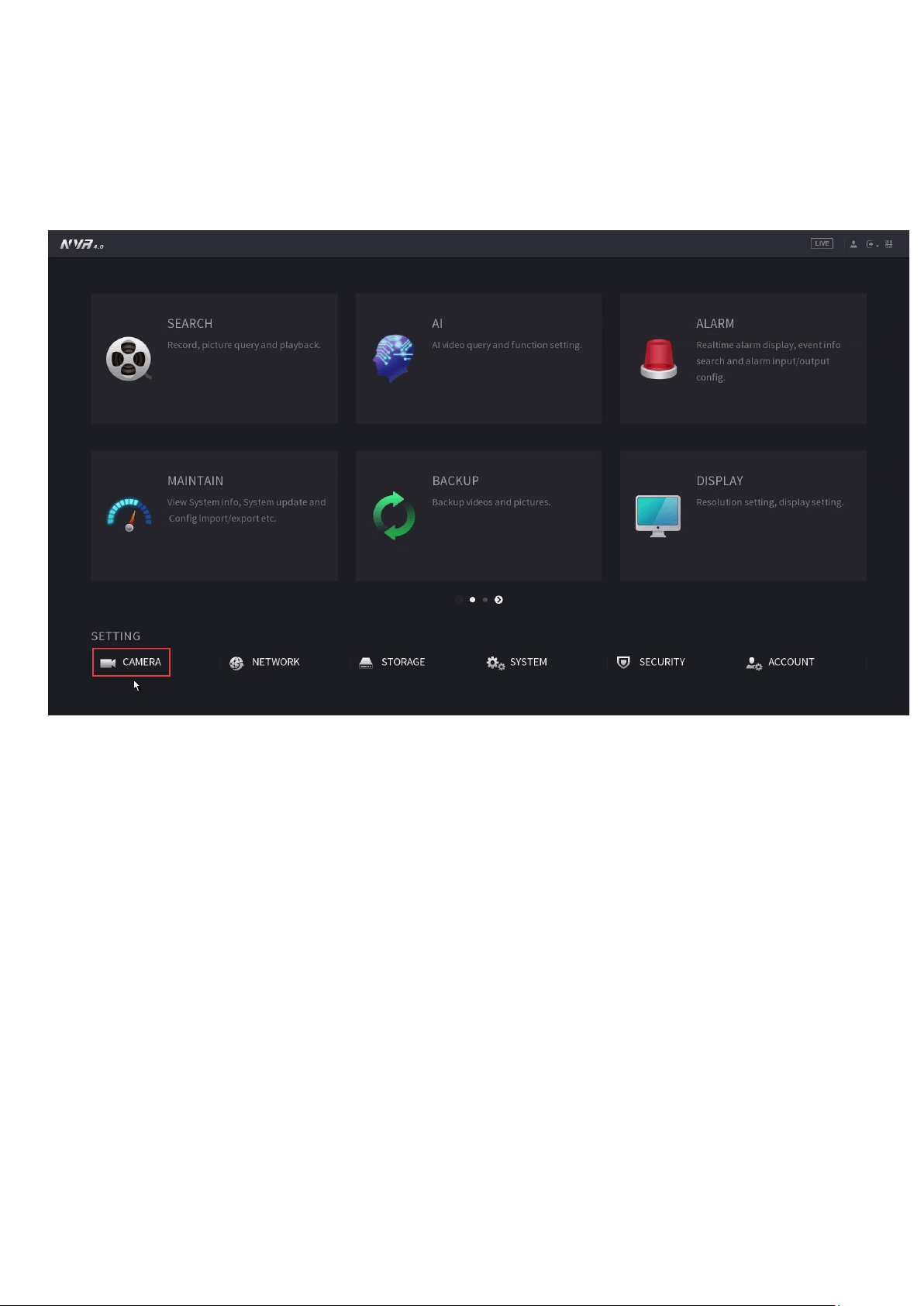
3. After modifying the camera’s IP address, connect the camera to the NVR;
Select the Camera in the main menu.
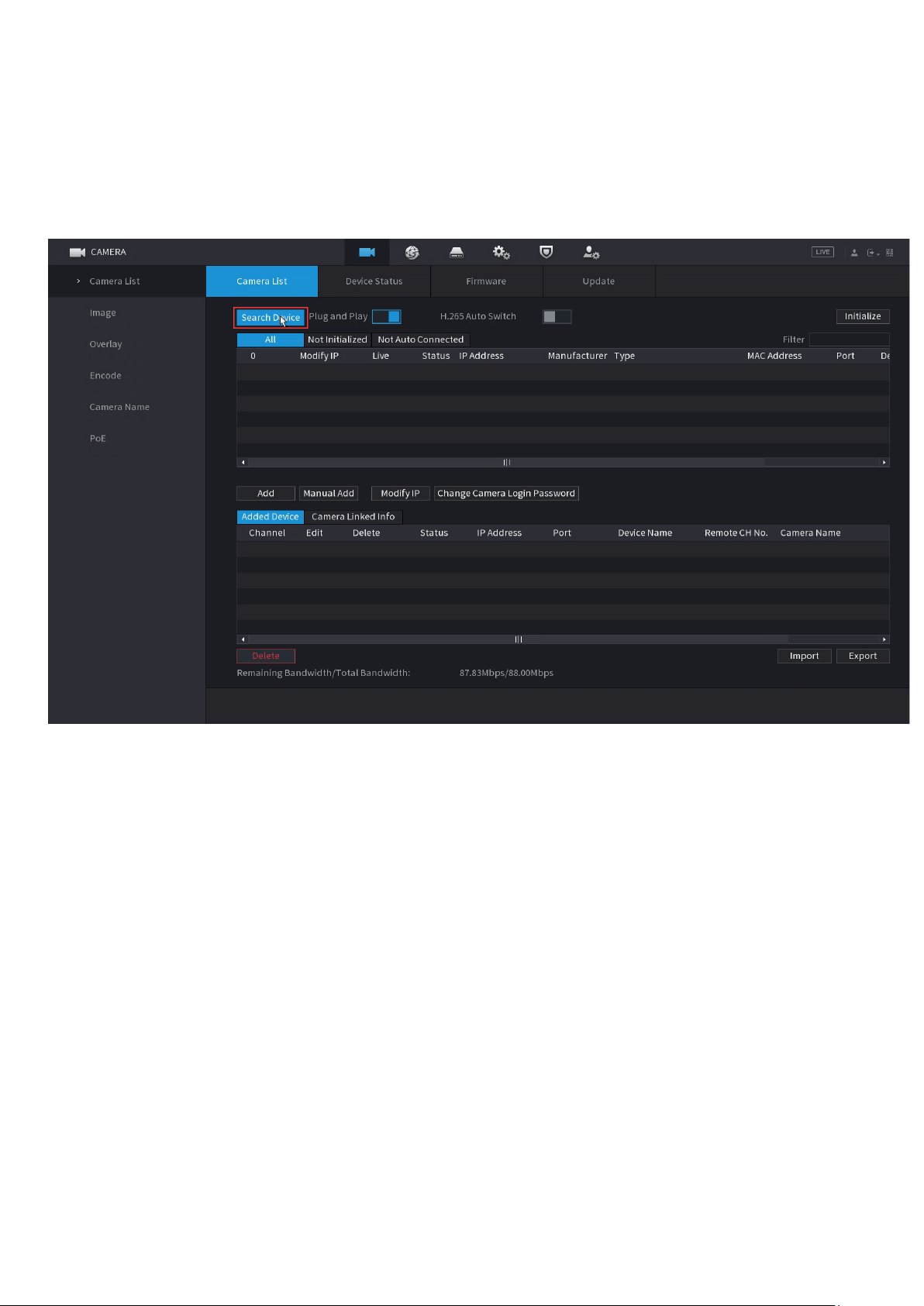
4. Click Camera List—Search Device—Double-click the searched camera to
add it.
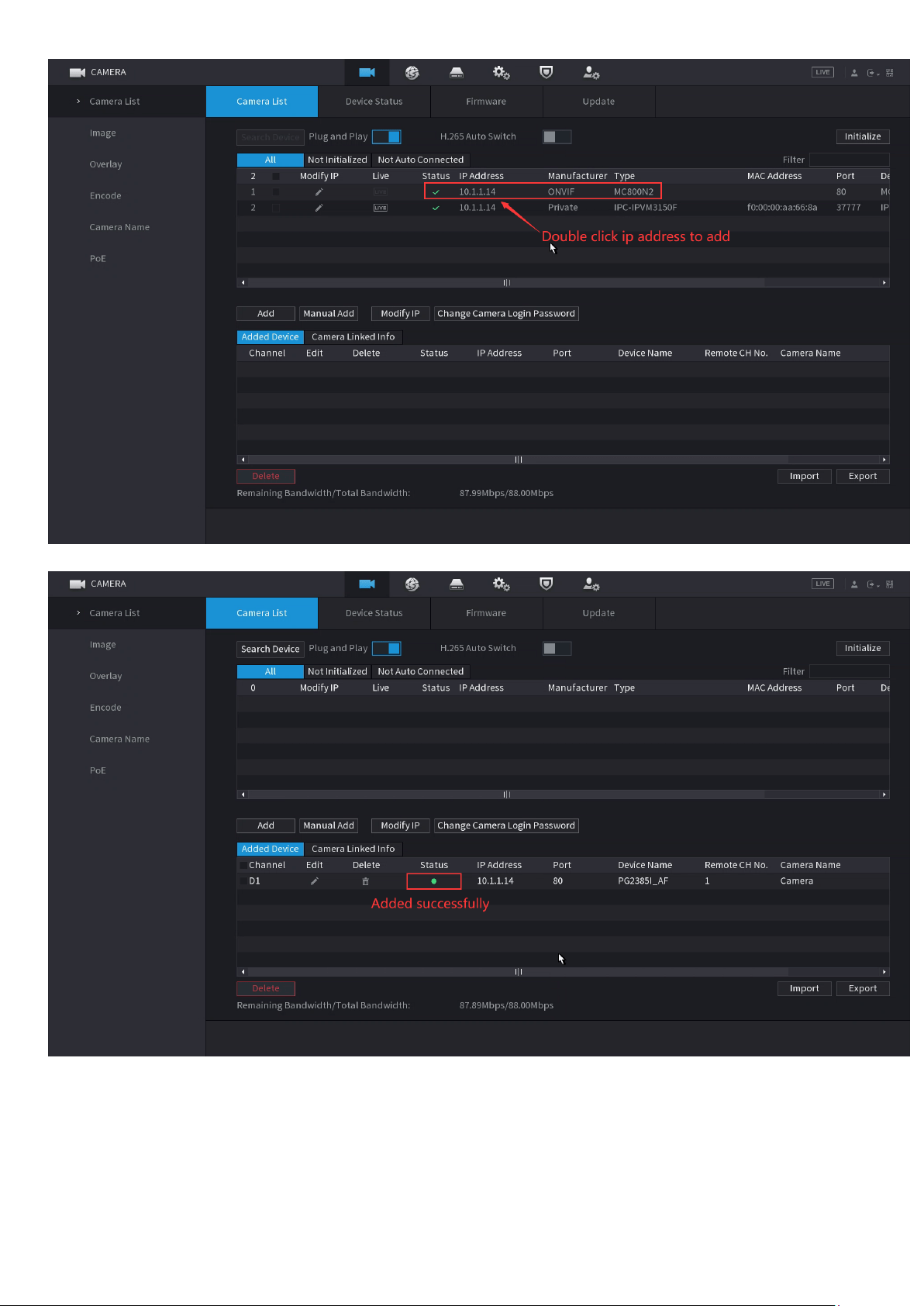
If the camera IP address cannot be searched in the NVR, and the camera is well
connected with NVR with the same network segment, then you need to add it
manually. Click on' Manual Add'
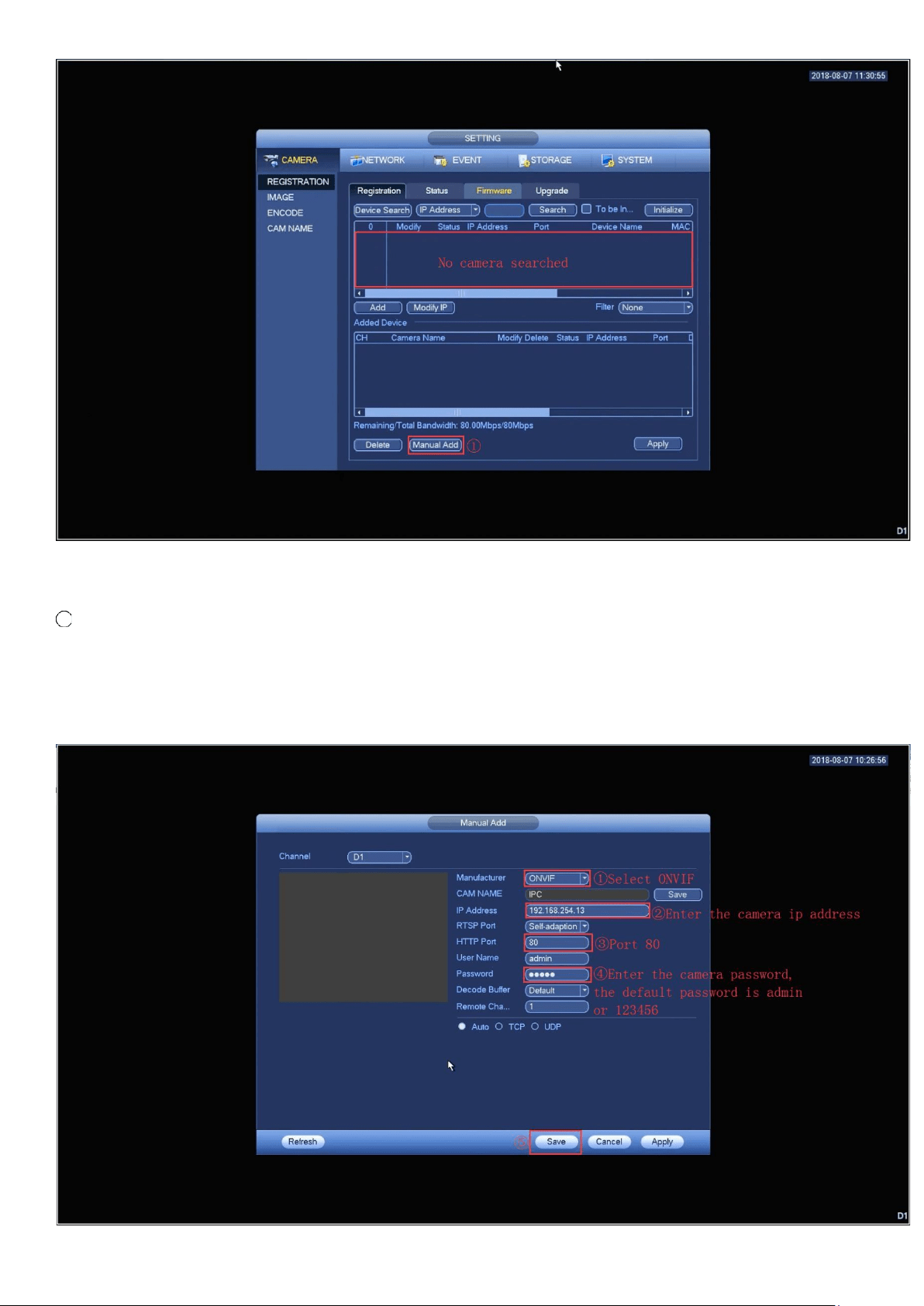
1 Select ONVIF protocol, ② enter camera ’ IP address, ③ ONVIF port
number is 80, ④ enter camera’s password, the default is admin or 123456,
⑤ click 'save' to complete the addition.