Keep this user guide for future reference. Always retain your proof of purchase in case of warranty service.
www.oricom.com.au
Instruction Manual
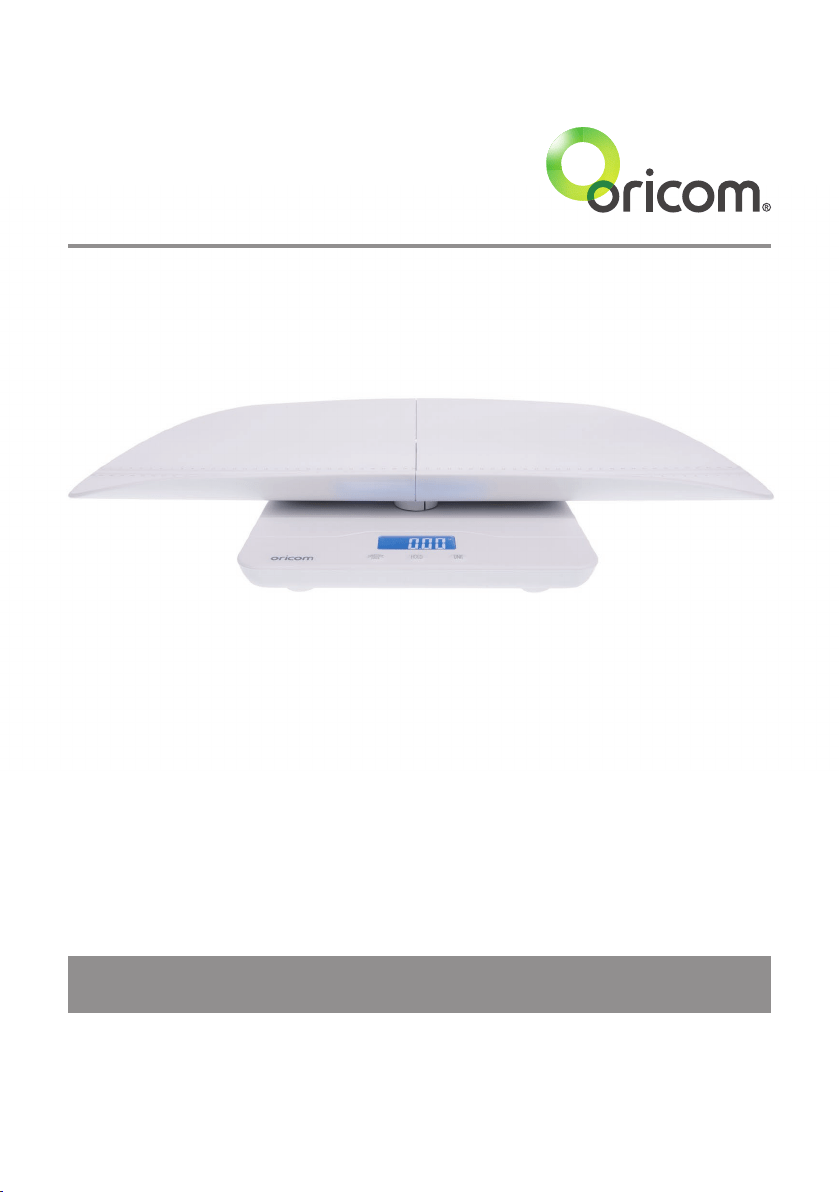
DS1100 Digital Baby Scale

Table of contents
Specication ....................................................................................................3
Touch Button ...................................................................................................3
Operation ......................................................................................................... 3
Tare Function ...................................................................................................4
Caution ............................................................................................................4
Express Warranty (Australia) ............................................................................5
Need Help?
If you need assistance setting up or using your Oricom product now or in the future, call
Oricom Support.
Australia (02) 4574 8888
www.oricom.com.au
Mon-Fri 8am – 6pm AEST
New Zealand 0800 67 42 66
www.oricom.co.nz
Mon-Fri 10am – 8pm NZST
WARNING Battery Safety
• Batteriesrepresentahazardtohealthandtheenvironment!
• Theymaycontaintoxic,ecologicallyhazardousheavymetals.
• Donotdisposeofbatteriesinareastheymayexplode.
• Disposeofbatteriesaccordingtolocalregulations,neverinyourhouseholdrubbish.
• Donotdismantle,cut,open,crush,bend,punctureorshredcellsorbatteries.
Ifabatteryleaks,donotletthebatteryliquidtouchskinoreyes.Ifthishappens,
immediatelyushtheaffectedareaswithwater,andseekmedicalassistance.
• Donotmodify,remanufacture,attempttoinsertforeignobjectsintothebattery,or
immerseorexposeittowaterorotherliquids.Batteriesmayexplodeifdamaged.
• UseonlyAAAAlkalinebatteries.Improperuse,oruseofunapprovedbatteries
maypresentariskofre,explosion,orotherhazard,andmayinvalidateany
approvalorwarranty.
• Ifyoubelievethebatteriesaredamaged,stopusingtheproduct.ContactOricom
forassistance.Neveruseadamagedbattery.
Disposal
Always dispose of your products at the end of their life in accordance with your local
wastedisposalrequirements.
Packagingmaterialsallcardboardandpaperpackagingshouldberecycledin
accordance with your local council waste regulations.
Alwaysremovethebatteriesfromtheunitbeforeplacinginstorageasthebatterymayleak.
3
Specication
ThankyouforchoosingtheOricomDigitalBabyScale,pleasereadthismanual
carefullybeforeusing.
Specication
1)Max.100kg
2)Division:100g
3)Unit:kg,oz,lb
4)Touchbutton
5)LCDwithbluebacklitdisplay
Touch Button
HOLD
UNIT
ON/OFF
TARE
1. ON/OFF/TARE:poweron,poweroffandtarefunction
2. HOLD:Holdsweightmeasurementforeasyrecall
3. UNIT:changeunittokg,ozandlb
Operation
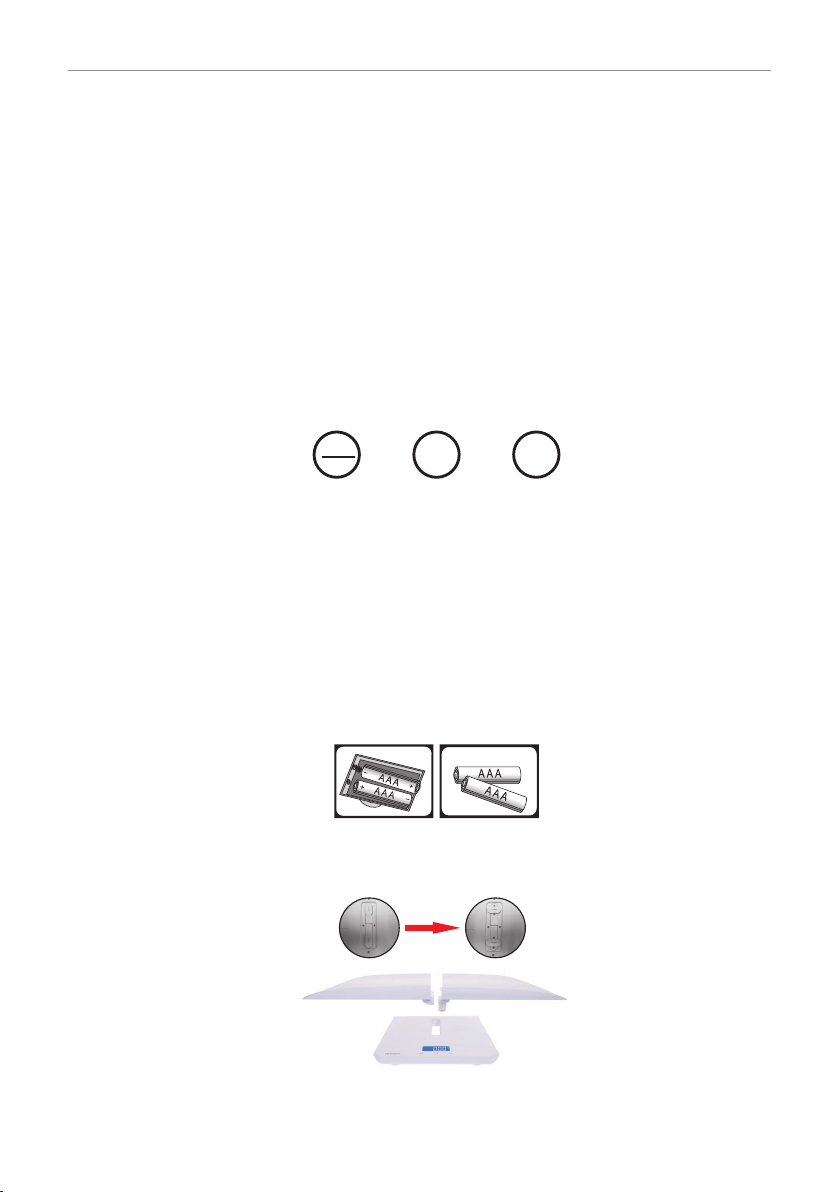
1.Removebatterycoverfromthebaseofthescales,insert2AAAAlkalinebatteries
andretthebatterycover.
Makesurethebatteriesarettedwiththecorrectpolarityandthebatterycoveris
alsottedcorrectly.
2. Inserttheweighingtrayintothemiddleslotonthescalebodyandmakesureto
twistandxthetrayatthebackofscale.
Note: Remove weighing tray for use as a stand up scale.
3.Placethescalesonarmstablesurface.
6) Hold function and memory recall for
last weight on power up
7) Tare function
8)Overloadandlowbatteryindication
9) Auto power off
10)2xAAAAlkalinebatteries

4
Tare Function
4.Press“ON/OFF/TARE”buttontoswitchonthescales.Thescalesarereadyforuse
whentheLCDscreenshows“0.00kg”afterdisplayingthelastrecordedweightfor
approx.5seconds.
Youcanzerothedisplayatanytimebytouchingthe“TARE”button.
5.Pressthe“UNIT”buttontochoosebetweenthreeunits“kg”,“oz”and“lb”.
6.Placebabyonthescaletray,weightisdisplayedonthescreen.
7.Touch“HOLD”buttontolocktheweightmeasurement,youcanthenremoveyour
babyandretaintheweightmeasurementonthedisplay,thisweightmeasurement
will also display on power up for 5 seconds.
8.Ifyouwanttotakeanothermeasurement,pleasepress“ON/OFF/TARE”buttonto
zero the display ready for use again.
9.Topowerofftouchthe“ON/OFF/TARE”buttonforthreeseconds.
The scales will switch off automatically when not in use after 60 seconds.
Tare Function
Press“ON/OFF/TARE”buttontotarethepreviousweight,oncethedisplayisresetto
“0.00kg”thescalesarereadyforweighing.
Pleasenote:totaltareweightcan’tbeovermax.capacity100kg.
Caution
1.Alwaysplacethescalesonarmstablesurface.
2.DONOTLEAVEYOURBABY/CHILDUNSUPERVISEDwhilstinthetray.
3.Pleasedonotstorescalesindamporverycoldenvironment.
4.ThisOricomDS1100scaleisahighprecisionmeasuringdevice.Handlewith
care,donotdrop,avoidheavyknocks,donotdisassemble.
5. Please use soft tissue with alcohol or glass cleaner to clean the surface if it is
dirty.Nosoaporotherchemicals.Keepitawayfromwater,corrosiveliquid,heat
andextremecoldness.
6.Whenstoringthescale,donotleaveanyweightonthescaleforanextended
period of time.
7.Donotimmersethescaleinwater.
8.Removebatterieswhennotinuseforextendedperiodsorinstorage.
9.If“Lo”appearsontheLCDscreenpleasechangethebatteries.
Donotmixbatteries,alwaysreplacewithnewbatteriesofthesametype.
10.“Err”onthescreenindicatesoverload,theweightbeingmeasuredisoutsidethe
scalesspecication.

5
Express Warranty (Australia)
Express Warranty (Australia)
ThisExpressWarrantyisprovidedbyOricomInternationalPtyLtdABN46086116369,
Unit1,4SovereignPlace,SouthWindsorNSW2756,hereinafterreferredtoas“Oricom”.
OricomproductscomewithguaranteesthatcannotbeexcludedundertheAustralian
ConsumerLaw.Youareentitledtoareplacementorrefundforamajorfailureand
compensationforanyotherreasonablyforeseeablelossordamage.Youarealso
entitledtohavethegoodsrepairedorreplacedifthegoodsfailtobeofacceptable
qualityandthefailuredoesnotamounttoamajorfailure.
Oricomwarrantsthattheproductisfreefromdefectsinmaterialsorworkmanship
duringtheExpressWarrantyPeriod.ThisExpressWarrantydoesnotextendtoany
productfromwhichtheserialnumberhasbeenremovedorwaspurchasedoutsideof
Australia.
NothinginthisExpressWarrantyexcludes,restrictsormodifiesanycondition,
warranty,guarantee,impliedterm,rightorremedypursuanttotheAustralianConsumer
Lawandwhichmaynotbesoexcluded,restrictedormodied.Forsuchconditions,
terms,guaranteesandwarrantiesthatcannotbeexcluded,restrictedormodified,
Oricomlimitstheremediesavailabletoextentpermittedintherelevantlegislation.
Exceptwithrespecttorechargeablebatterycellsandrechargeablebatterypacks(if
supplied),theExpressWarrantyPeriodwillbe12monthsfromthedateofpurchaseof
theproductevidencedbyyourdatedsalesreceipt.Youarerequiredtoprovideproofof
purchaseasaconditionofreceivingExpressWarrantyservices.Rechargeablebattery
cellsandrechargeablebatterypacks(ifsupplied)withthisproductarecoveredunder
this warranty for a period of 6 months.
You are entitled to a replacement product or repair of the product at our discretion
accordingtothetermsandconditionsofthisdocumentifyourproductisfoundtobe
faultywithintheExpressWarrantyPeriod.ThisExpressWarrantyextendstotheoriginal
purchaseronlyandisnottransferable.
ProductsdistributedbyOricomaremanufacturedusingnewmaterialsornewandused
materialsequivalenttonewinperformanceandreliability.Sparepartsmaybenew
orequivalenttonew.Sparepartsarewarrantedtobefreefromdefectsinmaterialor
workmanshipforthirty(30)daysorfortheremainderoftheExpressWarrantyPeriodof
theOricombrandedproductinwhichtheyareinstalled,whicheverislonger.Duringthe
ExpressWarrantyPeriod,Oricomwillwherepossiblerepairandifnotreplacethefaulty
productorpartthereof.AllcomponentpartsremovedunderthisExpressWarranty
becomethepropertyofOricom.IntheunlikelyeventthatyourOricomproducthasa
recurringfailure,Oricommayalways,subjecttotheCompetitionandConsumerAct
2010,atitsdiscretion,electtoprovideyouwithareplacementproductofitschoosing
thatisatleastequivalenttoyourproductinperformance.
NochangetotheconditionsofthisExpressWarrantyisvalidunlessitismadein
writingandsignedbyanauthorisedrepresentativeofOricom.

6
Express Warranty (Australia)
OricomwillnotbeliableunderthisExpressWarranty,andtotheextentpermitted
bylawwillnotbeliableforanydefect,loss,damageorinjuryarisingoutoforin
connectionwitha:
1. Failurebyyoutoadheretothewarningsandfollowtheinstructionssetoutinthis
user guide for the proper installation and use of the product;
2. Willfulmisconductordeliberatemisusebyyouoftheproduct;
3.Anyexternalcausebeyondourcontrol,includingbutnotlimitedtopowerfailure,
lightningorovervoltage;or
4. Modicationtotheproductorservicescarriedoutontheproductbyanyoneother
thanOricomorOricom’sauthorisedserviceprovider.
How to make a claim under your Express Warranty in Australia
Oricomhasasimplewarrantyprocessforyoutofollow:
• PleasecalloremailourCustomerSupportTeam,(02)45748888orsupport@
oricom.com.au.
• ACustomerSupportTeammemberwillverifyaftertroubleshootingwithyouif
yourproductqualifiesunderwarranty.Ifso,theywillgiveyouaProductReturn
Authorisationnumber.
• WewillthenemailorfaxaReturnAuthorisationformandaRepairNotice(if
necessary), together with instructions on how to return the goods for warranty
service.
PleasenotethatifaCustomerSupportTeammemberadvisesthatyourproductdoes
notqualifyforreturn,thiswarrantydoesnotapplytoyourproduct.Productsthatare
authorisedtobereturnedtoOricominAustraliamustincludeallofthefollowing:
• AcompletedReturnAuthorisationform
• AcopyofyourProofofPurchase(pleasekeepyouroriginalcopy)
• Thefaultyproduct,includingallaccessories.
Sendtheapprovedreturnsto:
Oricom International Pty Ltd
LockedBag658
South Windsor NSW 2756 Australia
PleasenotethatthisExpressWarrantyexcludesexpensesincurredbyyouinreturning
anyfaultyproducttous.Youmustarrangeandpayanyexpensesincurred(including
postage,delivery,freight,transportationorinsuranceoftheproduct)toreturnthefaulty
producttous,however,wewillarrangedeliveryoftherepairedorreplacedfaultyproduct
to you.

7
Express Warranty (Australia)
Important Information - Repair Notice
Pleasebeawarethattherepairofyourgoodsmayresultinthelossofanyuser-
generateddata(suchasstoredtelephonenumbers,textmessagesandcontact
information).Pleaseensurethatyouhavemadeacopyofanydatasavedonyourgoods
beforesendingforrepair.Pleasealsobeawarethatgoodspresentedforrepairmaybe
replacedbyrefurbishedgoodsorpartsofthesametyperatherthanbeingrepaired.

Ref:05032020
ORICOM CUSTOMER SUPPORT
OricomhaveatrainedanddedicatedteamofCustomerSupportRepresentatives,each
withtheknowledgeandresourcestoassistinansweringyourquestionsquicklyand
efciently.
Oricom Support - Australia
Forallproductenquiries,troubleshootingortodiscusstherangeofOricomproducts,
feelfreetocontactOricomorvisitourwebsiteforanswerstofrequentlyaskedquestions.
(02) 4574 8888
Monday - Friday 8am – 6pm AEST
Email:[email protected]
www.oricom.com.au
Oricom Support - New Zealand
0800 674 266
Monday - Friday 11am - 7pm NZST
Email:[email protected]