TAPR802
Register your product and get support at
www.philips.com/support
User manual
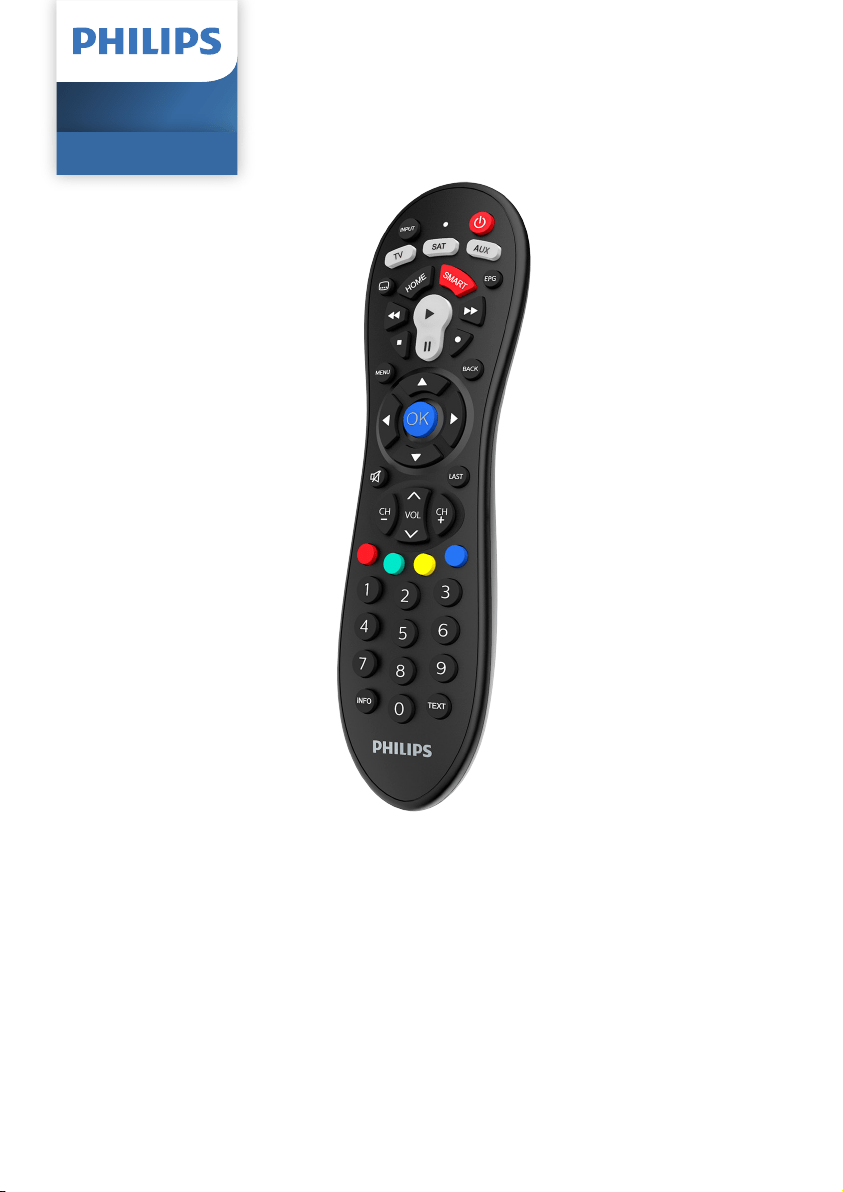
Universal Remote
SRP3013

1EN
Contents
1 Your universal remote 2
Introduction 2
2 Get started 3
Insert batteries (not included) 3
Set up the universal remote 3
3 Use your universal remote control 6
Learning 6
4 Notice 7
Disposal of your old product and battery 7
5 Service and support 8
Frequently asked questions 8
Need help? 8
Contents
2 EN
1 Your universal
remote
Congratulations on your purchase, and
welcome to Philips! To fully benet from the
support that Philips offers, register your product
at www.philips.com/welcome
Introduction
With the universal remote, you can operate up
to 3 different devices.
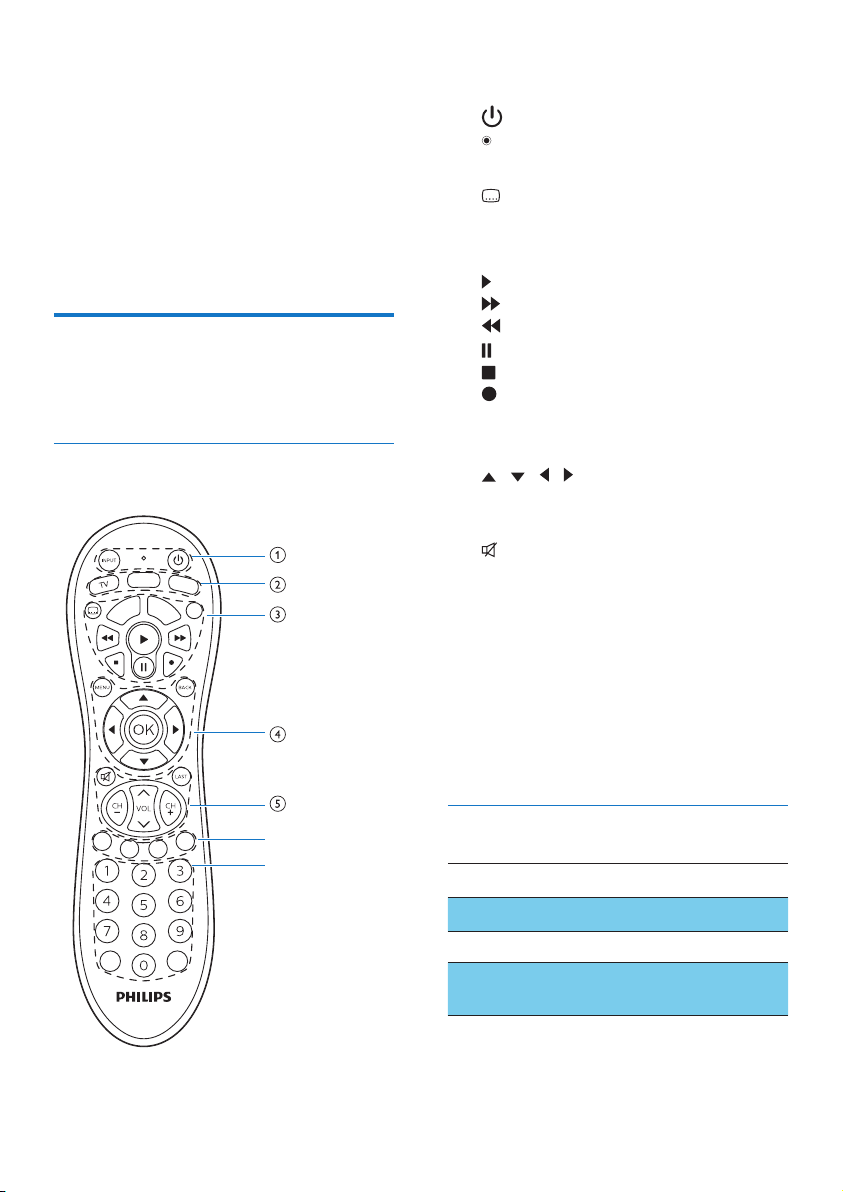
Overview of the universal remote
f
g
SMART
HOME
INFO TEXT
SAT
EPG
AUX
a INPUT: select available source inputs
(antenna, cable, etc.).
: power on or off.
: LED indicator
b Device selection buttons
c subtitle
HOME
SMART: SMART TV, My App or Apps
EPG: displays the program guide
: play
: fast forward
: rewind
: pause
: stop
: record
d MENU: menu on or off.
BACK: go back one menu level.
/ / / : scroll the menu up/down/
left/right.
OK: conrm your selection.
e : mute
LAST: return to the previous tuned
channel.
CH+/-: go to the next/previous channel.
VOL: adjust the volume.
f Red / Green / Yellow / Blue: context
sensitivity buttons
g Digit buttons
INFO: displays on-screen channel information.
TEXT: To open or close Text
Supported devices
Device name Description
TV TV, DTV
SAT SAT / CBL / STB
AUX Auxiliary equipment, media
center PC, others

3EN
2 Get started
Insert batteries (not included)
Warning
• Check the battery polarity when inserting in the
battery compartment. Incorrect polarity may damage
the product.
Caution
• Risk of explosion! Keep batteries away from heat,
sunshine or re. Never discard batteries in re.
• Risk of decreased battery life! Never mix different
brands or types of batteries.
Note
• When you replace the batteries, all user settings will
be retained in the memory of the universal remote for
5 minutes.
Set up the universal remote
You must rst set up the universal remote
before operating your devices.
Set up by code selection
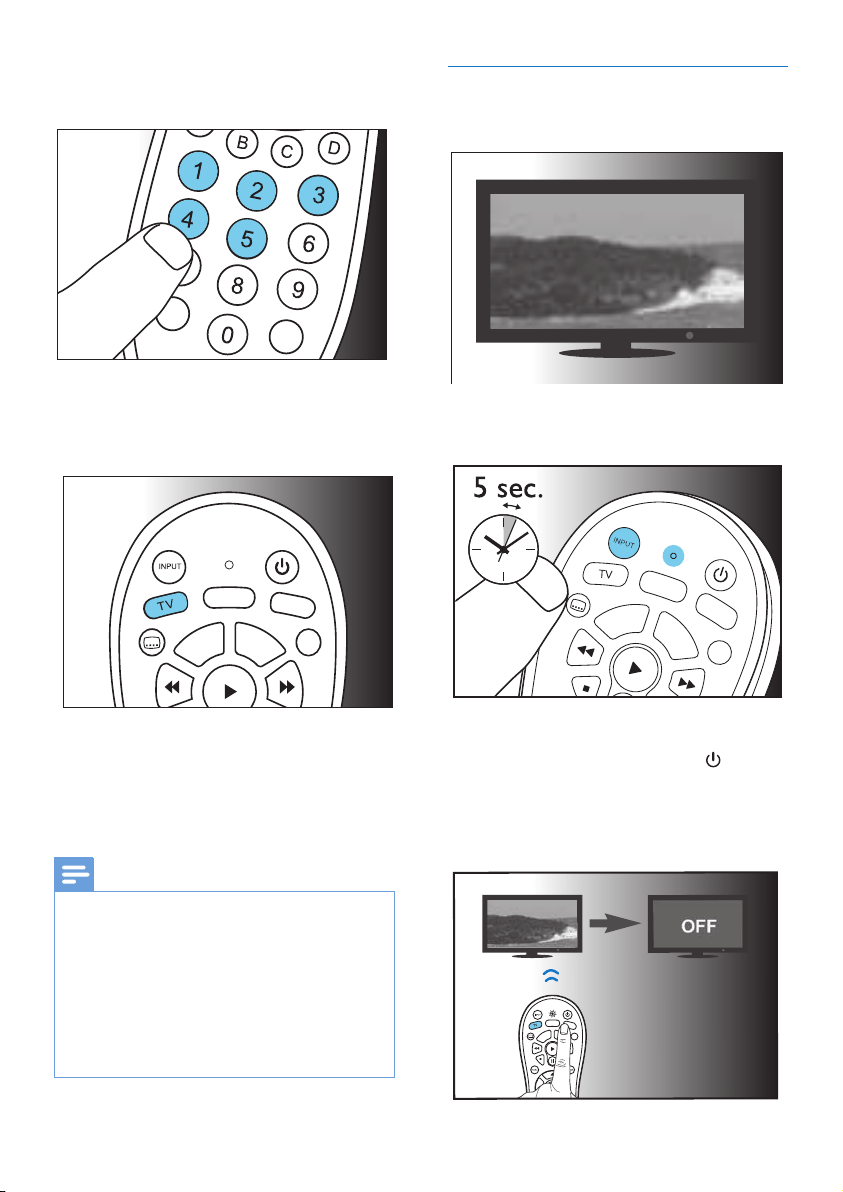
1 Switch on your device.
2 Press and hold the device selection button
(e.g. TV) for 5 seconds until the red LED
is on.
SMART
HOME
SAT
EPG
AUX
3 Look up the 5-digit code for your brand
in the code list. Codes are listed by the
device type and brand name. The most
popular code is listed rst
12345
1 2 3 4 5
4 EN
4 Enter the rst 5-digit code using the digit
buttons.
INFO TEXT
5 If the light is off, a valid code is saved.
Otherwise, the light will ash six times, and
then remains on for code re-entry.
SMART
HOME
SAT
EPG
AUX
6 Operate the device with the universal
remote. If your device responds correctly,
it means you have entered the right code.
Otherwise, repeat from Step 2, and enter
the second code on the list.
Note
• It is possible sometimes that your device only responds
to some of the buttons. In such case, set up with the
next code in the code list, and try operating your
device again. If there spill problem on code or key, you
can try to learn a key by learning faction if the remote
support learning function.
• Each device button can be used to set up any device.
E.g. you may setup a TV using the SAT device button.
• Before you enter any digit in Step 4 , you can press
device buttem to exit from setup mode.
Auto registration
1 Switch on your device.
2 Press and hold the device selection button
(e.g. TV) for 5 seconds until the red LED is on.
SMART
HOME
SAT
EPG
AUX
SMART
HOME
SAT
EPG
AUX
3 Point at your device with the universal
remote.Then press and release to
start searching the code for your brand.
A different infrared signal is sent every 2
seconds as the universal remote searches,
indicated by a blue ash.
SMART
HOME
INFO TEXT
SAT
EPG
AUX
5EN
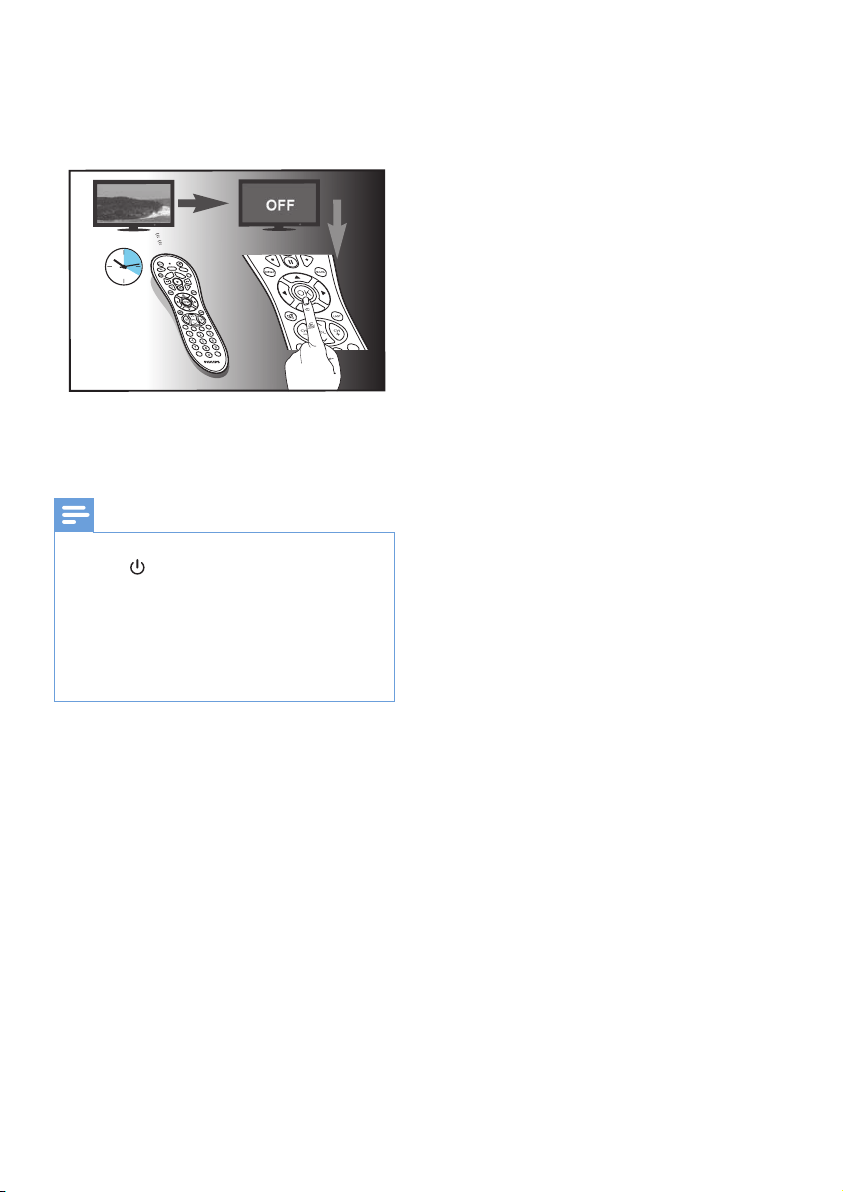
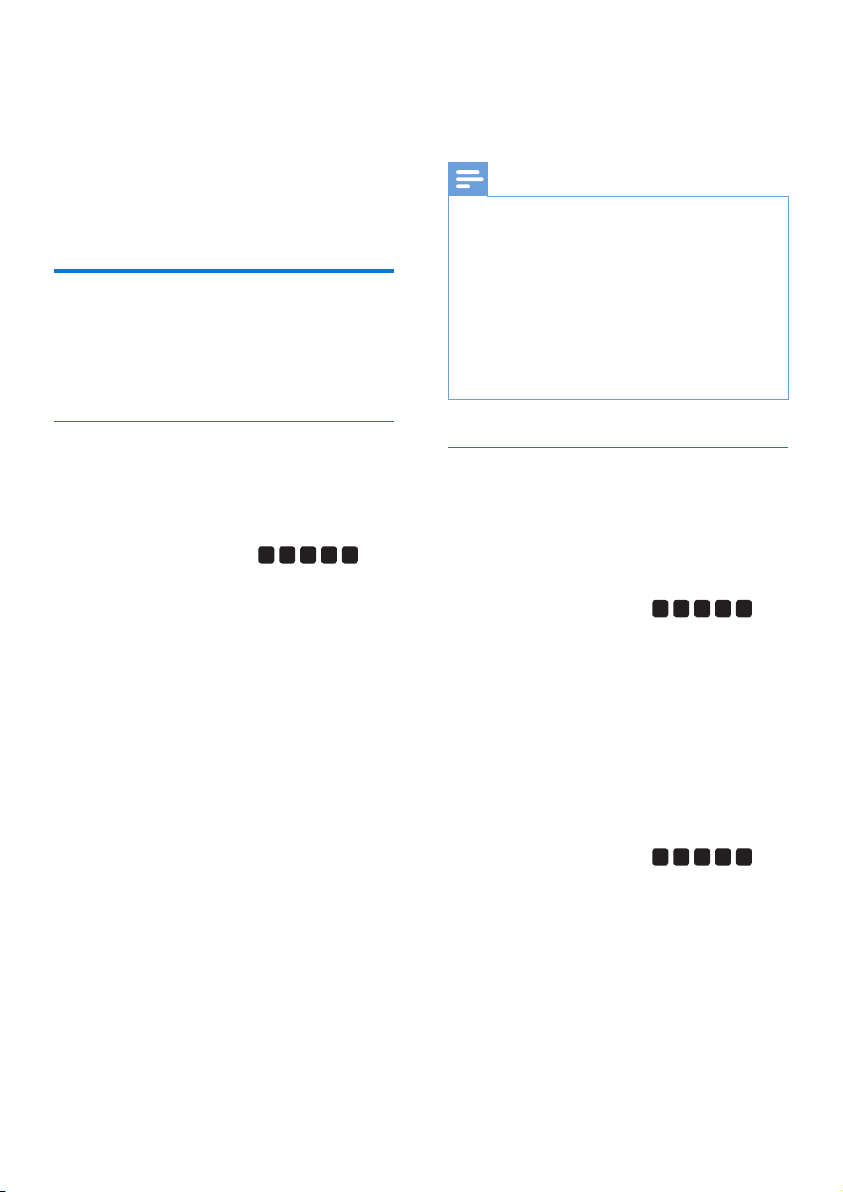
4 When the device is off, immediately press
and release OK to save the code.The blue
LED indicator will turn off.
SMART
HOME
INFO TEXT
SAT
EPG
AUX
SMART
HOME
INFO TEXT
SAT
EPG
AUX
max. 20
minutes
5 Operate the device with the universal
remote. If your device responds correctly, it
means you have saved the right code.
Note
• Auto registration can be reversed, by pressing and
releasing once more during the auto registration
process.This is helpful if you missed out the chance to
press OK within 2 seconds. Make sure that the device
is rst powered on again.
• It is possible sometimes that your device only responds
to some of the buttons. In such case, set up with the
next code in the code list, and try operating your
device again.
6 EN
3 Use your
universal
remote control
Learning
You must have an original remote for the
Universal Remote Control (URC) to learn code
from it.
Learn commands
1 Press and hold the device selection button
(e.g. TV) for 5 seconds until the red LED
is on.
2 Enter the learning code
9
9
9
0
0
. The
red LED will ash once and then remain
on.
3 Place the universal remote control and the
remote control of your device on a at
surface, aiming at each other at a distance
of 3 to 5 cm apart.
4 Press and release the desired key on the
universal remote control which you want
the command to be learned. The LED
indicator will ash twice then remains on.
5 Press and hold the target key on the
remote control of your device for a few
seconds.
6 If the LED indicator light ashes once and
then remains on, the command has been
learned successfully. You can release the
key on the remote control of your device.
If the LED indicator light ashes six times
quickly, it means there’s an error in the
learning process. Adjust the position of
both remote controls and repeat from
Step 4 again.
7 Repeat from step 3 to learn other key
functions, or press and hold any key for 3
secouds to terminate the learning mode,
the LED indicator will go out immediately.
Note
• On Step 4, if no key is selected for more than 15
seconds, the LED indicator will ash six times and the
learning mode will exit automatically.
• On Step 5, if no other remote signal is received for
more than 30 seconds, the LED indicator will ash
six times and then remains on. You will need to select
a desired key again for learning as in Step 4 on your
universal remote control.
• Each function key will hold only one command, a new
command to be learned will automatically replace the
previous one.
Clear learned commands
Clear all codes learned for a particular device
1 Press and hold the device selection button
(e.g.TV) for 5 seconds until the red LED
light is on.
2 Enter the learning code
9
9
9
1
0
.
The red LED light will ash once and then
turns off.
» All codes learned for the device will be
cleared.
Clear all codes learned for the universal
remote control
1 Press and hold the device selection button
(e.g.TV) for 5 seconds until the red LED
light is on.
2 Enter the learning code
9
9
9
1
0
. The
red LED light will remain on briey, ash
twice and then turns off.
» All codes learned for the universal
remote control will be cleared.

7EN
4 Notice
Disposal of your old product
and battery
Your product is designed and manufactured
with high quality materials and components,
which can be recycled and reused.
This symbol on a product means that the
product is covered by European Directive
2012/19/EU.
This symbol means that the product contains
batteries covered by European Directive
2013/56/EU which cannot be disposed of with
normal household waste.
Inform yourself about the local separate
collection system for electrical and electronic
products and batteries. Follow local rules and
never dispose of the product and batteries
with normal household waste. Correct disposal
of old products and batteries helps prevent
negative consequences for the environment and
human health.
Removing the disposable batteries
To remove the disposable batteries, see section
‘Insert batteries’.
When this logo is attached to a product, it
means a nancial contribution has been paid to
the associated national recovery and recycling
system.
Environmental information
All unnecessary packaging has been omitted.
We have tried to make the packaging easy to
separate into three materials: cardboard (box),
polystyrene foam (buffer) and polyethylene
(bags, protective foam sheet.)
Your system consists of materials which can
be recycled and reused if disassembled by
a specialized company. Please observe the
local regulations regarding the disposal of
packaging materials, exhausted batteries and old
equipment.

8
You will nd our contact details at the end of
this user manual. For online support, visit
www.philips.com/support
5 Service and
support
Frequently asked questions
My universal remote does not work at all.
• Check if you have correctly setup the
device with the right code. Check if you
have pressed the corresponding device key
for your device.
• Check if the batteries are inserted properly.
If the battery level is low, replace the
batteries.
• Check if your device is powered on.
If several device codes are listed under the
brand of my device, how can I select the
correct device code?
To seek the correct device code, test the codes
one by one. The codes are sorted by popularity,
and the most popular code is listed rst.
My device responds only to some of the
commands.
You have set a code for which only some
commands work properly but some do not.Try
other codes until most keys work properly.
Need help?
We advise you to rst read this user manual
carefully. It helps you set up and use the
universal remote.
If, however, you require extra information or
have additional questions about setup, usage,
warranty, etc of the SRP3013, you can always
contact us.
When calling our helpline, make sure to have
the SRP3013 at hand when you call, so that our
operators can help you determine whether
SRP3013 is working properly.
EN

Specications are subject to change without notice.
Philips and the Philips Shield Emblem are registered trademarks
of Koninklijke Philips N.V. and are used under license.
This product has been manufactured by and is sold under the
responsibility of MMD Hong Kong Holding Limited or
one of its afliates, and MMD Hong Kong Holding Limited is
the warrantor in relation to this product.
SRP3014_10_UM_V1.0
