1
Questions or Concerns? support@etekcity.com • (855) 686-3835
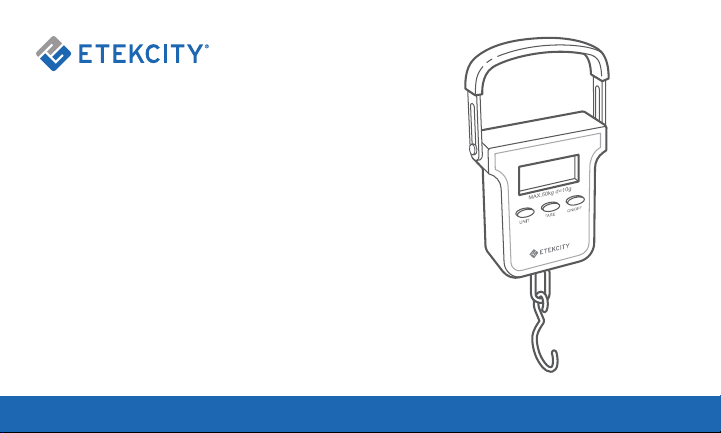
Digital Hanging Scale
Model No.: EHS-18

2
Thank you for purchasing the
Digital Hanging Scale by Etekcity.
If you have any questions or concerns, please
reach out to our helpful Customer Support Team
at support@etekcity.com. We hope you enjoy
your new scale!
BECOME AN ETEKCITIZEN
Get exclusive deals, giveaways, and product
registration. Better products for better living.
Find us at etekcity.com

3
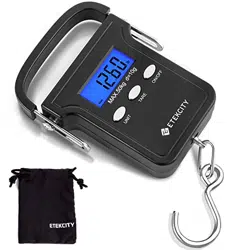
1 x Digital Hanging Scale
2 x 3V CR2032 Batteries (Pre-Installed)
1 x Carrying Pouch
1 x User Manual
Package Contents
Table of Contents
Package Contents
Specifications
Safety Information
Function Diagram
LCD Display
Setup
• Battery Installation
Operation
• Weight Measurement
• Unit Conversion
• Data Hold Function
• Tare Function
Care & Maintenance
• Replacing Batteries
Warranty Information
Customer Support
3
4
4
5
6
7
7
8
8
8
9
9
10
10
11
13
4
Safety Information
• Do not exceed the weight capacity of 110 lb
(50 kg). An overload indicator will appear on
the digital display if the limit is exceeded.
• This scale is not intended for commercial or
heavy-duty use. Household use only.
• Do not throw or strike the scale and do not
submerge the scale in water.
Follow all instructions and safety guidelines.
Read all instructions before using.
SAVE THESE
INSTRUCTIONS
Specifications
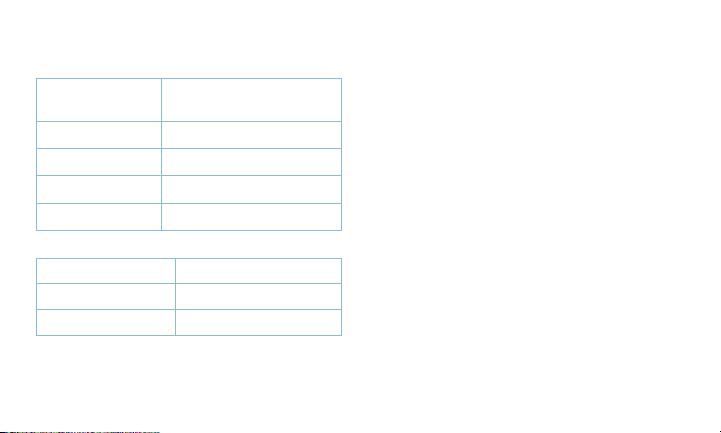
Dimensions 8.3 x 3.4 x 1.1 in /
210 x 86 x 29 mm
Weight Capacity 110 lb / 50 kg
Units oz / g / lb / kg
Auto-Off 60 seconds
Power 2 x 3V CR2032 Batteries
Weight of Object Accuracy
< 44 lb (20 kg) +/- 0.4 lb (0.2 kg)
> 44 lb (20 kg) +/- 0.8 lb (0.4 kg)
5
Function Diagram
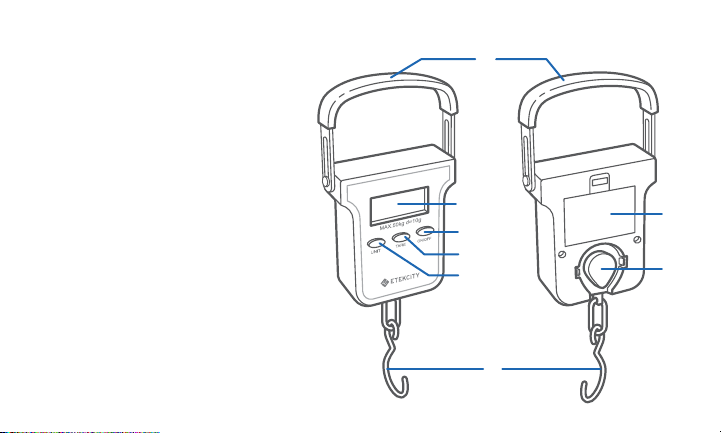
A. Handle
B. LCD Display
C. ON/OFF Button
D. TARE Button
E. UNIT Button
F. Hook
G. Battery
Compartment
H. Hook Storage
A
B
F
G
H
C
D
E
Front
Back
6
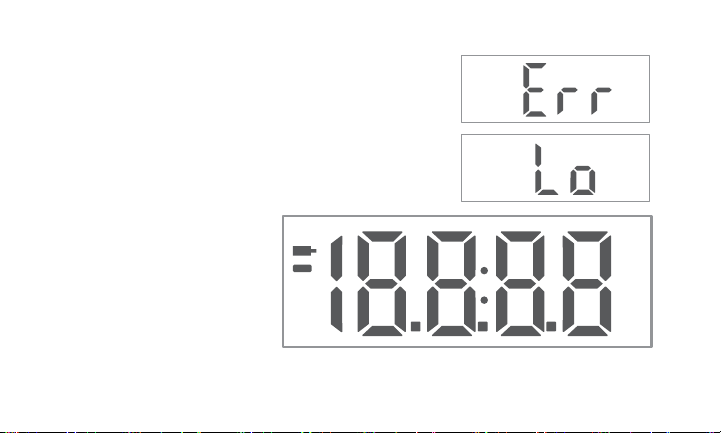
LCD Display
A. Measured weight is less than
the calibrated tare weight
B. Displayed weight is the
tared weight
C. Last measured weight
D. Weight in grams
E. Weight in ounces
F. Weight in kilograms
G. Weight in pounds
H. Maximum weight capacity
has been exceeded
(remove object from hook
immediately)
I. Battery low
Tare
Hold
H
I
A
E
G
D
F
B
C
g
kg
lb
oz
7
Setup
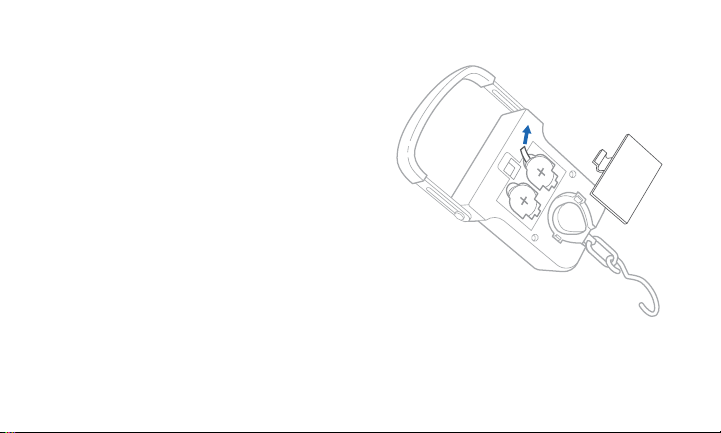
1. Open the battery cover.
2. Remove the insulation strip to
activate the batteries. [Figure 1.1]
3. When replacing the batteries, make
sure to insert them under the proper
polarity.
Battery Installation
Figure 1.1
8
Press UNIT repeatedly to change the unit
of measurement (oz / g / lb / kg).
Unit Conversion
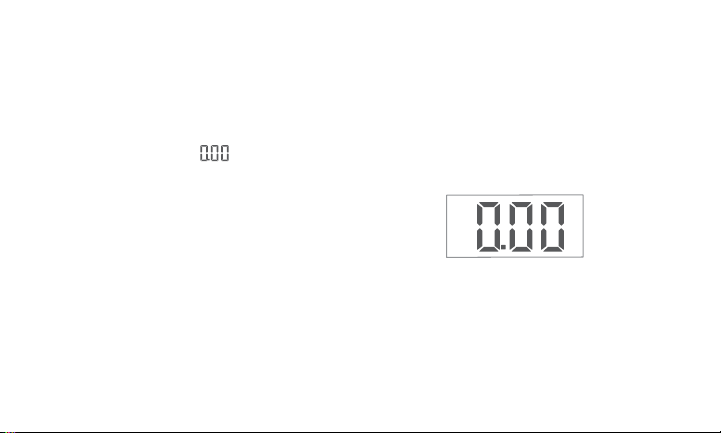
1. Press ON/OFF and the screen will
light up. Wait for “ “ to appear on
the screen. [Figure 2.1]
2. Hang the object you want to measure
on the hook.
3. Lift the scale with the object and hold
still until the weight measurement
stabilizes. The display will show the
weight and “Hold”.
4. To measure another item, remove the
object and repeat steps 2 and 3.
Operation
Weight Measurement
Note: To avoid result inaccuracy, keep the scale
upright when measuring. Do not touch or move
the scale during measurement. Always grasp
the scale by the handle.
5. Press ON/OFF to turn the scale off.
The scale will automatically turn off if
the scale is inactive for 60 seconds.
lb
Figure 2.1

9
Once the weight has stabilized and “Hold”
appears on screen, the weight will stay
on the screen for 60 seconds, or until you
measure another object or press TARE.
Turning the data hold function on or off:
1. When the scale is on, press and hold
TARE for 3 seconds.
2. Press UNIT to alternate between
turning data hold function on or off.
Hoon - Data hold function on
HooF - Data hold function off
3. Press TARE to confirm selection.
Data Hold Function
The tare function allows users to weigh an
object inside a container by subtracting
the weight of the container from the total
weight.
1. Hang the container on the weighing
scale hook and allow the weight to
stabilize and lock (the word “Hold”
will appear).
2. Hold the scale stable and press
TARE to tare the current weight. The
display will show “
“.
3. Place the object you want to weigh
inside the container and the scale
will calculate the weight of the object
without the weight of the container.
Tare Function
10
Care & Maintenance
• Do not use chemical detergents to
clean the scale. Use a soft, damp cloth
if needed.
• If not in use for a long period of time,
remove the batteries and store the
scale in a cool, dry environment to
avoid circuit damage.
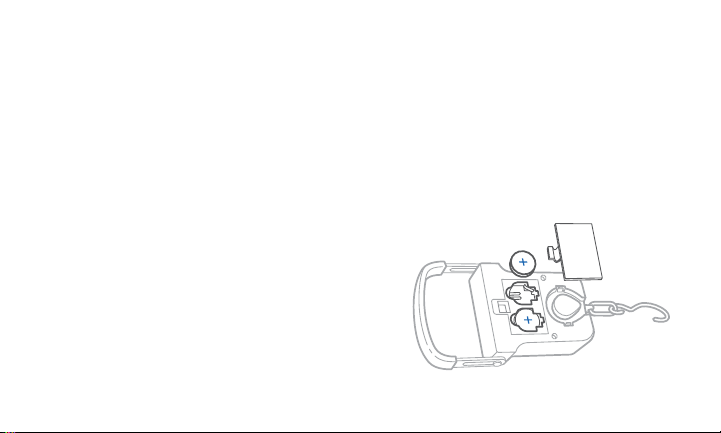
1. Locate the battery compartment on
the back of the scale and remove the
battery compartment cover.
2. Ensure the + side of the battery is
facing up and insert the batteries into
the battery slots. [Figure 3.1]
3. Replace cover.
Replacing Batteries
Figure 3.1

11
Warranty Information
Terms & Policy
Etekcity Corporation (“Etekcity”) warrants this
product to the original purchaser to be free from
defects in material and workmanship, under normal
use and conditions, for a period of one year from the
date of original purchase.
Etekcity agrees, at our option during the warranty
period, to repair any defect in material or
workmanship or furnish an equal product in exchange
without charge, subject to verification of the defect or
malfunction and proof of the date of purchase.
There is no other express warranty. This warranty
does not apply:
• If the product has been modified from its original
condition;
• If the product has not been used in accordance
with directions and instructions in the user
manual;
• To damages or defects caused by accident,
abuse, misuse or improper or inadequate
maintenance;
• To damages or defects caused by service
or repair of the product performed by an
unauthorized service provider or by anyone
other than Etekcity;
• To damages or defects occurring during
commercial use, rental use, or any use for which
the product is not intended;
• To damages or defects exceeding the cost of the
product.
Product Digital Hanging Scale
Model EHS-18
For your own reference, we strongly recommend that
you record your order ID and date of purchase.
Order ID
Date of Purchase

12
Etekcity will not be liable for indirect, incidental, or
consequential damages in connection with the use of
the product covered by this warranty.
This warranty extends only to the original consumer
purchaser of the product and is not transferable to
any subsequent owner of the product regardless of
whether the product is transferred during the specified
term of the warranty.
This warranty does not extend to products purchased
from unauthorized sellers. Etekcity’s warranty extends
only to products purchased from authorized sellers
that are subject to Etekcity’s quality controls and have
agreed to follow its quality controls.
All implied warranties are limited to the period of this
limited warranty.
This warranty gives you specific legal rights and you
may also have other rights which vary from state
to state. Some states do not allow the exclusion or
limitation of incidental or consequential damages, so
the above limitation or exclusion may not apply to you.
If you discover that your product is defective within
the specified warranty period, please contact
Customer Support via support@etekcity.com. DO
NOT dispose of your product before contacting us.
Once our Customer Support Team has approved your
request, please return the product with a copy of the
invoice and order ID.
Extend Your Warranty by 1 Year
Register your product within 14 days of purchase at
www.etekcity.com/warranty to extend your 1-year
warranty by an additional year.
This warranty is made by:
Etekcity Corporation
1202 N. Miller St. Suite A
Anaheim, CA 93806

13
Customer Support
If you have any questions or concerns about your new product, please contact our helpful
Customer Support Team.
Etekcity Corporation
1202 N. Miller St., Suite A
Anaheim, CA 92806
Email: support@etekcity.com
Toll-Free: (855) 686-3835
Support Hours
Monday - Friday
9:00 am - 5:00 pm PST/PDT
*Please have your order invoice and
order ID ready before contacting
Customer Support.

14
Notes

15
Connect with us @Etekcity

Building on better living.
ES071620AL-M1_0720EHS-18
