Trustech WTF-40 40'' Portable Oscillating Fan Tower Fan with Evaporative Air Cooler
Product's Documents
Below are documents related to this product, you can read online or download:
- Owner's manual - (English) Read Online | Download pdf

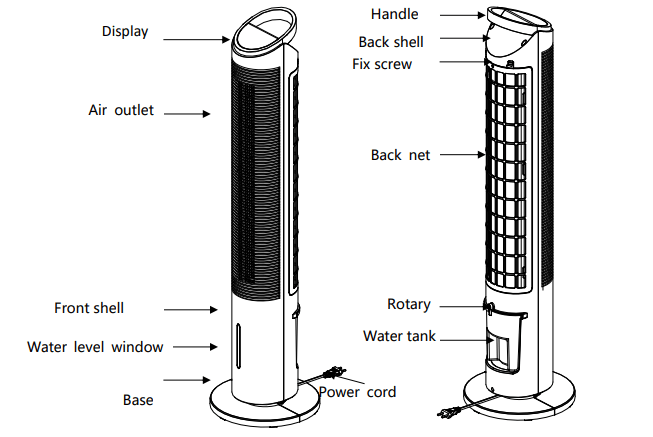
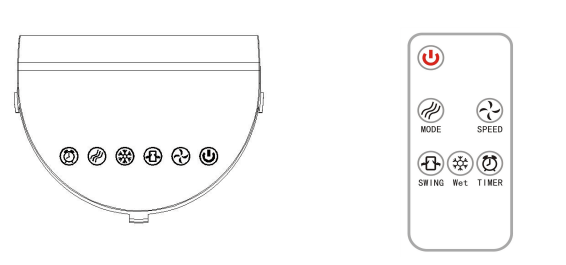
 ” button to turn it on.
 : Select 3 different fan speeds (Low/Middle/High) (the default settingisinmiddle-speed).
 ”: The default setting is in the normal wind mode. Press the buttonhole normal/natural/sleep.
 : Press the button to oscillate it (70°). Press again to stop oscillating.
 : Set the timer from 0 to 8 hours.
 : If you have put the frozen icebox into the water tank, press this button, and the air that has blown from the device will be cooler. Press it again to cancel the function.