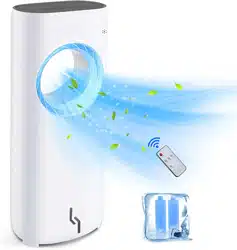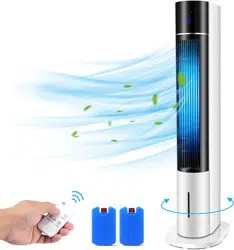
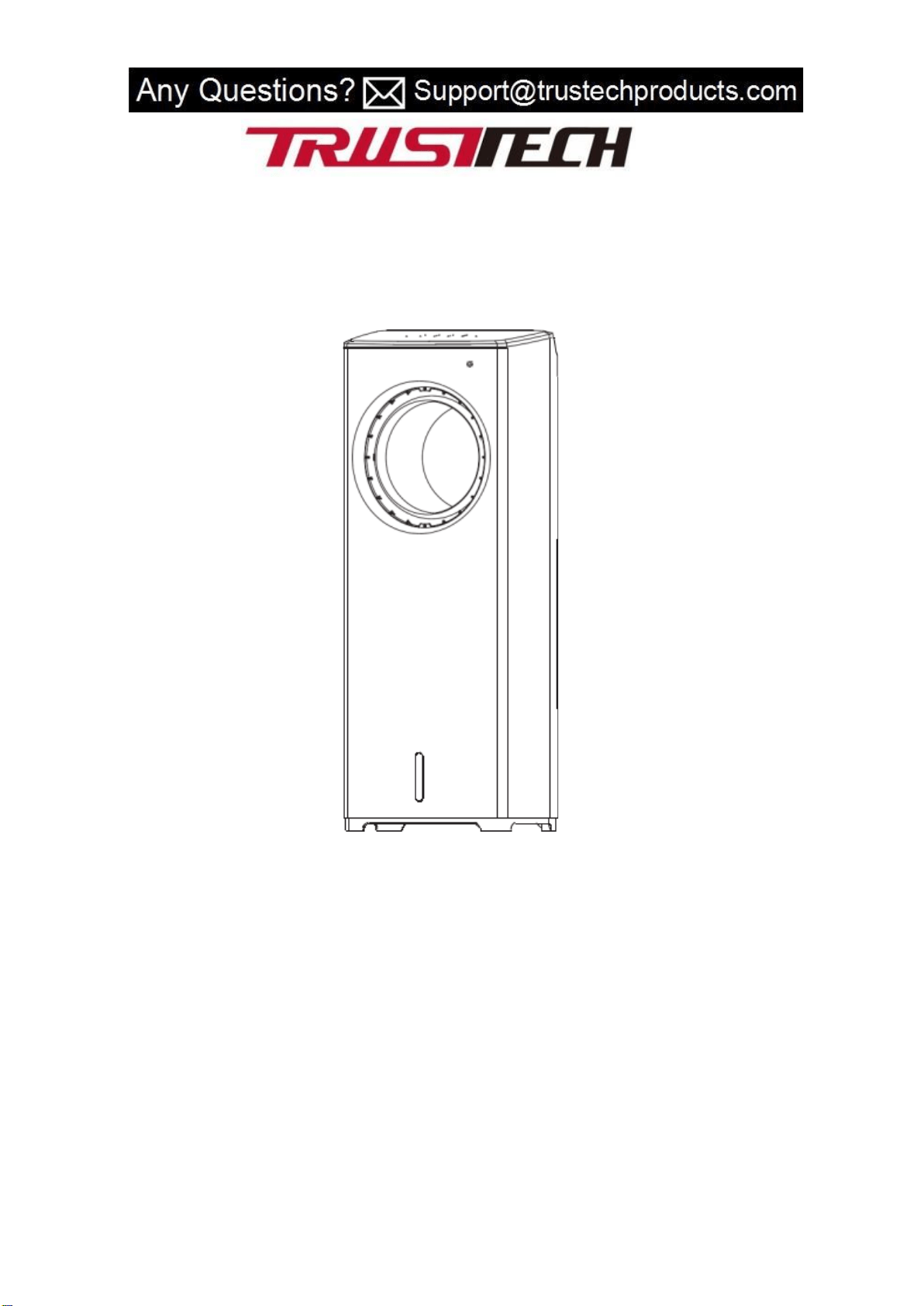
BLADELESS FAN USER MANUAL
MODEL: BLF-T04L
Thank you for choosing Trustech bladeless fan !
This user manual will provide you with valuable information necessary for the proper care
and maintenance of your new product. Please take a few moments to thoroughly read it and
start enjoying your cool summer!
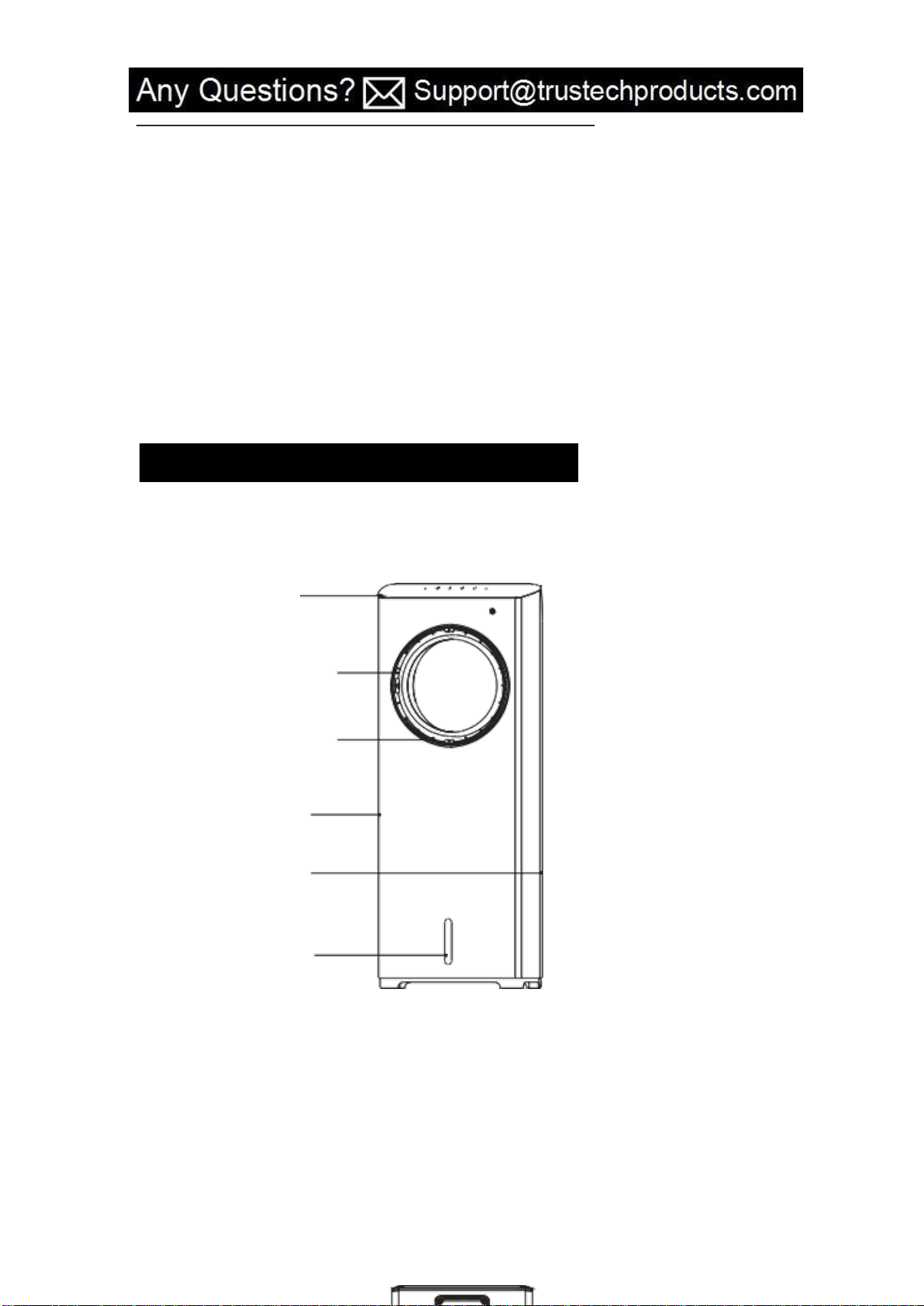

back cover
Dust screen removal position
cooling pad bracket
radiator cap
Water tank handle position
Water tank
Tank lock
FUNCTION INTRODUCTION
1. Cold and wet
Cold air humidification principle: use the water pump to pump the cold water in the
water tank to the top of the body after the flow of wet curtain paper, and then by the
rotation of the wind wheel around the wet curtain paper with a certain degree of
humidity of the cold air blown out. Water evaporation heats absorption, then reduces
the temperature and humidifies the air.
This machine adopts ice crystal refrigeration and air humidification technology, which
can reduce the air temperature at the air outlet and increase the relative humidity of
the air to prevent the air from drying.
2. Wind speed is adjustable
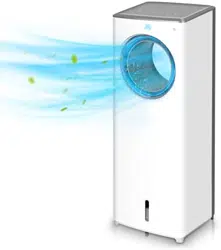
Facilitated with three wind speed, large delivery capacity, TRUSTECH bladeless fan
provides a comfortable living environment for you in burning hot summer, sending the
wind out from left to right and up to down.
3. Drawer type water tank, removable cooling pad
Adopt drawer type water tank, no water leakage, can be taken out at any
time to clean, prevent bacteria breeding. Detachable wet curtain paper, with a
neutral detergent and soft brush can be easily cleaned (wet curtain paper can not be
cleaned in the washing machine).
4. Air supply mode
Left and right automatic pendulum pages (pendulum Angle of 20 °),
manual up and down direction 0 to 15 ° can be arbitrary chosen.
TECHNICAL PARAMETERS
Mode
Voltage
Power
Types of control
remark
BLF-T04L
120V~60Hz
80W
Remote control
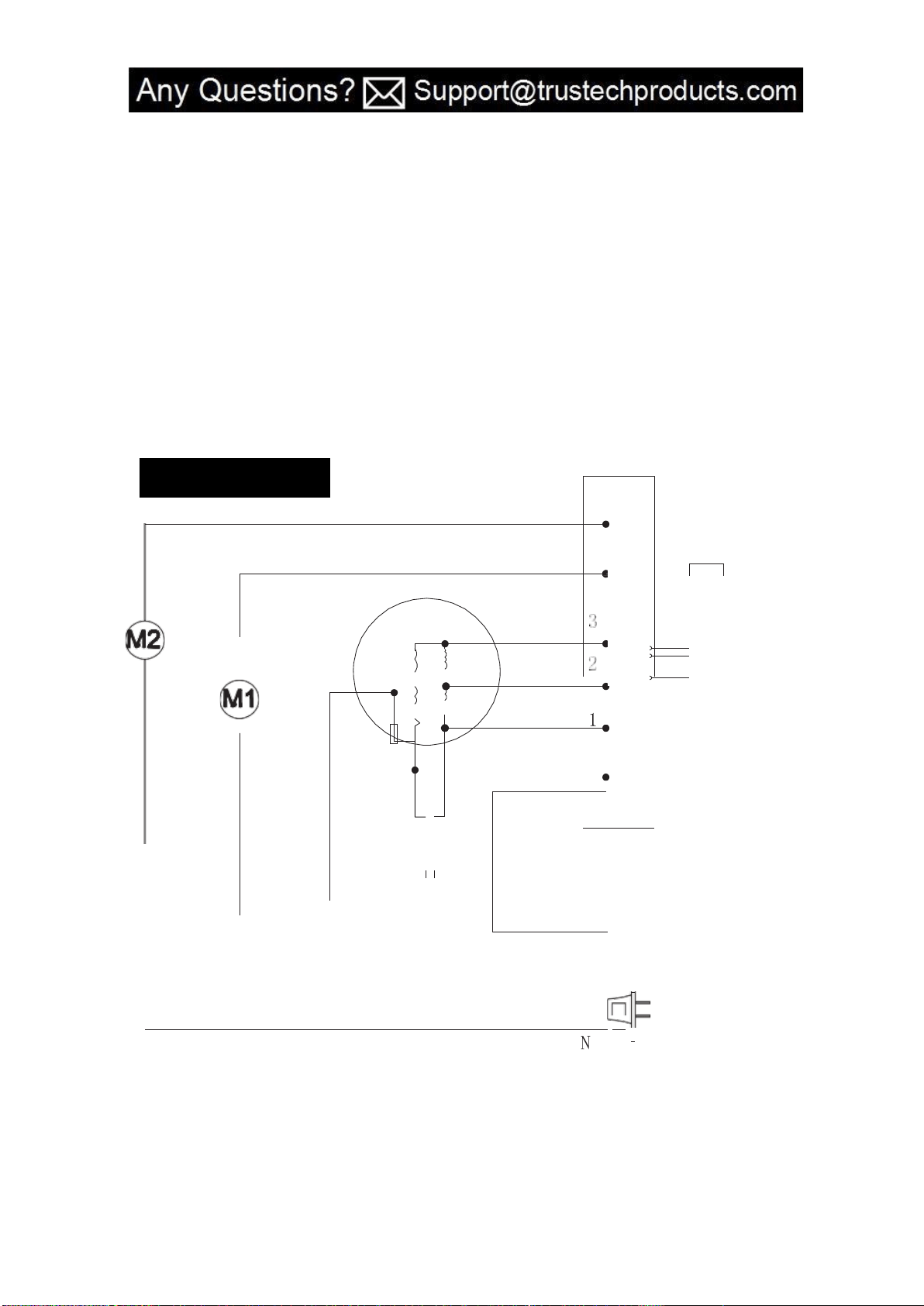
motor
capacitance
CIRCUIT DIAGRAM
Remote receiver head
Circuit board

ASSEMBLY AND WATERING METHODS
1.Open the packing box and take out the cold fan, and put the fan on the horizontal ground
to check whether the parts in the packing box are complete.
Note: ice crystal boxes are placed in foam at the bottom of the carton.
2.Adding water
Pull out the water tank from the handle position of the water tank under the back of the
body, make the water tank exposed 2/3, and add clean tap water into the water tank.
Notice
A. When adding water, please note that the water level in the tank shall not exceed the
"highest" indicating scale. When the cold air humidifies, the total water level of the water
tank should be controlled not lower than the "lowest" indicating scale.
B. To enhance the cooling effect, ice cubes or frozen ice crystal boxes can be placed in the
water tank of the body.
Warning: after adding ice cubes or ice crystal boxes, the total water level of the water tank
shall not exceed the "highest" indicating scale.
METHOD OF USE
Electronic products with three wind speed, three types of wind, wind pendulum, cold
wind,timing function.
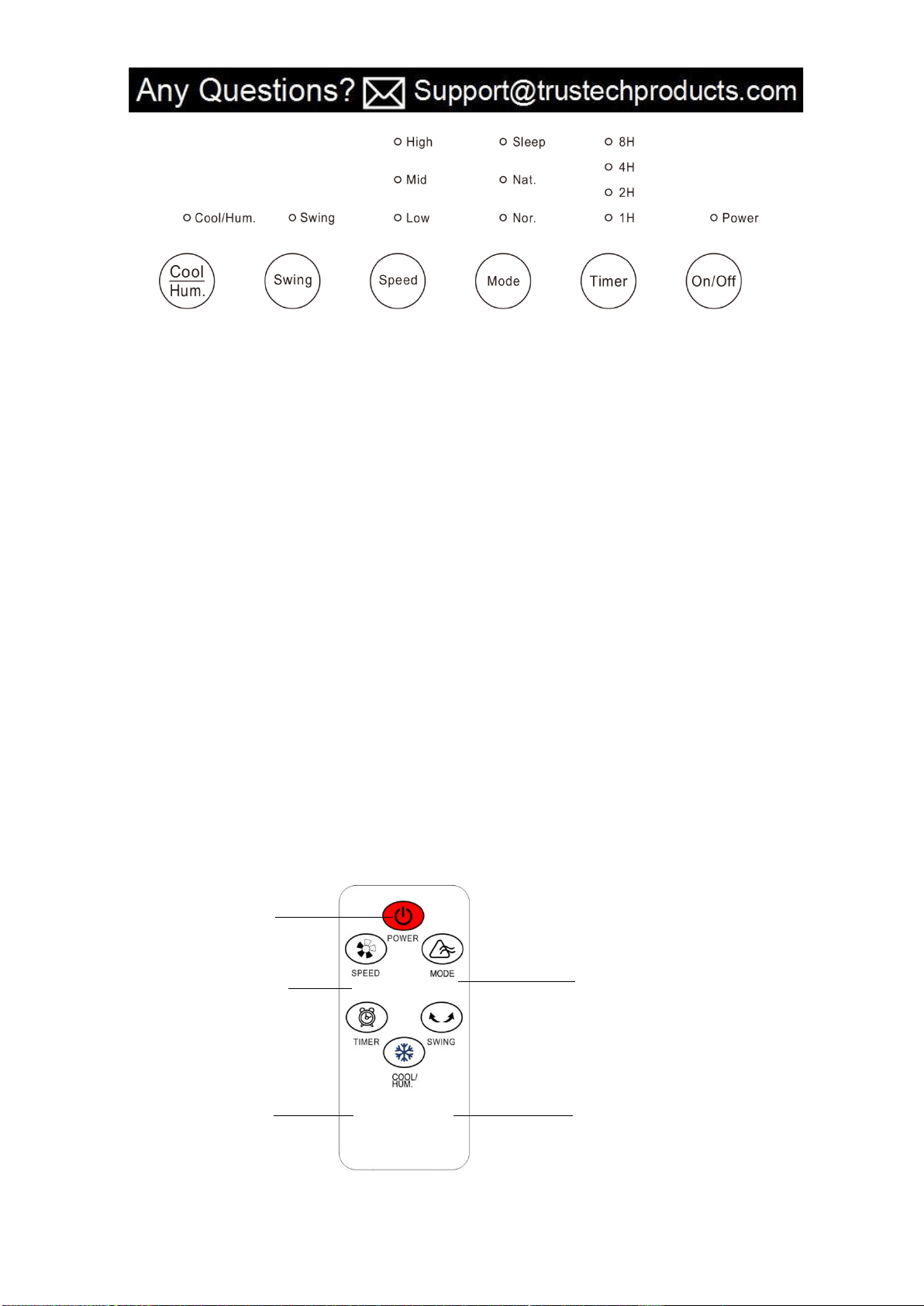
1.On/Off button: press this button after the power is switched on, the mid-range cold fan
will start the low-range operation, and the wind speed light will be on at the same time.
Press this button again, then turn off all working states of the cold air fan and the button
light will be off.
2.Timing button: press this button to set the required countdown shutdown time. The timing
button light is on.
3.Mode button: press this key to choose between normal wind, natural wind and sleep wind.
4.Wind speed button: when the machine is on, press this button to select the desired wind
speed.
5.Swing button: press this button to set the swing function. The button light is on. Press this
button again to set the swing. The wind stopped.
6.Cold air button: press this button to turn on the cold air humidification function.Press this
button again to cancel the cold air humidification function.
*When the water level is lower than the lowest water level, do not turn on the cold air
humidifying function to avoid damage to the machine.
REMOTE CONTROL
On/Off button
Wind speed button: Mode button:
Low,mid,high normal,natural,sleep
mode
Timer button: Swing button:on/off
1-8h timer setting

Cold air button:
cold air humidification function
Using method of Ice Crystal Box
Ice crystal box has the unique characteristics of cold storage and moisture, can slowly absorb
the heat of water, so that the water temperature in the water tank is lower than the
ambient temperature, so that the wind from the fan is cooler.
1.Add an appropriate amount of water to the ice crystal box (the water level should not
exceed MAX mark on the ice crystal box), tighten the ice crystal box cover, and then put it
into the refrigerator freezer to freeze until the ice crystal box is completely frozen.
2.Pull out the water tank and put the frozen ice crystal box into the water tank.
3.The machine is equipped with two ice crystal boxes, which can ensure continuous
recycling.
Warm prompt
Often adding water: a new machine or a machine that is not used for a long time must be
added water before use.
Frozen ice crystals: put one of the ice crystal boxes in the refrigerator every night and put it
in the water tank the next day for better results.
Proper humidification: when conditions are available, add cold water or ice water with low
temperature for better cooling effect. If the right spices are added to the water, the result
will be a refreshing breeze.
Cleaning and maintenance: when the cold air fan is not used for a long time, the water in the
water tank should be cleaned. Under the room temperature for a period of time, let the
machine, especially the wet curtain paper part completely dries up and then use the plastic
bag to cover, pack and place the machine in order to reuse.
Water quality turns yellow: in the early stage of using the cold air humidifying function of
this product, the water in the water tank will turn yellow slightly and disappear
automatically after a period of use. Please rest assured to use.
Vibration noise: when the cold air humidification function is just started or the water is short

of water, the pump will produce smaller vibration noise. When the water circulation system
is complete and the water is filled in the water tank, the vibration noise will gradually
decrease. Please feel free to use.
Pump maintenance: as the core part of the cold air function, if the water pump works in the
state of no water or little water, it is easy to damage, please pay attention to the water level
in the water tank at all times.
REPAIR AND MAINTENANCE
1.When the cooling fan is not in use, please first turn off the power and pull out the plug.
2.Please make sure there is no water in the water tank and it is dry; If there is water on the
wet curtain paper, please dry it first.
3.After maintenance, please load the parts into the packing box in the original packing order.
4.Keep in a place where there is no direct sunlight and less moisture.
5.Do not place the machine wet around (such as bathrooms, swimming pool), or in high
temperature (> 40℃), dusty or store such as acid, alkali environment.
6.Please do not put near the source of fire or combustible materials.
7.When the fan needs cleaning, please soak it in warm water with a soft cloth or wipe it with
kitchen detergent, and then wipe it with a soft dry cloth; Do not use hard objects or hard
surfaces.
8.Avoid by all means using tianna water, alcohol, alkaline detergent, detergent,volatile agent,
toluene or chemical cloth cleaning, in order to prevent fan discoloration and corrosion.
TROUBLESHOOTING
Failure and detection
Possible cause
Solution
Don't operate
1.The power cord is not
plugged in or has poor
contact
2.The "on/off" button on the
control panel is not pressed.
1.Plug in the power and
make good contact
2.Press the "on/off" button
on the control panel to
switch on the power.

Machine vision
ring
1.The air filter screen is
blocked by
dust and other dirt to affect
the air output.
2.The air inlet is blocked by
foreign body
1.Remove and clean the air
filter
2.Remove the foreign matter
in the air inlet
The pump works but
does not fill
The water level in the water
tank is
lower than the lowest water
level
Add water to the water tank
and restart it.
WARRANTY
TRUSTECH warrants this product against defects in materials and/or workmanship under
normal use for a period of ONE (1) YEAR from the date of purchase by the original purchaser
(“Warranty Period”). If a defect arises and a valid claim is received within the Warranty
Period, at its option, TRUSTECH will either 1) repair the defect at no charge, using new or
refurbished replacement parts, or 2) replace the product with a new product that is at least
functionally equivalent to the original product, or provide a store credit in the amount of the
purchase price of the original product. A replacement product or part, including a
user-installable part installed in accordance with instructions provided by TRUSTECH,
assumes the remaining warranty of the original product. When a product or part is
exchanged, any replacement item becomes your property and the replaced item becomes
TRUSTECH’ s property. When a store credit is given, the original product must be returned to
TRUSTECH and becomes TRUSTECH’ s property. To obtain warranty service, e-mail
TRUSTECH Limited Warranty Service at Support@trustechproducts.com. Please be prepared
to describe the product that needs service and the nature of the problem.
This warranty does not apply to:
a) damage caused by failure to follow instructions relating to product’use or the installation
of components; b) damage caused by accident, abuse, misuse, fire, floods, earthquake or
other external causes; c) damage caused by service performed by anyone who is not a
representative of TRUSTECH; d) accessories used in conjunction with a covered product; e) a
product or part that has been modified to alter functionality or capability; f) items intended
to be periodically replaced by the purchaser during the normal life of the product including,
without limitation, batteries or light bulbs; g) any product sold “as is” including, without
limitation, floor demonstration models and refurbished items; or h) a product that is used
commercially or for a commercial purpose.
CONTACT US
Thank you for choosing TRUSTECH product.
For any customer product questions or honor your warranty, please write to
Suppo[email protected]. Our usual response time is within 12 hours!