
1
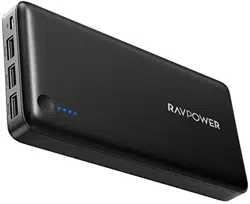
RAVPower 26,800mAh External Battery Pack
USER MANUAL
Model NO.: RP-PB41

2
Thank you for choosing the RAVPower Xtreme 26,800 mAh External
Battery Pack. Below are a few steps to help you get started.
3
What’s in the Box
1 x RAVPower 26,800 mAh External Battery Pack (Model: RP-PB41)
2 x Micro-USB Cable
1 x Travel Pouch
1 x Quick Start Guide
Specifications
Model
RP-PB41
Capacity
26,800 mAh
Input
DC 5 V / 2.1A Max
Output
Output 1: 2.4A Max
Output 2: 2.1A Max
Output 3: 1A Max
Dimensions
17.3 x 8.1 x 2.3 cm / 6.8 x 3.2 x 0.9 inches
Net Weight
400 g / 16 oz
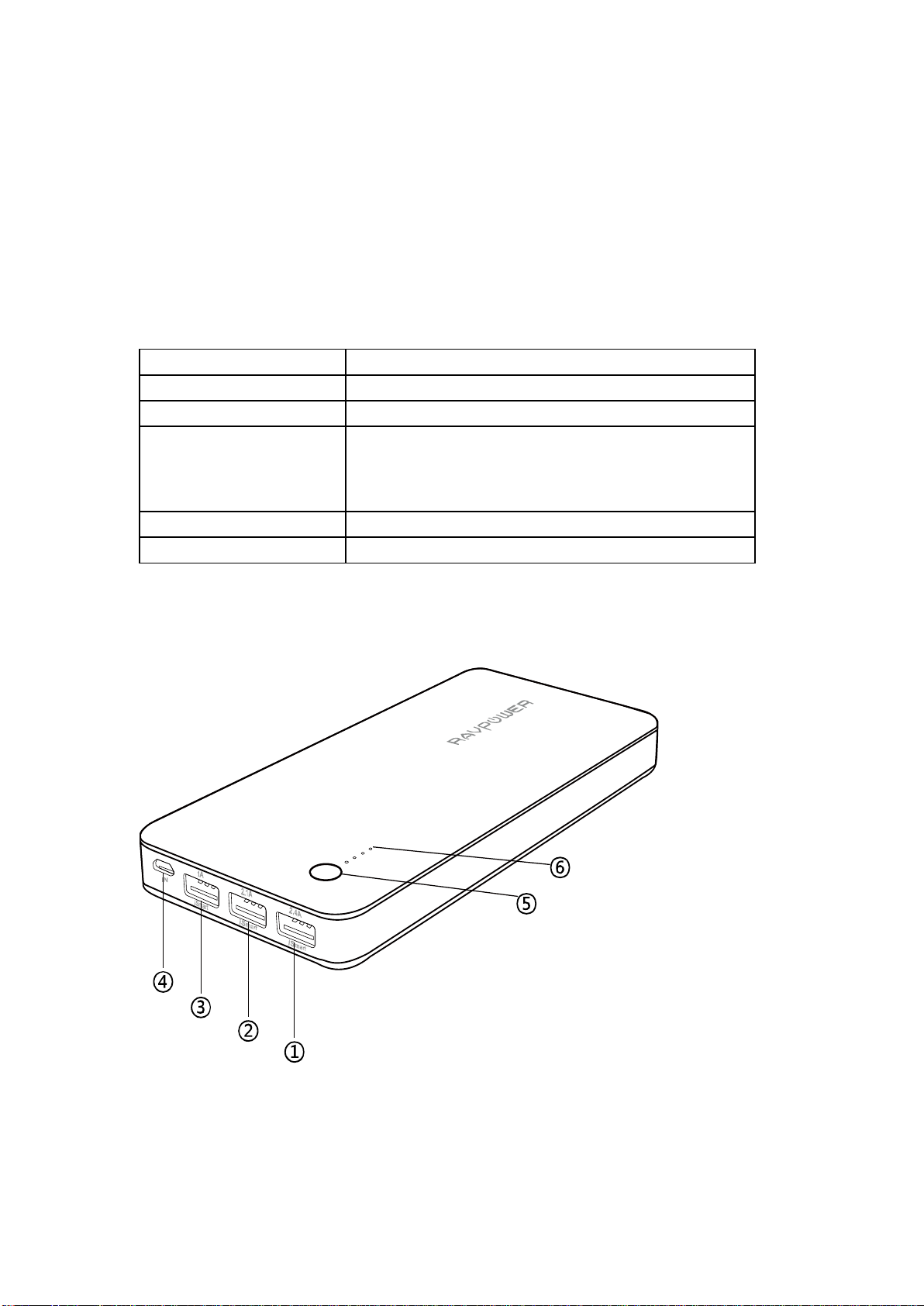
Product Diagram
1. iSmart USB Output 1 4. Micro-USB Input
2. iSmart USB Output 2 5. Power Button
3. iSmart USB Output 3 6. Power Indicator

4
Charging the battery pack
Use the charging cable to connect the battery pack to any active USB
port or a 2.1A or higher output charger. Charging will start
automatically, and when the battery pack is fully charged, the battery
level indicator will have all 4 LEDs on for 10 seconds and turn off
automatically.
Charging your device
Connect the battery pack to your device using the USB charging cable
or your own OEM cable.Charging will start automatically and stop
when your device is at full battery (press the power button once if
charging does not start).
* Power button
Press power button once to start charging when connected with your
mobile devices. The battery pack will automatically turn off in 30
seconds after your device is fully charged.
Check battery level
Press the power button once to check battery level. We recommend
charging the battery pack when less than 2 battery indicator LEDs remain.
Caution
It is normal for the battery pack to become slightly warm during
charging / discharging
Keep away from heat, moisture, and liquid
Not waterproof, please keep away from liquidor water
Do not dismantle the battery pack
Fully charge the battery pack at least once every six months
No charging?
If after connecting, your battery pack is not charging your device:
1. Charge the battery pack to full capacity
2. Try a different cable (use original OEM cableif possible)
3. Try a different connection sequence (connectthe charging cable to
the battery pack first,then connect with your device)
4. Contact our customer support

5
Warranty
RAVPower external battery packs are covered by RAVPower 18-months
warranty from the date of its original purchase. If any problem occurs,
please contact us by email at [email protected].We will instruct
you on how to return the defective unit back to us for repair / replacement.
We only provide warranty cover for products purchased from
RAVPower or RAVPower authorized distributor. If you have purchased
your charger from a different seller, please contact your seller for
warranty cover and post-sales services.

6
NORTH AMERICA
E-mail:
support@ravpower.com(US)
support.ca@ravpower.com(CA)
Tel: 1-888-456-8468 (Monday-Friday:9:00 - 17:00 PST)
Address: 2228 Junction Ave, San Jose, CA 95131
EUROPE
E-mail:
support.uk@ravpower.com (UK)
support.de@ravpower.com(DE)
support.fr@ravpower.com(FR)
support.es@ravpower.com(ES)
support.it@ravpower.com(IT)
EU Importer: ZBT International Trading GmbH, Lederstr 21a,
22525 Hamburg, Deutschland
ASIA PACIFIC
E-mail: support.jp@ravpower.com(JP)
www.ravpower.com