Contact Information
Website: www.iLiveElectronics.com
Email Support: [email protected]
Email Parts: [email protected]
Phone Support: 1-888-999-4215
Warranty
For Warranty Information and the most
up-to-date version of this User’s Guide, go to:
www.iLiveElectronics.com
.
Protect for Today
Sustain for Tomorrow
Made
Green
Specications are subject to change without notice.
Copyright © 2026 Digital Products International (DPI, Inc.)
All other trademarks appearing herein are the property
of their respective owners.
International Support
To download this User’s Guide in English, Spanish, or French, or
to get answers to frequently asked questions, visit the support
section at:
www.iLiveElectronics.com
Para descargar este Manual del Usuario en Inglés, Español y
Francés, o para obtener respuestas a preguntas frecuentes,
visite la sección de apoyo en:
www.iLiveElectronics.com
Pour télécharger ce guide de l’utilisateur en Anglais, Espagnol
ou Français, ou pour obtenir des réponses à des questions
fréquemment posées, consultez la rubrique d’assistance sur:
www.iLiveElectronics.com
WARNINGS
• WARNING: To prevent re or shock hazards, do not expose
this unit to rain or moisture.
• WARNING : Where the mains plug or appliance coupler is
used as the disconnect device, such disconnect device shall
remain readily operable.
• Lithium batteries, like all rechargeable batteries, are
recyclable and should be recycled or disposed of according to
state and local guidelines. They should never be disposed of in
normal household waste and they should never be incinerated,
as they might explode. Contact your local government for
disposal or recycling practices in your area.
• Do not store in temperatures above 113ºF or below 14ºF.
WARNING: Risk of cancer and reproductive harm
from exposure to DEHP.
See www.P65Warnings.ca.gov
Tips for Use
• Avoid Extreme Temperatures: Do not leave the power bank
in very hot or very cold environments.
• Use Regularly: Don’t leave the power bank unsued. Use it
at least once every 2-3 months to maintain battery health.
• Charge with a Compatible Charger: Use a quality charger
with the correct output (e.g., 5V/2A) to avoid damaging the
internal circuits.
• Store Partially Charged: Charge the power bank to about
50-60% before putting it away.
• Prevent Physical Damage: Avoid drops, strong impacts, or
punctures.
ipcw5006-3500-manual-01 - 12May2026.indd 2-4ipcw5006-3500-manual-01 - 12May2026.indd 2-4
5/12/2026 3:37:46 PM
• Keep Dry: Protect the power bank from exposure to
moisture, rain, and liquids.
Overview
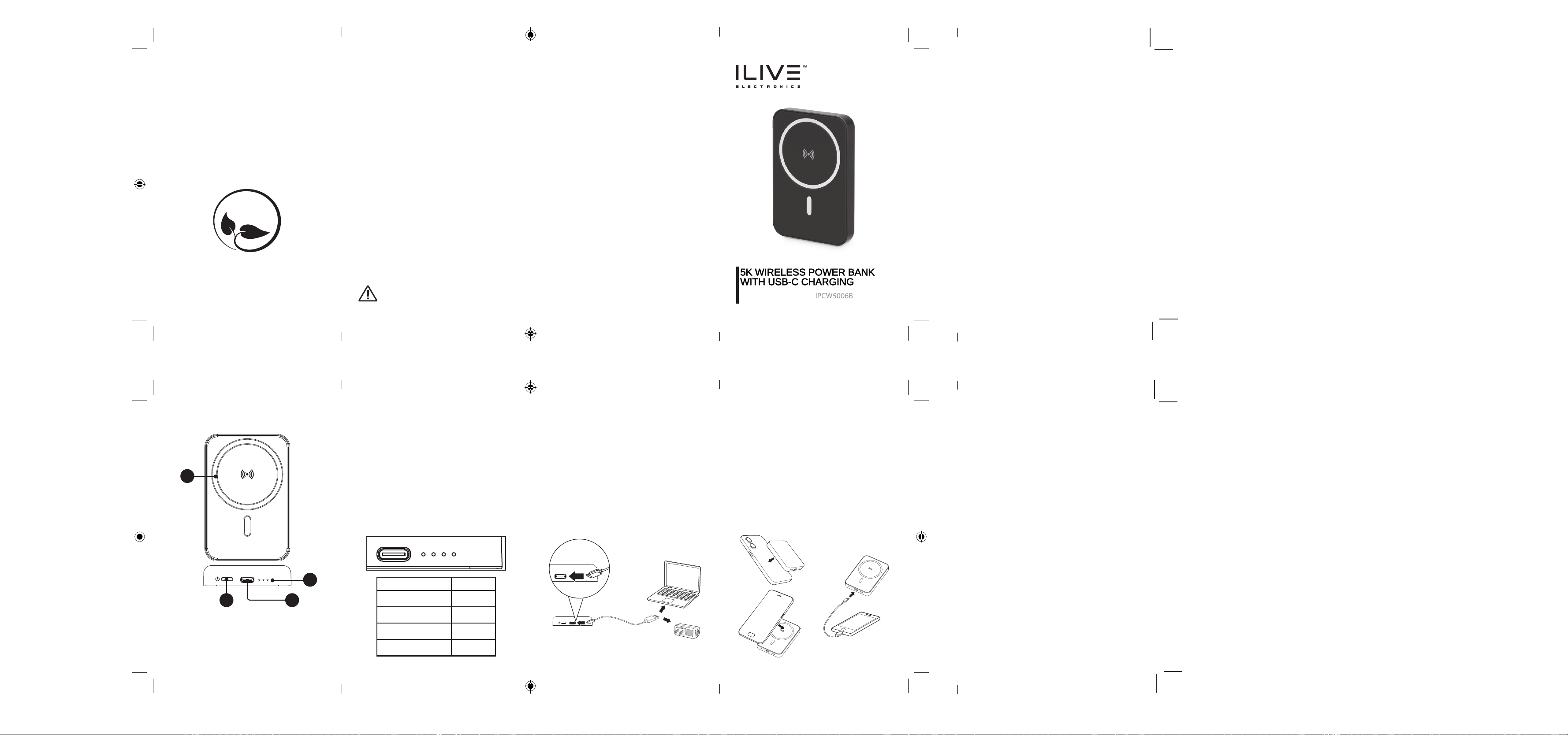
Connect your device to either the Wireless Charging
Pad or USB-C port.
Wireless charging output: 5W/7.5W/10W/15W
Wired charging output: 5V/3A, 9V/2.22A, 12V/1.67A,
SCP 10V/2.25A
The total battery capacity is 5000mAh.
The power bank generates heat while charging. Use
only in a dry, well-ventilated area.
To maintain battery health, only charge the
powerbank and your devices separately.
Charging the Power Bank
To charge the power bank, plug the USB-C charging
cable (included) into the USB-C Input on the power
bank and a powered-on computer or
UL certied USB
power adaptor
(not included) and standard power
outlet.
Charging time is approximately 1.5–2 hours.
Note: The charging time above is based on using a
fast charging adapter (not included) and the included
fast charging cable. Using a standard charging
adapter and/or standard charging cable will result in
signicantly longer charging times.
LED Indicator Lights Battery level
•
25
••
50
•••
75
••••
100
1
32
4
Charging Status
The number of lit up LED indicator lights shows the
remaining power level of the bank. Please charge the
power bank when the battery level drops to 25.
The fourth light will turn green when the charger is on
wireless charging mode.
Power On/O
The power bank will power on automatically when
connected to a device. Press the Power Button once
to display the current battery level.Press the Power
Button twice to turn o the power bank.
1. Wireless Charging
Pad
2. Power Button
3. USB-C Port
4. LED Indicator
ipcw5006-3500-manual-01 - 12May2026.indd 5-8ipcw5006-3500-manual-01 - 12May2026.indd 5-8
5/12/2026 3:37:46 PM5/12/2026 3:37:46 PM
5/12/2026 3:37:46 PM5/12/2026 3:37:46 PM
Charging your Devices
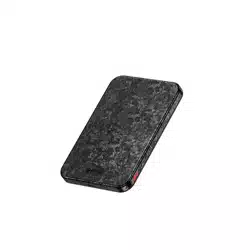
5K WIRELESS POWER BANK
WITH USB-C CHARGING
User’s Guide for Model IPCW5006B
FCC WARNING
This device complies with part 15 of the FCC Rules. Operation is subject to the
following two conditions: (1) This device may not cause harmful interference,
and (2) this device must accept any interference received, including interference that
may cause undesired operation. Note: This equipment has been tested and found to
comply with the limits for a Class B digital device, pursuant to part 15 of the FCC
Rules. These limits are designed to provide reasonable protection against harmful
interference in a residential installation. This equipment generates, uses and can
radiate radio frequency energy and, if not installed and used in accordance with the
instructions, may cause harmful interference to radio communications.
However, there is no guarantee that interference will not occur in a particular
installation. If this equipment does cause harmful interference to radio or television
reception, which can be determined by turning the equipment off and on, the user is
encouraged to try to correct the interference by one or more of the following
measures:
-Reorient or relocate the receiving antenna.
-Increase the separation between the equipment and receiver.
-Connect the equipment into an outlet on a circuit different from that to which the
receiver is connected.
-Consult the dealer or an experienced radio/TV technician for help.
Note: The Grantee is not responsible for any changes or modifications not expressly
approved by the party responsible for compliance. such modifications could void the
user's authority to operate the equipment.
The device has been evaluated to meet general RF exposure requirement.
This equipment complies with FCC's RF radiation exposure limits set forth for an
uncontrolled environment. This device and its antenna(s) must not be co-located or
conjunction with any other antenna or transmitter.
The device can be used in portable exposure conditions without restriction.