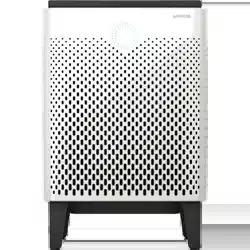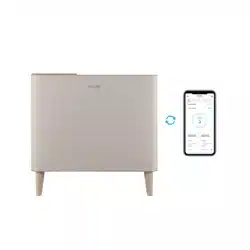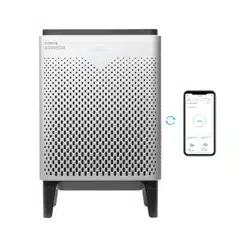
Coway Air Purier
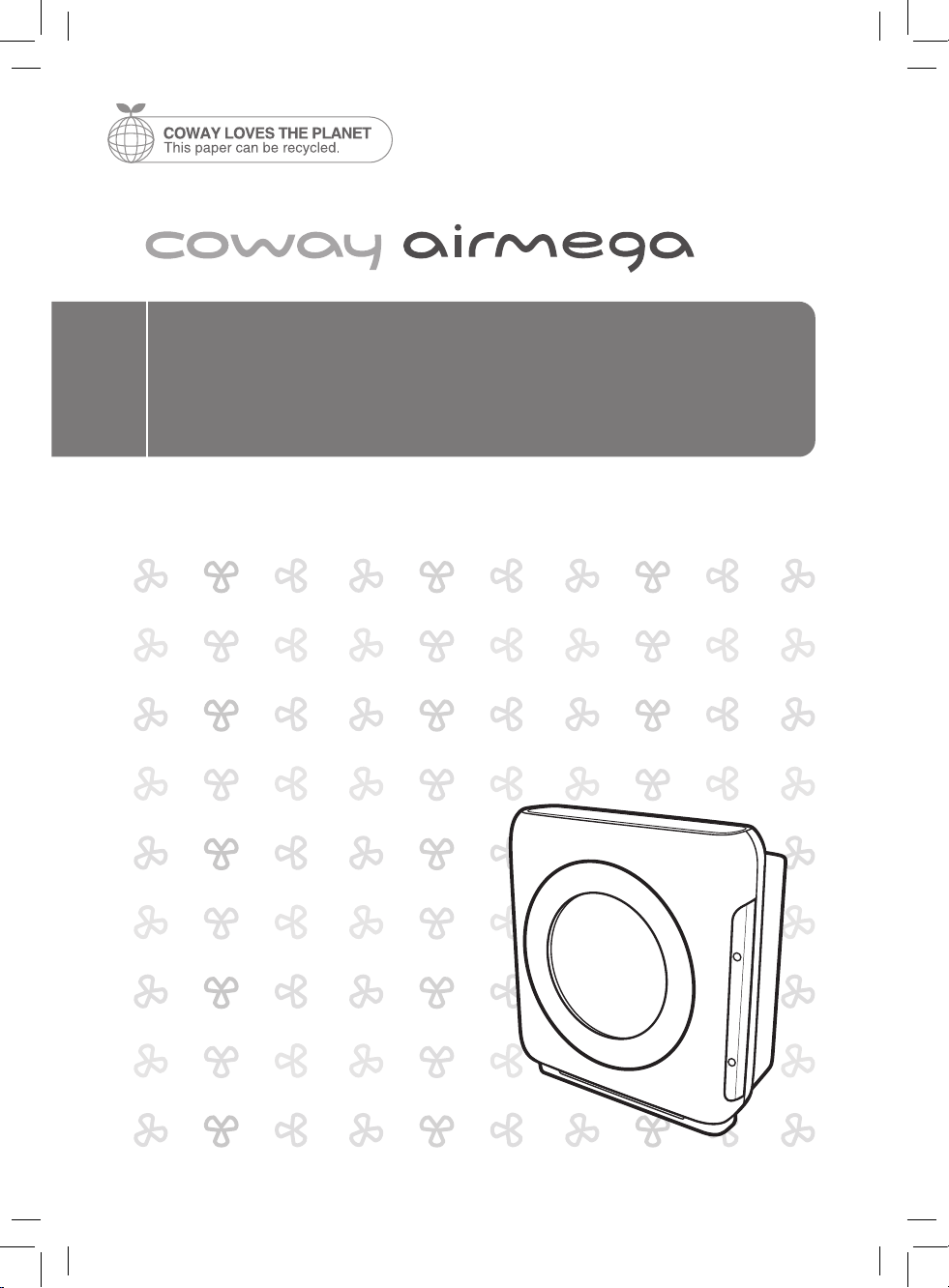
Airmega AP-1512HHS (AP-1519P)
• This product is for domestic use only. It cannot be used in an overseas country
where the power voltage is dierent.
• Warranty card is included in this user’s manual.
• Read and save these instructions.
• English/Français/Español
FEATURES
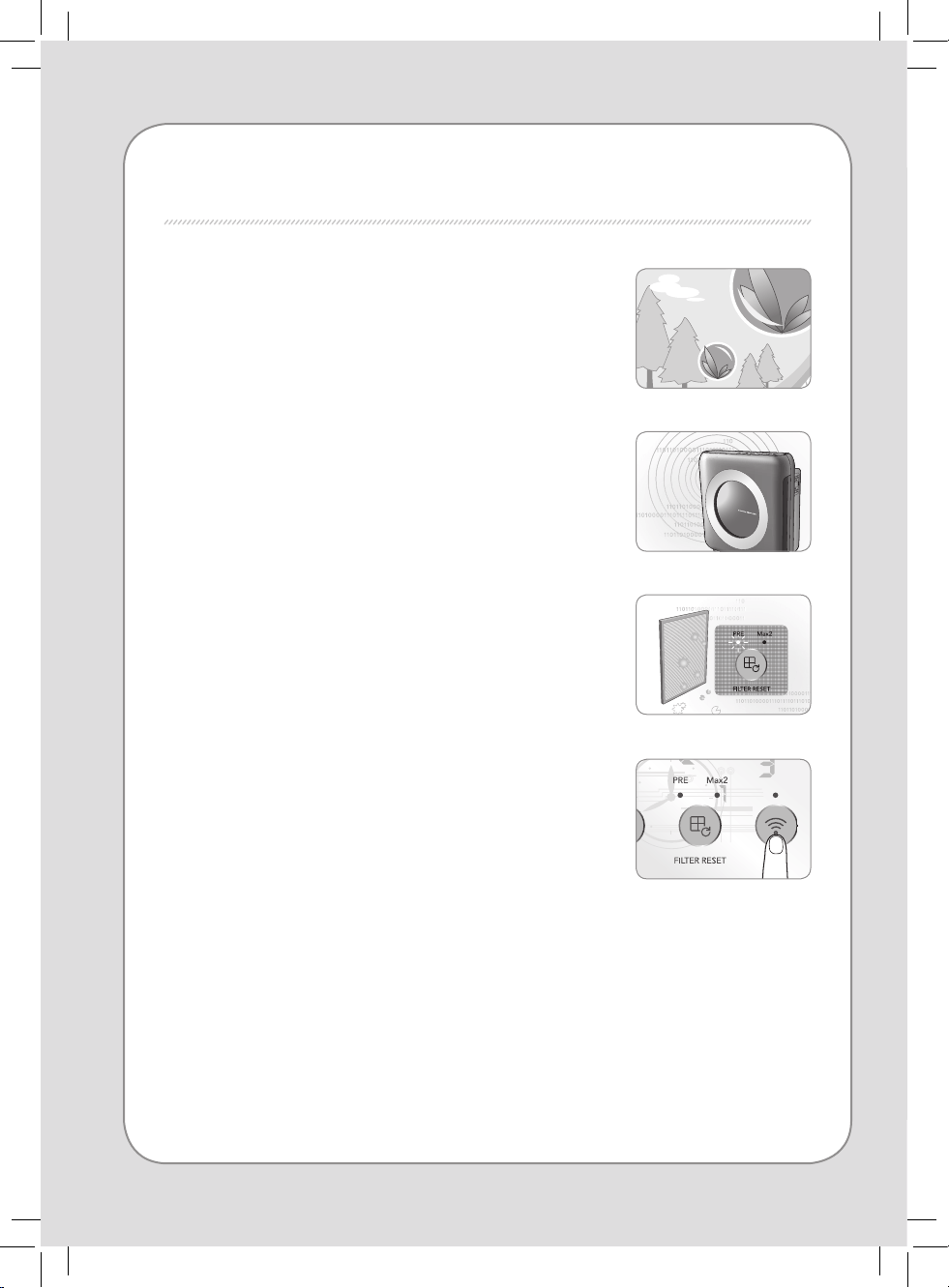
1. Excellent air purication performance
The True HEPA lter is capable of trapping airborne
allergens and contaminants down to 0.3 microns. The
unit’s lter system has been optimized to remove indoor
pollutants fast and eectively.
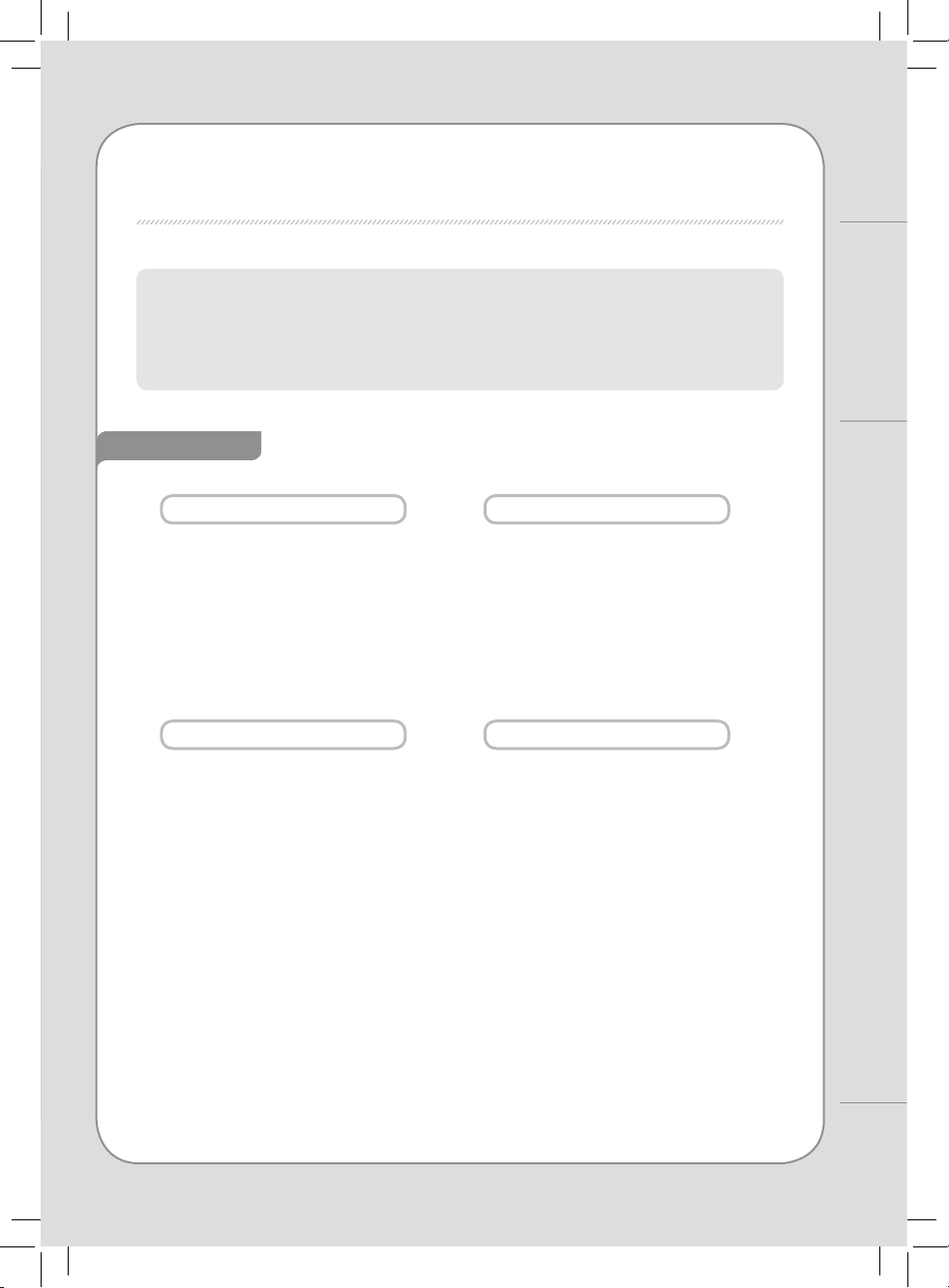
2. Air quality indicator
It shows the indoor air pollution level measured by the
dust sensor. The color of air quality indicator changes
according to the indoor air pollution level in real time
(Blue → Dark Purple → Red).
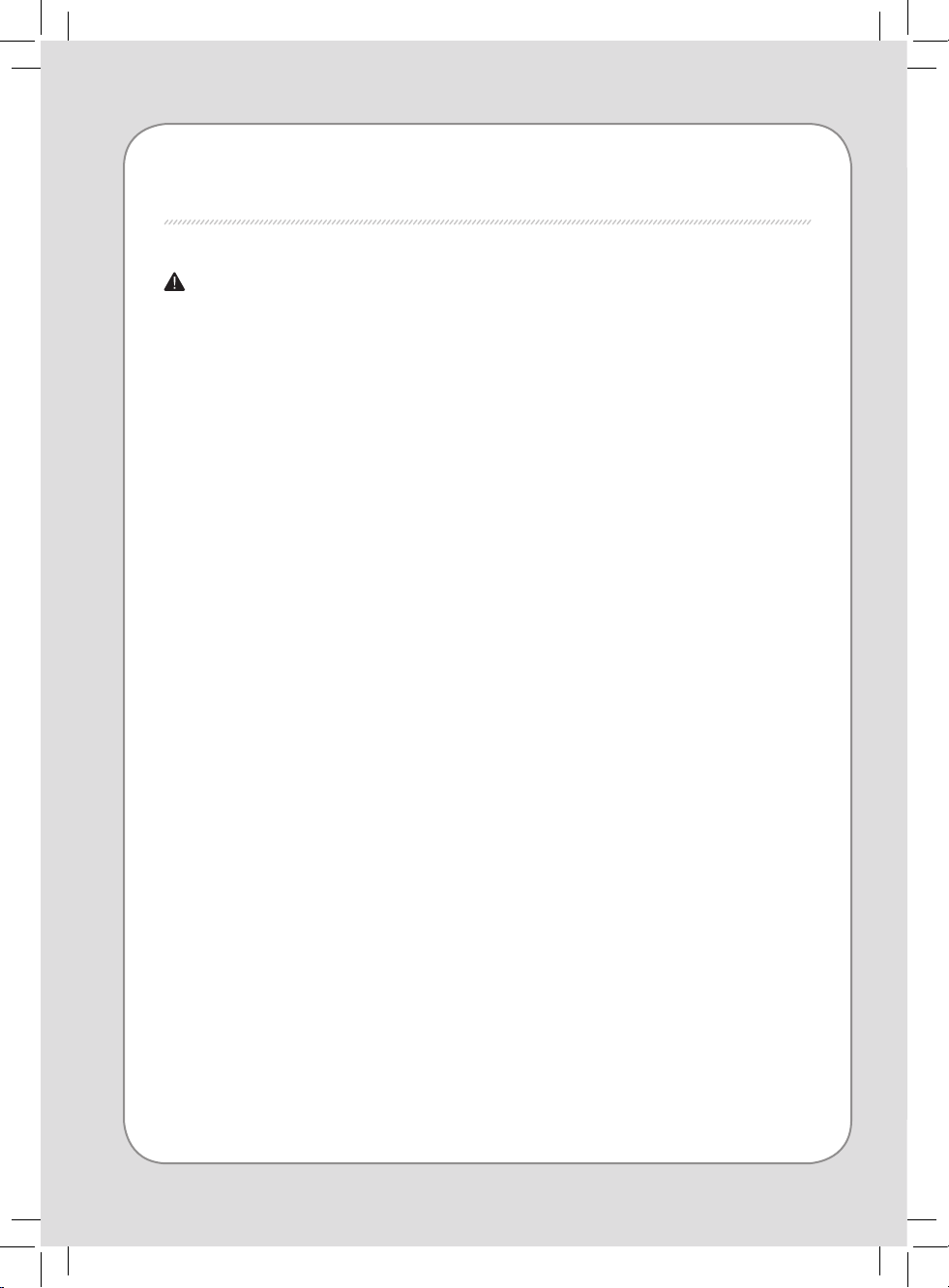
3. Filter replacement indicator
The product checks the lter replacement cycle and
turns on the relevant indicator, improving customer
convenience with regard to lter replacement.
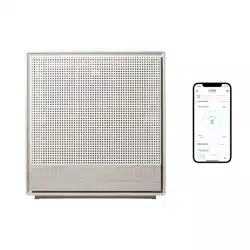
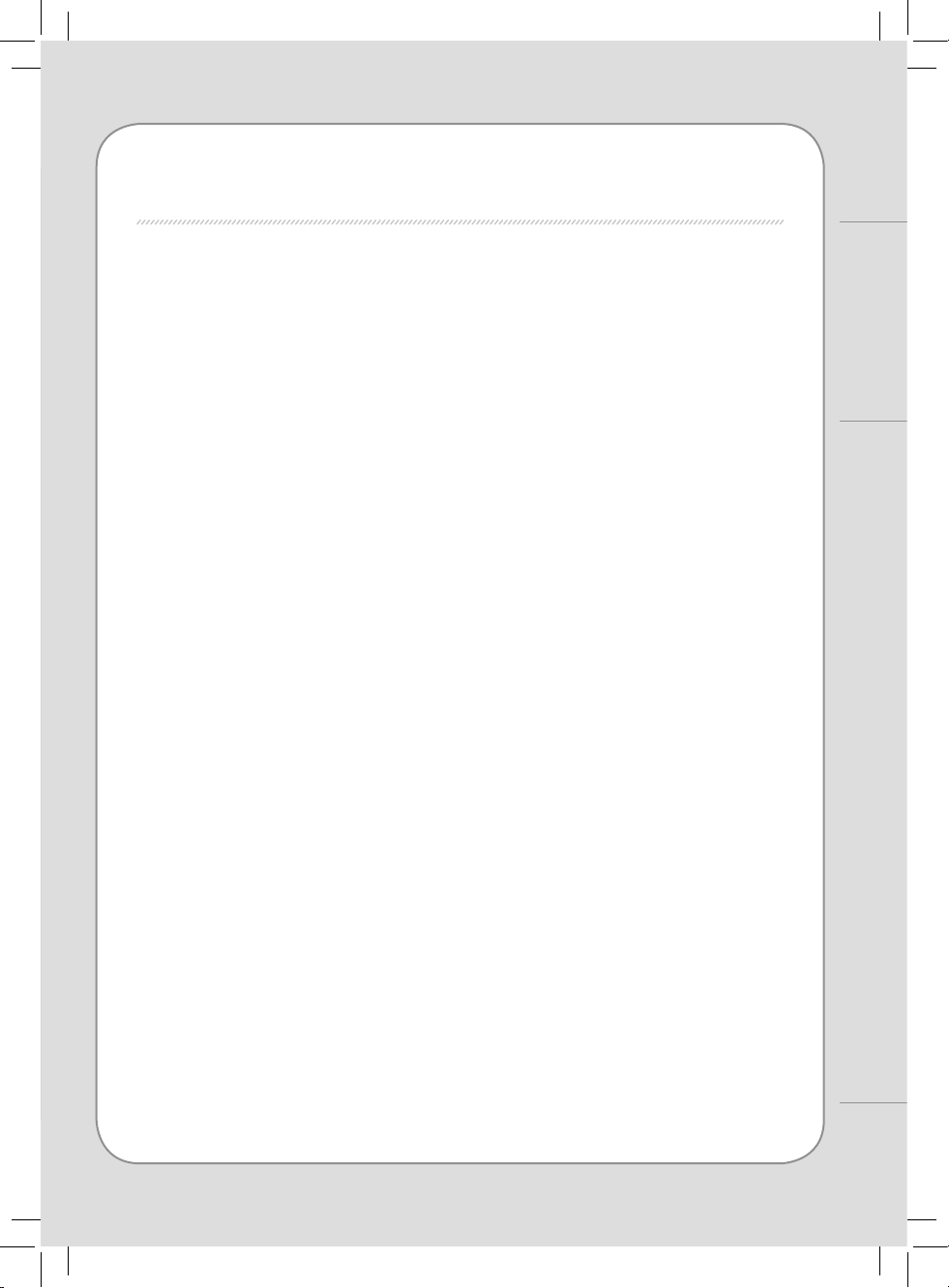
4. Mobile Application
The Coway Airmega mobile app gives you the freedom.
To control your air purier through your mobile device,
anywhere you have an internet connection.
2
1
DEAR CUSTOMERS
Thank you for using the Coway air purier.
Please read the user’s manual to use and maintain the product correctly.
If you encounter a problem while using the product, you may easily solve the problem by
referring to the user’s manual. As this manual contains the product warranty card,
please keep it in a safe place.
FEATURES / CONTENTS
Coway
CONTENTS
- Keep your instruction manual in a readily accessible or visible place. -
FOR INFORMATION
MAINTENANCE
HOW TO USE
OTHERS
| 03 |
SAFETY INFORMATION
Danger
Warning
Caution
| 07 |
PARTS NAME
| 09
|
AIR PURIFICATION PROCESS
| 10 |
BEFORE USE
How to install lter
| 11 |
INDICATORS AND BUTTONS
| 13 |
HOW TO USE
| 14 |
ADJUST PARTICLE SENSOR
| 15 |
CLEANING METHOD
Product
Filter
| 17 |
FILTER REPLACEMENT
| 18 |
TROUBLE SHOOTING
| 19 |
PRODUCT SPECIFICATION
| 23 |
WARRANTY
SAFETY PRECAUTIONS
DANGER : Failing to follow the precautions below
may result in serious injury or even death.
• Do not use a damaged power plug or loose electric outlet.
• Please connect the power plug to a dedicated grounded electrical
outlet for 120 V, 60 Hz.
• Do not move the product by pulling only the power cord.
• Do not handle the power plug with wet hands.
• Do not forcefully bend the power cord or place it under a heavy
object to prevent it from being damaged or deformed.
• Do not repeatedly connect and disconnect the power plug.
• If the electrical outlet is wet, carefully unplug the product and let
the electrical outlet dry completely before subsequent use.
• Make sure to unplug the product be fore repairing, inspecting or
replacing a part.
• Remove any dust or water from the power plug.
• Do not plug the product into an electrical outlet or power strip that
is being used by several other appliances. Use an electrical outlet
dedicated to the product.
• Unplug the system if it is not used for a long time.
• Do not attempt to repair or modify the power cord yourself.
• If the power cord is damaged, do not replace the cord yourself.
Call a service center to have it replaced.
• Do not install the product near a heating device.
• Do not install the product in locations exposed to moisture or
water (rainwater).
• Do not use the product in areas where ammable gases or
combustible materials are used or stored.
4
3
• Do not insert sharp objects such as a gimlet into the Air quality
sensor.
• If the product produces a strange noise, burning smell or smoke,
unplug it from the electrical outlet immediately and call our service
center.
• Never place the product in water.
• Do not spray any ammable materials such as insecticides or air
fragrances near or into the air inlet.
• Do not disassemble, repair, or modify the product at your own
discretion.
• Do not place any containers with water, medicine, food, metallic
objects or ammable material on top of the product.
• Unplug the system before cleaning it.
• Do not clean by spraying water directly and do not clean the
product using benzene or thinner.
• Use the product for home or business use according to the model.
• Do not use the air purier in a factory or industrial setting where
machine oil may be present in the air.
• Do not run the cord under carpeting. Do not cover with throw rugs,
runners, or similar coverings.
Do not route the cord under furniture or appliances. Arrange cord
away from the trac area and where it will not be tripped over.
SAFETY PRECAUTIONS | Danger
For Information
WARNING : Failing to follow the precautions below
may result in considerable physical
injury or property damage.
SAFETY PRECAUTIONS
• The appliance is not to be used by children or persons with reduced
physical, sensory or mental capabilities, or lack of experience and
knowledge unless they have been given supervision or instruction.
• Do not insert ngers or foreign objects into the air inlet or outlet.
• Do not let children hang on to the product or climb on it.
• When removing the front cover, exercise caution that a part of your
body or any kind of object does not become stuck in the top part
of the product.
• This appliance has a polarized plug (one blade is wider than the
other). To reduce the risk of electric shock, this plug is intended to
t in a polarized outlet only one way. If the plug does not t fully in
the outlet, reverse the plug. If it still does not t, contact a qualied
electrician. Do not attempt to defeat this safety feature.
• Do not operate any fan with a damaged cord or plug. Discard fan
or return to an authorized service facility for examination and/or
repair.
• Do not run the cord under carpeting. Do not route the cord under
furniture or appliances. Arrange cord away from the trac area and
where it will not be tripped over.
6
5
SAFETY PRECAUTIONS
|
Warning | Caution
For Information
CAUTION : Failing to follow the precautions below
may result in slight physical injury or
property damage.
READ AND SAVE THESE INSTRUCTIONS
• Do not install the product on a sloped surface.
• Do not apply force or impact to the product.
• When the product is in use, maintain a distance of at least 20 cm
from the walls or adjacent objects and 30 to 60 cm above the
product.
• Install the product so that no obstacles block the circulation of air
around the product.
• Install the air purier away from strong articial lighting or direct
sunlight.
• Install the air purier at least 2 m away from electronic appliances
such as a TV.
• Do not install the air purier in a location exposed to direct sunlight.
• Replace the lters according to the lter replacement cycles.
• Clean the Pre-lter with water regularly and dry it completely
before use.
• Suitable for use with solid-state speed controls.
• Cleaning and user-maintenance, such as lubrication, may result in
re, electric shock, or injury to persons.
• Unplug or disconnect the appliance from the power supply before
servicing.
PARTS NAME
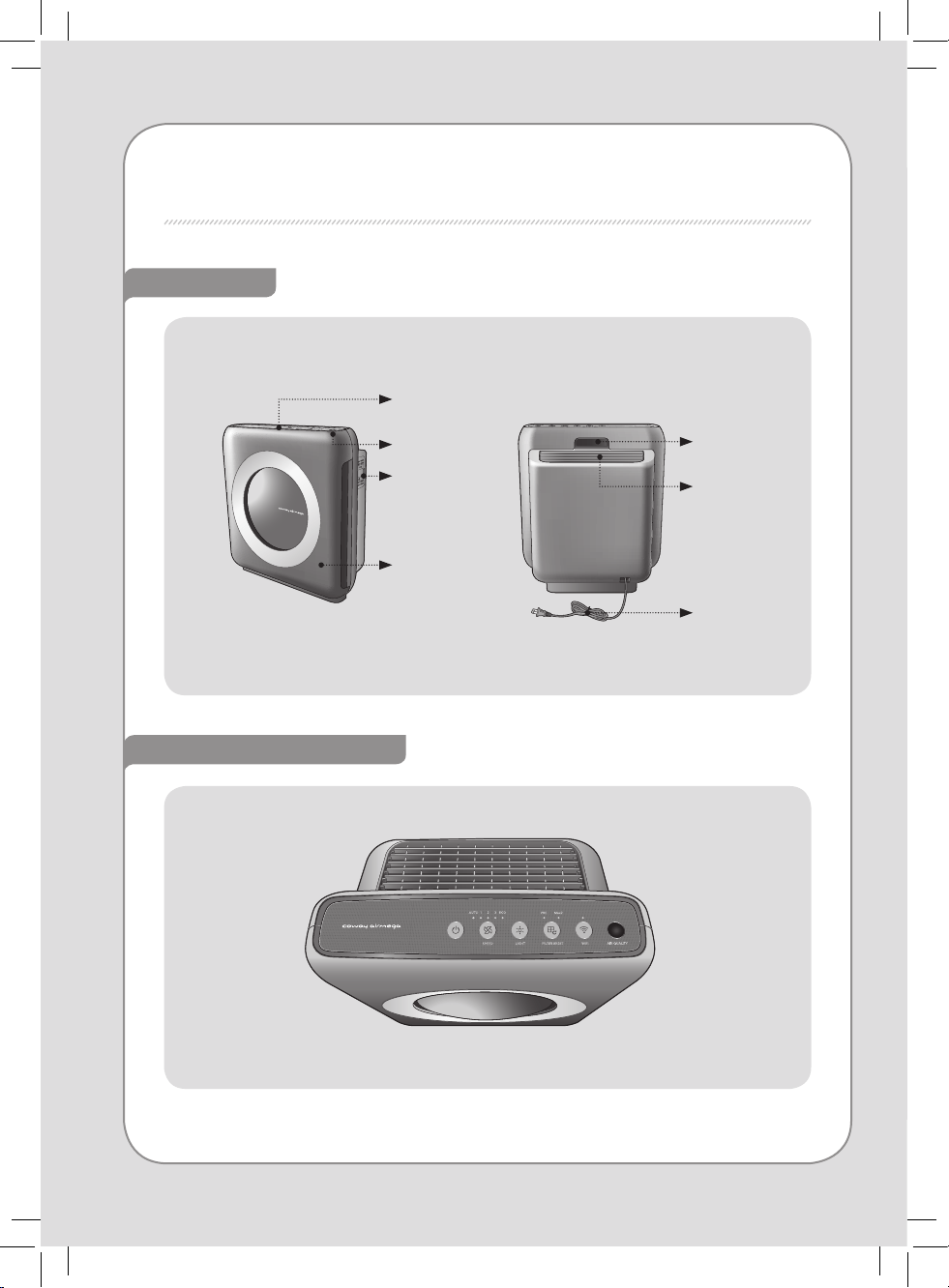
Front / Rear
Air quality
indicator
Air quality
sensor
Front cover
Operation /
Indication
part
Operation / Indication part
Handle
Air outlet
Power cord
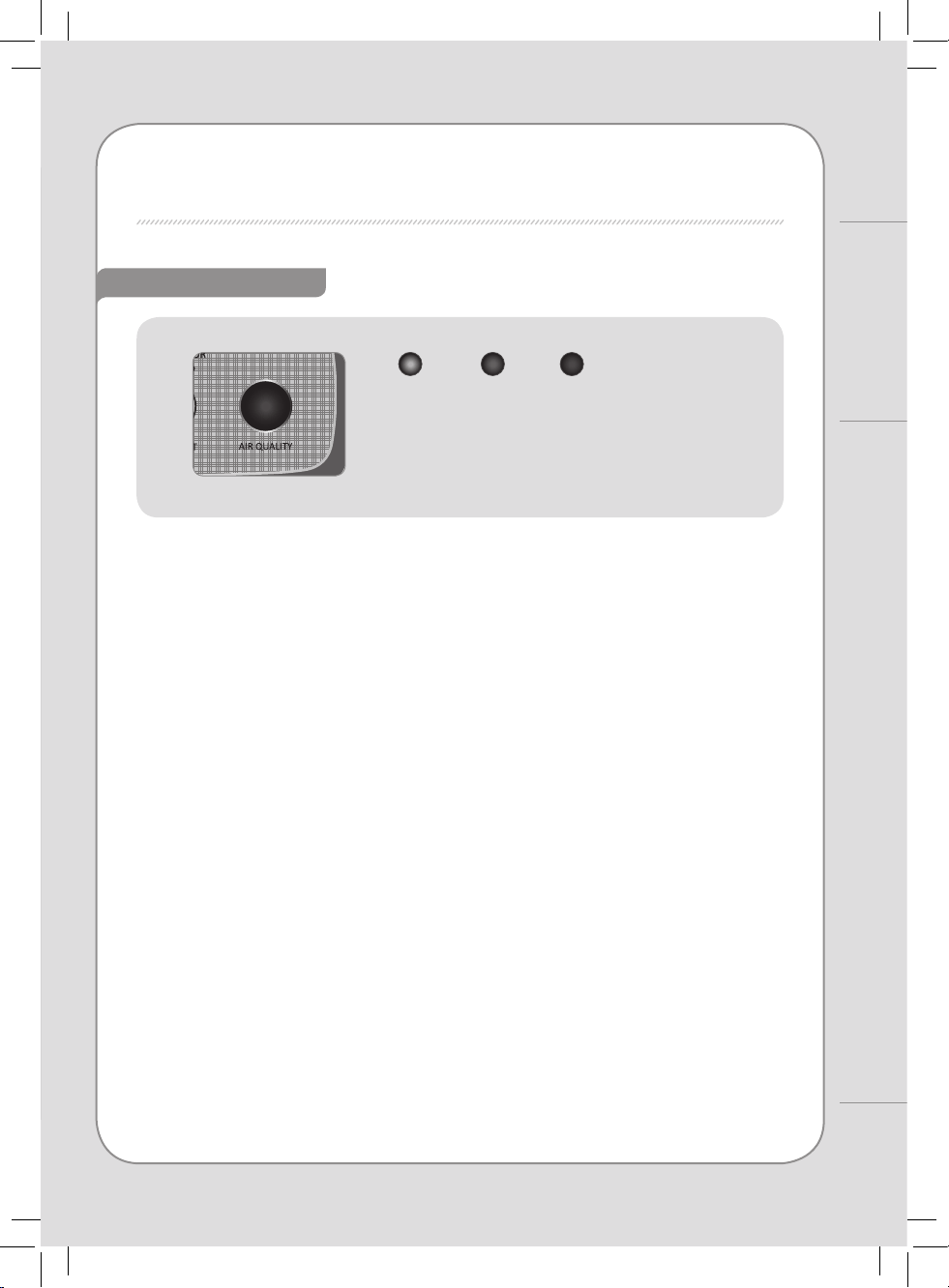
Air quality indicator
8
7
PARTS NAME
For Information
Good:
Blue
Unhealthy:
Dark purple
Very
unhealthy:
Red
- The quality level of the indoor air can be determined by the color of
the round indicator located at the top of the air purier.
AIR PURIFICATION PROCESS
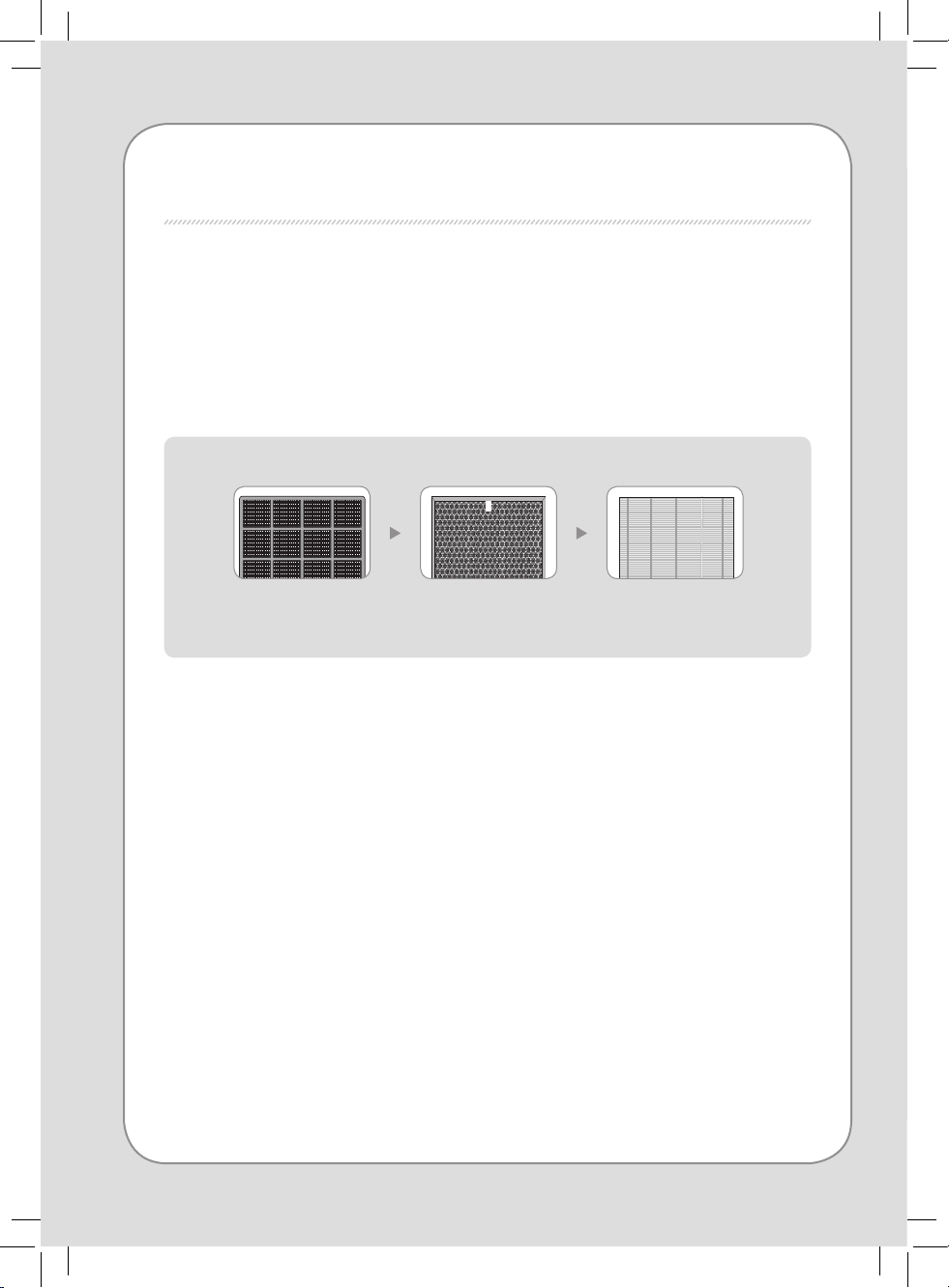
■ Pre-lter
It removes relatively large dust and mold, human hair, pet hair, and so on.
■ Max2 lter
The Max2 lter (an activated carbon lter plus True HEPA lter) eectively traps odor and
harmful gas to keep your place fresh and odor-free. It also removes ne dust and cigarette
smoke up to 99.97%.
1. Pre- lter 2. Max2 lter:
Activated Carbon
3. Max2 lter:
True HEPA
10
9
BEFORE USE
FILTER INSTALLATION
PLEASE CHECK BEFORE USE!
- Make sure to remove each lter’s plastic packaging before installing lters.
- The product is for household use. Use the product indoors only.
- When the product is not in use, remove the power plug from the electric outlet.
- When installing lters, check that the front side of lters is in the correct
direction.
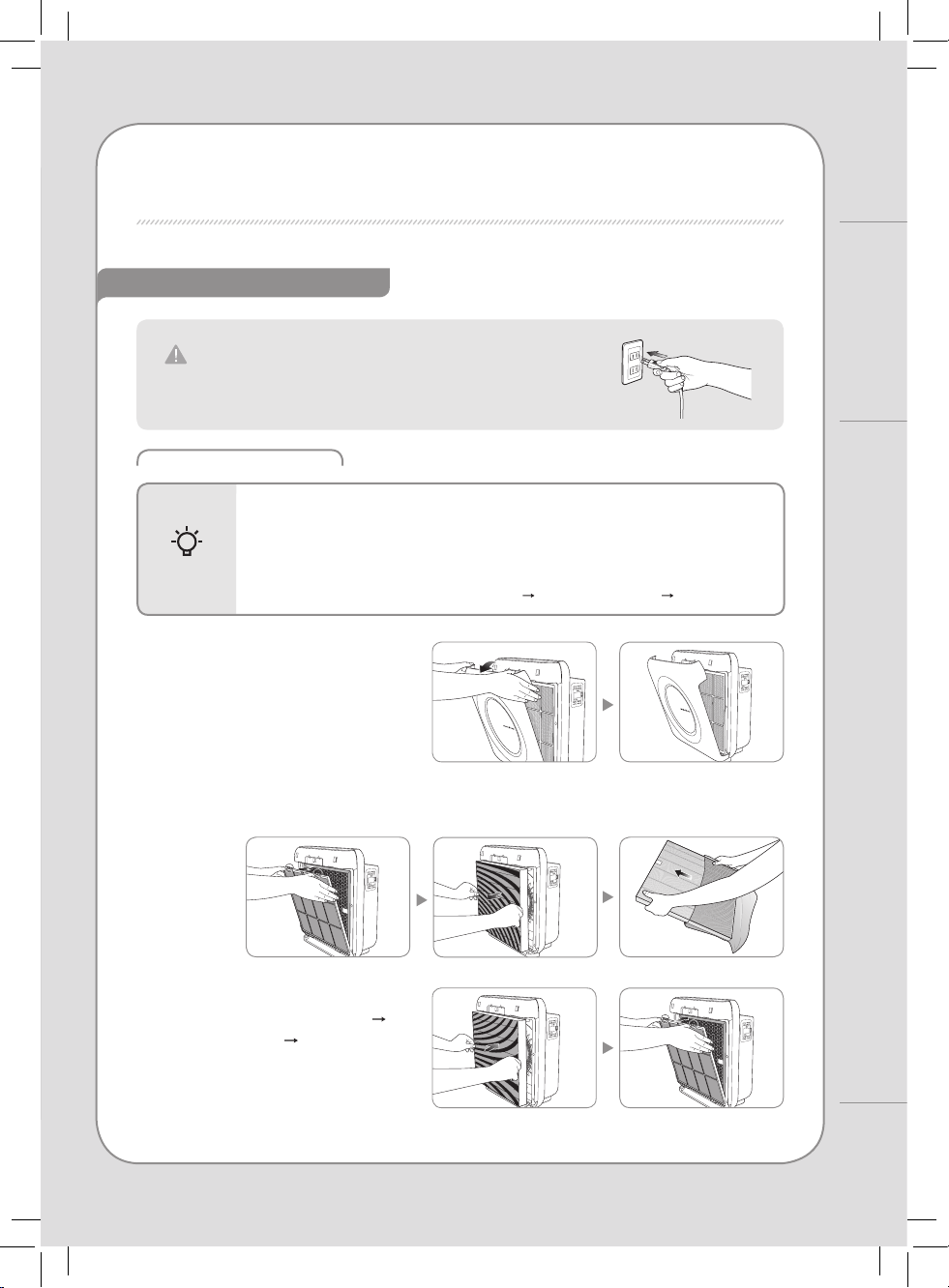
▶ Order of lters : Max2 lter(True HEPA Activated Carbon) Pre-lter
The product is for 120 V~, 60 Hz only.
Make sure to connect the power plug to a grounded electric
outlet (120 V~, 60 Hz) dedicated to the product.
Tips
How to Use
AIR PURIFICATION PROCESS / BEFORE USE
1. Open the front cover.
To open the front cover, pull the upper
part of the cover to reveal the lters.
2. Take out lters and remove the plastic bag.
Remove the plastic packaging of the lters and install the lters by proper order.
3. Install the lters as following
order: Max2 lter (
True HEPA
Activated Carbon
) Pre-lter
When installing the pre-lter, make sure
to push the clip rmly until you hear a
click.
INDICATORS AND BUTTONS
INDICATION PART
5
4
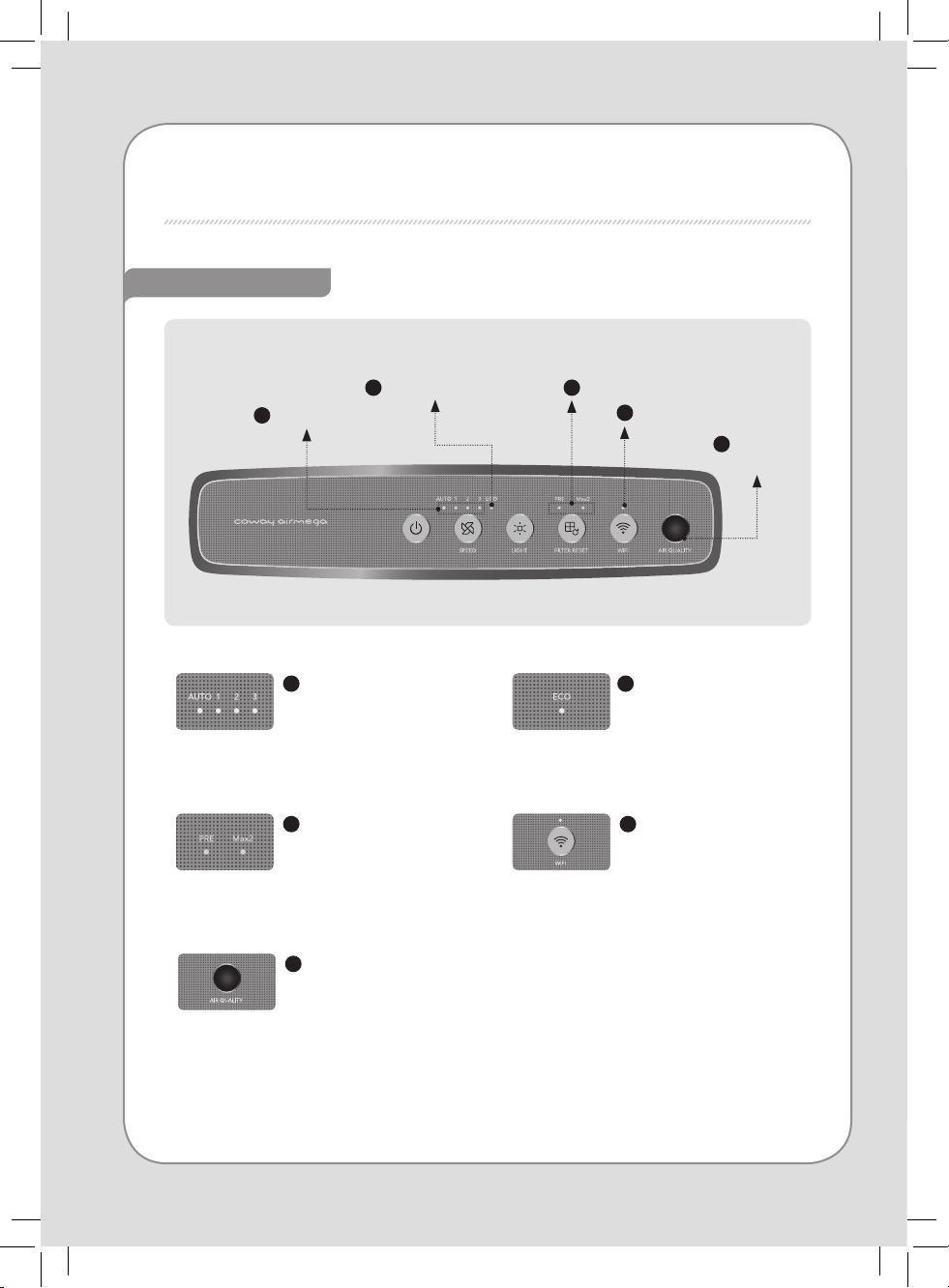
Wi-Fi indicator
Air quality
indicator
3
Filter replacement indicator
2
Eco mode indicator
1
Speed indicator
1
Speed indicator
It shows the current fan
speed. Each indicator
is turned on as per its
airow speed.
2
Eco mode indicator
It turns on when Eco
mode is activated.
3
Filter replacement indicator
Replace the lter when this
indicator is on. Refer to lter
replacement cycle for each
lter.
4
Wi-Fi indicator
When Wi-Fi connection is
completed, the indicator
is turned on.
5
Air quality indicator
It displays the current
pollution level of the
room.
12
11
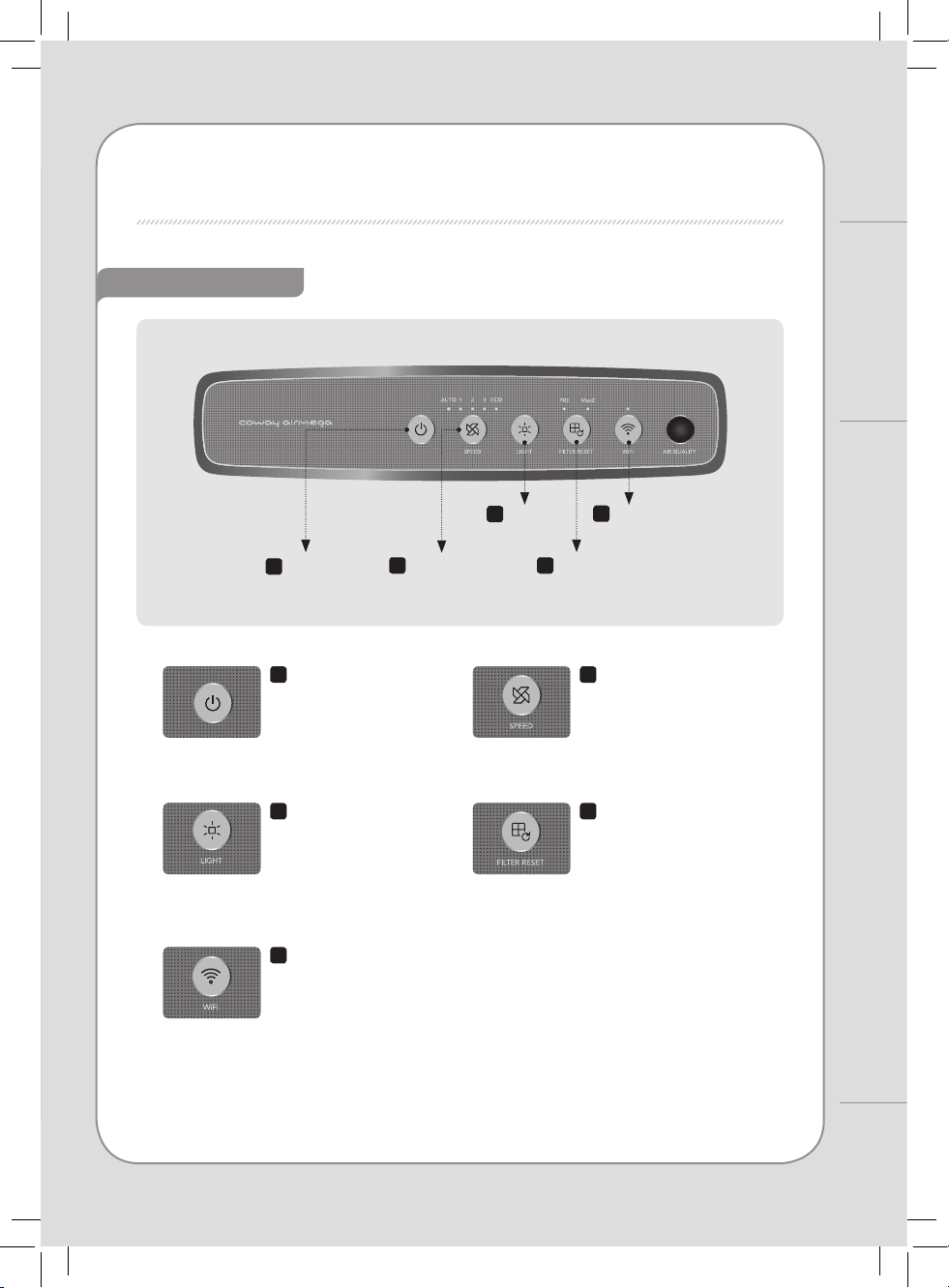
1
Power button
5
Wi-Fi button
2
Speed button
3
LED Light
button
4
Filter Reset button
OPERATION PART
1
Power button
Use this button to turn
the air purier on or o.
∗
To power o, press and hold
the power button for one
second.
2
Speed button
Use this button to adjust the
fan speed. Available settings
for the fan speed are
Auto → 1 → 2 → 3 → ECO.
3
LED Light button
Use this button to turn
on or o the air quality
indicating light.
4
Filter Reset button
When the lter replacement
indicator is turned on, replace
the corresponding lter and
hold the RESET button for 2
seconds to reset.
5
Wi-Fi button
Touch this button to
connect to a Wi-Fi
network.
How to Use
INDICATORS AND BUTTONS
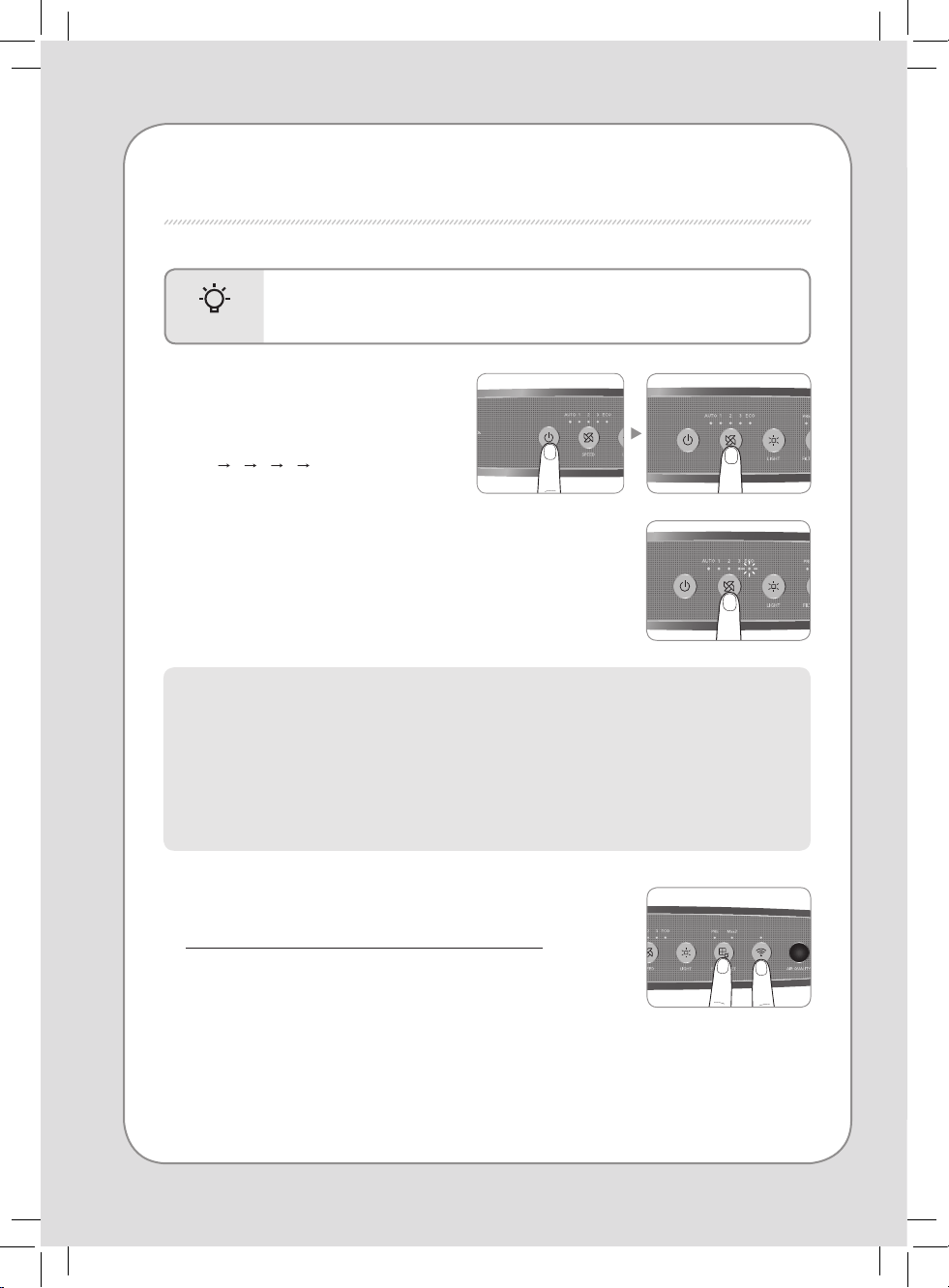
HOW TO USE
- Before operating the product, connect the power plug to the electric outlet.
- When the air purier is turned on, it automatically operates in auto mode.
TIPS
▶ Auto mode
Automatically optimizes the speed setting 1 through 3 based on the level of indoor air
quality detected by dust sensor.
This mode is recommended for general users.
▶ Eco mode
When no pollution is detected for 30 minutes, the fan will automatically stop to save energy consumption.
So this special feature will help cut down electricity cost.
■ Manual & Auto mode
Press the power button and then select
the speed of the fan by pressing the
speed button.
Auto
1 2 3 ECO
■ To select the auto mode
Press the speed button to activate Eco mode.
Repeat pressing the button until the Eco mode indicator is on.
■ Connecting the air purier to the Wi-Fi network
Find the application pairing guide with the link provided below:
https://iocare.coway.com/manual/us/air/mighty.html
14
13
14
13
HOW TO USE / ADJUST AIR QUALITY SENSOR
ADJUST AIR QUALITY SENSOR
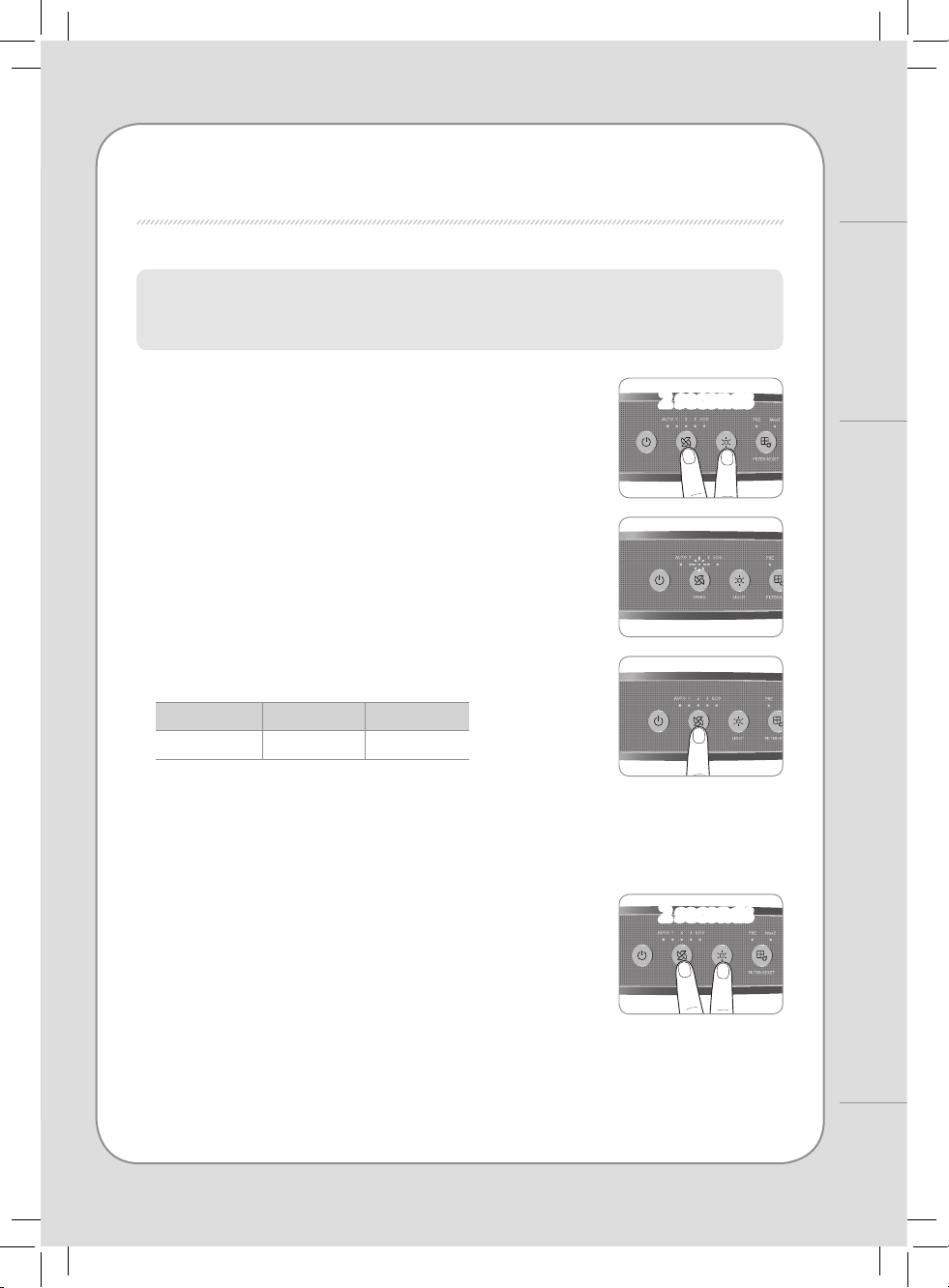
1. While the air purier is on, press the airow speed
button and LED Light button for 2 seconds.
2. The speed indicator will ash at one-second intervals
with beeping sounds. The speed indicator blinks to
show the sensor sensitivity.
4. Press the airow speed button and LED Light button
for 2 seconds.
The air purier will then resume normal operations.
∗
The new setting will also be applied if no button is input for 10 seconds.
When the product is shipped out, the air quality sensor is set to standard sensitivity. If the pollution level
stays at the highest level after 2 hours of operation or stays at the lowest level for more than 1 hour when
the air does not seem clean, users can adjust the sensitivity of the air quality sensor as follows.
3. Adjust the sensitivity by pressing the speed button.
The speed indicator blinks to show the sensor sensitivity.
∗
High sensitivity: If the air purier indicates a pollution level of 1 for longer
than one hour when the actual pollution level is higher.
∗
Low sensitivity:
If the air purier continues to indicate the highest pollution
level even after running the air purier for more than two hours.
Speed 1 Speed 2 Speed 3
Sensitive Standard Insensitive
2 seconds
2 seconds
2 seconds
2 seconds
How to Use
TIPS
- Always unplug the air purier before cleaning the product.
- Do not use detergents that contain organic solvents (solvent, thinner, etc), bleach,
chlorine, or abrasives.
- Do not put the air purier in water or spray water directly on it.
CLEANING METHOD
Air
inlet
Air
outlet
Dust inlet
Dust outlet
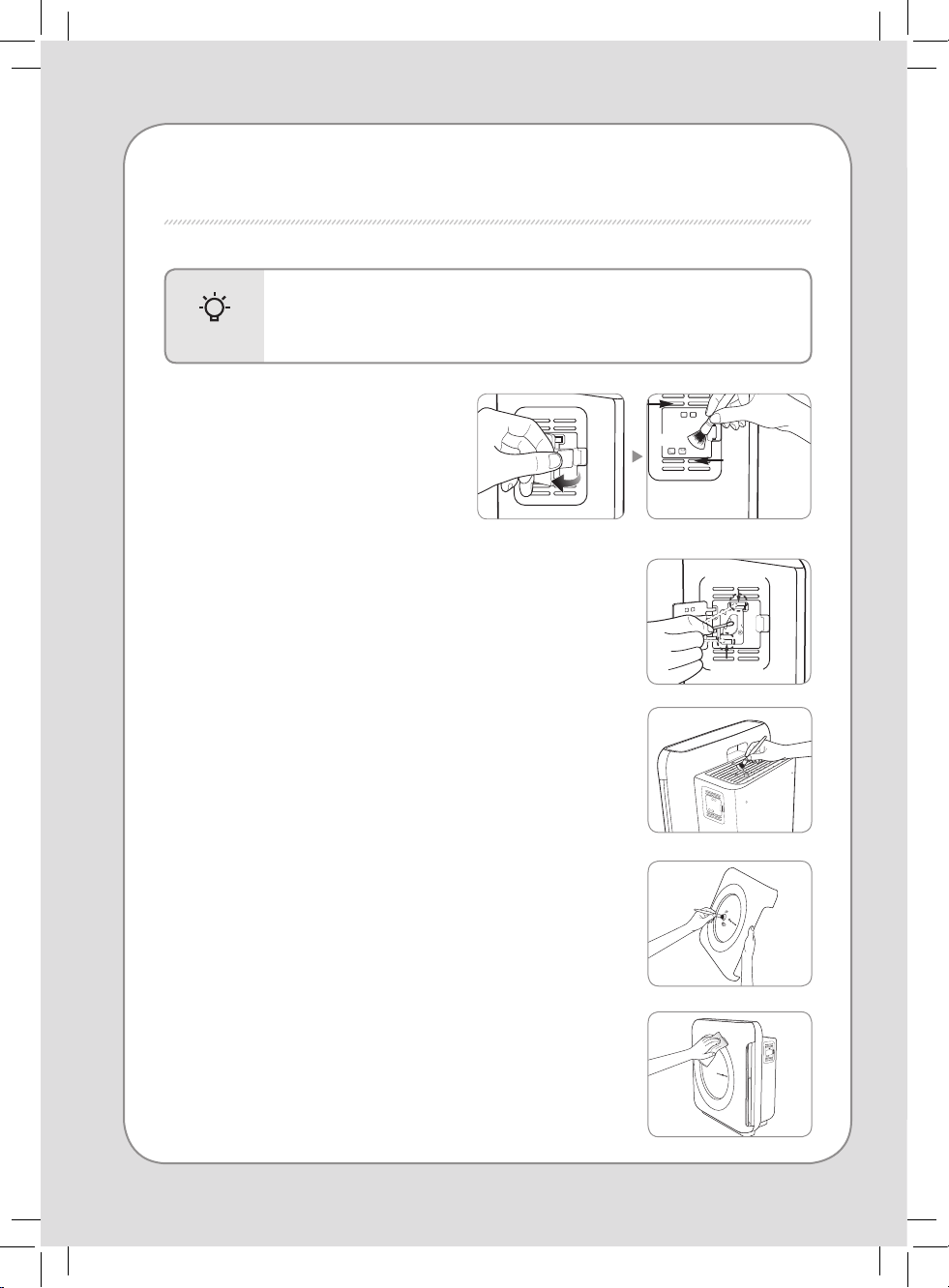
■ Cleaning the air quality sensor
(every 2 months)
1. Open the air quality sensor cover on the
right-hand side of the product. Clean the
air inlet and outlet vent and then the air
quality sensor with a soft brush or vacuum
cleaner.
■ Cleaning the air inlet and outlet (every 2 months)
Clean the air inlet and outlet with a soft brush.
∗
Exercise caution not to have dust fall inside the air purier.
∗
If covered in dust, run the air purier in manual mode for 10 minutes to
blow the dust o the vent. You may then continue with normal use.
■ Cleaning the front cover
Separate the front cover from the product and remove the dust
attached to the surface with a soft dry brush or cloth.
∗
Use lightly wet cloth if the contamination is serious but do not use abrasives.
■ Cleaning the product body (every 2 ~ 4 weeks)
Use dry, soft cloth to clean the product.
∗ Use lightly wet cloth if the contamination is serious but do not use abrasives.
2. Wet a cotton swab lightly and clean the lens, dust inlet, and dust
outlet. Clean them with a dry cotton swab to remove remaining
moisture.
∗ Without regular cleaning, the performance of the air quality sensor deteriorates.
∗ The cleaning cycle diers depending on the operation environment. When using the
product in a dusty environment, clean the sensor more often.
16
15
CLEANING METHOD
Maintenance
TIPS
- Always unplug the product before cleaning the lter.
- The pre-lter is reusable by removing dust or cleaning it with water.
-
If the pre-lter is not cleaned for a long time, the product performance may deteriorate.
- Max2 lter cannot be cleaned and reused. Never clean them with water.
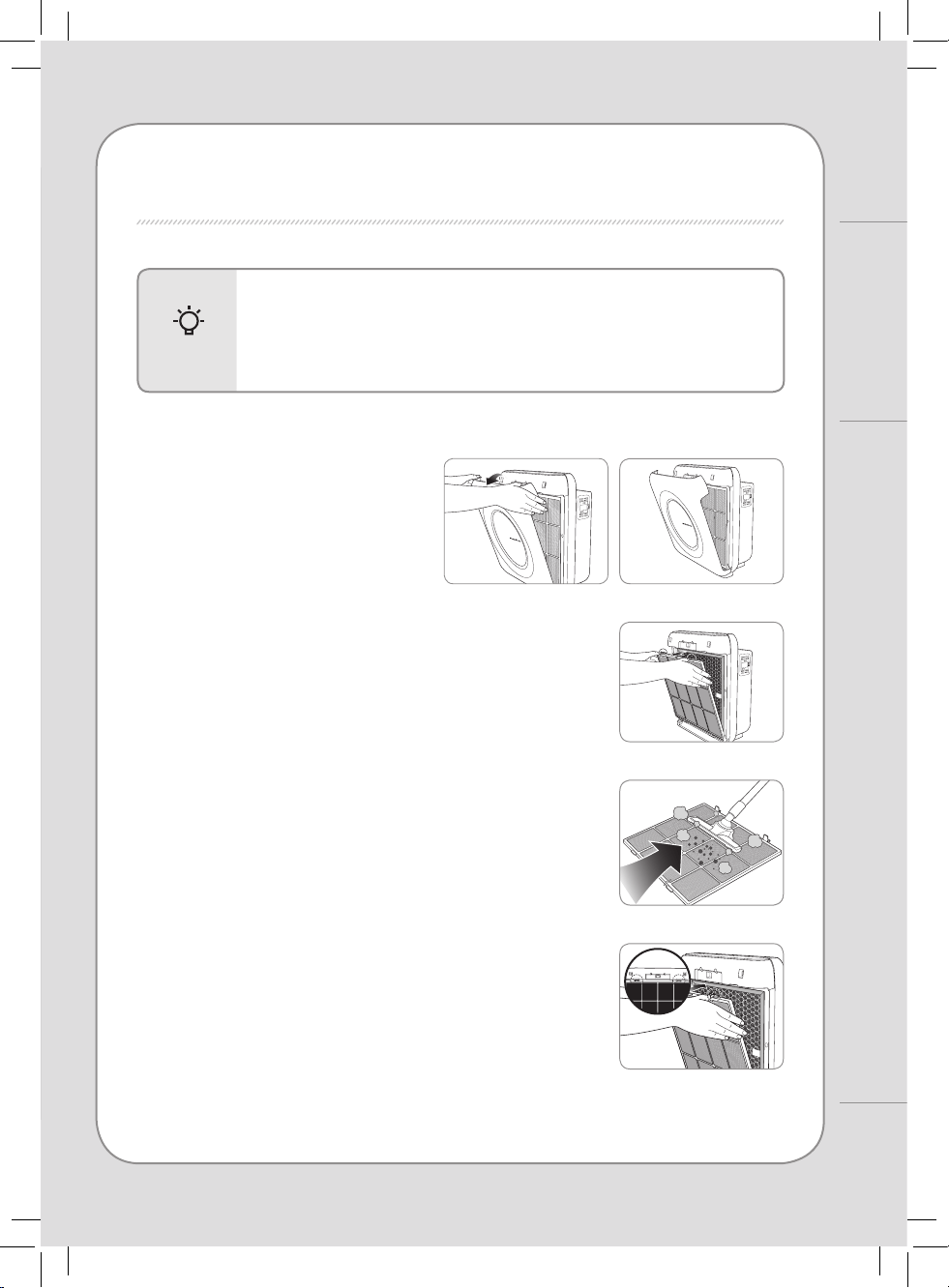
■ Cleaning the pre-lter (every 2 ~ 4 weeks)
1. Pull the upper part of the cover to
reveal the pre-lter.
2. Press down on the top clip of the pre-lter and pull it out.
∗
To prevent dust from falling o, remove the lter carefully without
exerting a shock.
3. Clean the pre-lter with a vacuum cleaner or with water
depending on the level of contamination.
4.
Install the pre-lter after removing the moisture completely.
Fit the front cover back to the product.
∗
When retting the pre-lter to the product, t it in the hook correctly.
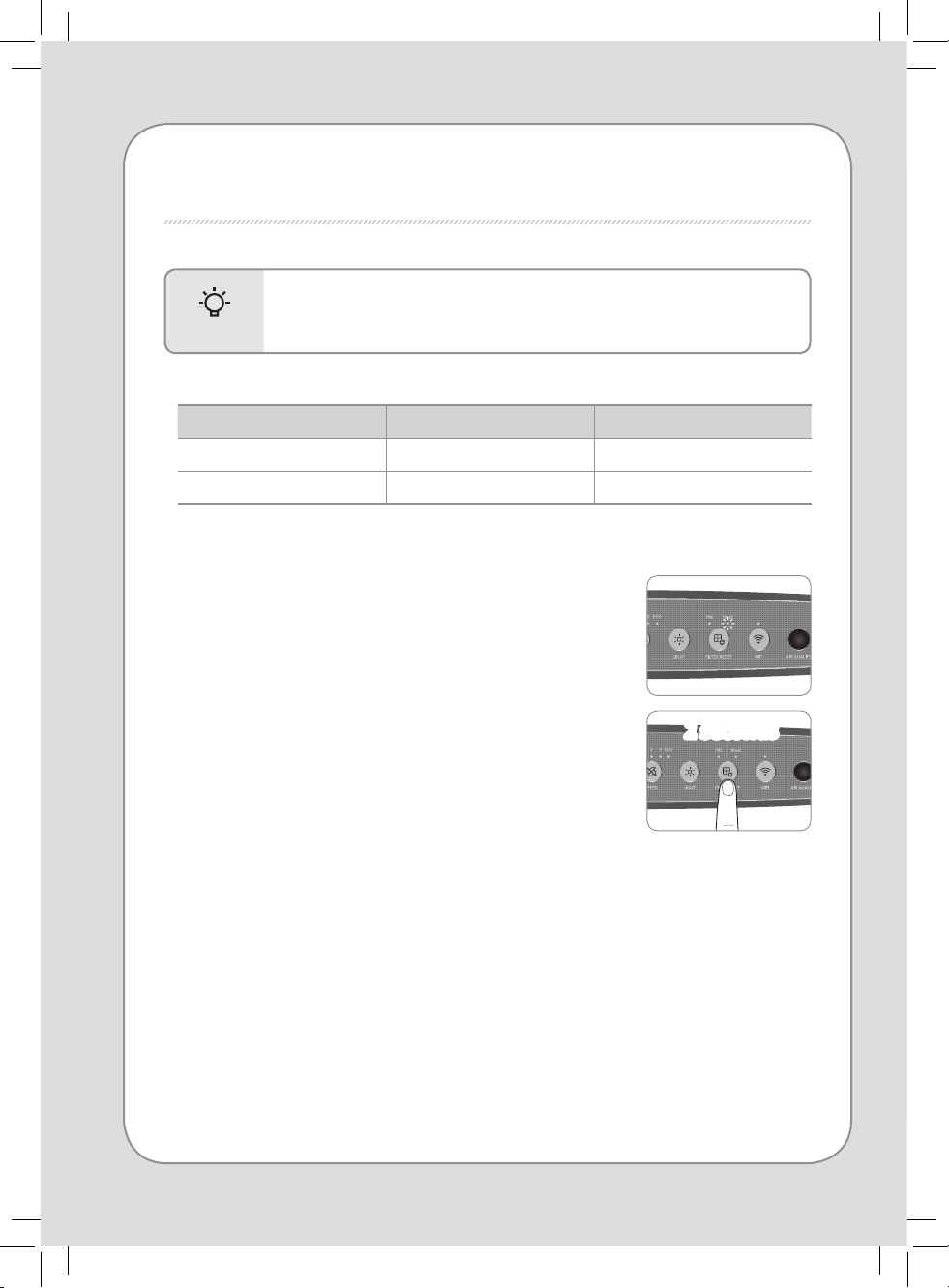
■ Resetting the lter replacement indicator
1. Reset indicator blinks when the lter needs to be replaced.
2. Pre LED : Pre-lter
Max2 LED : Activated Carbon lter & True HEPA lter
3. The pollution level indicator will not turn on if the lter
replacement indicator is activated.
4. After replacing lter, hold the Reset button for 2 seconds.
■ Filter cleaning and replacement cycles
Filter Cycles Method
Pre-lter Every 2~4 weeks Cleaning
Max2 lter Every 1 year Replacement
∗
Each service life is based on 8-hour use in maximum air speed.
∗
The recommended lter replacement cycles may dier depending on the operating environment.
TIPS
- Check that the 'front' side of lters are in the correct direction.
- To maintain optimal performance of the product, use original Coway lters.
- Always unplug the air purier before replacing lters.
FILTER REPLACEMENT
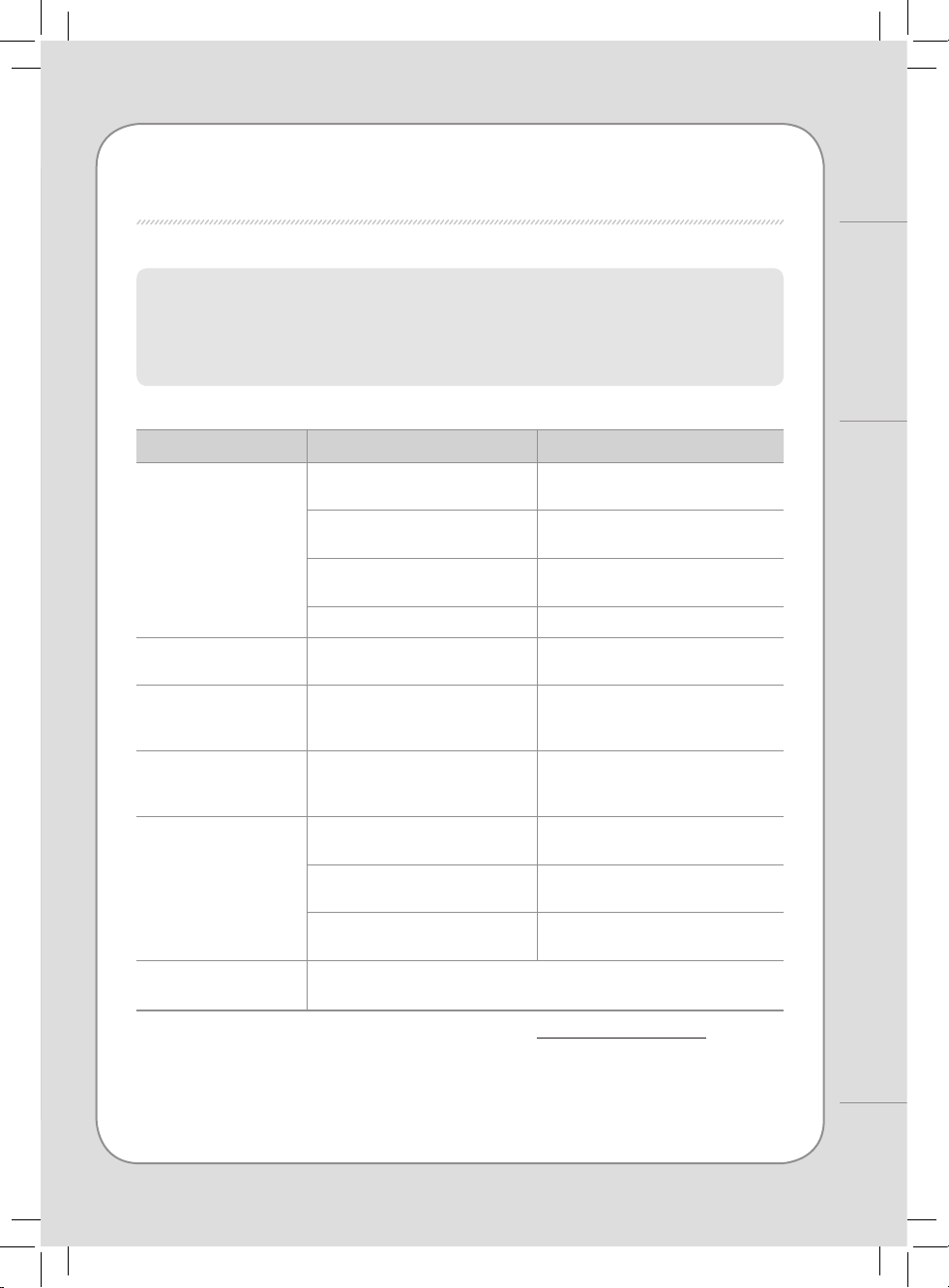
■ Forcible reset mode
When you have replaced a lter before the lter replacement cycle is reached, you can
forcibly reset the lter replacement cycle back to the factory default setting.
1.
When the lter reset indicator is not activated, press and hold the reset button for 2 seconds.
2. Press the reset button to select the desired lter to forcibly reset.
Press once : Pre-lter
Press twice : Max2 lter
Press three times : Pre-lter & Max2 lter
3.
After you select the lter to reset, press and hold the reset button for 2 seconds. And then,
the accumulated time in electronic time counter is erased.
∗ If there is no input for 5 seconds in forcible reset mode, the reset mode is cancelled.
2 seconds
2 seconds
18
17
FILTER REPLACEMENT / TROUBLESHOOTING
Others
TROUBLESHOOTING
The air purier may operate abnormally not because of the product malfunction
but because of minor causes or the fact that the user is not familiar with the
product use. In such a case, problems can be solved easily even without the help
from the service center just by checking the following. If the problem still persists
after you check the following, contact the service center.
Problems Check Possible solutions
No air is blowing.
• Is the power cord connected ?
Connect the power cord to an electric
outlet for 120 V~, 60 Hz.
• Is the display part all turned o ?
Press the power button and then select
the desired function.
• Isn’t the power gone out ?
Use the air purier after the power
comes back on.
• Is the front cover closed ? Close the front cover properly.
The airow speed does not
change.
• Isn’t it in manual ? Set the desired operating mode.
The airow speed is
signicantly weaker than
before.
• Isn’t the lter cleaning or
replacement time passed ?
Check the lter cleaning and
replacement cycles and then clean/
replace the lter(s) if necessary.
A bad smell comes out of
the air outlet.
• Isn’t the lter cleaning or
replacement time passed ?
Check the lter cleaning and
replacement cycles and then clean/
replace the lter(s) if necessary.
The color of the pollution
level indicator always stays
the same.
• Isn’t there dust on the pollution
sensor’s lens ?
Clean the lens of the pollution sensor.
• Does the pollution level keep
indicating a high level ?
Adjust the sensitivity of the pollution
sensor to Insensitive or standard.
• Does the pollution level keep
indicating a low level ?
Adjust the sensitivity of the pollution
sensor to sensitive or standard.
When other functional
problems are detected.
• Check the symptoms, unplug the product, and ask service center.
All other services should be done by an Airmega authorized service center.
Regarding Airmega app troubleshooting, please visit www.cowaymega.com for
more information.
Product specication Air Purier
Model Airmega AP-1512HHS (AP-1519P)
Rated voltage 120 V~, 60 Hz
Phase Single phase
Power consumption 80 W
Product insulation grade Grade 2 device
Dust collection method Mechanical dust collection method (True HEPA lter)
Safety feature The fan motor will shut down when the front cover is open.
Installation place Indoor use
Maximum volume of air 268.39 ft
3
/min
Size 16.81 inch(W) x 9.56 inch(D) x 18.30 inch(H)
Weight 12.34 lbs
▶ Specications are subject to change without notice.
PRODUCT SPECIFICATION
LEGAL NOTICE
This equipment complies with FCC radiation exposure limits set forth for an uncontrolled environment. This
equipment should be installed and operated with minimum distance 20 cm between the radiator & your body.
Any changes or modications not expressly approved by the manufacturer could void the user’s authority to
operate this equipment.
This equipment complies with IC RSS-102 radiation exposure limits set forth for an uncontrolled environment.
This equipment should be installed and operated with minimum distance 20 cm between the radiator & your
body.
Any changes or modications not expressly approved by the manufacturer could void the user’s authority to
operate this equipment.
This device complies with Industry Canada licence-exempt RSS standard(s). Operation is subject to the following
two conditions: (1) this device may not cause harmful interference and (2) this device must accept any interference
received, including interference that may cause undesired operation.
This Class B digital apparatus complies with Canadian ICES-003.
■ FCC Radiation Exposure Statement