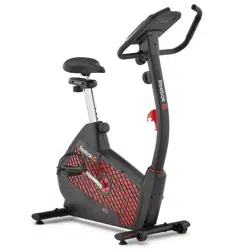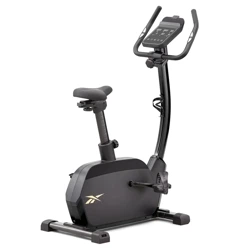
GB40s / GX40s
CONSOLE GUIDE
ONE SERIES
RECOVERY
RECOVERY
RESET
ENTER
DOWN
UP
STOP / START
REEBOKFITNESSEQUIPMENT.COM
ONE SERIES GB40s / GX40s
CONSOLE GUIDE
4
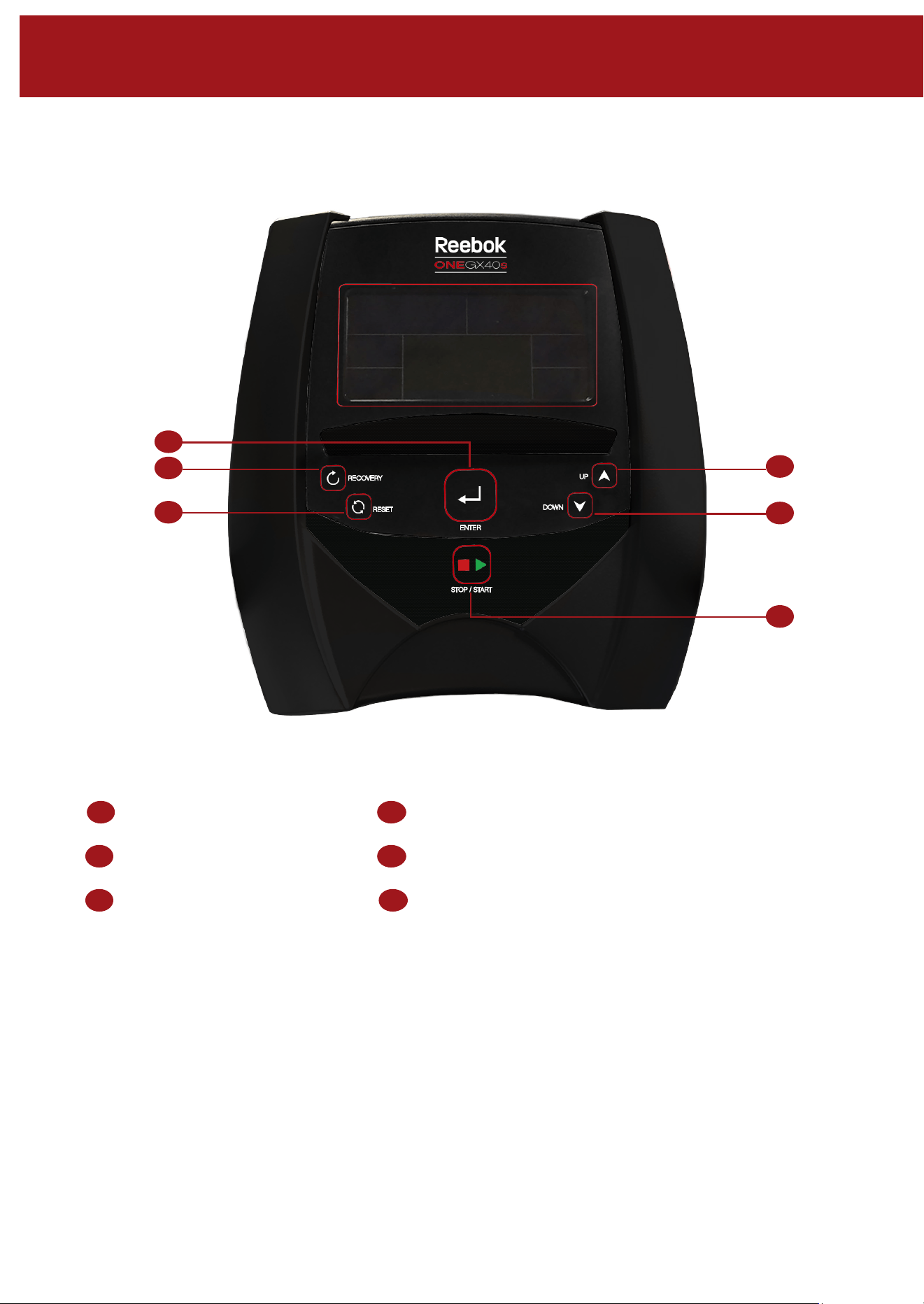
RECOVERY
RECOVERY
RESET
ENTER
DOWN
UP
STOP / START
A
B
C
D
E
F
A
B
C
D
E
F
Enter / Mode Up
Recovery Down
Reset Start / Stop
COMPUTER FUNCTIONS
BUTTON FUNCTIONS
ENTER / MODE
When in a program used as a enter button to confirm
settings
RECOVERY
To test heart rate recivery
RESET
Used to reset the functions at any time.
Please note STOP must be pressesd before RESET
UP
To select training mode and adjust funtion value up
DOWN
To select training mode and adjust function value
down
START / STOP
To start or stop exercise
OPERATION PROCEDURE
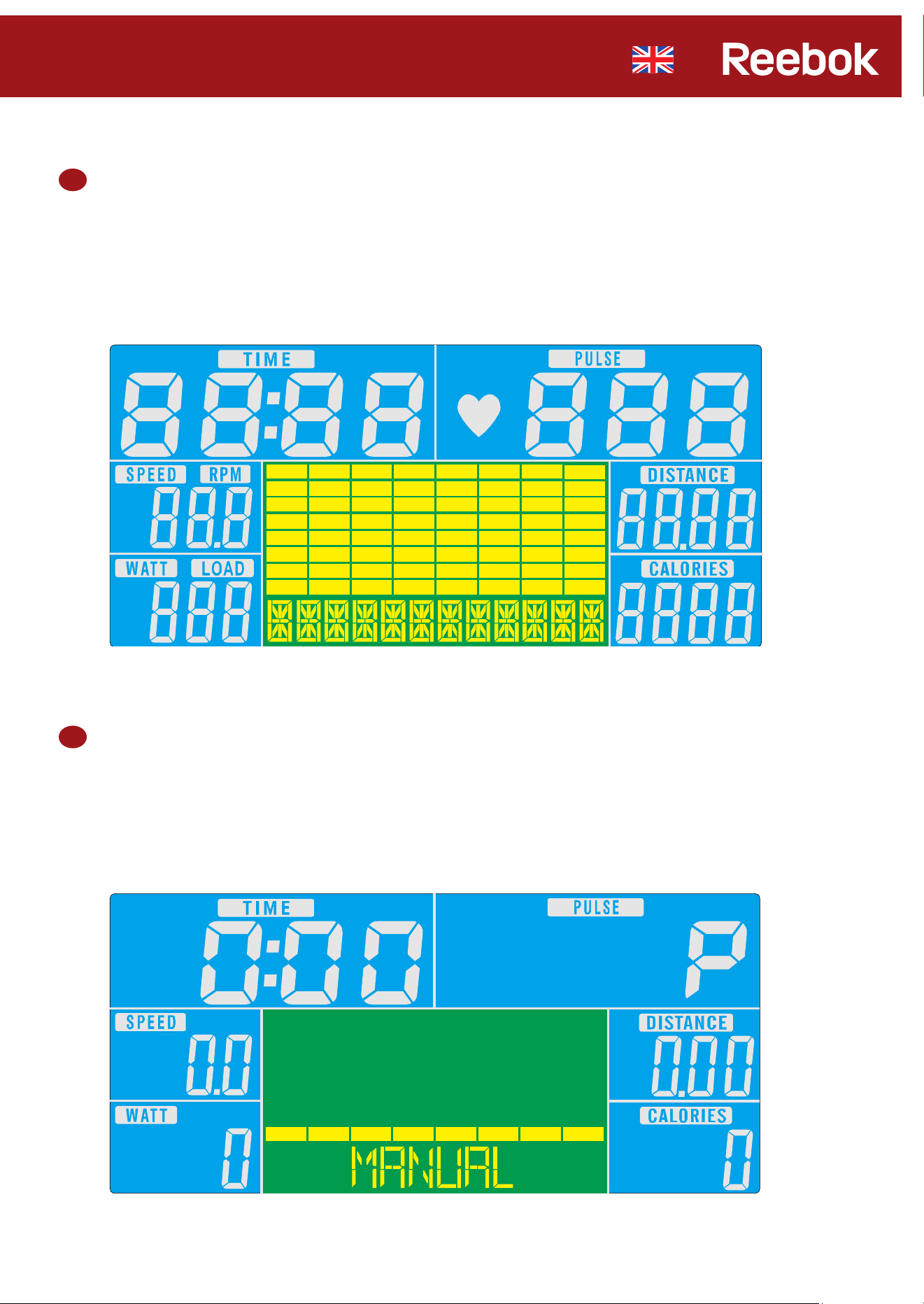
When the power supply is connected to the machine the computer will powe on with a long beep sound.
All segments of the lcd display will light ip for 2 seconds and the wheel diameter 78” will be dosplayed as
below.
The Main menu will be displayed. The user can press START to begin immediately in the manual mode.
All values (SPEED, DISTANCE, TIME) will count up from zero. Resistance level can be changed at any time
during exercise by pressing UP or DOWN,
1
2
REEBOKFITNESSEQUIPMENT.COM
ONE SERIES GB40s / GX40s
CONSOLE GUIDE
4
RECOVERY
RECOVERY
RESET
ENTER
DOWN
UP
STOP / START
A
B
C
D
E
F
A
B
C
D
E
F
Enter / Mode Up
Recovery Down
Reset Start / Stop
COMPUTER FUNCTIONS
BUTTON FUNCTIONS
ENTER / MODE
When in a program used as a enter button to confirm
settings
RECOVERY
To test heart rate recivery
RESET
Used to reset the functions at any time.
Please note STOP must be pressesd before RESET
UP
To select training mode and adjust funtion value up
DOWN
To select training mode and adjust function value
down
START / STOP
To start or stop exercise
OPERATION PROCEDURE
When the power supply is connected to the machine the computer will powe on with a long beep sound.
All segments of the lcd display will light ip for 2 seconds and the wheel diameter 78” will be dosplayed as
below.
The Main menu will be displayed. The user can press START to begin immediately in the manual mode.
All values (SPEED, DISTANCE, TIME) will count up from zero. Resistance level can be changed at any time
during exercise by pressing UP or DOWN,
1
2
REEBOKFITNESSEQUIPMENT.COM
ONE SERIES GB40s / GX40s
CONSOLE GUIDE
6
3
Before beginning the manual exercise the user can set the desired workout for TIME, DISTANCE, CALORIES,
and PULSE.
From main menu press UP/DOWN buttons to highlight MANUAL on the screen.
Press ENTER to highlight the required selection, use UP/DOWN to alter the setting. Press
START to begin when details have been inputted. The inputted data will now count down from the entered
information.
4
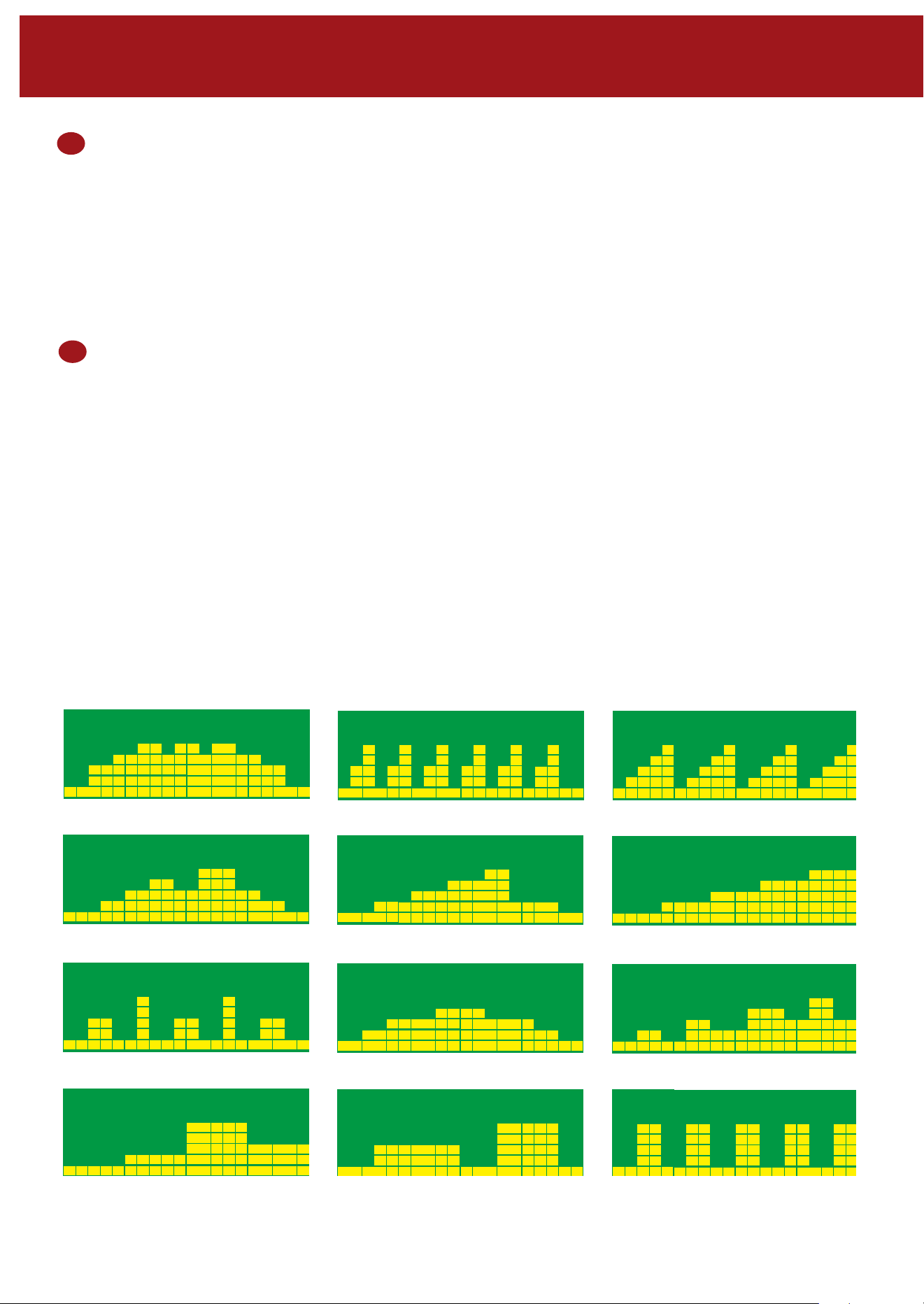
Program
• In Main menu press UP/DOWN to highlight program function.
• Press Enter, P1 will be displayed.
• Use UP/DOWN to select program P1 - P12.
• Press ENTER to enter the program.
• Use UP/DOWN to change the workout duration.
• Press START to begin.
• Program level can be adjusted during exercise by pressing UP/DOWN
PROGRAM 1
PROGRAM 2
PROGRAM 3
PROGRAM 4
PROGRAM 5
PROGRAM 6
PROGRAM 7
PROGRAM 8
PROGRAM 9
PROGRAM 10
PROGRAM 11
PROGRAM 12
5
H.R.C (Heart Rate Control) 55%, 75%, 90% and TAG
• In Main menu press UP/DOWN to highlight H.R.C
• Press ENTER to select
• Age will be displayed press UP/DOWN to change
• press ENTER to select
• Select H.R.C program
• Press ENTER
• Use UP/DOWN to change workout duration.
• Press START to begin.
• If user selects H.R.C. TAG preset PULSE value “100” will be shown in flashing text and then user can
press the UP/DOWN button to adjust target range from 30 - 230
• Press ENTER
• Use UP/DOWN to change workout duration.
• Press START to begin
Maximum users heart rate is worked out as 220 – age = total TARGET HEART RATE. This is the maximum your
heart rate (MHR) should be. You can then work out at 55%, 75% or 90% of this. For example: 220 – 25 (users
age) =
195 MHR, from here you can work out at the desired %.
• Computer will record the TARGET HEART RATE and allow the user to work out within this.
The resistance level will automatically be changed.
• If no heart rate is being recorded the below will be displayed on the screen.
In this instance ensure that both hands are securely holding the pulse sensors.
6
• In Main menu press UP/DOWN to highlight Watt
• Press ENTER to confirm.
• Press UP/DOWN to set target WATTS. ( 10 - 350)
• Press ENTER to confirm.
• Press UP/DOWN to set TIME.
• Press START to begin your workout.
During workout, system will adjust LOAD level automatically based on WATT Target value and workout status.
Watt
REEBOKFITNESSEQUIPMENT.COM
ONE SERIES GB40s / GX40s
CONSOLE GUIDE
6
3
Before beginning the manual exercise the user can set the desired workout for TIME, DISTANCE, CALORIES,
and PULSE.
From main menu press UP/DOWN buttons to highlight MANUAL on the screen.
Press ENTER to highlight the required selection, use UP/DOWN to alter the setting. Press
START to begin when details have been inputted. The inputted data will now count down from the entered
information.
4
Program
• In Main menu press UP/DOWN to highlight program function.
• Press Enter, P1 will be displayed.
• Use UP/DOWN to select program P1 - P12.
• Press ENTER to enter the program.
• Use UP/DOWN to change the workout duration.
• Press START to begin.
• Program level can be adjusted during exercise by pressing UP/DOWN
PROGRAM 1
PROGRAM 2
PROGRAM 3
PROGRAM 4
PROGRAM 5
PROGRAM 6
PROGRAM 7
PROGRAM 8
PROGRAM 9
PROGRAM 10
PROGRAM 11
PROGRAM 12
5
H.R.C (Heart Rate Control) 55%, 75%, 90% and TAG
• In Main menu press UP/DOWN to highlight H.R.C
• Press ENTER to select
• Age will be displayed press UP/DOWN to change
• press ENTER to select
• Select H.R.C program
• Press ENTER
• Use UP/DOWN to change workout duration.
• Press START to begin.
• If user selects H.R.C. TAG preset PULSE value “100” will be shown in flashing text and then user can
press the UP/DOWN button to adjust target range from 30 - 230
• Press ENTER
• Use UP/DOWN to change workout duration.
• Press START to begin
Maximum users heart rate is worked out as 220 – age = total TARGET HEART RATE. This is the maximum your
heart rate (MHR) should be. You can then work out at 55%, 75% or 90% of this. For example: 220 – 25 (users
age) =
195 MHR, from here you can work out at the desired %.
• Computer will record the TARGET HEART RATE and allow the user to work out within this.
The resistance level will automatically be changed.
• If no heart rate is being recorded the below will be displayed on the screen.
In this instance ensure that both hands are securely holding the pulse sensors.
6
• In Main menu press UP/DOWN to highlight Watt
• Press ENTER to confirm.
• Press UP/DOWN to set target WATTS. ( 10 - 350)
• Press ENTER to confirm.
• Press UP/DOWN to set TIME.
• Press START to begin your workout.
During workout, system will adjust LOAD level automatically based on WATT Target value and workout status.
Watt
REEBOKFITNESSEQUIPMENT.COM
ONE SERIES GB40s / GX40s
CONSOLE GUIDE
8
7
User Program
User can create own workout profile.
• In main menu press UP/DOWN to select USER.
• Program profile will be displayed
• Press UP/DOWN to alter resistance level in the first segment of the profile.
• Press MODE to move to the next segment.
• Continue the above for all columns.
• Press START to begin exercise once complete.
8
Recovery
At any time during workout RECOVERY button can be pressed to record recovery level.
• Press RECOVERY button.
• Place both hands on the pulse sensors.
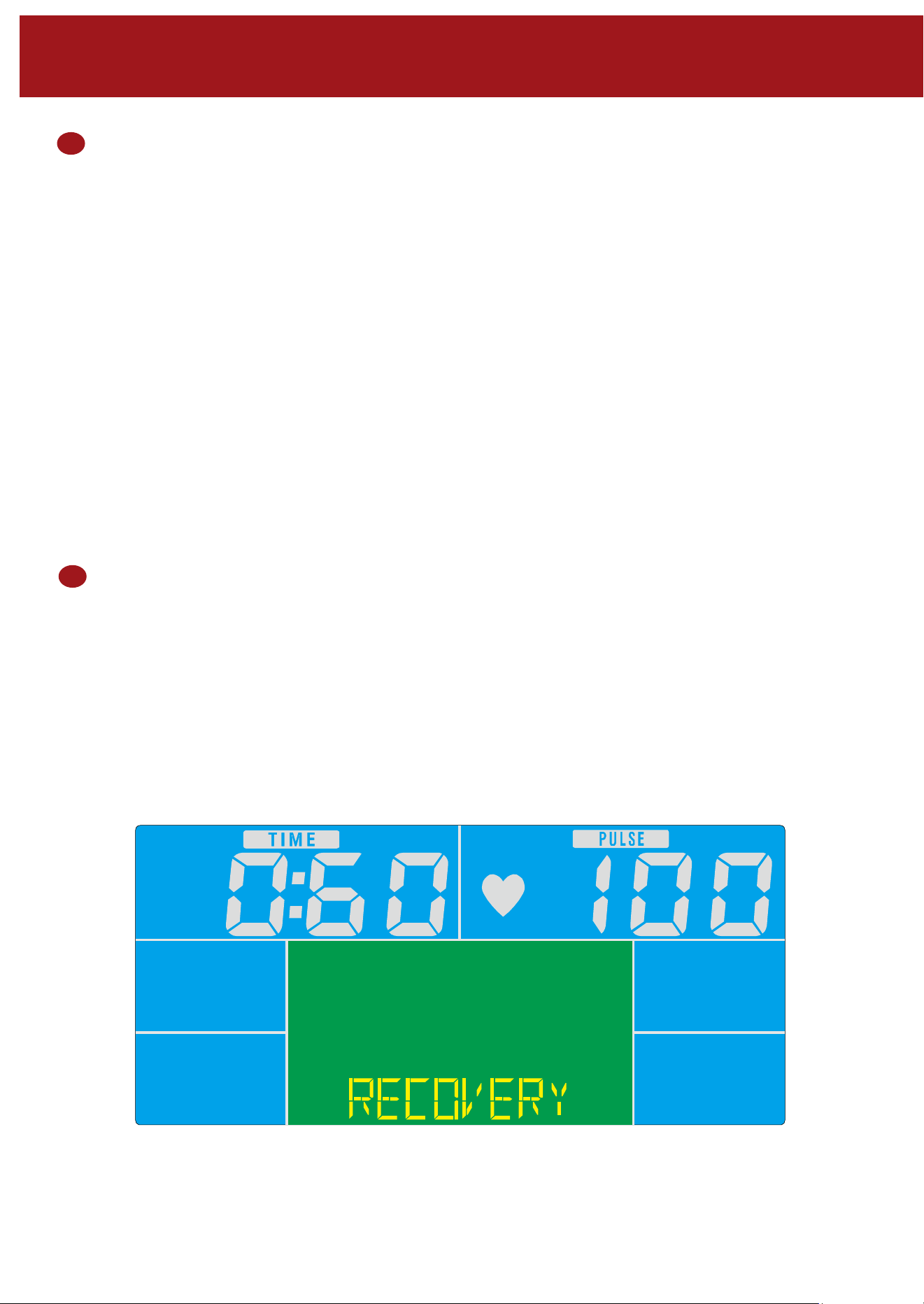
• Computer will count down from 0.60 seconds and display the PULSE as below.
DO NOT REMOVE YOUR HAND FROM THE PULSE SENSORS OR THE READING WILL
NOT BE GIVEN.
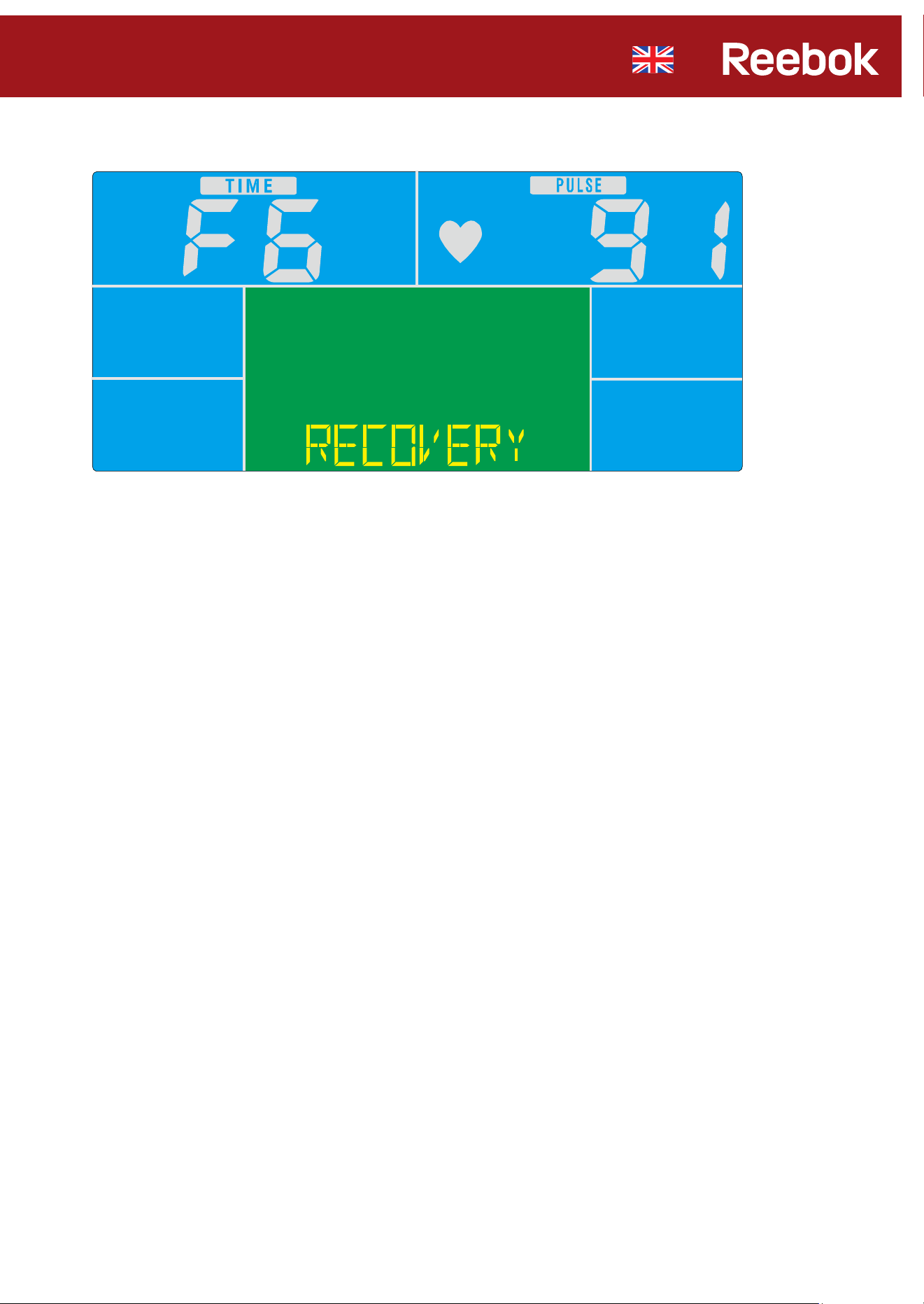
• After the computer has counted down for 0.60 seconds a RECOVERY level reading will be given.
Recovery Fitness Grades
F1 - Excellent
F2 - Very Good
F3 - Good
F4 - Satisfactory
F5 - Below Average
F6 - Poor
Notes
• This computer is powered with a 9V power adaptor.
DO NOT USE ANY OTHER ADAPTOR WITH THE MACHINE.
• If the computer is inactive for approximately 4 minutes it will shut down automatically and the
resistance motor will reset. Press any button to turn the computer back on.
• If at any time the computer does not function correctly remove the power supply and reconnect
it to restart.
REEBOKFITNESSEQUIPMENT.COM
ONE SERIES GB40s / GX40s
CONSOLE GUIDE
8
7
User Program
User can create own workout profile.
• In main menu press UP/DOWN to select USER.
• Program profile will be displayed
• Press UP/DOWN to alter resistance level in the first segment of the profile.
• Press MODE to move to the next segment.
• Continue the above for all columns.
• Press START to begin exercise once complete.
8
Recovery
At any time during workout RECOVERY button can be pressed to record recovery level.
• Press RECOVERY button.
• Place both hands on the pulse sensors.
• Computer will count down from 0.60 seconds and display the PULSE as below.
DO NOT REMOVE YOUR HAND FROM THE PULSE SENSORS OR THE READING WILL
NOT BE GIVEN.
• After the computer has counted down for 0.60 seconds a RECOVERY level reading will be given.
Recovery Fitness Grades
F1 - Excellent
F2 - Very Good
F3 - Good
F4 - Satisfactory
F5 - Below Average
F6 - Poor
Notes
• This computer is powered with a 9V power adaptor.
DO NOT USE ANY OTHER ADAPTOR WITH THE MACHINE.
• If the computer is inactive for approximately 4 minutes it will shut down automatically and the
resistance motor will reset. Press any button to turn the computer back on.
• If at any time the computer does not function correctly remove the power supply and reconnect
it to restart.