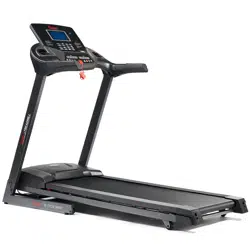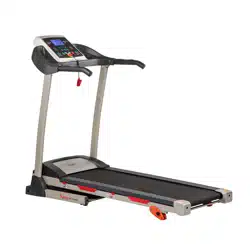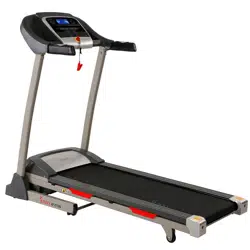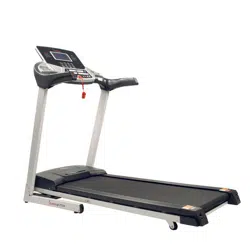
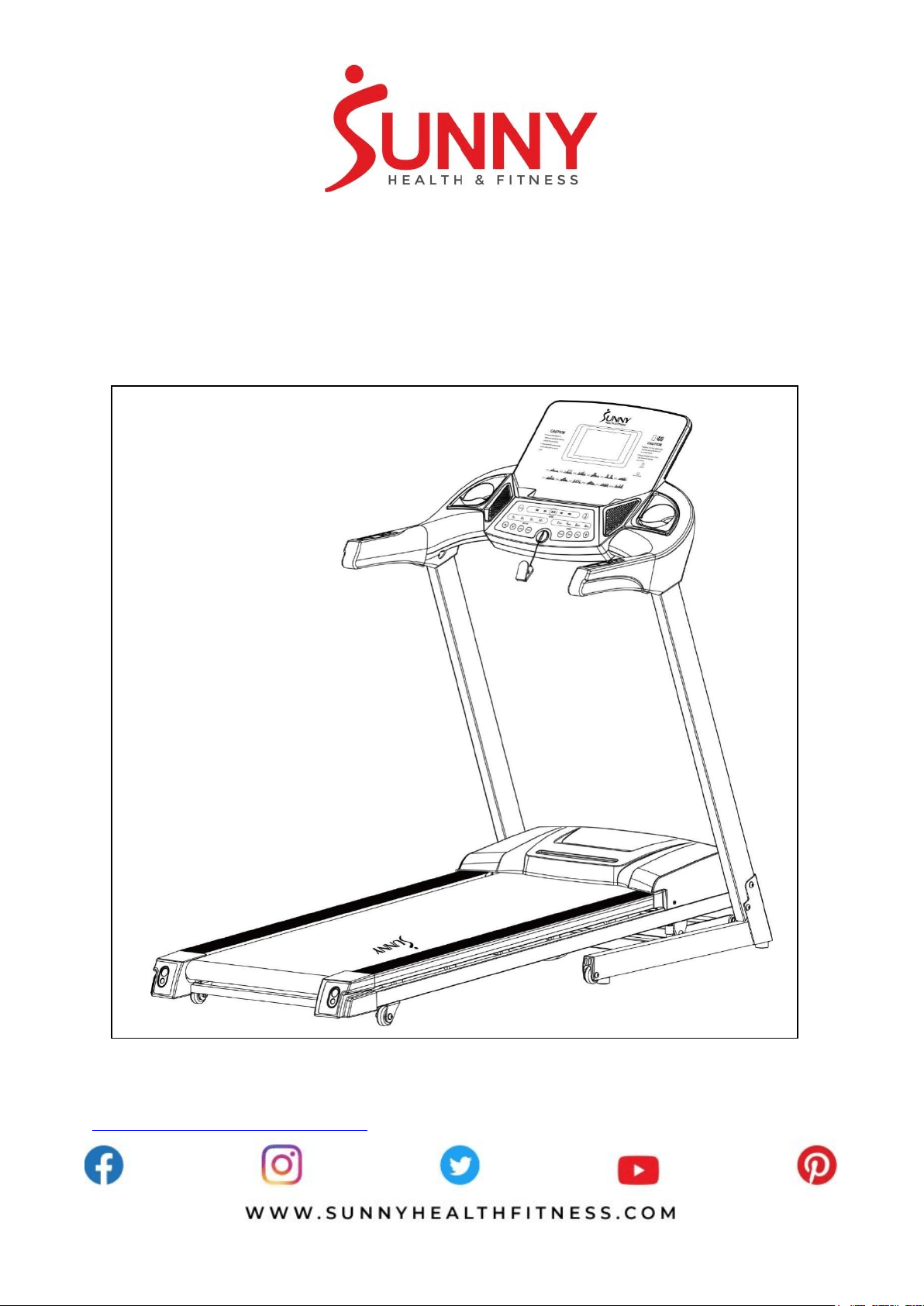
ENERGY FLEX MOTORIZED TREADMILL
SF-T7724
USER MANUAL
IMPORTANT! Please retain owner’s manual for maintenance and adjustment instructions. Your
satisfaction is very important to us, PLEASE DO NOT RETURN UNTIL YOU HAVE CONTACTED
US: [email protected] or 1- 877 - 90SUNNY (877-907-8669).
1
IMPORTANT SAFETY INFORMATION
We thank you for choosing our product. To ensure your safety and health, please use this equipment
correctly. It is important to read this entire manual before assembling and using the equipment. Safe
and effective use can only be achieved if the equipment is assembled, maintained, and used
properly. It is your responsibility to ensure that all users of the equipment are informed of all warnings
and precautions.
1. Before starting any exercise program, you should consult your physician to determine if you have
any medical or physical conditions that could put your health and safety at risk or prevent you
from using the equipment properly. Your physician’s advice is essential if you are taking
medication that affects your heart rate, blood pressure, or cholesterol level.
2. Be aware of your body’s signals. Incorrect or excessive exercise can damage your health. Stop
exercising if you experience any of the following symptoms: pain, tightness in your chest,
irregular heartbeat, shortness of breath, lightheadedness, dizziness, or feelings of nausea. If you
do experience any of these conditions, you should consult your physician before continuing with
your exercise program.
3. Keep children and pets away from the equipment. The equipment is designed for adult use only.
4. Use the equipment on a solid, flat level surface with a protective cover for your floor or carpet.
To ensure safety, the equipment should have at least 8 feet (240 CM) of free space behind it and
2 feet (60 CM) on each side. Do not place the treadmill on any surface that blocks air openings.
To protect the floor or carpet from damage, place a mat under the treadmill.
5. Ensure that all nuts and bolts are securely tightened before using the equipment. The safety of
the equipment can only be maintained if it is regularly examined for damage and/or wear and
tear.
6. Always use the equipment as indicated. If you find any defective components while assembling
or checking the equipment, or if you hear any unusual noises coming from the equipment during
exercise, discontinue use of the equipment immediately and do not use until the problem has
been rectified.
7. Wear suitable clothing while using the equipment. Avoid wearing loose clothing that may become
entangled in the equipment.
8. Do not place fingers or objects into the moving parts of the equipment.
9. The maximum weight capacity of this unit is 240 pounds (110 KG).
10. The equipment is not suitable for therapeutic use.
11. To avoid bodily injury and/or damage to the product or property, proper lifting and moving is
required.
12. Your product is intended for use in cool, dry conditions. You should avoid storage in extreme
cold, hot or damp areas as this may lead to corrosion and other related problems.
13. This equipment is designed for indoor and home use only, it is not intended for commercial use!
IMPORTANT NOTE:
The belt must be lubricated before the first use! Please see Page 8 for instructions on how to properly
apply lubricant.
2
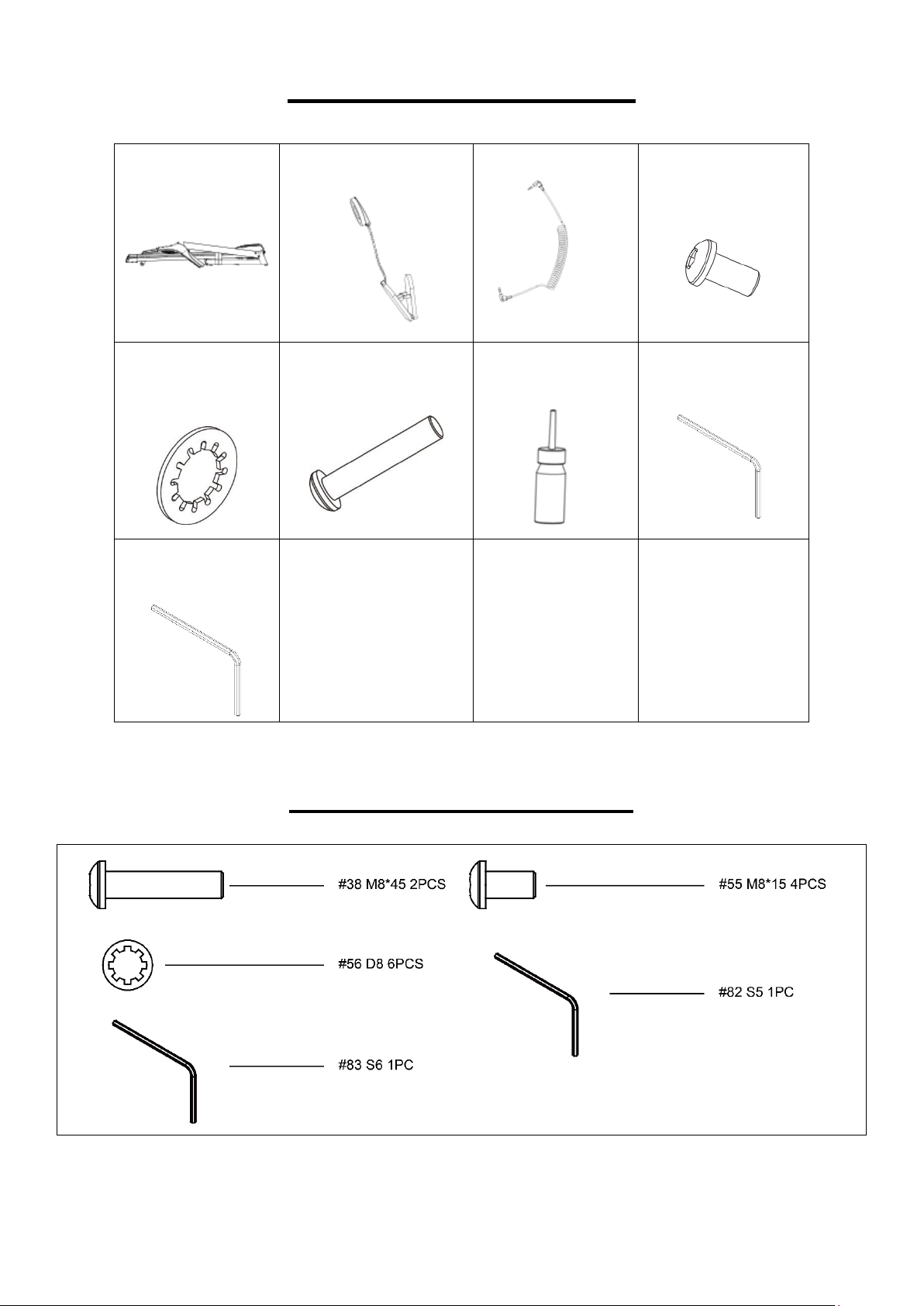
EXPLODED DIAGRAM
3
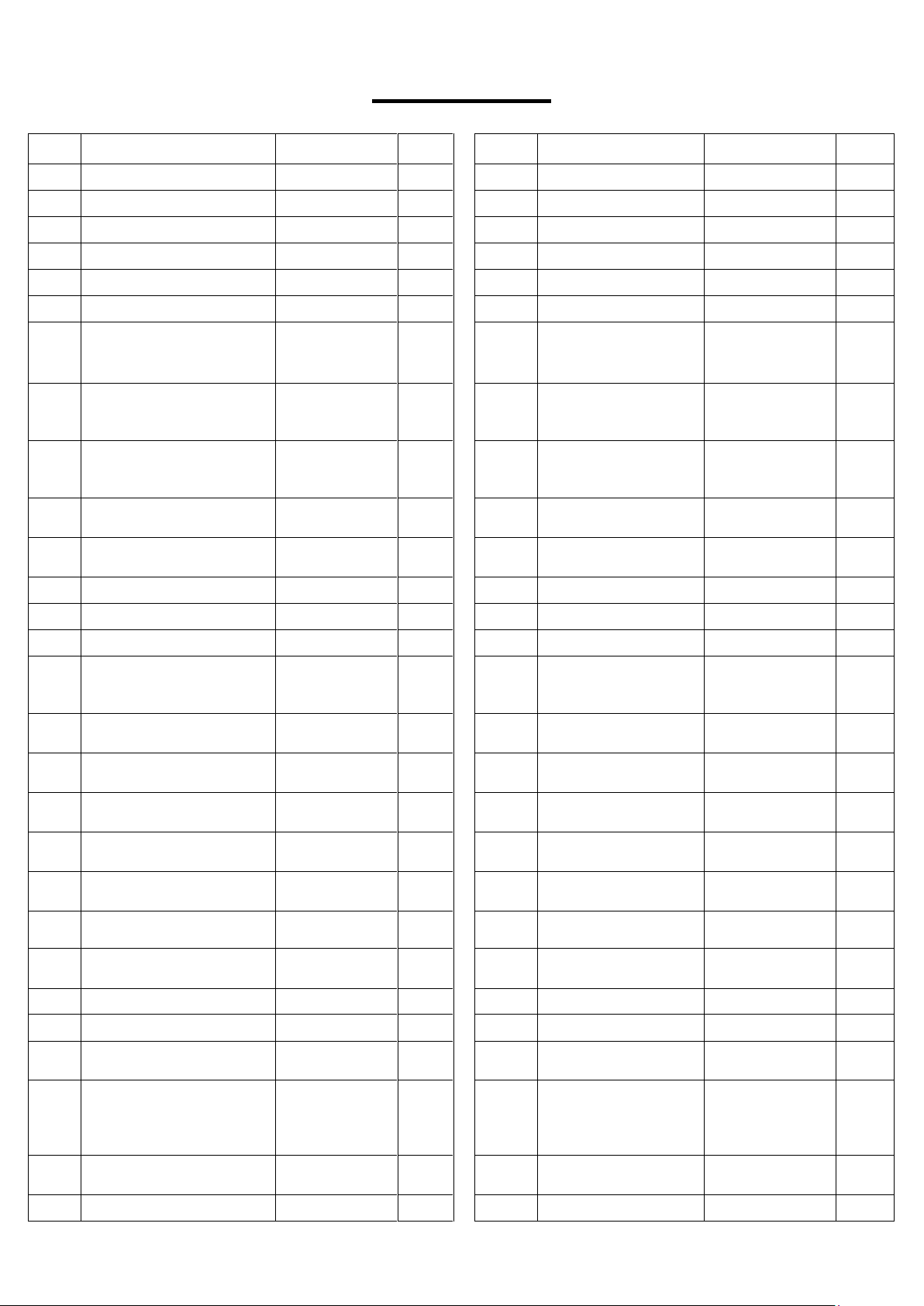
ASSEMBLY CONTENTS
WHEN YOU OPEN THE CARTON, YOU WILL FIND THE FOLLOWING PARTS:
Main Frame
(No. 2)
Safety Key (No. 76)
MP3 Wire (No. 77)
Half-Roundhead
Hex Bolt (No. 55) –
4pcs
Serrated Gasket
(No. 56) - 6pcs
Half-Roundhead Hex
Bolt (No. 38) - 2pcs
Silicone Oil
(No. 81)
Allen Wrench
(No. 82)
Allen Wrench
(No. 83)
HARDWARE PACKAGE
4
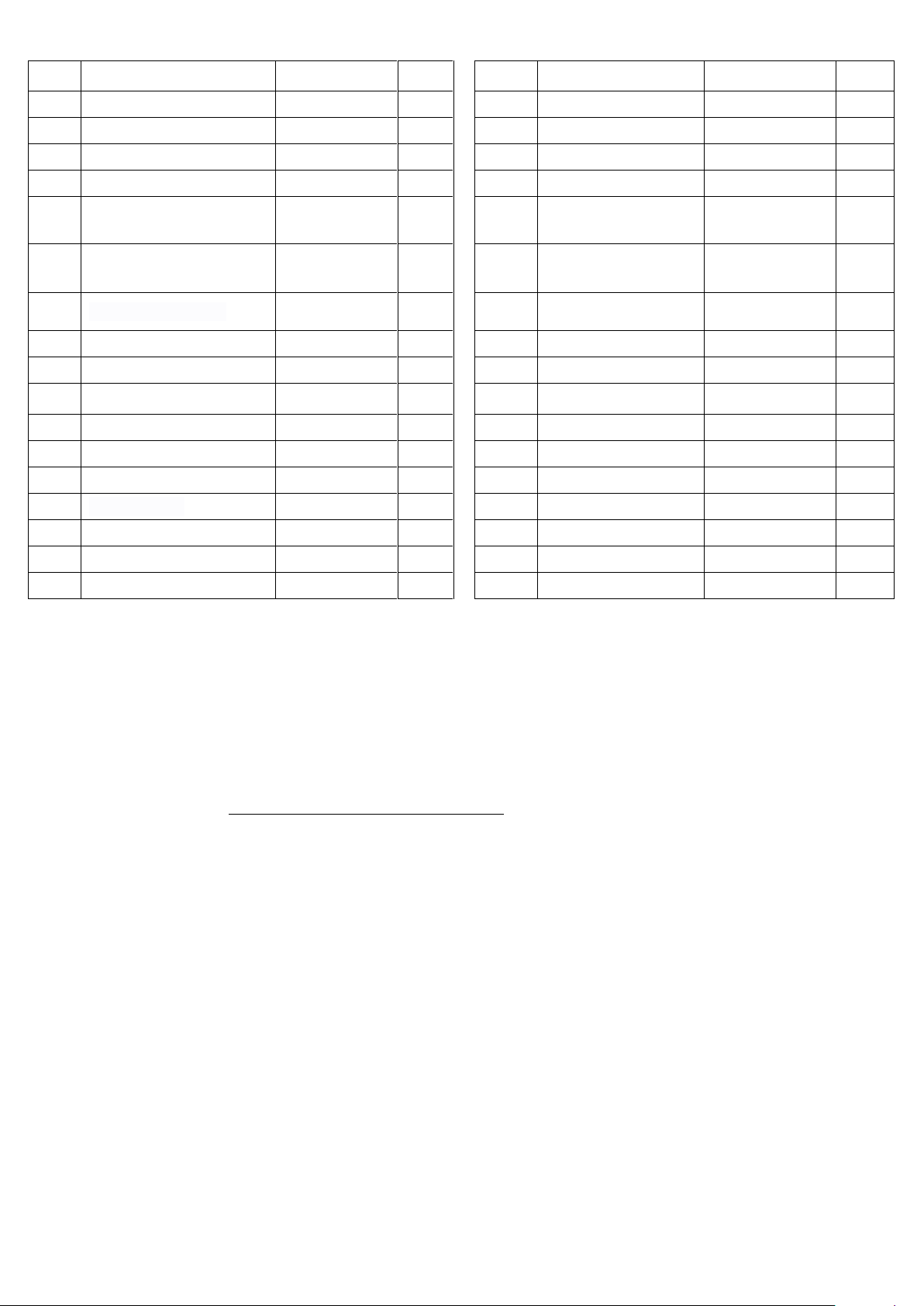
PARTS LIST
No.
Description
Spec.
Qty.
No.
Description
Spec.
Qty.
1
Base Frame
1
29
Running Belt
2785*460*1.6
1
2
Main Frame
1
30
Motor Belt
210-J6
1
3
Left Support Tube
1
31
Cylinder
610*260-35kg
1
4
Right Support Tube
1
32
Incline Bushing
Ø15* Ø10*9
4
5
Computer Bracket
1
33
Flat Washer
Ø20* Ø 10.5*2
6
6
Incline Bracket
1
34
Flat Washer
Ø16* Ø 8.5*1.2
14
7
Side Rail Support
10
35
Cross Recessed
with Washer Head
Self-Tapping Screw
ST4.2*13
24
8
Retainer Plate
2
36
Cross Recessed
Pan Head Tapping
Screw
ST4.2*16
29
9
Computer Upper Cover
755*537*115
1
37
Cross Recessed
Pan Head Tapping
Screw
ST4.2*45
4
10
Computer Bottom Cover
755*559*138
1
38
Half-Roundhead
Hex Bolt
M8*45
8
11
Computer Panel
429*337*20
1
39
Half-Roundhead
Hex Bolt
M8*35
2
12
Left Handrail Bushing
323*97*54
1
40
Roundhead Hex Bolt
M8*50
1
13
Right Handrail Bushing
323*97*54
1
41
Roundhead Hex Bolt
M8*55
2
14
Motor Cover
607*396*123
1
42
Roundhead Hex Bolt
M8*15
9
15
End Cap (L)
133*96*91
1
43
Cross Recessed
Pan Head Tapping
Screw
ST4.2*8
10
16
End Cap (R)
133*96*91
1
44
Half-Roundhead
Hex Bolt
M8*25
1
17
Side Rail
1215*70*17
2
45
Half-Roundhead
Hex Bolt
M8*45
1
18
Motor Bottom Cover
605*345*22
1
46
Half-Roundhead
Hex Bolt
M10*25
4
19
Transportation Wheel
Ø45* Ø8.2*22
2
47
Half-Roundhead
Hex Bolt
M10*45
1
20
Moving Wheel
Ø51* Ø8.2*20
2
48
Half-Roundhead
Hex Bolt
M10*60
1
21
Cable Protector
Ø24* Ø18*9
1
49
Cross Recessed
Round Head Screw
M5*15
11
22
Flat Foot Pad
Ø31* Ø6*16
4
50
Cross Recessed
Sunk Head Screw
M8*30
6
23
Cushion
Ø30*32*M8
4
51
Lock Nut
M10
6
24
Round Cushion
Ø20*Ø16*17.
5
2
52
Lock Nut
M6
12
25
Transportation Wheel
Cover
60*30*18.8
2
53
Lock Nut
M8
16
26
Front Roller
46*558
1
54
Cross Recessed
Pan Head Self-
Drilling Tapping
Screw
ST4.2*19
2
27
Rear Roller
46*550
1
55
Half-Roundhead
Hex Bolt
M8*15
4
28
Running Board
1210*480*18
1
56
Serrated Gasket
D8
6
5
No.
Description
Spec.
Qty.
No.
Description
Spec.
Qty.
57
Spring Washer
M8
6
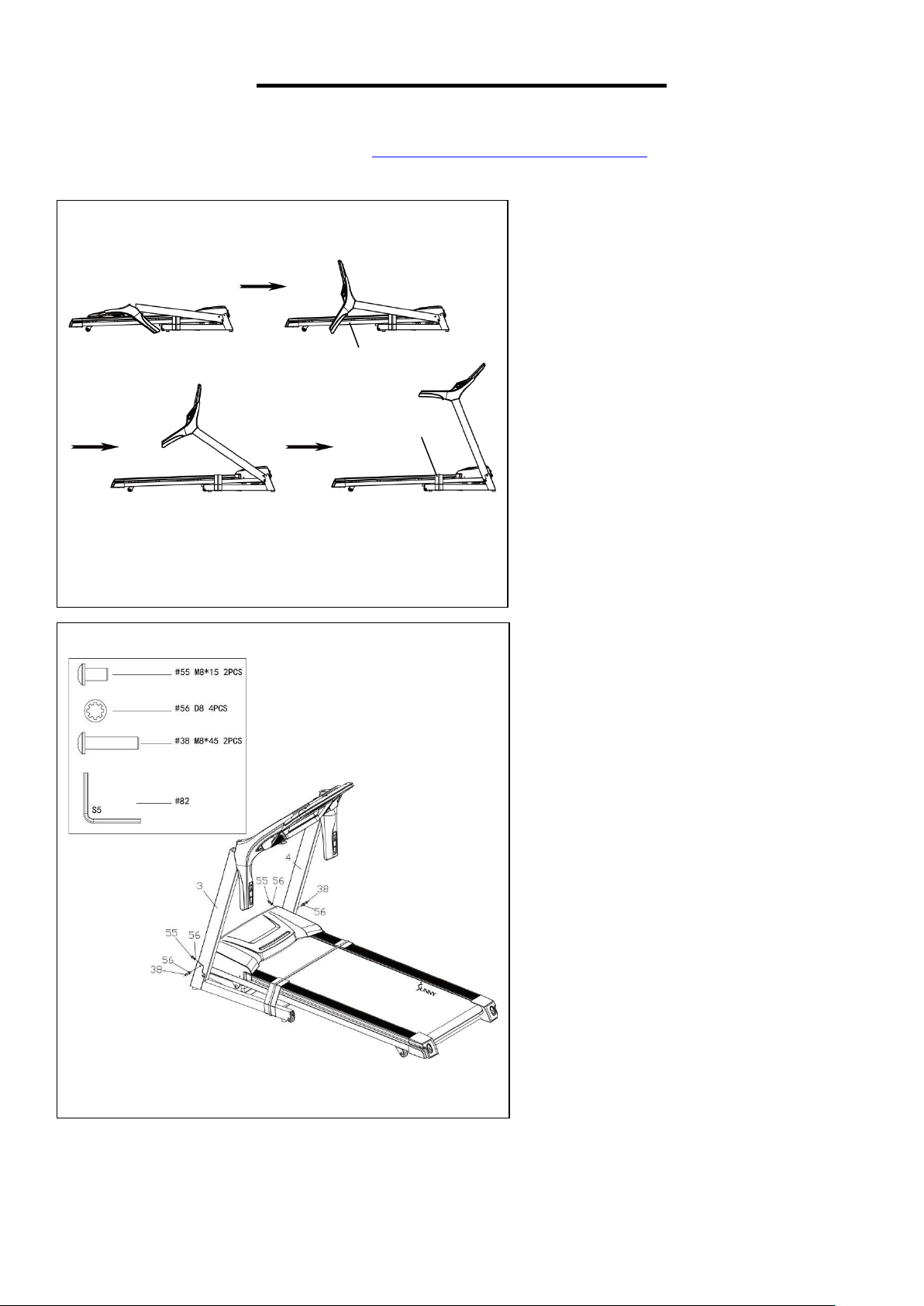
74
Speed Hand Pulse
1
58
DC Motor
1
75
Speaker
2
59
Incline Motor
1
76
Safety Key
1
60
Power Line
2100mm
1
77
MP3 Wire
1
61
Power Line Plug
6N-3
1
78
Upper Computer
Wire
1
62
Power Switch
250V/16A
1
79
Middle Computer
Wire
1
63
Overload Protector
250V/16A
1
80
Lower Computer
Wire
1
64
Single Blue Wire
250mm
1
81
Silicone Oil
1
65
Single Blue Wire
100mm
1
82
Allen Wrench
S5
1
66
Single Brown Wire
250mm
1
83
Allen Wrench
S6
1
67
Safety Key Sensor
1
84
Top Console
1
68
Computer Chip
1
85
Cushion
Ø20*20*M6
2
69
Controller
1
86
Filter
12A
1
70
Button Board
1
87
88
Single Blue Wire
500mm
1
71
Overlay
1
88
Single Brown Wire
500mm
1
72
Key Panel Sticker
1
89
Grounded Line
1
73
Incline Hand Pulse
1
Ordering Replacement Parts (U.S. and Canadian Customers only)
Please provide the following information in order for us to accurately identify the part(s) needed:
✓ The model number (found on cover of manual)
✓ The product name (found on cover of manual)
✓ The part number found on the “EXPLODED DIAGRAM” and “PARTS LIST” (found near the front
of the manual)
Please contact us at [email protected] or 1- 877 - 90SUNNY (877-907-8669).
6
ASSEMBLY INSTRUCTIONS
We value your experience using Sunny Health and Fitness products. For assistance with parts or
907-8669).
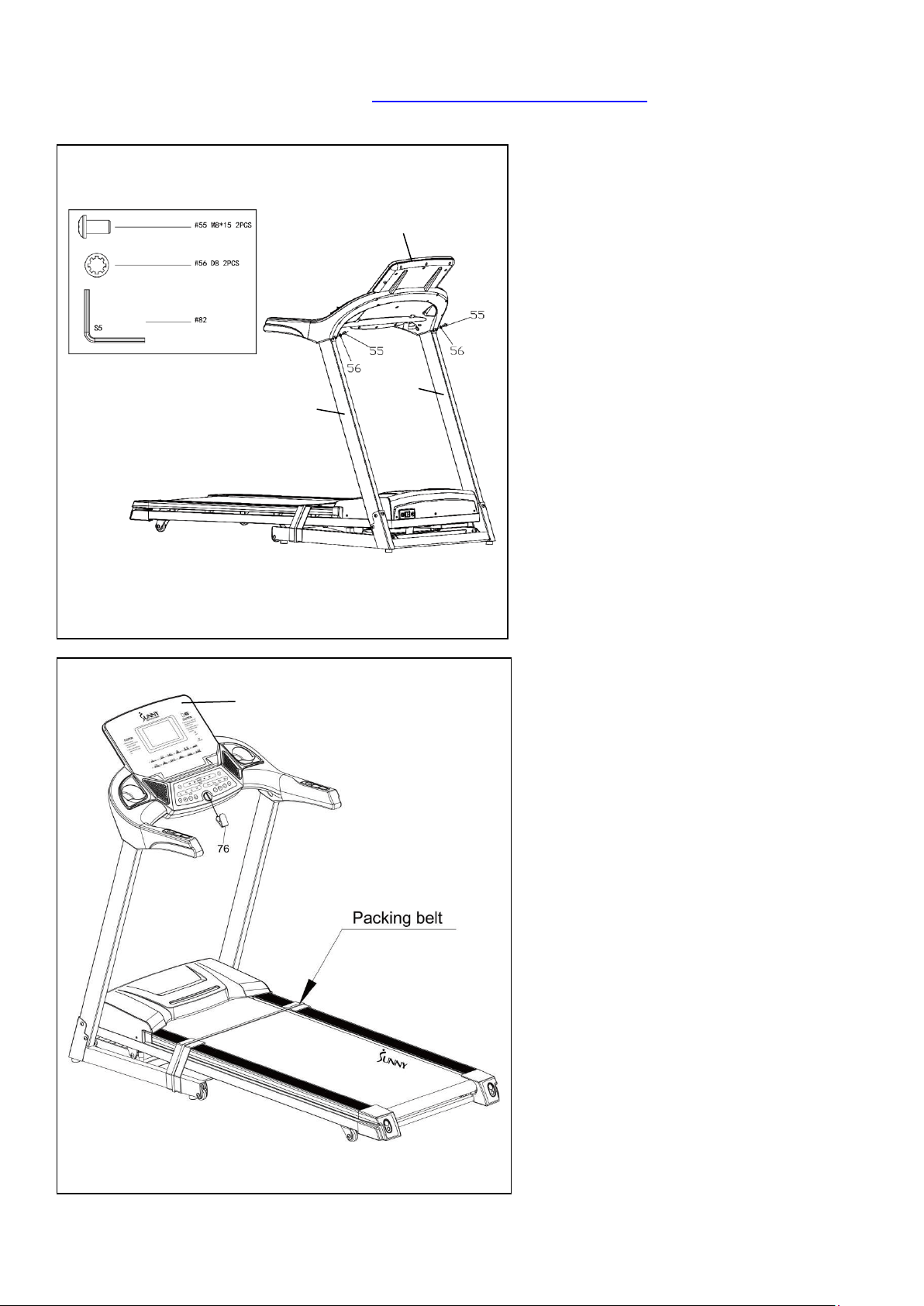
STEP 1:
Open the carton and remove all
contents. Place the Main Frame (No. 2)
on level ground and ensure that you
have a clean, adequate workspace.
Follow the diagram on the left to lift the
top console upright.
NOTE: Be careful not to puncture the
wires when folding! Do not remove the
packing belt now.
STEP 2:
Secure the Left & Right Support
Tubes (No. 3 & No. 4) to the base
frame using 2 Half-Roundhead Hex
Bolts (No. 55), 2 Half-Roundhead
Hex Bolts (No. 38), and 4 Serrated
Gaskets (No. 56). Tighten and secure
with Allen Wrench (No. 82).
2
Packing Belt
7
We value your experience using Sunny Health and Fitness products. For assistance with parts or
907-8669).
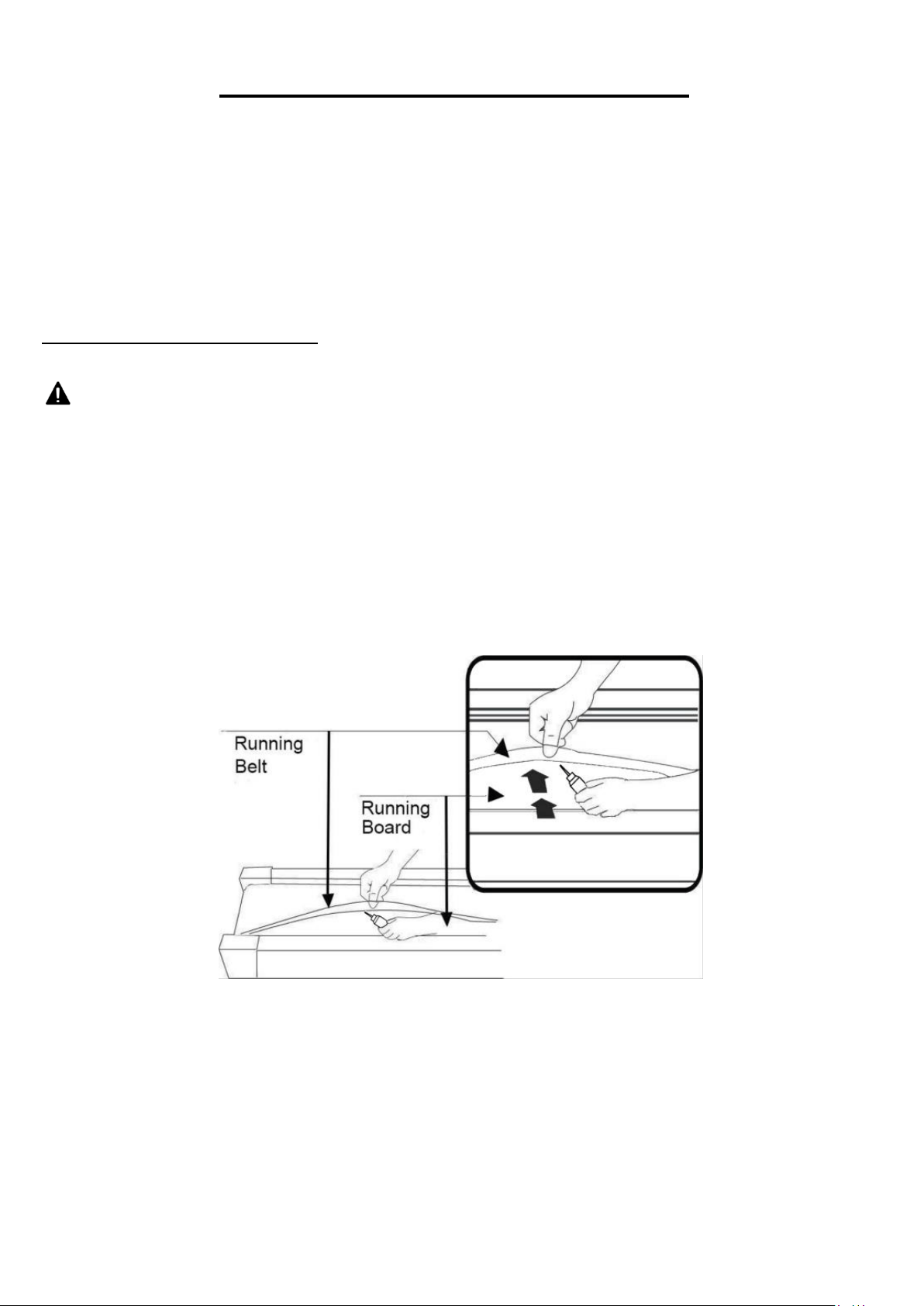
STEP 4:
You may now remove the packing belt.
Next, insert the Safety Key (No. 76) into
the Top Console (No. 84).
NOTE: The belt must be lubricated before
the first use! Please see Page 8 for
instructions on how to properly apply
lubricant.
The assembly is complete!
845
84
3
84
STEP 3:
Secure the Top Console (No. 84) to
Left & Right Support Tubes (No. 3 &
No. 4) using 2 Half-Roundhead Hex
Bolts (No. 55) and 2 Serrated Gaskets
(No. 56). Tighten and secure with Allen
Wrench (No. 82).
4
84
3
8
LUBRICATING THE TREADMILL
IMPORTANT NOTE:
You will need to lubricate your treadmill before the first use!
RUNNING BELT & TREADMILL LUBRICANT:
Lubricating the Running Belt (No. 29) & Running Board (No. 28) is essential as the friction between
the two affects the life span and operations on the treadmill. Inspect the Running Belt (No. 29) regularly.
If you find any wear on the Running Board (No. 28), please contact us at
WARNING: Always unplug the treadmill from the electrical outlet before cleaning, lubricating, or
repairing the unit.
The following time table is recommended:
⚫ Light user (less than 3 hours/ week) every 2 months
⚫ Medium user (3-5 hours/ week) every 45 days
⚫ Heavy user (more than 5 hours/ week) every month
NOTE:
To better maintain the treadmill and prolong its life, it is suggested that the treadmill be powered off
for 10 minutes every 2 hours and fully powered off when not in use.
DO NOT LOOSEN OR MAKE ANY ADJUSTMENTS TO THE RUNNING BELT WHILE APPLYING
LUBRICANT. A loose Running Belt (No. 29) will result in the runner sliding off when in use, while
too tight of a Running Belt (No. 29) will result in decrease to the motors performance and create
more friction between the roller and Running Belt (No. 29). The most suitable tightness for the
Running Belt (No. 29) is pulled out 50-75mm from the Running Board (No. 28).
9
MAINTENANCE GUIDE
General cleaning will help to prolong the life and improve performance of your treadmill. Keep the unit
clean and maintained by dusting the components on a regular basis, cleaning the two exposed sides
of the Running Belt (No. 29) will prevent dust from accumulating underneath. Keep your running shoes
clean so that dirt from the shoes does not wear the Running Board (No. 28) and Running Belt (No.
29). Clean the surface of the Running Belt (No. 29) using a clean, damp cloth. Keep liquids away from
electrical parts and the Running Belt (No. 29).
ADJUSTING THE RUNNING BELT
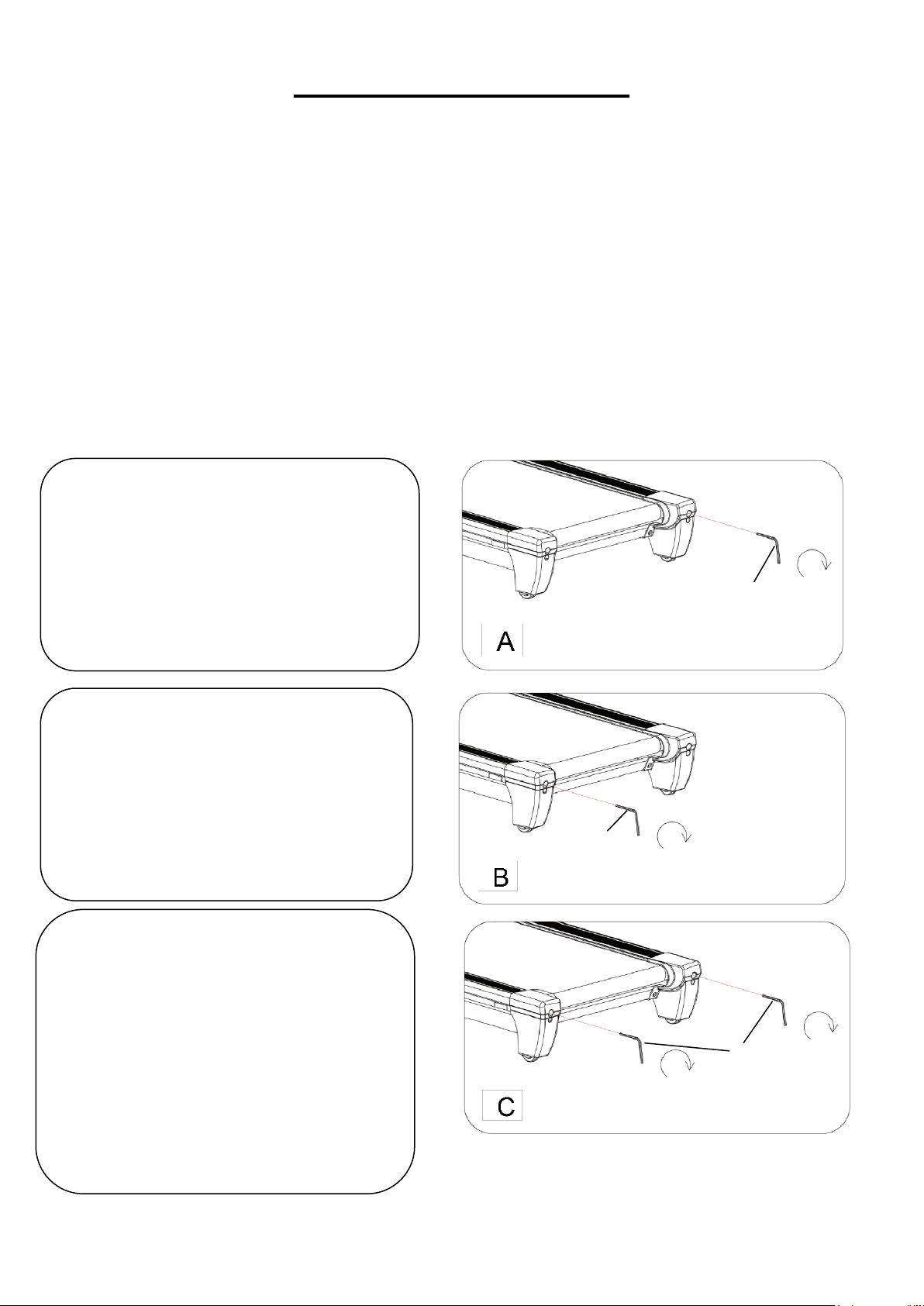
Place the treadmill on level ground and set it at 3.5-5 MPH to check and see if the Running Belt (No.
29) drifts from the center. Adjust the Running Belt (No. 29) according to below instructions with Allen
Wrench (No. 83)
1. If the Running Belt (No. 29) drifts to
the right, turn the adjusting bolt on the
right side ¼ turn clockwise, then turn the
left adjusting bolt ¼ turn counter-
clockwise. If the Running Belt (No. 29)
does not move, repeat this step until it
centers. Refer to image A.
2. If the Running Belt (No. 29) drifts to
the left, turn the adjusting bolt on the left
side ¼ turn clockwise, then turn the
right adjusting bolt ¼ turn counter-
clockwise. If the Running Belt (No. 29)
does not move, repeat this step until it
centers. Refer to image B.
3. Over time, the Running Belt (No. 29)
will loosen. To tighten the Running Belt
(No. 29), turn both the left & right side
adjusting bolts one full turn clockwise.
Check the tension of the Running Belt
(No. 29). Continue this process until
Running Belt (No. 29) is at the correct
tension. Make sure to adjust both sides
equally to ensure even alignment. Refer
to image C.
83
83
83
10
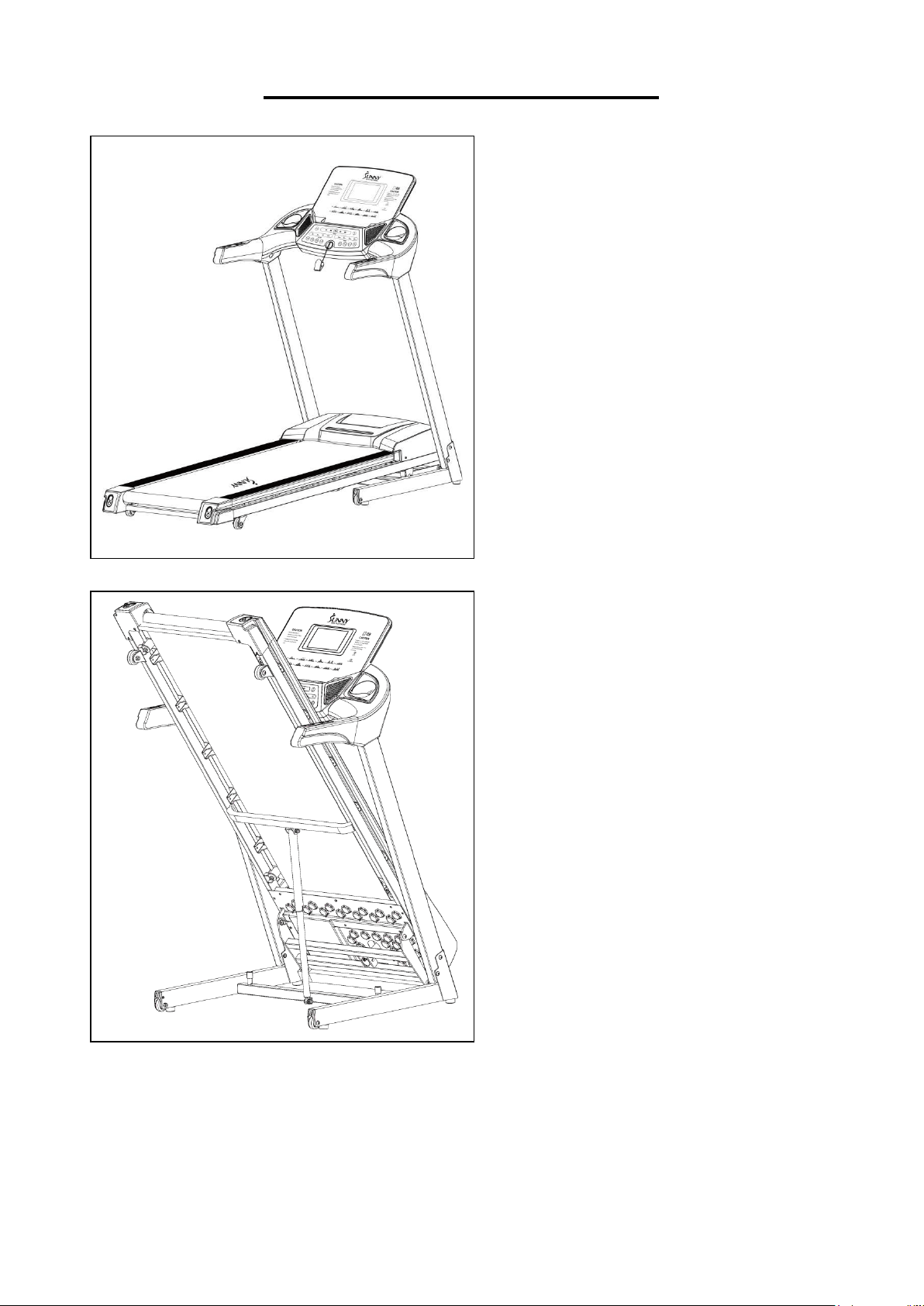
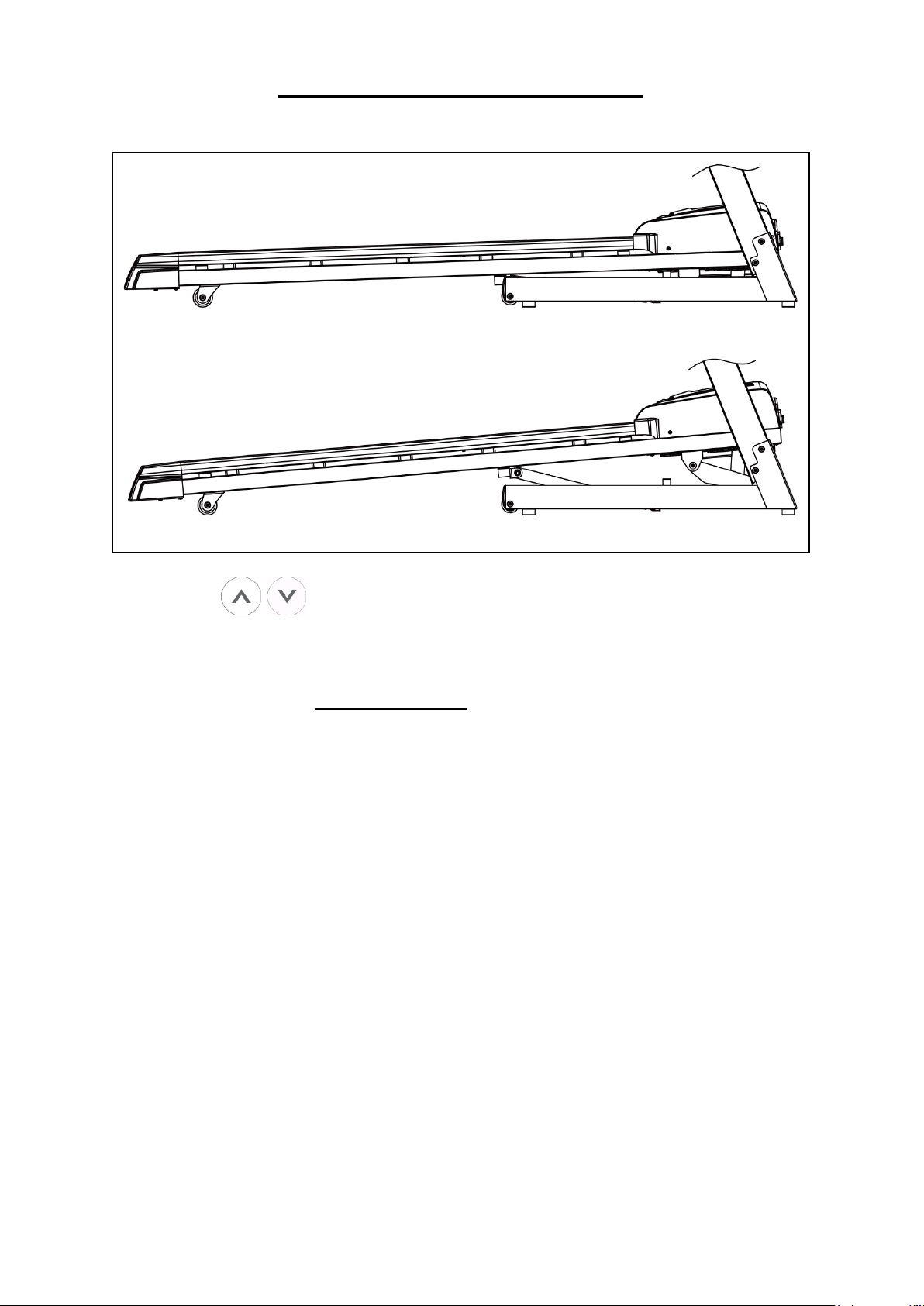
FOLDING INSTRUCTIONS
NOTE: Please make sure the incline is at
ZERO when folding and unfolding.
FOLDING:
To fold the treadmill, place your hands at the
end of the running board and lift the running
board all the way up until you hear the safety
lock ‘Click’ from the safety cylinder.
UNFOLDING:
To unfold the treadmill, simply give the safety
cylinder a light kick and pull down the
running board at the same time. With its soft
drop system, the treadmill will unfold slowly.
(Please keep everyone and all pets away
from the treadmill when unfolding the
treadmill).
11
INCLINE INSTRUCTIONS
Console Keys and + - INCLINE Handrail Keys are used to control the incline
level. Increase or decrease the incline level by pressing the incline buttons once per level or
holding an incline key down to skip through to the desired level.
INCLINE LEVELS
(0%) = 1.75°
(1%) = 1.90°
(2%) = 2.2°
(3%) = 2.5°
(4%) = 2.85°
(5%) = 3.15°
(6%) = 3.5°
(7%) = 3.75°
(8%) = 4.10°
(9%) = 4.40°
(10%) = 4.75°
(11%) = 5.05°
(12%) = 5.40°
(13%) = 5.70°
(14%) = 6.00°
(15%) = 6.25°
Quick 3%, 6%, 9%, 12% INCLINE Keys give you the ability to instantly program a specific
incline level with the push of a button.

12
HOW TO MOVE THE TREADMILL
Before attempting to move the treadmill,
make sure that it has been properly folded.
Then, unplug the power cord.
To tilt, start by placing one hand at position
"P" to support the top end of the treadmill.
Next, place one foot at position "K" to hold
the bottom end of the treadmill steady. With
your foot at "K", slowly tilt the top of the
treadmill downward towards the ground.
Once the main frame "P" reaches a low
enough point, the wheels of the treadmill will
touch the ground.
To transport, hold the treadmill from position
"P" and tilt until the wheel’s "K" are able to
move on the ground.
13
IMPORTANT ELECTRICAL INFORMATION
IMPORTANT NOTE: This treadmill requires a power source of 110 Volts in order to properly operate.
For your safety, as well as the safety of others, please verify that the power source is correct before
powering the equipment. Any power supply source above or below this level could cause significant
damage to the equipment and/or user.
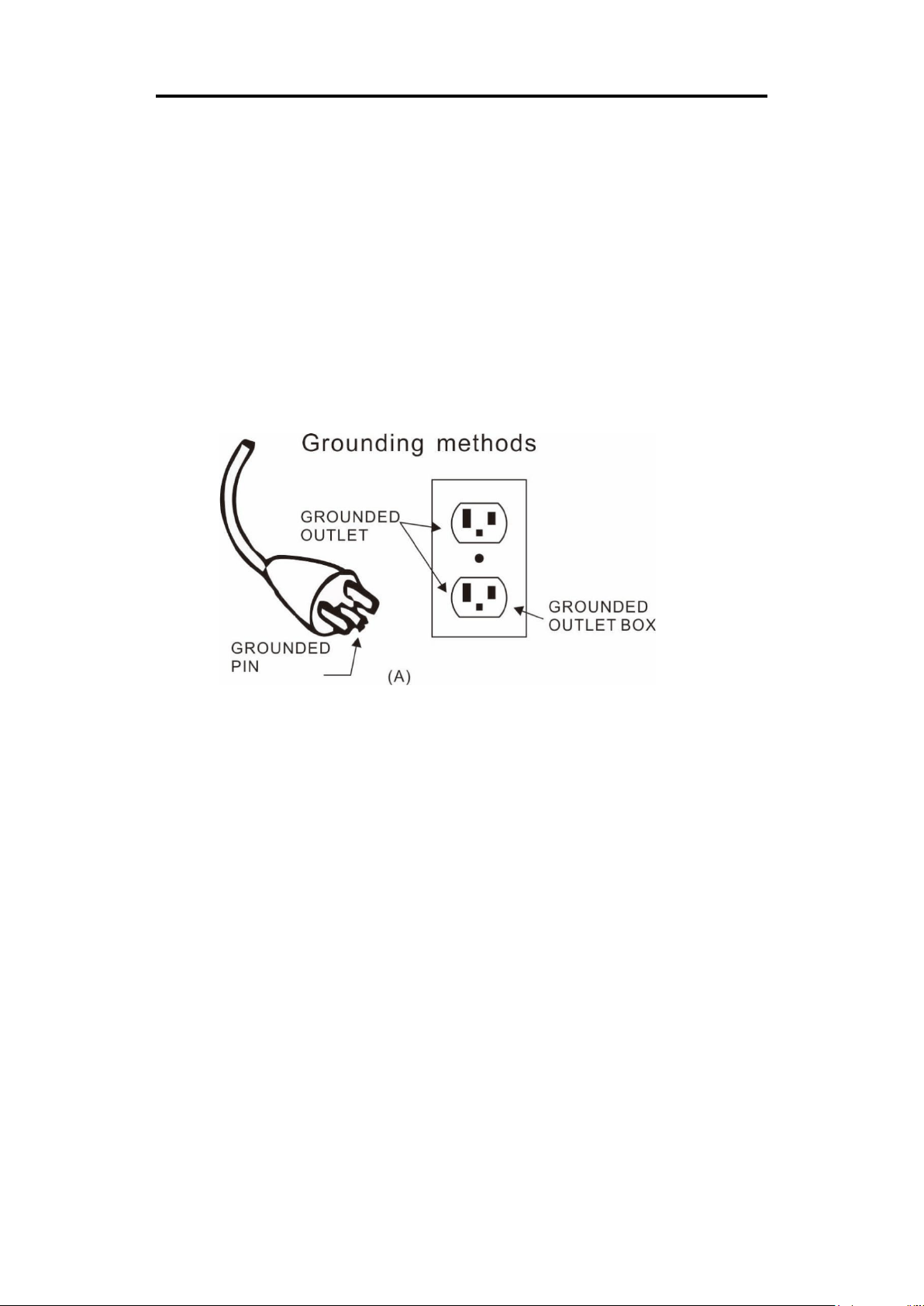
GROUNDING METHODS:
This product must be grounded. Should the treadmill malfunction or breakdown, grounding provides
a path of least resistance for electric current to reduce the risk of electric shock. This product is
equipped with a plug that has an equipment-grounding conductor and a grounding plug. The plug
must be plugged into an appropriate outlet that is properly installed and grounded in accordance
with all local codes and ordinances.
CAUTION:
Improper connection of the equipment can result in risk of electric shock. Check with a qualified
electrician or serviceman if you are unsure whether the product has been properly grounded. Do
not modify the plug provided with this product. If it will not fit the outlet, have a proper outlet installed
by a qualified electrician. Ensure that the product is connected to an outlet with the same
configuration as the plug. Do not use an adaptor for this product.
WARNING!
1. NEVER use a ground fault circuit interrupt (GFCI) outlet with this treadmill. Route the power cord
away from all moving parts of the treadmill, including the Air Pressure Cylinder and transportation
wheels.
2. NEVER operate the treadmill using a generator or UPS power supply.
3. NEVER remove any cover on this treadmill without first disconnecting the power cord.
4. NEVER expose the treadmill to rain or moisture. This treadmill is not designed for outdoor use
or use in any high humidity environment.
14
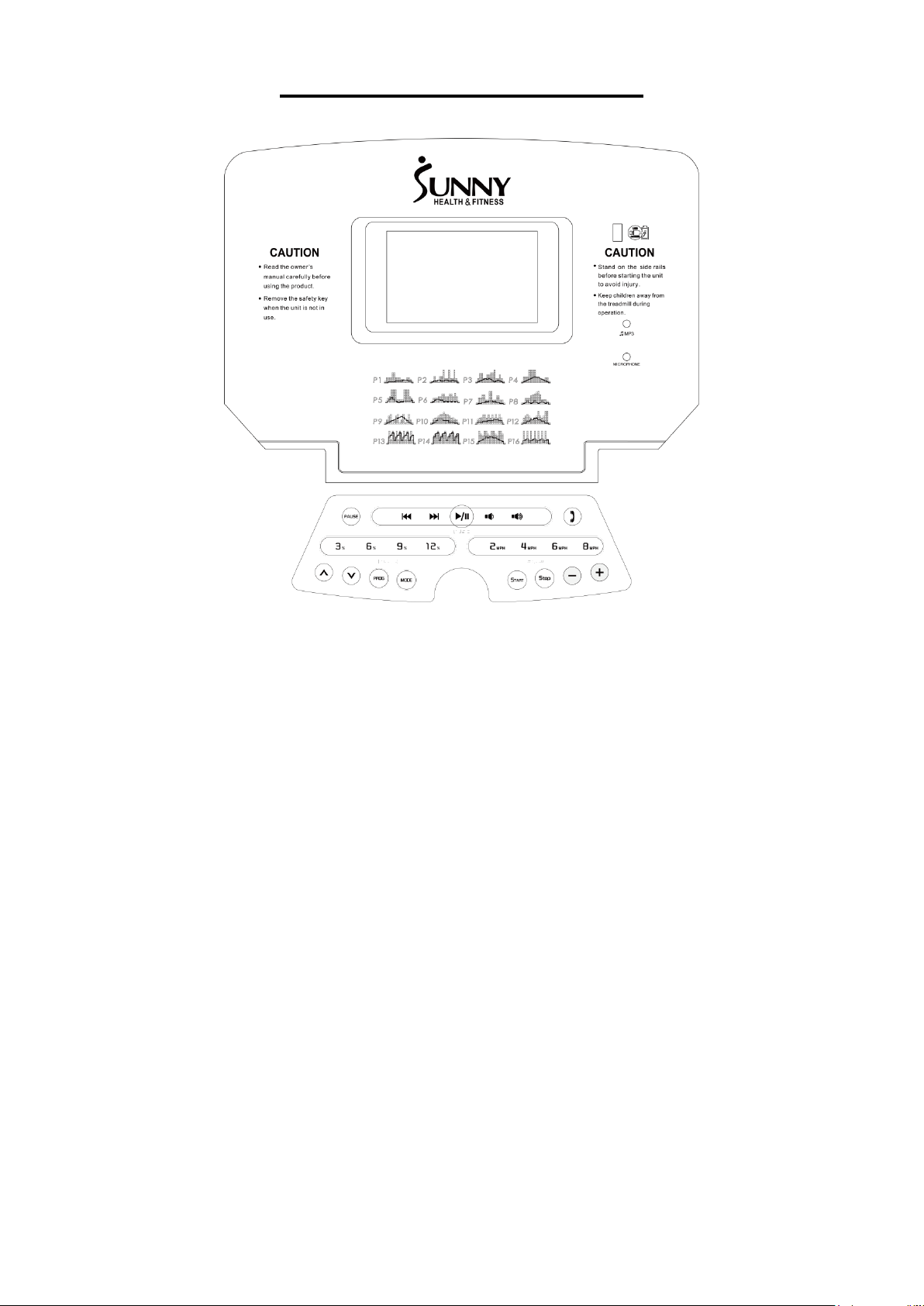
THE DISPLAY CONSOLE
WINDOW DISPLAY
The treadmill will start after a 3 seconds countdown.
1. PROGRAM: In addition to manual mode, there are 16 preset programs (P1-P16) and 3 user
programs (U1-U3).
2. SPEED: The speed range is 0.6MPH -10MPH. The initial default speed is 0.6MPH.
3. TIME: Displays the elapsed running time or countdown time (0:00~99:59 MIN). Once the time
has elapsed past 99:59 MINS, you may press the + key to reset it back to 0:00.
4. DISTANCE: Displays the total distance traveled or distance countdown (0.0-99.9 MILES).
5. CALORIES: Displays total calories burned or calories countdown (0.0-999 CAL).
6. INCLINE: Displays the current incline (0-15% INCLINE).
7. PULSE: Displays your pulse data when hands are placed on the sensors (50-200 BPM).
8. SAFETY KEY: The safety key lock acts as an emergency stop function. In case of emergency,
simply remove the Safety Key (No. 76) from the console and the console will beep twice and
bring the running belt to a complete stop.
FUNCTION KEYS/MANUAL MODE
1. START/STOP: Insert the Safety Key (No. 76) into the console and press START to start the
treadmill. The treadmill will initiate at the default running speed of 0.6MPH. Press STOP to bring the
running belt to a stop.

15
2. PAUSE: Press to pause your current workout session.
NOTE: Pressing STOP once will stop the treadmill. Current workout data is retained. You can press
START to continue the workout or press STOP again to clear current workout data.
3. SPEED +/- KEYS: During use, use these +/- keys to increase or decrease your speed. The speed
will adjust 0.1MPH at a time.
4. PROG (PROGRAM) BUTTON: Press the PROG button while the treadmill is not running to
manually cycle through and choose a program. Programs range from P1-P16, and 3 personalized
user programs U1-U3.
5. MODE: Press this button to choose which Countdown Mode to preset before starting the treadmill.
H-1 is the TIME Countdown, H-2 is the DISTANCE Countdown, and H-3 is the CALORIES
Countdown. Press the SPEED +/- keys to increase or decrease from the set data and/or press the
START button to start this exercise.
6. 2MPH, 4MPH, 6MPH, 8MPH (QUICK SPEED KEYS): Use these quick speed keys to instantly
bring the running belt to the desired speed of 2MPH, 4MPH, 6MPH or 8MPH.
7. 3%, 6%, 9%, 12% (QUICK INCLINE KEYS): Use these quick incline keys to instantly bring the
treadmill to an incline of 3%, 6%, 9%, or 12%.
8. USB CHARGER: Connect the USB input to charge your mobile device.
COUNTDOWN MODE
1. Press the MODE key to select H-1 (TIME), H-2 (DISTANCE), or H-3 (CALORIES) Countdown.
2. Set the desired TIME, DISTANCE, or CALORIES setting to countdown from.
3. Press START to begin this exercise.
H-1 (TIME): Countdown is set at the initial time setting of 30:00 MINS. You may increase or decrease
the set time by pressing the SPEED +/- keys. The TIME setting range is from 5:00-99:00 MINS.
H-2 (DISTANCE): Countdown is set at the initial distance setting of 1.0 MILES. You may increase or
decrease the set distance by pressing the SPEED +/- keys. The DISTANCE setting range is from
1.0-99.9 MILES.
H-3 (CALORIES): Countdown is set at the initial calories setting of 50 KCAL. You may increase or
decrease the set calories by pressing the SPEED +/- keys. The CALORIES setting range is from 20-
990 KCAL.
NOTE: Once completed with a Countdown Mode program, the treadmill will stop, then return to
Manual Mode.
16
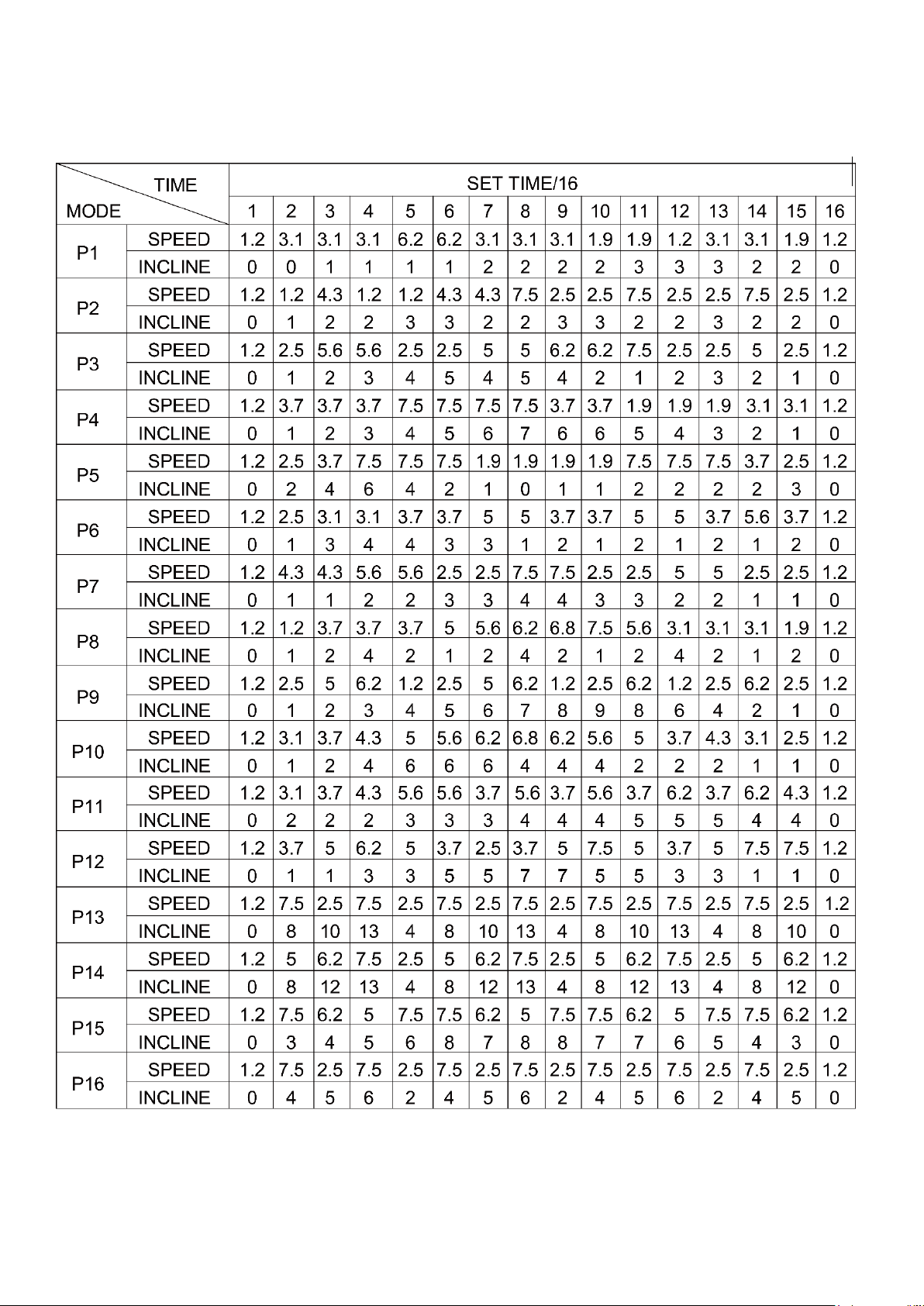
PROGRAMS
Each program is divided into 16 exercise segments in an equal time division.
17
USER PROGRAMS (U1-U3):
Each program is made up of 16 segments. User Programs allow you to personalize each segment
of your exercise program by programming each individual segment’s time duration, desired speed,
and incline.
To begin, press the PROG button to select U1, U2, or U3 then press MODE to enter the setting
mode and set the TIME of the 1
st
segment. Next, set the desired SPEED of the 1
st
segment by
pressing the SPEED +/- keys and set the INCLINE by pressing the INCLINE +/- keys. Press MODE
and your 1
st
segment is set.
The next workout segment will flash. Repeat the instructions above until you’ve completed
programming all 16 segments.
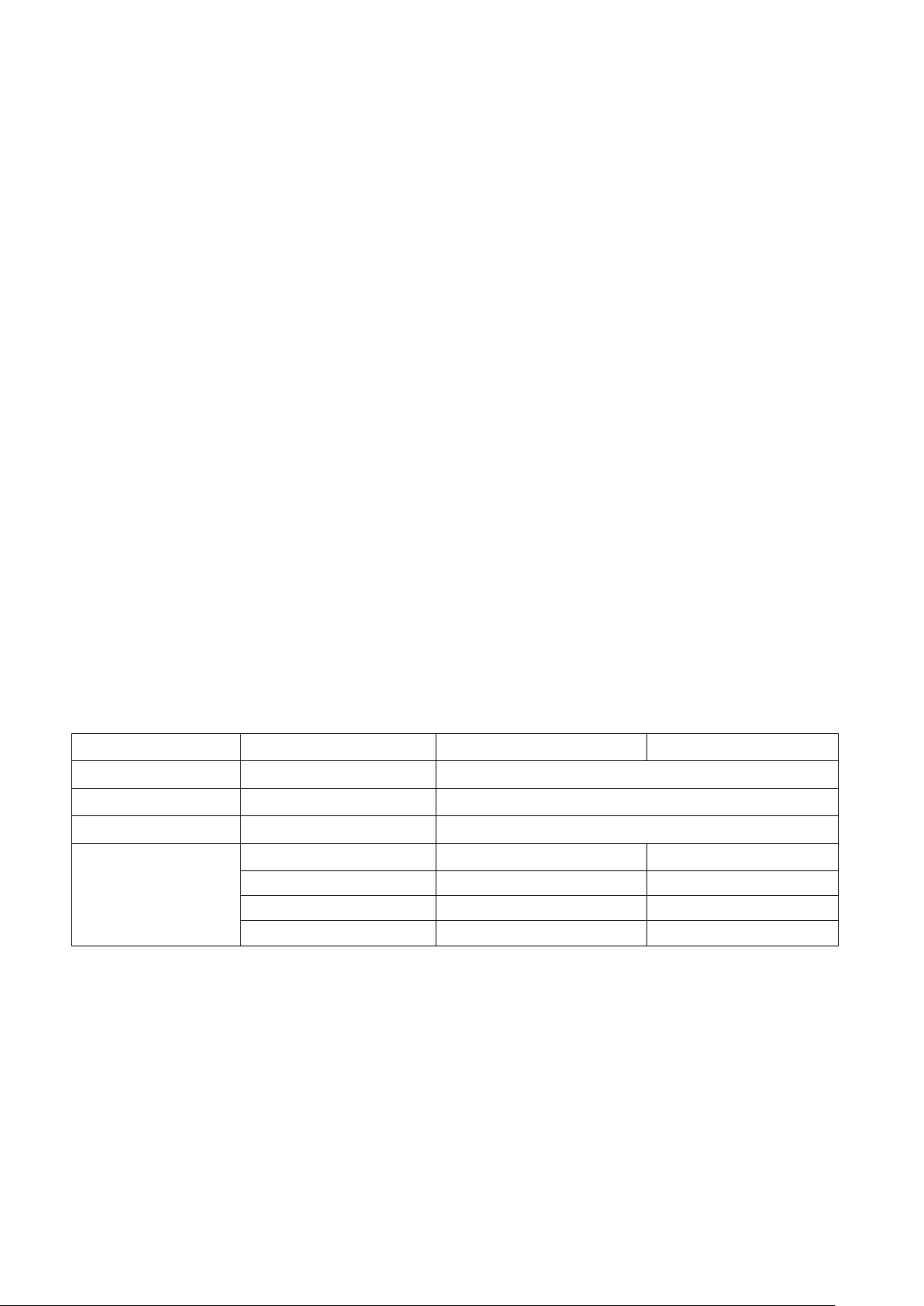
BODY MASS INDEX (BMI) CALCULATION:
Press the PROGRAM button until the window displays FAT. Press MODE to enter your (F-1) Gender
(F-2) Age (F-3) Height (F-4) Weight. Press the SPEED +/- keys to set the data accordingly. After
you’ve set up F-1~F-4, F-5 will display on the screen. Hold the handle pulse sensors and the BMI
calculator will display your BMI.
NOTE: Average Body Mass Index score is 20-25%
Underweight Below 19.0
Normal 20.0 – 25.0
Overweight 26.0 – 29.0
Obesity 30.0 – and above
BODY MASS INDEX CHART:
F-1
Sex
1 MALE
2 FEMALE
F-2
Age
10 to 99 YEARS OLD
F-3
Height
40----80 INCHES
F-4
Weight
44----330 LBS
F-5
BMI
≤19
Underweight
BMI
=(20---25)
Normal Weight
BMI
=(26---29)
Overweight
BMI
≥30
Obesity
18
BLUETOOTH INSTRUCTIONS
The SF-T7724 ENERGY FLEX MOTORIZED TREADMILL is designed to provide you with the most
efficient workout. Syncing your treadmill with Bluetooth would enable you to listen to your favorite
tunes on your music app from your treadmill. Don’t worry about getting distracted with a phone call
while on the treadmill. The SF-T7724 ENERGY FLEX MOTORIZED TREADMILL allows you to
answer your calls without having to interrupt your exercise!
NOTE: When syncing your treadmill with Bluetooth, please unplug the MP3 Wire (No. 77).
HOW TO SYNC TREADMILL TO BLUETOOTH:
1. From your mobile device, go to the main menu and open your SETTINGS.
2. From SETTINGS, turn on your Bluetooth and the found compatible devices should automatically
list.
3. Select the BLUETOOTH USER ID listed on your treadmill (e.g.T7724-000001)
4. You will hear a tone to indicate that your treadmill is now synced to your mobile device! You may
play music from your favorite music app and listen through your treadmill speakers.
MUSIC FUNCTIONS:
1. Press this button to PLAY or PAUSE the music.
2. For song selection, press these buttons to return to a previous song or skip to the next
song.
3. Press these buttons to decrease or increase the volume.
PHONE CALL FUNCTIONS:
1. When a phone call comes in, simply press the phone button once to answer the call. To
hang up, hold down the phone button.
NOTE: The music will automatically pause when a call comes in.
19
EXERCISE INSTRUCTIONS
GETTING STARTED:
Before starting any exercise programs, you should consult your physician to determine if you have any
medical or physical conditions that could put your health and safety at risk or prevent you from using
the treadmill properly. Be aware of your body’s signals. Incorrect or excessive exercise can damage
your health. Stop exercising immediately if you experience any of the following symptoms: pain,
tightness in your chest, irregular heartbeat, extreme shortness of breath, lightheadedness, dizziness,
or feelings of nausea.
Turn on the power switch located next to the power cord. Get to know your treadmill. Before attempting
to use the treadmill, take some time to stand alongside it and familiarize yourself with the controls. Once
you feel comfortable to get on, you can stand with your feet on the foot rails and balance yourself by
putting your hands on the handrails.
Next, attach the clip end of the Safety Key (No. 76) to your clothing and insert the magnetic end of the
key into the console. Press the START button to start the treadmill. The treadmill will start at the default
speed of 0.6 MPH. Once you feel comfortable, you may slowly increase the speed. When you are
finished with your exercise, press the STOP button or remove the magnetic end of Safety Key (No. 76)
to stop the treadmill.
SAFETY LOCK:
Remove the Safety Key (No. 76) from the console to stop the treadmill immediately. Once the treadmill
reaches a full stop, the window display on the console will show “---“ and the treadmill will beep. To start
the treadmill again, insert the magnetic end of Safety Key (No. 76) into the console and press START.
POWER SAVE FUNCTION:
Once the treadmill has been inactive for 10 minutes, it will adjust to Power Saving Mode. When the
treadmill is in Power Saving Mode, the window display on the console will shut off. To reactivate, press
any key.
POWER OFF:
Power to the treadmill can be turned off at any time without risk during or after an exercise.
CAUTION!
1. We recommend that you maintain a slow speed at the beginning of a session and hold the handrails
until you become comfortable and familiar with the treadmill.
2. Insert the magnetic end of the safety key into the console and attach the opposite end with the safety
clip to your clothing before beginning your workout. To end your workout, press the STOP button or
remove the safety key. The treadmill will stop immediately.
20
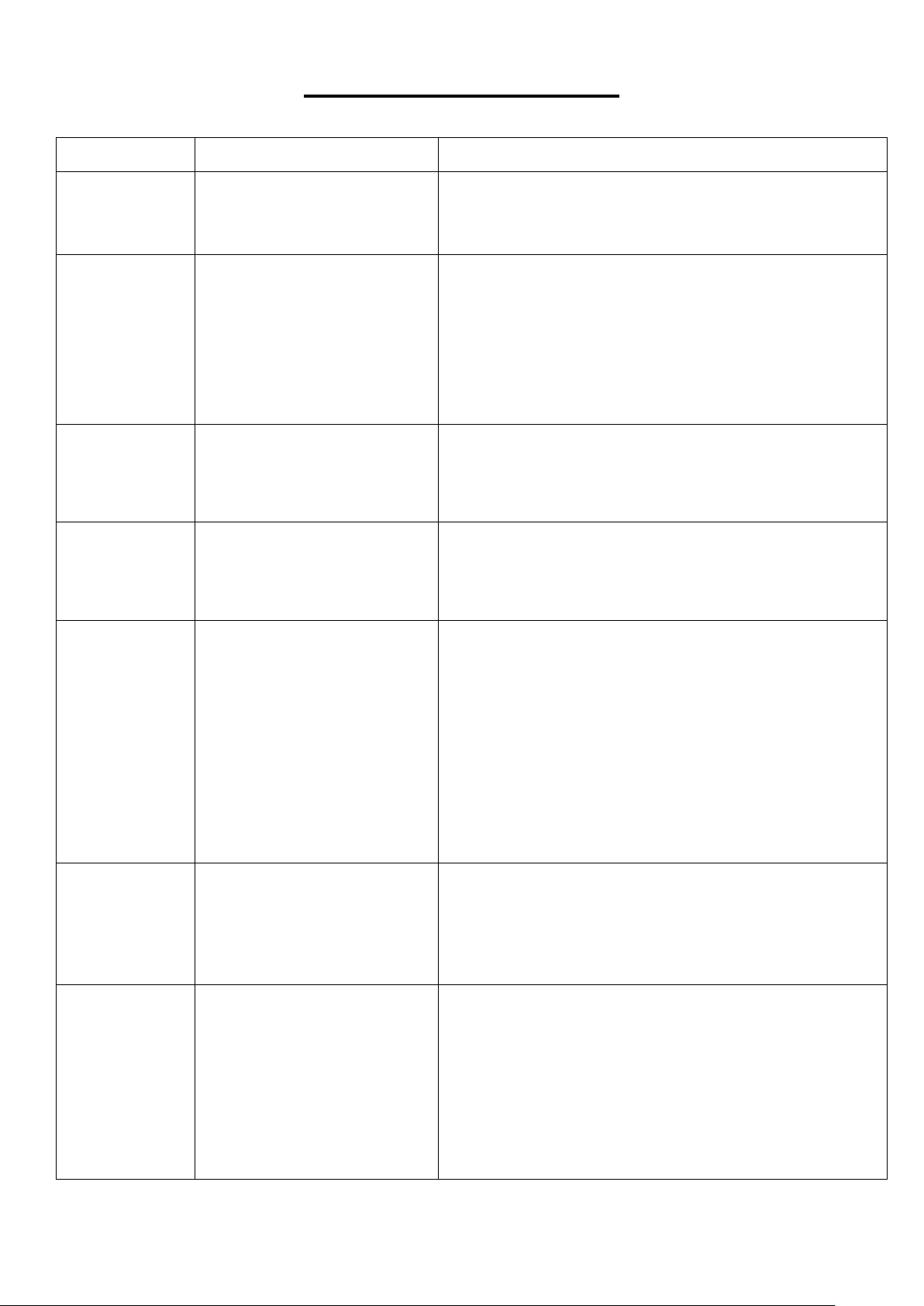
TROUBLESHOOTING
Code
Description
How to Troubleshoot
-----
Safety key fault.
1. Insert the safety key properly.
2. Replace the safety key sensor or safety key. If
there is still a problem, replace the console.
E01
Communication
abnormality: no
communication from the
console to the control
board.
Possible Reasons: Communication obstructed
between control board and console, please check to
make sure the wires are connected properly, and the
wires are without any punctures or damage.
If this does not resolve the issue, check the control
board and PCB IC to see if there’s any damage.
Replace if necessary.
E02
Motor fault or control board
fault.
1. Check if the motor wire is well connected.
Reconnect the wire and restart.
2. Check the motor or the control board for any
damage. Replace if necessary.
E04
Incline failure: the incline
wire is damaged or the wire
for the incline motor is not
properly connected.
Check incline motor sensor wire and AC wire to see
if they are properly connected. Make sure the incline
motor wire does not have any punctures or damage.
E05
Current overload
protection.
Possible Reasons: Excessive current load, the
incoming voltage is too low or too high. The control
board is damaged. A moving part of the treadmill is
stuck, and the motor is unable to function properly.
Try to restart the treadmill. Also, check if there’s any
burnt odors around the motor and control board.
Make sure the power and voltage comply with the
standard.
Inspect moving parts to ensure they are operating
correctly. Listen for unfamiliar noises from the motor.
E06
Burst clash protection.
Possible Reasons: The power voltage is less than
normal by 50% or the controller has problems. Make
sure the motor wires are connected. Check the
control board for any damage or burnt odors.
Replace if necessary.
No display in
console
Control board abnormality.
1. Check if the overload button switch is off, if so,
press it to turn it on.
2. Check the wire on the power switch, overload
button, and control board to see if it is connected
properly.
3. Check the console wires and all cables between
the console and control board.
4. Check the transformer and replace if necessary.
Version 1.2

21