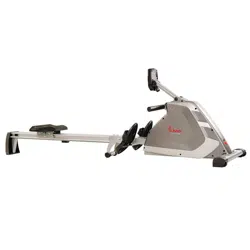
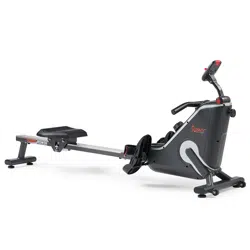
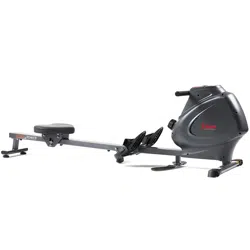
We value your experience using Sunny Health and Fitness products. For assistance with parts or troubleshooting, please contact us at [email protected] or 1-877-90SUNNY (877-907-8669).
STEP 1:
Remove the 2 Bolts (No. 67) and 2 Plastic Washers (No. 68) from Main Frame (No. 1) using Allen Wrench (No. 73).
You may save these Bolts (No. 67), Plastic Washers (No. 68) and Fixing Plate (No. 75) in case you’d like to repackage and transport this rower in the future.
STEP 2:
Attach the Front Stabilizer (No. 3) to the Main Frame (No. 1) using 2 Nuts (No. 31) and 2 Washers (No. 7). Tighten and secure with Spanner (No. 74).
STEP 3:
Insert 2 Bolts (No. 28) through the Left & Right Pedals (No. 29L/R) into the upper hole at position A of the Main Frame (No. 1). Tighten with Spanner (No. 74).
Insert 2 Bolts (No. 28) into the bottom hole at position B of the Main Frame (No. 1). Tighten with Spanner (No. 74).
NOTE: The Left & Right Pedals (No. 29L/R) should rest on the bottom Bolts (No. 28) at position B.
STEP 4:
Slide the Seat (No. 6) into the Sliding Rail (No. 2).
Attach 1 Limit Mat (No. 26) onto the Sliding Rail (No. 2) using 1 Screw (No. 27), then tighten with Spanner (No. 76).
STEP 5:
Attach the Rear Stabilizer (No. 4) to the Sliding Rail (No. 2) using 4 Bolts (No. 21) and 4 Washers (No. 7). Tighten and secure with Allen Wrench (No. 73).
STEP 6:
Attach the Sliding Rail (No. 2) to the Main Frame (No. 1) by securing 2 Bolts (No. 9) and 2 Washers (No. 7) onto the left and right sides of the Main Frame (No. 1). Don’t tighten the Bolts (No. 9) now.
Secure 4 Bolts (No. 9) and 4 Washers (No. 7) to the bottom of the Main Frame (No. 1).Tighten all the 6 Bolts (No. 9) with Allen Wrench (No. 73) now.
The assembly is complete!
ADJUSTMENTS & USAGE GUIDE
CAUTION! Moving parts, such as the seat, can cut and crush. Keep hands clear of the sliding rail during use!
PEDAL STRAP ADJUSTMENT
The pedal strap is adjustable and can be personalized to fit the user’s foot size.
MOVING THE ROWER
To move the rower, lift the Rear Stabilizer (No. 4) up until the Transportation Wheels (No. 33) on the front stabilizer touch the ground. With the Transportation Wheels (No. 33) on the ground, you can transport the rower to the desired location with ease.
ADJUSTING THE BALANCE AND RESISTANCE
Adjust the Foot Pads (No. 24) on the Rear Stabilizer (No. 4) of the rower if the rower is unbalanced during use.
Turn the Tension Control Knob (No. 41) clockwise to increase the level of resistance.
Turn the Tension Control Knob (No. 41)counter-clockwise to decrease the level of resistance.
Tension levels are set at Level 1 being the lowest and Level 16 being the highest.
BATTERY INSTALLATION & REPLACEMENT
BATTERY INSTALLATION:
Press the buckle on the bottom of Computer (No. 69), then remove Computer (No. 69) from Main Frame (No. 1). Then open the velcro above the battery case on the back of the Computer (No. 69).
Take out 2pcs AAA batteries from the manual bag. Install the 2pcs AAA batteries into the battery case on the back of the Computer (No. 69), then cover with the velcro. Press the buckle on the bottom of Computer (No. 69) and put the Computer (No. 69) back onto the Main Frame (No. 1). Pay attention to the battery + and – poles before installing.
The installation is complete!
BATTERY REPLACEMENT:
Press the buckle on the bottom of Computer (No. 69), then remove Computer (No. 69) from Main Frame (No. 1). Then open the velcro above the battery case on the back of the Computer (No. 69).
Take out the 2pcs old AAA batteries from the battery case and install 2pcs new AAA batteries into the battery case on the back of the Computer (No. 69), then cover with the velcro. Press the buckle on the bottom of Computer (No. 69) and put the Computer (No. 69) back onto the Main Frame (No. 1). Pay attention to the battery + and – poles before installing.
The replacement is complete!
NOTE: Always change both batteries at the same time. Do not mix battery types and do not mix old and new batteries. Dispose batteries according to your state and regional guidelines.
STORAGE GUIDE
EXERCISE COMPUTER
FUNCTION KEYS:
MODE: To select your specification mode and/or turn on computer.
SET: To set a value of Time, Count, or Calories (when not in Scan mode).
RESET: Press to reset Time, Count, or Calories. Press and hold for about 3 seconds to reset all values, except Total Count.
FUNCTIONS AND OPERATIONS:
AUTO ON/OFF: The power will turn off automatically once there is no signal for 4 minutes. The computer will reactivate once the machine is put into motion or when a computer button is pressed.
SCAN: Press MODE button until SCAN appears. The computer will rotate through the four functions in the following order: TIME, COUNT, TOTAL COUNT, and CALORIES. Each function will be held for 6 seconds.
TIME: Counts the total time elapsed during your current workout.
COUNT (CNT): Counts the number of rowing strokes from your current workout.
TOTAL COUNT (TOTAL CNT): Counts the total amount of strokes from the first use.
CALORIES (CAL): Counts the total calories burned from current workout.
COUNTDOWN:
You can set the value of Time, Count or Calories to countdown.
Press MODE to select a function. Make sure you are not in SCAN mode.
Press SET to select a value you want. You can press RESET to clear the value.
When the display stops flashing, start rowing and the machine will start to countdown.
BATTERY: This computer uses two AAA batteries. If the display appears incorrectly or becomes difficult to read, please install new batteries. Always change both batteries at the same time. Do not mix battery types and do not mix old and new batteries. Dispose batteries according to your state and regional guidelines.
Magnetic resistance uses magnets to add resistance. When resistance is added, the magnets are drawn closer to the flywheel. This allows for a smooth and quiet rowing experience
Yes! This rowing machine is lightweight and compact making it easy to store away when not in use. Simply tilt up for upright storage.
#5 Does the rower provide feedback during my rowing session?
The digital monitor helps track time, count, total count, and calories. With a convenient scan mode, continuously cycle through all features to keep up with your progress!