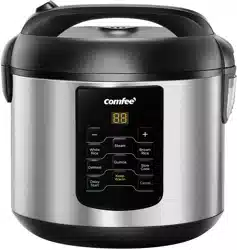
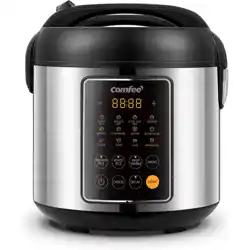
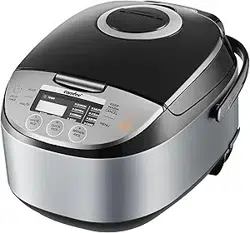
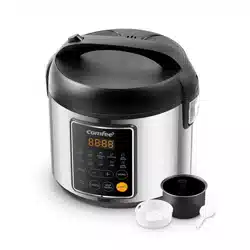
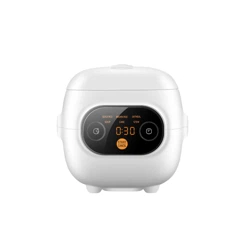
Use Manual Cooker
PARTS AND FEATURES
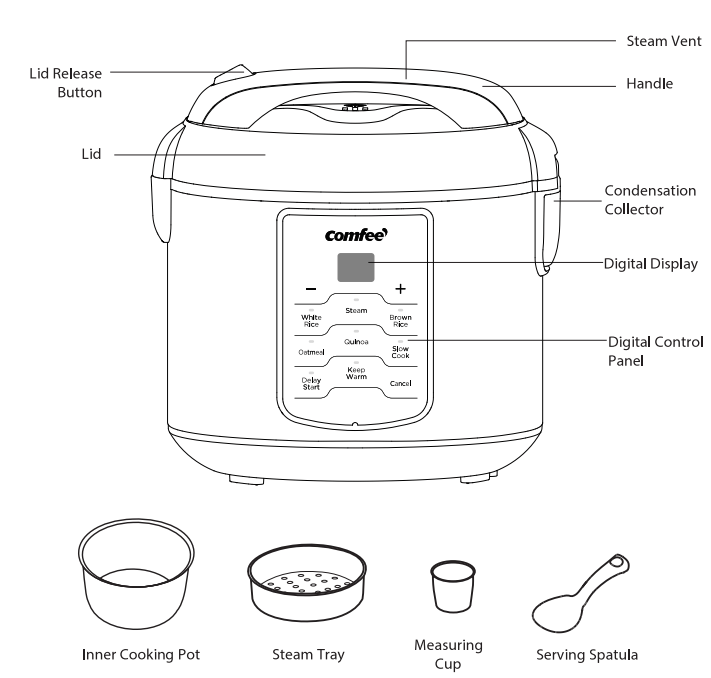
Functions Review
 Keep Warm
Under the standby mode, "Keep Warm" button to start the temperature preservation program. Under the "White Rice", "Brown Rice", "Oatmeal" "Quinoa", "Steam", and "Slow Cook" mode, Keep Warm mode begins automatically at the end of each cooking program.
 Delay Start
The Delay Start button allows rice to be ready when needed. Come home to delicious rice ready to eat!
 White Rice
Press the White Rice button. The White Rice light illuminates and remains lit during the cooking process. When cooking is completed, the rice cooker automatically enters Keep Warm mode.
 Brown Rice
This button is ideal for cooking brown rice and other tough-to-cook whole grains to perfection.
 Oatmeal
Makes a quick and healthy breakfast with no need to stir.
 Quinoa
Makes fiber and protein-filled grains for a nutritious meal.
 Steam
Steam
The "Steam" button is perfect for healthy sides and main courses.Press the Steam button. The Steam light illuminates and the digital display shows the suggested cooking time.
 Slow Cook
The Slow Cook button sets for 1-12 hours for perfectly cooked soups and stews.
 Cancel
Cancel the working function at anytime.
 “ - ”
“ - ”
This button is used to decrease the Delay Start, and the cooking time of the "Steam" and "Slow Cook" function.
 “ + ”
“ + ”
This button is used to increase the Delay Start, and the cooking time of the "Steam" and "Slow Cook" function.
Operating Instructions
Before first use
- Read all instructions and important safeguards.
- Remove all packaging materials and check that all items have been received in good condition.
- Keep plastic bags away from children as they can pose a risk to children. Dispose of properly.
- Wash steam vent and all other accessories in warm, soapy water. Rinse and dry thoroughly.
- Wipe body clean with a damp cloth.
Standby Mode
After turning-on, the rice cooker will be in a standby mode, "--" icon will appear on the digital screen.
Delay Mode
The Delay Timer delays the start of cooking programs. The start of the cooking process can be delayed for 1 to 15 hours for White Rice and Oatmeal, and 2 to 15 hours for Brown Rice.
IMPORTANT
- To maintain the quality of the rice, it is recommended that you not set the delay timer for longer than 12 hours.
- Place the ingredients in the cooking pot, place the pot in the rice cooker and close the lid.
- Select the desired cooking program, this function is valid only for White Rice, Brown Rice and Oatmeal.
- Press the Delay Start button. The Delay Start display will illuminate and one digit (hours) will flash.
- Press the + and - buttons to set the desired number of hours.
- Defaultly, the function will automatically enter the Keep Warm mode once cooking is finished. If you don‘t need to enter the keep warm mode, press the ’Keep Warm’ button, and the ’Keep Warm’ light will go off.
- After 6 seconds, the countdown timer will start and the cooking process will finish when the delay is finished.
- Once cooking is finished, the cooker will beep and automatically switch to keep warm if the“Keep Warm” light is on.
- For better results, stir the rice with the serving spatula to distribute any remaining moisture
White Rice
Cooking Time: Approximately 60 minutes
1. Press the White Rice button. The White Rice light illuminates.
2. Defaultly, the function will automatically enter the Keep Warm mode once cooking is finished. If you don‘t need to enter the keep warm mode, press the ‘Keep Warm’ button, and the ‘Keep Warm’ light will go off.
3. After 6 seconds, the Digital Display shows scrolling led lights.
- The White Rice light remains lit during the cooking process.
4. When cooking is completed, the rice cooker will beep and automatically switch to keep warm if the ‘Keep Warm’ light is on.
- The cooking will countdown the final 6 minutes of cook time.
5. For better results, stir the white rice with the serving spatula to distribute any remaining moisture.
Brown Rice
Cooking Time: Approximately 70 minutes
1. Press the Brown Rice button. The Brown Rice light illuminates.
2. Defaultly, the function will automatically enter the Keep Warm mode once cooking is finished. If you don‘t need to enter the keep warm mode, press the ‘Keep Warm’ button, and the ‘Keep Warm’ light will go off.
7. After 6 seconds, the Digital Display shows scrolling led lights.
- The Brown Rice light remains lit during the cooking process.
4. When cooking is completed, the rice cooker will beep and automatically switch to keep warm if the ‘Keep Warm’ light is on.
- The cooking will countdown the final 10 minutes of cook time.
5. Press the lid release button to open the lid, and then stir well before serving.
Oatmeal
Cooking Time: Approximately 30 minutes
1. Press the Oatmeal button. The Oatmeal light illuminates.
2. Defaultly, the function will automatically enter the Keep Warm mode once cooking is finished. If you don’t need to enter the keep warm mode, press the ‘Keep Warm’ button, and the ‘Keep Warm’ light will go off.
3. After 6 seconds. The countdown timer begins.
- The Oatmeal light remains lit during the cooking process.
- Using caution: To avoid escaping steam, open the lid and stir occasionally with a long-handled wooden spoon.
4. When cooking is completed, the cooker will automatically switch to keep warm if the ‘Keep Warm’ light is on.
Quinoa
1. Using the provided measuring cup, add quinoa to the inner pot.
2. Rinse and Drain rice to remove excess starch.
3. Fill with water to the line which matches the number of cups of quinoa being cooked.
4. Place the inner pot into the cooker.
5. Close the lid securely.
6. Plug the power cord into an available 120V AC wall outlet.
7. Press Quinoa, press ‘Keep Warm’, if don’t need temperature preservation once cooking is finished.
- After 6 seconds, the cooker will now begin cooking.
- The cooking indicator light will illuminate and the Digital Display shows scrolling led light.
8. The cooking will countdown the final 12 minutes of cook time.
9. Once cooking is finished, the cooker will beep and automatically switch to keep warm mode.
10. For better results, stir the quinoa with the serving spatula to distribute any remaining moisture.
Slow Cook
Default cooking Time: 120 minutes
1. Press the Slow Cook button. The Slow Cook light illuminates and the digital display shows the suggested cooking time.
2. The cooking time can be adjusted if necessary. To adjust the cooking time:
- Press the + button to add time, press the - button to subtract time.
3. After 6 seconds. The countdown timer begins.
- The Slow Cook light remains lit during the cooking process.
4. When cooking is completed, the rice cooker automatically enters Keep Warm mode.
5. Open the lid to check food for doneness. If fully cooked, remove food for serving
Steam
Default cooking Time: 5 minutes
NOTE: The rice cooker comes with a steamer accessory and can be used to steam foods.
1.Place water in cooking pot.
2. Place cooking pot in the rice cooker.
3. Place ingredients in the steamer basket and place basket in cooking pot.
4. Close the lid of the rice cooker.
5. Press the Steam button. The Steam light illuminates and the digital display shows the suggested cooking time.
6. The cooking time can be adjusted if necessary. To adjust the cooking time:
- Press the + button to add time, press the - button to subtract time.
7. After 6 seconds. The countdown timer begins.
- The Steam light remains lit during the cooking process.
8. When cooking is completed, the rice cooker automatically enters Keep Warm mode.
9. The display time begins to decrease when it starts to boil
Cancel
Stop the working function back to standy mode at anytime.
-
- Decrease the steaming time by one minute from 30 minutes to 5 minute.
- Decrease the Slow Cook time by hour from 12 hours up to 1 hours.
- Decrease the delay time of “White Rice”, “Brown Rice” and “Oatmeal” in 1 hour increments.
+
- Increase the steaming time by one minute from 5 minute to 30 minutes.
- Increase the Slow Cook time by hour from 1 hour up to 12 hours.
- Increase the delay time of “White Rice”,“Brown Rice”and “Oatmeal” in 1 hour increments.
CLEANING
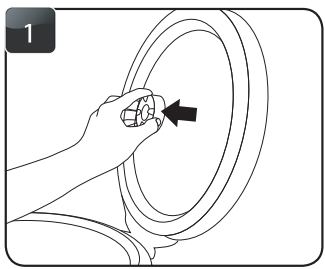
Remove the steam vent.
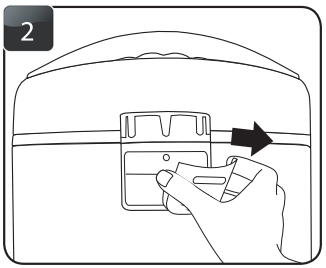
Remove the condensation collector.
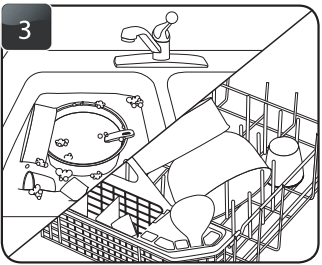
Handwash the inner cooking pot and all accessories or wash them in the dishwasher.
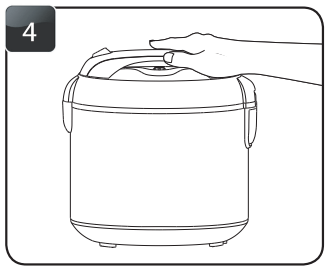
Wipe rice cooker body clean with a damp cloth.
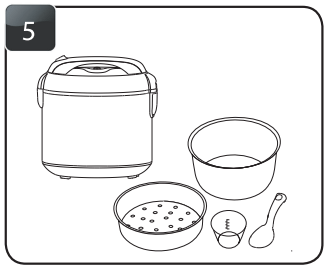
Thoroughly dry rice cooker body and all accessories.
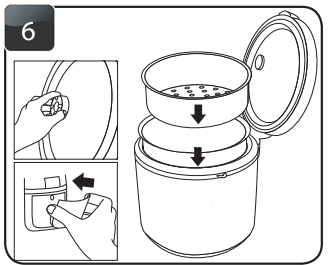
Reassemble for next use.
TROUBLESHOOTING
Before calling for service, review the following tips. It may save you time and money. This list includes common occurrences that are not the result of poor work-manship or defective materials.
Any other servicing should be performed by an authorized service represen�tative.
- Rice is too dry/hard after cooking
- If your rice is dry or hard/chewy when the rice cooker switches to Keep-Warm, additional water and cooking time will soften the rice. Depending on how dry your riceis, add 1/2 to 1 cup of water and stir through. Close the lid and press the White Rice button. When rice cooker switches to Keep-Warm, open the lid and stir the rice to check the consistency. Repeat as necessary until rice is soft and moist.
- Rice is too moist/soggy after cooking
- If your rice is still too moist or soggywhen the rice cooker switches to Keep-Warm, use the serving spatula to stir the rice. This will redistribute the bottom (moistest) part of the rice as well as release excess mois�ture. Close the lid and allow to remain on Keep-Warm for 10-30 minutes as needed, opening the lid and stirring periodically to release excess moisture.
- The bottom layer of rice is browned/ caramelized
- The bottom layer of cooked rice may become slightly browned and/or caramelized during cooking. To reduce browning, rice should be rinsed before cooking to remove any excess starch. Stirring rice once it switches to Keep-Warm will also help to reduce browning/caramelizing.