User Manual
CM-EF-EOS R
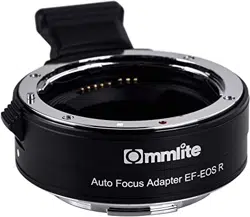
Electronic AF Lens Mount Adapter from Canon EF/EF-S
Lens to Canon EOS R RF-Mount Full-frame Camera
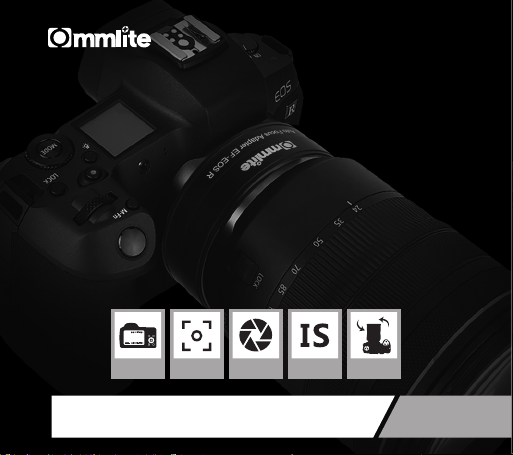
EXIF
Transmitting
Support
Auto-focus
Electronic
Aperture Control
IS
Function
EF-EOS R
Adapter


Description
Commlite new Electronic AF Lens Mount Adapter from Canon EF/EF-S Lens to
Canon EOS R RF-Mount Full-frame Camera can achieve multiple functions as:
EXIF INFO. Transmitting Function; Auto Focus; Electronic Aperture Control;
Built-in IS Stabilization Function,etc. Besides, All-aluminium alloy manufacturing,
Stable and Durable. CM-EF-EOS R will definitely bring more professional
shooting experience to you.
Before usage of the adapter, please ensure the adapter is compatible with your
camera and lens. In order to avoid the damage of product caused by incorrect
use, please carefully read the user manual to be familiar with and master the
operating steps. Be sure to keep your user manual for further reading.
1

Notice
Main Features
1. Support EXIF INFO. Transmitting
2. Support Auto-focus Function
3. Electronic Aperture Control
4. Support IS Image Stabilization Function
5. Gold-plated Contact, Detachable1/4 tripod foot
6. Made of Aluminium Alloy, Powerful and Stable
1. After installing EF-EOS R, please set the lens to AF mode if the AF
function is required;
2. Please hold your camera tightly, during your moving shooting when your
lens is heavier than the camera;
3. For some incompatible camera and lens, one can try to use the adapter
as the manual adapter; During the usage,while it shows prompt like
‘Incorrect installation of lens’ , please set the menu mode to 'Release
Shutter without Lens' or 'Shutter Priority';
2
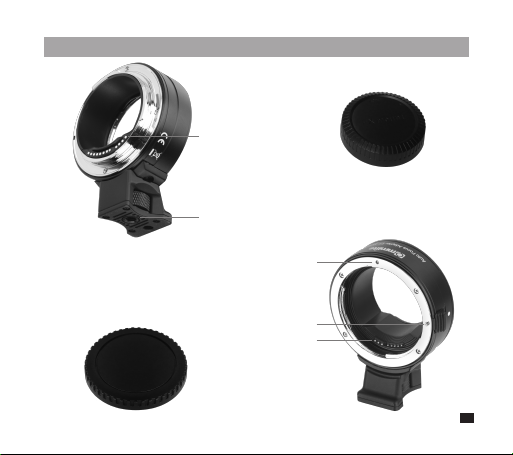
Components
Lens Connecting Side
Camera Connecting Side
Camera Connecting Side Cap
Lens Connecting Side Cap
Lens Mounting Mark
Metal Signal Contact
Metal Signal Contact
1/4 Screw Base Plate
Lens Release Button
3
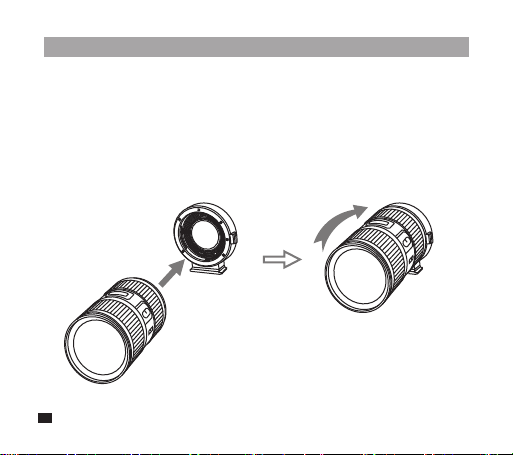
Assemble and Disassemble
1. Assemble
Step1. Connect EF/EF-S Lens to RF-mount adapter
Refer to the illustration, press down the “ Lens Release Button ” of the
adapter, align the red mark on the EF/EF-S lens to the corresponding
mark on the adapter, and turn clockwise until tightened
4

Step2. Connect the mount adapter to RF-Mount camera
Refer to the illustration, press down the “ Lens Release Button ” of the
RF-Mount Camera, and turn clockwise until tightened
5
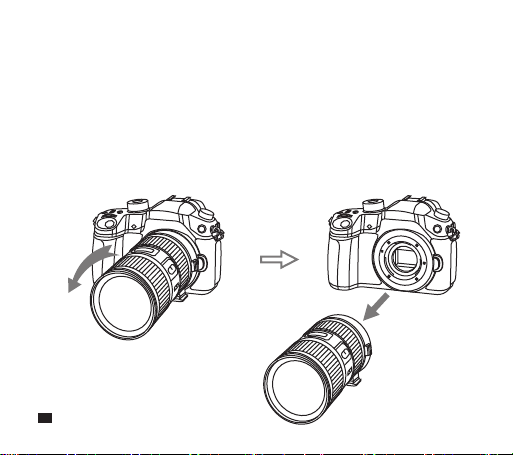
2. Disassemble
Step1. Turn off the power of camera, then take off the mount adapter
connected with EF/EF-S lens from RF-Mount camera
Refer to the illustration, press down the “ Lens Release Button ” of the
RF-Mount Camera, turn the adapter counterclockwise which is
connected with EF/EF-S lens until it can be easily taken off.
6
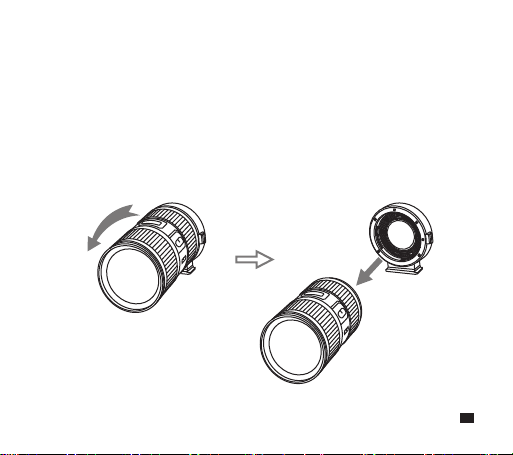
Step2. Turn off the EF/EF-S lens from the mount adapter
Refer to the illustration, press down the “ Lens Release Button ” of the
adapter, turn your lens counterclockwise until it can be easily taken off
7
Specification
Compatible Lens
Compatible Camera
Front Installation
Back Installation
Camera-Mount Outer Diameter
Lens-Mount Outer Diameter
Length
Net Weight
EF/EF-S Series Lens (For specific
compatible camera models, please enter our
official website to view the compatibility table)
Canon RF-Mount Camera(For specific
compatible camera models, please enter our
official website to view the compatibility table)
EF/EF-S Series Lens
Canon RF-Mount Camera Body
50mm
65mm
29mm
175g
8