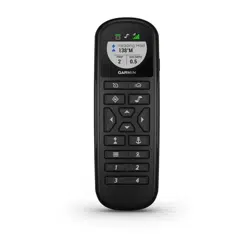
FORCE
®
TROLLING MOTOR REMOTE CONTROL
REPLACEMENT INSTRUCTIONS
Installing Batteries
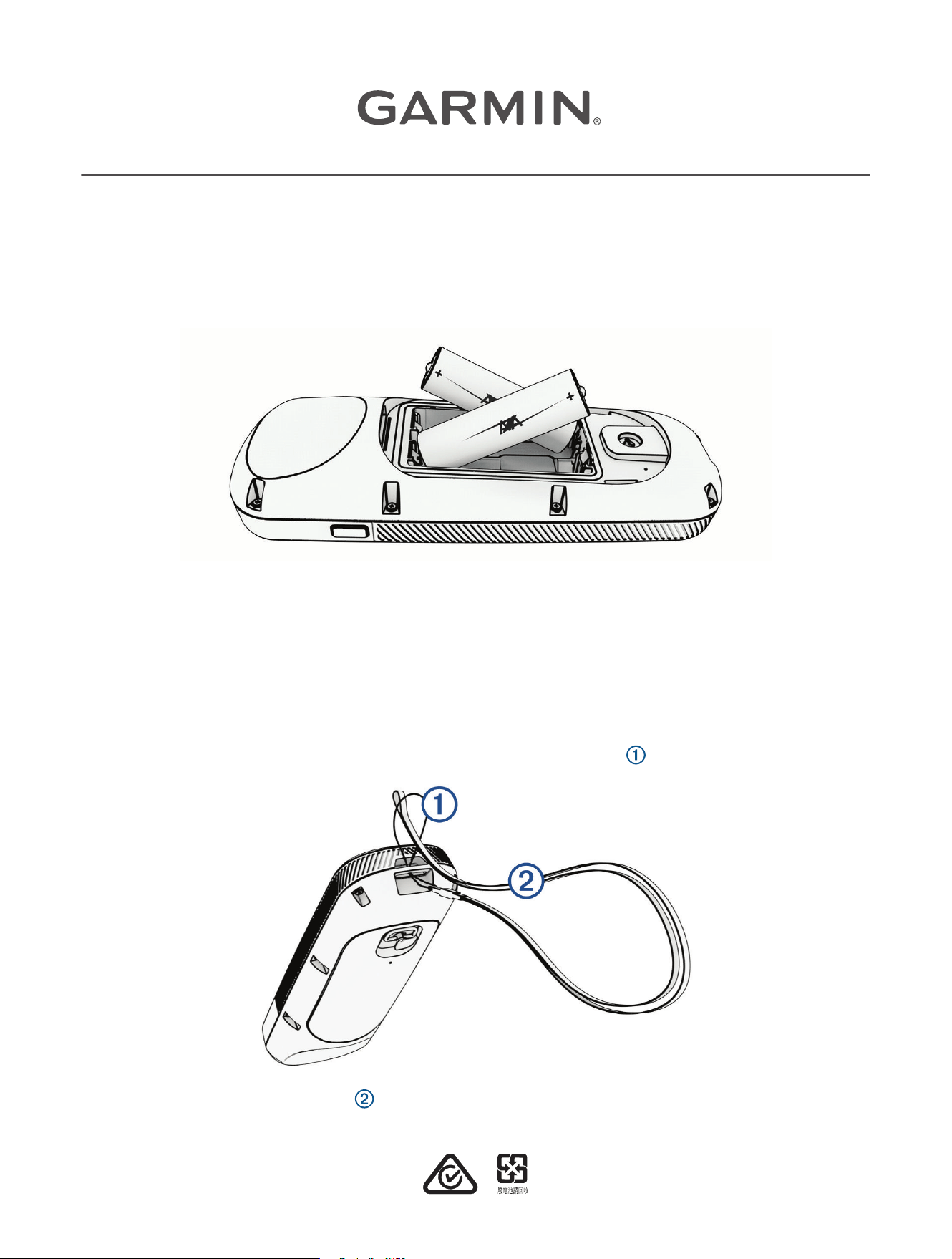
The remote control operates using two AA batteries (not included). Use lithium batteries for best results.
1 Turn the D-ring counter-clockwise, and pull up to remove the cover.
2 Insert two AA batteries, observing polarity.
3 Replace the battery cover, and turn the D-ring clockwise.
Getting Started
This is a replacement accessory for a compatible Garmin
®
trolling motor.
For full usage instructions, see the quick start manual provided with your trolling motor, or download the full
owner's manual from support.garmin.com.
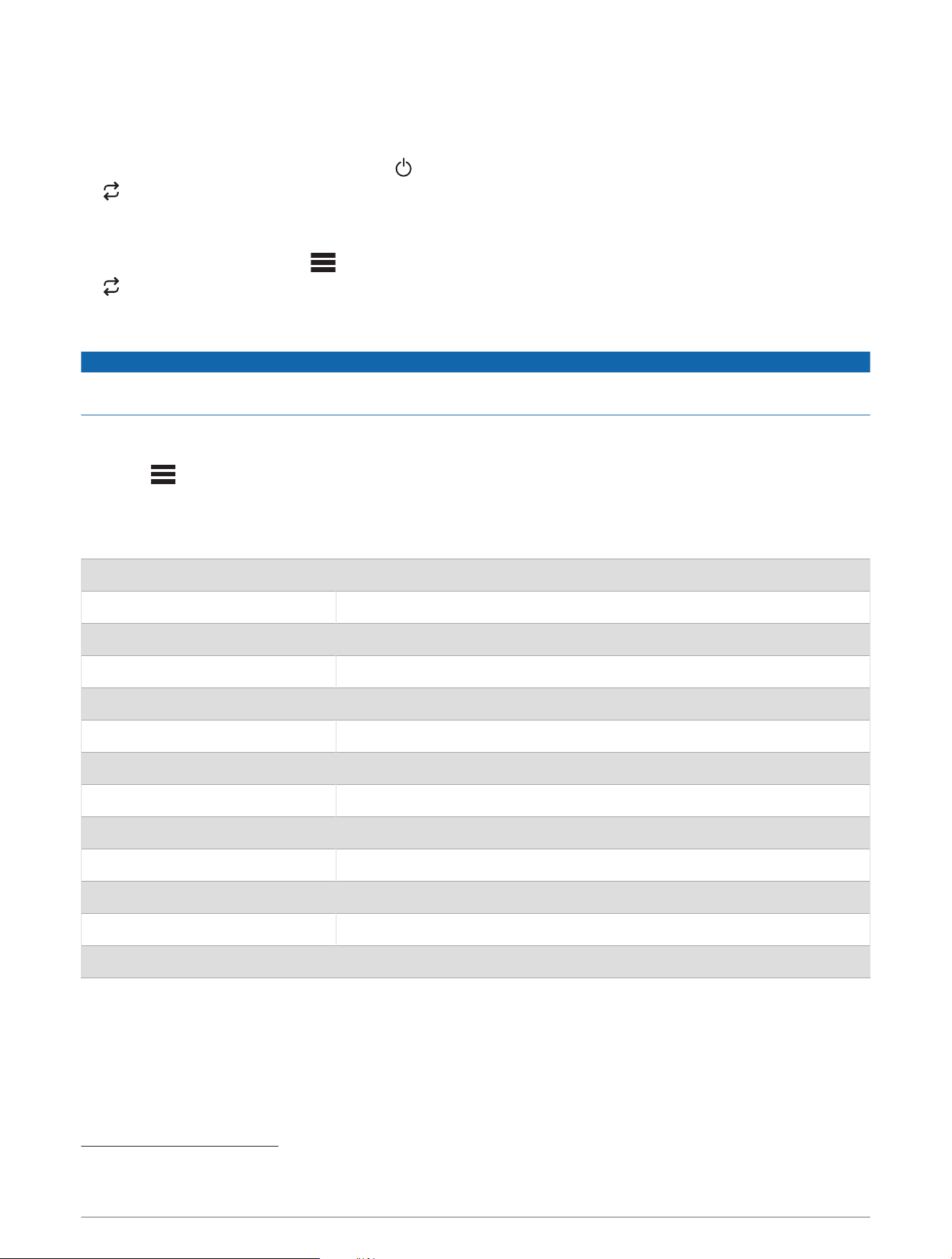
Attaching a Lanyard
1 Starting from the back of the remote control, insert the loop of the lanyard through the slot.
2 Thread the other end of the lanyard through the loop, and pull it tight.
3 If necessary, place the lanyard around your neck or wrist to tether it during use.
GUID-20499773-47B2-42B7-BD52-80A52A588B3D v3July 2023
Pairing the Remote Control
Before you can use this remote control with your trolling motor, you must pair the remote control to the motor.
1 Turn on the trolling motor.
2 On the trolling motor display panel, press three times to enter pairing mode.
on the trolling motor display panel illuminates blue as it searches for a connection.
3 Bring the remote control within 1m (3ft.) of the display panel on the trolling motor.
4 Turn on the remote control.
5 On the remote control, select > Settings > Remote > Pair > Start.
on the trolling motor display panel illuminates green when the connection is successful.
Calibrating the Remote Control
NOTICE
Calibrate the electronic compass outdoors. To improve heading accuracy, do not stand near objects that
influence magnetic fields, such as vehicles, buildings, and overhead power lines.
You must calibrate the compass in the remote control before you can control the motor using gestures. If the
gesture controls are not working properly after calibration, you can repeat this process as often as needed.
1 Select > Settings > Remote > Calibrate.
2 Select Start, and follow the on-screen instructions.
Specifications
Dimensions (W×H×D) 152 x 52 x 32mm (6 x 2 x 1
1
/
4
in.)
Weight 109g (3.8oz.) without batteries
Material Glass-filled nylon
Display type Sunlight-visible, transflective memory-in-pixel (MIP)
Display resolution R240 x 240 pixels
Display size (diameter) 30.2mm (1
3
/
16
in.)
Operating temperature From -15° to 55°C (5° to 131°F)
Storage temperature From -40° to 85°C (-40° to 185°F)
Battery type 2 AA (not included)
Battery life 240 hr., typical use
Radio frequency 2.4GHz @ 10.0dBm nominal
Water rating IEC 60529 IPX7
1
Compass-safe distance 15cm (6in.)
1
Withstands incidental exposure of water up to 1m for up to 30min.
2
联系信息
制造厂商 : 台湾国际航电股份有限公司
销售厂商 : 上海佳明航电企业管理有限公司
联络地址 : 上海市徐汇区桂平路 391 号 ( 新漕河泾国际商务中心 A 座 37 层 )
电 话 : 021-60737675
客服专线 : 400-819-1899
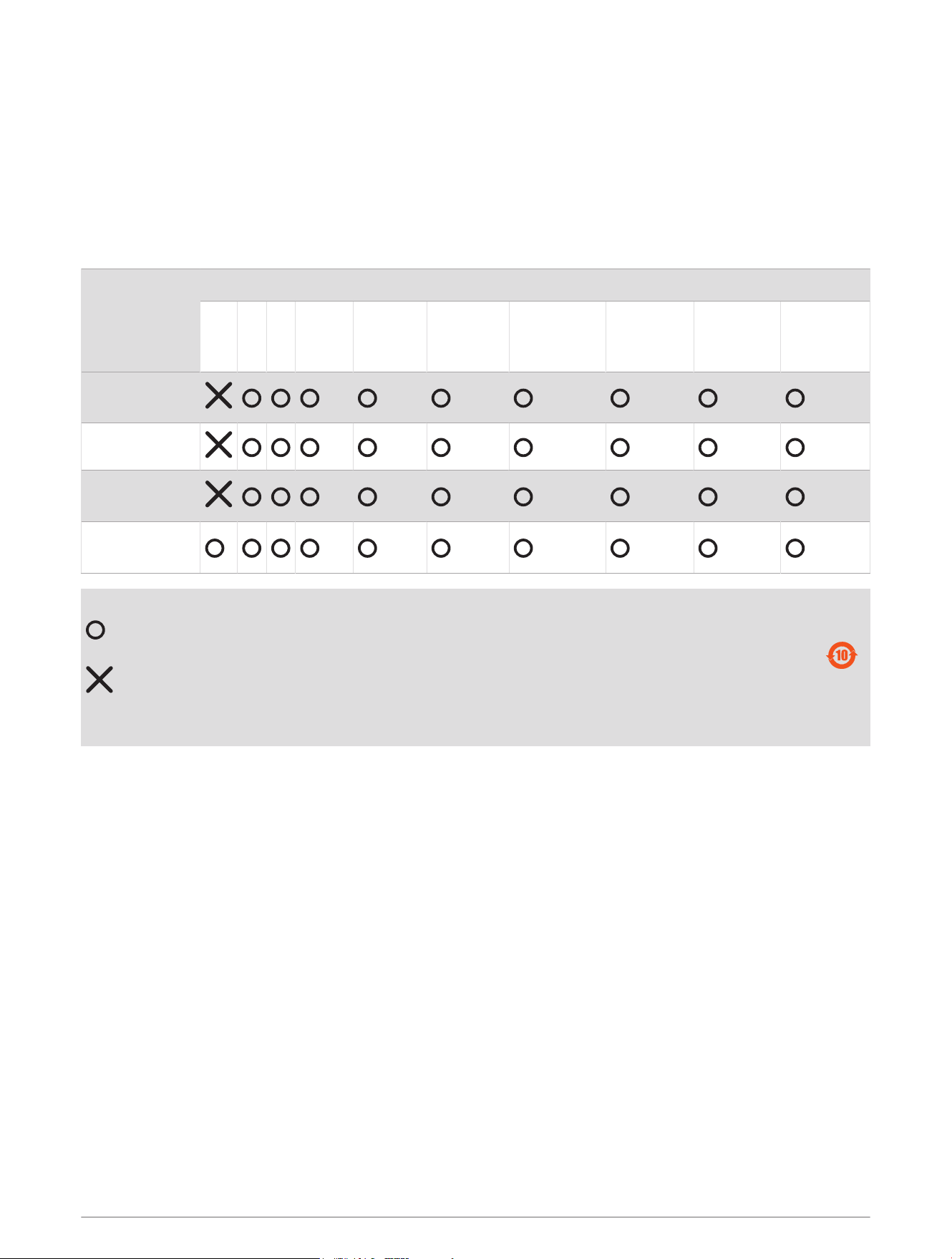
物質宣言
部件名称
有毒有害物质或元素
铅 汞 镉 六价铬 多溴联苯
多溴二苯
醚
邻苯二甲酸
二(2-乙基
己)酯
邻苯二甲
酸丁苄酯
邻苯二甲
酸二丁酯
邻苯二甲酸
二异丁酯
印刷电路板组
件
金属零件
电缆 电缆组件
连接器
塑料和橡胶零
件
本表格依据 SJ/T11364 的规定编制。
: 代表此种部件的所有均质材料中所含的该种有害物质均低于
(GB/T26572) 规定的限量
: 代表此种部件所用的均质材料中, 至少有一类材料其所含的有害物质高于
(GB/T26572) 规定的限量
* 该产品说明书应提供在环保使用期限和特殊标记的部分详细讲解产品的担保使用条件。
产品
連絡地址
製造銷售:台灣國際航電股份有限公司
聯絡地址:新北市汐止區樟樹二路 68 號
電 話:(02)2642-8999
客服專線:(02)2642-9199
低功率電波輻射器材管理宣告
本產品謹遵循中華民國國家通訊傳播委員會所頒布電信管理法,並經驗證通過合格,請使用者遵循相關電信法規
以避免違反規定受罰。若使用者欲攜帶本機至其他國家應用,也請遵循該地區或國家之相關法令限制。根據國家
通訊傳播委員會低功率射頻器材技術規範規定
3.8.2 章節:
取得審驗證明之低功率射頻器材,非經核准,公司、商號或使用者均不得擅自變更頻率、加大功率或變更原設計
之特性及功能。
低功率射頻器材之使用不得影響飛航安全及干擾合法通信;經發現有干擾現象時,應立即停用,並改善至無干擾
時方得繼續使用。
前項合法通信,指依電信法規定作業之無線電通信。低功率射頻器材須忍受合法通信或工業、科學及醫療用電波
輻射性電機設備之干擾。
© 2019 Garmin Ltd. or its subsidiaries
3

Garmin
®
, the Garmin logo, and Force
®
are trademarks of Garmin Ltd. or its subsidiaries, registered in the USA and other countries. These trademarks may not be used
without the express permission of Garmin.
AA03474
遙控器
© 2019 Garmin Ltd. or its subsidiaries
support.garmin.com
