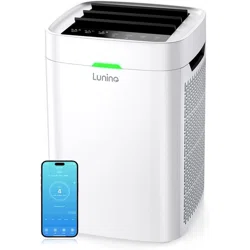
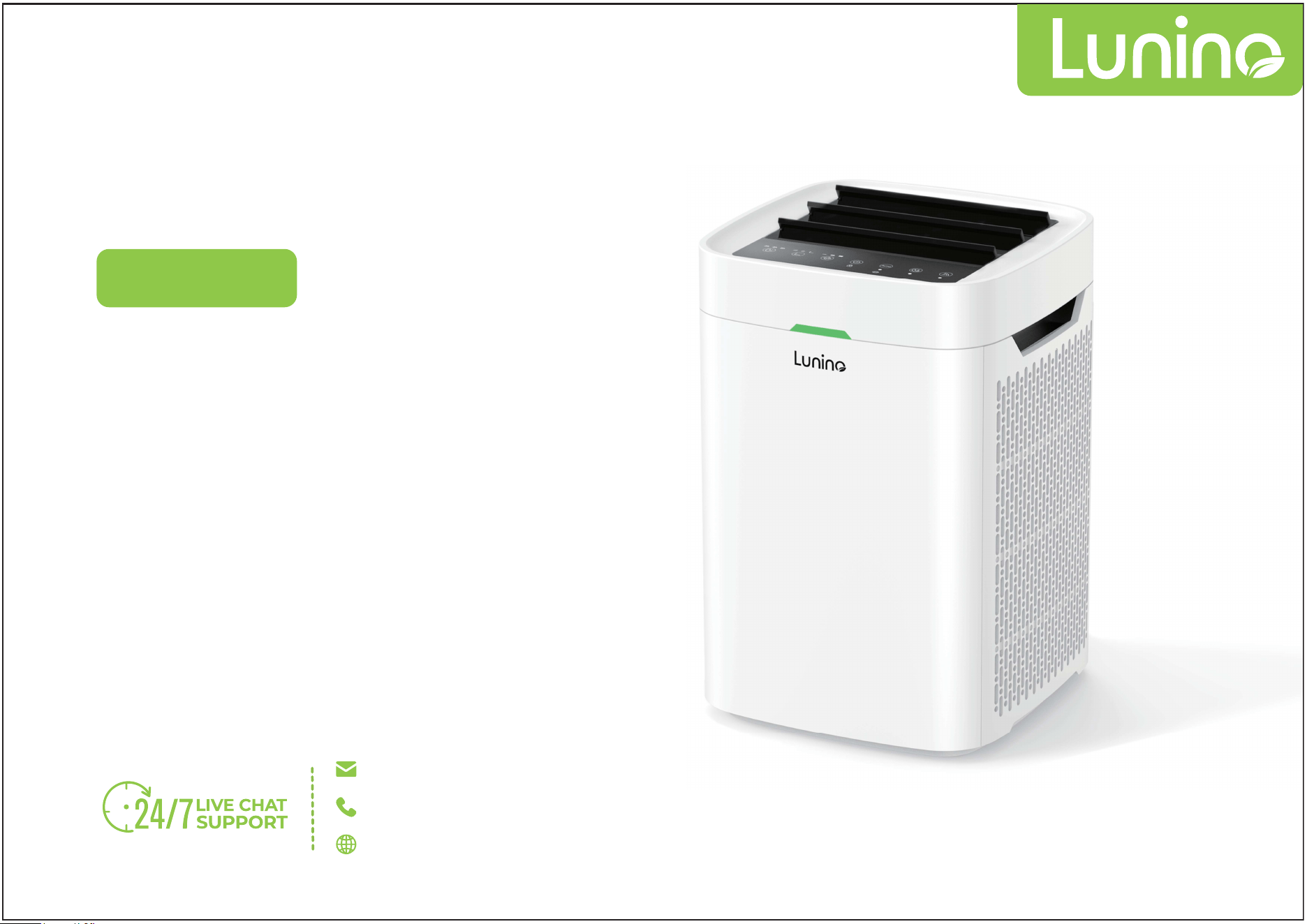
Model: K1
AIR PURIFIER
Double Sided Filtration System
Perfect for Large Room
100% Ozone Free
Quiet Operation
App Control
USER MANUAL
support@luninohome.com
1-866-808-0334
www.luninohome.com
CUSTOMER SERVICE
Our customer service team is always ready to assist you
if you have any issues or concerns.
Filter need be replaced within 3-6 months.
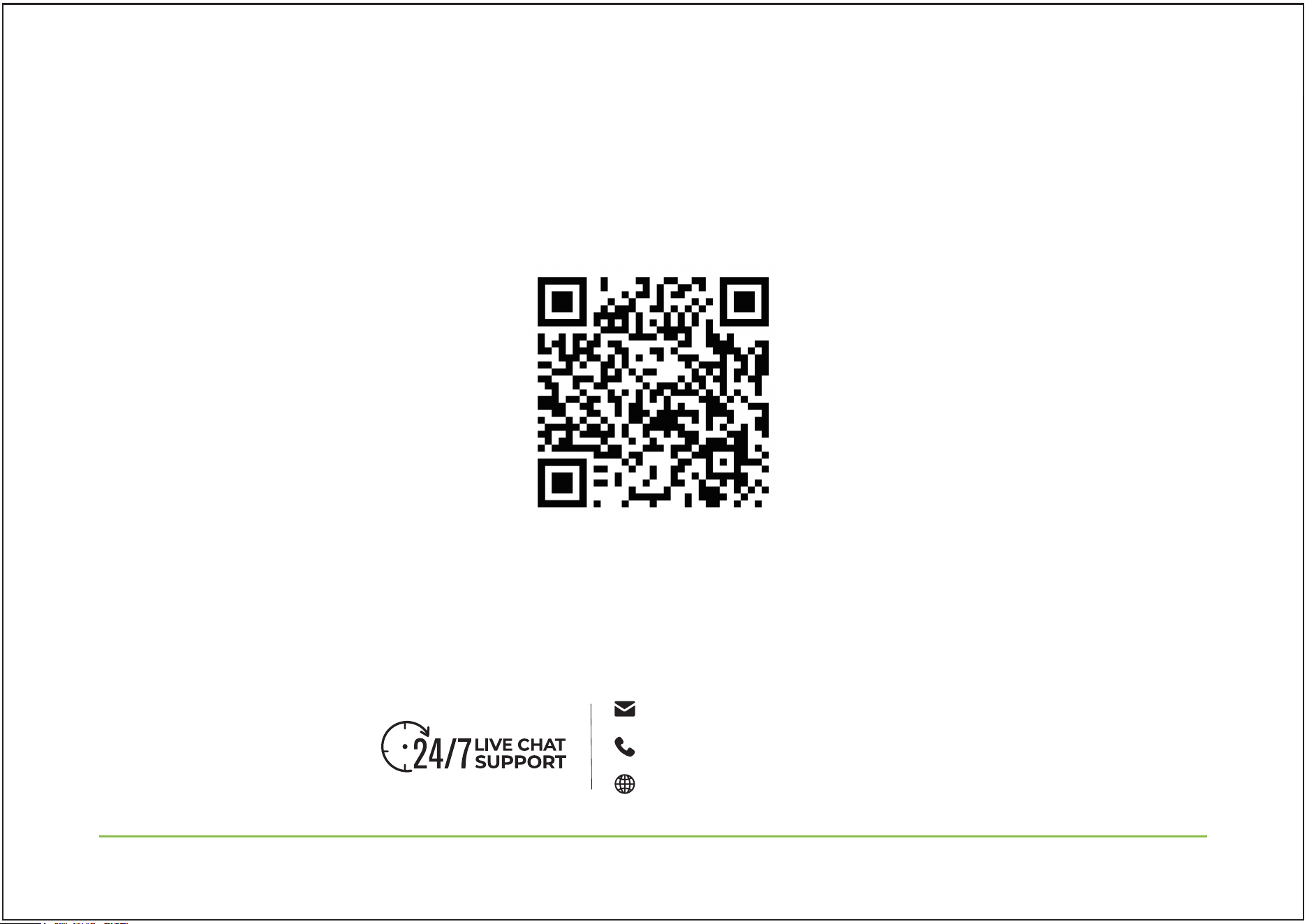
About filter and more surprise, please scan
above and contact us!
support@luninohome.com
1-866-808-0334
www.luninohome.com

READ AND SAVE THESE INSTRUCTIONS
PRODUCT OVERVIEW
3 STAGE FILTER
OPERATION INTRODUCTION
OPERATION PANEL INTRODUCTION
OPERATING THE AIR PURIFIER
CONNECT WITH MOBILE APP
INSTALLING & REMOVING FILTERS
CARE & MAINTENANCE
PACKAGE CONTENTS
TROUBLESHOOTING
Content
01
06
07
08
09
10
15
18
19
22
23
01
support@luninohome.com
1-866-808-0334 www.luninohome.com
READ AND SAVE THESE INSTRUCTIONS
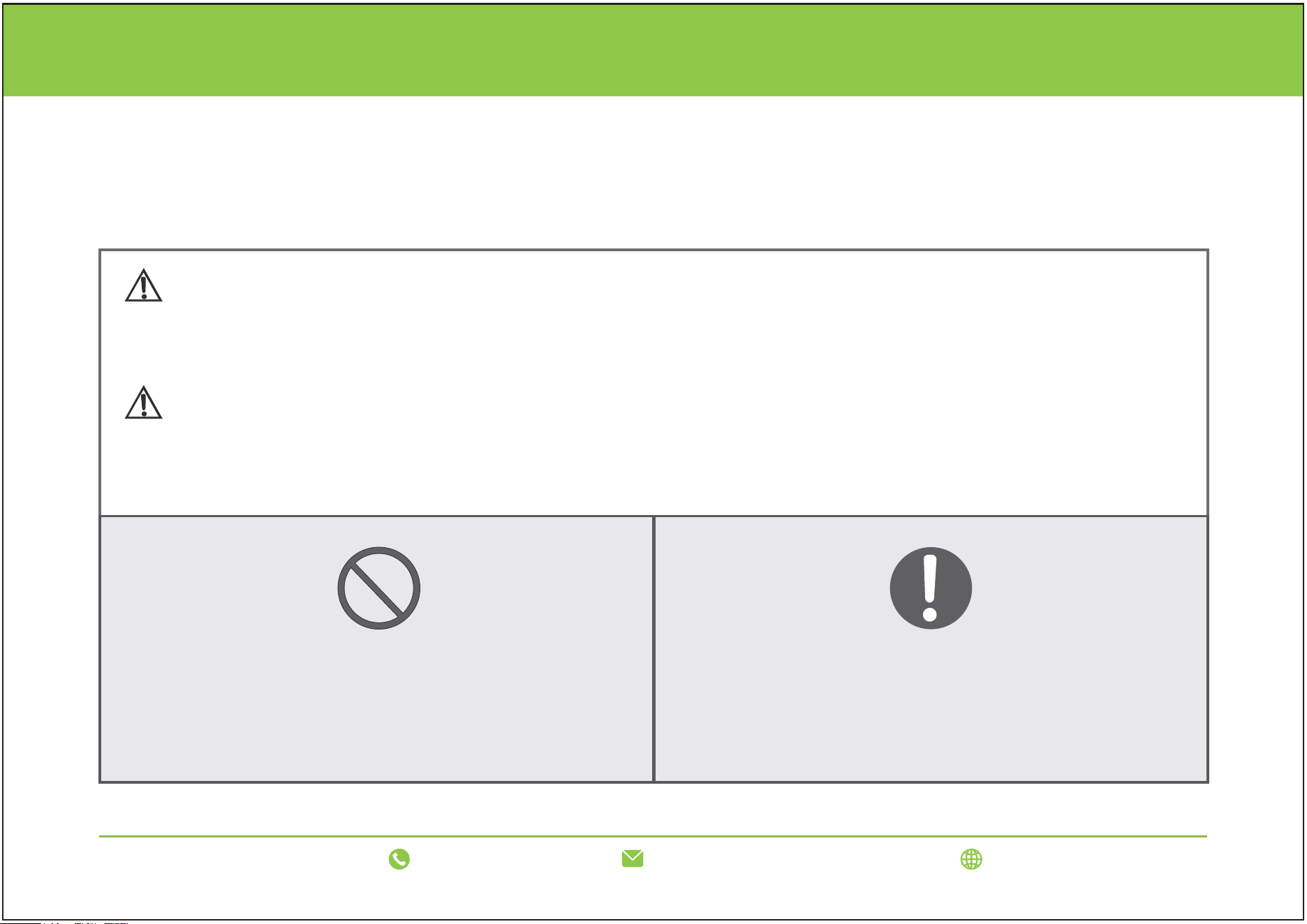
Please follow the instructions manual carefully to avoid personal injury or damage to the product.
WARNING/ATTENTION
Please read the important safeguards carefully before using this air purifier.
It reminds us that misusing or mishandling may cause hurt.
WARNING
ATTENTION
FORBID
FORCE
The operation cannot be performed or
forbidden.
A certain operation should be
performed (mandatory).
02
support@luninohome.com
1-866-808-0334 www.luninohome.com
READ AND SAVE THESE INSTRUCTIONS
WARNING
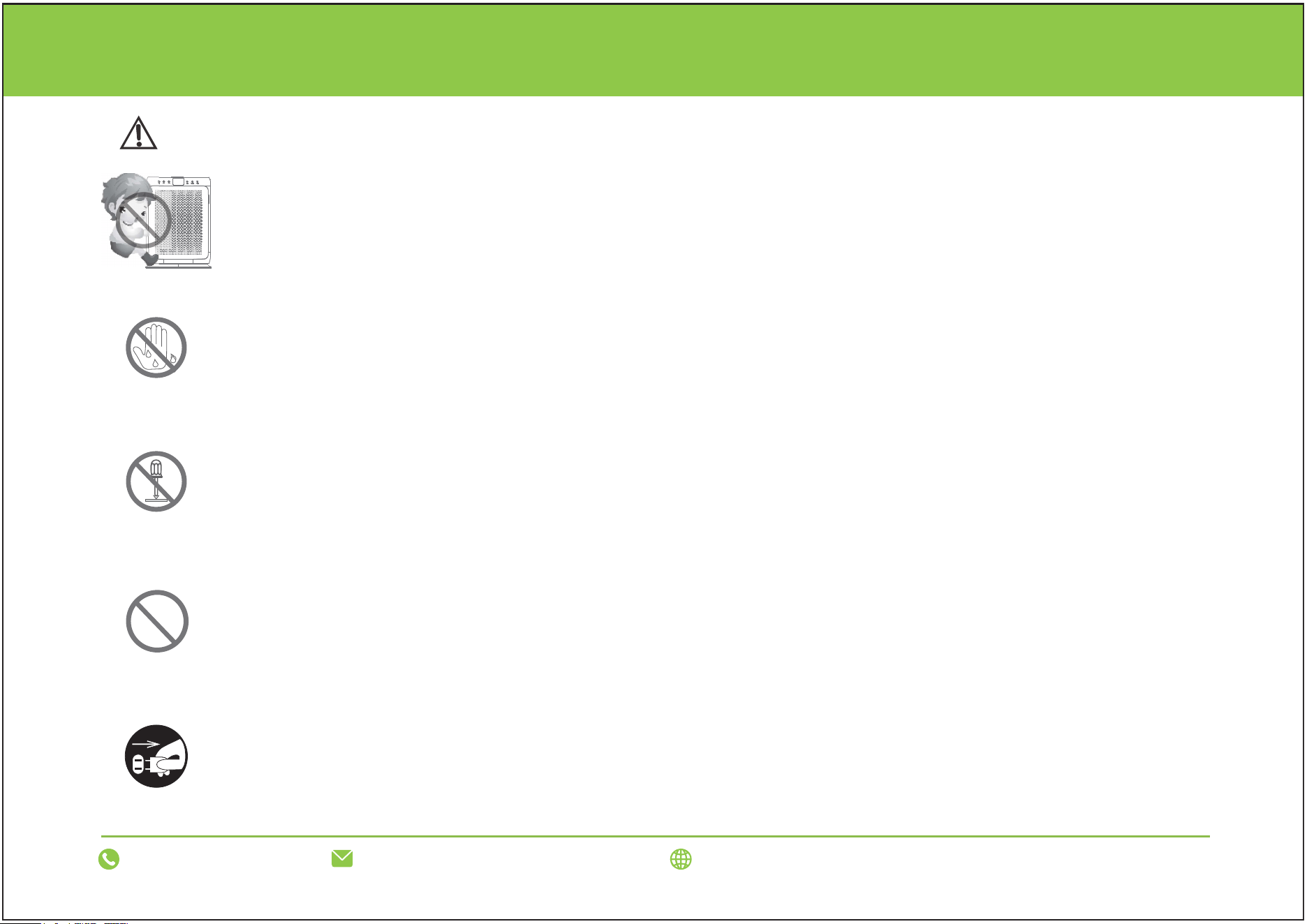
Please supervise your children and prevent them from touching or using appliances.
Do not handle the plug with wet hands to avoid electric shock.
Do not disassemble, repair, or reconstruct the appliance to avoid an electric shock,
fire, or injury. Contact the seller for item repairs.
Check if the voltage indicated on the appliance corresponds to the local power
voltage before you connect the appliance. Using a non-standard power cord may
cause a fire due to overheating.
FORBID
NO DISASSEMBLE
AVOID WET
UNPLUG PLUG
Unplug the power plug when cleaning; otherwise, the air purifier may start suddenly,
causing injury or electric shock.
03
support@luninohome.com
1-866-808-0334 www.luninohome.com
READ AND SAVE THESE INSTRUCTIONS
FORCE
FORBID
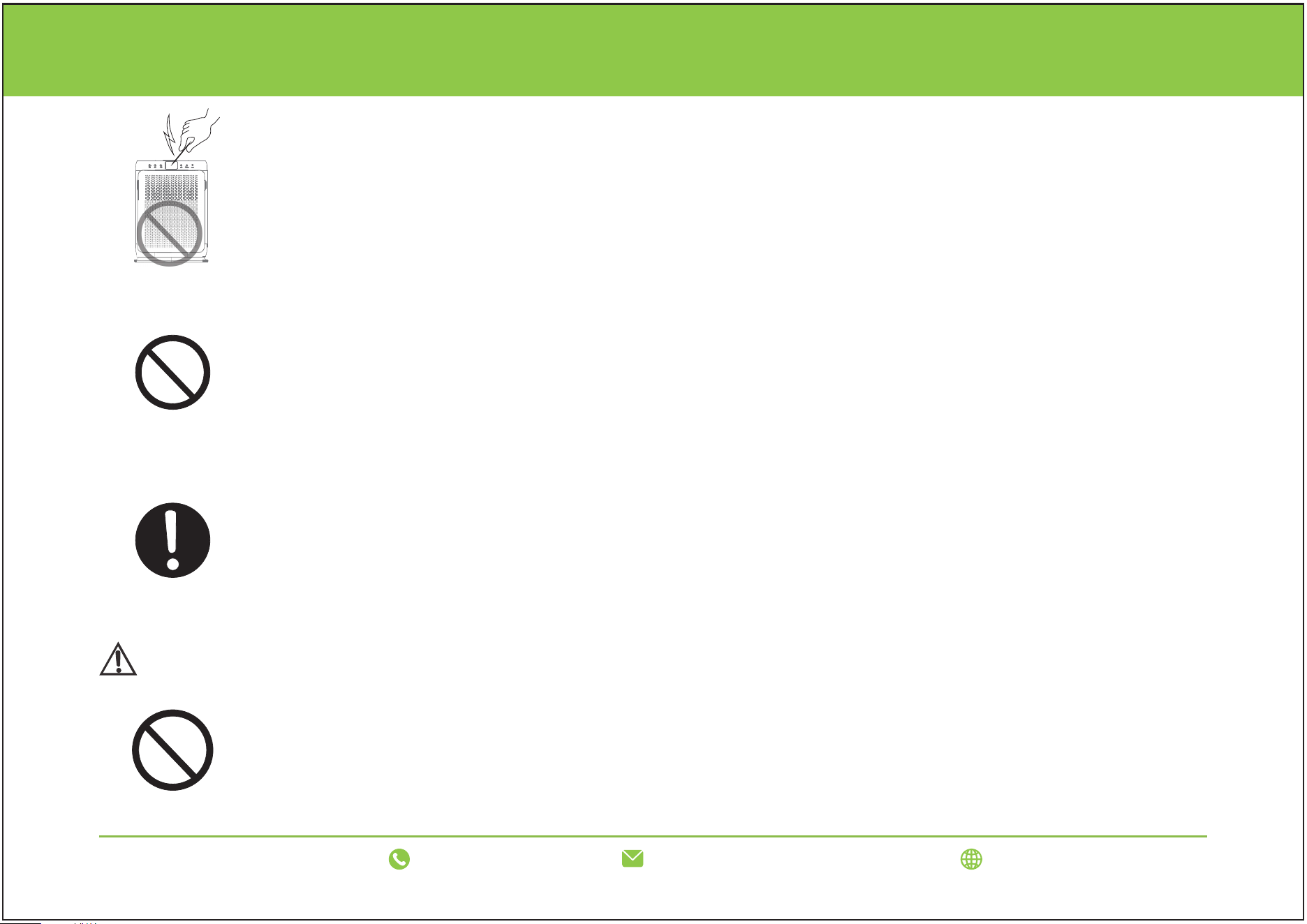
Please do not put foreign objects such as needles, iron wires, or metal objects into the
air outlet and suction vent. It is easy to cause electric shock and injury.
Please do not damage, twist, stretch, or process the power cord and power plug in a
way that causes excessive distortion. Additionally, do not place heavy objects on them
or bundle them together.
Using damaged power cords and power plugs can easily result in electric shock, short
circuit, fire, and other accidents. If you need maintenance for the power cord and
power plug, please consult the store where you purchased it.
Make sure the power plug is inserted all the way to the socket. A plug that is not fully
inserted can cause a fire due to electric shock and heat generation. Please do not use
damaged plugs or loose sockets.
WARNING
FORBID
Please do not start this machine when using spray insecticide indoors. Otherwise, the
chemical components will accumulate inside the machine and then be released from
the air outlet, which is harmful to human health. After using pesticides, please allow for
adequate indoor air circulation before using the machine.
04
support@luninohome.com
1-866-808-0334 www.luninohome.com
READ AND SAVE THESE INSTRUCTIONS
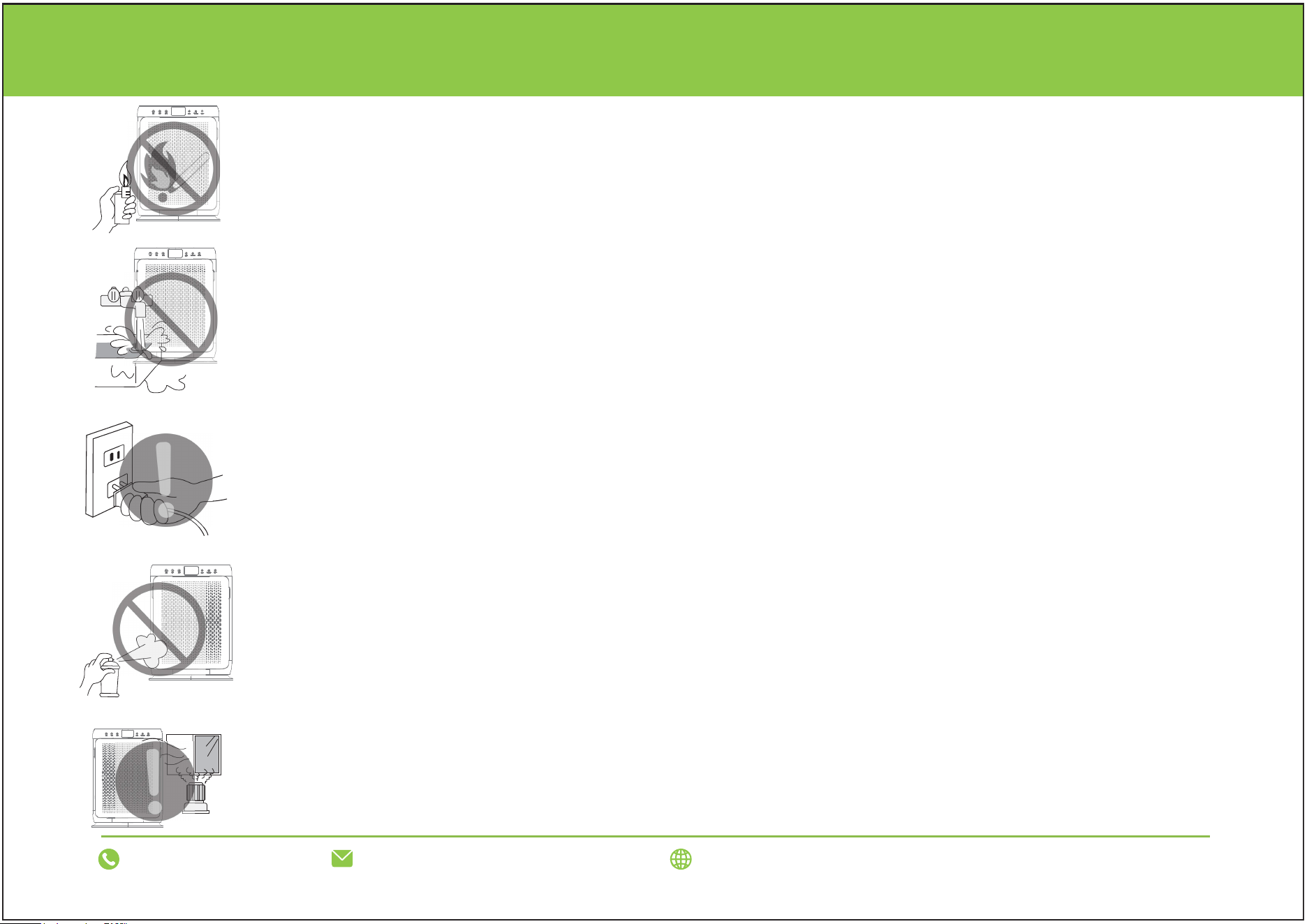
Avoid inhaling flammable substances such as flammable cigarettes, incense, etc., as
they can easily ignite and cause a fire.
Please do not use it in places with high temperature, humidity, or water, such as
bathrooms. Otherwise, it is easy to cause electrical leakage, electric shock, fire, and
other consequences.
When unplugging the power plug, please do not hold the power cord. You should
hold the power cord plug before pulling it out. Otherwise, the power cord may be
short-circuited or disconnected, resulting in a fire or electric shock.
Please do not wipe with alcohol or organic solvents, and do not spray insecticides.
Otherwise, the product may break, short-circuit, or cause electric shock, resulting in
injury or fire.
When using a gas appliance at the same time, please pay attention to ventilation;
otherwise, it may cause carbon monoxide poisoning. Machines cannot remove carbon
monoxide.
05
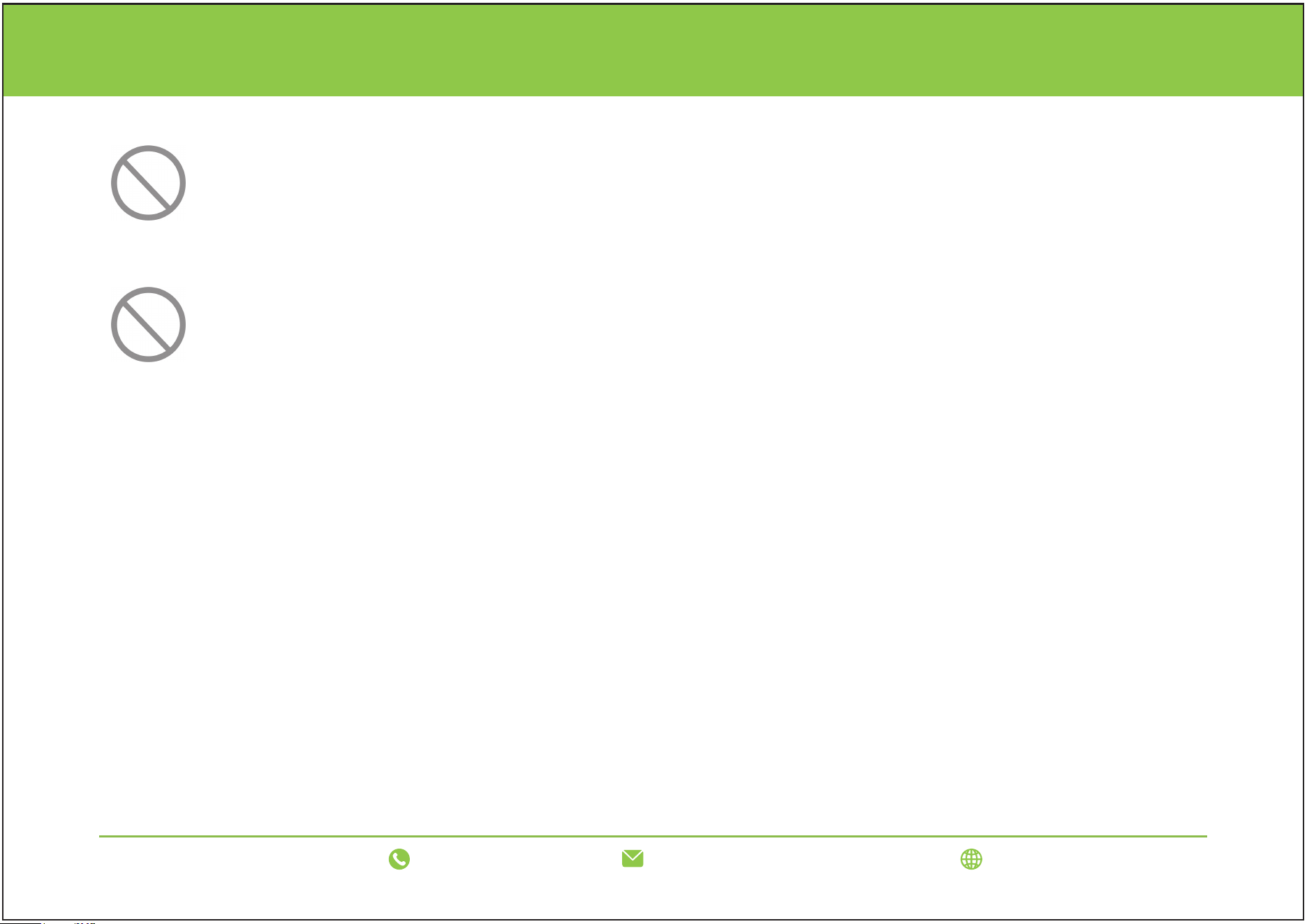
To reduce the risk of fire, electric shock, or personal injury, do not use replacement parts not
recommended by the manufacturer (such as parts made at home using a 3D printer).
FORBID
Do not use this fan with any solid-state speed control device to reduce the fire or electric shock
risk.
FORBID
Unplug the product immediately if any of the following situations occur:
- Any switch does not operate.
- The circuit is shorted.
- The power cord or plug is abnormally hot, there is a burning smell, or there are abnormal sounds and
vibrations.
- There are any other abnormal phenomena or malfunctions.
If the power cord is broken, you must contact the product agent, maintenance service center, or qualified
technicians to replace and repair it to prevent any danger.
READ AND SAVE THESE INSTRUCTIONS
support@luninohome.com
1-866-808-0334 www.luninohome.com
06
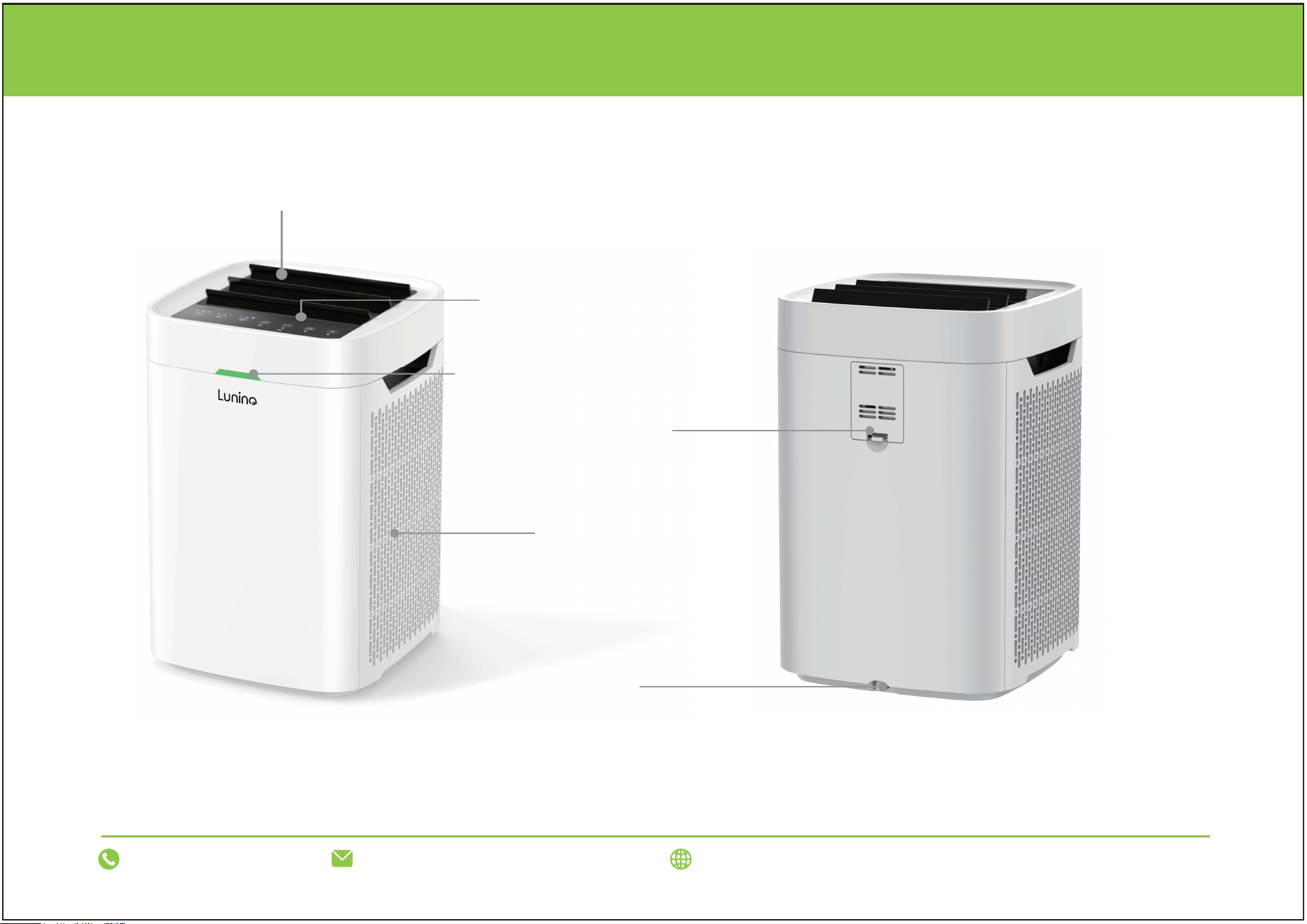
PRODUCT OVERVIEW
Control Panel
DC Outlet
PM2.5 Sensor Cover
PM2.5 Indicator Light
Air Outlet
Air Inlet
support@luninohome.com
1-866-808-0334 www.luninohome.com
07
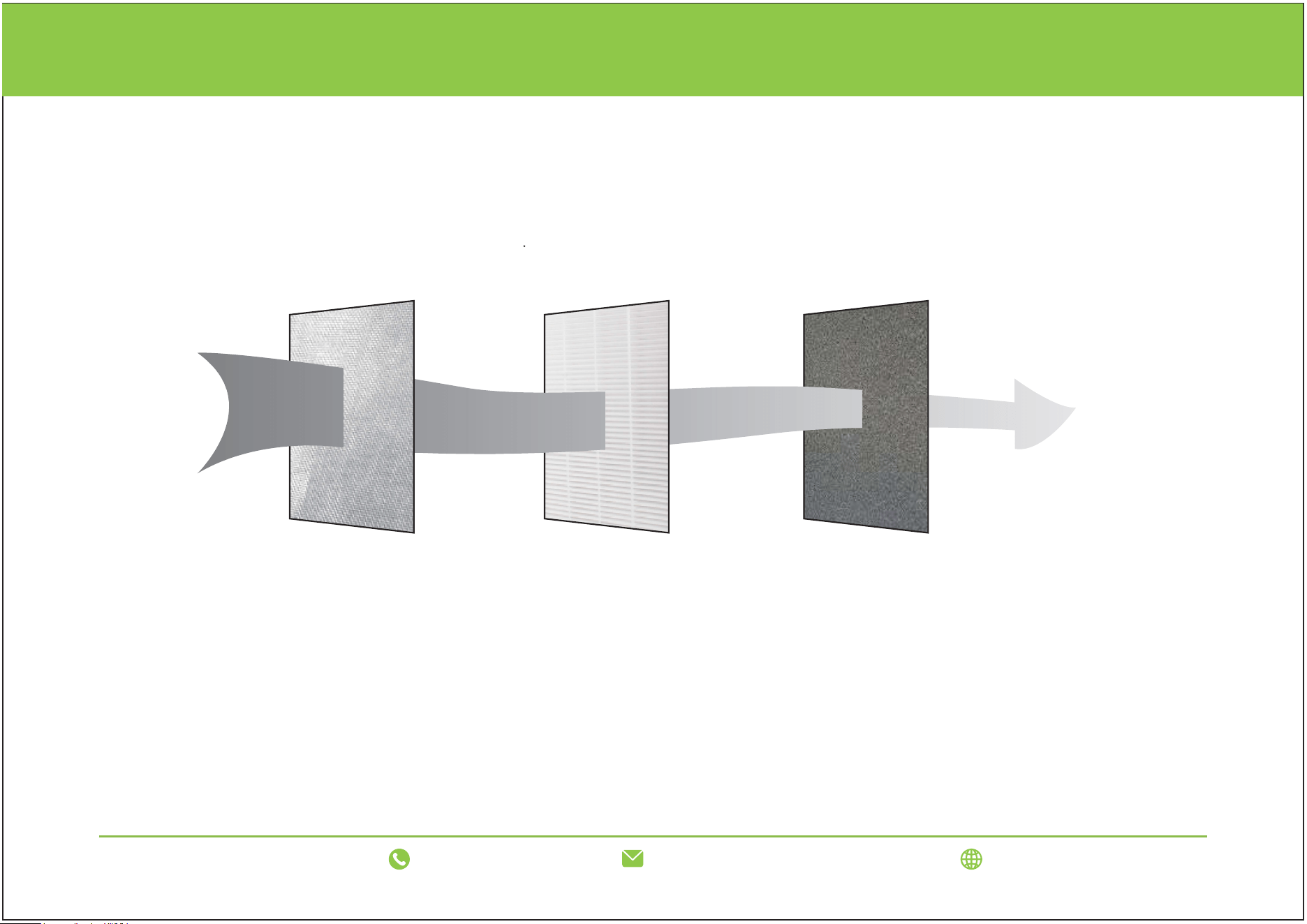
3 STAGE FILTER
The filter consists of a pre-filter, HEPA, and activated carbon. The pre-filter filters large particulate solid
pollutants to ensure the service life of HEPA. HEPA efficiently removes PM2.5, with a removal efficiency
greater than 99.7%. The activated carbon layer effectively removes gaseous pollutants such as formaldehyde,
benzene, VOC, and keeps the air clean
Pre-filter HEPA Activated Carbon
Cleaned Air
Polluted Air
Air Cleaning System
Pre-filter: Filters out hairs, pet hairs and fibres.
True HEPA Filter: Filters cotton wool, pet dander, dust and others.
Active Carbon Filter: Filters smoke, pet odor, cooking smell and VOCs.
support@luninohome.com
1-866-808-0334 www.luninohome.com
08
OPERATION INTRODUCTION
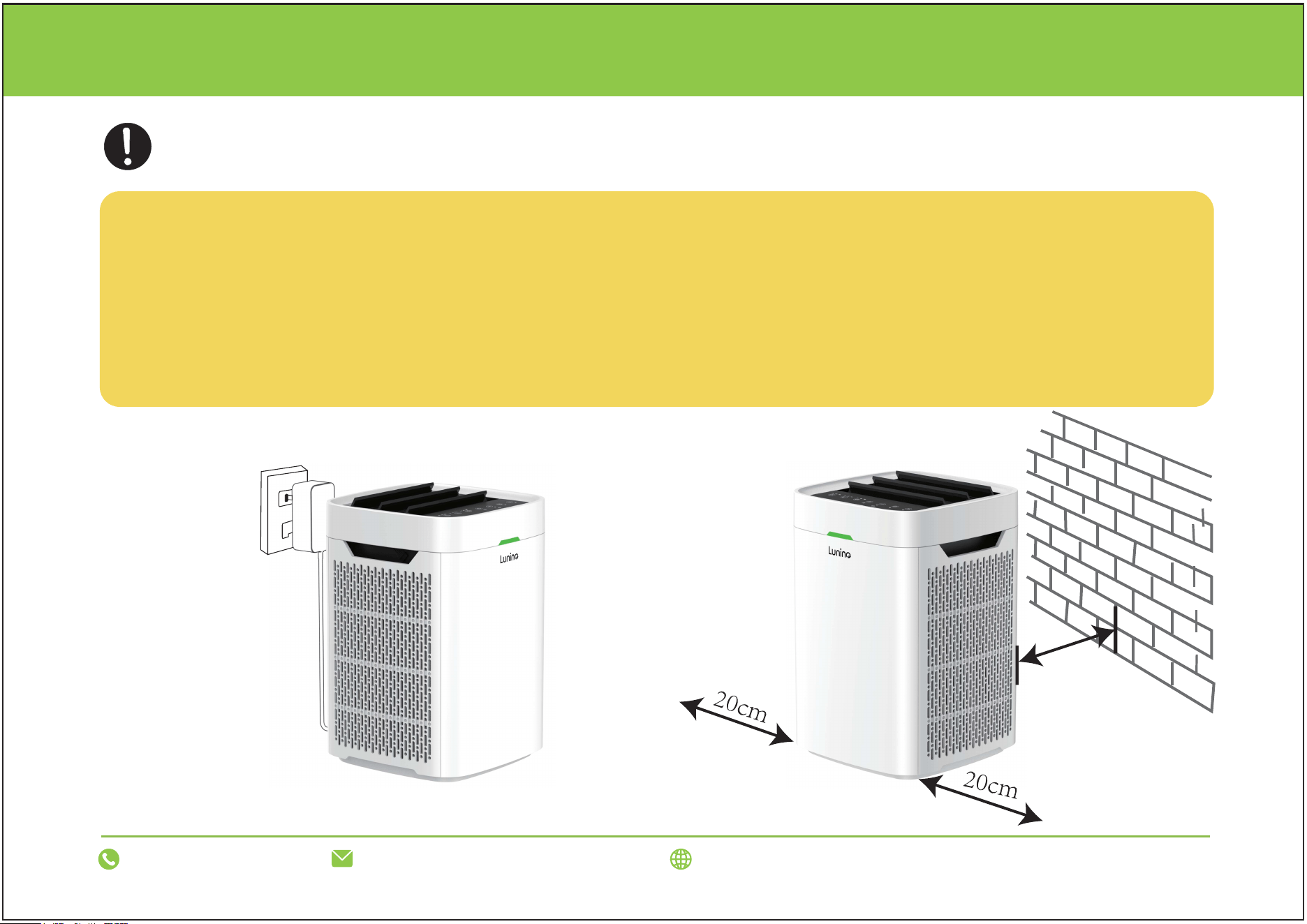
BEFORE OPERATING THE AIR PURIFIER:
l. Carefully remove your air purifier from box and plastic bag.
2. Select a firm, level, and flat location for the air purifier.
*For proper air flow, locate the unit at least l foot from any wall or furniture.
3. Before using, remove the plastic bags covering the filters.
4. Plug the power cord into an 100-240V AC outlet.
10cm
AC 100-240V
support@luninohome.com
1-866-808-0334 www.luninohome.com
09
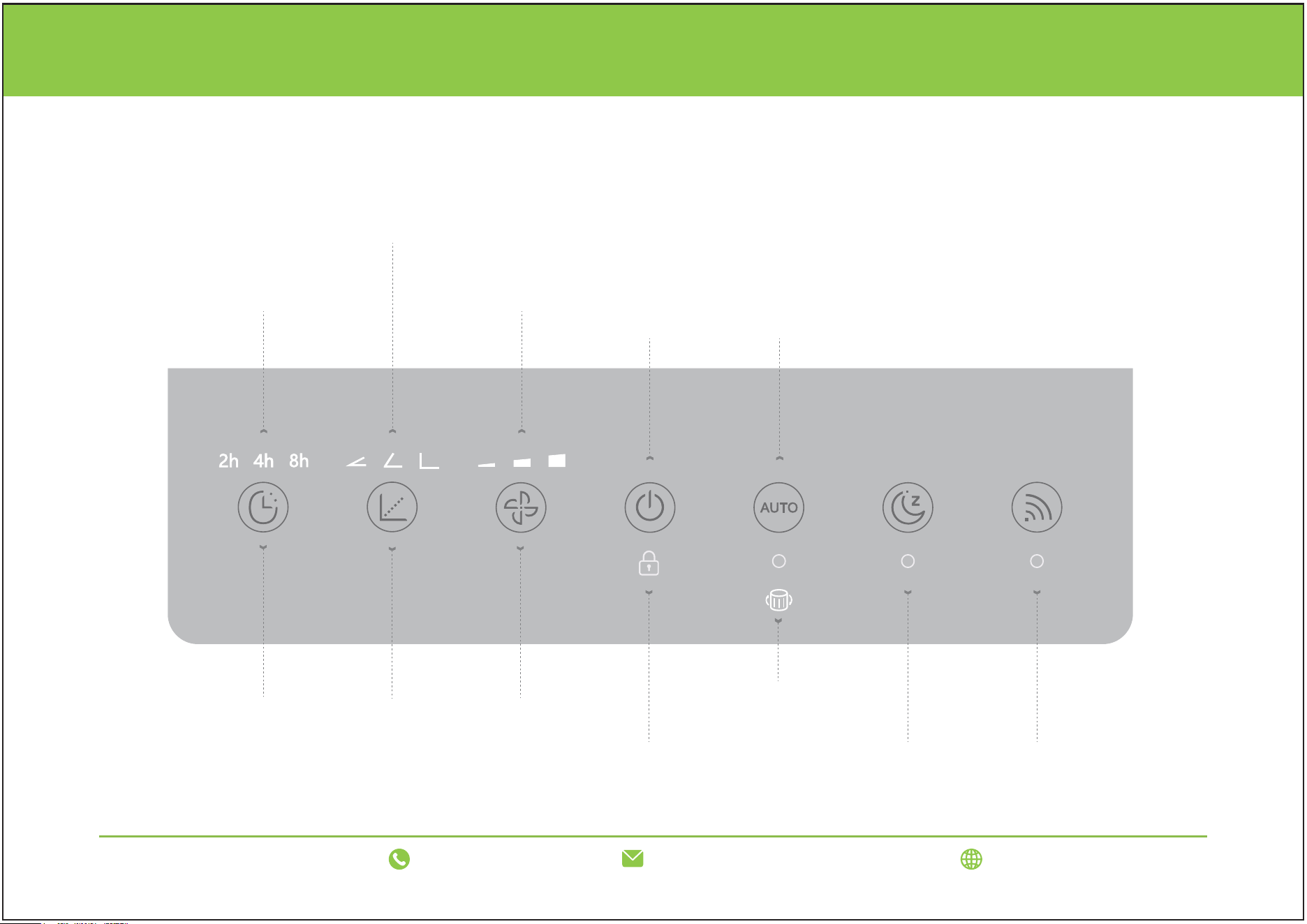
OPERATION PANEL INTRODUCTION
Timing Wind Angle Wind Speed
Child Lock
Filter Replacement Indicator
Sleep Mode WiFi
Power
Timing Display
2/4/8 Hours
Wind Speed Display
Low/Medium/High
Wind Angle Display
30/60/90 Degrees
Auto Mode
support@luninohome.com
1-866-808-0334 www.luninohome.com
10
support@luninohome.com
1-866-808-0334 www.luninohome.com
OPERATING THE AIR PURIFIER
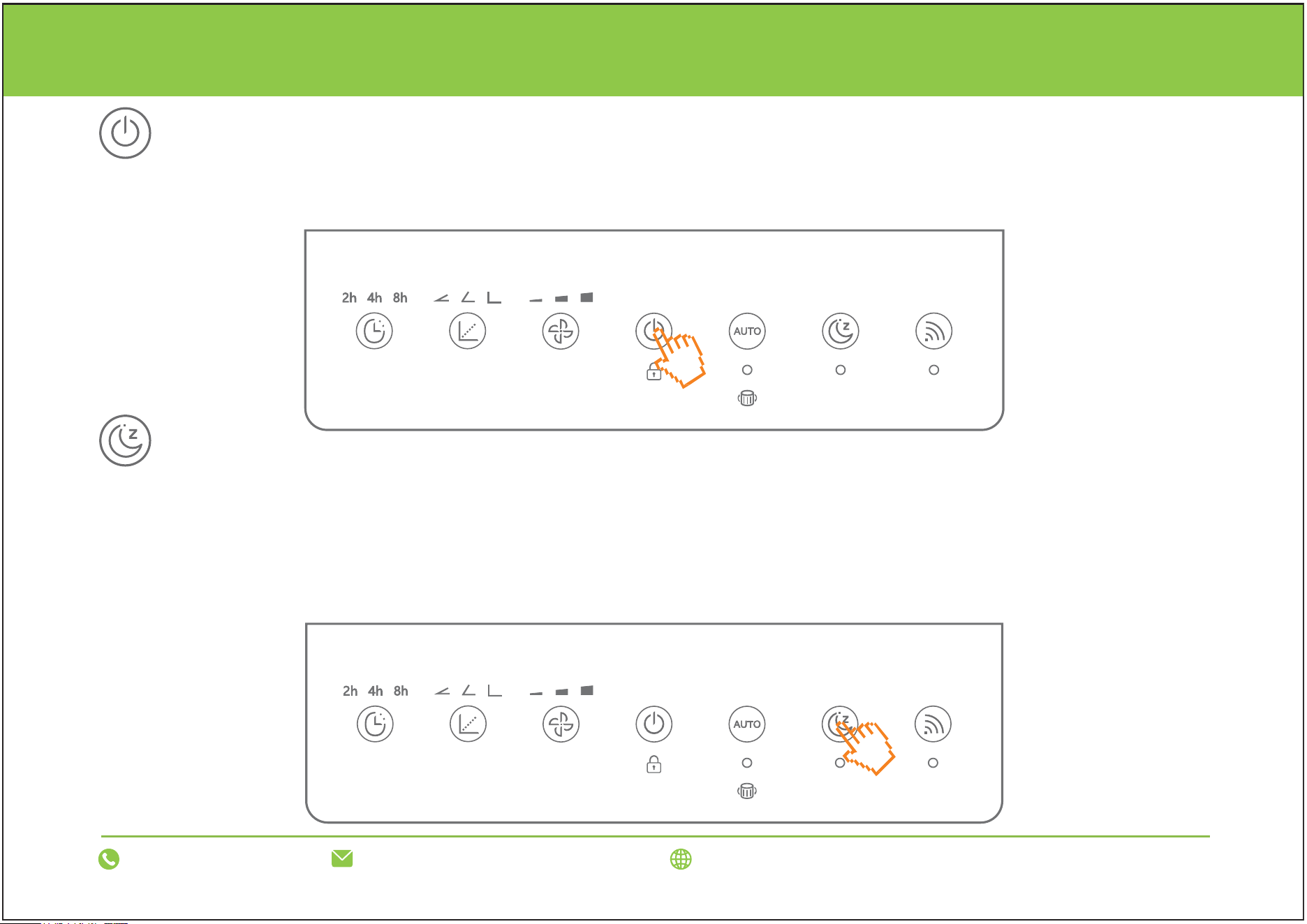
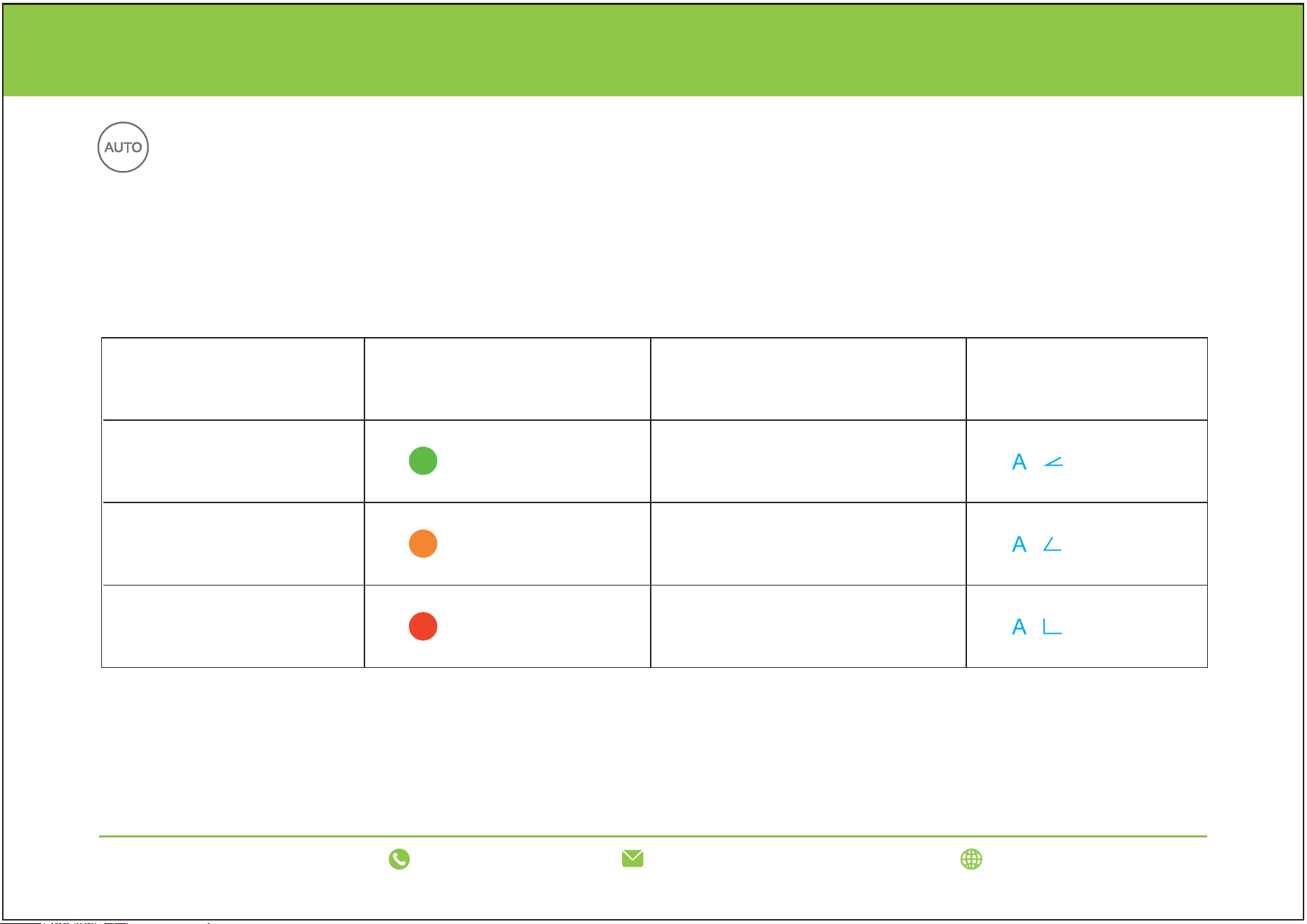
On/Off button
Sleep mode
Gently touch the power button to turn the device on and off. After turning it on, the air quality light will light up, and
the wind speed is in low mode. Press the power button again to turn off the device.
Tips:
1. Sleep button and WIFI indicator dim by 30%, other lights off, machine at 1st gear.
2. Auto and sleep modes are mutually exclusive.
3. Touch any key to exit sleep mode and light up the function light.
Touch the sleep button to turn on sleep mode.
11
support@luninohome.com
1-866-808-0334 www.luninohome.com
OPERATING THE AIR PURIFIER
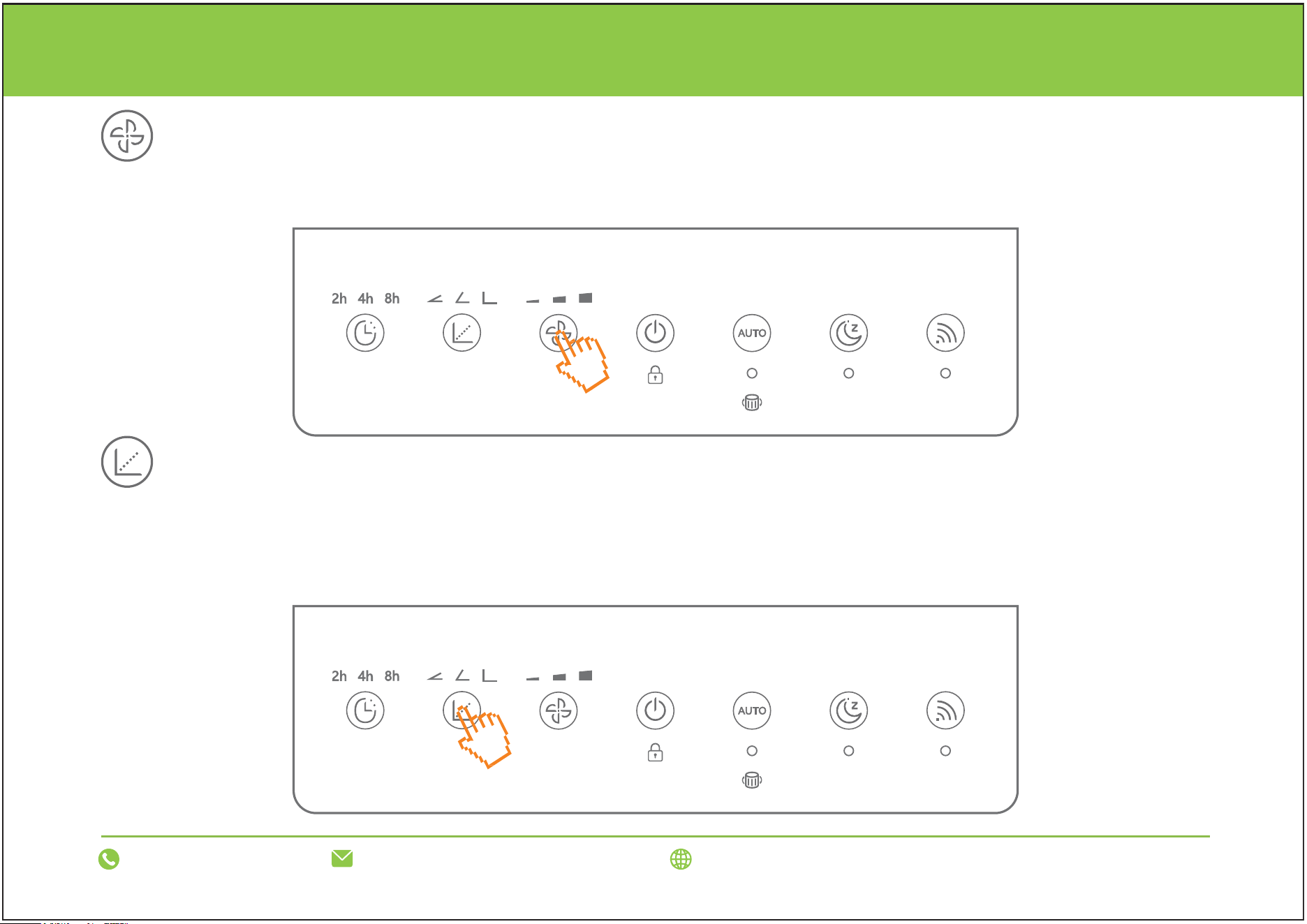
Auto mode
Touch the “Auto” button, the device starts in auto mode, and the auto mode icon on the display screen lights up,
and the device preheats the air detector for 60 seconds. After the preheating is completed, it automatically adjusts
the air quality light color and operating wind speed according to the detected ambient air quality.
Ambient Air Quality
(Dust Sensor)
Good
(PM2.5 value:0-76)
Minor pollution
(PM2.5 value:77-150)
Severe pollution
(PM2.5 value:151-999)
Air Quality Light Color
light
light
light
Operating Wind Speed
Low speed
Medium speed
High speed
Operating Wind Angle
12
support@luninohome.com
1-866-808-0334 www.luninohome.com
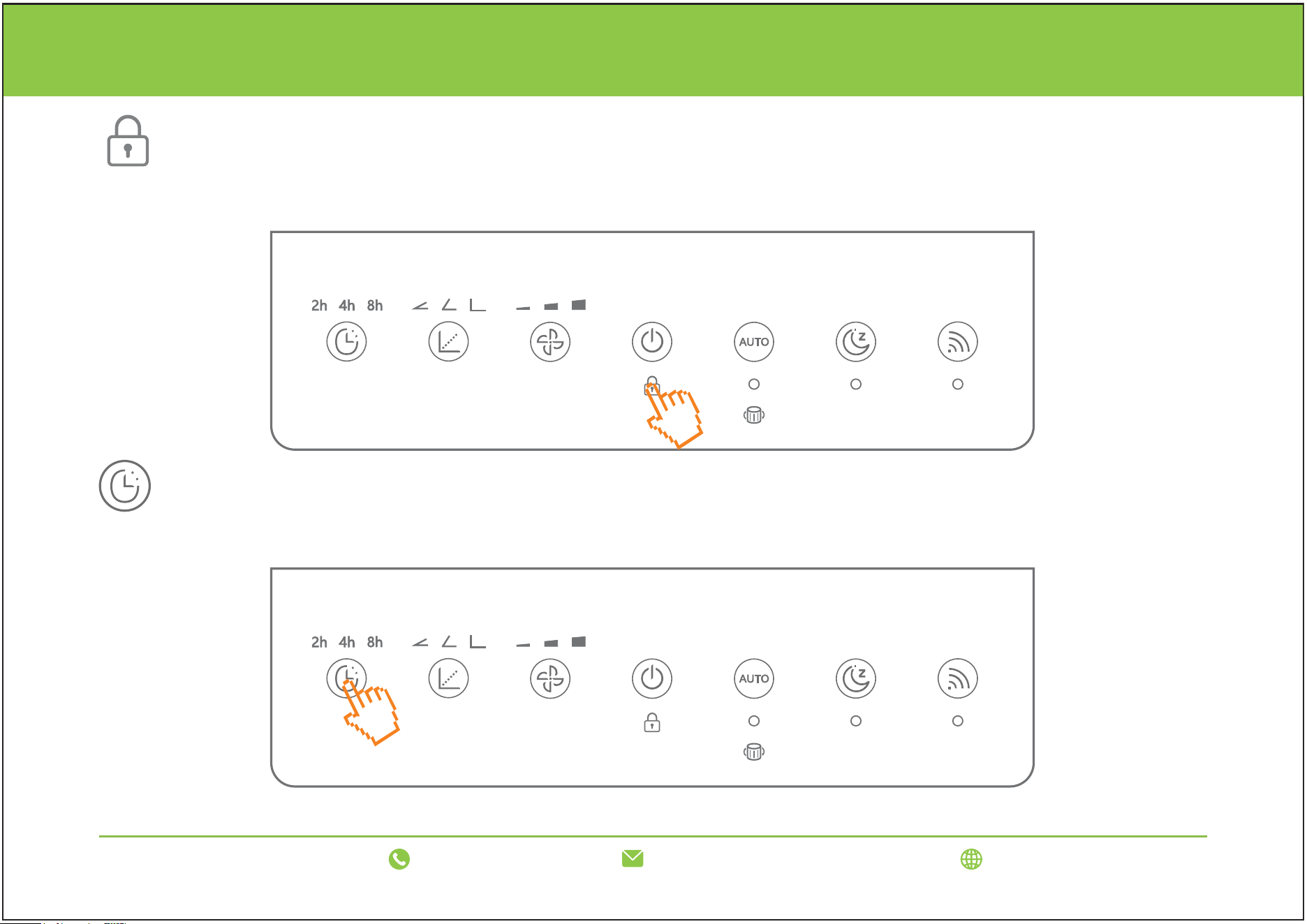
Wind speed
Wind angle
OPERATING THE AIR PURIFIER
Touch the wind speed button to adjust the wind speed (low/medium/high).
Touch the wind angle button to adjust the wind angle (30/60/90 degrees).
Tips: Please do not manually press(or switch)the wind angle! Otherwise, the machine's wind angle
will not work properly, and you must open and close the machine to reset it.
13
support@luninohome.com
1-866-808-0334 www.luninohome.com
OPERATING THE AIR PURIFIER
Timing
Child lock
Touch the timer button to set the timer duration (2/4/8 hours).
Press and hold the power button for 3 seconds to turn on/off the child lock.
14
support@luninohome.com
1-866-808-0334 www.luninohome.com
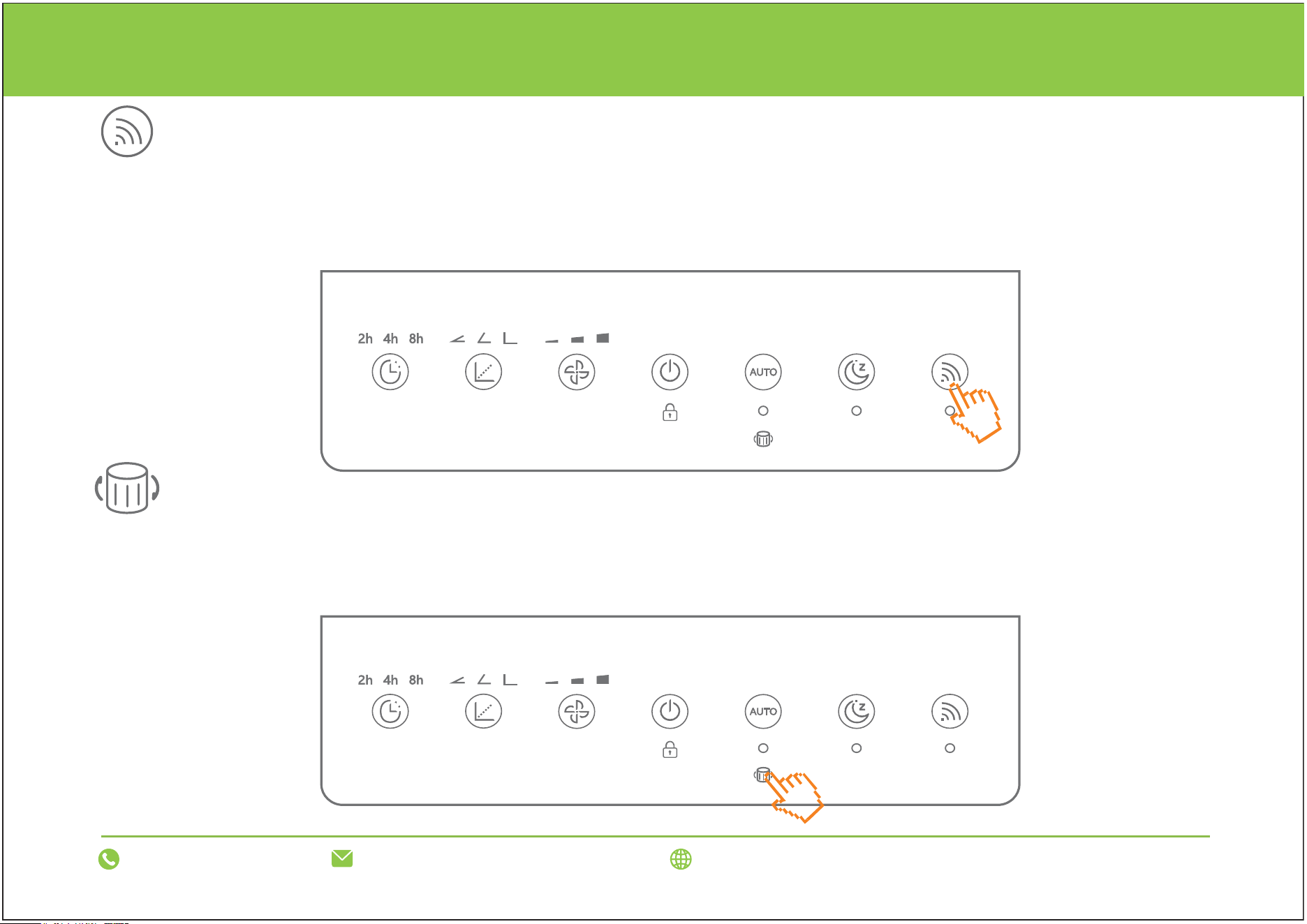
WiFi
Filter Replacement indicator
OPERATING THE AIR PURIFIER
Touch the "WiFi" button to connect to the Internet. The dot below the "WiFi" icon on the display flashes quickly/slowly
to indicate that the connection is in progress, and stays on to indicate that the connection is successful.
Tips: The network pairing waiting time is 3 minutes. If the pairing is unsuccessful, the WiFi indicator will go out.
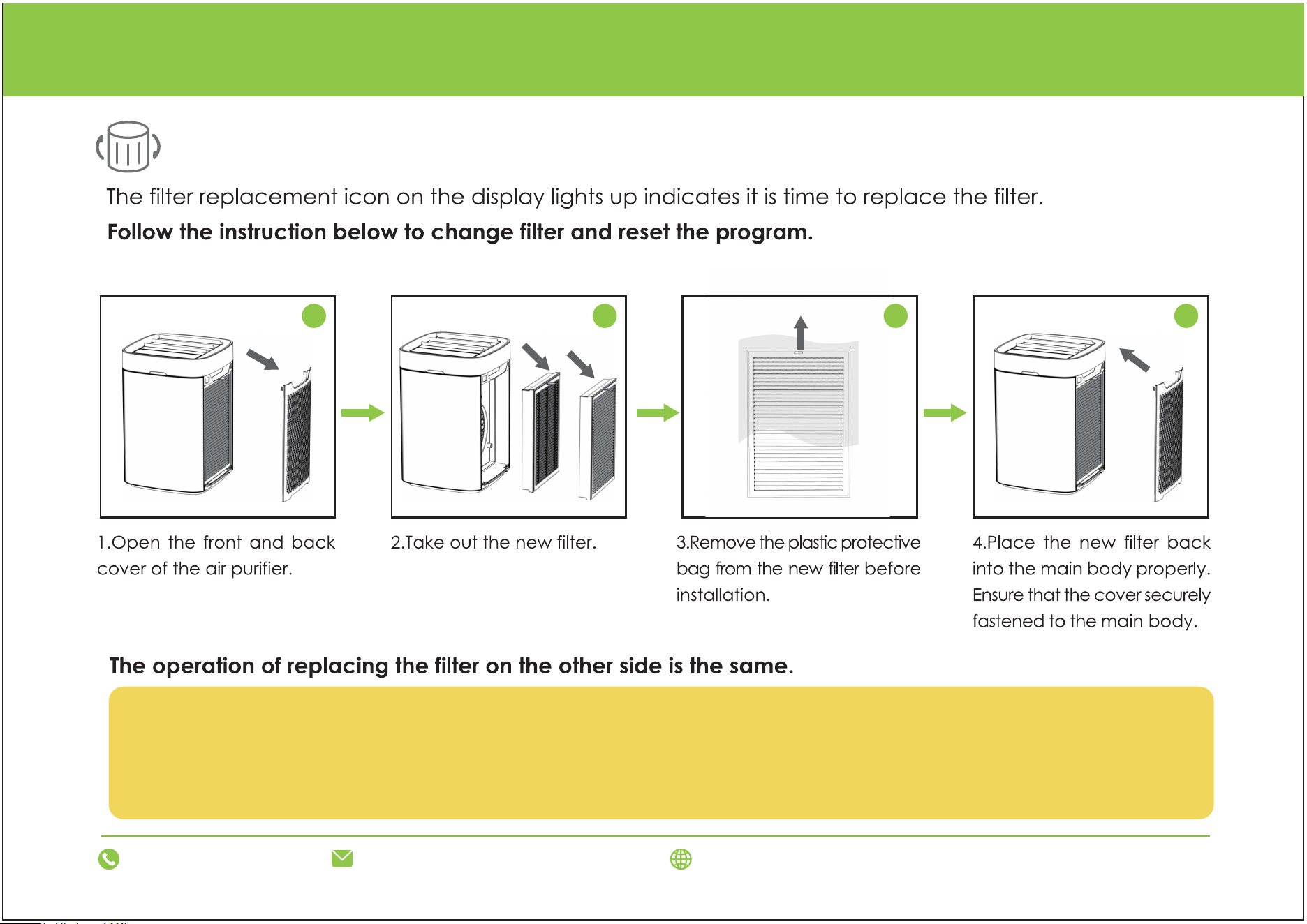
The filter replacement indicator indicates that the filter needs to be replaced.
Note: Press the "Sleep Mode Button + WiFi Network Pairing Button" for 3S to reset. When executing this function,
the buzzer will sound a short reminder.
15
support@luninohome.com
1-866-808-0334 www.luninohome.com
CONNECT WITH MOBILE APP
Scan the QR code to download the "Tuya" APP
1. Scan the QR code below
2. It will take you to the App's download page on either the Google Play Store or theApple AppStore, then just follow
the download and installation instructions.
If your phone does not have that capability built-in, simply download a 3rd-Party QFScanning App before scanning
the QR Codes and you are ready to go.
16
support@luninohome.com
1-866-808-0334 www.luninohome.com
CONNECT WITH MOBILE APP
4
Downloading a QR reader App:
1. Open youe mobile app store (App Store,Google Play)
2. Search for “QR code readers.”
2. Sinply download the QR code reader to your phone,open it,scan the code and you are ready to go.
ANDROID APP ON

17
support@luninohome.com
1-866-808-0334 www.luninohome.com
CONNECT WITH MOBILE APP
Please make sure your phone is connected to 2.4G WiFi and has Bluetooth turned on.
1. Press and hold the WiFi button for three seconds, and the WiFi indicator light (flashing) indicates that it is waiting
for network configuration;
2. Make sure that the phone is connected to 2.4G WiFi and turn on Bluetooth (the phone can only use 2.4G WiFi,
not 5G WiFi);
3. Download the Tuya app and select Small Appliances-Air Purifier;
4. Click the "+" sign on the device interface to add a device and enter the WiFi information;
5. Follow the prompts on the phone interface to complete the connection (the machine's WiFi indicator light is on to
indicate that the connection is complete).
Notes:
1. Since the app may be upgraded and updated, the actual operation may be slightly different from the above instruc-
tions, so please follow the instructions of the current program;
2. If you cannot connect to the Internet or change the network, please re-enter the WiFi account and password.
3. Press and hold the WiFi button for 3 seconds. The indicator light will flash instead of being on, indicating that the
current WiFi connection has been disconnected.
4. If you need to reconnect, please follow the WiFi connection steps in the manual to reconnect.
18
support@luninohome.com
1-866-808-0334 www.luninohome.com
INSTALLING & REMOVING FILTERS
Filter Replacement Indicator
1 2
3
4
1. Please clean it once a month using a soft brush or a vacuum cleaner to remove largerhair and dust
particles from the surface of the-filter. (Do not wash it)
2. The filter needs to be replaced every 3-6 months for better purification results.
3.Unplug the air purifier before replacing the filter.
19
CARE & MAINTENANCE
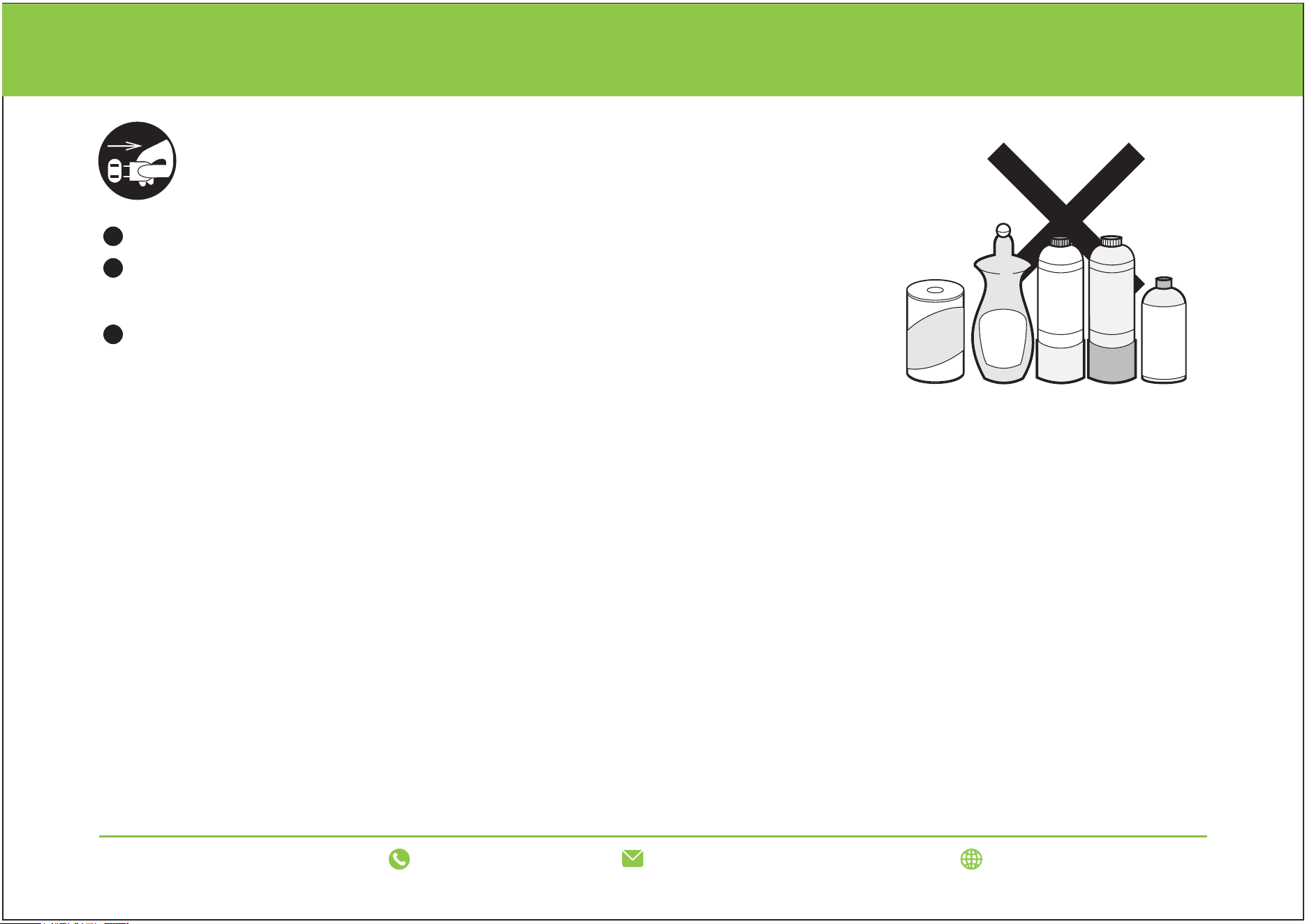
Please unplug the power cord before maintaining the machine.
Wipe the body shell with a damp cloth and then dry it.
If the outer shell is very dirty, neutral detergent can be used to dilute it
before cleaning.
Please do not use the items shown in the picture on the right for washing
(otherwise it will easily cause deformation and discoloration of the body).
Alkaline
detergent
Benzene
Alcohol
Decontamination
powder
Cleaning Tips:
1. Turn off and unplug the appliance if you are cleaning it or when it is not in use for a long time.
2. Refer to the filter cleaning and maintenance frequency: once a month.
3. Never use abrasive objects that could damage the appearance of your appliance.
4. Clean the appliance with a soft, dry cloth.
5. Never use abrasive cleaning agents, scourers, acetone, or petrol to clean the appliance.
6. Never immerse the motor base in water or place it under running water to avoid the risk of electric shock.
7. The filter is easily damaged and deformed. Please do not press or pull it forcefully during cleaning. If it is damaged,
replace the filter with a new one.
support@luninohome.com
1-866-808-0334 www.luninohome.com
20
CARE & MAINTENANCE
Maintenance
Warning
1. Do not wash or spill liquid on this product.
2. Keep your hands and fingers away from the high-speed wheel component rotating in the purifier. Avoid foreign
objects entering the unit's air vent, as it may cause heat or damage to the unit.
3. Do not block the air inlets and outlets. There should be a certain space around the air purifier.
4. Children should not play with the air purifier. This appliance should be used by adults.
5. In order to improve the purification effect, close the doors and windows when using the unit (to avoid carbon mon-
oxide poisoning, properly ventilate when using a combustion unit).
6. Please do not use any power adapter other than the one provided with the air purifier.
7. Do not use the appliance in wet, moist areas such as bathrooms, steamy kitchens, or near swimming pools and
humidifiers, as it may cause an electric shock.
1. Replace the filter every 3-6 months. The replacement cycle may vary depending on the area and ambient air qual-
ity. The filter replacement cycle may be reduced in heavily polluted areas, smoking areas, etc. When the filtering
effect is poor, please replace the filter.
2. Cleaning: Wipe the outer surface, the air inlet, and outlet with a wrung soft cloth. Do not clean the surface with
abrasive cleaning agents.
3. When not in use for a long period: unplug the power adapter, clean the outer surface and filter. Put it in a plastic
bag and store it in an area with low humidity.
support@luninohome.com
1-866-808-0334 www.luninohome.com
21
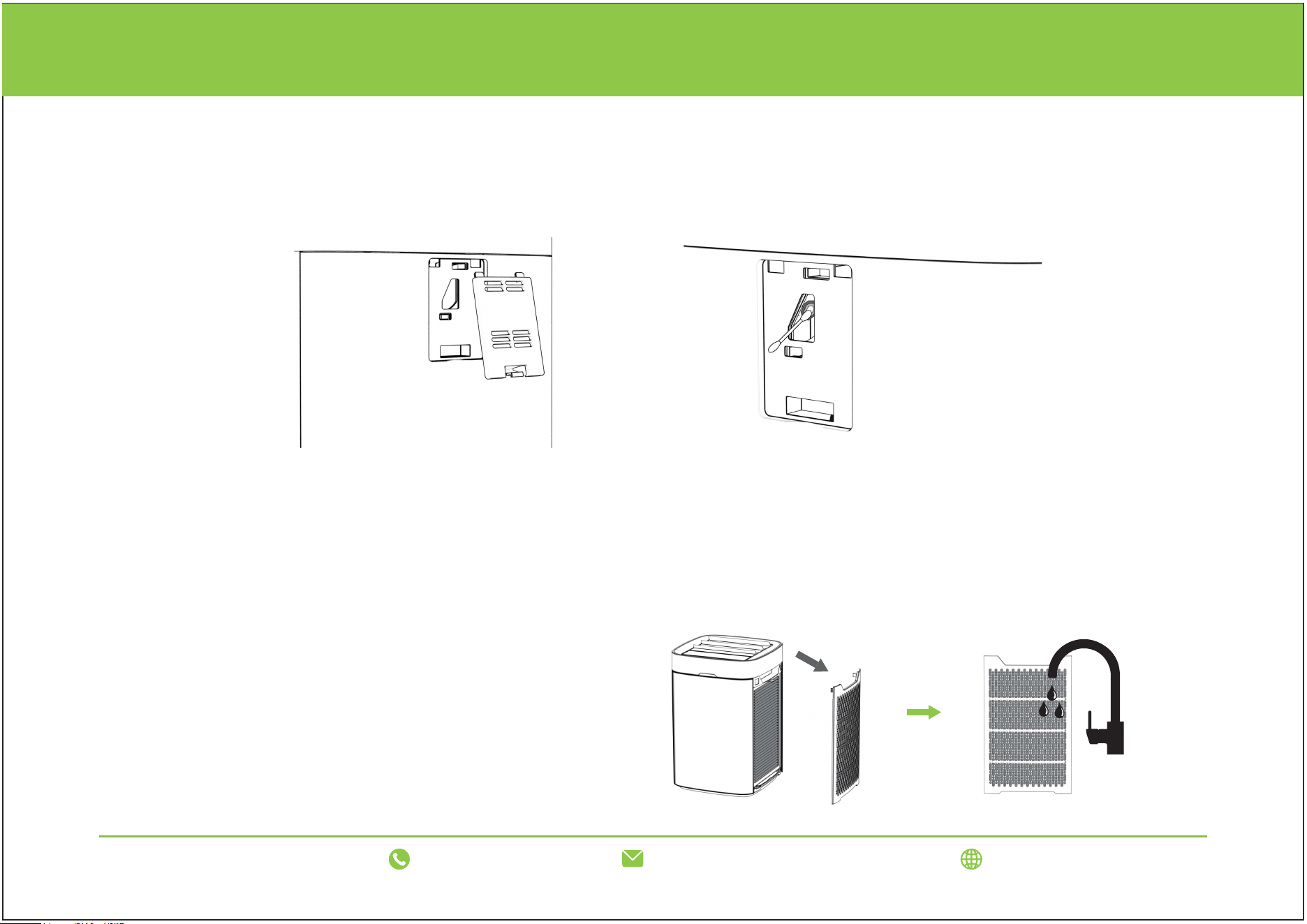
It is recommended that the AirSight Infrared Dust Sensor lens be cleaned every 2 months to help maintain the
sensor's efficiency. If the Air Quality indicator is red (indicating"Bad" air quality) more than usual, you may need to
clean your dust sensor.
Cleaning the Dust Sensor
1. Unplug the air purifier.
2. Open the dust sensor cover. [Figure 1]
3. Use a cotton swab dipped in water to clean the dust sensor lens.[Figure 2]
4. Wipe the lens dry with a dry cotton swab.
Clean the Filter
1. Remove the two filters from the side of the
machine. (Unplug the air purifier before cleaning.)
2. Rinse the filters underwater.
3. After cleaning, ensure the filters are completely
dry before reinstalling.
support@luninohome.com
1-866-808-0334 www.luninohome.com
CARE & MAINTENANCE
Figure 1 Figure 2
22
support@luninohome.com
1-866-808-0334 www.luninohome.com
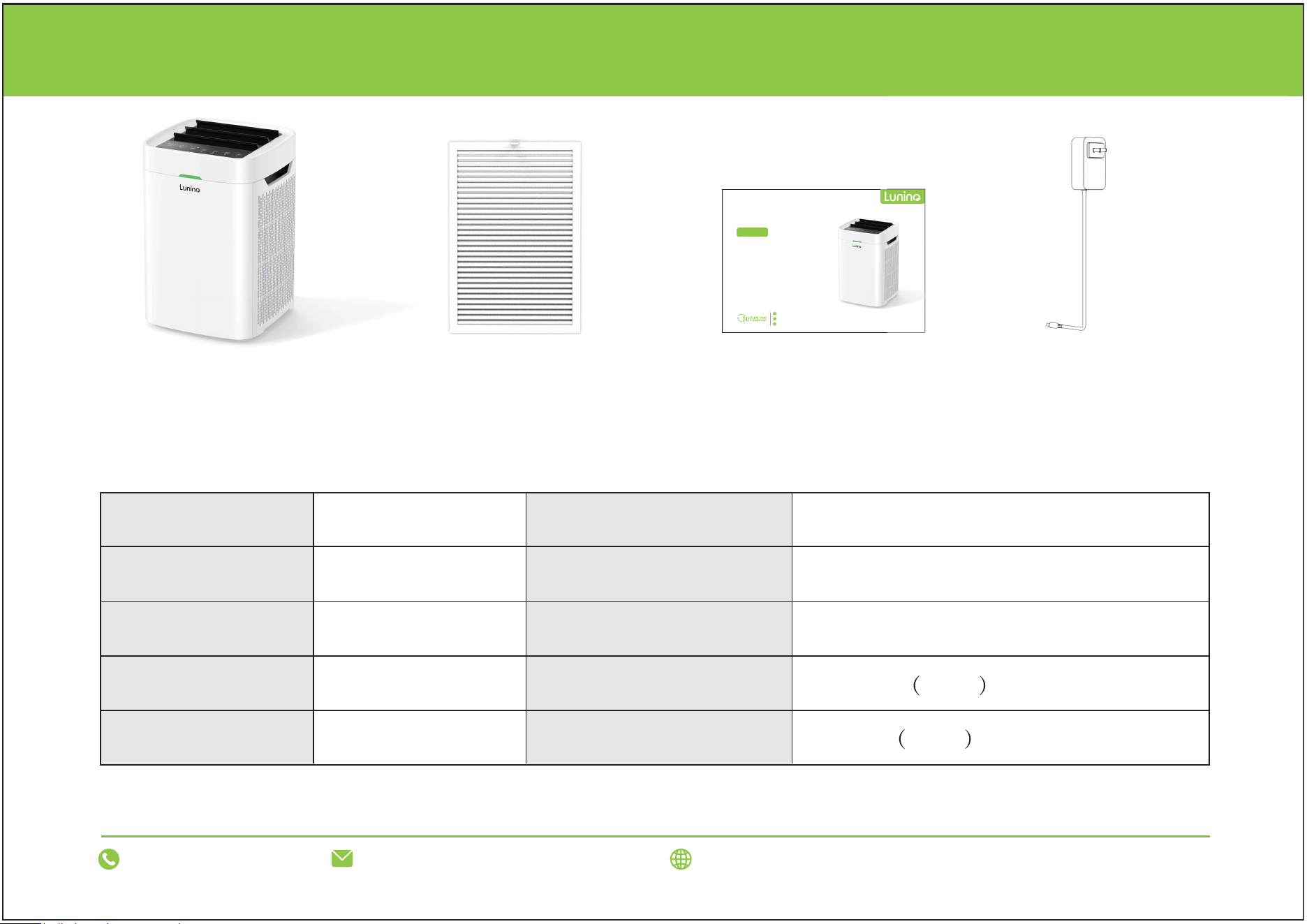
PACKAGE CONTENTS
Air Purifier*1 User Manual*1 Adapter*1
Hepa Filter*2
Parameter:
Product name
Rated power
Net weight
Noise (dB)
Power cord length
Product model
Input voltage
Product dimensions:
CADR
Filter replacement time
Air Purifier
35W (±10%)
3kg/6.6lb
≤30dB
1.8m/71in
K1
AC 100-240V 50/60HZ
10.39x10.39x16.06in
500 m³/h ±10%
2160hs ±10%
Model: K1
AIR PURIFIER
Double Sided Filtration System
App Control
Perfect for Large Room
Quiet Operation
100% Ozone Free
suppo rt@luni noh ome.c om
1-866- 8 08-033 4
www.l uninohom e .com
USER MANUAL
23
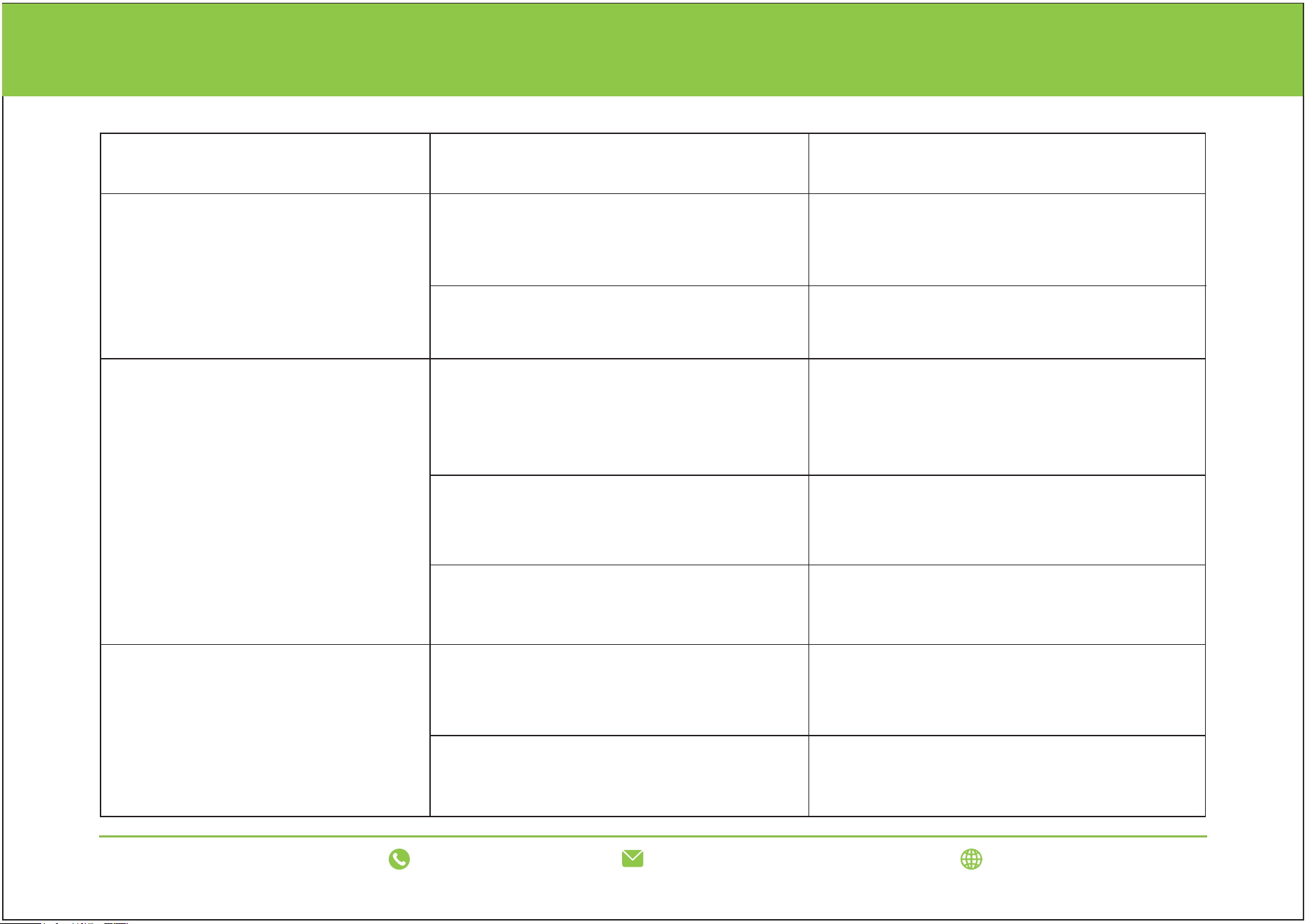
TROUBLESHOOTING
Abnormal phenomenon Inspection methods Solutions
The air purifier does not work
Is the power cord plug plugged in
properly?
Is the filter cover properly covered?
Plug the power cord plug in correctly.
Recover the filter cover.
Difficult to remove odor
Is plastic bag of the filter is removed?
Has the filter reached its use time?
Is the odor of the usage environment
particularly strong? Long term continu-
ous purification is required
It is recommended to ventilate before
starting the machine.
Remove the plastic bag of the filter.
Replace the filter.
The air purifier is noisy
Has the plastic bag of filter removed?
Has the filter reached its use time?
Take out the filter and remove the plastic
bag.
Replace the filter.
support@luninohome.com
1-866-808-0334 www.luninohome.com
TROUBLESHOOTING
24
support@luninohome.com
1-866-808-0334 www.luninohome.com
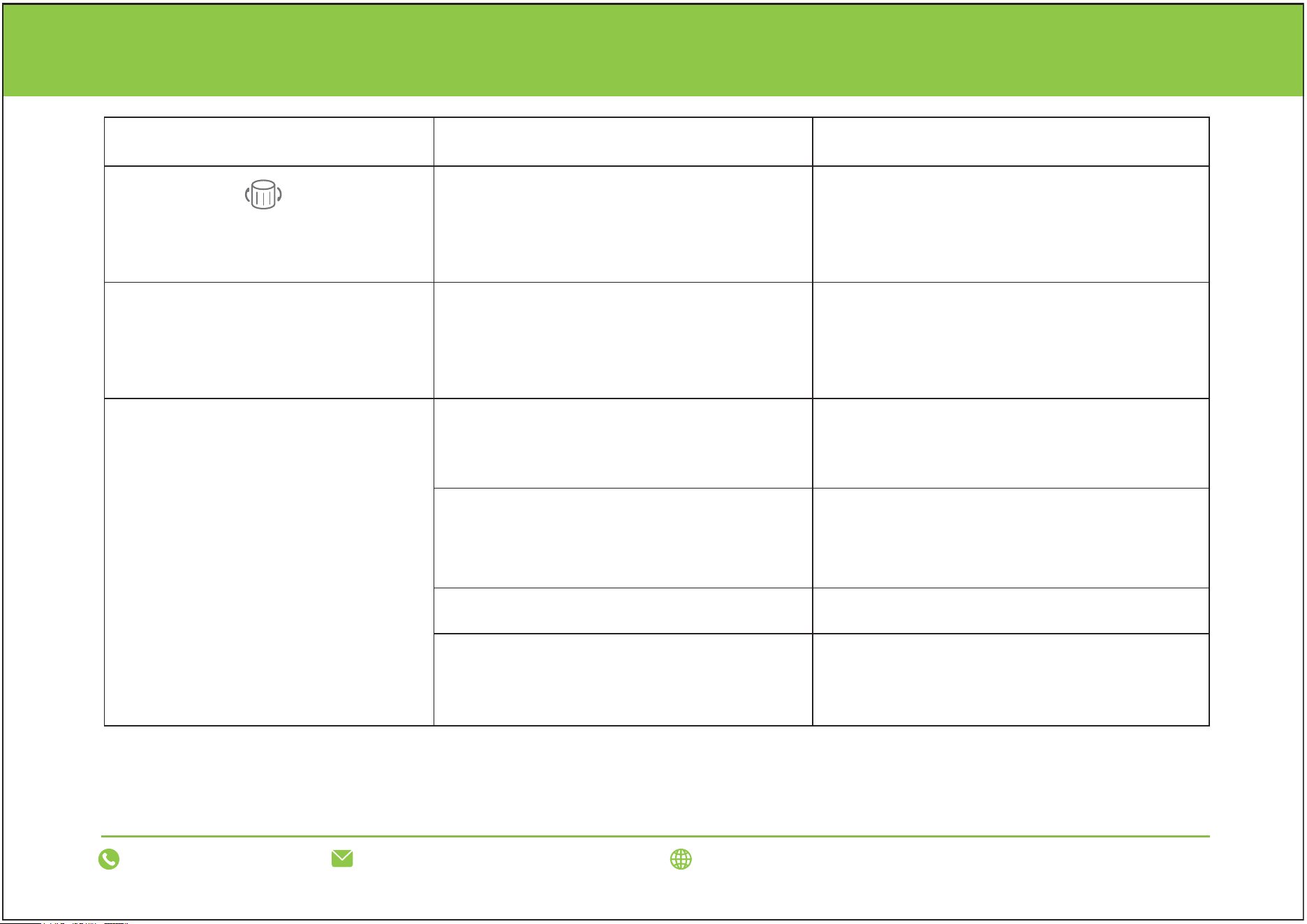
lf the problem cannot be solved after completing the above checks, please unplug the power cord and
contact the agent for repair.
Abnormal phenomenon Inspection methods Solutions
is still on after replacing
the filter.
The wind speed changes
automatically
without any operation.
Can't connect to the APP?
It only supports 2.4G WiFi, not 5G WiFi.
The network is unstable.
Bluetooth is not connected. Turn on Bluetooth.
Reset the timer button for 3 seconds after
replacing the filter.
Manually adjust or change the operating
mode through the APP.
Has the machine been reset by
pressing the timer button after
replacing the filter?
Check if the machine is
in auto mode.
Confirm the WiFi network connection
frequency band.
Reinstall the APP and allow permissions.
Go to a place with good signal or
connect to another network.
Permissions were not allowed
when downloading the APP.

support@luninohome.com
1-866-808-0334
www.luninohome.com
EPA Est. No.: 101594-CHN-1 Made in China
