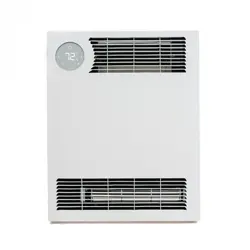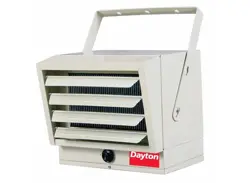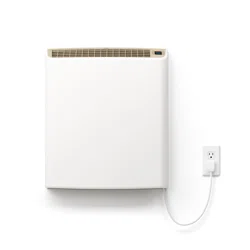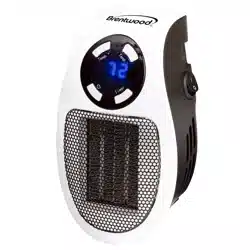
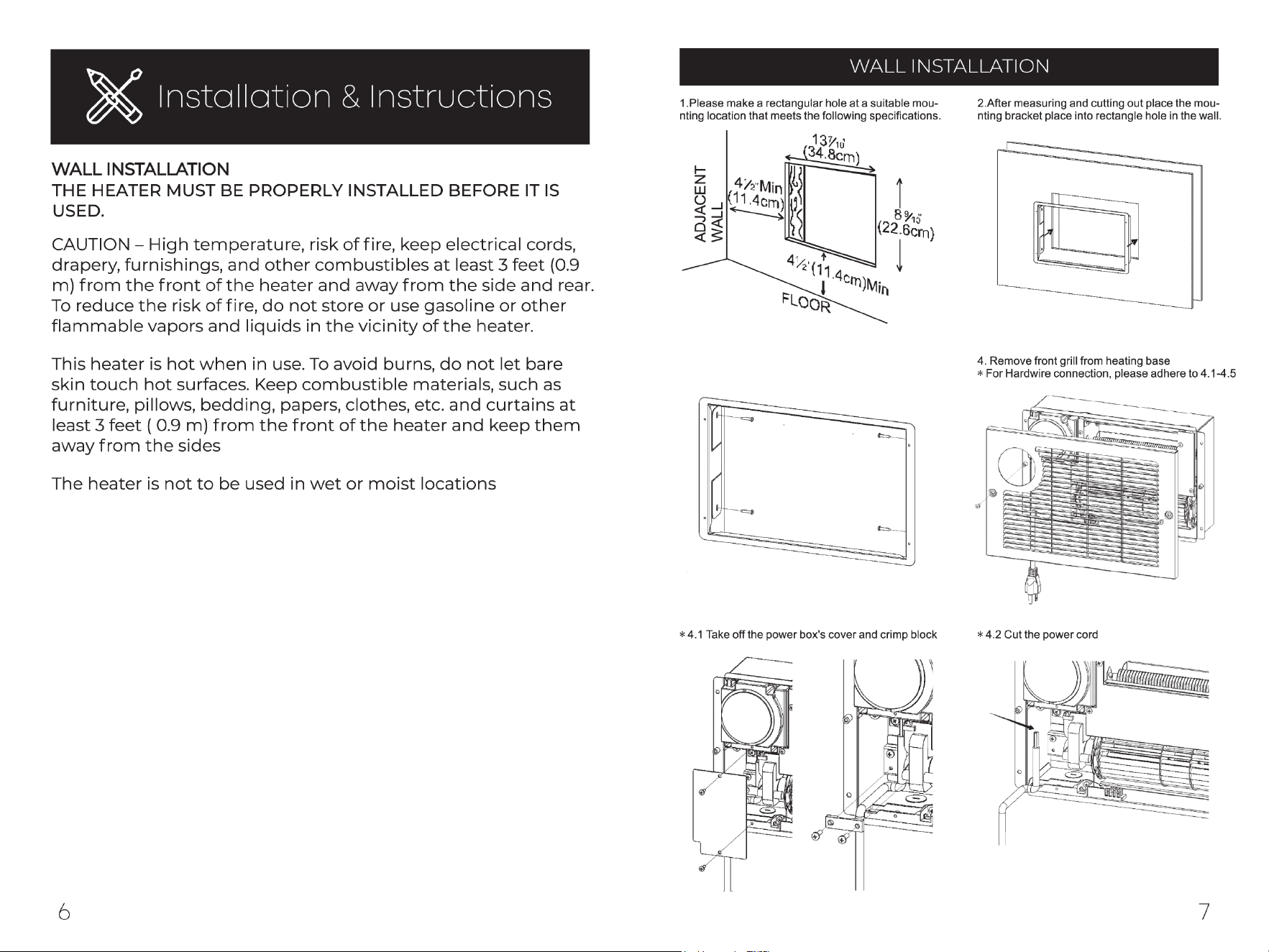
Heater is prewired for an outlet and cord can be cut for direct wire
application
DISCLAIMER - Recommened professional installation by a certified
electrician
Mounting Bracket
3. Then place screws into wood studs into the
wall as shown below
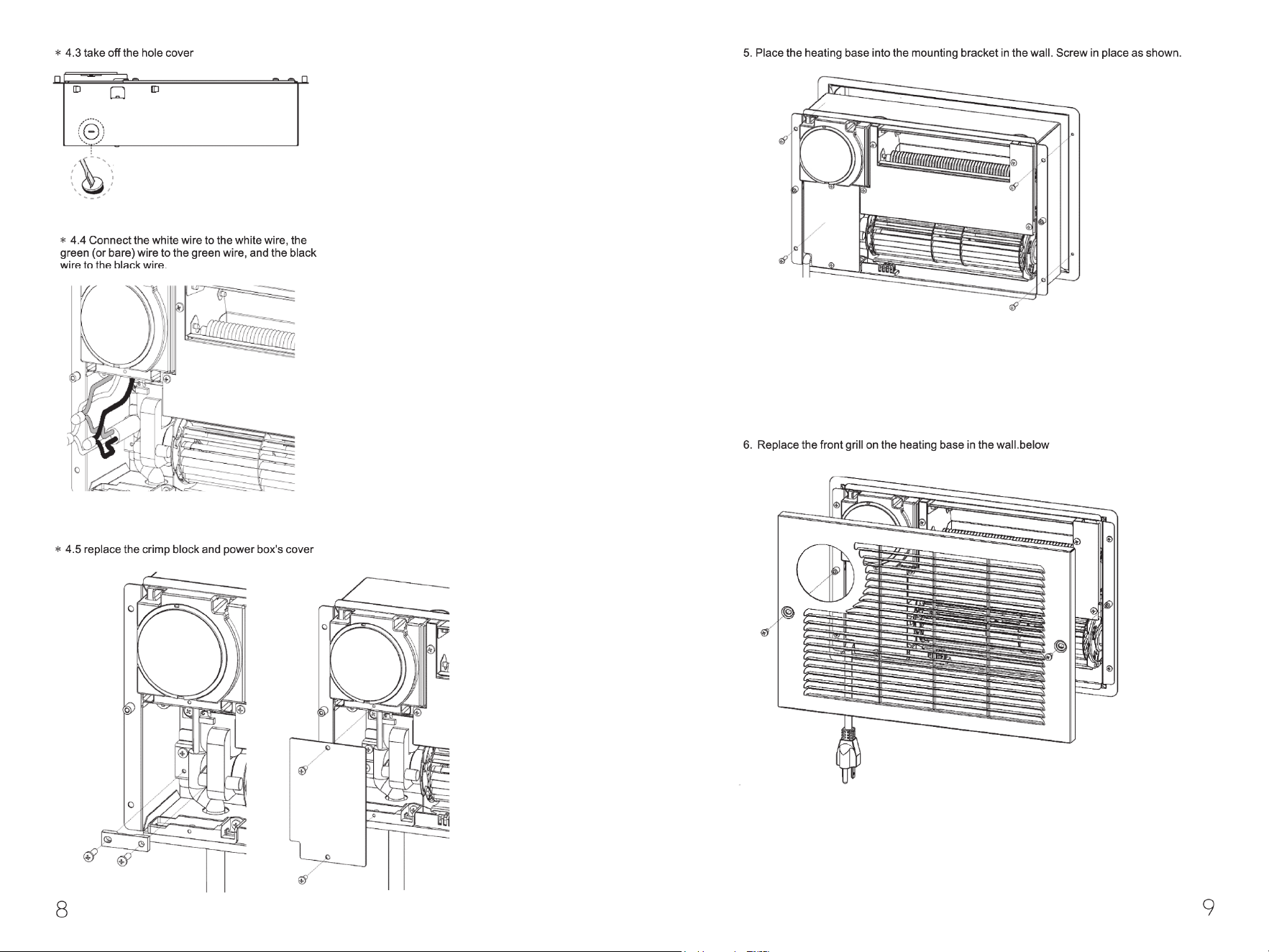
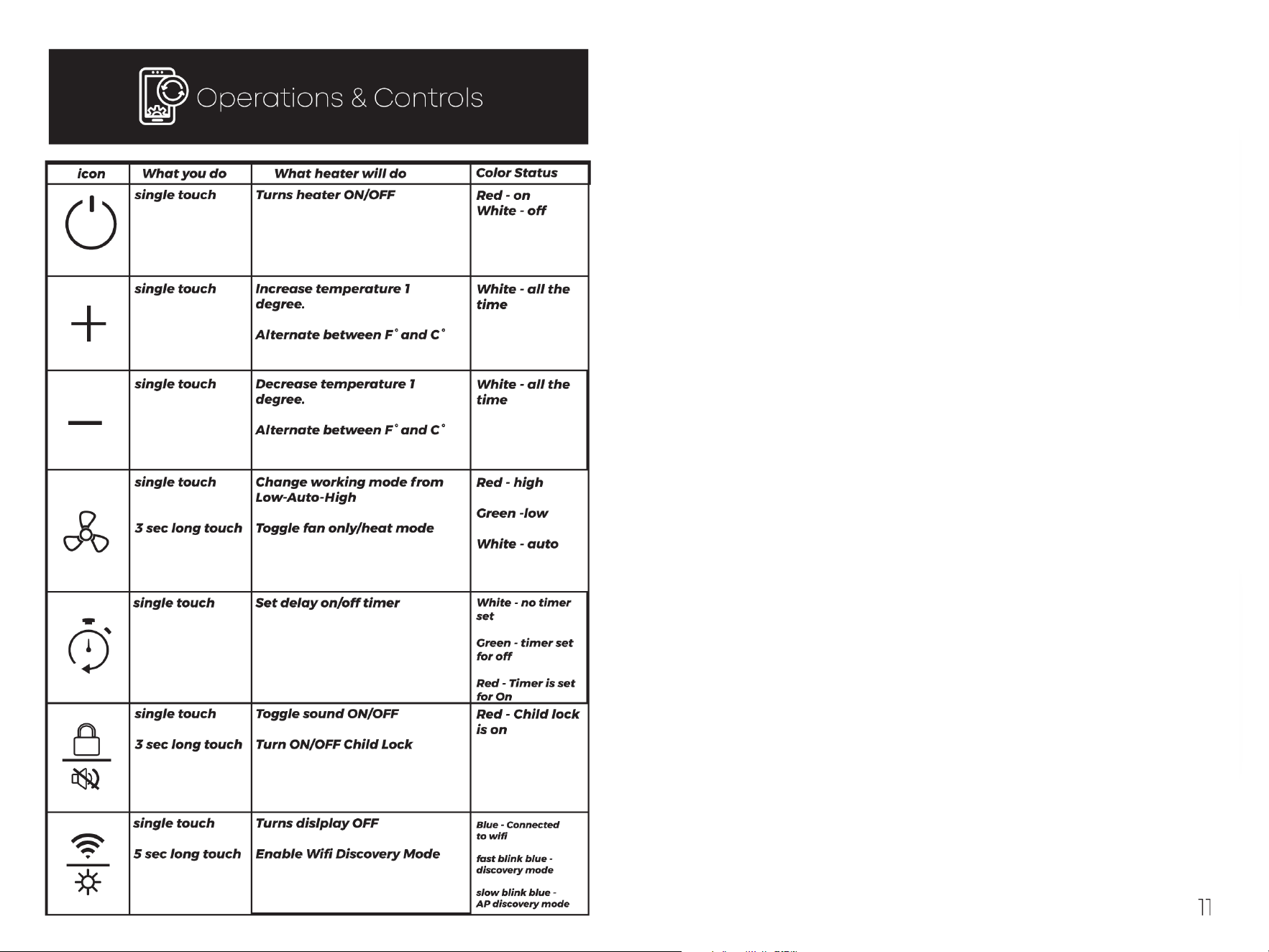
Fan
Timer
Child Lock
WIFI
Combo
touch with -
Combo
touch with +
SELECTING CELSIUS AND FAHRENHEIT
By pressing the"+" and"-" icons at the same time, you can set
the heater to function and display in Celsius or Fahrenheit.
5
NOTE: Switching between Celsius and Fahrenheit can only be
performed using touch screen on heater, and is not available
using the remote control.
SETTING THE TEMPERATURE
When pressing either the"+" or"-" icons the display will enter
into temperature setting mode. The heater will indicate that
it is in this mode when the numbers begin to blink. Pressing
the"+" or"-" icons will change the thermostat by l °For l 0C.
5
-The default set temperature of the heater is 70 °F or 27 °C.
5
-After 5 seconds without control input the display will exit
temperature setting mode and show the current ambient
temperature.
5
NOTE: After the heater function or power is shutoff the blower
will continue to run for several minutes to cool the internal
components.
CHILD LOCK FEATURE
Press the Lock/Soundless icon for 3 seconds to engage child
lock.
5
When the child lock is on, no changes can be made to the
settings until the child lock is turned off.
5
To turn off child lock - Press the Lock/Soundless icon for 3
seconds to disable child lock.
FACTORY RESET
Power off heater and allow time for elements to cool. Unplug
and plug in heater. Within 3 minutes of plugging in heater,
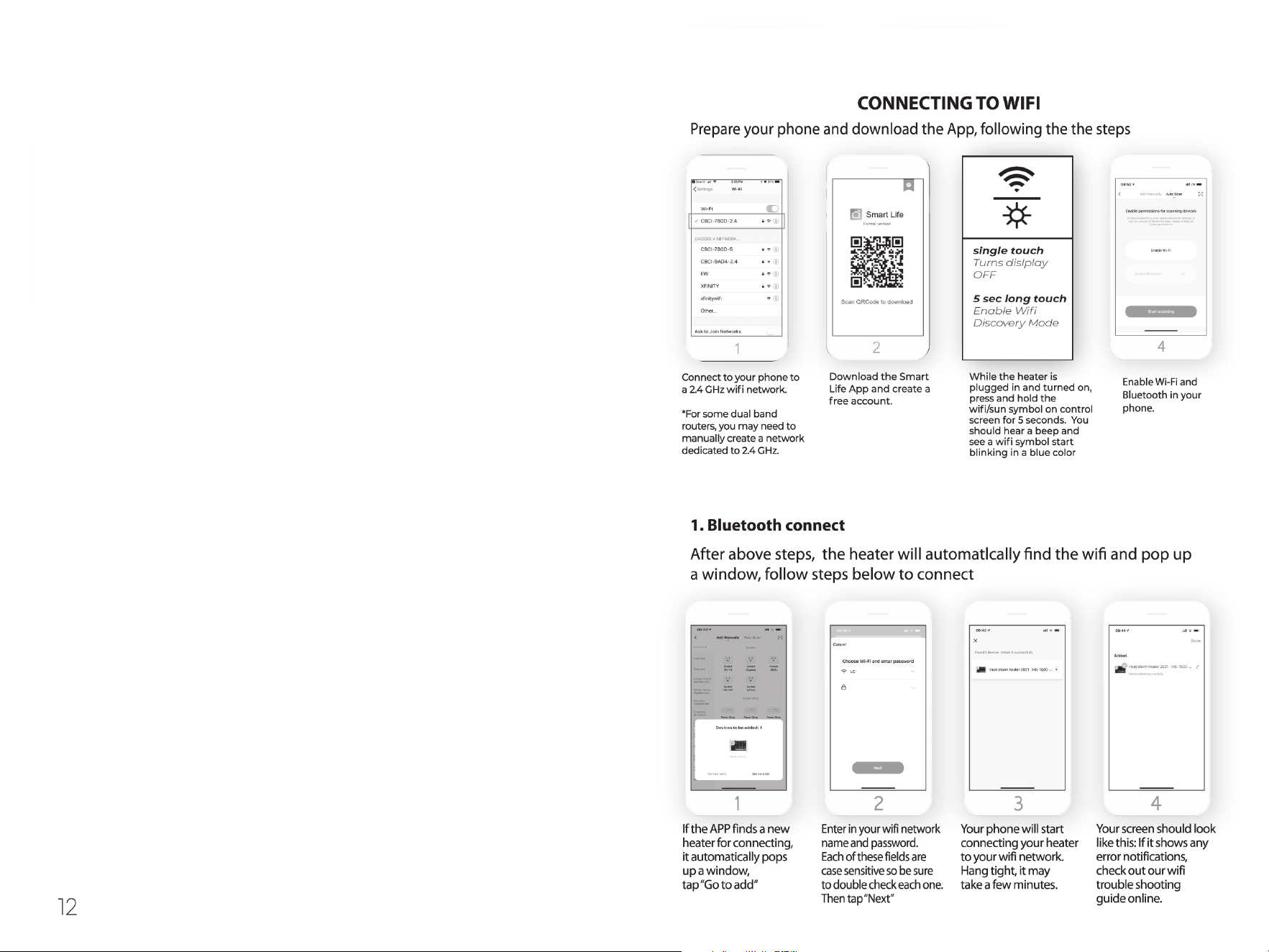
press and hold timer icon for 10 seconds. This will reset heater
to factory settings.
HERMOSTAT CALIBRATION
Thermostat readings can vary based on the environment. If
desired, the thermostat on the heater can be manually calibrat-
ed to match central HVAC system.
NOTE: Thermostat calibration can only be performed using the
Control Panel on the heater and is not available using the
remote control.
NOTE: Typically Heat Storm Infrared Heater thermostats are
more accurate than home central thermostats. Changing your
Heat Storm Infrared Heater to match your central system may
reduce its efficiency.
NOTE: You may have to attempt thermostat calibration several
times to make your heater thermostat match your HVAC
system.
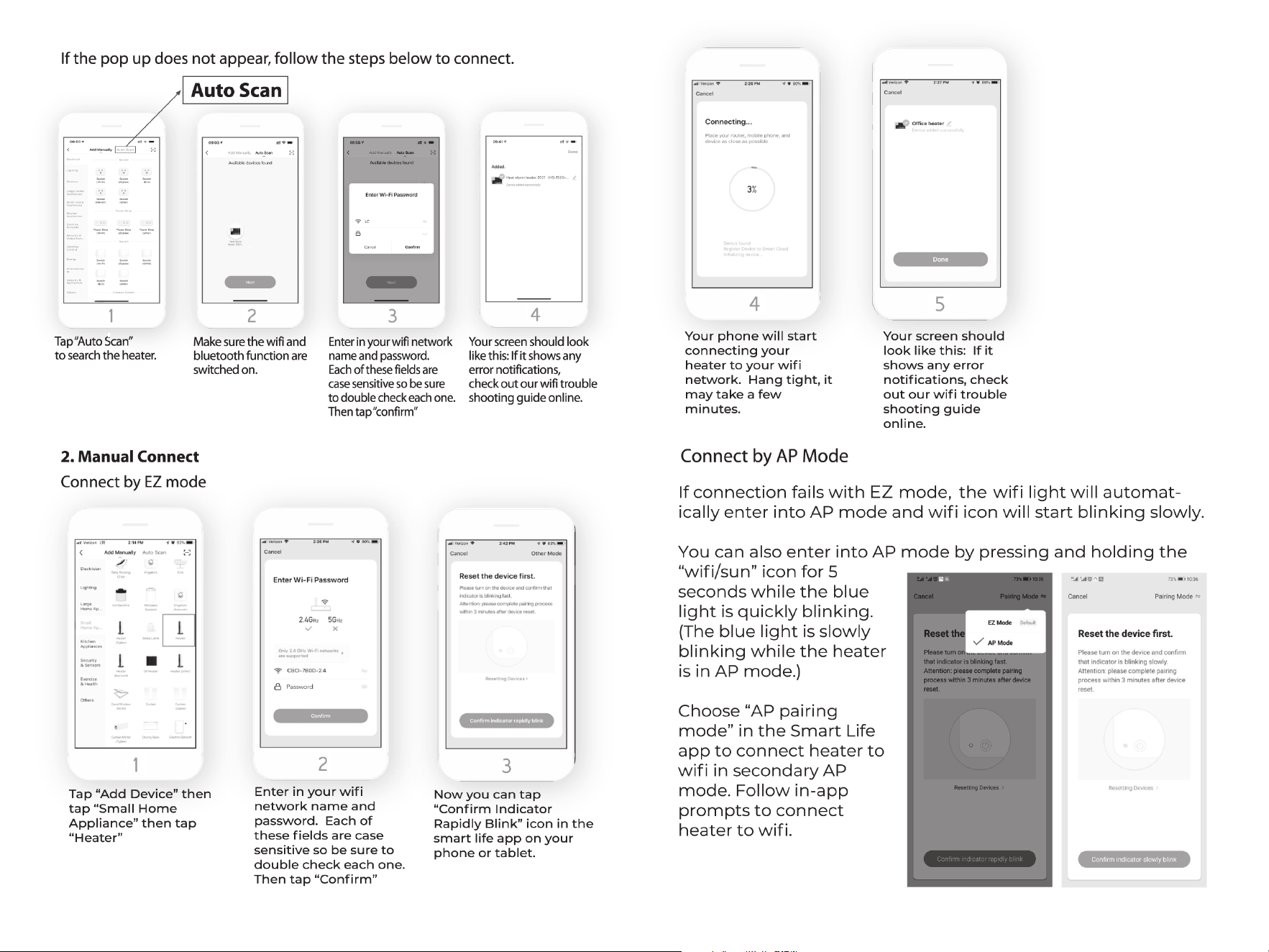
1. Press the Thermostat Calibration on the bottom of the APP
control panel to begin calibration.
5
2. Use the"+" and/or"-" buttons to adjust the thermostat.
5
3. Press Confirm the heater will exit thermostat calibration.
FAN ONLY MODE
Press the Fan/Soundless icon for 3 seconds to toggle between
fan only/heat mode.
Fan modes – single touch Fan/Soundless icon to change work-
ing mode from Low-Auto-High.
WARNING: ANY REQUIRED SERVICE AND MAINTENANCE
SHOULD ONLY BE PERFORMED BY AN AUTHORIZED SERVICE
REPRESENTATIVE.
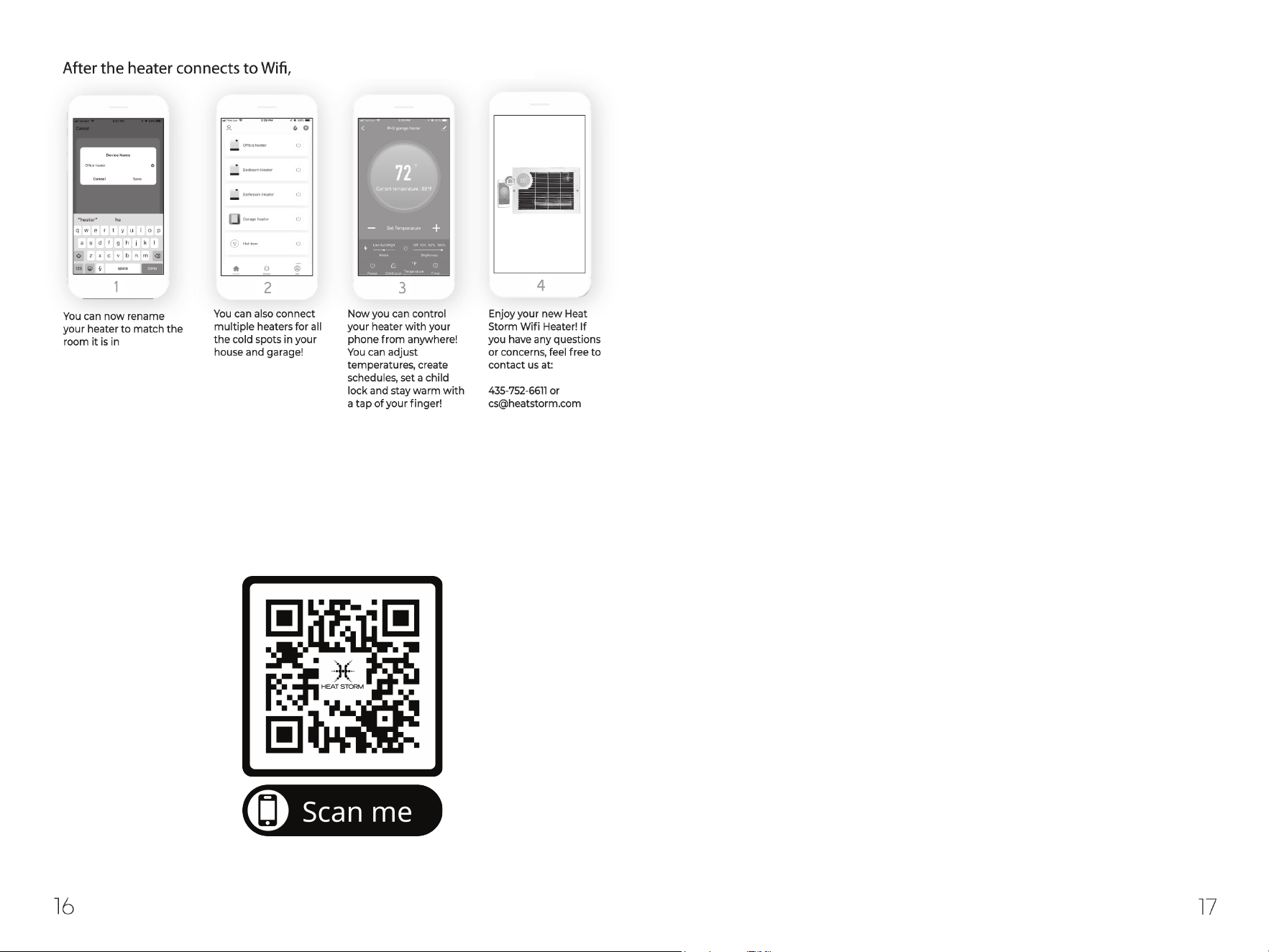
Watch video tutorials at heatstorm.com
14 15
if desired.
you can do the following:
You can watch video tutorials at heatstorm.com, or scan below
Check for desired temperature.
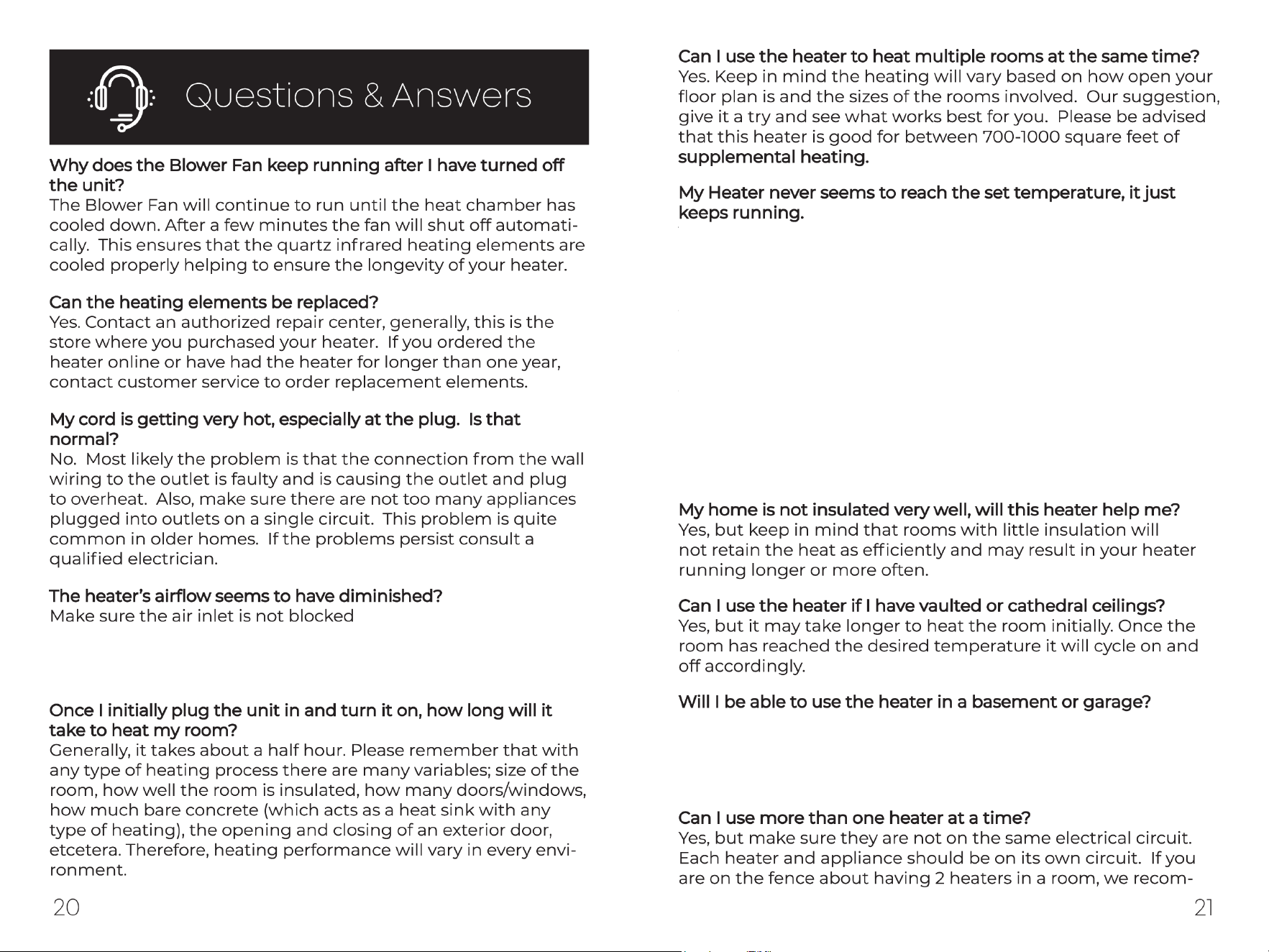
Yes, if the basement is finished with dry wall and carpet. For
more information visit heatstorm.com or contact customer
service.
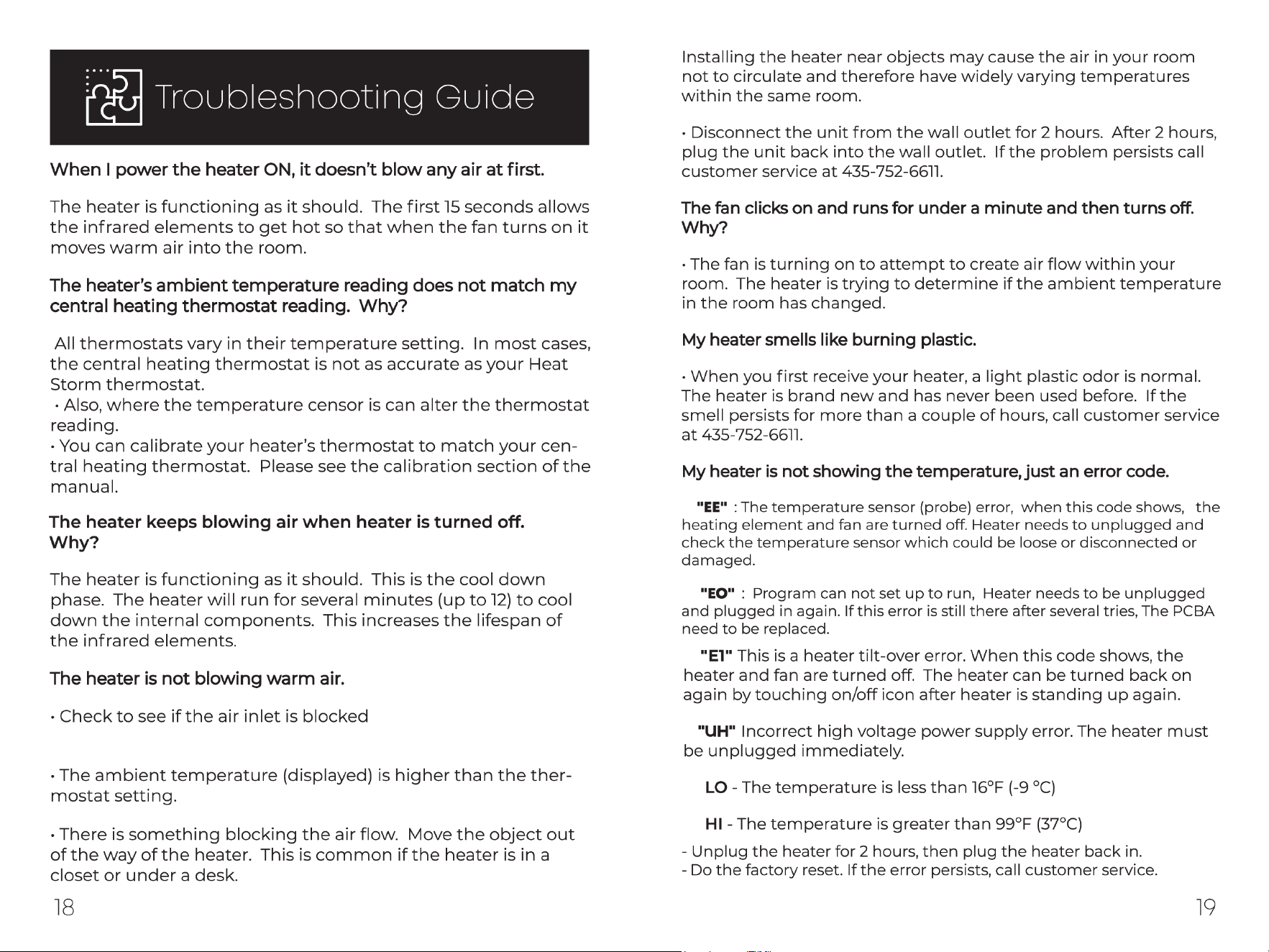
There are several possible causes. If the room is drafty or poorly
insulated the thermostat sensor may be taking an inaccurate
reading. Make sure to keep doors closed so that the heater can
heat the room. Also, ensure that the heater is plugged into an
interior wall and is not below a window. Often, when a heater is
below a window the cool air from the window is causing an inac-
curate temperature reading. If none of the above assist with the
problem, your heater may be too small for the room. This heater is
good for between.
700-7000 square feet of supplemental heating and approximately
750 square feet of primary heating. The square footage amounts
will vary depending on how well insulated your home is.