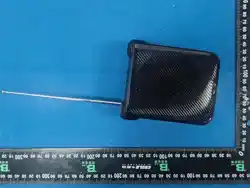
Professional Voice Amplifier
User Manual
If there are printing errors in this manual, please refer to the actual product.
V1 1
2 3 4
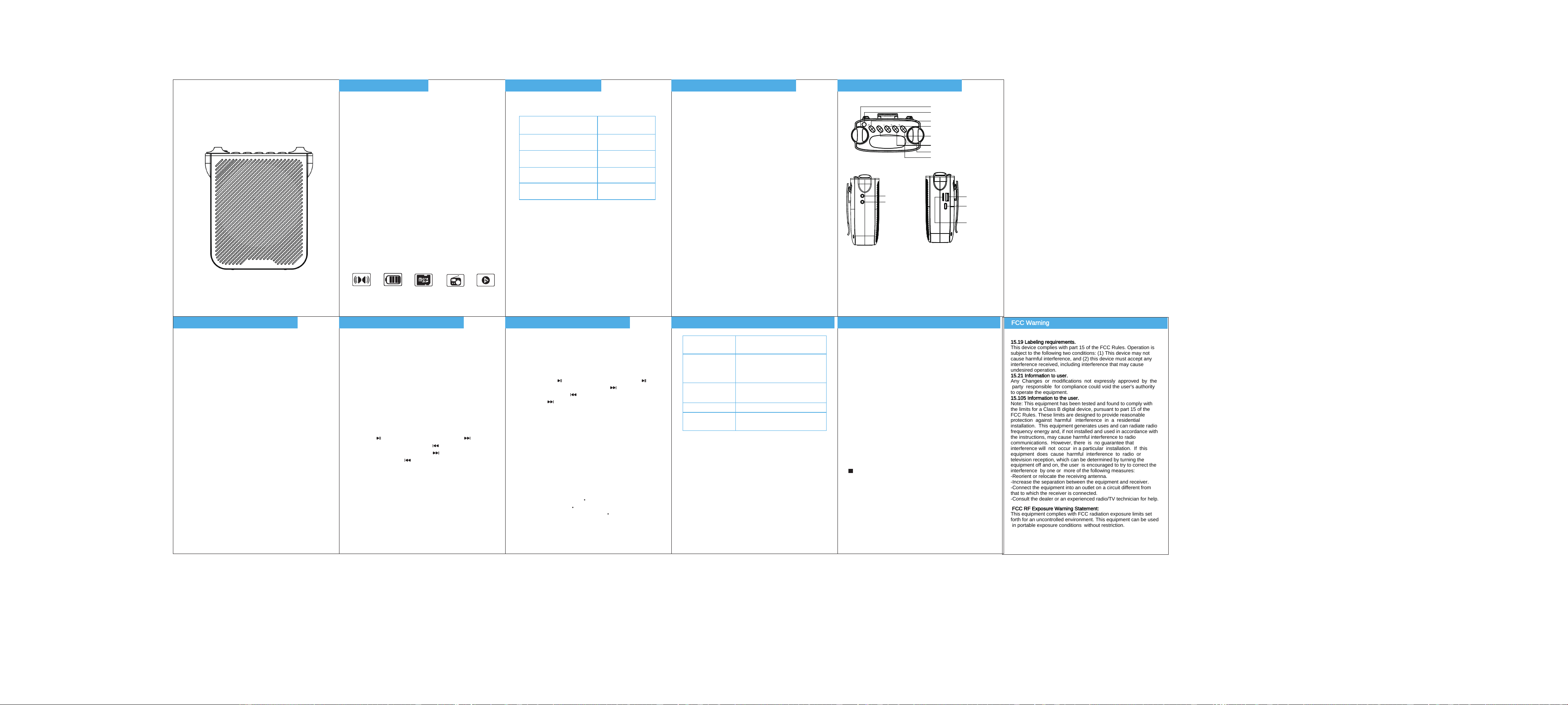
Chapter 1: Features Chapter 2: Packing List Chapter 3: Technical Parameters Chapter 4: Product Structure
5 6
Chapter 5: Operation and Usage Chapter 5: Operation and Usage
1.Professional amplification, ultra-loud &
clear sound
Packing Contents
Professional amplification, loud and clear sound,
suitable for teaching, travel, shopping malls, outdoor
speeches, and other occasions.
1.Speaker System
2.External Function Interface
Channel: Mono
Output Power: Max 10 W
Frequency Response: 100-20000 Hz
Signal-to-Noise Ratio: ≥ 80 dB
Speaker Impedance: 4 Ω
Product dimensions: 135x53x110mm
Weight: Approximately 355g
1)Bluetooth connection: 3)Audio Input Mode:
1. Turn on the machine's power switch. When the
device is powered on without a TF card inserted, it
defaults to Bluetooth mode and is in a Bluetooth
standby connection state.
1. Turn on the machine's power switch. When the
device is powered on without a TF card/USB flash
drive inserted, it defaults to Bluetooth mode.
7
Chapter 5: Operation and Usage
8
Chapter 6: Common Problems and Solutions
9
Chapter 7: Safety and Usage
6)Radio Mode:
Charging Instructions:
1. Turn on the power switch by rotating the knob, and
in the state without a TF card/USB flash drive
inserted, press the “M” button briefly to enter radio
mode.
1. Please store and use this product in a normal
temperature environment.
2. Do not use this product in rain or damp conditions.
3. Do not disassemble, modify, or repair this product by
yourself.
4. Handle with care to avoid collisions or drops that
may cause damage to the product.
5. This product contains a built-in lithium battery; do
not dispose of it randomly or place it in fire to avoid
explosion hazards.
Note: Risk of explosion if battery is incorrectly
replaced. Replace only with the same or equivalent
battery type.
If the above warnings are violated and improper
use causes personal or property damage, you will bear
all consequences, and our company will not assume
any legal responsibility.
7)Auto Resume Playback:
The machine automatically remembers the last song
played.
8)One-Touch Recording:
1. Turn on the power switch by rotating the knob,
insert a TF card/USB flash drive with sufficient
memory, briefly press the “ ” key to enter recording
mode, and press the “ ” key again to automatically
play the recording. Long press the “ ” key to delete
the recording.
2. Long press the “ M ” key for single loop playback,
the display shows “ONE”, and long press the “ M ” key
again for all loop playback, the display shows “ALL”.
2. Short press “ ” to play/pause, long press “ ”
to auto-scan channels, short press “ ” for the next
station, short press “ ” for the previous station,
long press “ ” to search for the next station, and
long press “ - ” to search for the previous station.
3. When receiving signals, extend the antenna to its
maximum length for the best reception (the reception
environment and position can affect the reception
quality).
4) TF Card Playback:
1. Turn on the power switch by rotating the knob and
insert a TF card containing MP3 music format to play
music.
5) USB Playback:
1. Turn on the power switch by rotating the knob and
insert a USB flash drive containing MP3 music format
to play music.
2. The button operations are the same as for TF card
playback.
3. Press and hold the “M” button for single track
repeat, the display will show ONE; press and hold the
“M” button again for all tracks repeat, the display will
show ALL.
2. Press “ ” briefly to play/pause; press “ ”
briefly for the next track, press “ ” briefly for the
previous track; press and hold “ ” for fast forward,
and press and hold “ ” for rewind.
2. Press the “M” button briefly to switch to audio
mode; insert one end of the 3.5MM audio cable into
the audio source and the other end into the AUX port
of the machine to play music normally.
2)Amplification / Echo Mode:
1. Turn on the machine's power switch. When the
device is powered on without a TF card / USB flash
drive inserted, it defaults to Bluetooth mode.
2. Insert the 3.5 mm audio interface of the headset
microphone into the MIC interface of the machine.
The machine will automatically enter Amplification /
Echo Mode. Do not point the microphone toward the
speaker to prevent howling.
3. Gently rotate the Echo Knob to adjust the speaking
volume for optimal effect.
2. Enable the Bluetooth function on your phone to
search for devices. Find the Bluetooth device named
"K80" and click on the name to connect automatically.
3. Once connected successfully, return to the music
playback interface on your phone/computer to play
music.
4. To adjust the volume, you can rotate the volume
knob on the machine or adjust the volume in the
phone or computer player. When playing music,
please set the volume to an appropriate level to avoid
overloading the circuit and causing audio distortion.
DC-IN input: 5V DC via Type-C cable
2.High-quality microphone, low howling
Comes with a high-quality headset microphone,
comfortable to wear, with pure sound quality.
3.FM high-quality reception
Auto FM Station Scan.
4.Auto Resume Playback
After shutting down and restarting, the music will
continue from the last playback point.
5.Rechargeable built-in lithium battery
Equipped with a high-capacity built-in lithium battery,
reliable quality, convenient for extended use, and
safer to operate.
When the speaker indicates low battery, please
charge it in a timely manner. Use the included
charging cable to connect to a computer's "USB" port
or connect to a phone USB charger for charging. The
charger shall output 5 V / 1500 mA. A full charge
takes approximately 4–5 hours.
Super strong
magnetic field
speaker
High-capacity
rechargeable
lithium battery
Supports TF
card
FM
multi-frequency
radio function
Auto
Resume
Playback
Voice Amplifier Main Unit
User Manual
Headset Microphone
Charging Cable
Waist Belt
1
1
1
1
1
Note: Charger is not included and sold separately. Note: Power off the unit before charging.
M
V-
V+
ECHO
+
-
MIC
AUX
USB
TF CARD
DC 5V
Echo Knob
Telescopic FM Antenna
Play/Pause
Short Press: One-Touch Recording
Long Press: One-Touch Delete
Short Press: Mode Switch
Long Press: Single Track Repeat / All Tracks Repeat
Short Press: Previous track
Long Press: Rewind
Volume Knob
Short Press: Next Track
Long Press: Fast Forward
Microphone Jack
USB Interface
Charging Interface
TF Card Interface
Audio Input Interface
Low volume or distortion
Poor reception quality
Cannot play music
normally
1. Check the speaker volume and adjust it to
an appropriate level.
1. Ensure the telescopic FM antenna is fully
extended.
2. Is the geographical signal reception poor?
Change to an open, unobstructed
environment.
1. Are the song files on the memory card or
USB flash drive in MP3 format?
Severe howling during
announcements
Do not point the microphone toward the
built-in speaker, otherwise severe howling will
occur.
Cannot record
Is the memory card or USB flash drive full?
2. Is the machine's battery low?
2. Battery is low, please charge.
15.19 Labeling requirements.
This device complies with part 15 of the FCC Rules. Operation is
subject to the following two conditions: (1) This device may not
cause harmful interference, and (2) this device must accept any
interference received, including interference that may cause
undesired operation.
15.21 Information to user.
Any Changes or modifications not expressly approved by the
party responsible for compliance could void the user's authority
to operate the equipment.
15.105 Information to the user.
Note: This equipment has been tested and found to comply with
the limits for a Class B digital device, pursuant to part 15 of the
FCC Rules. These limits are designed to provide reasonable
protection against harmful interference in a residential
installation. This equipment generates uses and can radiate radio
frequency energy and, if not installed and used in accordance with
the instructions, may cause harmful interference to radio
communications. However, there is no guarantee that
interference will not occur in a particular installation. If this
equipment does cause harmful interference to radio or
television reception, which can be determined by turning the
equipment off and on, the user is encouraged to try to correct the
interference by one or more of the following measures:
-Reorient or relocate the receiving antenna.
-Increase the separation between the equipment and receiver.
-Connect the equipment into an outlet on a circuit different from
that to which the receiver is connected.
-Consult the dealer or an experienced radio/TV technician for help.
FCC RF Exposure Warning Statement:
This equipment complies with FCC radiation exposure limits set
forth for an uncontrolled environment. This equipment can be used
in portable exposure conditions without restriction.
FCC Warning