
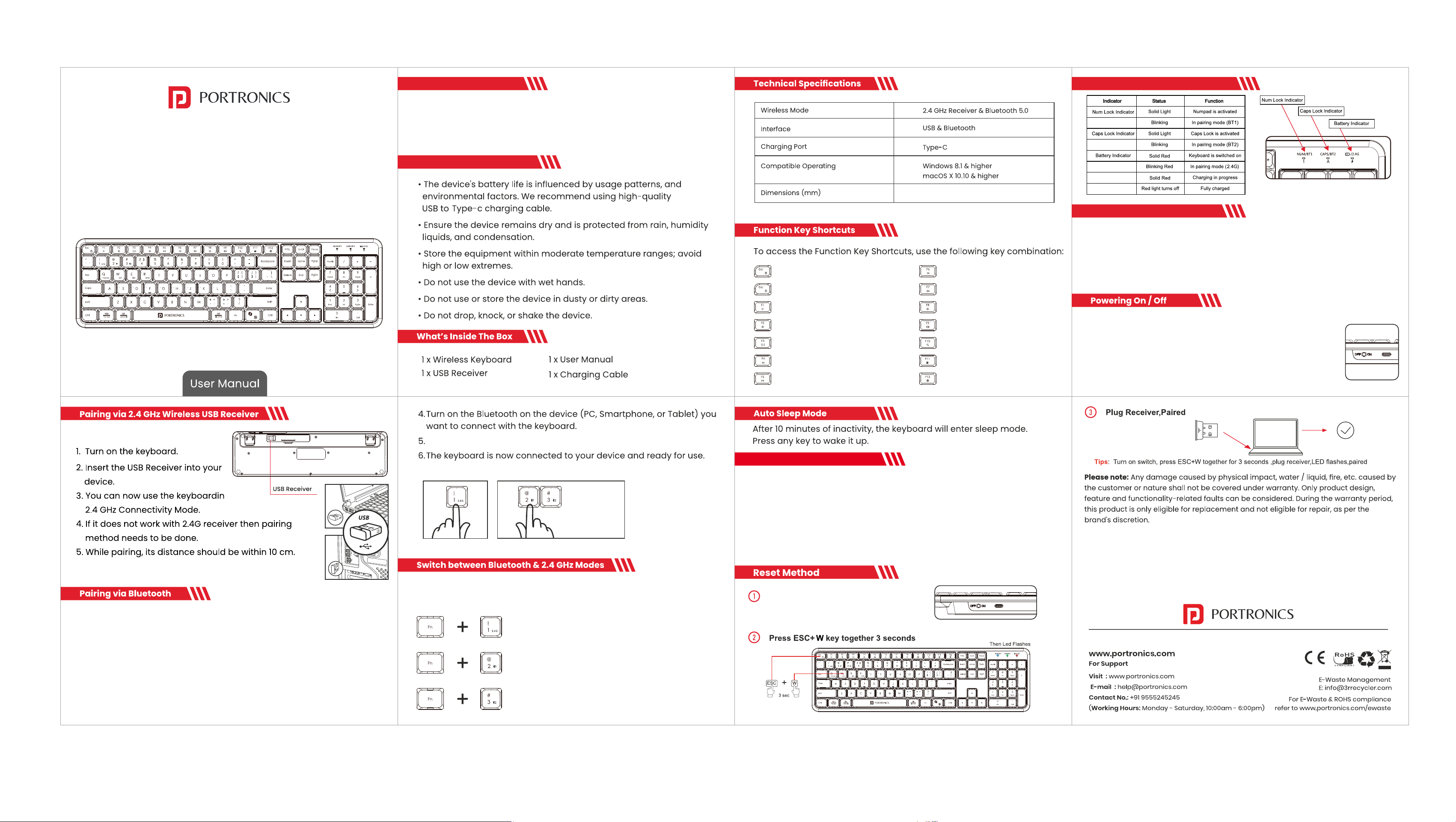
Indicator Lights & Functions
Charging The Keyboard
1. Connect the keyboard to a 5V 2A adaptor using the USB to Type-C charging
cable.
2. Once fullycharged,disconnect the cable from the keyboard.
3.The keyboardis now ready for use.
Note: Use only the provided USB toType-Ccable for charging
Thank you for choosing the Portronics Akshr Prime, Rechargeable
Wireless Keyboard. This user manual will guide you through the setup,
434x 125x 25
FN+ESC: Lock FN
FN+F1:Decrease screen brightness
FN+F2:Increase screen brightness
FN+F3:Show Mission Control
FN+F4:Previous Track
FN+F5:Play/Pause
FN+F7:Mute
FN+F8:Decrease Volume
FN+F9:Increase Volume
FN+F10:Search
FN+F11: Calculator
FN+F12: Switch languages
operation, and maintenance of your keyboard for an optimal
experience. Please read these instructions carefully before use.
Introduction
Safety Information
Akshr Prime allows you to connect two devices via Bluetooth, one
through Akshr, Akshr 2 , Follow similar instructions below to connect a
device via Akshr.
1. Turn on the keyboard and ensure the keyboard is in the desired mode
(BTl, BT2).
2.Long press Fn +2 or Fn +3 to enter the Bluetooth Pairing Mode - the
indicator light will begin flashing in this mode.
Scan for "Akshr" or "Akshr 2"on your device and connect with it.
Follow the below mentioned steps to switch between 2.4G, BT1 and BT2
Press Fn +1 to switch to 2.4Ghz
Press Fn +2 to switch to Akshr Bluetooth
Press Fn +3 to switch to Akshr 2 Bluetooth
(5V 2A)
Akshr Prime
Rechargeable Wireless Keyboard
FN+F6:NextTrack
ESC: Return
1. Locate the power switch at the top-right side of the keyboard.
2. Slide the button to the 'on' position, your wireless keyboard is
now ready for use in Bluetooth or wireless USB receiver mode.
3. When you're finished using the keyboard or want to conserve
battery power,slide the power button to the Off position.
To switch between Os and use operating system specifc keys and
shortcuts,follow the below instructions:
1.Macos: Long press Fn + Q key for 4 secondsds
2.Windows: Long press Fn + W key for 4 secon
3.IOS: Long press Fn + E for 4 seconds
4.Android: Long press Fn + R key for 4 seconds
Switching Between OS
Turn on the power switch