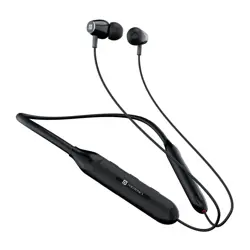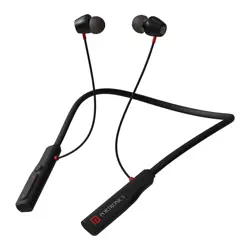
Wireless Stereo Headset
HARMONICS Z11
Package Contains :
1. Harmonics Z11
2. Charging Cable
3. Earbuds
4. User Manual
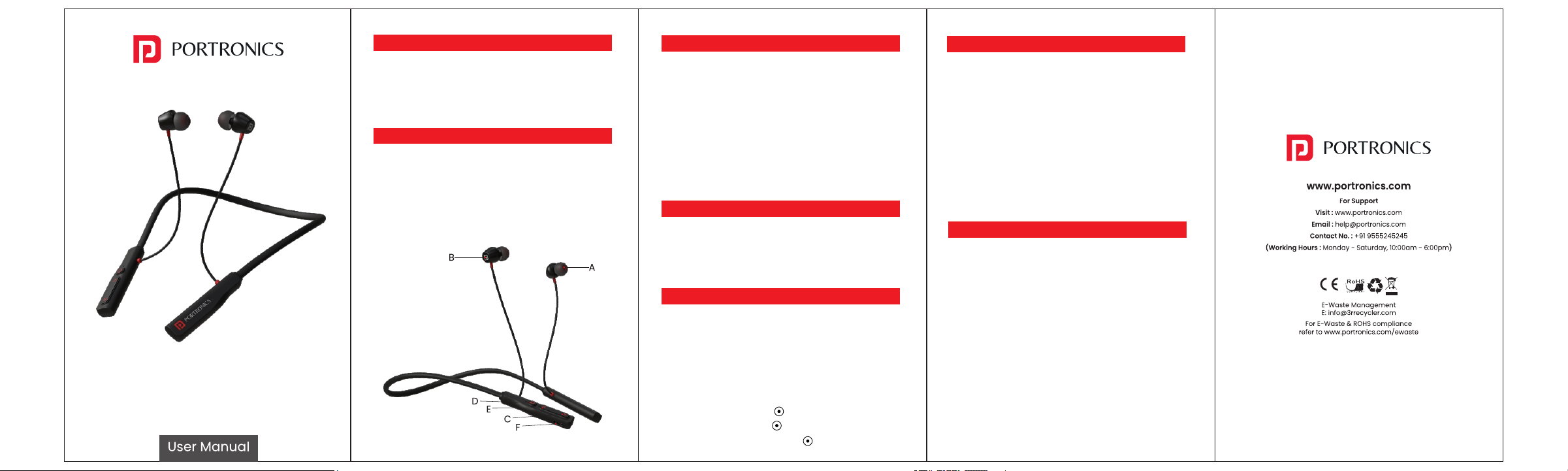
Product Discription :
A. Earbuds
B. Magnetic Hall Switch
C. Volume Up/Next Track
D. MFB (Multifunctional) Button
E. Volume Down/Previous Track
F.Type-C Charging Port
Bluetooth Connectivity :
Step 1 : Press the Multifunction button on your
headset for 3 seconds to power On.
Step 2 : Locate the Bluetooth settings on your audio
device, and Turn On Bluetooth.
Step 3 : Search for 'Harmonics Z11' among the
available devices, and select. Then Tap 'Pair'.
Step 4 : Once paired, the voice command will
announce 'Connected'. You can then start playing
your favourite music.
Charging Your Headset :
Step 1 : Locate the charging port on the headset.
Step 2 : Use the provided Type-C Cable and
connect it to an adaptor. We advise using original
Portronics chargers.
LED Indicators :
Red : The headset is charging.
Blue : The headset is fully charged.
Previous song : Press/hold — key for 2 secs.
Next Song : Press/hold + key for 2 secs
Volume up : Press + key lightly
Volume down : Press — key lightly
Answer/End Call : Press key once
Reject Call : Press/hold key 2 secs
Voice Assistance : Long Press key 2 secs
Products Specification :
BT Version : 5.3
Driver Size : 10mm
Wireless Frequency : 2402-2480MHz
Working Distance : 10m
Charging Port : Type-C (5V/1A)
Playtime : Upto 35 hrs.
Working Temperature Range : -20°C -50°C
Cautions :
1. Avoid extreme heat, cold and humidity.
2. Avoid dropping or crushing the Earphones,
stressing the cable by rapid pulling or extreme
force or bending the cable at s sharp angle.
3. Wax may build up in the Earphones tips, lowering
the sound quality Carefully remove the wax with a
cotton swab or other small tool to improve the
sound quality.
4. If you experience discomfort or pain, try lowering
the volume or discontinuing use temporarily.