User Manual
COOL AID
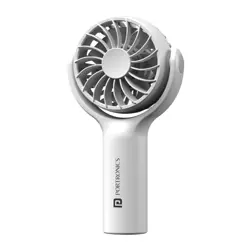
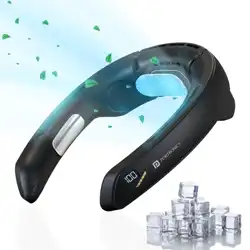
Neck fan with cooling plate
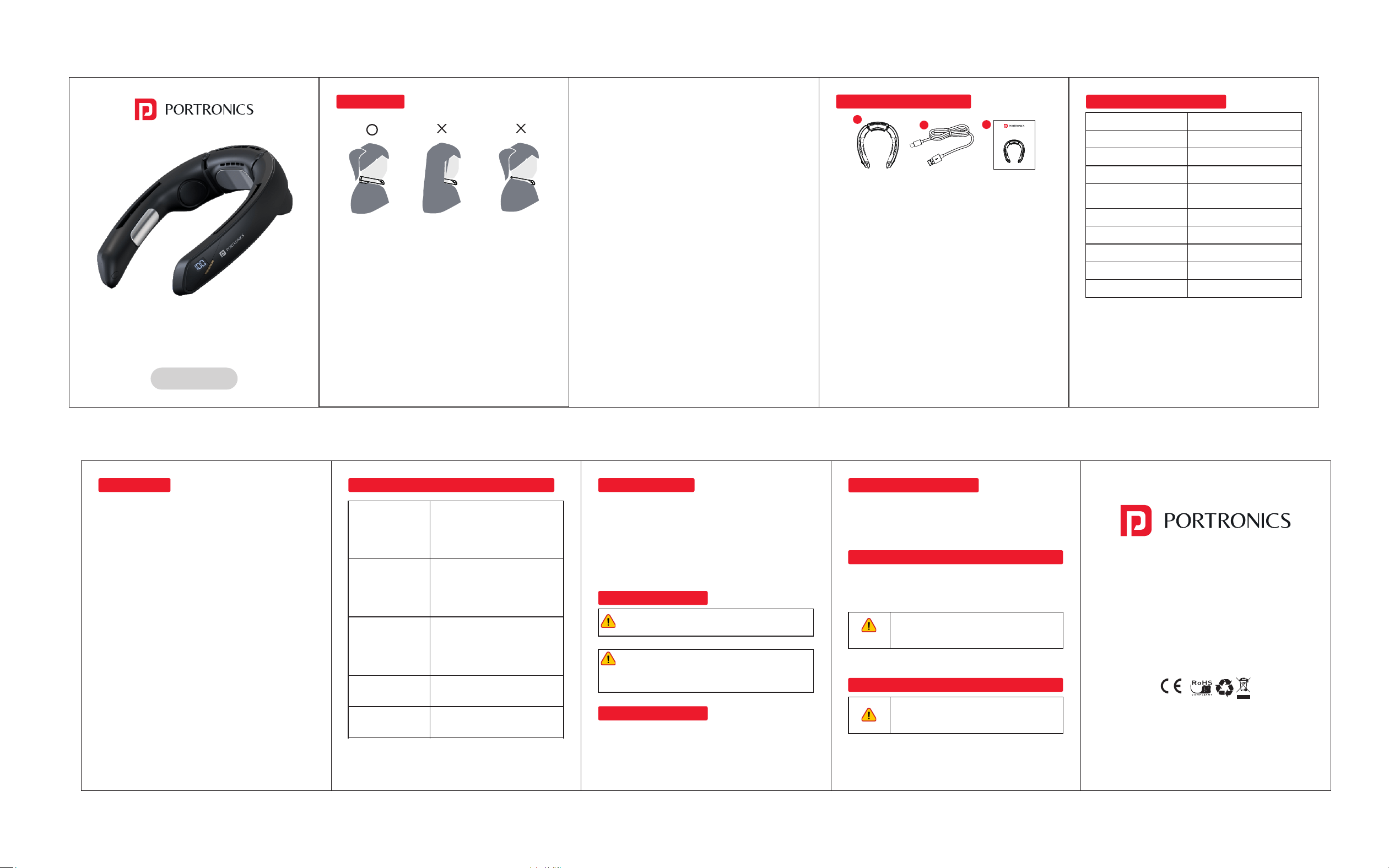
1. Be careful when tucking your hair in. If you have long
hair, use a hair elastic or something similar to tie it up!
2. Do not block the air inlet or outlet.
3. Do not block the air inlet or outlet with your clothes.
4. Do not use in humid places. Condensation may form on
the cooling plate. Do not allow water or sweat to get
inside the product. This may cause a malfunction.
5. Do not store in places with high humidity and
temperature.
6. Do not throw or impact the main unit. This may cause a
malfunction.
7. Charge with an input of 5V/2A or more.
CAUTIONS
8. Do not burn this product. The built-in battery may
ignite/explode.
9. If an abnormality (such as strange noises) occurs
during use, immediately discontinue use.
10. A lithium battery is built in. When disposing of the
product, dispose of it using the method specified by
your local government.
11. Do not use while charging.
12. Please note that the air blower cannot completely
prevent hair from being sucked in.
13. If the battery level is low, the white indicator light will
flash and the unit may turn off. Please be aware of this.
14. This product is not a medical device.
15. If you experience any physical discomfort or discomfort
while using this product, discontinue use.
16. Do not use if any of the following applies to you:
1. Those with cardiovascular disease (high blood
pressure, arrhythmia, ischemic heart disease, angina,
myocardial infarction, heart failure, etc.) or a history of
such diseases.
② People with dementia or who are unable to express
themselves
③ People with sensitive skin, skin wounds or skin disease,
or allergies
④ People with cervical spine disease
• Never use the cooling plate below 30°C. There is a risk
of frostbite. (During operation, the temperature of the
cooling plate is approximately 15-25°C lower than the
perceived temperature, but this varies depending on
the environment.)
• If using for more than 30 minutes, check the condition of
your skin before continuing to use.
• Never use while sleeping.
• Do not disassemble or modify this product. There is a
risk of breakdown, frostbite, burns, or electric shock.
CHECK THE ACCESSORIES
USB-C
Charging Port x 1
Instruction
manual x 1
Neck
Fan x 1
Cool Aid
1
2
3
Input : 5V/2A
Power : 10W
Battery Capacity : 4000mAh
Continuous Use Time : Approx. 2~15.5H
Usage Environment : 0-40℃
Temperature
Charging time : 5H
Fan Stage : 3 stages
Cooling Plate Stage : 1 stage
Product Weight : Approx. 330g
Product Size : Approx. 175*50*213mm
PRODUCT SPECIFICATIONS
(Depends on usage and environment)
Mode 1 : Fan only
Mode 2 : Cooling + Fan
• Attaching the main unit Before use, please adjust the
length of the hair to prevent it from getting caught.
Operation Buttons
Power On :
• To power on the device, short press the power button.
• Upon startup, the fan will operate at the default 1-stage
wind speed.
• The electronic display will first show the wind speed stage,
then switch to display the remaining battery level.
Stepless Adjustment Knob:
• Increase Wind Speed: Turn the knob outward to increase
the wind speed. There are up to 100 stages.
• Decrease Wind Speed: Turn the knob inward to decrease
the wind speed. The minimum is 1 stage.
Cooling Plate Function:
• To operate the cooling plate, short press the
corresponding button to turn the cooling plate function on
or off.
• When the cooling plate function is on, a blue light will
illuminate at the intake port.
• When the cooling plate function is off, the blue light at the
intake port will turn off.
Power Off:
To turn off the device, press and hold the power button.
When the device is powered off, the electronic display will
also turn off. If the battery level is low, the electronic display
will flash.
HOW TO USE HOW TO READ THE ELECTRONIC DISPLAY
Power On Shows one speed level, switches
to battery level after 5 seconds,
and turns off after another 5
seconds.
Speed L evel Change Shows adjusted speed level,
switches to battery level after 5
seconds, and turns off after
another 5 seconds.
Low Battery When you press the power button,
the battery level flashes 3 times
when the battery level is 0% and
then turns off.
Charging A single digit for the battery
level flashes.
Fully Charged Lights up when the battery level
is 100%.
If the battery level is low, the white operation indicator light
flashes.
HOW TO CHARGE
• Use the included USB-C cable to charge by connecting
the USB-C port of the neck fan to your USB-compatible
charger. (USB-compatible charger is not included, so
please purchase it separately.)
• Please use a power supply of 5V 2.0A or more
guaranteed.
CARE AND STORAGE
Warning When cleaning, remove the USB-C plug from
the unit. This may result in electric shock, fire, or injury.
Never use household cleaners, thinner, benzine,
alcohol, or polishing powder. Caution- Do not wash
the unit by pouring water directly on it. This may result
in electric shock or failure.
CARE INSTRUCTIONS
If the main unit becomes dirty, wipe it gently with a dry cloth
(do not rub it too hard, as this may cause scratches).
www.portronics.com
For Support
Visit : www.portronics.com
Email : [email protected]
Contact No. : +91 9555245245
(Working Hrs. : Monday - Saturday 10:00am - 6:00pm)
E-Waste Management
For E-Waste & ROHS compliance
refer to www.portronics.com/ewaste
STORAGE INSTRUCTIONS
Store in the packaging and in a dry place.
z Batteries are consumables and are not covered by the
warranty.
CARE INSTRUCTIONS FOR THE INTAKE AND EXHAUST PORTS
Caution
Remove any dust or other particles with a vacuum cleaner.
(A vacuum cleaner is not included, so please purchase one
separately.)
If the product will not be used for an
extended period of time, keep it fully charged
and charge it every six months to a year.
Warning
Do not disassemble or repair the product
unless you are a repair technician! This may
result in electric shock, fire, or fire.
BEFORE REQUESTING REPAIRS OR SERVICE
If you suspect a malfunction, check the following points.