
Guangdong Yiheng Technology Co., Ltd.
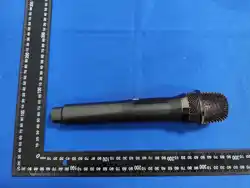
wireless microphone
specification
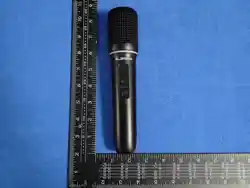
Microphone model: T9637MZ Frequency band: 2.3G Material: Semi-metallic Color: Plastic matte black Trademark:ELIRIR
Microphone model: T9637MZ Frequency band: 2.3G Material: Semi-metallic Color: Grey-green matte black Trademark:ELIRIR
Receiver model: MW-208
product description:
Contact Information: Mr. Zhou
Contact Number: 15989256685
Contact Address: No. 6, Guangtu Street, Guangqing Industrial Park,
Shijiao Town, Qingcheng District, Guangdong Province
Scan this code to add your
contact information
Scan this QR code to learn more
about the product information
Guangdong Yiheng Technology Co., Ltd. - Specification Document
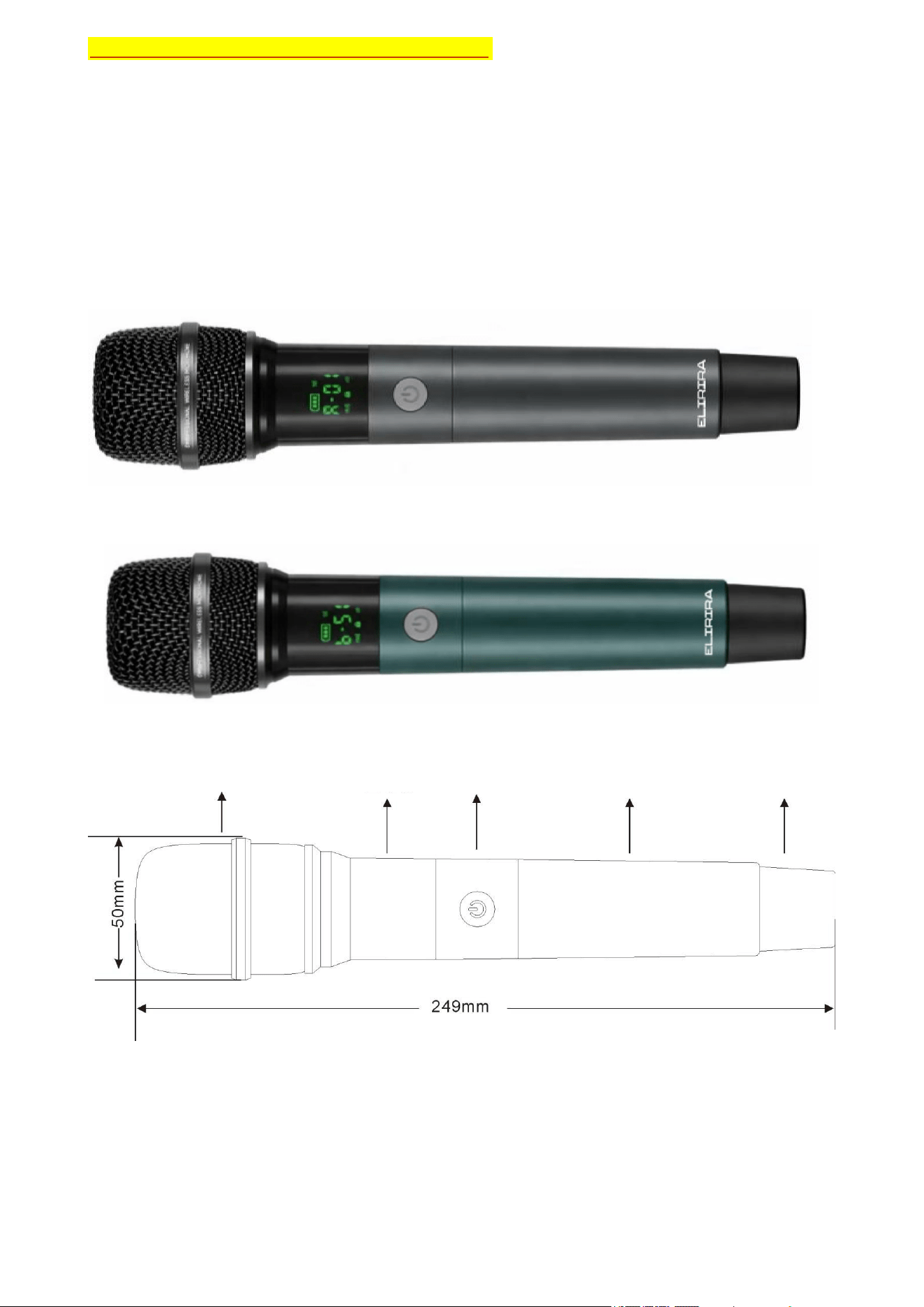
- : Diagram of the microphone appearance
Microphone appearance picture: (Picture 1)
Microphone appearance diagram: (Figure 2)
Z
Microphone size diagram: (Figure 2)
Microphone weight: 270g
Page 1
Guangdong Yiheng Technology Co., Ltd. - Specification Document
sound pick-up
display screen
power button
battery holder
Microwave transmitting
antenna tail cover
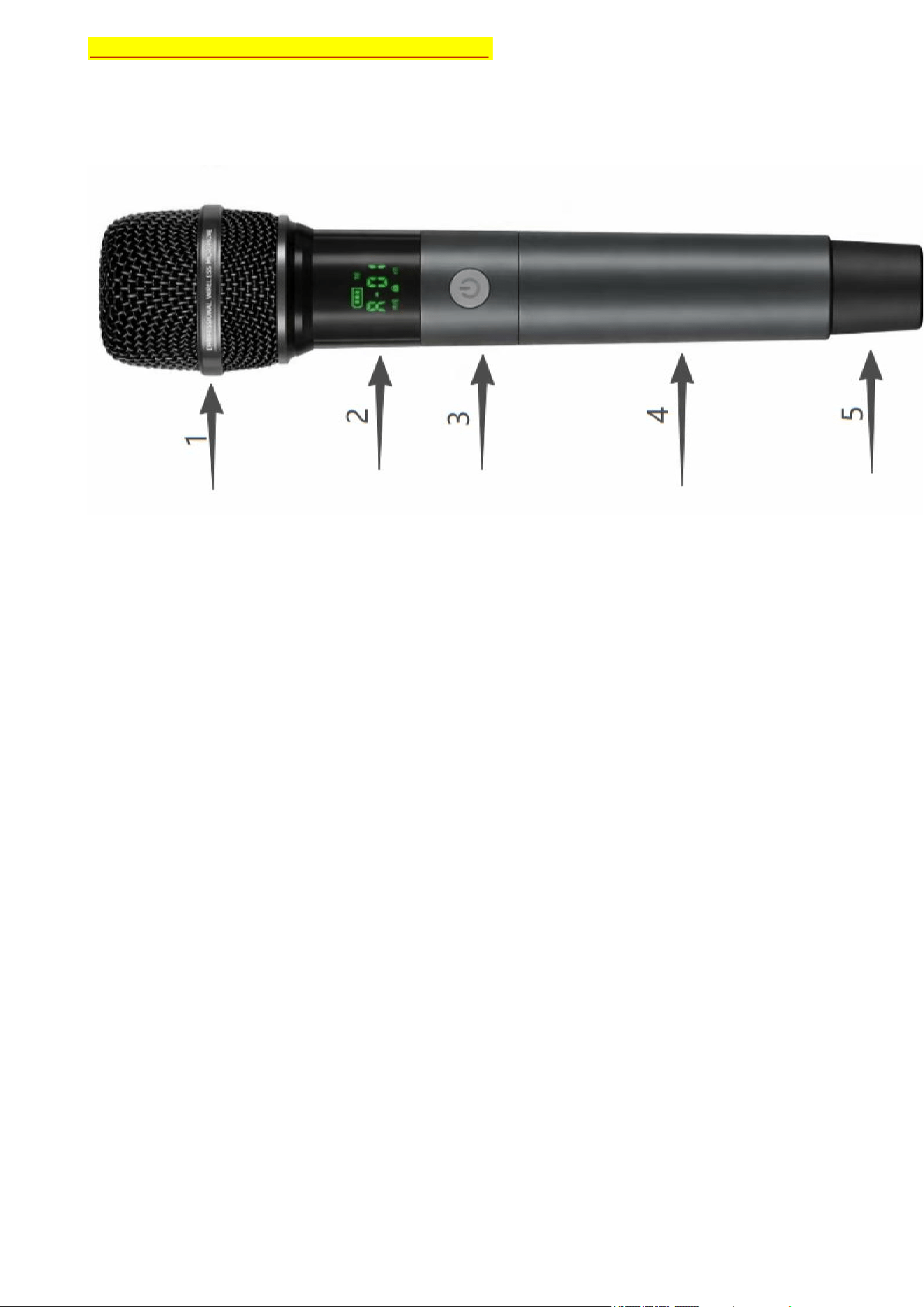
1:Microphone cover
Purpose: To protect microphone diaphragms and other components from dust, water droplets and external
impacts, while reducing wind noise, suppressing sound wave reflection, and ensuring the clarity of sound
transmission.
2:Microphone display
Function: Displays information about the microphone's operation, battery level, signal, etc.
3:power button
Function: To turn on and off the microphone.
4:Microphone housing
Purpose: To fix the internal circuit structure, resist collisions, dust, provide protection,
and also isolate external interference.
5:Microphone antenna
Purpose: To transmit audio/radio frequency signals, ensuring stable communication with the
receiver.
Page 2
Guangdong Yiheng Technology Co., Ltd. - Specification Document
二:Function Description of Microphone
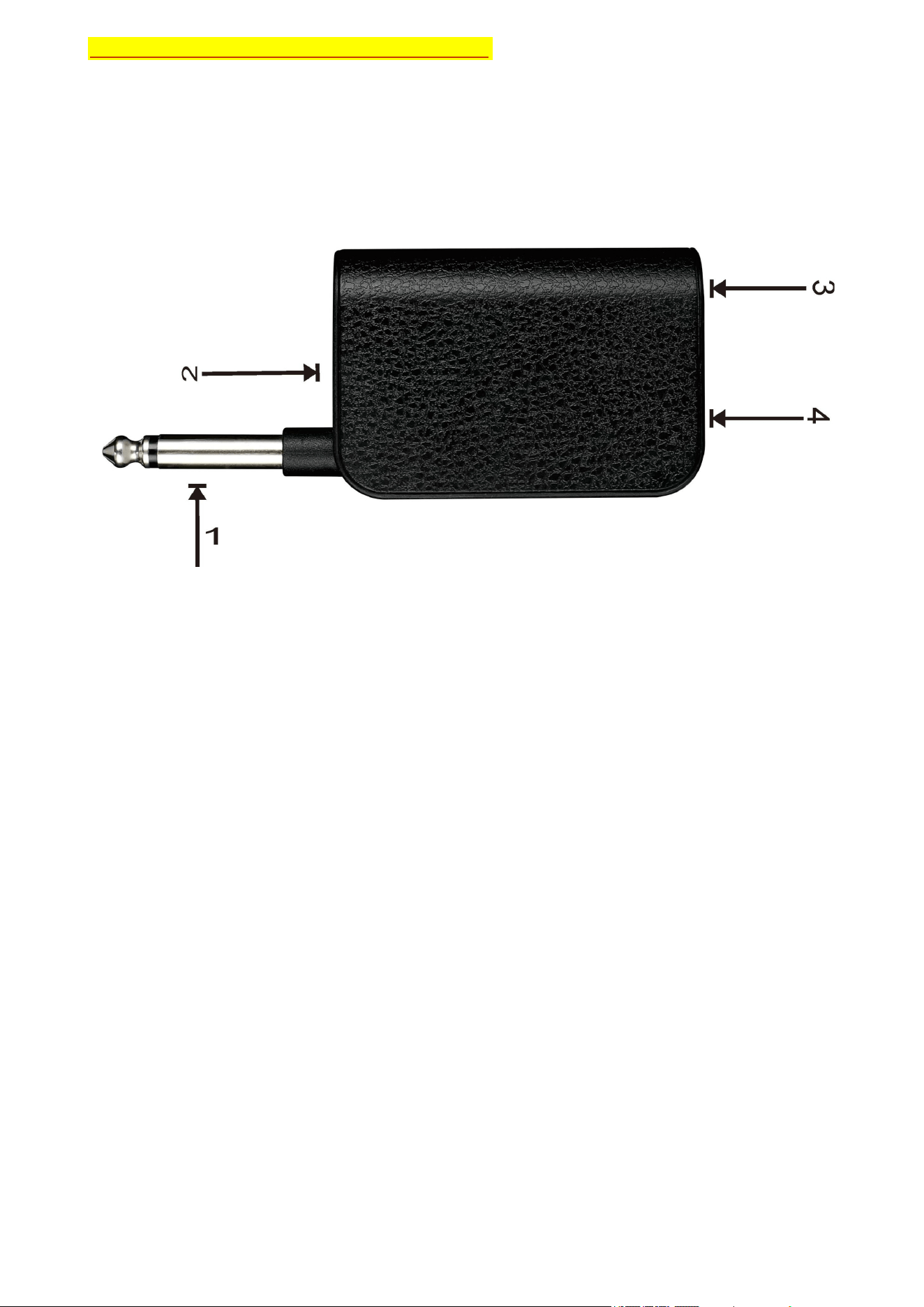
三:Receiver Function Description
1:Receiver output port
Purpose: Connect to the device and output signals to the subsequent equipment.
2:Display window
Purpose: To display information such as battery level, connection status, etc.
3:Power button
Purpose: For turning on and off the device.
4:TYPC-C charging port
Function: Charging function.
Guangdong Yiheng Technology Co., Ltd. - Specification Document
Page 3
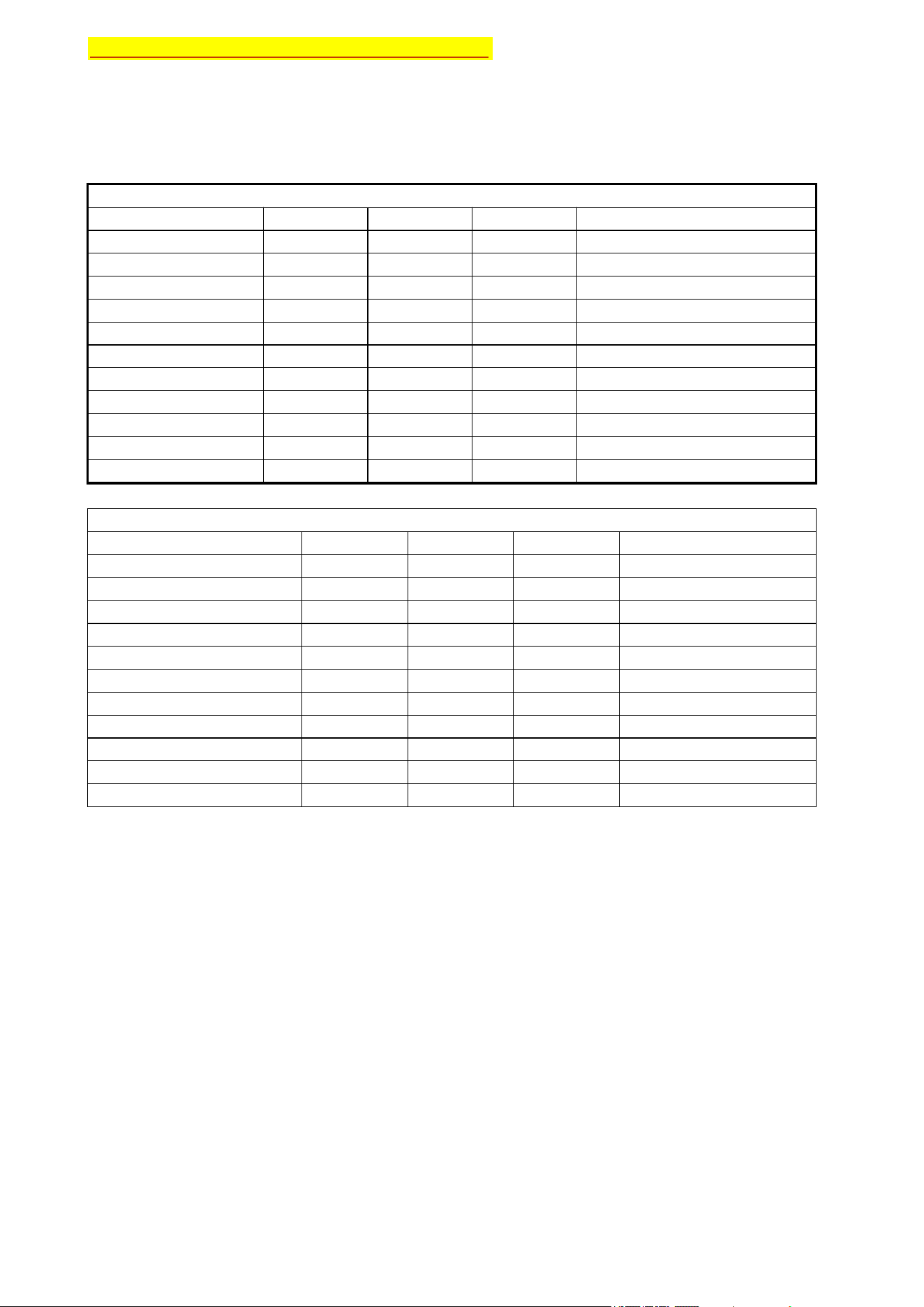
四: System Parameter Explanation
Description of Microphone Performance Parameters
performance parameter minimum representative maximum measuring unit
working voltage 3. 2 3. 7 4. 2 V
working current 20 25 30 mA
standby current 1. 5 2. 0 3. 0 uA
transmitted power 0 dBm
frequency response 40 H15000 Z
Maximum deviation frequency - 10 0 10 H Z
working hours 23 24 25
1200ma Hbattery
charging voltage 4. 8 5 6 V
charge current 200 220 256 m A
operating temperature - 10 25 50 degree centigrade °C
storage temperature - 30 20 60 degree centigrade °C
performance parameter
3. 2 3. 7 4. 2 V
24 25 30 mA
0 dbm
40 1500 HZ
- 10 0 10 HZ
0. 05 0.1 0.12 %
- 42 - 40 - 38 dBV/ Pa
- 10 25 50
- 30 20 60
30 50 60
- 85 dbm
Guangdong Yiheng Technology Co., Ltd. - Specification Document
Page 4
minimum representative maximum measuring unit
working voltage
working current
frequency response
Maximum deviation frequency
operating temperature
storage temperature
degree centigrade °C
degree centigrade °C
receive sensitivity
degree of distortion
signal gain
receiving distance
SNR(Signal to Noise Ratio)
meter
Receiver Performance Parameter Description
五:Microphone Usage Instructions
Question: How to use the microphone correctly?
Answer: First, make sure the microphone battery is properly inserted. Press and hold the power button for 1 second
to normally turn on the wireless microphone. Then it can be used normally. Press and hold the power button for 3
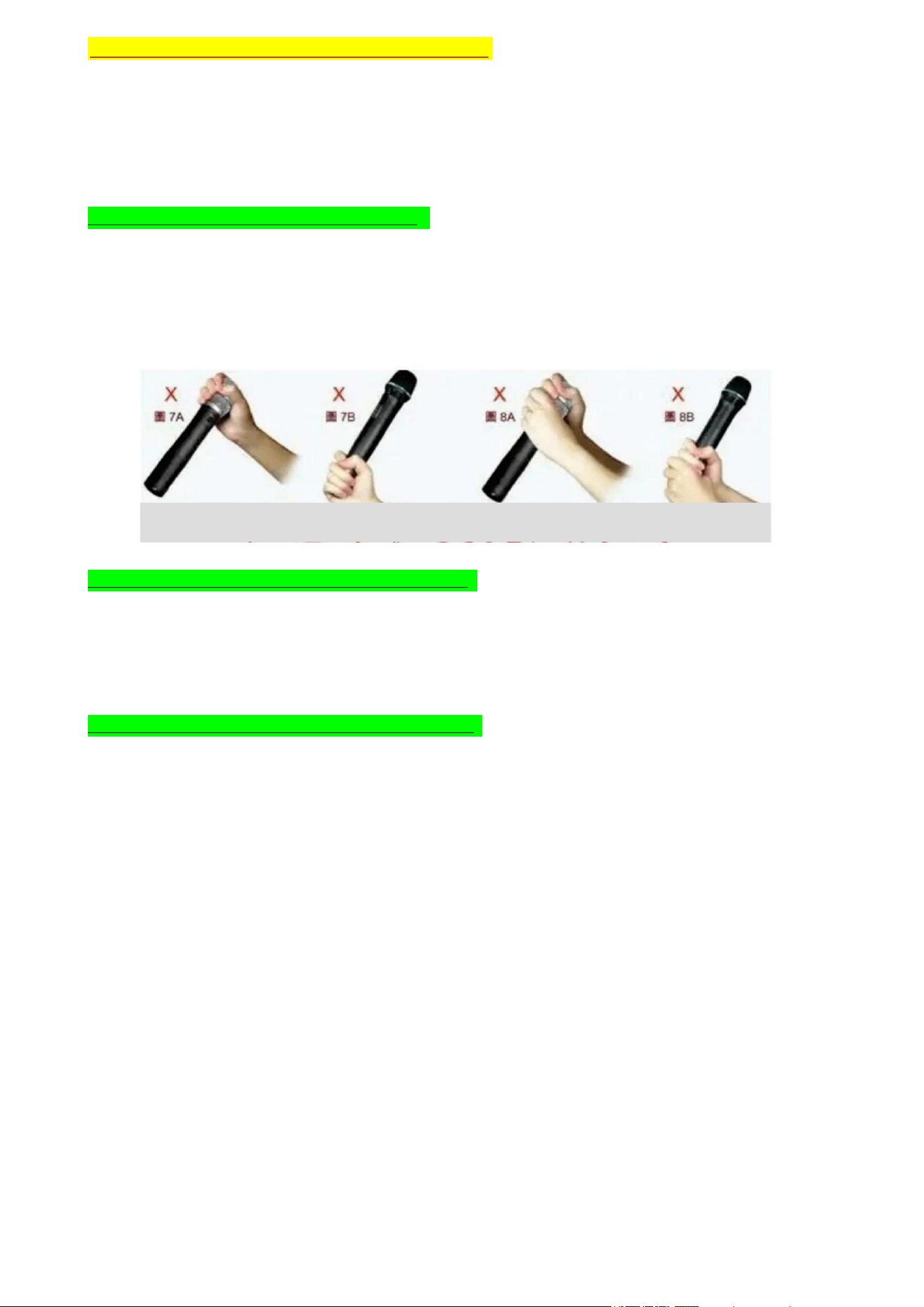
seconds to turn off the microphone. Please refer to the following usage guide when using it.
Question: How to adjust the volume of the microphone?
Answer: When the microphone is on, unscrew the tube at the bottom of the microphone. Press the plus button to
increase the volume, and press the minus button to decrease the volume.
Question: How to lock the microphone with the speaker?
Answer: Step 1: Press and hold the power button for 1 second to activate the microphone. Step 2: Turn on the
corresponding audio device you want to lock. Step 3: Press the plus button to select lock, and press the minus
button to select unlock. Step 4: Press the power button once to confirm the selection made in Step 3. After that,
you can use the microphone normally.
Guangdong Yiheng Technology Co., Ltd. - Specification Document
Page 5
Pay attention to the way you hold the microphone
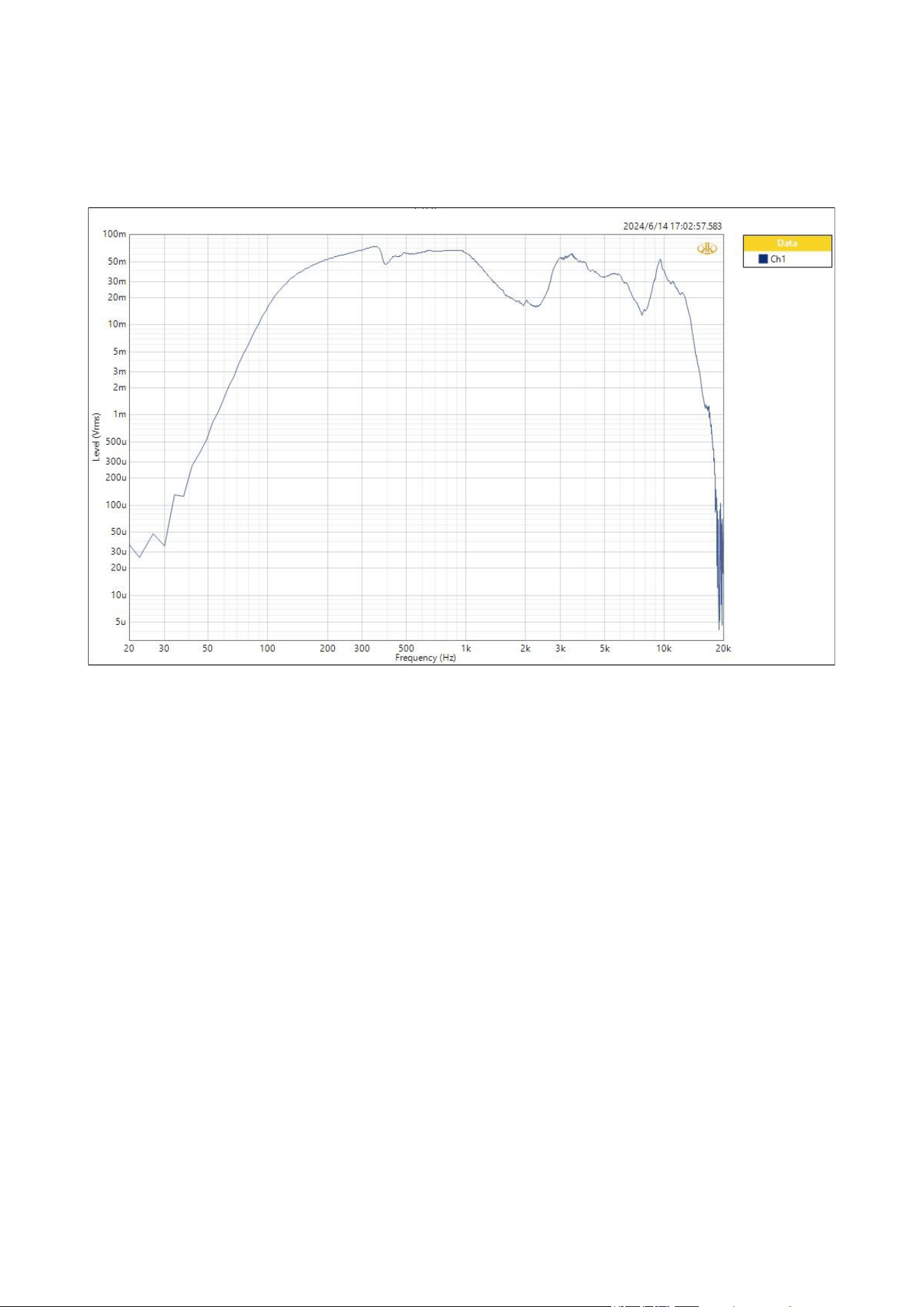
Attached is an audio curve graph.
1:Testing equipment Ap525;
2:Test environment - Laboratory;
3:Test conditions - Test with a microphone with built-in microphone core;
4:The following is the reference chart for the test results;
Page 6
effective value

FCC Warning
This device complies with part 15 of the FCC rules. Operation is subject to the following two
conditions: (1) this device may not cause harmful interference, and (2) this device must accept any
interference received, including interference that may cause undesired operation.Changes or
modifications not expressly approved by the party responsible for compliance could void the user's
authority to operate the equipment.
NOTE: This equipment has been tested and found to comply with the limits for a Class B digital
device, pursuant to part 15 of the FCC Rules. These limits are designed to provide reasonable
protection against harmful interference in a residential installation. This equipment generates uses
and can radiate radio frequency energy and, if not installed and used in accordance with the
instructions, may cause harmful interference to radio communications. However, there is no
guarantee that interference will not occur in a particular installation. If this equipment does cause
harmful interference to radio or television reception, which can be determined by turning the
equipment off and on, the user is encouraged to try to correct the interference by one or more of
the following measures:
Reorient or relocate the receiving antenna.
Increase the separation between the equipment and receiver.
Connect the equipment into an outlet on a circuit different from that to which the receiver is
connected.
Consult the dealer or an experienced radio/TV technician for help.
Radiation Exposure StatementThis equipment complies with FCC radiation exposure limits set forth
for an uncontrolled environment.
Page 7