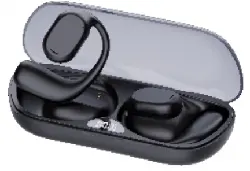
JS272 Wireless
bluetooth headset
'user s manual
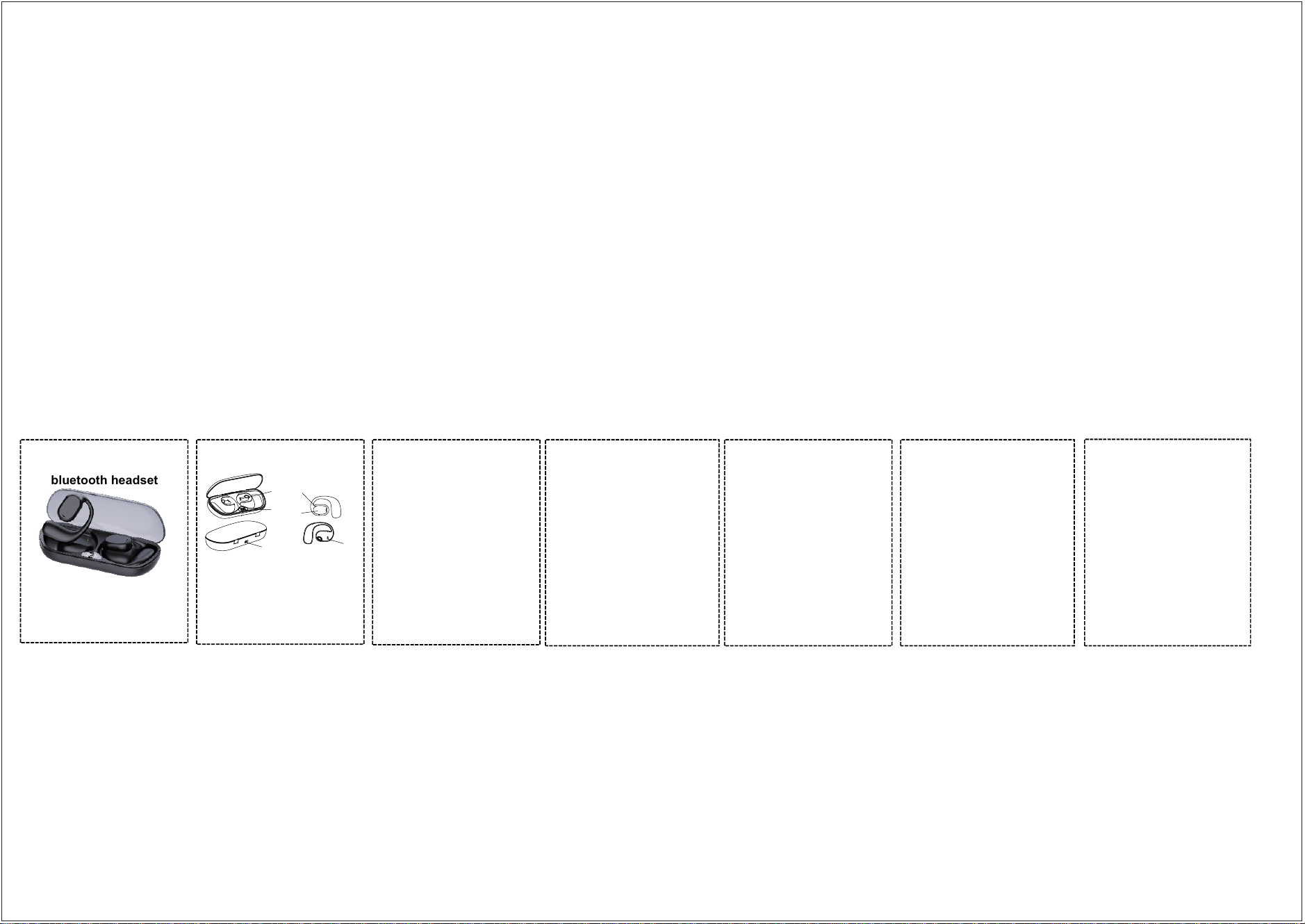
Product diagram
•Supportmode:
•Bluetooth version: Bluetooth V5.3+BR+ EDR
• Product model: JS272
a2dp\avctp\avdtp\avrcp\hfp\spp\smp\att\gap\gatt\
rfcomm\sdp\I2capprofile
• Sensitivity: -90dBm
• Signal distance: ≥10 meters (without any large
obstaclesIn an ideal environment)
• Battery specifications: headset
3.7V/110mA,charging box ,3.7V/300mA
• Play time: about 12 hours
•Talk time: about 10 hours
• Standby time: about 300 hours
• Charging time: charge the charging box for about 2
hours, give Charge the headset for about 3 hour
• Number of times the charging box charges the
headset: 3 times for a single headset
Functional operating instructions
1. power on
Take the earphone out of the charging box and turn it
on automatically; Auricular organ shape
State, press and hold the earphone multi-function
touch area for 2 seconds to power on.
2. Shut down
Long press the multifunctional touch area of the
earphone for about 3 seconds to turn off the
earphone.
Or put it in the charging bin to turn it off automatically,
and the red indicator light of the earphone is always
on.
3. Start up and connect back
After the earphone is taken out of the charging bin, it
will be automatically turned on and connected back,
and automatically connected back to the mobile phone
that was connected last time and turned on Bluetooth.
4. Pause/Play
When the music is waiting to be played, press the
multi-function touch area of the earphone cyclically to
play/pause the music.
5. Switch songs/volume addition and
subtraction/enable Siri
In the music playing state, quickly double-click the right
earphone touch area to switch to the next song, and
quickly double-click the left earphone touch area
Switch to the previous song
Left ear touch area under combo 3-volume plus (boot
default is the most
Loud volume), double-click the Right ear touch area 3
times-volume reduction
Press and hold the earphone touch area for 2 seconds
to enable Siri function
6. Answer/refuse/hang up the call
When the mobile phone calls, press the left/right
earphone touch area briefly to answer the phone,
and press it for 2 seconds to refuse to answer the
phone; During a call, press the left/right earphone
touch area briefly to hang up the call.
7. Low power prompt
When the battery of Bluetooth headset is low, "No
battery" will be prompted by voice, and the headset
will be turned off when the battery is too low.
Pairing operation
Turn it off, and press the left and right earphone
touch keys for 2 seconds to turn it on. When it is
found that there is no light flashing while the red and
blue lights flash alternately, it means that the
earphone pairing is successful. Set Bluetooth on the
mobile phone, check and search the corresponding
earphone Bluetooth name, and click the earphone
name to successfully pair with the mobile phone.
Charging
1. Put the earphone into the charging bin, the
earphone is automatically charged and the red
prompt light is always on, and the racing indicator
lights on both sides of the display run circularly.
When the earphone is fully charged, the red prompt
light and racing indicator lights go out.
Into influence.
3. Try to avoid using this earphone in places with
interference sources.
2. Connect one end of Type-C data to a 5V power
adapter, and the other end of Type-C port to the
charging box to charge the charging box. The red
indicator on the display screen flashes, and the red
indicator is always on when the battery is fully charged .
Matters needing attention
1. Please charge in a safe environment, and then
charge the charging bin.
In case of power-on, please put the charging bin after
the display indicates full power.
Disconnect from the charging cable, so as not to insert
the charging pair for a long time
Damage caused by charging compartment.
2. When playing music, please adjust the music to the
appropriate volume
Size, so as to avoid long-term listening in the state of
high volume
Otherwise, it may affect the earphone signal.
4. Try to avoid using this earphone in corrosive
environment.
So as not to affect the function of the earphone.
Power
displa y
Type-C
Charging
contac ts
Charging
LED indi ca tor
ejecto r
Touch area
—Consult the dealer or an experienced radio/TV technician for help.Warning: Changes
or modifications not expressly approved by the party responsible for compliance could
void the user's authority to operate the equipment.
The device has been evaluated to meet general RF exposure requirement. The device
This device complies with Part 15 of the FCC Rules.
Operation is subject to the following two conditions:
(1) This device may not cause harmful interference, and
(2) This device must accept any interference received,
NOTE: This equipment has been tested and found to comply with the limits for a Class
B digital device, pursuant to Part 15 of the FCC Rules.
These limits are designed to provide reasonable protection against harmful
interference in a residential installation. This equipment generates, uses and can
radiate radio frequency energy and, if not installed and used in accordance with the
instructions, may cause harmful interference to radio communications. However,
there is no guarantee that interference will not occur in a particular installation. If this
equipment does cause harmful interference to radio or television reception, which can
be determined by turning the equipment off and on, the user is encouraged to try to
correct the interference by one or more of the following measures:—Reorient or
relocate the receiving antenna.
—Increase the separation between the equipment and receiver.
—Connect the equipment into an outlet on a circuit different
from that to which the receiver is connected.
can be used in portable exposure condition without restriction.