Mobile Phone Connection and Usage Instructions
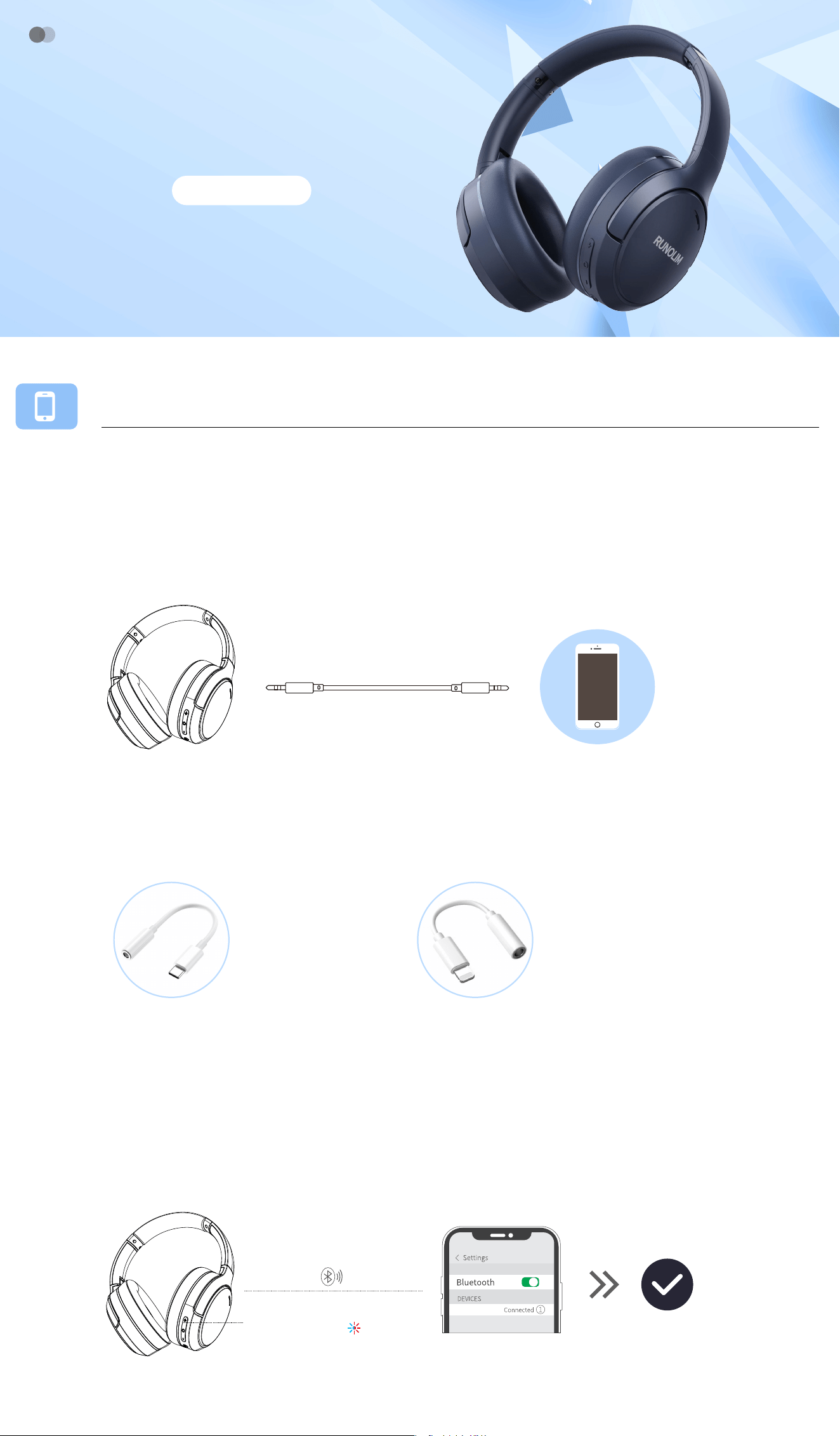
1、Wired Connection
①: For the phone with a 3.5mm jack , directly connect to headphones with the 3.5mm
audio cable.
(Note: Calling function and active noise cancellation are unavailable in wired mode)
②: For the phone without a 3.5mm jack, you can use an additional USB C to 3.5mm
audio adapter or a lightning to 3.5mm audio adapter.
(Note: The audio adapter is not included, you need to purchase separately)
USB C to 3.5mm
audio adapter
lightning to 3.5mm
audio adapter
2、Bluetooth Connection
①: Press the multi-function button for 5 seconds until the red and blue lights flash
alternately.
②: Turn on the Bluetooth on your phone and search for "WH301A" to connect.
Press and hold the
multi-function button for 5 seconds
WH301A
WH���A
NOISE CANCELLING HEADPHONE
Bluetooth
<1m(3.3ft)
Pairing range
WH301A
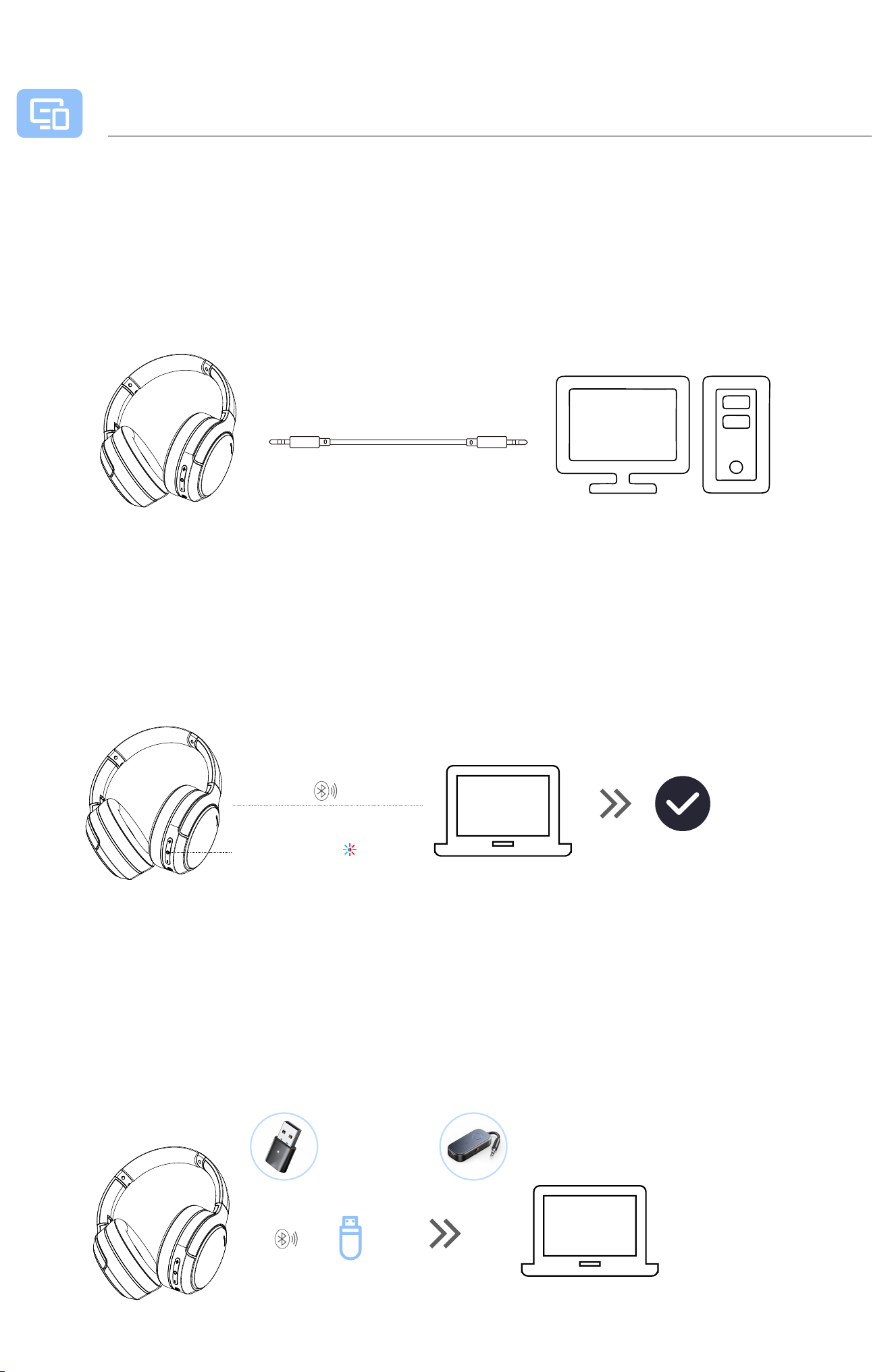
1、Wired Connection
PC Connection and Usage Instructions
①: For the computer with a 3.5mm jack, directly connect to headphones with the
3.5mm audio cable.
(Note: Calling function and active noise cancellation are unavailable in wired mode)
2、For the computer with Bluetooth Function
①: Press the multi-function button for 5 seconds until the red and blue lights flash
alternately.
②: Turn on the Bluetooth on your computer and search for "WH301A" to connect.
3、For the computer without Bluetooth Function
①: An additional Bluetooth adapter is required for connectivity. The adapter can
either have a USB plug or a 3.5mm plug.
(Note: The audio adapter is not included, you need to purchase separately)
Press and hold the
multi-function button for 5 seconds
<1m(3.3ft)
Pairing range
WH301A
USB Bluetooth
adapter
3.5mm Bluetooth
adapter
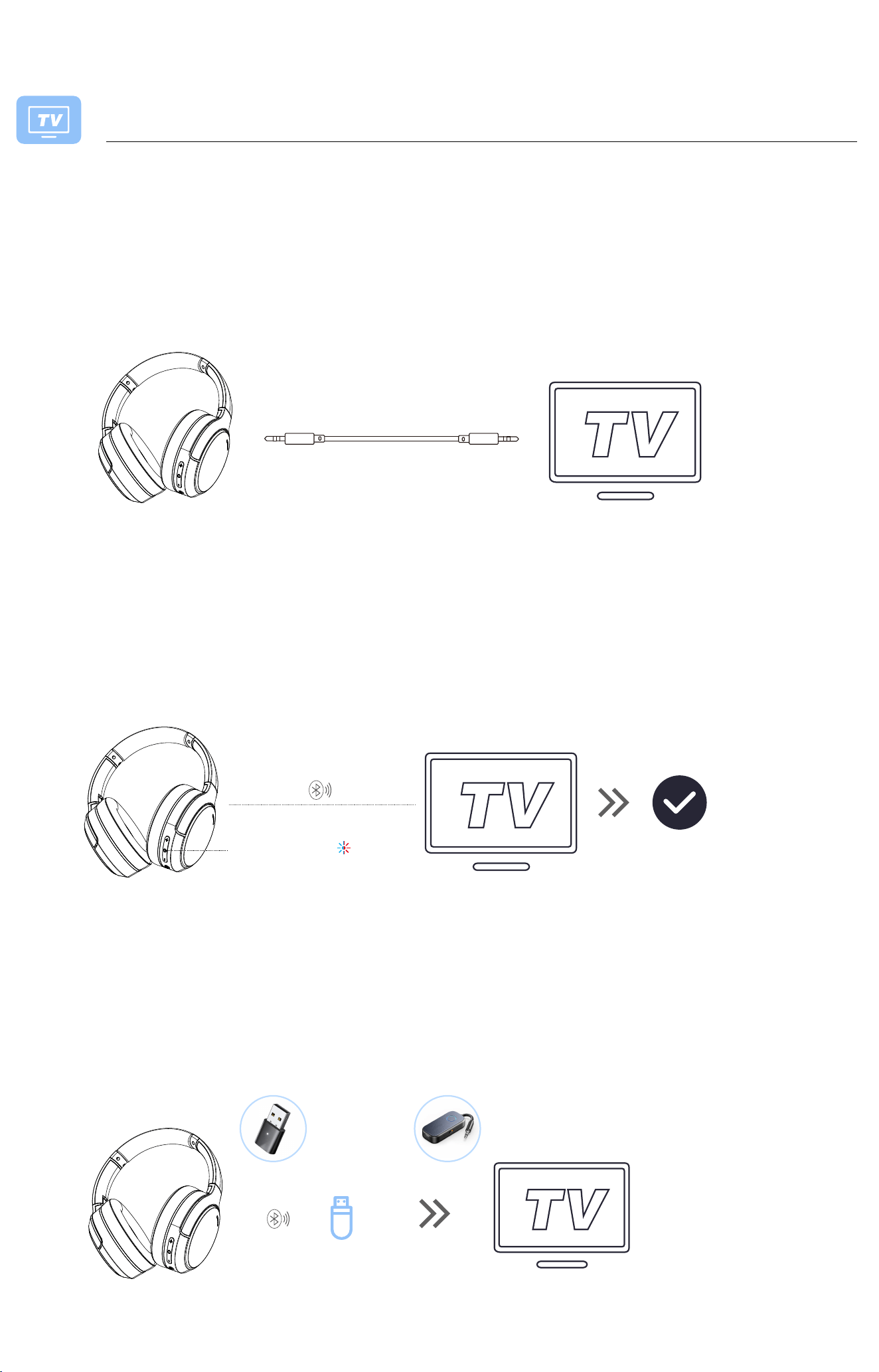
1、Wired Connection
TV Connection and Usage Instructions
①: For the TV with a 3.5mm jack, directly connect to headphones with the 3.5mm
audio cable.
(Note: Calling function and active noise cancellation are unavailable in wired mode)
2、 For the TV with Bluetooth Function
①: Press the multi-function button for 5 seconds until the red and blue lights flash
alternately.
②: Turn on the Bluetooth on your TV and search for "WH301A" to connect.
3、For the TV without Bluetooth Function
①: An additional Bluetooth adapter is required for connectivity. The adapter can
either have a USB plug or a 3.5mm plug.
(Note: The audio adapter is not included, you need to purchase separately)
Press and hold the
multi-function button for 5 seconds
<1m(3.3ft)
Pairing range
USB Bluetooth
adapter
3.5mm Bluetooth
adapter