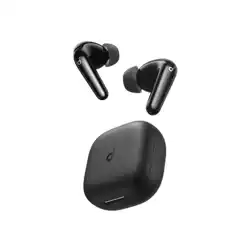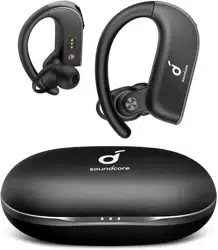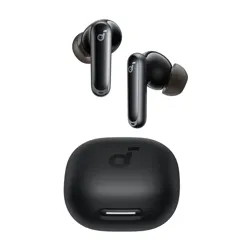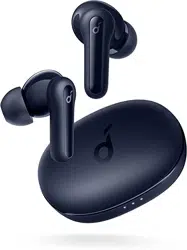
APP
soundcore
Apple and the Apple logo are trademarks of
Apple Inc.
Google Play and the Google Play
logo are
trademarks of Google Inc.
Download the soundcore app to experience Adaptive Noise Cancelling, Find Earbuds, dual connections, firmware
updates, and more exciting features.
If your earbuds cannot connect with the soundcore app, re-install the app or update it to the latest version in your
mobile app store.
Click this link to download: http://dl-soundcore.soundcore.com/qcdl?flow=soundcore
WEARING
1 3 4
L
S M
2
1
2
WEARING
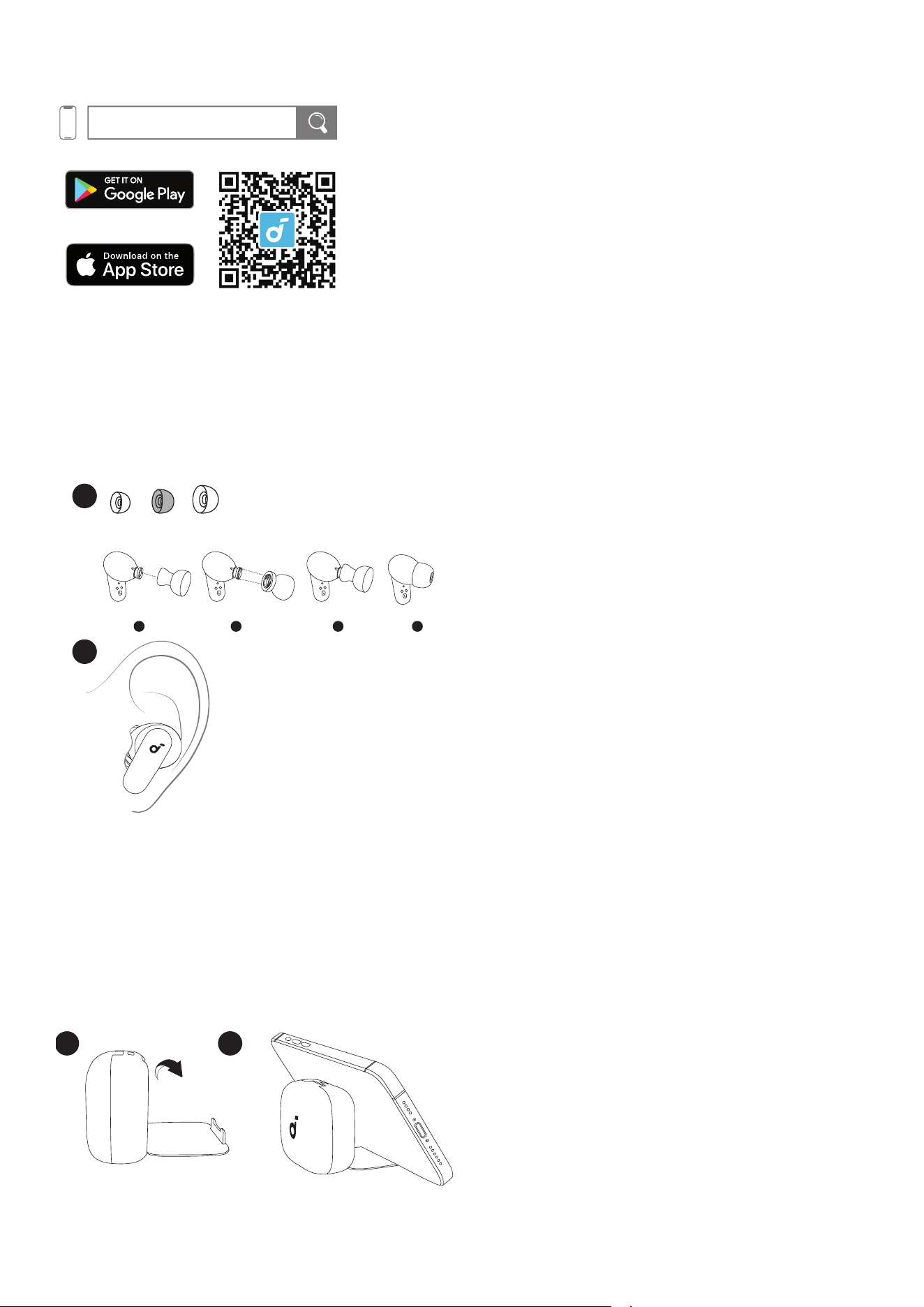
Choose the ear tips that fit your ears best and take a fit test in the soundcore app to ensure you get the best ANC
performance.
Note: Medium ear tips come attached to the earbuds.
* Dust, earwax, or other debris can accumulate in the earbuds. To maintain optimal sound quality, regularly clean
your earbuds by using a cotton swab slightly moistened with rubbing alcohol to gently wipe the metal mesh
filter under the rubber ear tips.
USING THE PHONE HOLDER
2
1
The charging case can also be used as a mobile phone holder.
Unfold the phone holder as shown. Then you can place your phone on the holder.
POWERING ON AND PAIRING
1
soundcore
P30i
2
3
POWERING ON & PAIRING
L R
*The product name varies by region.
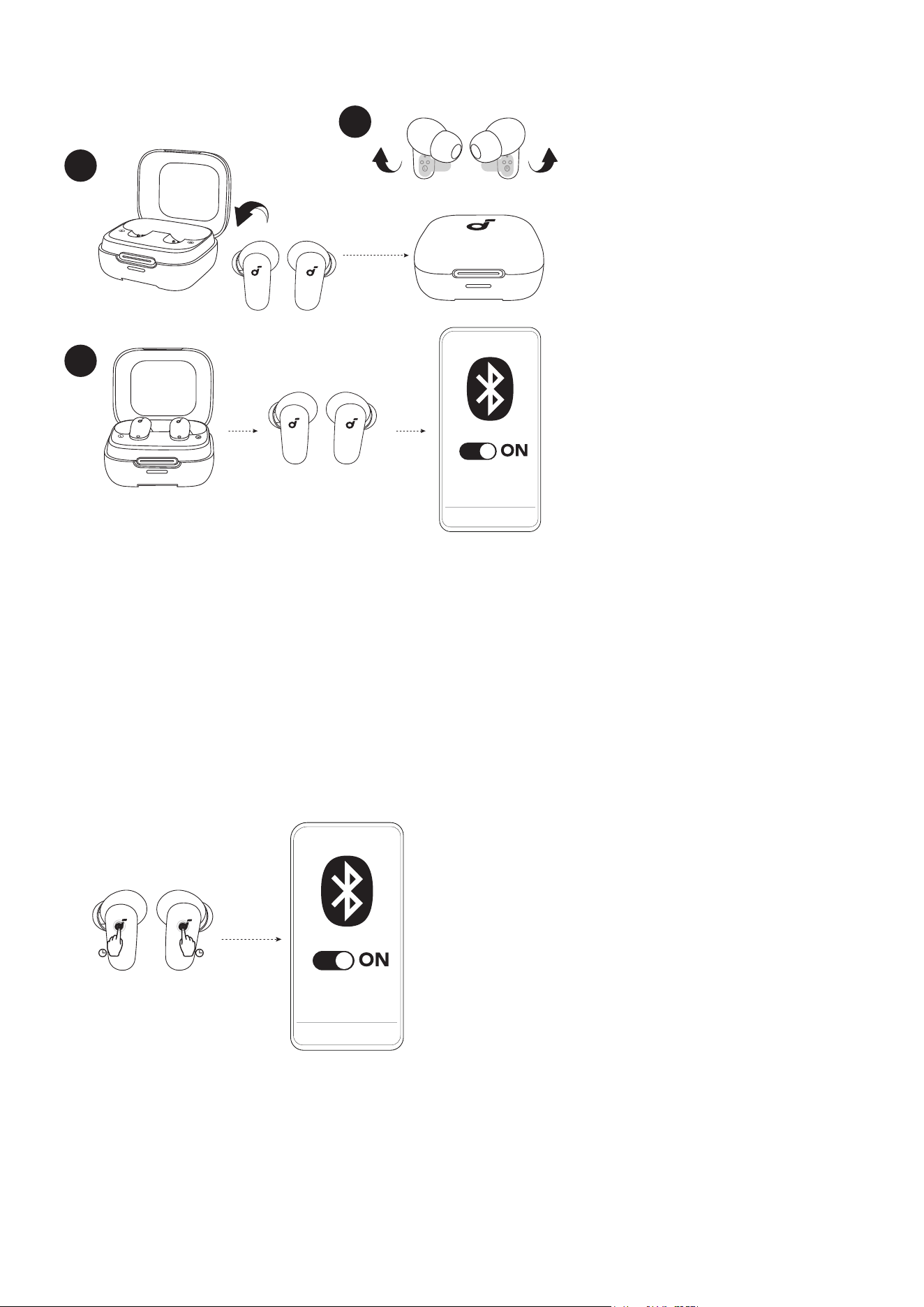
1. Peel off the protective film on the earbuds.
2. Return the earbuds to the charging case and close the case. Then reopen the charging case.
3. Take out the earbuds. The earbuds will automatically power on and enter pairing mode. Select "soundcore
P30i" from your device's Bluetooth list.
* When taken out, the earbuds will automatically power off after 30 minutes if they are not connected.
The duration can be set in the soundcore app.
PAIRING WITH A NEW DEVICE
soundcore
NEW DEVICE
P30i
3s3s
*The product name varies by region.
To pair with a new device, press and hold the touch areas of both earbuds simultaneously for 3 seconds to enter
pairing mode.
CHARGING
CHARGING
1
10 mins=2 hrs
2.5 hrs
2
< 100%
100%
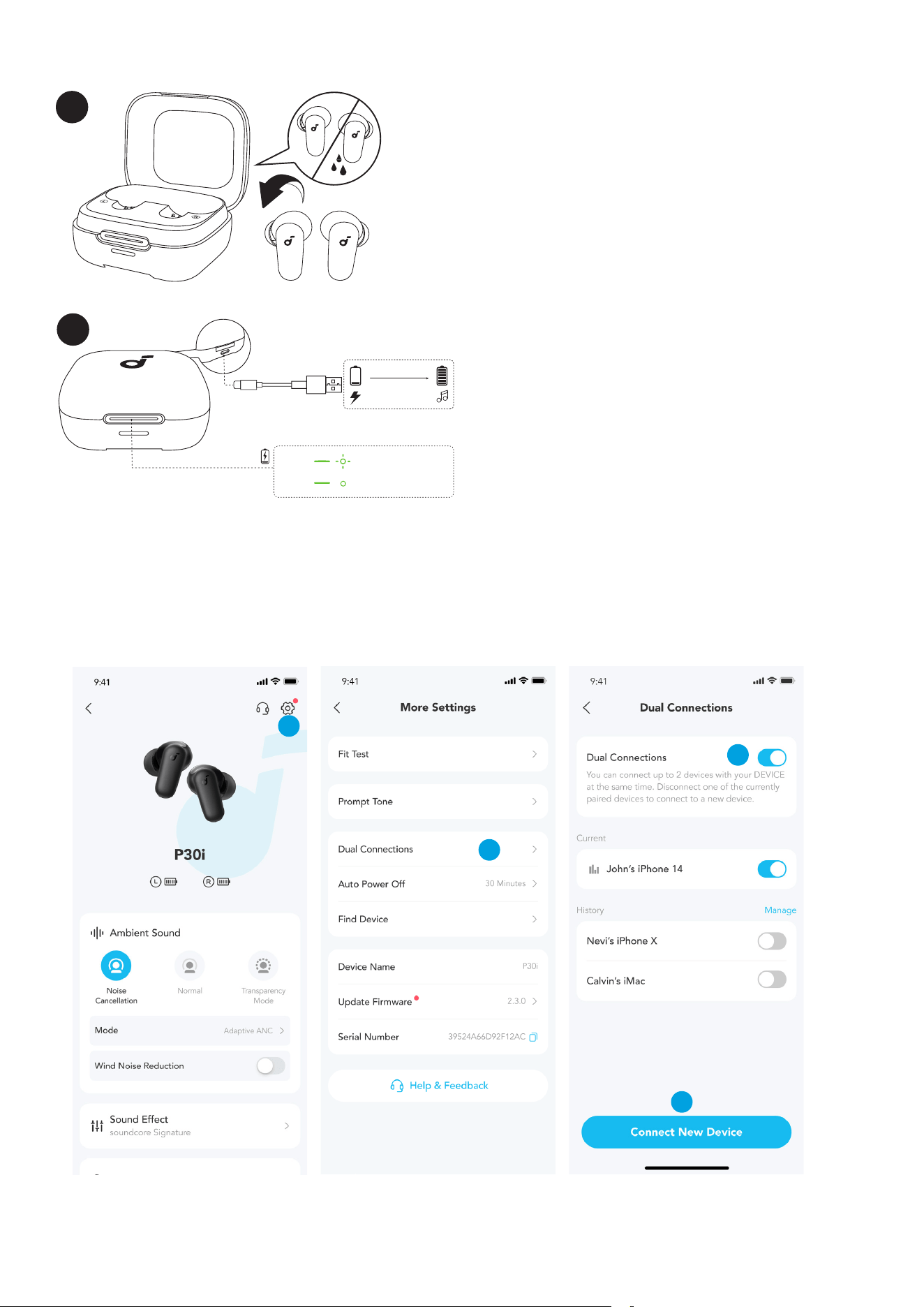
1. Place the earbuds in the charging case and close it.
• Fully dry off the earbuds and the USB-C charging port before charging.
2. Connect the charging case to a power supply by using the provided USB-C charging cable.
* A full battery recharge takes about 2.5 hours and 10 minutes of charging offers 2 hours of playtime.
DUAL CONNECTIONS
2
3
4
1
To connect the earbuds with two Bluetooth devices at the same time, first open the soundcore app, go to settings,
and select Dual Connections > Enable Dual Connections > Connect New Device.
CONTROLS
MONOTWS
×2
ANC Transparency
L
×2
R
×2
Normal Transparency
2s
L/R
2s2s
TOUCH CONTROLS
L/R
×2
L/R
2s2s2s2s
×2
2s2s
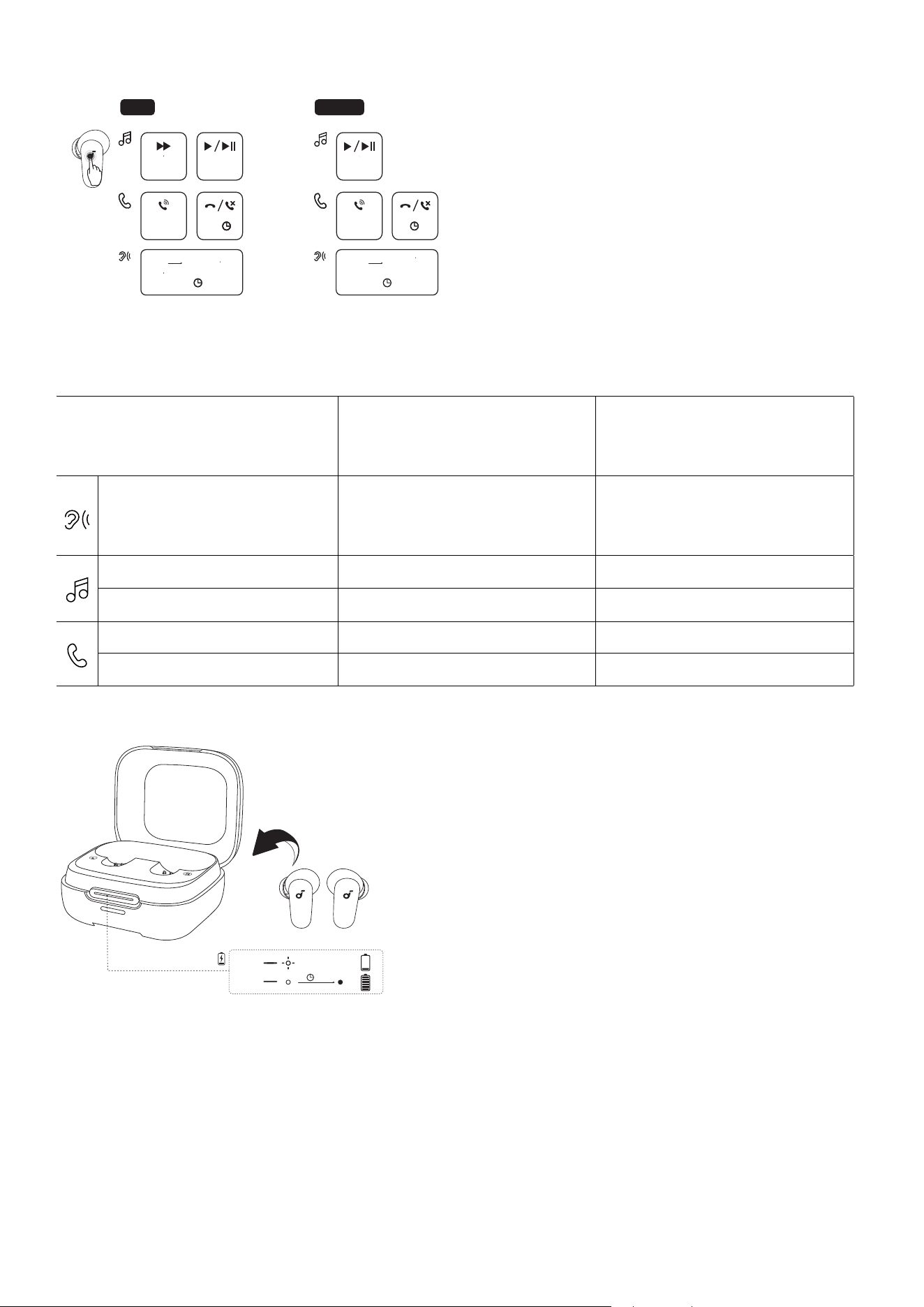
×2: Tap twice 2s: Tap and hold for 2 seconds
*You can also customize controls in the soundcore app.
TWS mode Mono mode
Switch ambient sound modes
(ANC / Transparency / Normal)
Tap and hold for 2 seconds (L/R) Tap and hold for 2 seconds
Play / Pause Tap twice (R) Tap twice
Next track Tap twice (L) /
Answer a call Tap twice (L/R) Tap twice
Reject / end a call Tap and hold for 2 seconds (L/R) Tap and hold for 2 seconds
LED INDICATION
4s
You can check the battery level of the charging case through the status of LED indicator.
Place the earbuds into charge case:
If the LED indicator stays on for 4 seconds and then goes off, it means the charging case has sufficient power.
If the LED indicator flashes white for 4 seconds, it means the charging case is at low battery and needs to be
charged.
*You can check the battery level of earbuds in the soundcore app.
POWERING OFF
POWERING OFF
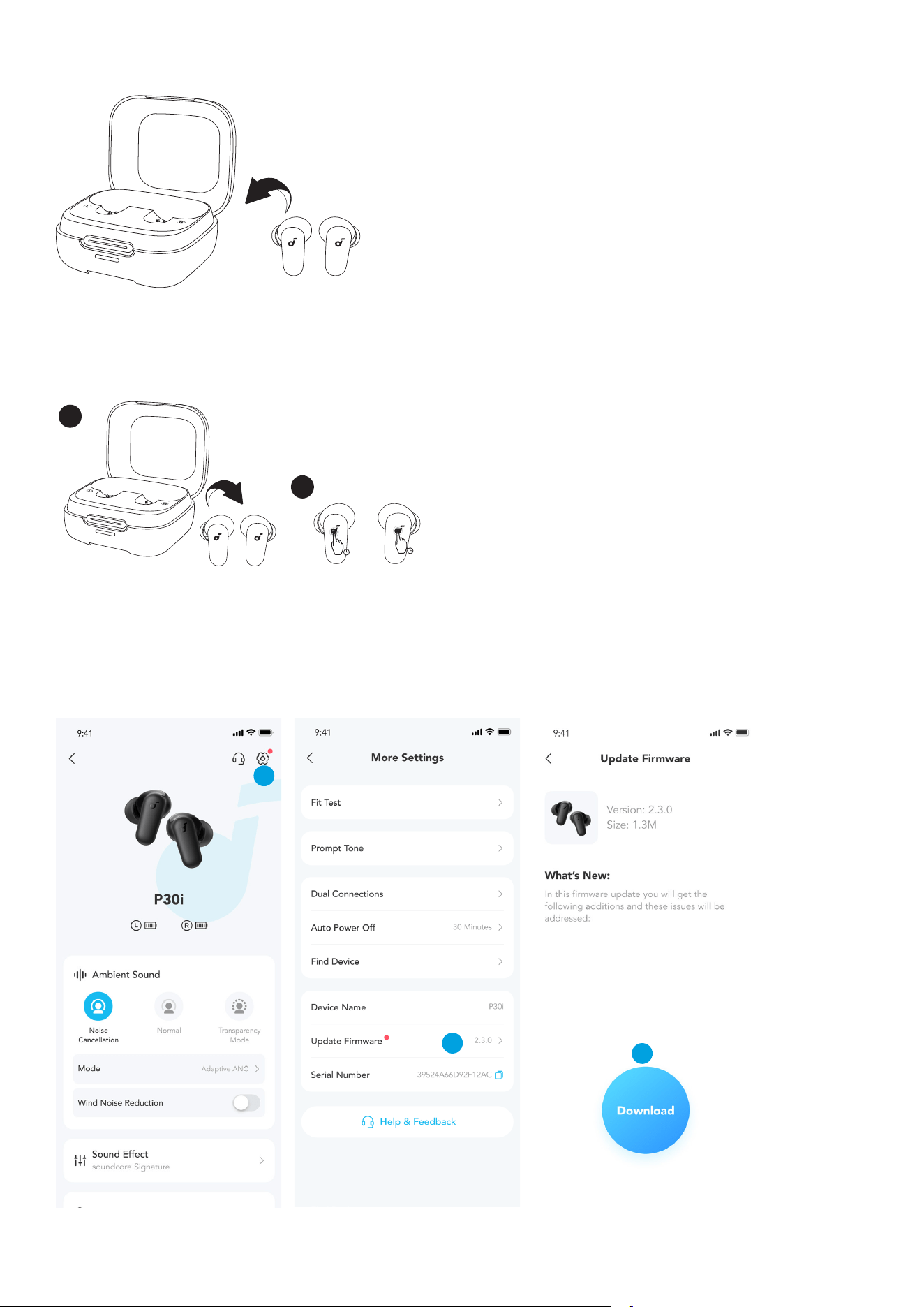
To power off, return the earbuds to the charging case.
RESET
RESET
2
1
10s
10s
Open the charging case and take out the earbuds, then press and hold the touch areas of both earbuds
simultaneously for 10 seconds to reset.
FIRMWARE UPDATE
1
2
3
You will be informed once a new firmware version is detected when you connect the earbuds to the app. Ensure
the earbuds are outside the charging case until the firmware update is complete. During the update, avoid any
usage.
SPECS
Specifications are subject to change without notice.
Input 5V 0.5A
Output 5V 0.24A (0.12A per port)
Battery capacity 700mAh / 2.66Wh
Playtime (with ANC off) 10 hours / 45 hours
Playtime (with ANC on) 7 hours / 30 hours
Charging time
Full Charging Time for Earbuds: 1 hour
Full Charging Time for Charging Case: 2.5 hours
Driver unit 10mm
Frequency response 20-20KHz
Impedance 16Ω
Bluetooth version Bluetooth 5.4
Bluetooth range 10m
Customer Service
support.mea@soundcore.com (For Middle East and Africa Only)
support@anker.com (
日本
)
+1 (800) 988 7973 (US/Canada)
+44 (0) 1604 936200 (UK)
+49 (0) 69 9579 7960 (DE)
03 4455 7823 (
日本
)
+86 400 0550 036 (
中国
)
+82 02-1661-9246 (
한국
)
+971 529750842 (Middle East & Africa)
+971 8000320817 (UAE)
+966 8008500030 (KSA)
+965 22069086 (Kuwait)
+20 8000000826 (Egypt)
+61 3 8331 4800 (Australia)
+90 (850) 460 14 14 (Türkiye)
+8 (800) 511-86-23 (Russia)
+91 18003138831 (India)
Note: The 'x' of SN Code: xxxxxxxxxxxxxxxx is a variable, see below table.

Variable 'x' Range of variable Content
Eighth 8,9,A,B,C...
Denotes the year, 8 means 2018, 9 means
2019, A means 2020, B means 2021, C
means 2022, and so on.
Ninth and tenth 01,02,03...
Denotes weeks, 01 means the rst week in
this year, 02 means the secondary week in
this year, and so on.
Eleventh 1-7
Denotes date, 1 means Monday, 2 means
Tuesday..., 7 means Sunday and so on.
The last ve 00001-99999 Denotes serial No.
Hereby, Anker Innovations Limited declares that this device is in compliance with The Product Security and
Telecommunications Infrastructure (Security Requirements for Relevant Connectable Products) Regulations 2023.For
the Statement of Compliance, visit the website: https://uk.soundcore.com/pages/psti-related.
1. Power consumption in standby mode: ≤0.5W
2. Powermanagement: ≤20min
3. Information of applicable adapter:
Brand: ANKER
Manufacturer: Anker Innovations Limited
Model: A2337
Input: 100-240Vac, 1A, 50-60Hz
Output: 5V 3A / 9V 3A / 12V 2.5A / 15V 2A / 20V 1.5A (30W Max)
Default Open Port: Classic Bluetooth
Port Description: After the device is powered on, Classic Bluetooth visibility (or pairing mode) is automatically enabled,
providing Bluetooth pairing (or control) services. The Bluetooth service is disabled when the device is powered off.