APP
soundcore
Apple and the Apple logo are trademarks of
Apple Inc.
Google Play and the Google Play
logo are
trademarks of Google Inc.
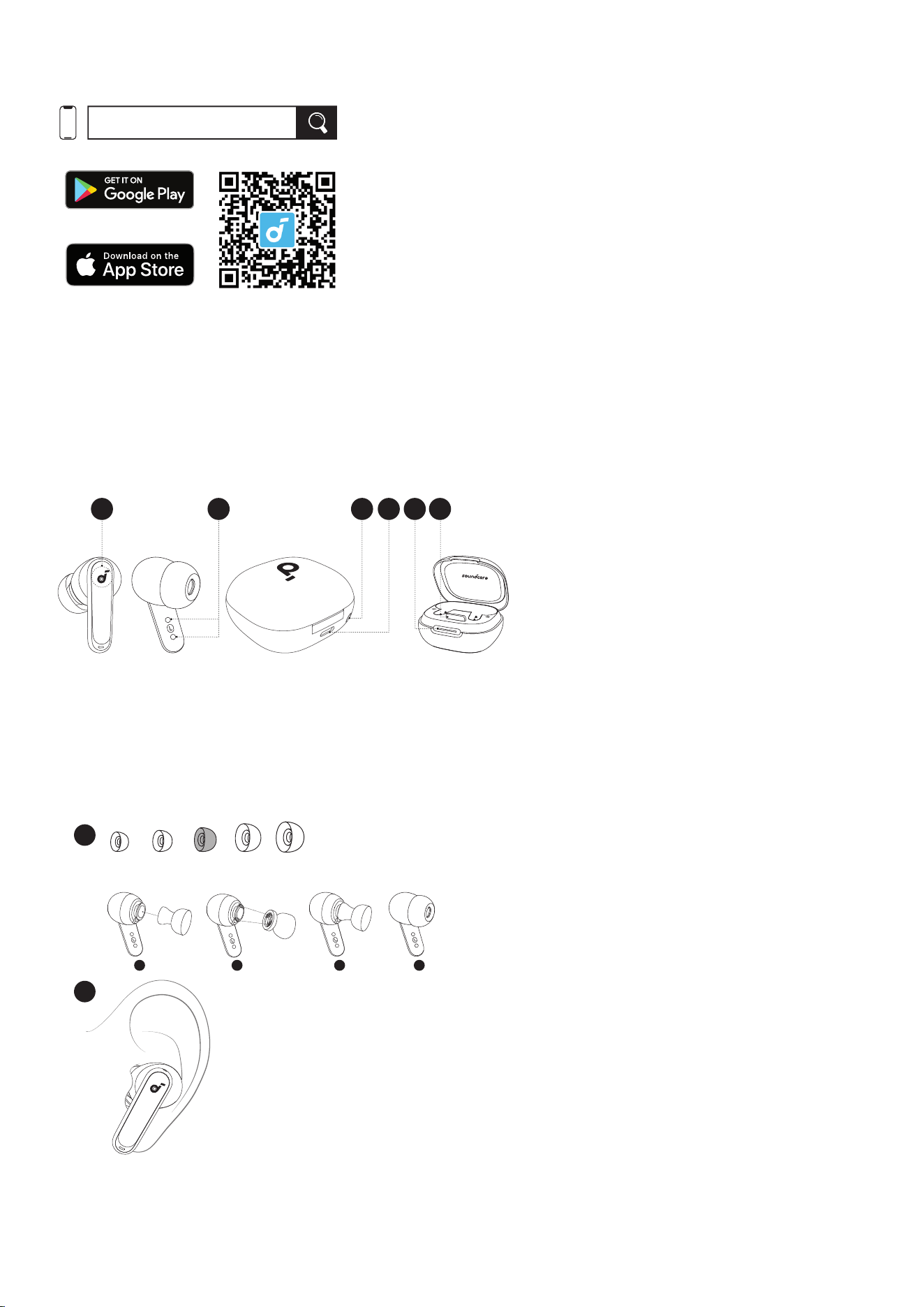
Download the soundcore app to experience adaptive noise cancelling, ambient sound modes, HearID sound,
gaming mode, movie mode, rmware update, and more exciting features.
If your earbuds cannot connect with the soundcore app, re-install the app or update it to the latest version in your
mobile app store.
Click this link to download: http://dl-soundcore.soundcore.com/qcdl?ow=soundcore
Overview
1
2 3 4 5
PHONE
6
①
. Touch Control Area
②
. Charging Contactors
③
. Reset Button
④
. USB-C Charging Port
⑥
. LED Light Strip
⑦
. Phone Stand
3. WEARING
1 3 4
L
XS S M
XL
2
1
2
Choose the ear tips that fit your ears best and take a fit test in the soundcore app to ensure you get the best ANC
performance..
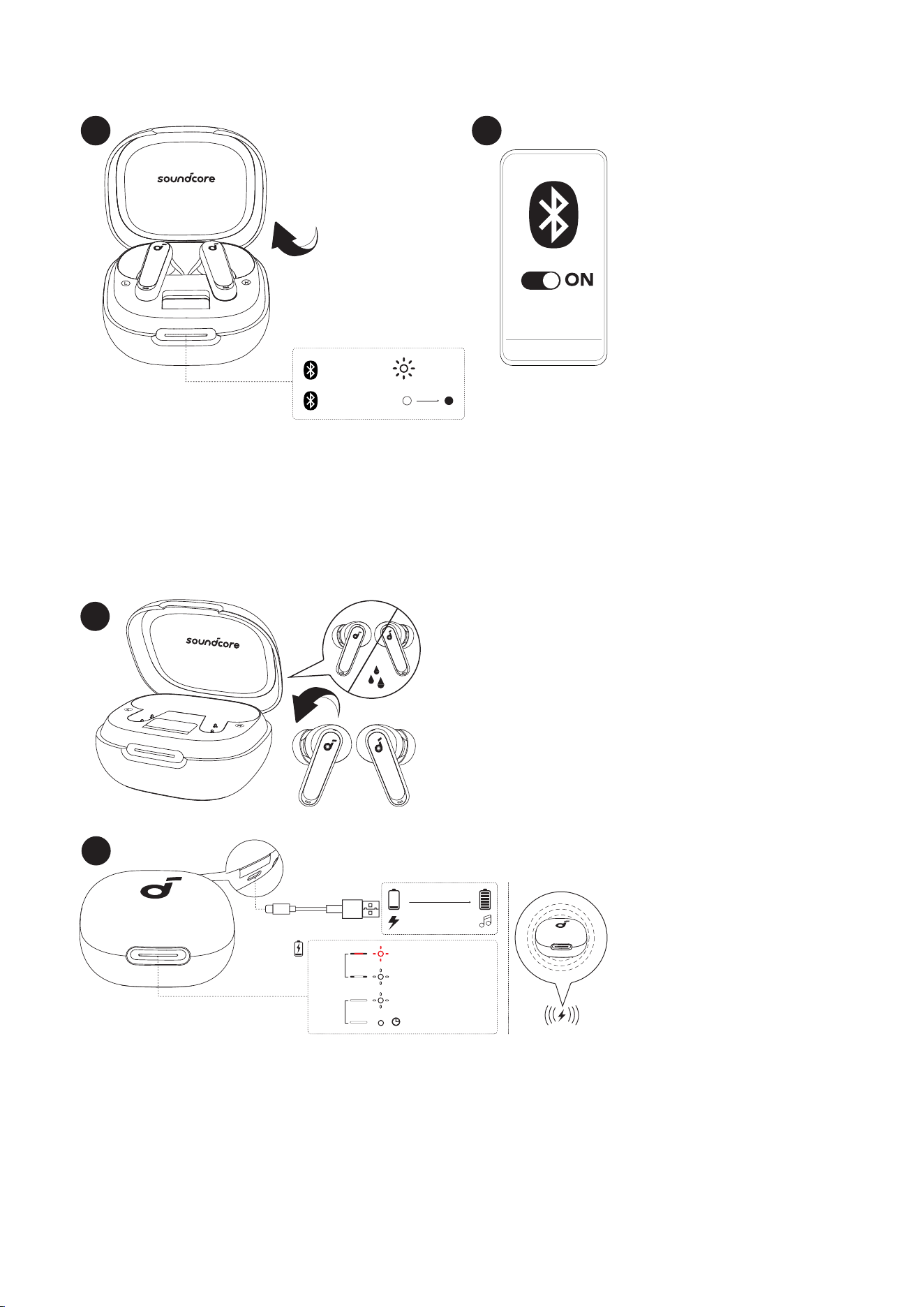
POWERING ON & PAIRING
PAIRING
CONNECTED
2s
soundcore
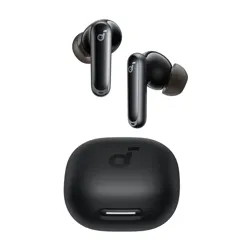
P40i
PHONE
1
2
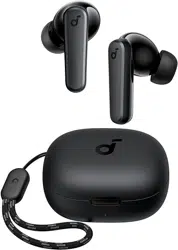
Open the charging case, the earbuds will automatically power on and enter Bluetooth pairing mode. Select
"soundcore P40i" from your device's Bluetooth list when connecting for the rst time.
• When pairing, the LED light strip will start ashing white slowly. After the pairing is successful, the LED light strip
will stay on for 2 seconds and then go o.
CHARGING
1
PHONE
STAND
< 20%
20% - 60%
60% - 99%
5min 100%
short
light
long
light
10 mins=5 hrs
3 hrs
2
1. Place the earbuds in the charging case and close it.
• Fully dry o the earbuds and the USB-C charging port before charging.
2. Connect the charging case to a power supply by using a certied USB-C charging cable. Alternatively, position
the charging case at the center of your wireless charger for wireless charging.
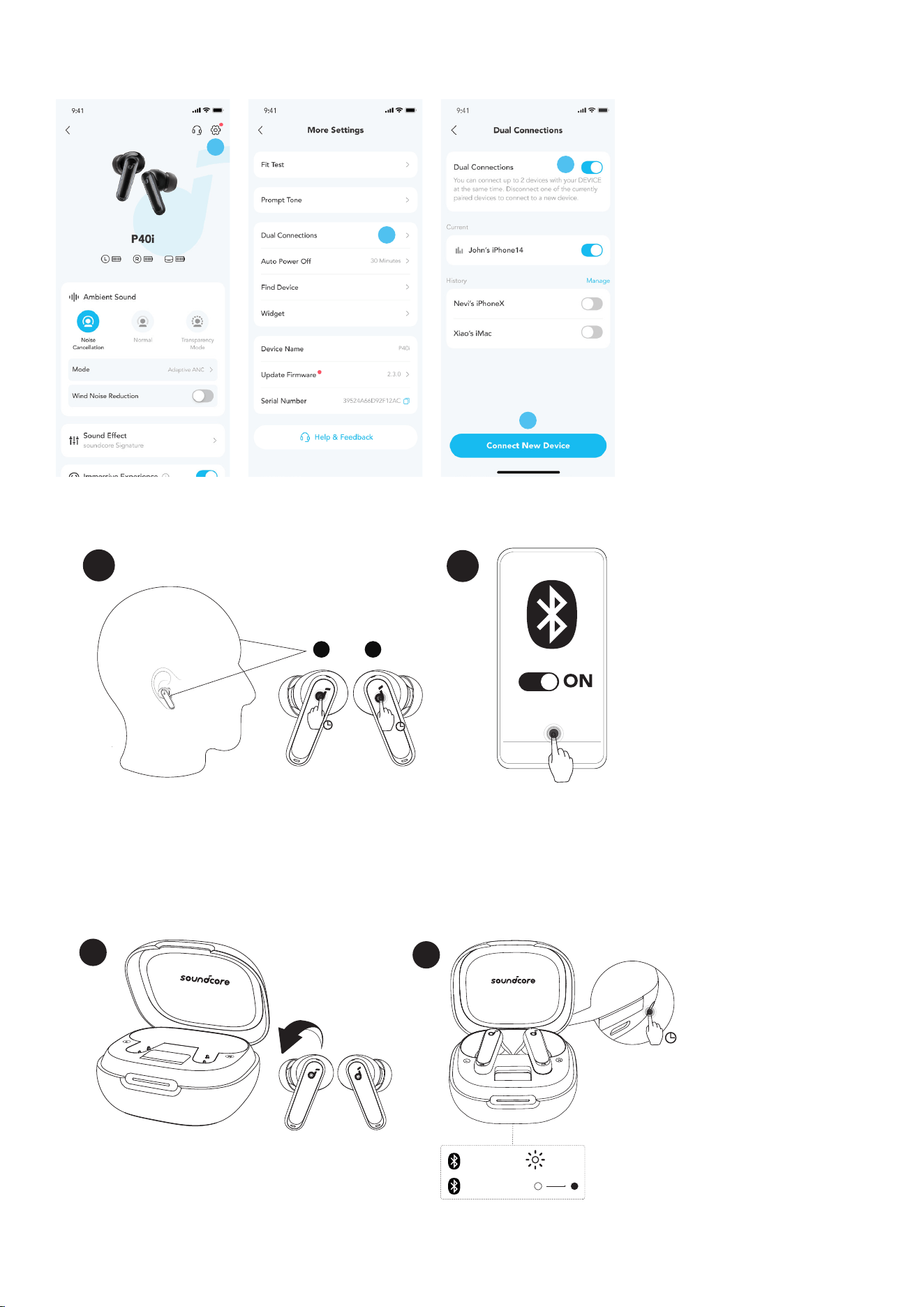
DUAL CONNECTIONS
1
2
3
4
soundcore
P40i
3s
1
L R
2
3s
To connect the earbuds with two Bluetooth devices at the same time, rst open the soundcore app, go to settings
and select Dual Connections > Enable Dual Connections > Connect New Device.
After completing the app conguration, wear the earbuds, then press and hold the touchpad on both earbuds for 3
seconds simultaneously.
MANUAL PAIRING
PAIRING
CONNECTED
2s
1
PHONE
STAND
2
PHONE
3s
To manually enter Bluetooth pairing mode, place the earbuds in the charging case and leave the case open. Press
and hold the reset button behind the charging case for 3 seconds until the LED light strip ashes white rapidly.
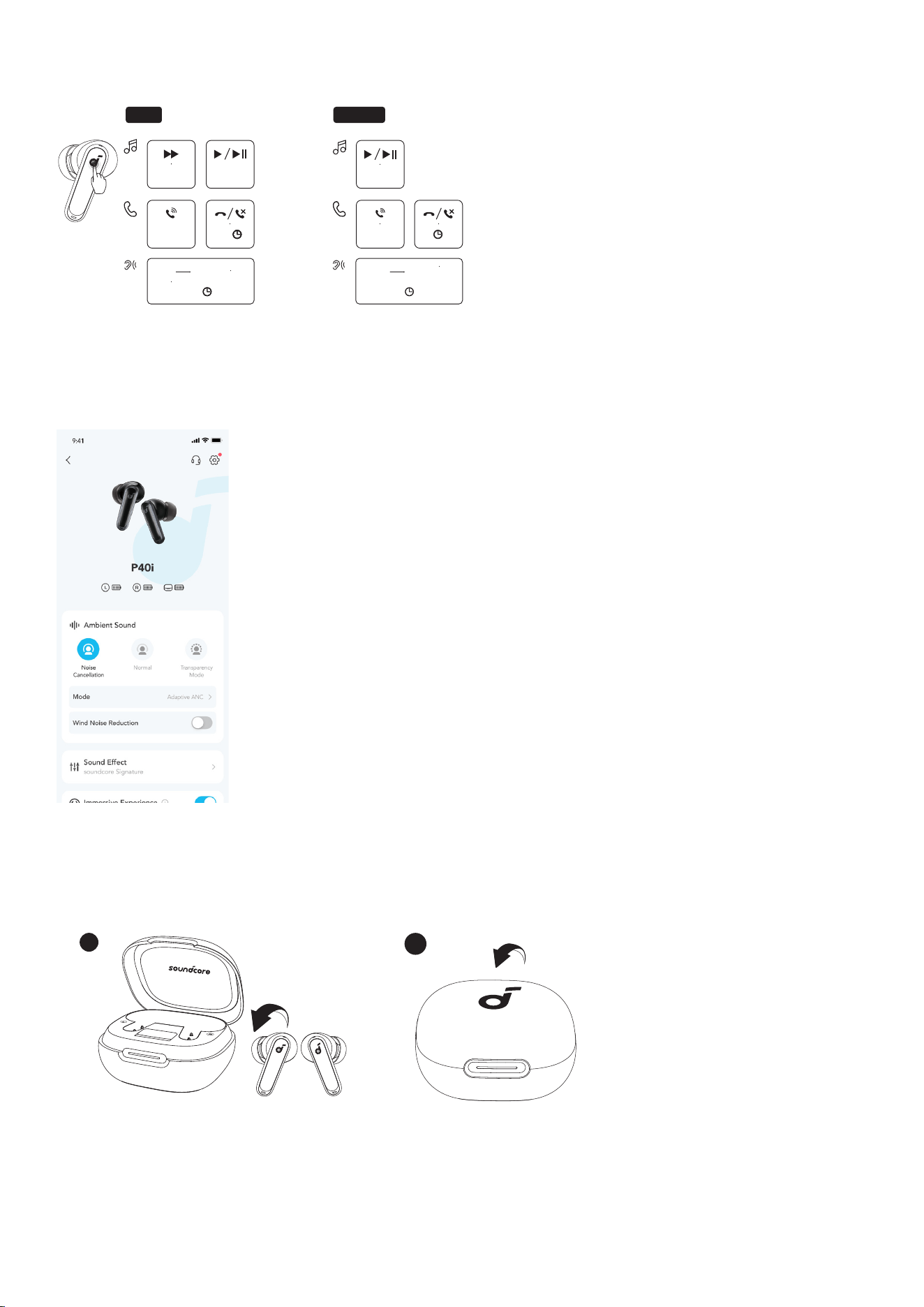
CONTROLS
MONOTWS
×2
L/R×2
ANC Transparency
L/R
2s2s2s2s
×2
2s2s
L×2 R×2
Normal Transparency
2s
L/R
2s2s
×1: Tap once ×2: Tap twice 2s: Tap and hold for 2 seconds
You can also customize controls in the soundcore app.
AMBIENT SOUND
You can select noise cancellation, normal, or transparency mode in the soundcore app.
• Adaptive ANC: Optimize noise cancellation by adapting to your ears and environment.
• Transparency: Stay aware of your surroundings while listening to music.
POWERING OFF
1
PHONE
STAND
2
To power o, return the earbuds to the charging case and close it.
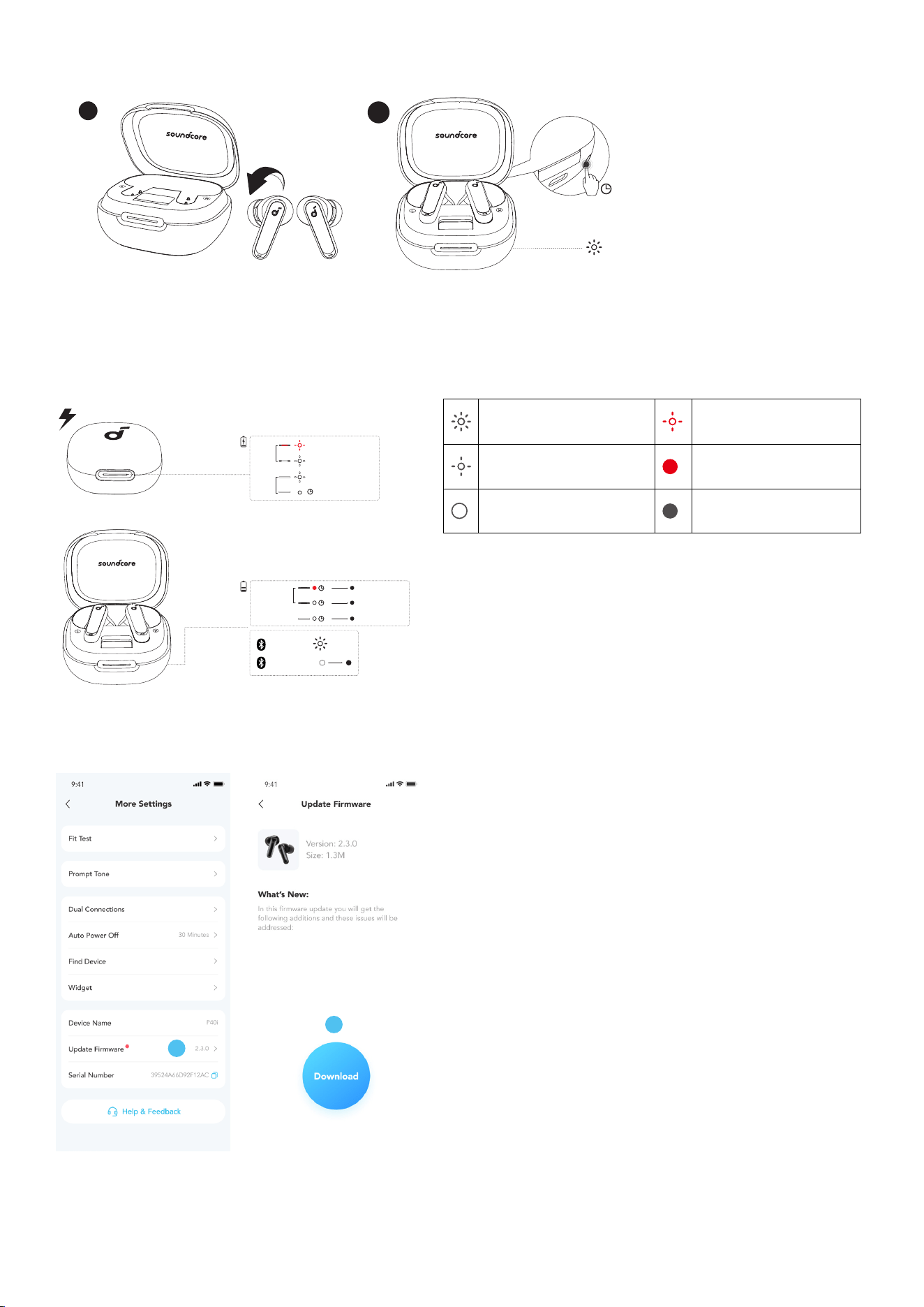
RESET
1
PHONE
STAND
×3
2
PHONE
10s
Place the earbuds in the charging case and leave the case open. Press and hold the reset button behind the
charging case for 10 seconds until the LED light strip ashes white rapidly three times.
LED LIGHT GUIDE
PAIRING
CONNECTED
2s
< 20%
20% - 60%
60% - 99%
5min 100%
short
light
long
light
<20%
5s
20% - 60%
5s
60% - 100%
5s
short light
long light
PHONE
Flashing white rapidly Flashing red slowly
Flashing white slowly Steady red
Steady white Light o
Firmware Update
1
2
You will be informed once a new firmware version is detected when you connect the earbuds to the app. Ensure
the earbuds are placed in the charging case and the case remains open until the firmware update is complete.
During the update, ensure the earbuds are being charged and avoid any usage.
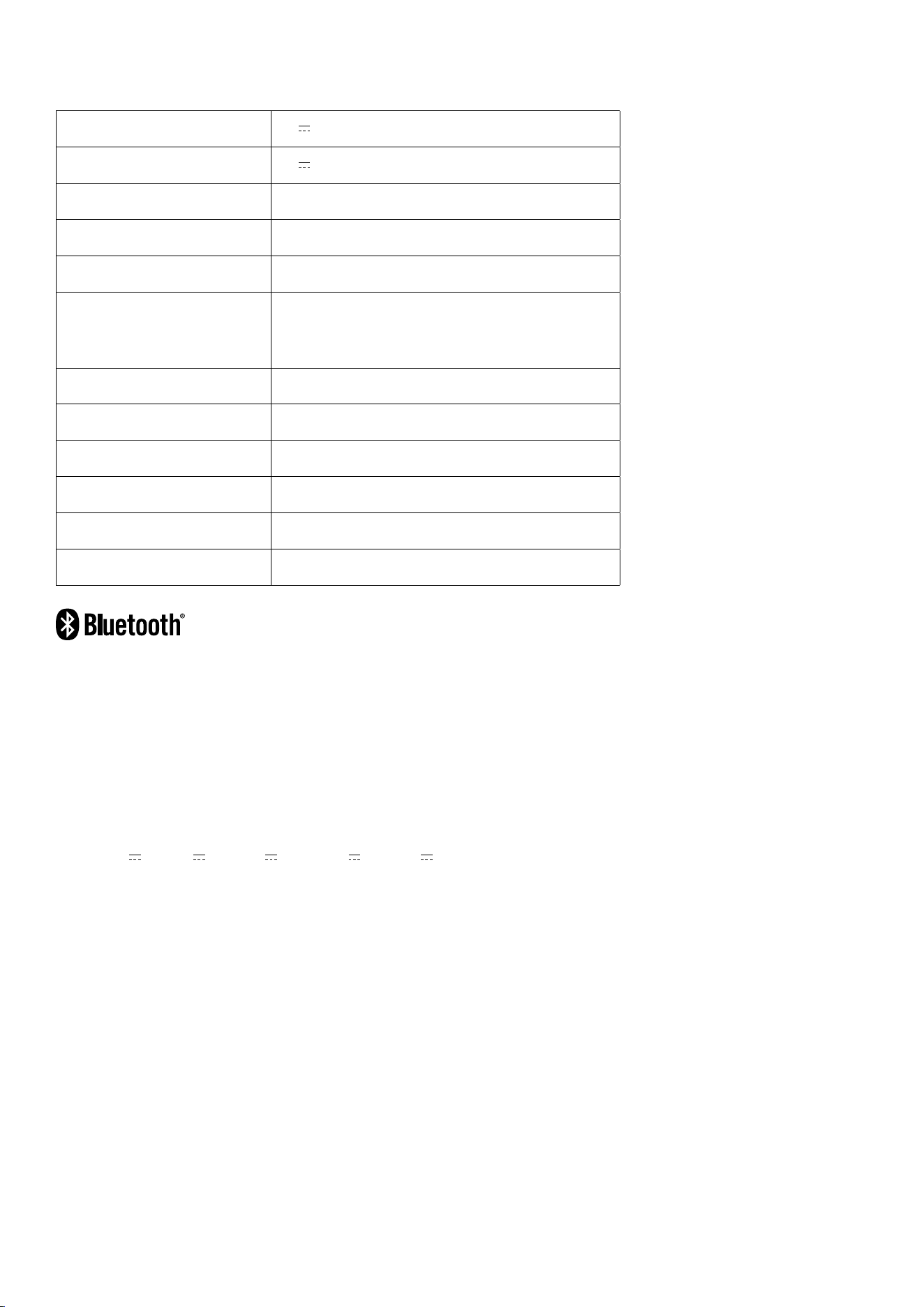
SPECS
Specications are subject to change without notice.
Input 5V 0.8A
Output 5V 0.34A
Battery capacity 60mAh*2 (earbuds) +800mAh (charging case)
Playtime (with ANC o) 12H/60H
Playtime (with ANC on) 10H/50H
Charging time
Full Charging Time (charging case) for earbuds
1H
Full Charging Time (type C) for charging case
3H
Driver unit 11 mm dynamic driver
Frequency response 20Hz - 20kHz
Impedance 16Ω
Waterproof rating (earbuds) IPX5
Bluetooth version 5.3
Bluetooth range 10m
The Bluetooth® word mark and logos are registered trademarks owned by the Bluetooth SIG, Inc. and any use of
such marks by Anker Innovations Limited is under license.Other trademarks and trade names are those of their
respective owners.
1. Power consumption in standby mode: ≤0.5W
2. Powermanagement: ≤20min
3. Information of applicable adapter:
Brand: ANKER
Manufacturer: Anker Innovations Limited
Model: A2337
Input: 100-240Vac, 1A, 50-60Hz
Output: 5V 3A / 9V 3A / 12V 2.5A / 15V 2A / 20V 1.5A (30W Max)
Default Open Port: Classic Bluetooth
Port Description: After the device is powered on, Classic Bluetooth visibility (or pairing mode) is automatically
enabled, providing Bluetooth pairing (or control) services. The Bluetooth service is disabled when the device is
powered o.