• Wipe with a dry cloth; avoid chemicals.
• Regularly check screw tightness.
• Ensure tension remains balanced after monitor changes.
Introduction
Thank you for choosing Portronics Aerolift Dual, premium desk-
mounted monitor arms designed for flexible positioning, ergonomic
comfort, and a clutter-free workspace. This guide will help you
assemble and use your monitor arms safely and effectively.
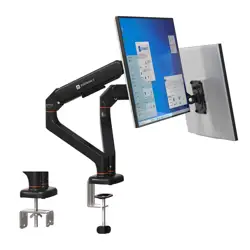
Package Contents
COMPATIBILITY
• Supports monitors with VESA 75×75 / 100×100 mm
• Ideal for flat and curved monitors
• Suitable for desks with a thickness of 10mm to 65mm
ASSEMBLY STEPS
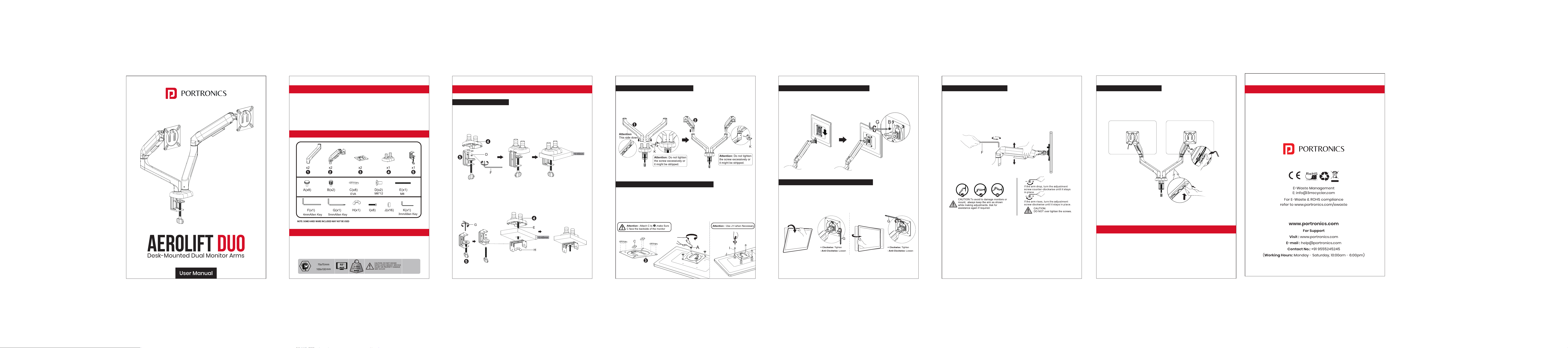
Step 1 – Install the Base
Choose either:
Clamp Mount: Attach the clamp to the base using screws.
INTRODUCTION
PACKAGE CONTENTS
COMPATIBILITY
ASSEMBLY STEPS
Step 1 – Install the Base
Grommet Mount : Insert the threaded rod and fasten
from below the desk.
Step 2: Install the Arm to the Base
Slide the lower arms onto the pole. Tighten screw using the Allen
key to lock its height. Attach the upper arms onto the lower arms.
Step 3: Attach the VESA Plate to the Monitor
Select the correct screw set based on your monitor’s mounting
holes. Align the VESA plate with the holes and fasten all screws
securely. Make sure the plate is fully tightened and sits flat on
the monitor surface.
Step 4: Mount the Monitor Onto the Arms
Align the VESA plate with the head of the swivel arm.
Slide it until it clicks and locks securely.
You can tilt the monitor forward/back, swivel left/right and rotate
90° for portrait mode
Step 5: Adjust Monitor Angle & Orientation
Step 6: Adjust Arm Tension
If the monitor moves too freely or doesn’t hold its position:
Use the supplied Allen key to tighten or loosen the tension screw
.Turn clockwise to increase tension, anti-clockwise to decrease.
Step 7: Cable Management
Push the cables into the plastic wire clips shown.Route cables
under the arms through the built-in channels.
SAFETY & PRECAUTIONS
• Ensure the arms are installed on a stable desk.
• Do not overload beyond rated monitor weight.
• Keep cables away from pinch points.
MAINTENANCE