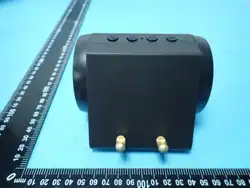
Product Structure
EMS*4
3. Low Batte Reminder
When the device is turned on, if the battery is low, the status indicator light and the light wave
currently in operation will flash as a reminder. The device will automatically shut down after 5
flashes. Please charge the device in a timely manner.
4. Auto Power-o
After the device is turned on, it will automatically shut down after 5 minutes by default if no operations
related to the App or skin contact control are performed.
5. Sma Sensing
KF-2507
Electric Serum
Applicator Device
5.Once the device is detected, the App will display a list of nearby devices. Tap
to select "KF-2507" to establish the connection.
6.Once the connection is successful, you will enter the product inteace of the App.
First Use Guide
4.Enter the KF-2507 connection page on the App, tap "Connect Now". A prompt requesting
permission will pop up; tap "OK" to grant the permission, and then the App will sta searching
for nearby devices.
Red Light, Blue Light, Red Light + Blue Light / O
Light Mode
EMS Mode
Heating Mode
Level 1–8 / O
42℃、45℃、47℃、50℃ /O
Add:Factory Building No. 5101, Zone 2, Fuqiao Industrial
Zone,Heping Community, Fuhai Subdistrict, Bao'an District
Shenzhen,China
SHENZHEN KIMAIRAY TECHNOLOGY CO., LTD
Product Brief I
ntroduction
This product is an intelligent device integratingAPP sma control, automatic liquid
dispensing, EMS, light and hot compress functions. It not only suppos the conventional
liquid relling method, but also can be directly compatible with single-dose essence
ampoules, delivering a scientic skin care experience for you.
Hot Compress
Area
Liquid Outlet
Protective Cover
Viewing Window
(For monitoring the status indicator
l
ight, charging indicator light and liquid level)
Liquid Tank
Protective Cover
Magnetic Charging Po
Liquid Tank / Single-dose
Essence Connection Po
Liquid Tank Capacity: 3ml
This product turns on automatically when the cover is opened, and its working modes are
intelligently controlled via the KM Health App.
Function Introduction
1. Working Mode Introduction
Liquid
Dispensing Mode
① Slow Gear: 1ml dispensed per minute (dispensing pauses
after 4 minutes of cumulative operation)
② Fast Gear: 2ml dispensed per minute (dispensing pauses
after 2 minutes of cumulative operation)
③ O
①The cumulative working time for liquid dispensing will be reset when the device is
restaed or a functional mode is changed.
②The settings of EMS, Heating and Liquid Dispensing modes congured in the App
will only take eect when the device is in direct contact with the skin.
③Facto Default Settings: Red Light + EMS Level 1 + Slow Liquid Dispensing +
Heating at 42°C
2. Indicator Light Introduction
(1) Status Indicator Light:The status indicator light ashes for 15 seco
nds to prompt the user
to peorm a Bluetooth connection after the device is turned on, and then stay on after 15
seconds.
(2) Charging Indicator Light:The red light stays on during charging, and the blue light stays on
when charging is complete.
The settings of EMS, Heating and Liquid Dispensing modes congured in the A
pp will only
take eect when the hot compress area of the device is in direct contact with the skin.
1. For Android smaphones: Scan the corresponding QR code on the cover of the pr
oduct
manual, or search for KM Health App in the googleplay store to download and install it.
2. For iOS smaphones: Scan the corresponding QR code on the cover of the product manual,
or search for KM Health App in the App Store to download and install it.
3Turn on Bluetooth on your smaphone. Power on the device (it turns on automatically when .
the protective cover is opened). Open the KM Health App, tap the icon for addin
g sma
devices or the + icon in the upper right corner, and select the model KF-2507.
Operating Steps
1.Open the liquid tank cover to pour in liquid, or inse a single-dose essenc
e into
the liquid tank connection po.
2.Open the protective cover to turn on the device. (The device activates
automatically when the protective cover is opened.)
3.Enable Bluetooth on your smaphone and open theKM Health App. Connect the
device to your phone, then set your desired skincare mode via the App’s operation
inteace.(Please scan the corresponding QR code on the cover of the product
manual or search forKM Health Appin the app marketplace to download and install
it before use.)
4.Press the device’s applicator head rmly against your skin and move it in
continuous circular motions or at a constant speed.
5.After use, clean any residual liquid from the liquid outlet tube with a cleaning pin,
wipe down other pas of the device, and store it in a well-ventilated, d place.
Precautions
1.Donotwash the entire device with water. When cleaning the device body a
nd applicator
head, avoid using chemical detergents or cleaning products containing mercu, alkali, acid,
or other corrosive ingredients.
2.Donotimmerse the device in water or place it in humid environments (e.g., bathrooms) to
prevent sho circuits.
3.If liquid dispensing becomes clogged during use, unclog the liquid outlet tube with a
cleaning pin to restore smooth dispensing.
4.Donotuse or store the device in high-temperature environments, as this may cause heat
damage.
5.If the device is not in use for an extended period, clean it regularly to maintain hygiene,
which ensures its peormance and seice life. Keep the batte level at around 50% and
charge/discharge the device periodically to presee batte health.
6.Use only the original charging cable for charging. Avoid using damaged cables and keep
the device away from ammable and explosive materials during charging.
7.Donotdisassemble, strike, or drop the device. Store it out of the reach of children and
pets.
8.When switching to essences of dierent specications or brands, thoroughly clean the
liquid tank to avoid interactions between dierent skincare ingredients.
9.This device isnota medical device and cannot be used for disease treatment. Consult a
doctor before use if you have any medical conditions or health concerns.
10.Use only external skincare serums or liquids. Donotuse oral medications, corrosive,
ammable, explosive, or highly oily liquids, as these may damage the device.
11.When using the EMS function for the rst time, sta at the lowest intensity level and
gradually increase as you adapt. Stop using the device immediately if you experience sharp
tingling or discomfo.
12.The device will be updated irregularly. Some functions may dier from those described in
this manual. Please refer to the actual functions of the product for details.
The EMS electrical pulse function isprohibitedfor the following groups of people and body
pas:
1.Patients with hea disease, and those wearing pacemakers or other implanted electronic
devices.
2.Pregnant women, infants, young children and epilepsy patients.
3.The neck, hea area, and skin areas with breakage, inammation, eczema or dermatitis.
Package List
Serum
Applicator × 1
Product Manual × 1
Charging Cable × 1
Cleaning Pin × 1
Product Specifications
KF-2507
900mAh
DC 5V
214g
DC 3.7V
3ml
ф71×62.5mm
Product ModelWorking Voltage
Charging Voltage
Batte Capacity
Liquid Tank Capacity
Net Weight
Product Dimensions
Liquid Dispensing,
Light Therapy, EMS &
Heating Settings Area
Remaining Batte Level