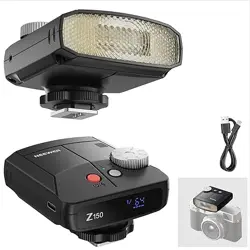
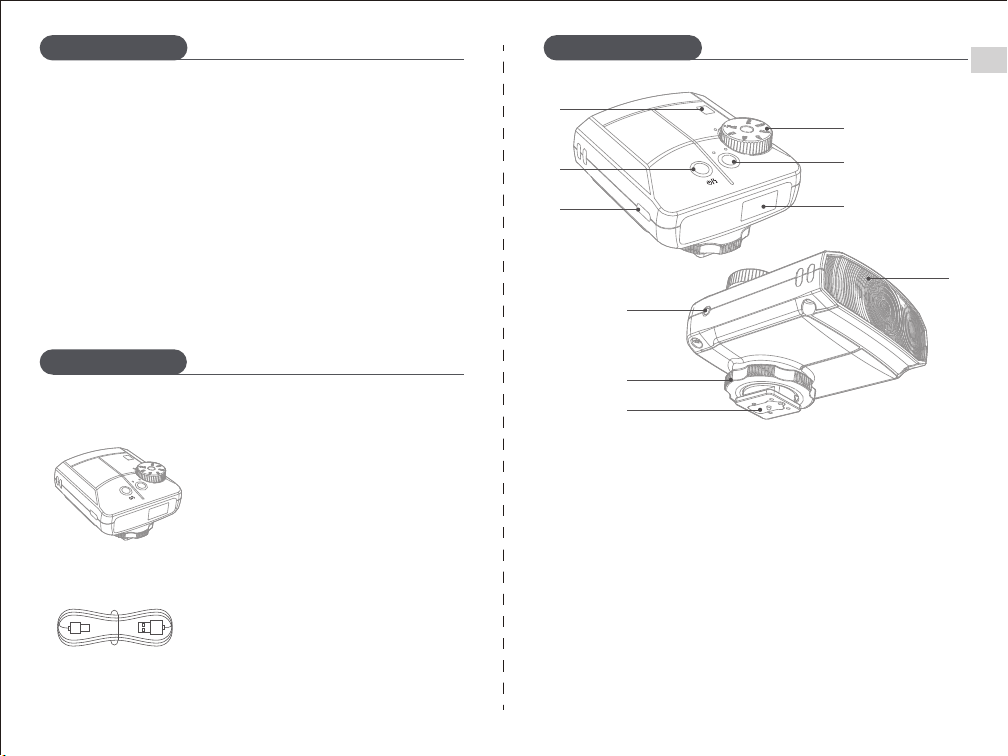
① Optical sensor
② Power on/off (long press); test flash (short press); recycle indicator
③ USB C charging port
④ Power output adjustment dial
⑤ Mode selector (M/S1/S2)
⑥ Display
⑦ 2.5mm sync jack
⑧ Locking thumb wheel
⑨ Hot shoe
⑩ Flash head
This compact flash unit features a unique retro style adjustment wheel
and a small display screen for real time parameter updates, offering a
smooth and intuitive user experience. Its palm sized design makes it
highly portable, perfect for capturing moments on the go. With a built
in high capacity lithium battery, the flash delivers exceptional
performance, recharging in just 3.1 seconds after a full power output. It
supports up to 640 full power flashes, meeting the needs of both
professional and amateur photographers.
01
EN
Package Contents
Product Overview
Product Diagram
Flash ×1
USB to Type-C Cable ×1
S1
S2
①
②
③
④
⑤
⑥
⑦
⑧
⑨
⑩
S1
S2
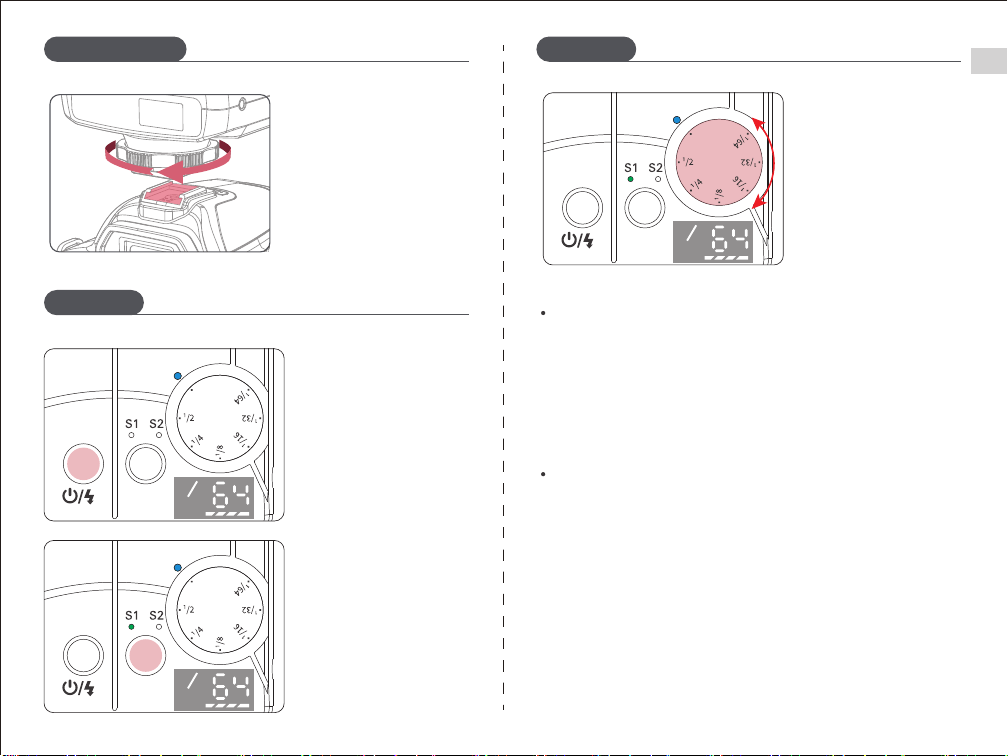
2、Flash Modes: Manual
Mode (M)
1、Power On/Off
① Short press the mode
button to cycle though
M/S1/S2 modes.
② Rotate the wheel to
adjust flash output
power (1/64 to 1/1).
Long press the Power
Button to turn the flash
on or off.
Setting the S1 Flash Unit
In S1 optical slave mode, the flash unit can be a secondary light
source to create various lighting effects. It is suitable for manual flash
environments. The flash unit will synchronize with the first flash
from the main flash unit, producing the same effect as using a
wireless trigger.
02
Setting the S2 Flash Unit
Note: When using S1/S2 modes, ensure that the light sensor is free of
obstructions to avoid interference.
In S2 optical slave mode, the flash unit can be a secondary light source
in TTL flash environments. It features pre flash suppression, allowing
synchronized shooting when using a camera with a single pre-flash
function. It also synchronizes with the second flash from the main flash
unit, enabling the second optical slave triggering.
EN
How to Use
How to UseInstallation Steps
Installing the Flash Unit
Attach the flash unit to the
camera's hot shoe and rotate
the locking ring to secure.
Full
1
Full
1
Full
1
M mode:
The flash will enter sleep mode after 5 minutes of inactivity, with the
test flash button slowly flashing. Short press the test flash button to
wake the flash. The flash automatically shuts off after 30 minutes of
inactivity.
S1/S2 mode:
The flash enters sleep mode after 60 minutes of inactivity, with the
test flash button slowly flashing. Short press the test flash button to
wake the flash. The flash automatically shuts off after 15 minutes of
inactivity.
03
4、Sleep Mode
Overheating Protection:Continuing to shoot immediately after
consecutive flashes may trigger the overheating protection, extending
the recycling time by over 6 seconds. If this happens, let the flash cool
for about 10 minutes to resume normal operation.
1. Charging
※ Charger not included.
※ The unit does not support
simultaneous charging
and usage.
Use the included USB to Type C
cable to charge the flash unit.
EN
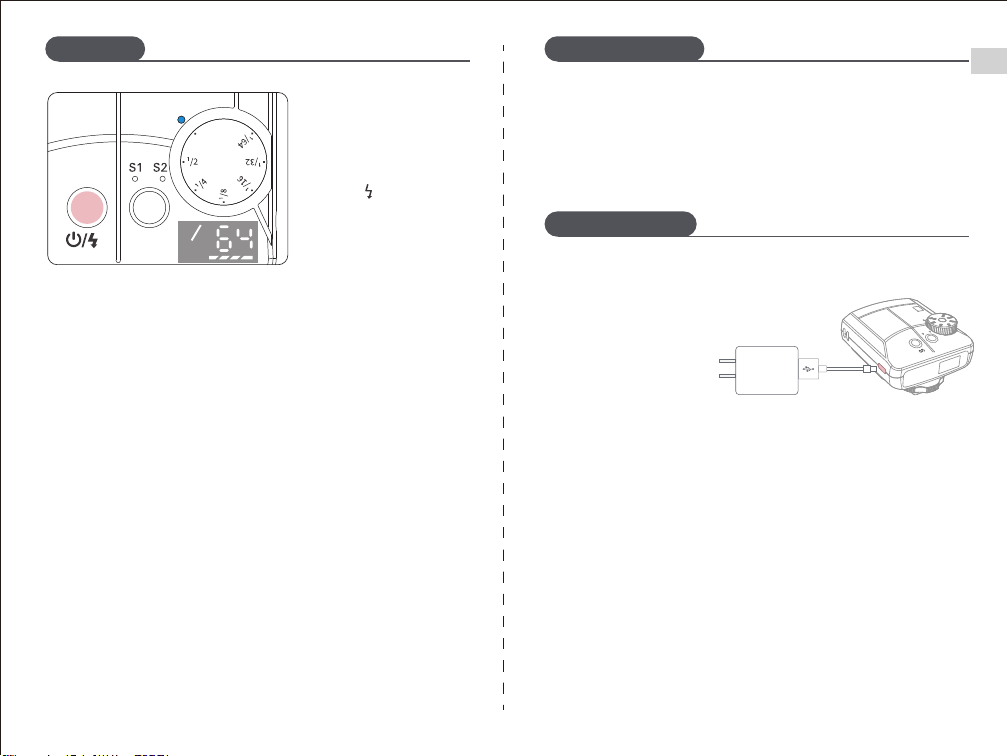
Short press the Test Flash
Button " " to perform a
test flash.
3、Flash Test
How to Use Protection Features
Integrated Battery
2. Features:
① This product uses a lithium battery, supporting up to 500
charge-discharge cycles.
② Safe and reliable, with built-in circuitry for overcharge protection,
over-discharge protection, overcurrent protection, and short circuit
protection.
③ Charging with the charger only takes about 1.5 hours.
3. Precautions:
① Do not charge the battery for more than 24 hours.
② If the battery has not been used for over 3 months, please fully
charge it before use.
Full
1
S1
S2
04
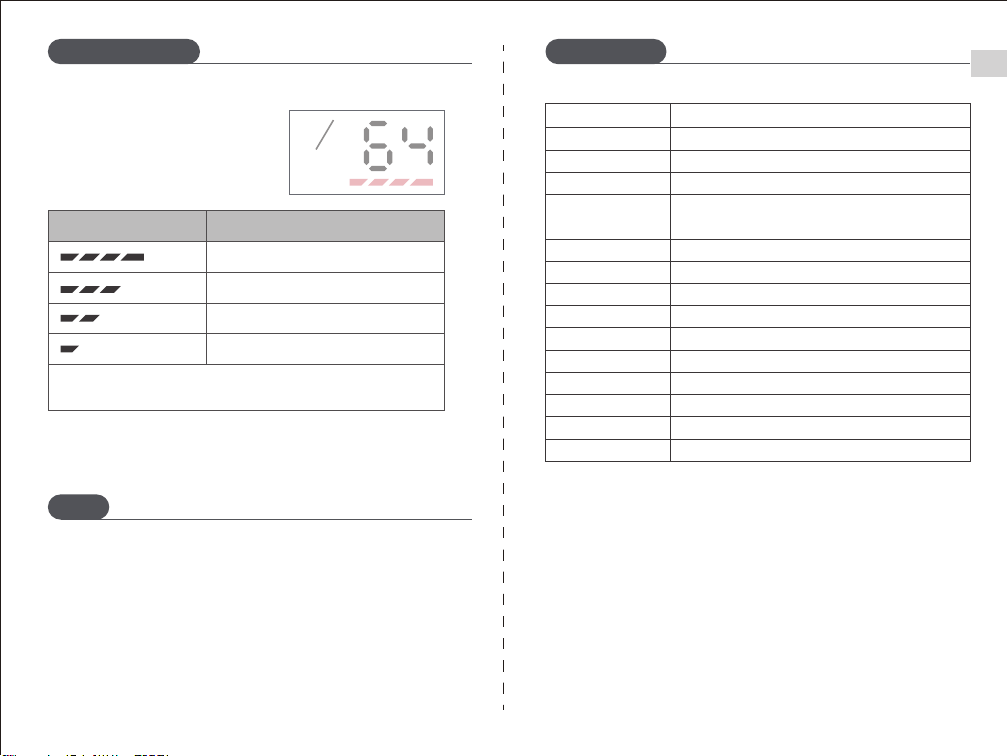
4. Battery Status Indicator
Check the battery icon on the
screen to monitor charge levels.
The first bar will flash for 10 seconds before shutting down.
电池电量显示
75% - 100%
50% - 75%
25% - 50%
0% - 25%
Battery Level Symbol
Battery Status
EN
Integrated Battery
Notes
1. Avoid dropping, impacting, or subjecting the product to shocks.
2. Do not use the flash in flammable or gaseous environments to
prevent explosions.
3. Keep the flash away from eyes to prevent retina damage or blindness.
4. Allow 20 minutes for cooling after prolonged high-power flash use to
prevent overheating.
Specifications
Model
Z150
20Ws
6000±200K
Fixed 35mm
3.1s (at full charge)
640 flashes (at maximum power)
Fuji, Canon, Nikon, Olympus, Sony, Panasonic, and other
camera brands(Not compatible with cameras without a
hot shoe.)
Manual, optical triggering, sync trigger
Manual mode
GN15 (ISO 100, in meters)
Flash Index
Flash Power
Color Temperature
Focal Length
Recycling Time
Number of Flashes
Compatibility
Triggering Methods
Control Modes
Li-ion Battery
Battery Charging Time
Charging Input
3.7V 1200mAh 4.44Wh
1.5 hours
5V/2A
Weight
Operating Temperature
-10°C to 40°C
※ Product specifications and parameters are subject to change without prior notice.
Net weight ≤108g (including battery)
1