USER MANUAL
Note: Please read this product manual carefully before
installing or using our products
Model:S1
Users Manual
Thank you for purchasing this fitness vibration machine.
Please read the User Manual carefully to ensure safe and proper use of this
machine. Please read and fully understand the Safety Precautions before use.
Scan the OR code to get after-sales service
-
WARNING–To reduce the risk of personal injury, read and understand all
the instructions before using this product.
Thank you for purchasing our product!
If you have any questions about the product, need operational guidance, or
encounter any quality issues, please feel free to contact us via the following
Customer service email:
email address. Our professional customer service team is here to assist you.
To help us process your inquiry more efficiently, please include your Order ID
or Product Serial Number in your email.
Customer Service & Support
- For Household/Residential Use Only.
-WARNING–Remove the control box when the product is not in use, and
-WARNING–Risk of personal injury–Keep children under the age of 13
away from machine.
store it in an area inaccessible to children.

01
02
1.Important Safety Instructions
05-06
CONTENTS
07
0
2.Grounding Instructions
5.Cleaning and Maintenance
6.Menu and Remote Control
7.Troubleshooting
8
8.Storage and Transportation
3.Introduction
4.Product Features
03
04
04
9.Bluetooth Connection
08

When using an electrical appliance, basic precautions should always be followed,
including the following:
Read all instructions before using (this appliance).
01
1.IMPORTANT SAFETY INSTRUCTIONS
– To reduce the risk of electric shock and the injury from moving parts:
1) Always unplug this appliance from the electrical outlet immediately after using and
before cleaning or servicing.
DANGER
SAVE THESE INSTRUCTIONS
– To reduce the risk of burns, fire, electric shock, or injury to persons:
1) An appliance should never be left unattended when plugged in. Unplug from outlet
when not in use, and before putting on or taking off parts.
2) This appliance is not intended for use by persons with reduced physical, sensory or
mental capabilities, or lack of experience and knowledge, unless they have been given
supervision or instruction concerning use of the appliance by a person responsible for
their safety. Keep children under the age of 13 away from this machine.
3) Use this appliance only for its intended use as described in this manual. Do not use
attachments not recommended by the manufacturer.
4) Never operate this appliance if it has a damaged cord or plug, if it is not working
properly, if it has been dropped or damaged, or dropped into water. Return the
appliance to a service center for examination and repair.
5) Do not carry this appliance by supply cord or use cord as a handle.
6) Keep the cord away from heated surfaces.
7) Never operate the appliance with the air openings blocked. Keep the air openings
free of lint, hair, and the like.
8) Never drop or insert any object into any opening.
9) Do not use outdoors. Household use only.
10) Do not operate where aerosol (spray) products are being used or where oxygen is
being administered.
11) To disconnect, turn all controls to the off position, then remove plug from outlet.
12) Do not operate under blanket or pillow. Excessive heating can occur and cause fire,
electric shock, or injury to persons.
13) Connect this appliance to a properly grounded outlet only. See Grounding
Instructions.
14) Remove control box (or key, or safety pin, as applicable) when not in use, and store
out of reach of children.
WARNING
02
2.GROUNDING INSTRUCTIONS
This product must be grounded. If it should malfunction or breakdown, grounding
provides a path of least resistance for electric current to reduce the risk of electric
shock. This product is equipped with a cord having an equipment-grounding conductor
and a grounding plug. The plug must be plugged into an appropriate outlet that is
properly installed and grounded in accordance with all local codes and ordinances.
DANGER
Improper connection of the equipment-grounding conductor can result in a risk of
electric shock. Check with a qualified electrician or serviceman if you are in doubt as
to whether the product is properly grounded. Do not modify the plug provided with the
product – if it will not fit the outlet, have a proper outlet installed by a qualified
electrician.
b) For a grounded, cord-connected product rated less than 15 A and intended
for use on a nominal 120-V supply circuit, the instructions in either (1) or (2):
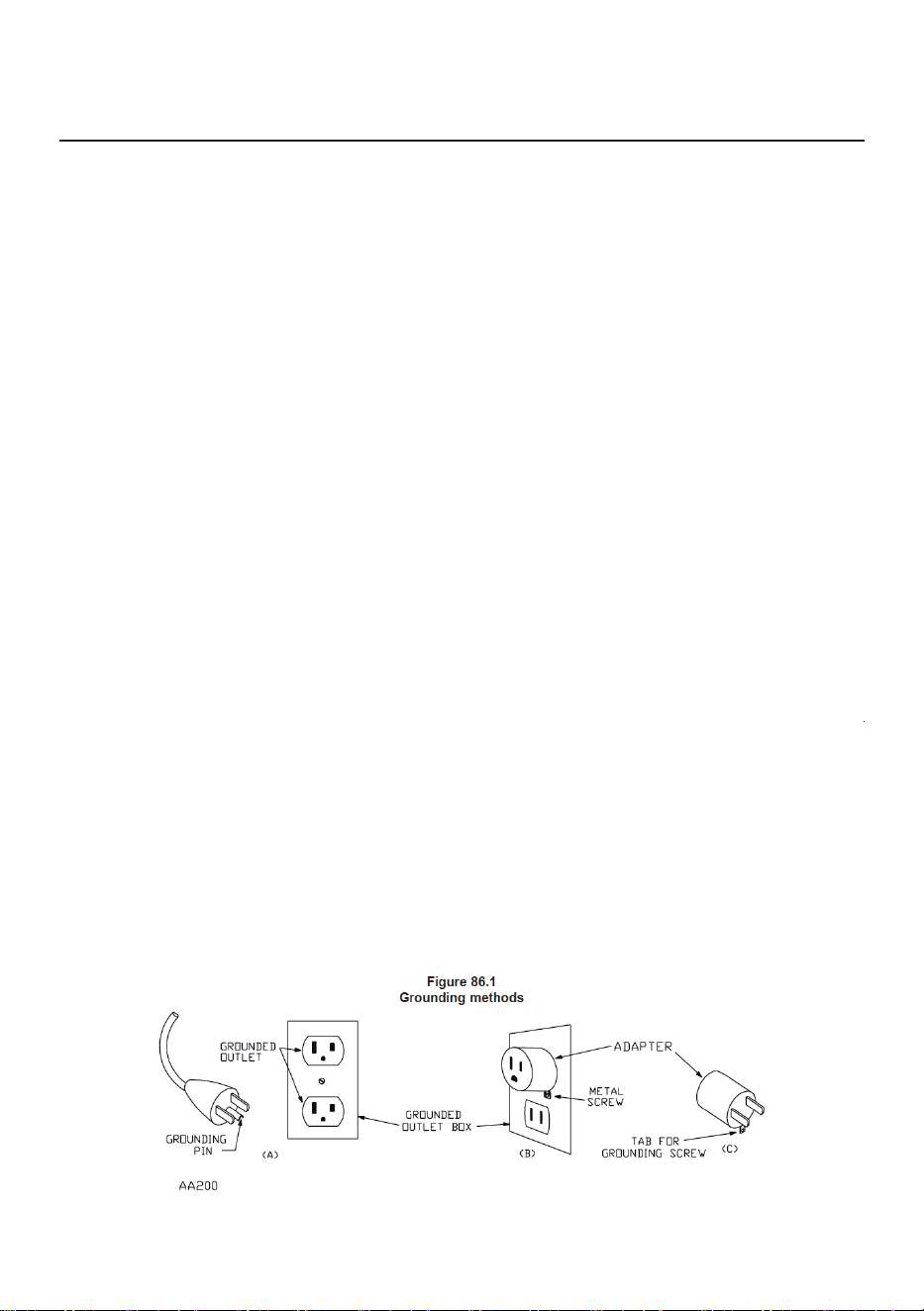
1) This product is for use on a nominal 120-V circuit, and has a grounding plug that
looks like the plug illustrated in sketch A in Figure 86.1. A temporary adapter that looks
like the adapter illustrated in sketches B and C may be used to connect this plug to a
2-pole receptacle as shown in sketch B if a properly grounded outlet is not available.
The temporary adapter should be used only until a properly grounded outlet (sketch A)
can be installed by a qualified electrician. The green colored rigid ear, lug, or the like
extending from the adapter must be connected to a permanent ground such as a
properly grounded outlet box cover. Whenever the adapter is used, it must be held in
place by a metal screw.
2) This product is for use on a nominal 120-V circuit and has a grounding plug that
looks like the plug illustrated in sketch A in Figure 86.1. Make sure that the product is
connected to an outlet having the same configuration as the plug. No adapter should
be used with this product.
3.INTRODUCTION
Model:
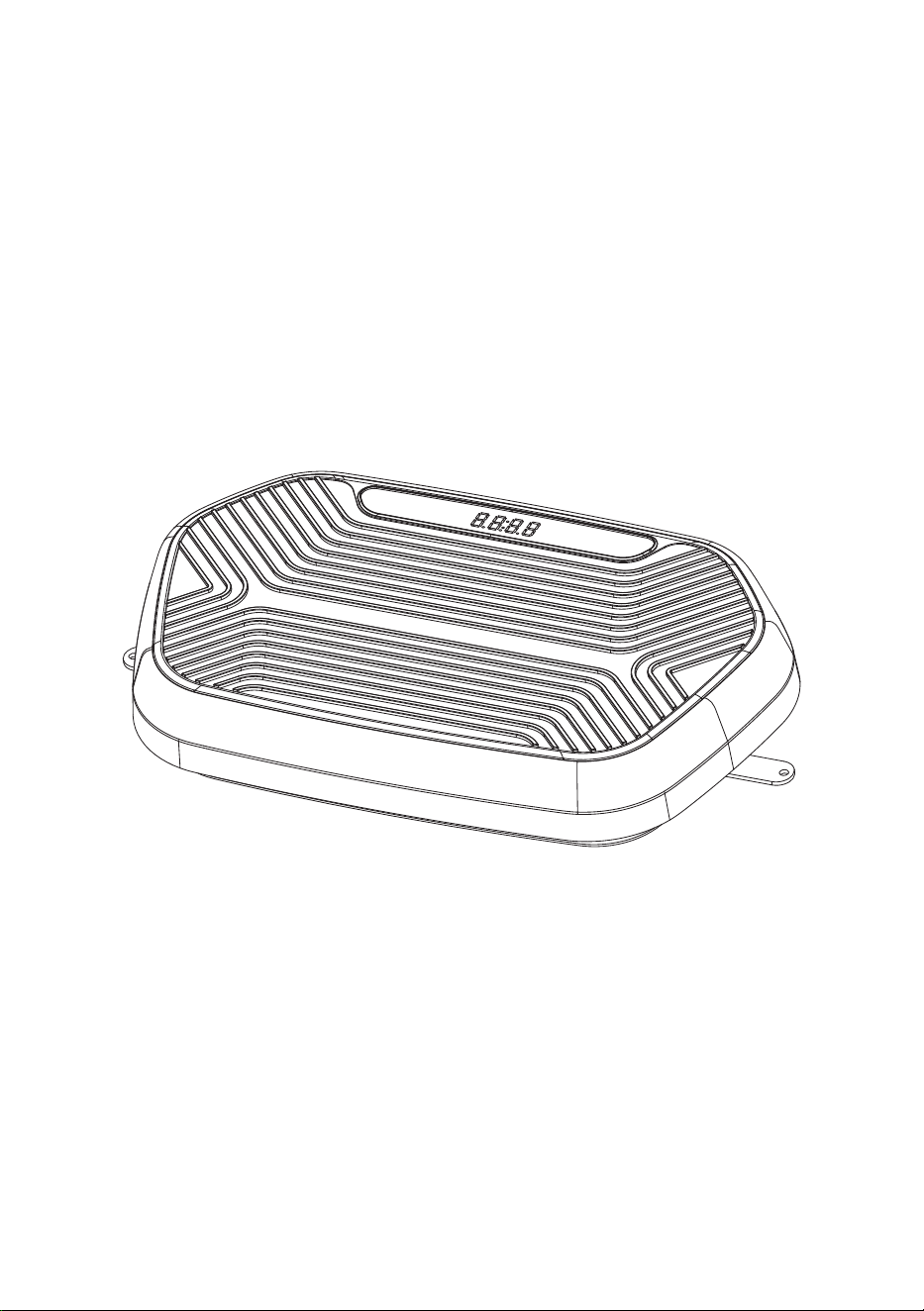
Product Name: Vibration Platform Machine
S1
Product Size: 63
Trademark: Kalietel
*38.5*12CM
Input:
Net Weight/Gros
s Weight: 7.9kg/9.0kg
120V~, 60Hz, 2A
Maximum Weight Capacity: 350lbs
Speed range: 1-2
0levels
Amplitude: 0-15
mm
O
utline Dimension: 66*43*14.5cm
Manufacture Date: 06/15/2026
Exporting Country: China
Importer:
Adress:
Room 506, 5th Floor, Block 3, Section 2, Fuhe Road, Huay
Chengdu Mingyu Xinchuan E-commerce Co., Ltd.
ang Subdistrict,
Tianfu New Area, Chengdu, Sichuan Province, 610213, CN
MENGQUER TRADING LIMITED
Importer Adress: RM 7B, WING LOONG BUILDING, 260 CASTLE PEAK ROAD,
T
el:
CHEUNG SHA WAN 999077 HONGKONG HK
+852 96301289
E-Mail: [email protected]om
Batch/SN ID:20260615
Made In China
03
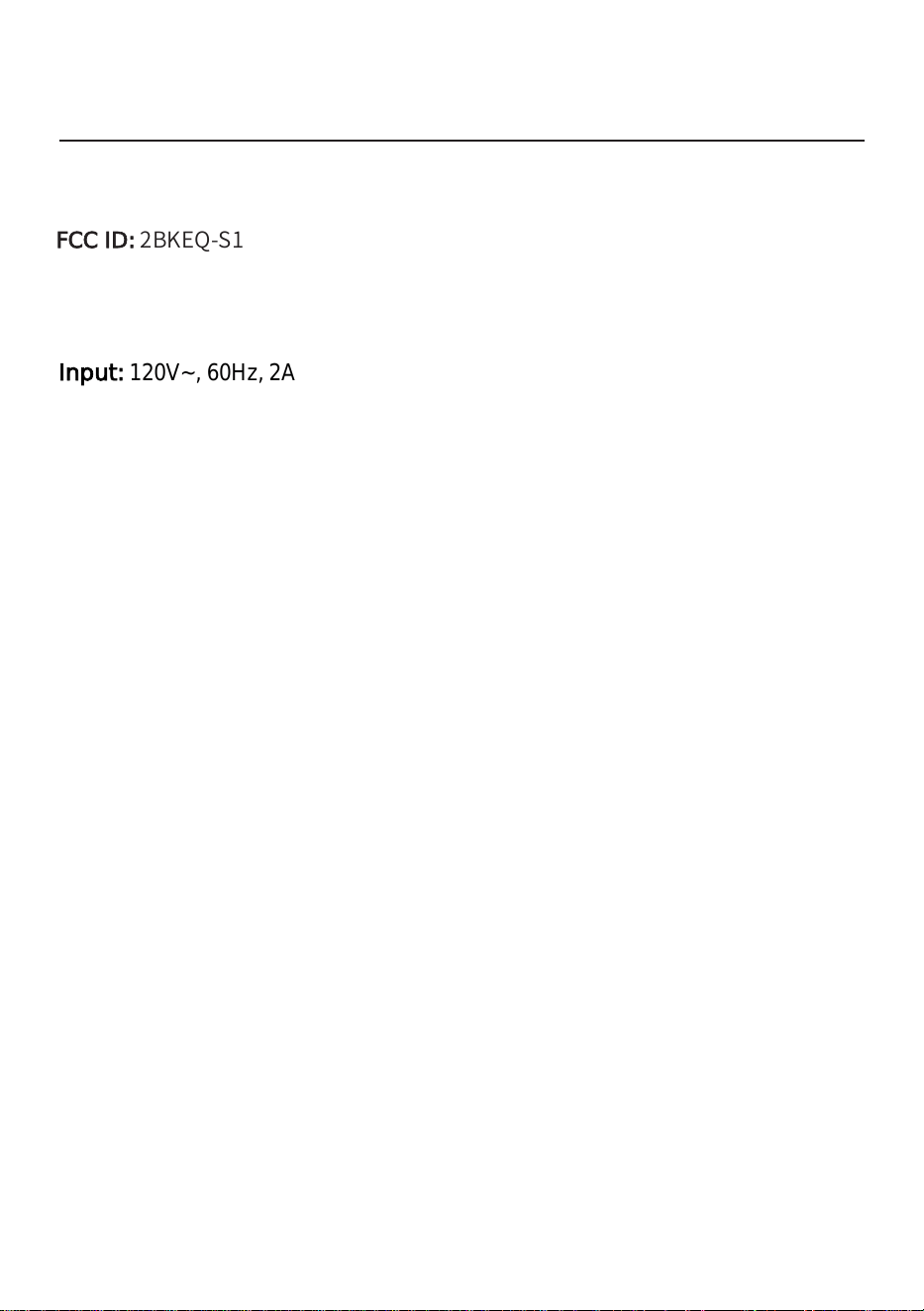
FCC ID: 2BKEQ-S1

Perfect for muscle toning, muscle building, weight loss & cellulite reduction. Fitted
with yoga straps to enhance its potential for improving the upper body and arms.
Small compact size - can be used anywhere at home & easy to put away.
Design with big LCD display, ensure clear reading and easy adjustment.
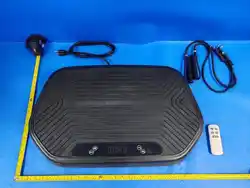
Comes with Arm cords, Remote control, Resistance Bands and Instruction manual.
04
4.PRODUCT FEATURES
Variants of Speed Range and Strong body shape Massage Vibration
Please make sure the machine is power off.
The machine can be cleaned with a warm, damp cloth with detergent.
Make sure the machine is completely dry before turning it on again.
Be sure not to use benzene, thinner, ethyl alcohol, gasoline etc.
which can result in hazardous fumes, fading of the paint or corroding of the inner
parts. If the machine is not used for a long time, cover it to prevent dust from
entering the machine.
5.CLEANING AND MAINTENANCE
Attention:
Recommended time is 10-20 minutes every time.
If you suffer from joint problems, have a hypertension, bronchitis, heart condition
or skin disease, diabetes, or pregnancy, extreme obesity, middle ear infection, bone
weaknesses, osteoporosis, stomach illness, or use a pacemaker, or other diseases,
were commend seeking medical advice before using this vibration trainer.
Attention:
● Variants of Speed Range and Strong body shape Massage Vibration.
1:After each use, turn off the machine and make sure It's power off.
2:Store this machine in a dry, dust-free, and well ventilated place. Ensure that the
machine is not exposed to Sunlight. Ensure that the storage and transportation
environments meet the requirements.
3:Check whether safety risks exist on a regular basis.
Maintenance
● Study the functions and make sure you know how to operate the machine to avoid
malfunction or injury.
Keep children away from this machine.
● It is normal that some one may feel a little dizzy while using at the first time due to the
Vibration scillation of the machine ,it will not happen again after using for a few time.
To avoid injury and impairment, stamping on the pad is forbidden.
Do not put your knees on the pad to prevent injury and impairment.
Do not put all your weight on one side
Do not touch the device with wet hands.
Only one person at a time may use the device.
This product is for exercising only. Other uses are prohibited.
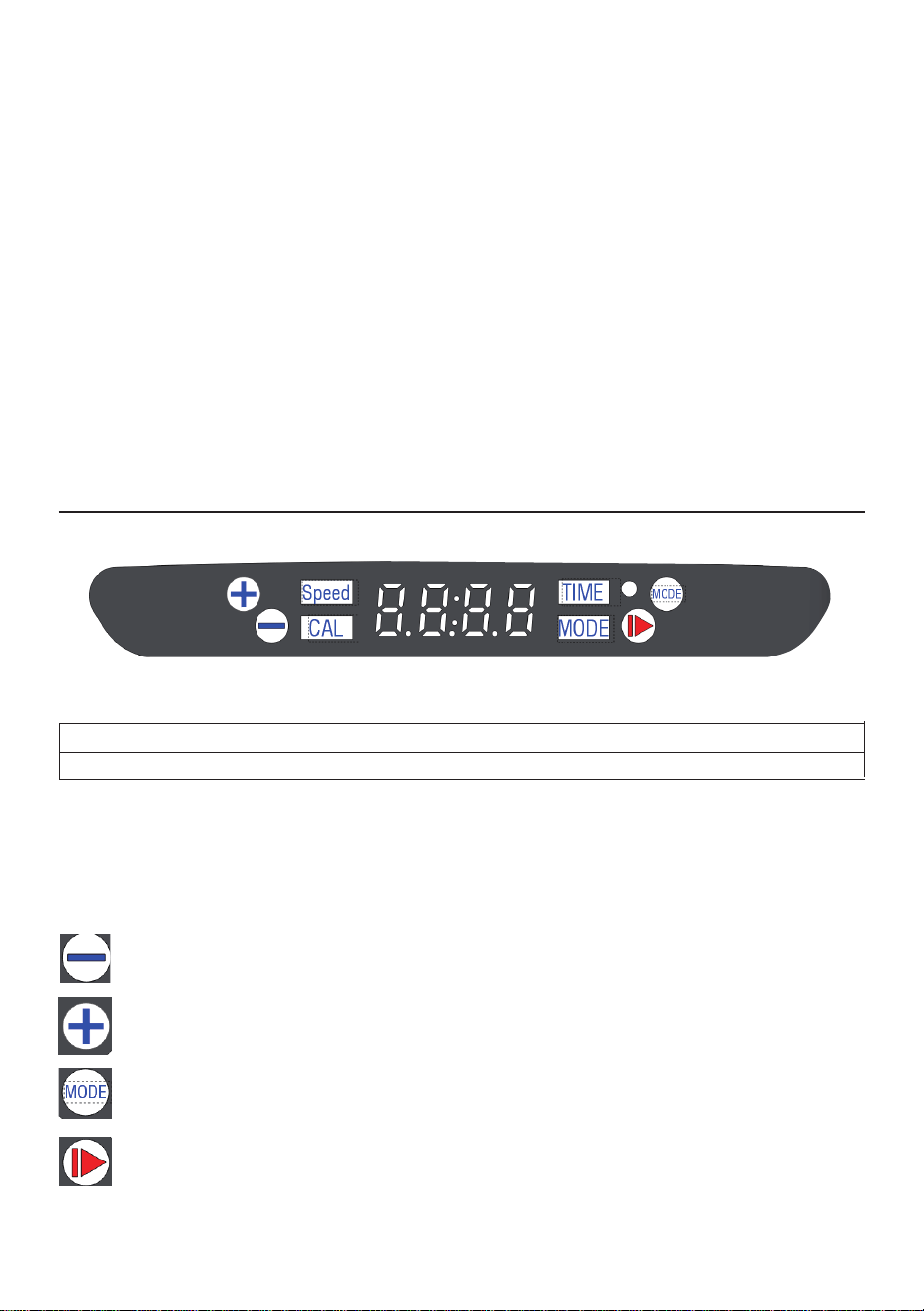
The LED screen rotates automatically: Time/CAL. Speed, LED changing every 5 seconds
for easy tracking of your workout stats
6
05
.MENU AND REMOTE CONTROL
Menu:
TIME
SPEED
00~20:00Min
1~20Levels
Long press the button to speed down.
Short press the button to reduce the time.(only effective in a stationary state)
Long press the button to speed up.
Short press the button to increase the time (only effective in a stationary state)
Short press the button to Choose P01-PO9 Automatic Program.
Press the button to Start/Off the machine.
Keypress Function:
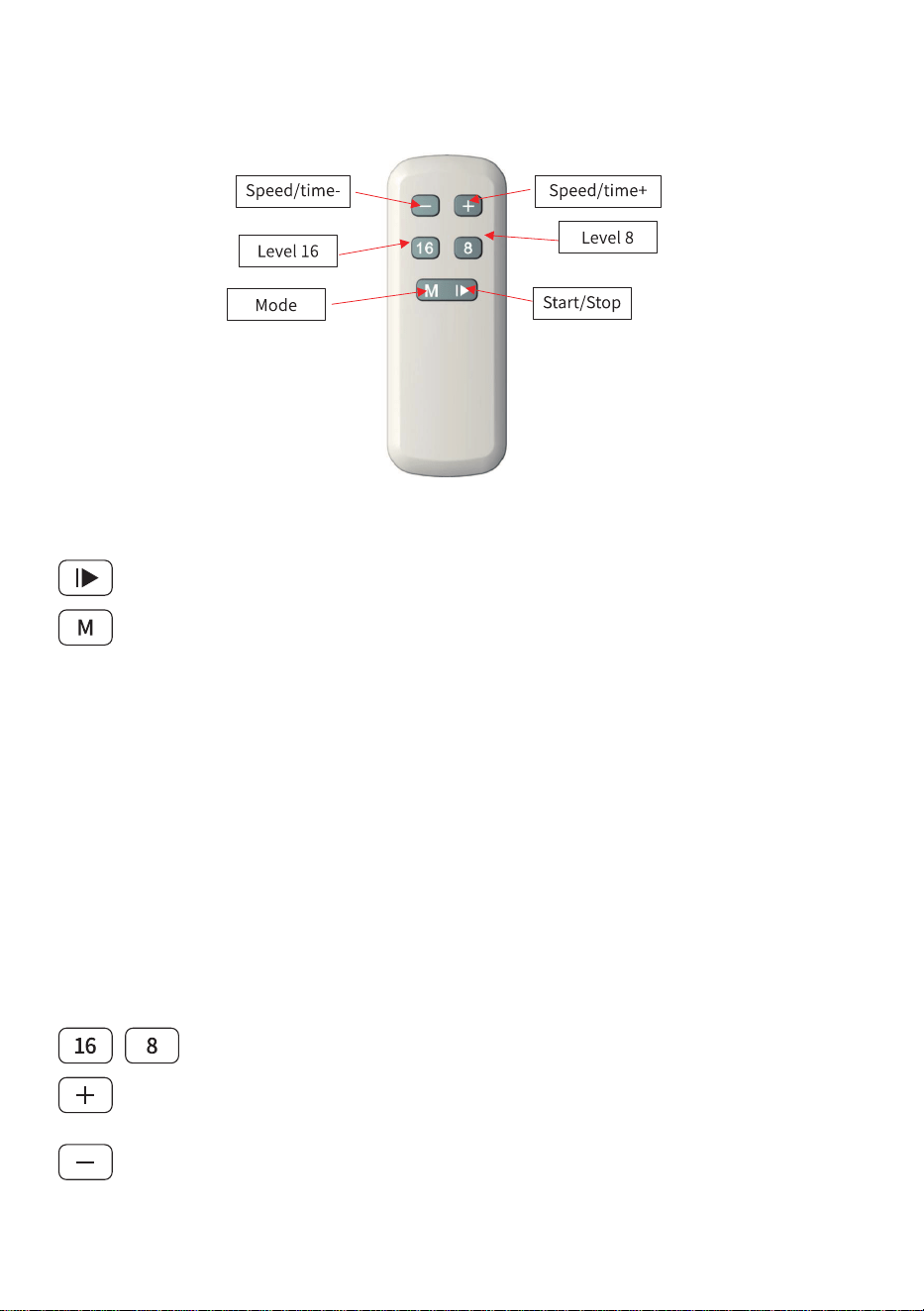
Start/stop: Press the start button to start the device
Speed Shortcut: Set the speed to the specified 16 level or 8 level.
Speed+: While the machine is running, Increase the speed. (not available
with an automatic program). Speed range from 1- 20 level.
Speed-: While the machine is running, Decrease the speed. (not
available for automatic programs) Speed range from 1- 20 level.
Mode switch:While the machine is running, short press the button to
Choose P01-PO9 Automatic Program.
Please note: Choose an auto-program and press the start button, the
machine will start the chosen program. You cannot adjust the time and
speed when you start an auto-program.
(Goal Setting: While the device is turned on, press and hold the “M”
button for 3 seconds to set your exercise goal. When the time begins to
flash, you’ve entered the timer mode. Press the “M” button again;
when the calorie number flashes, the device enters calorie mode. Press
“+” or “-” to adjust the target; continue pressing these buttons to
adjust the value (Timed Mode: up to 60 minutes; Calorie Mode: up to
999). Press the “M” button once to confirm and start exercising. The
target value will count down until it reaches 0. Once the exercise goal is
achieved, the machine will stop vibrating and enter powered standby
mode.)
06
FUNCTIONALITY
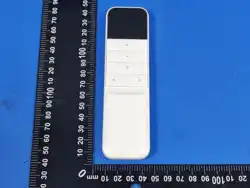
Remote control
Please note: the valid receiving range of the remote control is 2.5 meter, the
infrared light on the remote control must align with the infrared receiver
window on machine
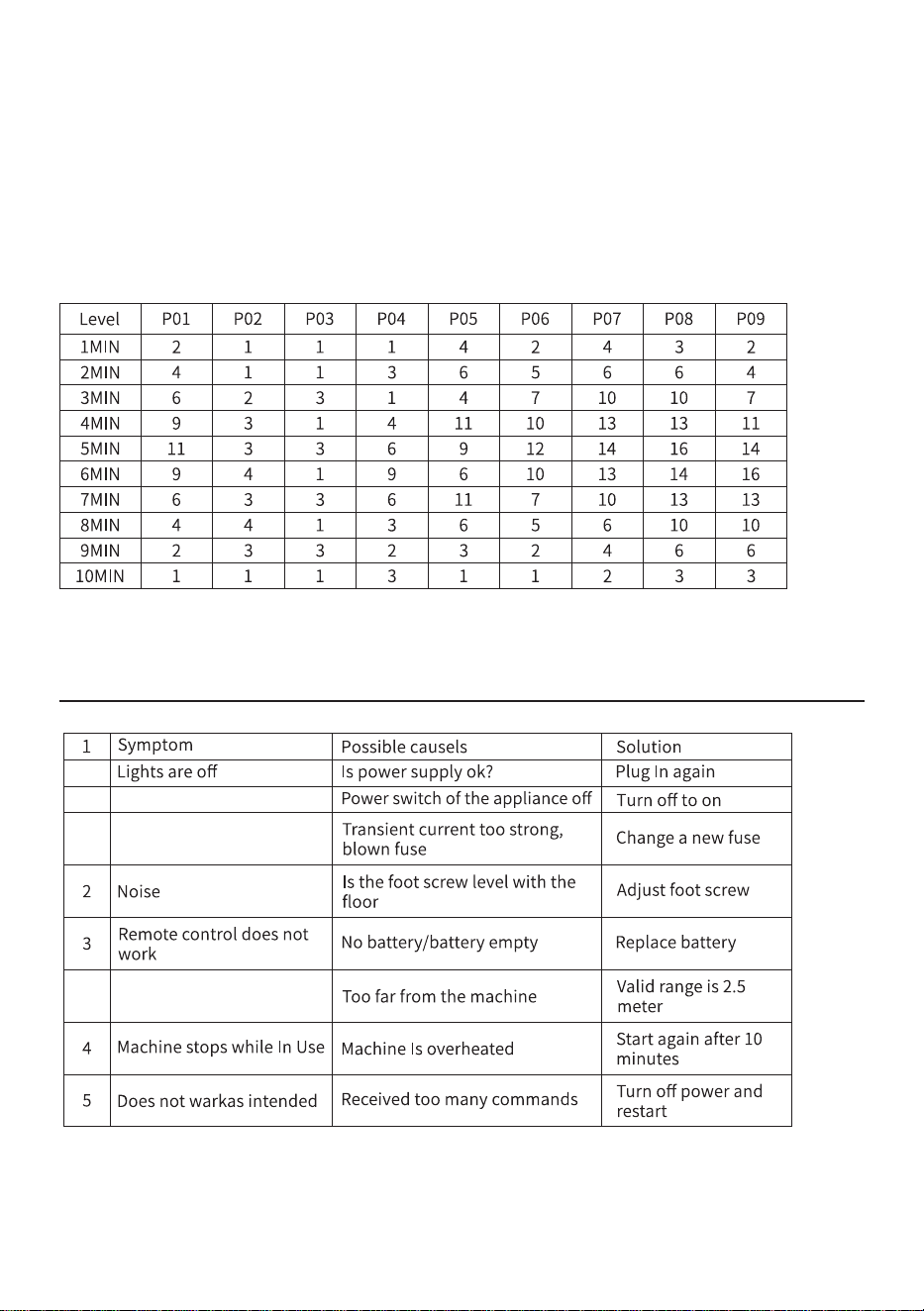
If this still can’t help you solve the problem, please contact us and our
engineers will help you deal with it. Thanks !
7.TROUBLESHOOTING
AUTOMATIC PROGRAM SPECIFICATION 9 Programs,
07
10 Minutes, 20 Speed Levels

The fitness vibration machine can be transported using general
transportation tools, Severe vibration, shock or rain must be avoided
during transportation.
08
8.STORAGE AND TRANSPORTATION
Transportation
The fitness vibration machine must be stored In a well-ventilated room
without corrosive gas.
The ambient temperature must be -10°C to +50°C(14°F_122°F)
the relative humidity must be lower than 93% (non-condensing),and the
atmospheric pressure must be 50-106 kPa.
Storage
This vibration plate is equipped with a Bluetoothspeaker
function.You can follow the steps below toconnect your mobile
phone anduse this function.
Step 1 Tum on the machine.After it ispowered on,the machine
willautomatically emit a prompt sound forconnecting to
Bluetooth.Please keepyour phone's Bluetooth on.
Step 2 Find the device namewith the code"MR-2398"in
theBluetooth interface of your mobilephone.
Step 3 After clicking "Connect",themachine will emit a prompt
soundindicating a successful connection,and at the same time,
it will displayconnected"on your mobile phoneaccordingly.
Step 4 You can control thevolume,play tracks and
otherfunctions on your music APP
9.Bluetooth Connection
FCC STATEMENT
·Reorient or relocate the receiving antenna.
· Increase the separation between the equipment and receiver.
· Connect the equipment into an outlet on a circuit different from that
to which the receiver is connected.
· Consult the dealer or an experienced radio/TV technician for help.
:
This device complies with Part 15 of the FCC Rules. Operation is subject to the
following two conditions:
(1) This device may not cause harmful interference, and
(2) this device must accept any interference received, including interference that
may cause undesired operation.
(3) Any Changes or modifications not expressly approved by the party responsib
le for compliance could void the user's authority to operate the equipment.
Note: This equipment has been tested and found to comply with the limits for a Class
B digital device, pursuant to part 15 of the FCC Rules. These limits are designed to
provide reasonable protection against harmful interference in a residential installation.
This equipment generates, uses and can radiate radio frequency energy and, if not
installed and used in accordance with the instructions, may cause harmful interference
to radio communications. However, there is no guarantee that interference will not
occur in a particular installation. If this equipment does cause harmful interference to
radio or television reception, which can be determined by turning the equipment off
and on, the user is encouraged to try to correct the interference by one or more of
the following measures: