K600/A K610/A K620/A
5.99.020024 A/00
At The Same Time, Long Press The M Key Before And After The
Motor For 2 Seconds, And The Motor Will Rotate Back And Forth
3 Times,The Mode Switch Successfully
(Switch Between Two Mode)
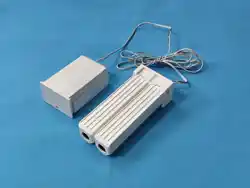
Curtain motorK600 series
Quick Start Guide
Motor Rotation
The First Times
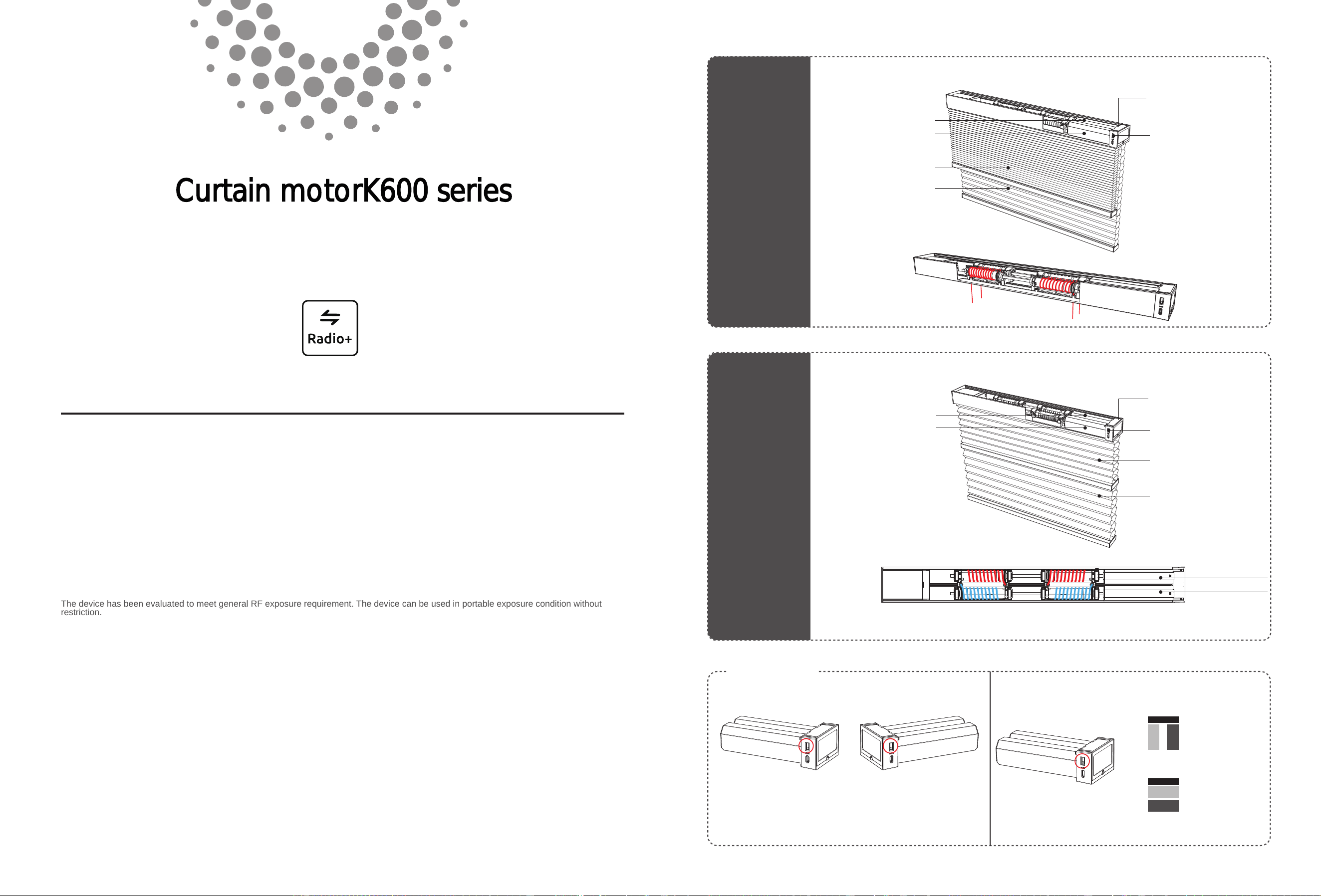
Day Cellular
Night Cellular
Day Cellular
Night Cellular
Day Curtain Motor
Night Curtain Motor
Day Curtain Motor
Night Curtain Motor
Day Curtain Motor
Night Curtain Motor
Moto”M”key Functional
Moto”M”key Functional
TDBU
Day-night Curtain
TDBU
Day-Night Cellular
Install the Motor
on the Right
Install the Motor
on the Right
The Schematic Diagram About Rope Winder Threading Thread
The Schematic Diagram About Rope Winder Threading Thread
The Motor Switching
The Default Is The Front And Back Day And Night Curtain Mode To Definite Which The Motor Mode
Short Press At A Time
Run The Motor
The Front And Back
Day-night Curtain
The Default Motor
Mode
The Front And Back
Day-night Curtain
FCC Caution:
This device complies with part 15 of the FCC Rules. Operation is subject to the following two conditions:(1) this device may not cause harmful
interference, and (2) this device must accept any interference received, including interference that may cause undesired operation.
Any changes or modifications not expressly approved by the party responsible for compliance could void the user's authority to operate the
equipment.
NOTE:
This equipment has been tested and found to comply with the limits for a Class B digital device, pursuant to Part 15 of the FCC Rules. These
limits are designed to provide reasonable protection against harmful interference in a residential installation. This equipment generates, uses
and can radiate radio frequency energy and, if not installed and used in accordance with the instructions, may cause harmful interference to
radio communications. However, there is no guarantee that interference will not occur in a particular installation.
If this equipment does cause harmful interference to radio or television reception,which can be determined by turning the equipment off and
on, the user is encouraged to try to correct the interference by one or more of the following measures:
-- Reorient or relocate the receiving antenna.
-- Increase the separation between the equipment and receiver.
-- Connect the equipment into an outlet on a circuit different
from that to which the receiver is connected.
-- Consult the dealer or an experienced radio/TV technician for help.
The device has been evaluated to meet general RF exposure requirement. The device can be used in portable exposure condition without
restriction.
4.Light Modulation Function
user
admin
Operate the product to desired preferred position, + press
both together for 2 seconds,motor rotation once. Set to complete.
Repeat , set a new favorite point.
When the curtain stops,long press any stop button on the front of the
transmitter for 3seconds,and run to the third limits point.
CR2450
user
admin
Use the front button of the transmitter to
stop the day curtain and night curtain in
turn at the required upper limits point.
Long press for2 seconds, the motor
rotates once, the setting is successful.
Use the front button of the transmitter to
stop the night curtain and the day curtain
in turn at the required lower limits point.
Long press the back for 2 seconds,
the motor rotates once, and the setting is
successful。
K600/A
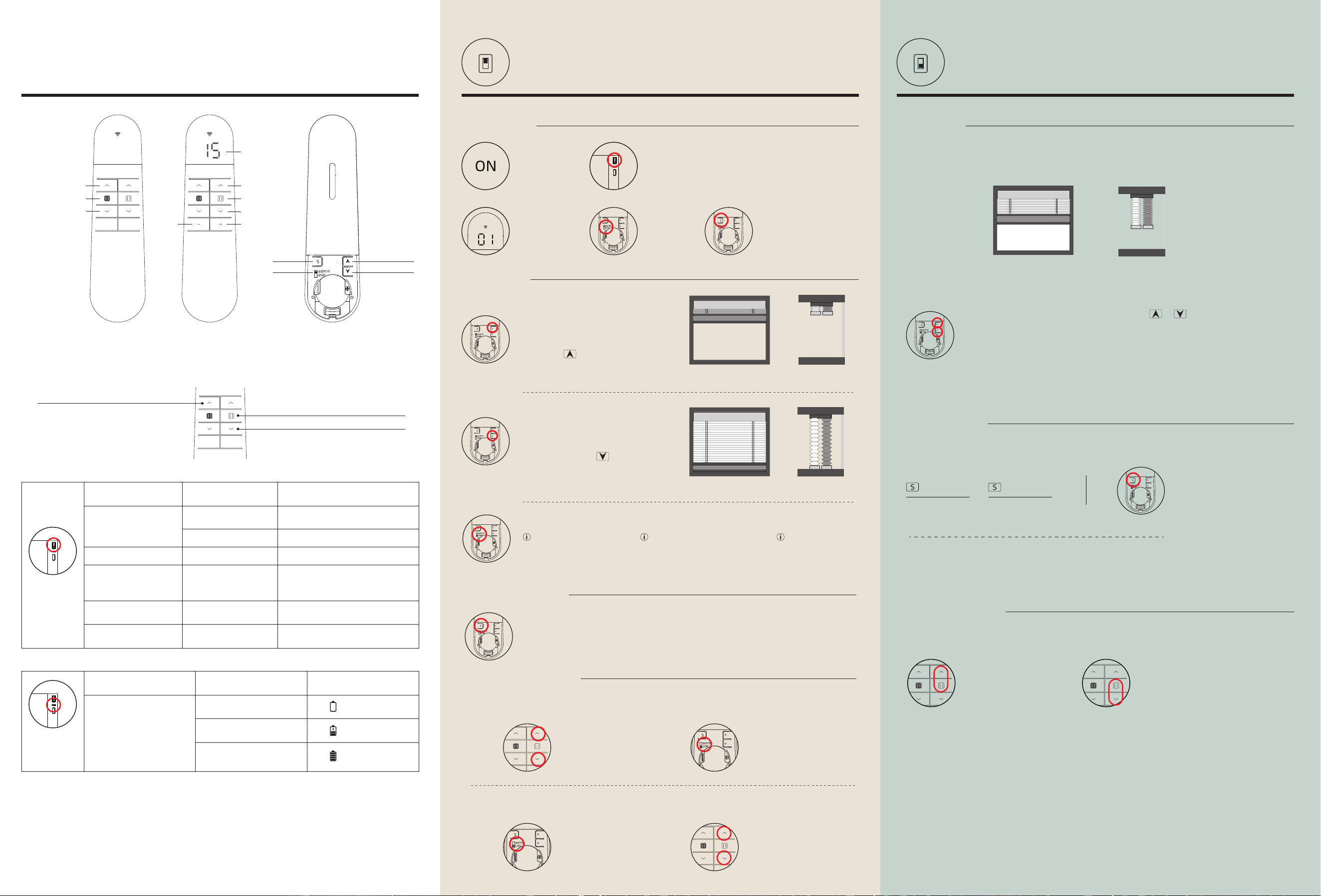
Motor Indicator
Light Functional
Specifications
Indicator Status
Red Light Flashes
Charging Red Light On
Charging Geen Light On
Reason
Charging>90%
Low Battery
In The Charging
Operation
Repeated
Short Press
Press For 2”
Press For 5”
Press For 10”
Press For 15”
Moto”M”key
Functional
Specifications
Turn-stop-turn-stop
Circular Motion
The Motor Feedback
Motor Rotation
The First Times
Motor Rotation
The First Times
Motor Rotation
The Second Time
Motor Rotation
The Third Time
Motor Rotation
The Fourth Time
/
Restore The Factory
Emergency Switch
Function
The Motor Enters The Matching State
K610/A Access To External Intelligent
Module Distribution Network
K620/A RS485Modify Address Status
Motor
The user can proceed normally, Operation and use, will not be
wrong operation of the motor
“user” mode
Press 2 times Press 1 times
A B
Emitter B ,"emitter quick matching"
Method 1
Method 2
Press the S key once,
The motor rotates once
Both Hold
Until the motor jog
up one gear
Both Hold
Until the motor jog
reduced by one gear
1. Favorite point
2. Add a new emitter
3.Motor speed regulation
Normally, emitter A controls the motor, emitter B also needs to control.
The running speed of the motor is three gears in total, and the default is gear 1. Slower and quieter.
Only one gear can be raised or lowered in one operation. When switching to the
corresponding gear, the number of motor rotation is the same as that of the gear
To ”user” mode. Limits setup successful, normal use
In Admin mode, curtain operation will
switch between inching operation and
continuous operation, so as to set the
stroke more accurately
Step 1: Set Upper Limits
Step 2: Set Lower Limits
STEP 2
press the motor "M" button for 2”
The motor rotates back and forth once
The motor enters the matching state,(Valid for 60 seconds)
Select the channel
you want to match
③
Long press "S" for 2” The
motor will rotate back and
forth once . Match successfully
The switch
selects "admin"
mode
1. Quick Matching
②①
STEP 3:
STEP 1
Make sure the
motor is energized.
In “admin” mode, Emitter channel shows slow flash,
Channel "00" invalid
“admin” mode
2. Setting Limits
3.Delete emitter matches
“S”Press 5 times,motor rotation once.
Deleting completed
Users need to set a common shading effect, As the chart below shows.
This position can be set to the Favorite point.
Motor And Emitter Description
Channel
Channel+Channel-
15-Channel Emitter
AC2001-15D
1-Channel Emitter
AC2001-01D
Back
Open Confirm
Close Confirm
“S”key
Selector
Switch
TDBU Day and Night
(The Front and Back Day-night Curtain)
Night Curtains Rise
Night Curtains Stop
Night Curtains Fall
Day Curtains Rise
Day Curtains Stop
Day Curtains Fall
When the night curtain rises to the bottom bar
of the day curtain ,after stopping,short press
again ,the day and night curtain rises at the same
time (only apply for the top and bottom day and
night curtain).
After stopping the short press,any stop button long
press three seconds, run to the third limit point.
When the day curtain rises to the bottom bar of the
night curtain ,after stopping,short press again ,the
day and night curtain falls at the same time (only
apply for the top and bottom day and night curtain)
NO EFFECT
( TDBU Day-night Curtain)
The Front And Back
Day-night Curtain
The Front And Back
Day-night Curtain
TDBU
Day-night Curtain
The Front And Back
Day-night Curtain
TDBU
Day-night Curtain
At the same time, long press for three
seconds, the motor rotates forth and
back once, the setting is successful.
* Repeated cancellation
Outdoor Outdoor
(The Day And Night Curtain Modeis Same)
The route setting of day curtain
and night curtain must be set at
the same time, and the route of
the day curtain or night curtain
cannot be set separately.
If you need to modify
the route, repeat the
above route setting
method.
Short press to
modulate light
Long press 2 seconds,
run up and down
switch to “user mode”
normal use
switch to “user mode”
If you want to match the venetian blind curtain , You need to increase the independent light modulation
function (”admin” mode)
The used method of light modulation function (”user” mode)