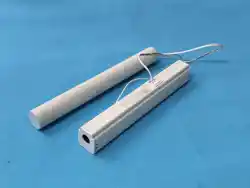
包装清单
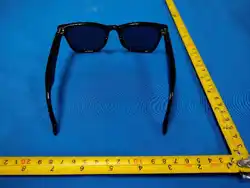
1、GM7智能蓝牙眼镜
2、磨砂PE袋
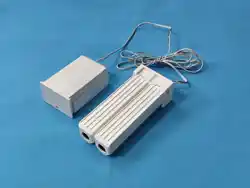
3、一托二充电线
4、眼镜布
5、使用说明书
6、眼镜收纳袋
Packing list
1
、GM7 Smart Glasses
2
、Matte PE bag 1 piece
3
、One to two charging line 1 item
4
、Glasses cloth
5
、User Manual 1 copy
6
、Glasses storage bag 1 piece
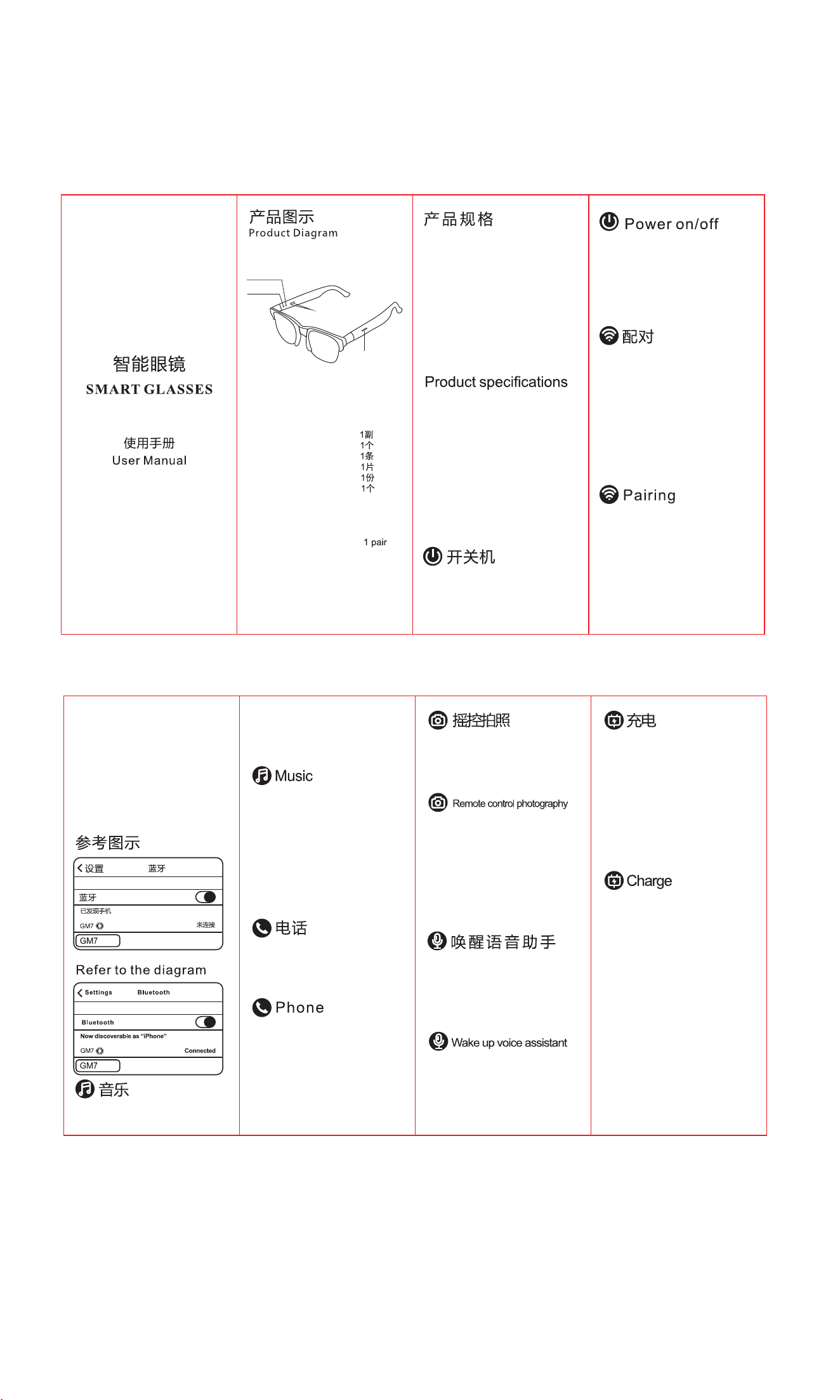
产品型号: GM7
蓝牙版本: V5.4
电池规格:
3.7V 55mAh
信号距离: ≥10米
播放时间: 约4小时
通话时间: 约4小时
待机时间: 约140小时
充电时间: 约2小时
充电触点
指示灯
麦克风
Product Model:GM7
Bluetooth version:V5.4
Battery specifications:
3.7V 55mAh
Distance:≥10 meters
Play time:About 4 hours
Talk time:About 4 hours
Standby time:About 140 hours
Charging time:About 2 hours
长按两侧凸起触摸位3秒开机。
长按两侧凸起触摸位4秒关机。
(注:眼镜上有汗水会影响触摸效果,请注意清洁)
Long press the protruding touch positions
on both sides will turn on in 3 seconds.
Long press the protruding touch positions
on both sides will turn off in 4 seconds.
(Note: Sweat on glasses can affect the touch effect,
please pay attention to cleaning)
1.智能眼镜开机后左右腿橙绿灯交替闪烁,
进入双腿搜索配对状态,配对成功后左腿指
示灯熄灭右腿橙绿灯交替闪烁,同时播放配
对成功提示音。
2.启动手机或者其它设备的蓝牙功能,搜索
到设备名“GM7”后点击连接,连接成功后
右腿指示灯熄灭同时播放连接成功提示音。
3.当连接成功后,第二次开机时眼镜会优先
进入回连状态自动回连已连接过的手机。
1. After turning on the smart glasses, the
orange and green lights on the left and
right legs flash alternately, entering the
search pairing state. After successful pairing,
the left leg indicator light goes out and the
orange and green lights on the right leg
alternate, while playing a pairing success
prompt sound.
2. Turn on the Bluetooth function of your
phone or other device, search for the device
name "GM7" and click on connect. After
successful connection, the right leg indicator
light will turn off and a successful connection
prompt sound will be played.
3. After successful connection, the glasses
will first enter the reconnection state and
automatically reconnect to the connected
phone when turned on again.
触摸左腿或右腿凸起位2下可播放/暂停
音乐。
触摸左腿凸起位1下切换到上一曲,触摸
右腿凸起位1下切换到下一曲。
触摸左腿凸起位3下加大音量,触摸右腿
凸起位3下减小音量。
Touch the protruding position of the left or
right leg twice to play/pause music.
Touch the left leg protrusion 1 to switch to
the previous track, and touch the right leg
protrusion 1 to switch to the next track.
Touch the left leg protrusion 3 times to
increase the volume, and touch the right
leg protrusion 3 times to decrease the
volume.
来电时,触摸左腿或右腿凸起位2下可接听电话。
通话时,触摸左腿或右腿凸起位2下可挂断电话。
来电时,触摸左腿或右腿凸起位2秒可拒接来电。
When calling, touch the protruding position
of the left or right leg twice to answer the call.
When making a call, touch the protruding
position of the left or right leg twice to hang
up the phone.
When receiving a call, touch the protruding
position of the left or right leg for 2 seconds
to reject the call.
先将手机进入相机拍照模式,触摸左腿或
右腿凸起位2下可进行拍照。
触摸左腿或右腿凸起位2秒可启动苹果Siri或
First, enter the camera mode on your phone
and touch the protruding position on your left
or right leg twice to take a photo.
谷歌语音助手进行语音控制手机操作。
Touch the protruding position of the left or right
leg for 2 seconds to activate Apple Siri or Google
Voice Assistant for voice control of mobile phone
operations.
将一托二充电线USB端插入DC5V/1A充电
器的USB口,另一端两个磁吸头分别对着
眼镜两只腿的充电点吸上去(注:眼镜腿
上有汗水会影响接触效果,请注意清洁),
充电时橙色指示灯长亮,充满后熄灭(充
电时间约2小时)。
当电池电量不足时,间隔1分钟播放一次电
量不足提示音,直至低电关机。
Insert the USB end of the one to two
charging line into the USB port of the
DC5V/1A charger, and use two magnetic
suction heads on the other end to suction
onto the charging points of the two legs
of the glasses (note: sweat on the legs of
the glasses can affect the contact effect,
please pay attention to cleaning). The
orange indicator light will stay on during
charging and turn off after being fully
charged (charging time is about 2 hours).
When the battery is low, play a low battery
warning sound every minute until it
shuts down due to low battery.
Charging contact
触摸位
Touch position
Microphone
Pilot light
1 piece

FCC Warnning:
This equipment has been tested and found to comply with the limits for a Class B digital device,
pursuant to part 15 of the FCC Rules. These limits are designed to provide
reasonable
protection against harmful interference in a residential installation. This equipment generates,
uses and can radiate radio
frequency
energy
and,
if
not
installed
and
used
in
accordance
with
the
instructions,
may cause
harmful
interference
to
radio
communications.
However,
there
is
no
guarantee
that interference
will
not
occur
in
a
particular
installation.
If
this
equipment
does
cause
harmful interference to radio or television reception, which can be
determined by turning the equipment off
and
on,
the
user
is
encouraged
to
try
to
correct
the interference
by
one
or
more
of
the following measures:
•
Reorient or relocate the receiving antenna.
•
Increase the separation between the equipment and receiver.
•
Connect the equipment into an outlet on a circuit different from that to which the receiver is
connected.
• Consult the dealer or an experienced radio/TV technician for help.
Caution:
Any
changes
or
modifications
to
this
device
not
explicitly
approved
by
manufacturer
could void your authority to operate this equipment.
This
device
complies
with
part
15
of
the
FCC
Rules.
Operation
is
subject
to
the
following
two
conditions:
(1)This
device
may
not
cause
harmful
interference,
and
(2)
this
device
must
accept
any
interference received, including interference that may cause undesired operation.
This
equipment
complies
with
FCC
radiation
exposure
limits
set
forth
for
an
uncontrolled
environment.
This
equipment
should
be
installed
and
operated
with
minimum
distance
0cm
between the radiator and your body.