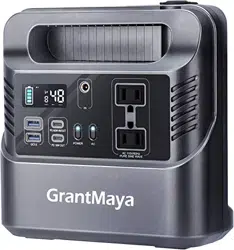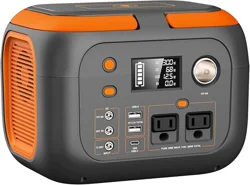
Q: What devices can G300 power to?
A: Please kindly be noted it can only charge/power your devices that less than 300 Watts, please
check out the operating power of your device before use.
Q: How long can it power my devices??
A: Working time = Fully charged 260Wh* 0.85 / operating power of your device.
For your information, if the power consumption of your device was 30W, The running time will be
260Wh*0.85/30W=7 hrs (rough calculation).
Q: Can I charge this power station while supplying power at the same time?
A: Yes, it support pass-through charging, you can charge your devices while it is charging. But, for the
safety of use, the AC outputs won't pass while being charged.
Q: What kind of solar panel can pair with this power bank?
A: This unit can accept 12V-25V max Voltage input and a 5.5x2.1mm DC connector. We suggest
buying a solar panel with 100W+ power. The charging time depends on the intensity of sunlight and
the power of solar panel.
* Please make sure to press the Power Button to turn on the power of the DC, USB and AC output.
* Make sure the power station has enough power.
* Make sure the power of your device within 300W.
When the temperature inside the power station reaches 45
℃
/113
℉
, the fan will automatically
run to help dissipate the heat.
PRODUCT SPECIFICATIONS
WHAT YOU NEED TO KNOW
Tip:
1. It will take 6-7 hours to reach a full charge.
2. Please do not touch the adapter when charging.
3. Unplug the AC Adapter after the power station
is fully charged.
Tips:
The charging time varies with
the power of your vehicle.
Tip:
*The power of DC Output, USB Output and USB-C Output will be automatically off if there is no
any external devices connected within 30 seconds.
*After powering on the power station, press Power Button twice, the power of DC Output, USB
Output and USB-C Output will always be on.
Tips:
The mobile device should be placed at
the center of the wireless charging area;
otherwise, it may not be charged.
Tip:
The charging time depend on the
power of the solar panel and the
intensity of the sunlight.
Tip:
Sold Separately
Charging
Charging status
Fully Charged Low Battery
* Please make sure that the output voltage of the Cigarette Lighter reaches 13V when charging
with the car charger.
* Before charging the power station with the Car Charger, please start the engine of your
vehicle to ensure a steady power supply.
Notes:
DISPLAY SCREEN
TROUBLESHOOTING GUIDE
OPERATION GUIDE
PRODUCT WARRANTY
Charge
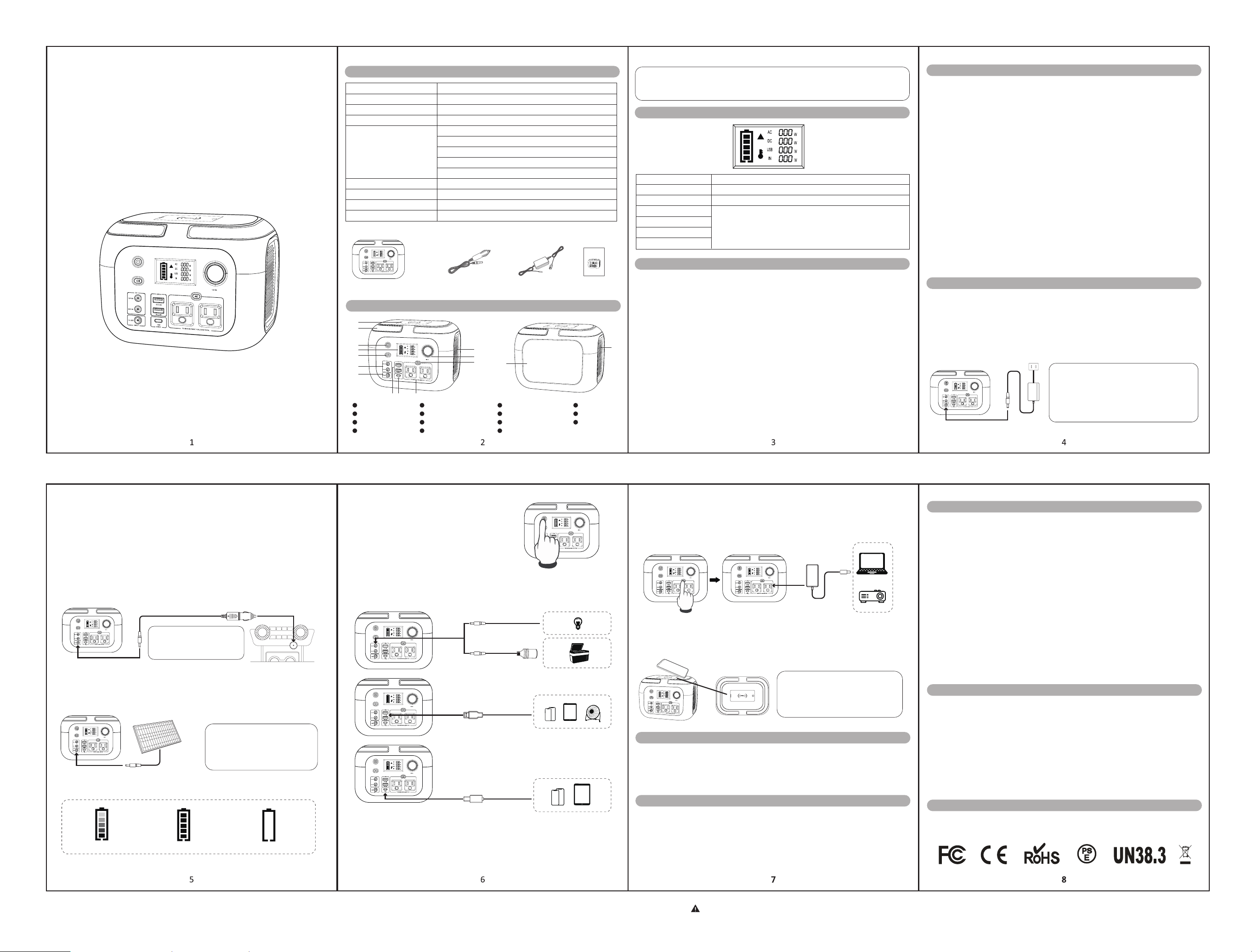
PRODUCT DIAGRAM
PACKAGE INCLUDED
Model Number
Capacity
Input
Charging Time
Output
G300
260Wh(70000mAh, 3.7V)
Q1. Why can't I charge my devices via the DC Output, USB Output or AC Output?
* Check if the light indicator of the adapter is on.
* Check if there any abnormal phenomenon of the adapter (such as heat, abnormal noise, etc.)
* Try to charge the power station in other ways(such as use the car charger or solar panel to charge
it). If other charging ways are workable, the adapter malfunctioned. If all the charging ways are
unworkable, please contact us for support.
Q2. Why the AC adapter cannot charge the power station?
* According to the regulation of the International Civil Aviation Organization, the Lithium-Ion battery
under 100 Watt-hour is acceptable with carry-on ONLY. However, SinKeu G300 reaches 260
Watt-hour which is forbidden for transport in airplanes.
Q3. Is this power station allowed in airplanes?
The fan will continue working even the product is turned off due to the built-in cooling function. It will
stop working after the product drops to normal temperature.
This power station has an internal rechargeable lithium battery. Please charge this power station at
your first use.
Option 1: Charge with the AC Adapter
Plug one end of the AC Adapter to any socket, and the other end to the DC Input to charge.
Option 2: Charge with the Car Charger
Plug one end of the Car Charger to the Cigarette Lighter of your vehicle, and the other end to the
DC Input of the power station. Start the engine of your vehicle to automatically charge the power
station.
Option 3: Charge with the Solar Panel
Power ON/OFF
Step 1: Place your solar panel where it can collect as much direct sunlight as possible.
Step 2: Connect the DC Output of your solar panel to the DC Input of the power station.
Press Power Button once to turn on the power station.
Press Power Button twice to constantly supply the power
for outputs after powering on.
Long press Power Button to turn off the power station.
Connections
1. DC Output, USB Output and USB-C Output
Step 1: Press the Power Button once to turn on the power station.
Step 2: Connect the electronic devices to the power station with the corresponding cables.
2. AC Output
Step 1: Press the Power Button once to turn on the power station.
Step 2: Press the AC On/Off button.
Step 3: Connect the devices to the power station with the AC Connector.
3. Wireless Charging
Power on the power station and the wireless charging will be enabled. Place the device
supporting wireless charging on the top of the power station to get it charged.
The warranty period is 12 months by starting the date of purchase, we warrants to all original
customers that the product will be free from defects in workmanship and material under normal
use. The warranty does not apply to any misused, abused, modified, damaged by accident or
used for any other than normal consumer use.
SECURITY AND MAINTENANCE
* DO NOT disassemble, repair or modify the unit or the battery.
* DO NOT charge, use or store the unit in a bathroom or in an area exposed to rain or moisture.
* Only use the output socket to power external devices. Never connect the output to mains power
under any circumstances.
* DO NOT touch the unit or the plug-in points if your hands are wet.
* DO NOT connect any metallic objects to the AC input or output.
* DO NOT rub your eyes if fluid from inside the unit should get in your eyes.
* DO NOT dispose the unit together with household waste.
* DO NOT use any inappropriate power cords.
* DO NOT operate the unit above the specified input voltage.
* DO NOT use the unit if it is not functioning correctly.
* DO NOT move the unit if it is recharging or in use.
* DO NOT put fingers or hands into the product.
* DO NOT use a battery pack or appliance that is damaged or modified. The damaged or modified
battery may exhibit unpredictable behavior resulting in fire, explosion or risk of injury.
* DO NOT disassemble the power pack, take it to a qualified service person when service or
repair is required. Incorrect reassembly may result in a risk of fire or electric shock.
ATTENTION
* Not permitted on airplanes.
* To preserve the battery lifespan, please use and recharge at least once in every 3 months.
* Use original or certified charger and cables.
* Avoid extreme temperature, use and store the unit within an ambient temperature range of 0
℃
-
40
℃
/ 32°F - 104°F.
* Avoid dropping.
* Do not disassemble.
* It's not waterproof, do not expose to liquids.
* Please dispose of batteries and electronic goods in accordance with local regulations
CONTACT US
FCC STATEMENT
This device complies with part 15 of the FCC Rules. Operation is subject to the following
conditions:
* This device may not cause harmful interference.
* This device must accept any interference received, including interference that may cause
undesired operation.
Q4. Why the fan is still working when the power station is off?
Charging Port: DC 5.5 x 2.1mm, 19V/3.42A max
DC 19V: About 6-7 hours
AC Output: 110V 60Hz, 300W, Pure Sine Wave
Battery Status
Flashes when charging or the battery power of the power station is below 20%.
Lights up when AC Output is activated, or short circuit/overload occurs.
Reminds you when the temperature inside the power station reaches 140
℉
/60
℃
.
Displays the current digits when the Output/Input is operating.
AC Status
High Temperature Alert
AC Output Indicator
DC Output Indicator
USB Output Indicator
DC Input Indicator
DC Output: DC 1: 12V/8A DC 2: 24V/3A
USB-A Output: 5V/2.4A
USB-C Output: 5V/2.4A, 9V/2A, 12V/1.5A
Wireless charging: 5V/2A
Lifecycle
Working temperature
Weight
Dimensions
Portable Power Station
ON/OFF Switch
1
2
3
4
5
6
7
1
2
3
4
5
6
7
8
9
10
11 15
12
13
14
98
10
11
12
13
14
15
LCD Display
Handle
Wireless charging
LED Flashlight Switch
Cigarette lighter port
AC ON/OFF
AC Output
USB-A output
USB-C 18W max output
DC input
DC output
LED Flashlight
Self-Cooling FansCooling Vent
12V Car Port Charging Cable AC Home Charger User Manual
>
1000 Times to 80% Capacity Remained
0°C - 40°C / 32°F - 104°F
8.3 lbs / 3.8 kg
12 x 7.5 x 8 in
Portable Power Station G300
User Manual
ATTENTION:
1. IMPORTANT: Recharge the power station every 3 months.
2. Never disassemble, puncture, shock, crash, short or incinerate.
3. Keep dry and do not expose to high temperature environment.
Portable Power Station G300
User Manual
ATTENTION:
1. IMPORTANT: Recharge the power station every THREE months.
2. Never disassemble, puncture, shock, crash, short or incinerate.
3. Keep dry and do not expose to high heat.