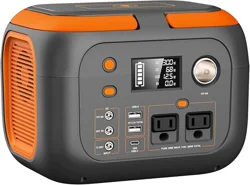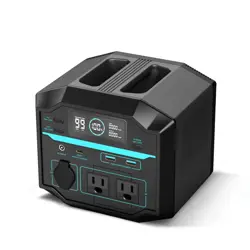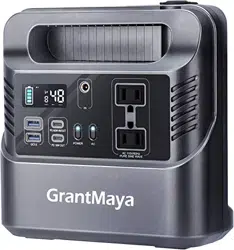
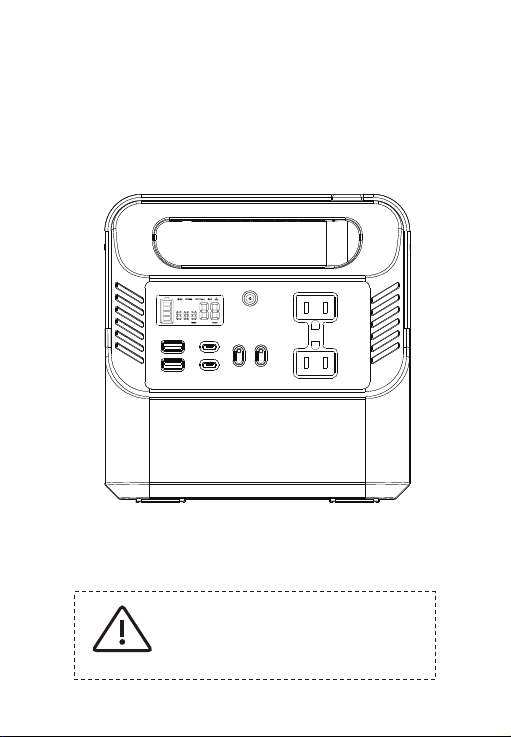
Portable Power Station
User Manual
Warning
1. Please read this manual carefully before using the product.
2. Do not puncture, shock, collide or incinerate this product.
3. Non-professional persons are forbidden to dismantle the
machine to prevent electric shock!
VER.1.0

1
About This Product
Thank you very much for using the multi functional portable power station produced by
our company. If you encounter a power outage, or need electricity for travel, you can use
this product to power your appliances or digital products. This power supply has a built-in
high-quality lithium battery that supports DC, USB output, AC output. Before using this
product, please read this user manual carefully and keep it for future reference.
Notice
The purpose of this manual is to help you use the product correctly, but not re-
present any description of the hardware and software confi-guration of this product. For
the configuration of the product, please refer to the contract (If any) related to this pro-
duct, or consult the seller who sold the product to you. The pictures in this manual are for
reference only. If any individual pictures that do not match the actual product, please refer
to the actual product.
This Portable Power Station Offers
Pure Sine Wave Output
This portable power station built-in inverter offers pure sine wave output, which is con-
sistent with mains electricity waveform. It provides fairly pure AC current for electrical
appliances. And the traditional portable power stations USE modified waves inverters
which may cause electrical appliances to make a certain amount of working noise and
even cause electrical instability.

2
Product Features
1: High quality lithium battery;
2: Pure sine wave output;
3: Multiple USB output, USB interface are independent output and support fast charging;
4: Support PD 60W input and output;
5: The LCD display screen can directly show the input and output power and the remaining
power consumption time;
6: Support charging and discharging at the same time.

USB1&2: 5V/3A 9V/2A 12V/1.5A
Type-C
Cigarette Lighter Output
AC Output
AC Power
LED Lighting Power
LED Lighting
Battery Indicator
Symbol of battery cell, one cell
represents 25% of power
Cycle Life
Press the LED button in turn, the light will be Bright,
Strobe, SOS, and OFF
500 Times+
Continuous Power: 330W
2W
PD 60W In/Out: 5V/3A 9V/3A 12V/3A
15V/3A 20V/3A
PD 18W Out: 5V/3A 9V/2A 12V/1.5A
CAR 12–16.8V/10A (Max)
Size (L*W*H)
Battery Capacity
Weight
Built-in Battery Technology
Charging DC15V/3A (φ5.5*2.1 mm)
Fully Charged Time
USB Output
DC15V: About 8.5hrs
About 2.46kg
100% original quality lithium battery
80,000mAh
210*210*90 mm
Ambient Temperature
Storage Temperature: 0–35
O
C
Charging: 0–40
O
C Output: -10–40
O
C
This manual is commonly used for AC110V–240V
50Hz–60Hz energy storage products (important:
the actual AC output voltage is different in dif-
ferent countries and regions, please refer to
the actual product).
3
Product Parameters
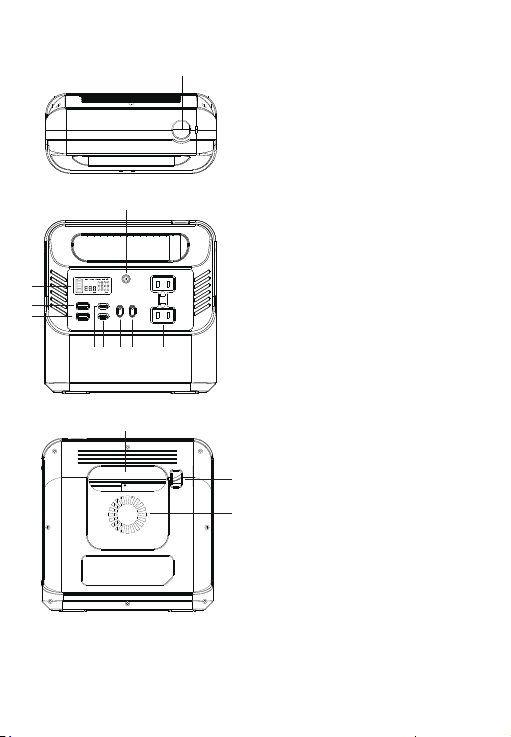
1 Cigarette Lighter Output
2 DC Input Port
(φ5.5*2.1 mm)
3 LCD Display Screen
4 QC3.0 USB Port 1
5 QC3.0 USB Port 2
10 AC Output Port
11 LED Light Button
12 LED Light
13 Cooling Fan
4
13
12
11
1
2
3
4
5
7 8 9 106
6 USB-C Port: PD60W In/Out
7 USB-C Port: PD18W Out
8 Power Button
9 AC Power Button
Identification and Instructions
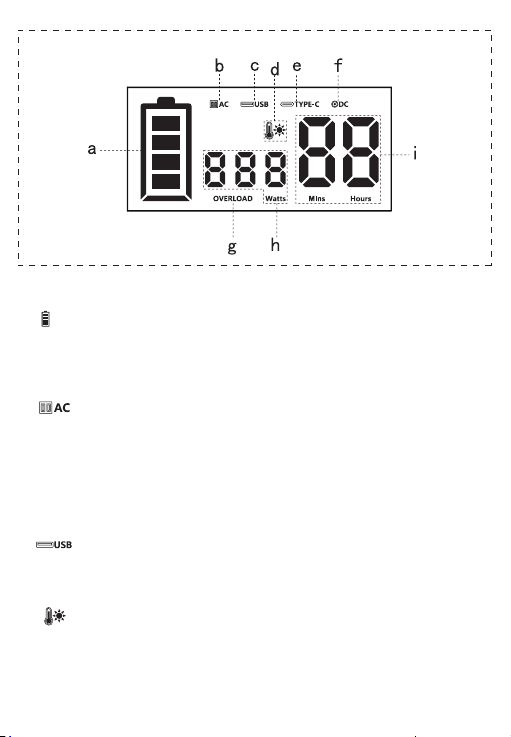
LCD Display Screen
5
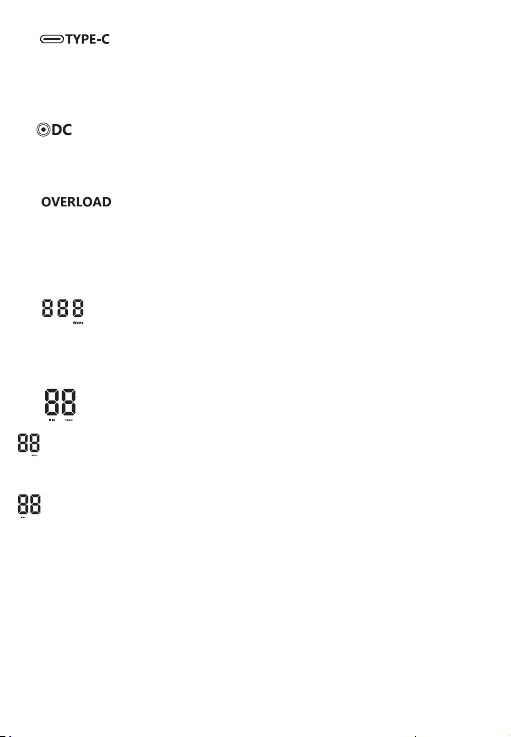
a: – Electric Quantity Symbol
One cell is 25% of electric quantity. When charging, the battery column cell increases
upward by cell flicker. When the electric quantity reaches 100%, four cells light up and
stops flickering, then “FUL” symbol will be shown.
b: – AC Output Symbol
Press the power botton for a short time to turn on the power supply, and then press the
AC button for a long time. The symbol will light up. At this time, the AC output socket of
the product can be used for output. If the AC socket is not used, please long press the
AC button in time to power off. The AC symbol will disappear, which can reduce
unnecessary loss (When the AC output is on, the product will always be in power on
state and will not be closed automatically).
c: – USB Output Symbol
Short press the power button to turn on the power, and the USB port can be output;
when the device output is loaded, the USB symbol is on (Two fast charging USB ports).
d: – High Temperature Alarm Symbol
If temperature is too high when in using, this symbol will be on.
6
e: – Type-C Output Symbol
Short press the power key to turn on the power, and then the Type-C port can be output
When the device output is loaded, the Type-C port symbol is on (PD 60W supports
automatic wake-up);
f: – DC Output Symbol
After short press the power key to turn on the power, the DC output function of the
product can be used. This symbol lights up when the device output is loaded.
g: – Overload Alarm Symbol
When the product is overloaded, the overload alarm symbol will be on, the correspond-
ing port symbol will flash, the automatic protection will be turned on and the output will
be closed; after the load is removed, the symbol will be closed, AC will be automatically
recovered, and other button can be pressed for recovery;
h: – Real Time Power Display Symbol
When the power supply is charged or discharged, the current input or output
power is displayed (Only charging power is displayed when charging and
discharging at the same time).
i: – Real Time Use of Time Symbols
When the product is charging the electric appliance, the letter hours under the
number is on, and the data displayed is the remaining service hours of the power
supply items (Only displayed as an integer when it is more than one hour);
When the product is charging the electric appliance, the letter mins under the
number is on, and the data displayed is the remaining minutes of use of the
power supply items (Only displayed as an integer when it is less than one hour).
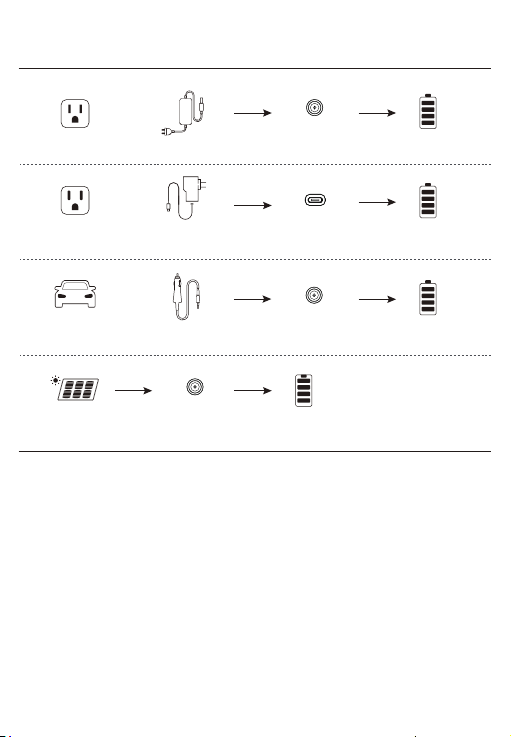
Note: DC input port is φ 5.5*2.1mm
+
+
*Customers need to purchase separately
Power adapter
Full Charged
8.5 hrs
DC input
PD 60W input
DC input
DC input
Full Charged
6.5 hrs
Full Charged
12 hrs
Full Charged
10–15 hrs
PD charger, type-C PD
fast charging data line
*Customers need to purchase separately
Solar Panels charging
(Dependent on the weather )
Car Charging
Car charger
Wall Charging
Wall Charging
7
+
Charging Mode

8
Safety and Maintenance
Do not heat the device or put it into fire, water and other liquids at high
temperatures, including direct exposure to the sun;
2)
Do not place the device in a highly humid and dusty environment;
3)
Do not bump or uninstall the device;
4)
Do not drop, place heavy objects or strongly impact the product;
5)
Please avoid low physical, perceptual and mental abilities (Including children)
and inexperience people using this product. Use this product only if it is
supervised or directed by someone responsible for their safety.
6)
Please avoid children playing with this product;
7)
Do not cover the product with towels, clothes and other articles when using;
8)
The product may generate heat when charged. This is normal. Be careful
when handling;
9)
Please dispose of end-of-life products according to regulations, and do
notdispose of the built-in battery as household waste, so as not to
cause explosion and pollution;
10)
Use the product normally and avoid electric shock.
11)
Do not short-circuit the device.Please avoid storing this device with
coins, bracelets, keys and other metal objects.
1)
Products Usage Tips
Please stay away from TV, radio and other equipment to avoid interference
during charging;
2)
If the device has not been used for a long time, please disconnect the
cable before storage;
3)
To extend the life of the product (Lithium battery), it is best to charge it
once within 3 months, at least once within 6 months.
4)
This product is built in high-quality original lithium ion battery, no memory effect,
large capacity and durable. But we still recommend users to use in the range of
10–30°C to obtain the optimal charging capacity;
1)

9
Recycling
Be sure to take used electronics, batteries, and packaging materials to a
special recycling site.This can help prevent uncontrolled waste disposal and
help promote material recycling.
Battery Information
The device has a built-in non-removable rechargeable battery. Do not attempt to
remove the battery to avoid damaging the device.Batteries can be charged and
discharged hundreds of times, but eventually fail.
Statement
All rights reserved, without the written permission of the company, any unit or individual
shall not extract or copy part or all of the contents of this book, and shall not be dis-
seminated in any form. Other trademarks appearing in this manual are owned by their
respective owners. Due toproduct version upgrades or other reasons, the contents of
this manual will be updated from time to time. Unless otherwise agreed, this manual is
only used as a guide, and all statements, information and suggestions in this manual
do not constitute any express or implied warranty.