
1
Copyright © 2023 MOKO TECHNOLOGY LTD.
Product Specification
M13 Industrial Tag
Version 1.1
MOKO TECHNOLOGY LTD.

M13/M13A Industrial Tag Product Specification
1
Copyright © 2026 MOKO TECHNOLOGY LTD.
Revision History
Version
Data
Notes
Contributor(s)
V1.0
April 24, 2026
Initial version
Daniel
V1.1
August 1, 2026
1. Add the description of M13A version.
Daniel
About document
This product specification was designed to help users to know the hardware overview and feature instructions of
M13/M13A Industrial Tag. Through this document, users will be initial to understand the application scenarios,
hardware specifications, basic instructions as well as packaging information of product.

M13/M13A Industrial Tag Product Specification
2
Copyright © 2026 MOKO TECHNOLOGY LTD.
Table of Contents
1. Overview .............................................................................................................................................. 3
2. Product brief .........................................................................................................................................4
3. General specifications ...........................................................................................................................5
3.1 Hardware specifications...................................................................................................................................5
3.2 LED functionality .............................................................................................................................................. 6
4. Basic instructions ..................................................................................................................................7
4.1 How to power ON/OFF device?........................................................................................................................7
4.2 How to restore factory settings?......................................................................................................................7

M13/M13A Industrial Tag Product Specification
3
Copyright © 2026 MOKO TECHNOLOGY LTD.
1. Overview
This Product specification is mainly applicable for MOKO M13/M13A Industrial Tag, and mainly contained below parts:
Product brief
General specifications
Basic instructions
For more information about user guidance of product firmware functions and configuration APP, please contact our
sales team directly for other official document.
M13/M13A Industrial Tag Product Specification
4
Copyright © 2026 MOKO TECHNOLOGY LTD.
2. Product brief
The M13/M13A Industrial Tag is a high-performance BLE asset tag engineered for longevity, boasting an impressive
battery life of up to 8 years. Built to endure, its superior waterproof and shock-resistant design ensure reliability in the
harshest industrial environments.
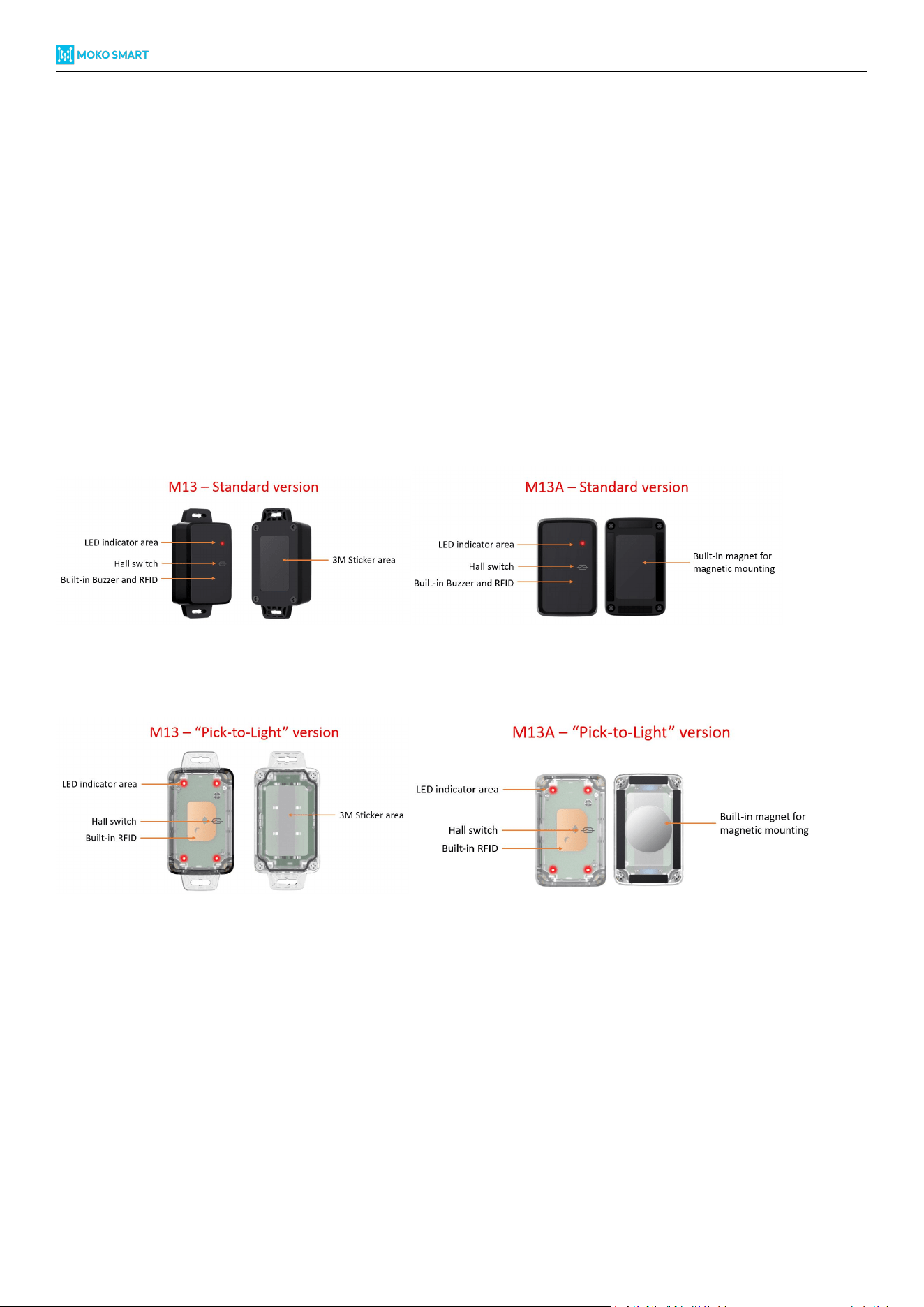
To streamline different asset tracking situations, the M13/M13A features two different version to applicable for
different use cases.
M13/M13A – Standard version features a single LED, a built-in buzzer, and RFID integration, making it the go-to
choice for typical asset tracking.
M13/M13A – Pick to light version features four high-visibility surrounding LEDs and a built-in buzzer, with the
transparent housing case, it allows users to pinpoint items instantly through synchronized light and sound.
With flexible mounting options - including high-strength adhesive or screw installation - it is the ideal solution for
warehouses, construction sites, and smart manufacturing.
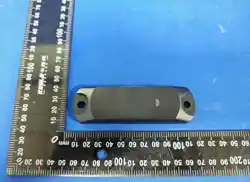
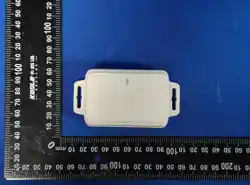
Figure 1: Appearance overview of M13/M13A Standard version
Figure 1: Appearance overview of M13/M13A “Pick-to-Light” version
M13/M13A Industrial Tag Product Specification
5
Copyright © 2026 MOKO TECHNOLOGY LTD.
3. General specifications
3.1 Hardware specifications
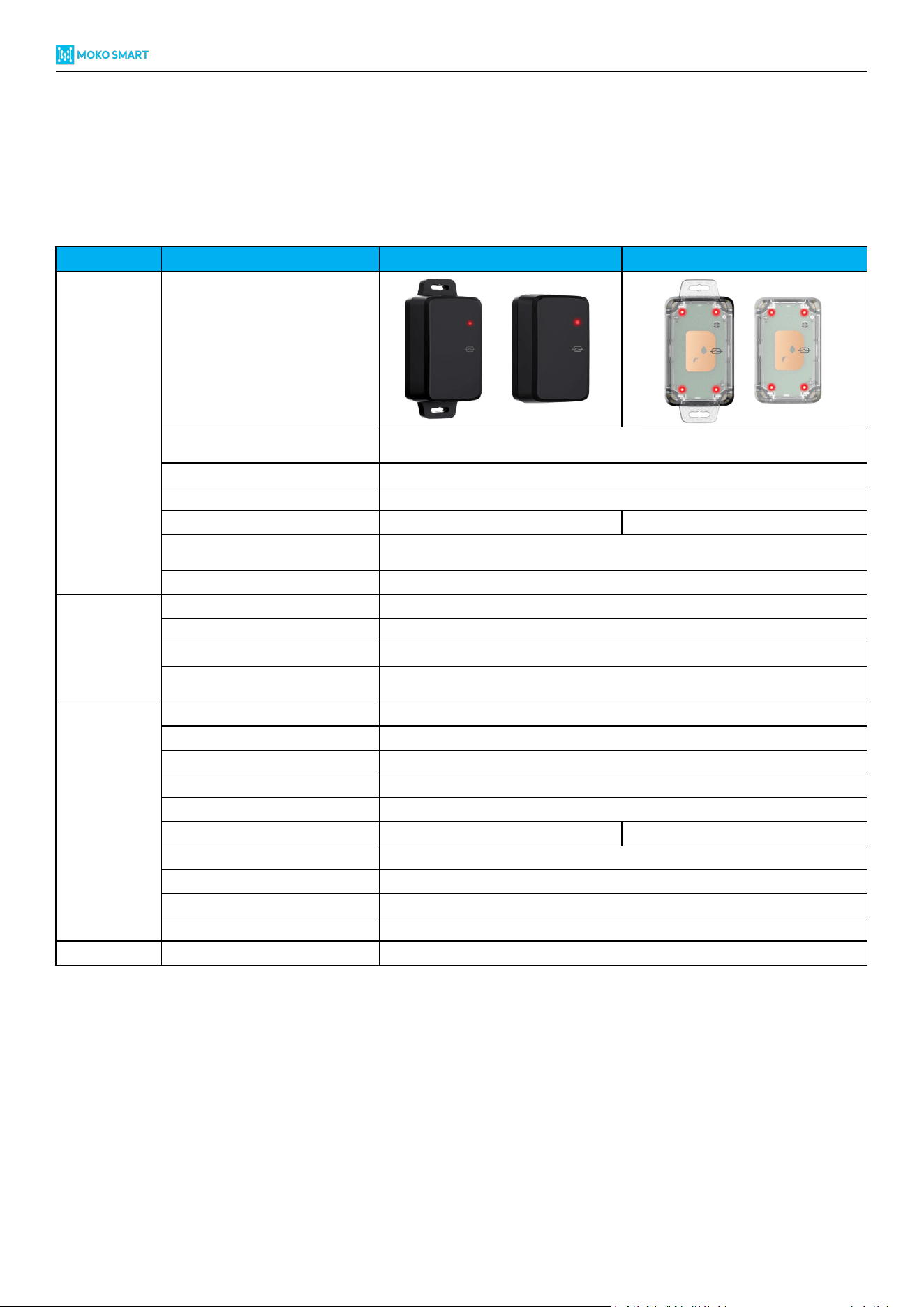
Item
Property
M13/M13A - Standard version
M13/M13A – Pick to light version
Physical
Appearance ID
Dimension(L*W*H)
M13: 76.1*36.5*25.5mm
M13A: 58.5*36.5*27.0mm
IP rated
IP67
Shock resistance rated
IK06
Color
Black
White (transparent)
Installation
M13: 3M sticker | Screw
M13A: 3M sticker | Magnetic mounting
Material
PC+ASA
Connectivity
Bluetooth
BLE 5.0
Maximum Tx Power
+6dBm
Long range mode*
Supported
Transmission range*
150m (Legacy mode)
350m (Long range mode)
Hardware
Accelerometer sensor
Yes
Temperature sensor
Optional
Buzzer
Yes
RFID
Yes
Power on
Magnetic switch
LED
1 group of red LED
4 groups of red & green LED
Battery capacity
2600mAh
Replaceable battery
Yes
Lifespan (default settings*)
8 years
Operating temperature
-20°C / + 60°C
Regulatory
Certifications
FCC | CE | RoHS | WEEE
Table 1: Hardware specifications of M13/M13A
*Long range mode: It means “coded PHY” advertisement.
*Transmission range tested in the open area and no obstacles in the route.
*Battery lifespan estimates are based on the default settings without any sensors under 25°C conditions – 1 active slot,
1000ms ADV interval and 0dBm Tx Power.

M13/M13A Industrial Tag Product Specification
6
Copyright © 2026 MOKO TECHNOLOGY LTD.
3.2 LED functionality
Here we have described the LED response status in some common situations.
LED response status
Scenarios
LED color
Response
Power ON
Red
Blinking for 3 seconds
Device connect
Red
Blinking twice
Power OFF
Red
Solid for 3 seconds
Factory restore
Red
Solid for 3 seconds and then device reboot
DFU upgrade
Red
Blinking during DFU upgrade, and solid for 3 seconds after finished, then device reboot
Low battery
Red
Blinking twice every 10 seconds
Table 2: LED response status in various situations
M13/M13A Industrial Tag Product Specification
7
Copyright © 2026 MOKO TECHNOLOGY LTD.
4. Basic instructions
4.1 How to power ON/OFF device?
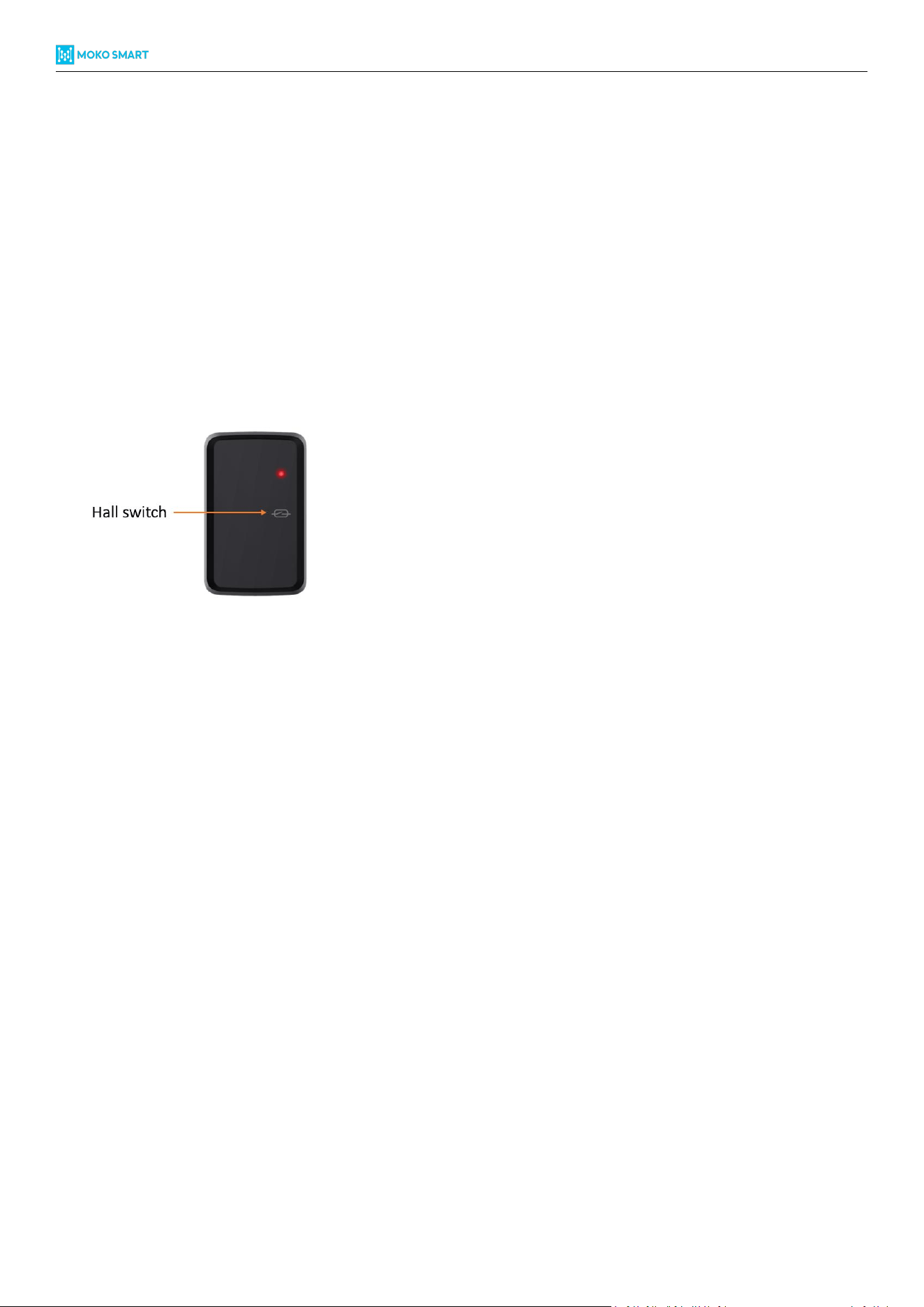
The M13/M13A do not reserve the external mechanical button, but equipped with hall switch, so you can follow up
below steps to power ON/OFF device.
Power ON: Take the magnet to approach to the hall switch positions, hold on for 3 seconds and then red LED will keep
blinking for 3 seconds to indicate device power ON status.
Power OFF: Take the magnet to approach to the hall switch positions, hold on for 3 seconds and then red LED will keep
solid for 3 seconds to indicate device power OFF status.
Remark: When M13A equipped with magnet to support magnetic mounting, then the magnetic switch feature will be
disabled, and the device will be power ON status when delivery.
4.2 How to restore factory settings?
There have two ways to restore factory settings.
Software reset: Connect with device through configuration APP and then execute “Reset Beacon” operations to
finish the software reset.
Hardware reset:
Step 1: Keep the device power OFF.
Step 2: Take the magnet to approach to the magnetic switch positions, hold for more than 10 seconds, during
that device will power on and LED start flashing for 3 seconds.
Step 3: After magnet hold positions for more than 10 seconds, take away the magnet and then approach to
magnetic switch again within 2 seconds, then device will proceed on factory reset, along with the LED solid for 3
seconds.
Step 4: Device will reboot and LED start flashing for 3 seconds to indicate the factory reset success.
Remark: Software reset won’t reset connection password.

6
Copyright © 2026 MOKO TECHNOLOGY LTD.
Warning Message
>Do not use the product in any way other than described herein in order to avoid personal inj
>Unless specifically indicated that it is safe to do so in the user guide or instruction manual do not use this
device in an environment that exceeds the recommended low or high temperature
>Unless specifically indicated that it is safe to do so in the user guide or instruction manual, avoid exposin
g your device to direct sunshine or excessively wet environments.
>The recommended temperature range for devices and accessories is -20°C to 60°C
ury or prop
erty damage.
>User should comply with the laws and regulations of the corresponding countries and regions where the
equipment is used, abide by professional ethics, pay attention to safety obligations, and strictly prohibit
the use of our product or equipment for any illegal purposes.Our company will not be responsible for any
violators'legal liability under any circumstances.
>Replacing a battery with an incorrect type may bypass safeguards and create danger;
>Disposal of a battery in a fire or other source of significant heat, or by crushing, or cutting, may result in
an explosion as well as leakage of flammable liquids and gases;
>Leaving a battery in an extremely hot environment may result in an explosion as well as leakage of flam
mable liquids and gases;
>A battery subjected to extremely low air pressure may result in an explosion as well as leakage of flamm
able liquids and gases.
FCC Radio Frequency Exposure Statement
The device has been evaluated to meet general RF exposure requirements.The device can be used in
fixed/mobile exposure condition.The min separation distance is 20cm.
FCC Statement:
This device complies with part 15 of the FCC Rules.Operation is subject to the following two conditions:
(1)This device may not cause harmful interference,and
(2)this device must accept any interference received,including interference that may cause undesired
operation
This equipment generates uses and can radiate radio frequency energy and,if not installed and used in
accordance with the instructions,may cause harmful interference to radio communications.However,
there is no guarantee that interference will not occur in a particular installation.If this equipment does
cause harmful interference to radio or television reception,which can be determined by turning the
equipment off and on,the user is encouraged to try to correct the interference by one or more of the
following measures:(1)Reorient or relocate the receiving antenna
(2)Increase the separation between the equipment and receiver.
(3)Connect the equipment into an outlet on a circuit different from that to which the receiver is
connected.
(4)Consult the dealer or an experienced radio/TV technician for help.
Warning: Changes or modifications not expressly approved by the party responsible for compliance could
void the user's authority to operate the equipment.
M13/M13A Industrial Tag Product Specification

M13/M13A Industrial Tag Product Specification
8
Copyright © 2026 MOKO TECHNOLOGY LTD.
© Copyright 2026 MOKO TECHNOLOGY. All Rights Reserved. Any information furnished by MOKO TECHNOLOGY LTD. is
believed to be accurate and reliable. All specifications are subject to change without notice. Responsibility for the use
and application of MOKO TECHNOLOGY LTD. materials or products rests with the end user since MOKO TECHNOLOGY
LTD. cannot be aware of all potential uses. MOKO TECHNOLOGY LTD. makes no warranties as to non-infringement nor
as to the fitness, merchantability, or sustainability of any MOKO TECHNOLOGY LTD. materials or products for any specific
or general uses. MOKO TECHNOLOGY LTD. or any of its affiliates shall not be liable for incidental or consequential
damages of any kind. All MOKO TECHNOLOGY LTD. products are sold pursuant to the MOKO TECHNOLOGY LTD. Terms
and Conditions of Sale in effect from time to time, a copy of which will be furnished upon request. Other marks may be
the property of third parties. Nothing herein provides a license under any MOKO TECHNOLOGY LTD. or any third-party
intellectual property right.
Contact
MOKO TECHNOLOGY LTD. An original manufacturer for IoT smart devices
Address: 4F, Building 2, Guanghui Technology Park, MinQing Rd, Longhua, Shenzhen, Guangdong, China
E-mail: Support_BLE@mokotechnology.com
Website: www.mokosmart.com
www.mokoblue.com