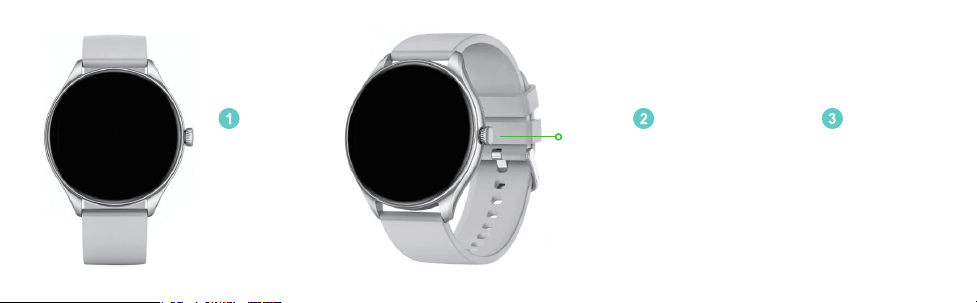
功能键
开关机按键
长按按键开机
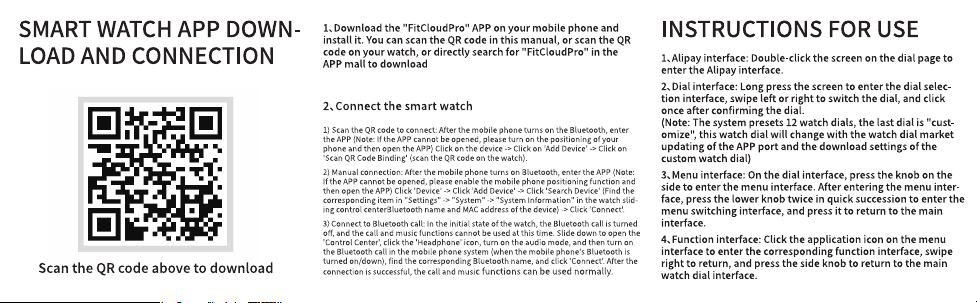
手机扫描手表
二维码下载软
件
打开包装,首
次使用建议
充电�-�小时
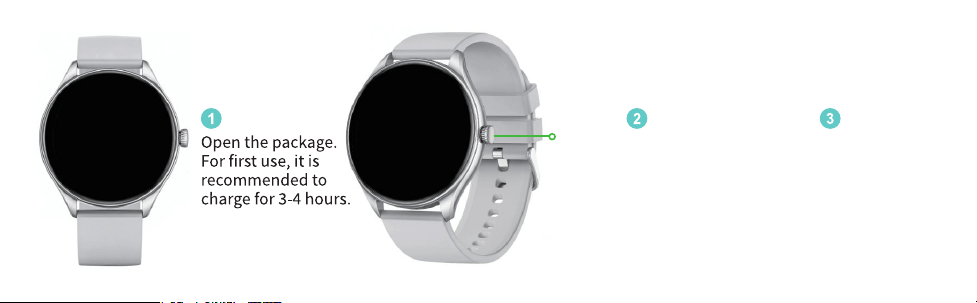
FUNCTION KEY
POWER KEY
Scan the QR code
on the watch with
your phone to
download the
software
Long press the button
to turn on
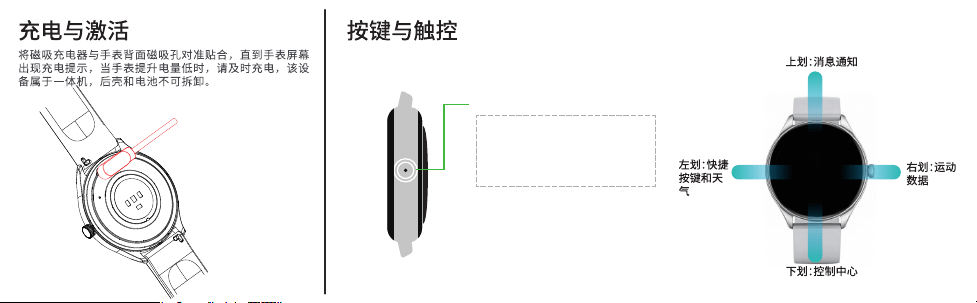
�. 关机状态长按可让手表开机
�. 开机状态长按出现关机页面
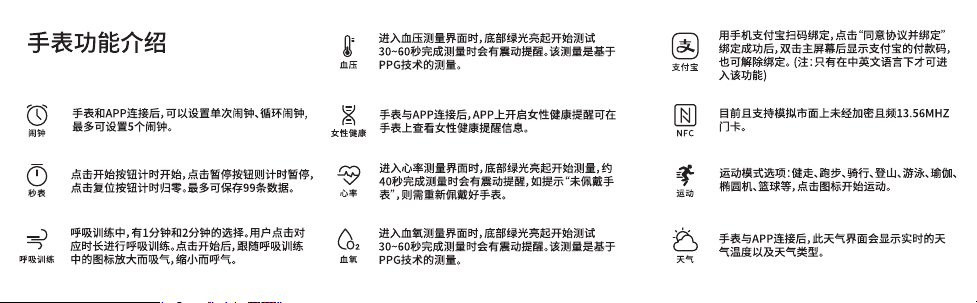
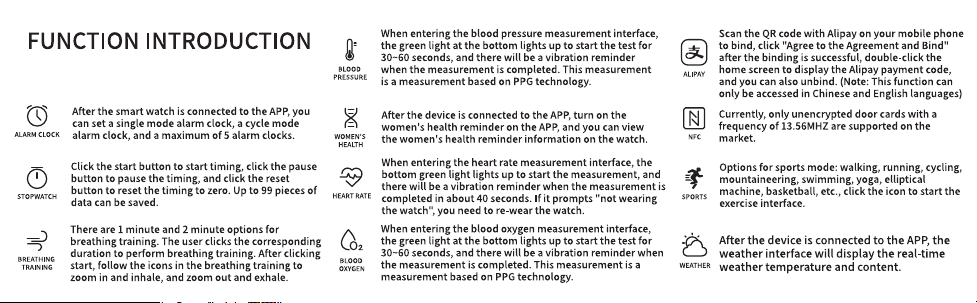
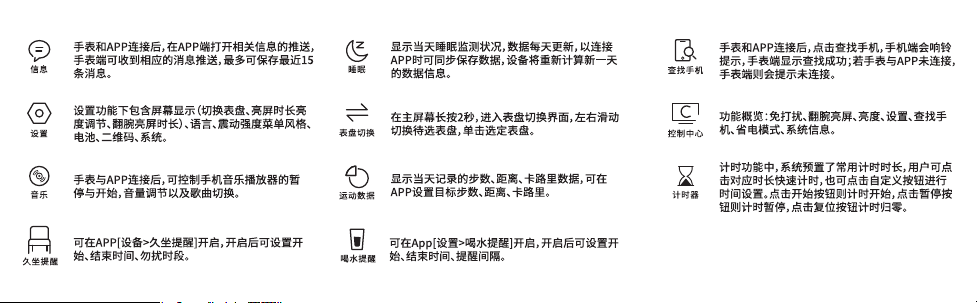
�. 在表盘页面按一下可以进入菜单,快速
按键两下可切换菜单风格
�.其余页面下按一下按钮都可返回表盘页
面
功能键
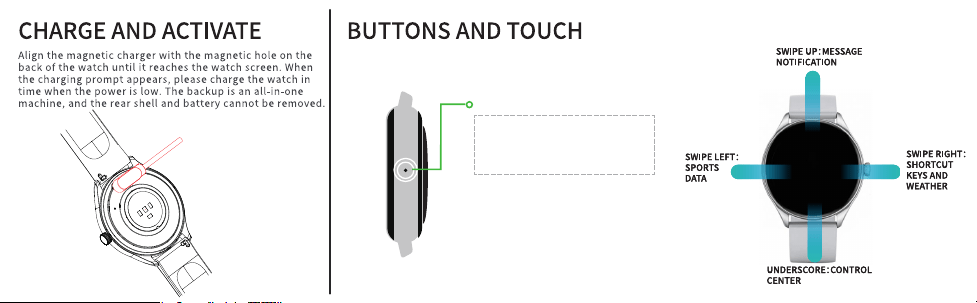
FUNCTION KEY
�. When the watch is off, long press to power it on.
�. When the watch is on, long press to open the power-off
interface.
�. Press once on the dial screen to enter the menu. Double
press quickly to switch menu style.
�. Press the button once on other screens to return to the
dial screen.
FCC Caution.
This device complies with part �� of the FCC Rules. Operation is
subject to the following two conditions: (�)This device may not
cause harmful interference, and (�) this device must accept any
interference received,including interference that may cause
undesired operation.
Any Changes or modifications not expressly approved by the
party responsible for compliance could voidthe user's authority
to operate the equipment.
Note: This equipment has been tested and found to comply with
the limits for a Class B digital device,pursuant to part �� of the
FCC Rules. These limits are designed to provide reasonable
protection againstharmful interference in a residential
installation.
This equipment generates uses and can radiate radiofrequency
energy and, if not installed and used in accordance with the
instructions, may cause harmfulinterference to radio
communications.
However, there is no guarantee that interference will not
occur in aparticular installation. If this equipment does cause
harmful interference to radio or television reception,which
can be determined by turning the equipment off and on, the
user is encouraged to try to correct theinterference by one or
more of the following measures:-Reorient or relocate the
receiving antenna
-Increase the separation between the equipment and
receiver.
-Connect the equipment into an outlet on a circuit different
from that to which the receiver is connected.
-Consult the dealer or an experienced radio/TV technician for
help.
*RF warning for Portable device:
The device has been evaluated to meet general RF exposure
requirement. The device can be sed inportable exposure
condition without restriction.