MWR01
产
品
说
明
⽂
档
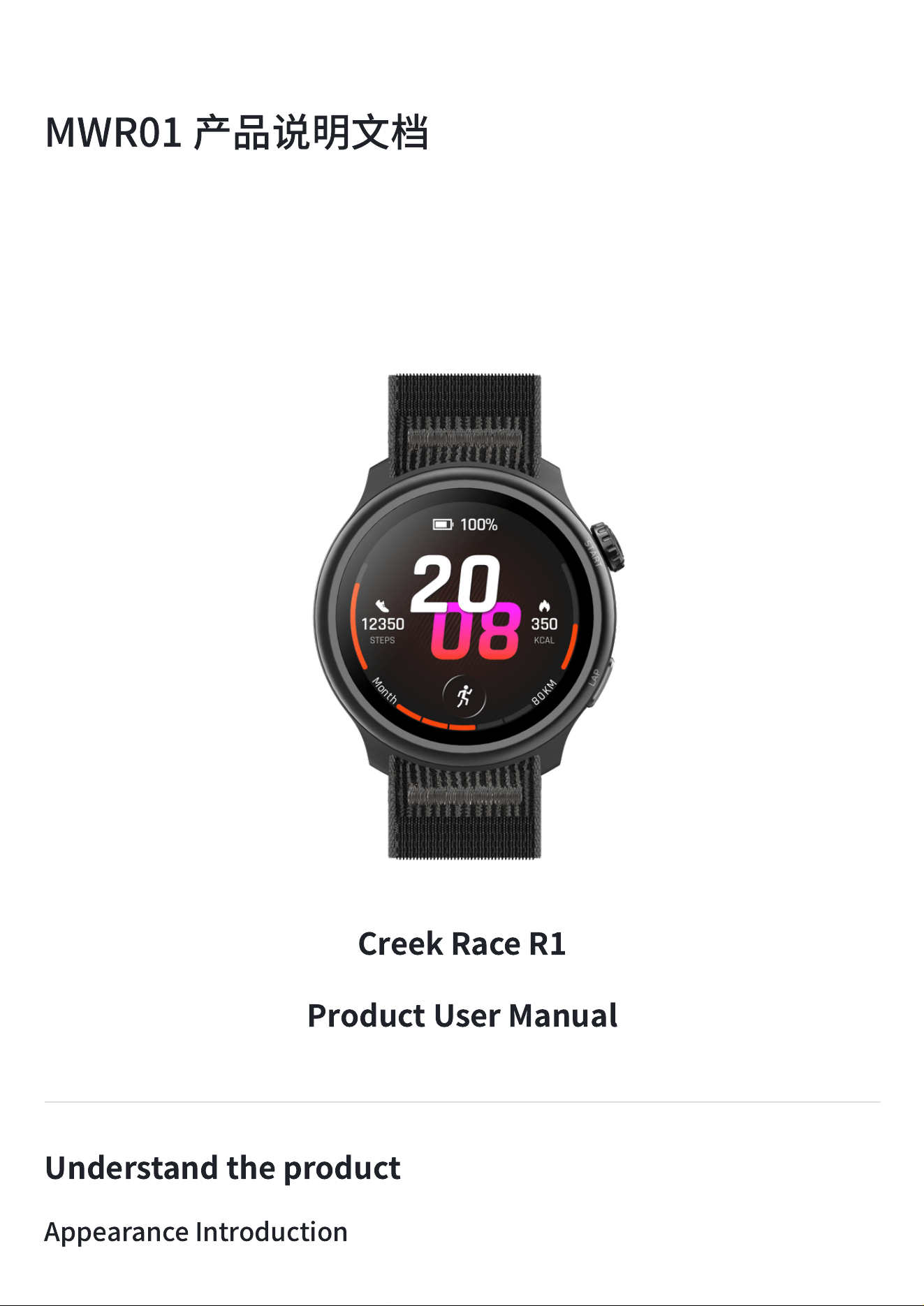
CreekRaceR1
ProductUserManual
Understandtheproduct
AppearanceIntroduction
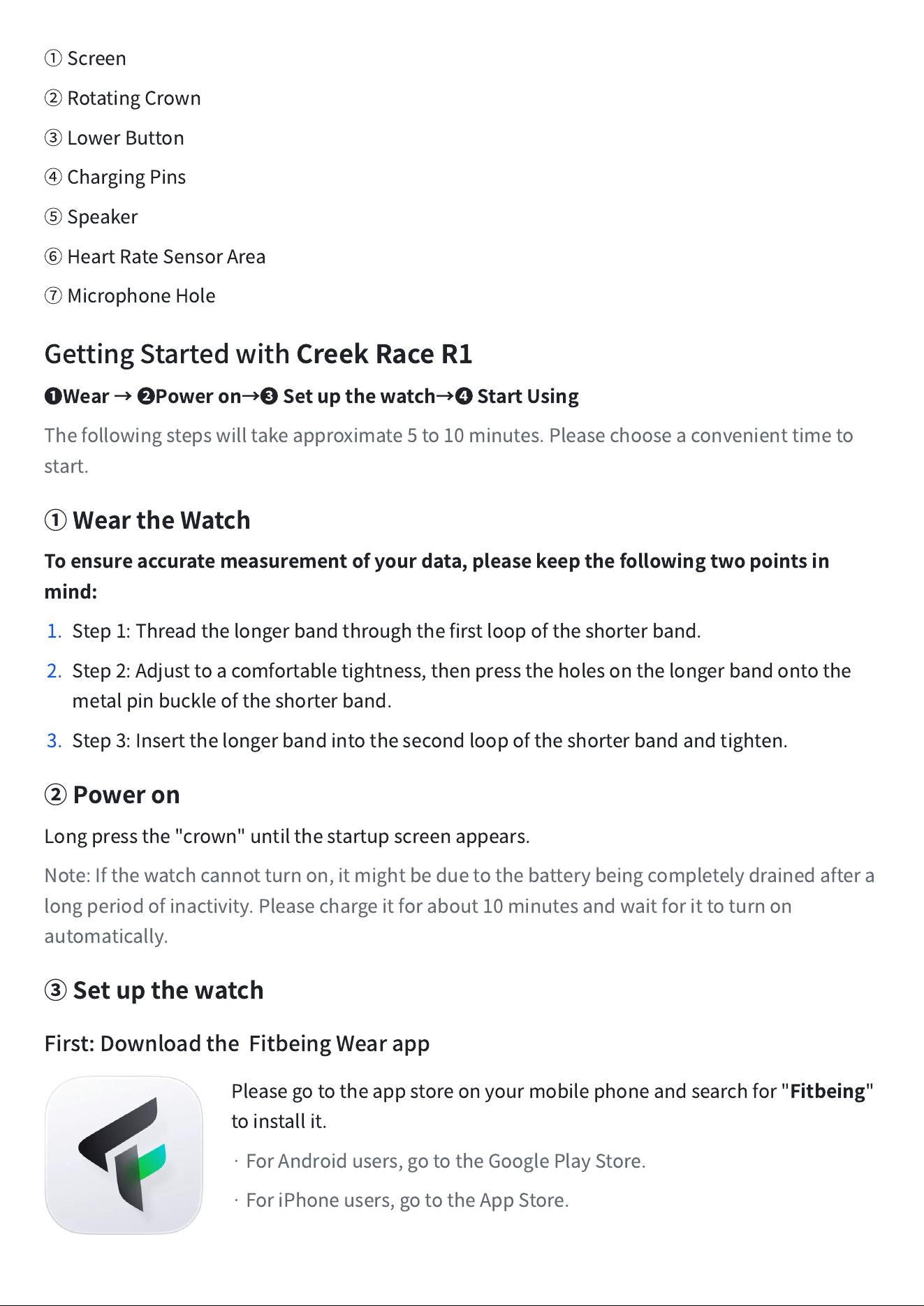
①
Screen
②
RotatingCrown
③
LowerButton
④
ChargingPins
⑤
Speaker
⑥
HeartRateSensorArea
⑦
MicrophoneHole
GettingStartedwith
CreekRaceR1
❶
Wear
→
❷
Poweron
→
❸
Setupthewatch
→
❹
StartUsing
Thefollowingstepswilltakeapproximate5to10minutes.Pleasechooseaconvenienttimeto
start.
①
WeartheWatch
Toensureaccuratemeasurementofyourdata,pleasekeepthefollowingtwopointsin
mind:
1. Step1:Threadthelongerbandthroughthefirstloopoftheshorterband.
2. Step2:Adjusttoacomfortabletightness,thenpresstheholesonthelongerbandontothe
metalpinbuckleoftheshorterband.
3. Step3:Insertthelongerbandintothesecondloopoftheshorterbandandtighten.
②
Poweron
Longpressthe"crown"untilthestartupscreenappears.
Note:Ifthewatchcannotturnon,itmightbeduetothebatterybeingcompletelydrainedaftera
longperiodofinactivity.Pleasechargeitforabout10minutesandwaitforittoturnon
automatically.
③
Setupthewatch
First:DownloadtheFitbeingWearapp
Pleasegototheappstoreonyourmobilephoneandsearchfor"
Fitbeing
"
toinstallit.
·ForAndroidusers,gototheGooglePlayStore.
·ForiPhoneusers,gototheAppStore.
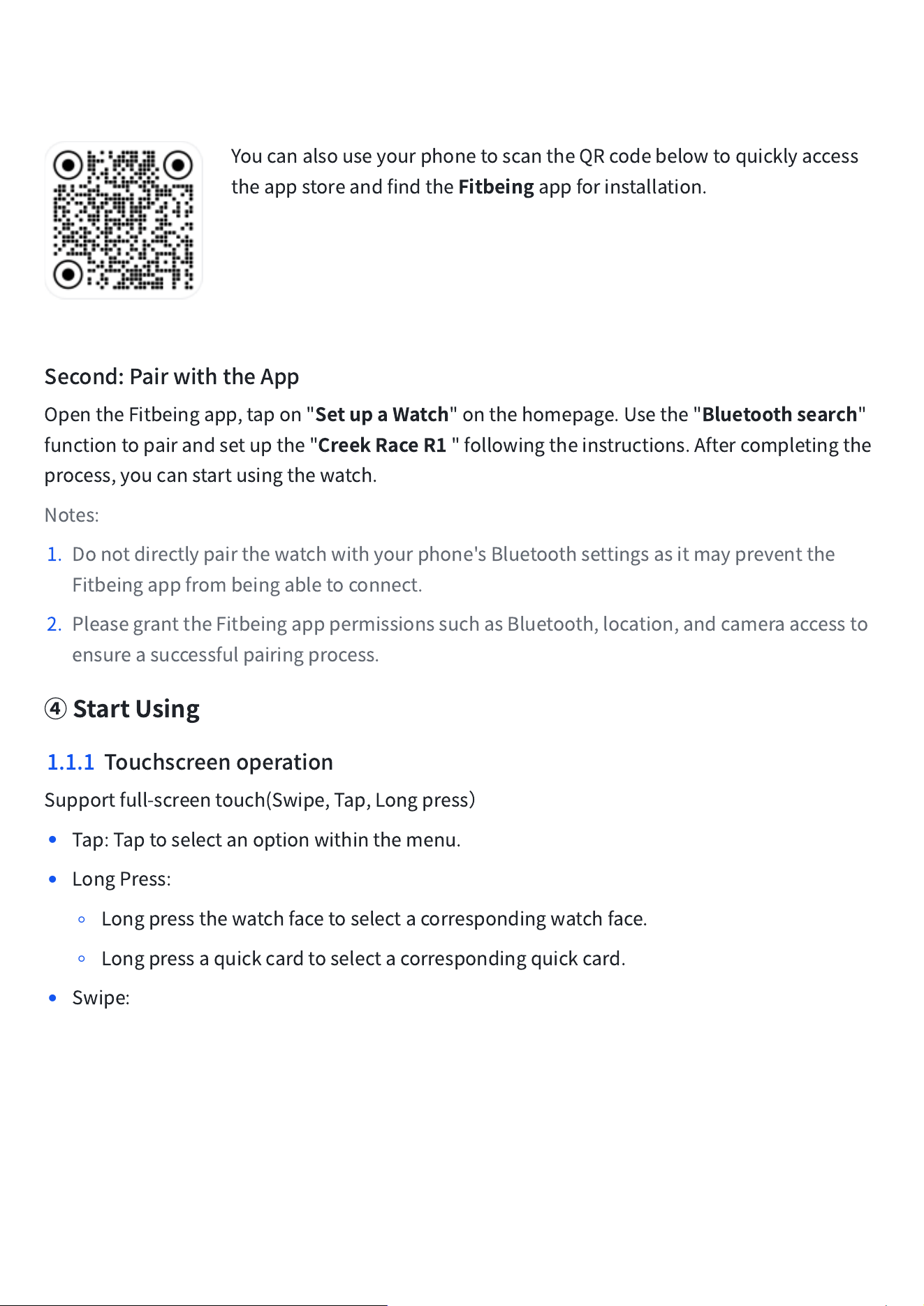
YoucanalsouseyourphonetoscantheQRcodebelowtoquicklyaccess
theappstoreandfindthe
Fitbeing
appforinstallation.
Second:PairwiththeApp
OpentheFitbeingapp,tapon"
SetupaWatch
"onthehomepage.Usethe"
Bluetoothsearch
"
functiontopairandsetupthe"
CreekRaceR1
"followingtheinstructions.Aftercompletingthe
process,youcanstartusingthewatch.
Notes:
1. Donotdirectlypairthewatchwithyourphone'sBluetoothsettingsasitmaypreventthe
Fitbeingappfrombeingabletoconnect.
2. PleasegranttheFitbeingapppermissionssuchasBluetooth,location,andcameraaccessto
ensureasuccessfulpairingprocess.
④
StartUsing
1.1.1 Touchscreenoperation
Supportfull-screentouch(Swipe,Tap,Longpress
)
•
Tap:Taptoselectanoptionwithinthemenu.
•
LongPress:
◦
Longpressthewatchfacetoselectacorrespondingwatchface.
◦
Longpressaquickcardtoselectacorrespondingquickcard.
•
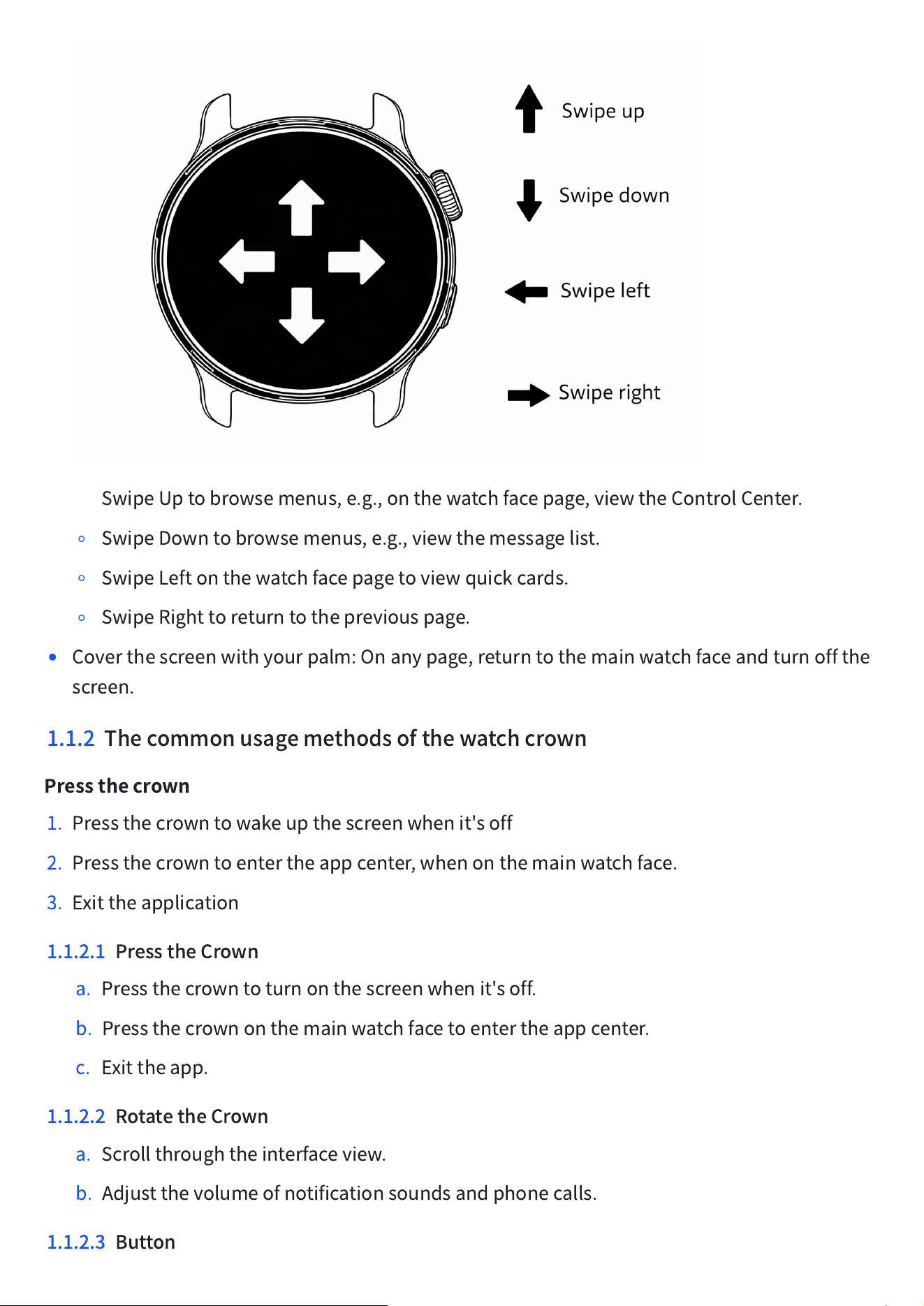
Swipe:
◦
SwipeUptobrowsemenus,e.g.,onthewatchfacepage,viewtheControlCenter.
◦
SwipeDowntobrowsemenus,e.g.,viewthemessagelist.
◦
SwipeLeftonthewatchfacepagetoviewquickcards.
◦
SwipeRighttoreturntothepreviouspage.
•
Coverthescreenwithyourpalm:Onanypage,returntothemainwatchfaceandturnoffthe
screen.
1.1.2 Thecommonusagemethodsofthewatchcrown
Pressthecrown
1. Pressthecrowntowakeupthescreenwhenit'soff
2. Pressthecrowntoentertheappcenter,whenonthemainwatchface.
3. Exittheapplication
1.1.2.1 PresstheCrown
a. Pressthecrowntoturnonthescreenwhenit'soff.
b. Pressthecrownonthemainwatchfacetoentertheappcenter.
c. Exittheapp.
1.1.2.2 RotatetheCrown
a. Scrollthroughtheinterfaceview.
b. Adjustthevolumeofnotificationsoundsandphonecalls.
1.1.2.3 Button
a. Presstoenterthesportspage.
b. Doubletaptoenterconstantlightflashlightmode.
ProductFeatures
2.
Notifications
SwipedownfromthemainwatchfacetoaccesstheNotifications.
IntheFitbeingapp,youcansettheappsthatyouwanttoreceive
notificationsonyoursmartwatch,andyoucanalsodisablenotifications
forcertainapps.
TosyncnotificationsfromaniOSsystemphone:
1. MakesurethattheBluetoothonyourpairedphoneisenabledand
withintheconnectionrangeofthewatch(within10meters).
2. IntheBluetoothsettingsofyourphone,enablethe"ShareSystem
Notifications"permissionforyourwatch.
TosyncnotificationsfromanAndroidsystemphone:
1. MakesurethattheBluetoothonyourpairedphoneisenabledand
withintheconnectionrangeofthewatch(within10meters).
2. Ensurethatyourphonehasgrantedpermissionssuchas"Bluetooth,"
"Location,"and"Notifications"totheFitbeingapp,andkeeptheapp
runningintheforeground.
3.
ControlCenter
Swipeupfromthemainwatchfacetobringupthecontrolcenter,where
youcanaccessfunctionssuchas"DoNotDisturbMode,WristRaiseto
LightUpScreen,Flashlight".Youcanalsocheckthebatteryleveland
quicklyadjustsettingslike"Brightness".
StatusInformation
Battery:Indicatesthecurrentremainingbatterylevelofthewatch.
Bluetoothconnection:ShowstheBluetoothconnectionstatusbetweenthewatchandthepaired
phone.
QuickSettings
Screenbrightness:Adjuststhebrightnessofthescreenbyswipingupordown.
Donotdisturb:Disablessoundnotificationsformessagesandcalls,butalarmsandtimersstill
function.
Sleepmode:Sleepmodeisactivated,thebrightnessdims,andthewatchfaceenterssleepmode.
Raisetowake:Thealways-onandraise-to-wakefunctionsaredisabled,andaDoNotDisturb
modestrategyhasbeenadded.
Alarm:Openthealarmapptosetandeditalarms.
FindMyPhone:Thisfeaturehelpsyoucallyourpairedphonewhenyouarenearit.
Always-onDisplay:Enablesthealways-ondisplayfeature,wherethescreenremainsonevenin
thedimmedstate.
SoundAlerts:Activatingthisoptionwillswitchtosilentmode.
Drainage:Enablingthiswillallowthewatchtodrainwater.
ScreenLock:Onceenabled,thescreenwillbelocked.Afterlocking,holddownthecrownto
unlockthescreen.
4.
Tiles
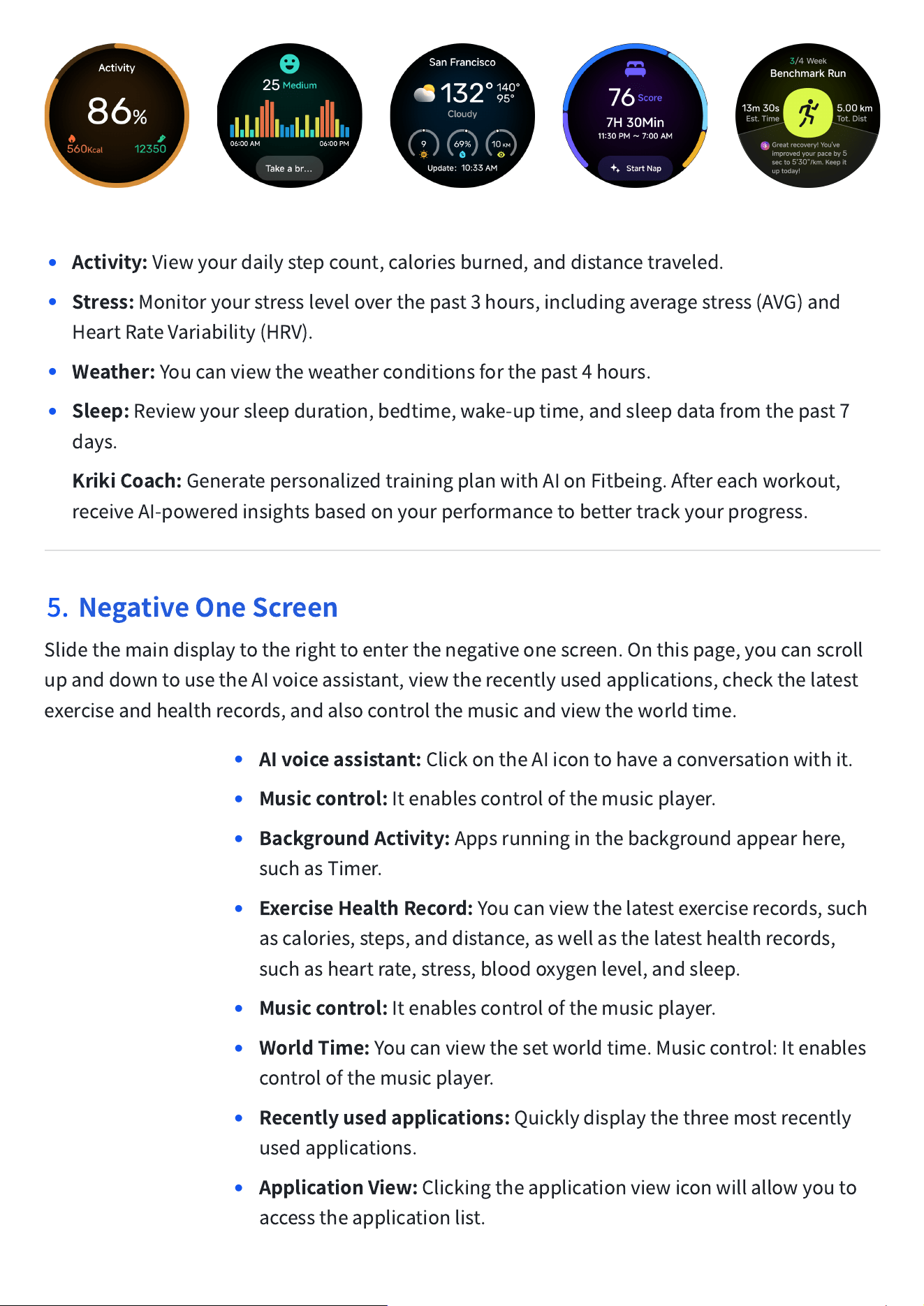
Slidethemainwatchfacetothelefttoenterthequickcards.Byswipingleftandrightwithinthe
quickcards,youcanquicklyswitchbetweenbrowsing:theActivity,HealthSnap,Weather,Sleep
orStress.
•
Activity:
Viewyourdailystepcount,caloriesburned,anddistancetraveled.
•
Stress:
Monitoryourstressleveloverthepast3hours,includingaveragestress(AVG)and
HeartRateVariability(HRV).
•
Weather:
Youcanviewtheweatherconditionsforthepast4hours.
•
Sleep:
Reviewyoursleepduration,bedtime,wake-uptime,andsleepdatafromthepast7
days.
•
KrikiCoach:
GeneratepersonalizedtrainingplanwithAIonFitbeing.Aftereachworkout,
receiveAI-poweredinsightsbasedonyourperformancetobettertrackyourprogress.
5.
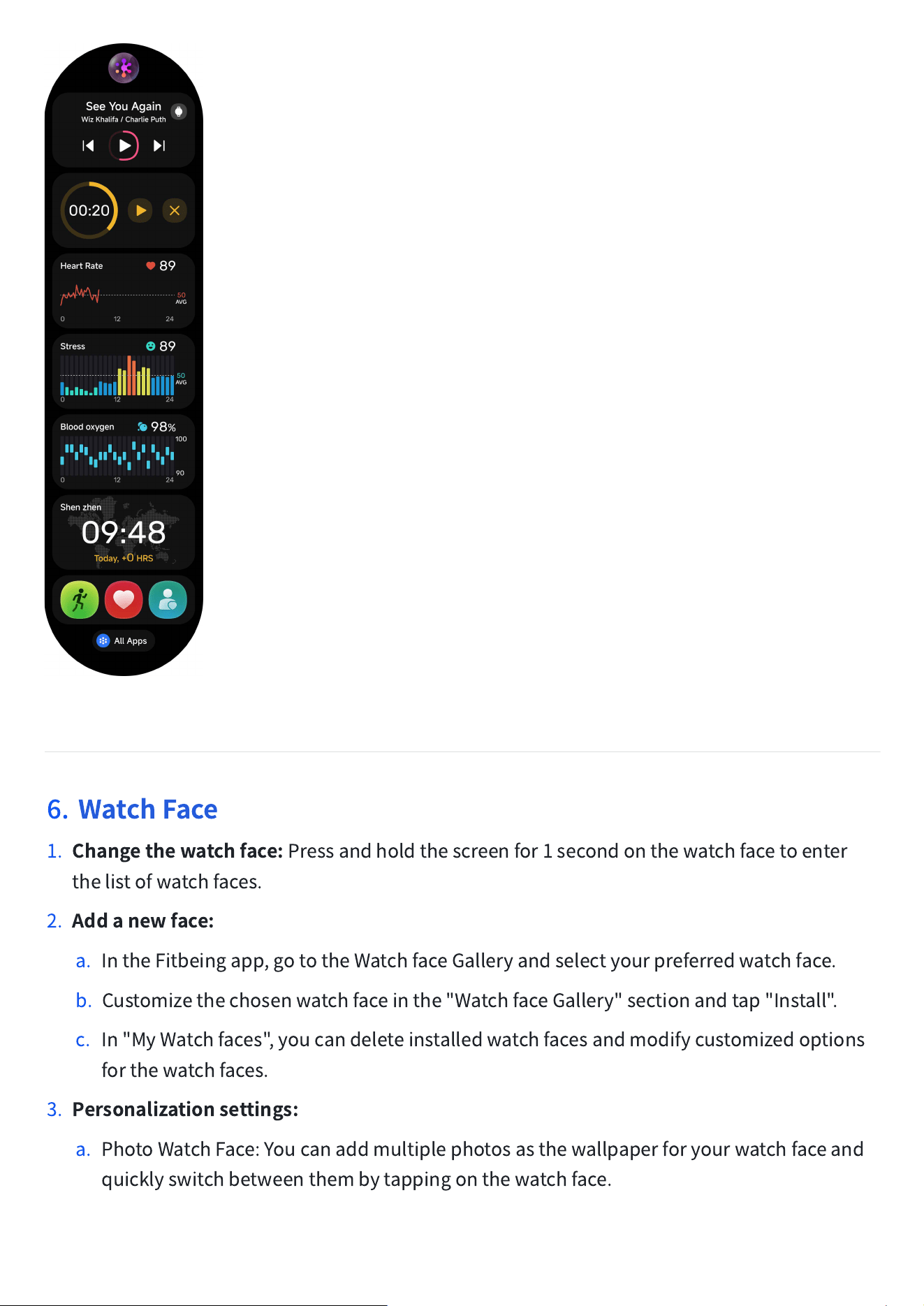
NegativeOneScreen
Slidethemaindisplaytotherighttoenterthenegativeonescreen.Onthispage,youcanscroll
upanddowntousetheAIvoiceassistant,viewtherecentlyusedapplications,checkthelatest
exerciseandhealthrecords,andalsocontrolthemusicandviewtheworldtime.
•
AIvoiceassistant:
ClickontheAIicontohaveaconversationwithit.
•
Musiccontrol:
Itenablescontrolofthemusicplayer.
•
BackgroundActivity:
Appsrunninginthebackgroundappearhere,
suchasTimer.
•
ExerciseHealthRecord:
Youcanviewthelatestexerciserecords,such
ascalories,steps,anddistance,aswellasthelatesthealthrecords,
suchasheartrate,stress,bloodoxygenlevel,andsleep.
•
Musiccontrol:
Itenablescontrolofthemusicplayer.
•
WorldTime:
Youcanviewthesetworldtime.Musiccontrol:Itenables
controlofthemusicplayer.
•
Recentlyusedapplications:
Quicklydisplaythethreemostrecently
usedapplications.
•
ApplicationView:
Clickingtheapplicationviewiconwillallowyouto
accesstheapplicationlist.
6.
WatchFace
1.
Changethewatchface:
Pressandholdthescreenfor1secondonthewatchfacetoenter
thelistofwatchfaces.
2.
Addanewface:
a. IntheFitbeingapp,gototheWatchfaceGalleryandselectyourpreferredwatchface.
b. Customizethechosenwatchfaceinthe"WatchfaceGallery"sectionandtap"Install".
c. In"MyWatchfaces",youcandeleteinstalledwatchfacesandmodifycustomizedoptions
forthewatchfaces.
3.
Personalizationsettings:
a. PhotoWatchFace:Youcanaddmultiplephotosasthewallpaperforyourwatchfaceand
quicklyswitchbetweenthembytappingonthewatchface.
b. CustomizedWatchFace:Somewatchfacessupportcustomization,allowingyoutosetthe
colors,style,orquickfunctionsaccordingtoyourpreferences.Tappingonthequick
functionsonthewatchfacewillquicklylaunchthecorrespondingappsonthewatch.
4.
EnableAlways-onDisplay:
a. IntheControlCenter,youcanquicklytogglethe"Always-OnDisplay"settingforthe
watchface.
b. Inthewatch'ssettings,goto"Settings
→
Display&Brightness"andenableordisablethe
"Always-OnDisplay"setting.
c. Youcanalsogototheapp's"Profile
→
MyWatch
→
Display&Brightness"sectionto
togglethe"Always-OnDisplay"switchforthewatch.
ActivityandHealth
6.1
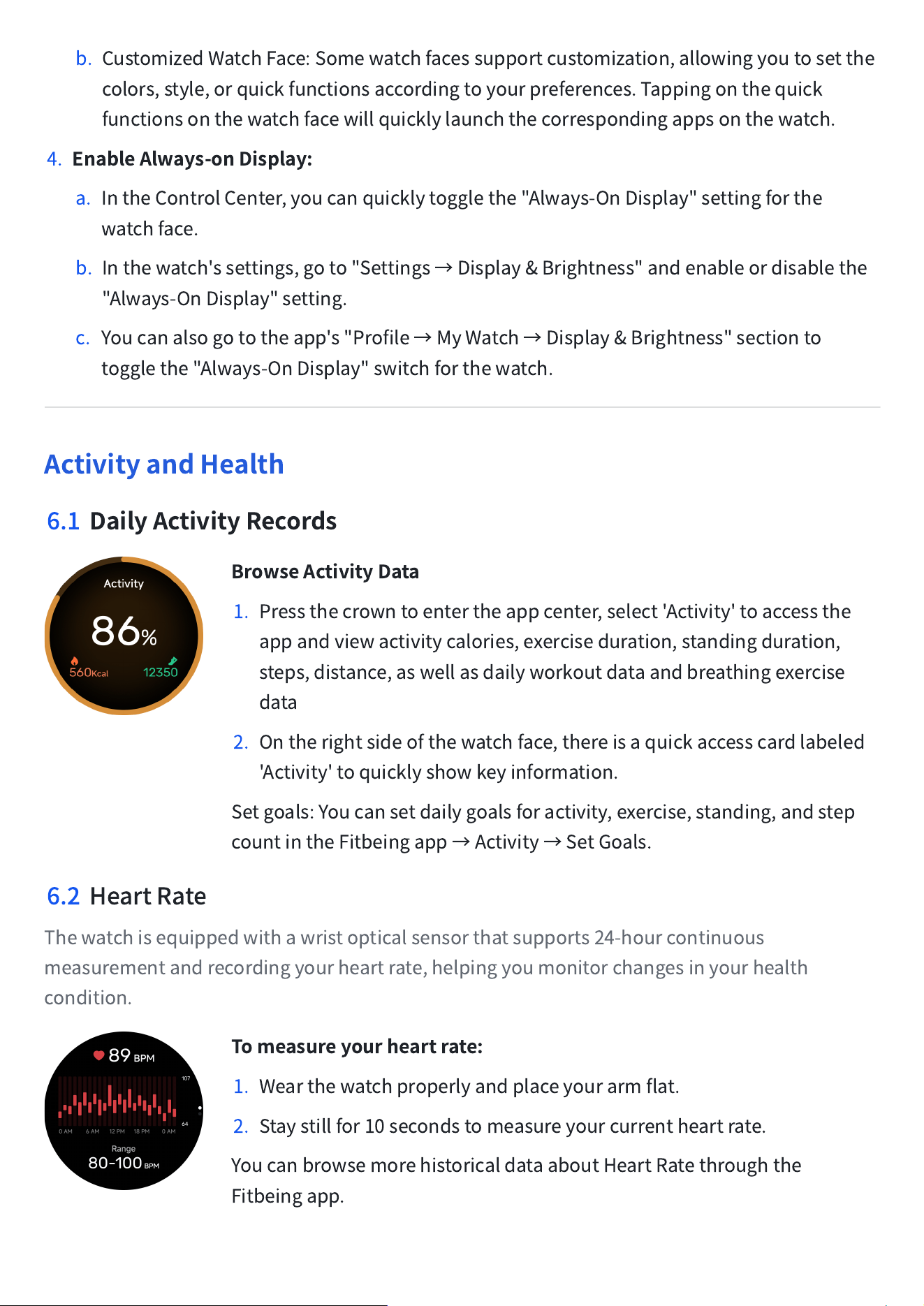
DailyActivityRecords
BrowseActivityData
1. Pressthecrowntoentertheappcenter,select'Activity'toaccessthe
appandviewactivitycalories,exerciseduration,standingduration,
steps,distance,aswellasdailyworkoutdataandbreathingexercise
data
2. Ontherightsideofthewatchface,thereisaquickaccesscardlabeled
'Activity'toquicklyshowkeyinformation.
Setgoals:Youcansetdailygoalsforactivity,exercise,standing,andstep
countintheFitbeingapp
→
Activity
→
SetGoals.
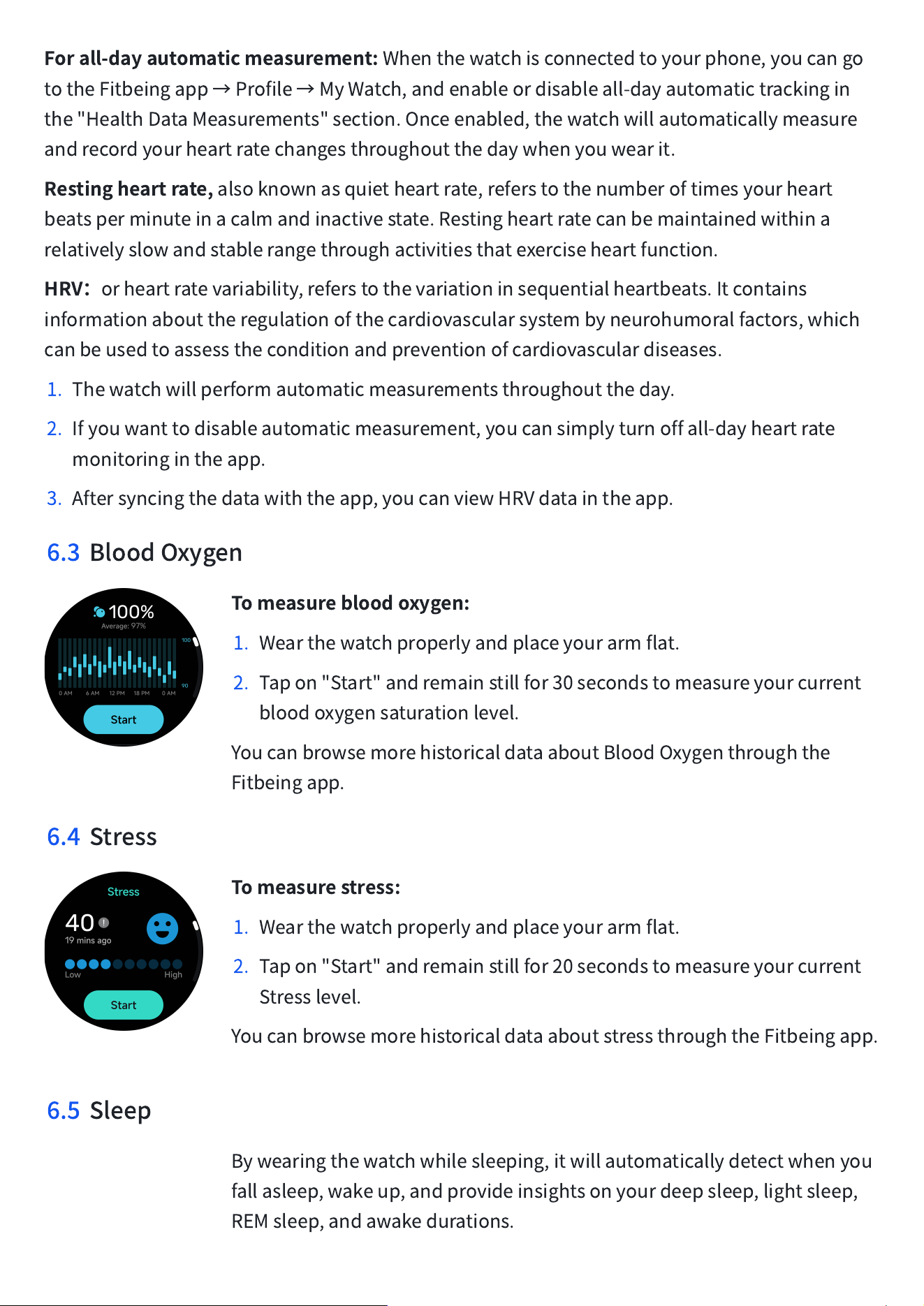
6.2 HeartRate
Thewatchisequippedwithawristopticalsensorthatsupports24-hourcontinuous
measurementandrecordingyourheartrate,helpingyoumonitorchangesinyourhealth
condition.
Tomeasureyourheartrate:
1. Wearthewatchproperlyandplaceyourarmflat.
2. Staystillfor10secondstomeasureyourcurrentheartrate.
YoucanbrowsemorehistoricaldataaboutHeartRatethroughthe
Fitbeingapp.
Forall-dayautomaticmeasurement:
Whenthewatchisconnectedtoyourphone,youcango
totheFitbeingapp
→
Profile
→
MyWatch,andenableordisableall-dayautomatictrackingin
the"HealthDataMeasurements"section.Onceenabled,thewatchwillautomaticallymeasure
andrecordyourheartratechangesthroughoutthedaywhenyouwearit.
Restingheartrate,
alsoknownasquietheartrate,referstothenumberoftimesyourheart
beatsperminuteinacalmandinactivestate.Restingheartratecanbemaintainedwithina
relativelyslowandstablerangethroughactivitiesthatexerciseheartfunction.
HRV
:
orheartratevariability,referstothevariationinsequentialheartbeats.Itcontains
informationabouttheregulationofthecardiovascularsystembyneurohumoralfactors,which
canbeusedtoassesstheconditionandpreventionofcardiovasculardiseases.
1. Thewatchwillperformautomaticmeasurementsthroughouttheday.
2. Ifyouwanttodisableautomaticmeasurement,youcansimplyturnoffall-dayheartrate
monitoringintheapp.
3. Aftersyncingthedatawiththeapp,youcanviewHRVdataintheapp.
6.3 BloodOxygen
Tomeasurebloodoxygen:
1. Wearthewatchproperlyandplaceyourarmflat.
2. Tapon"Start"andremainstillfor30secondstomeasureyourcurrent
bloodoxygensaturationlevel.
YoucanbrowsemorehistoricaldataaboutBloodOxygenthroughthe
Fitbeingapp.
6.4 Stress
Tomeasurestress:
1. Wearthewatchproperlyandplaceyourarmflat.
2. Tapon"Start"andremainstillfor20secondstomeasureyourcurrent
Stresslevel.
YoucanbrowsemorehistoricaldataaboutstressthroughtheFitbeingapp.
6.5 Sleep
Bywearingthewatchwhilesleeping,itwillautomaticallydetectwhenyou
fallasleep,wakeup,andprovideinsightsonyourdeepsleep,lightsleep,
REMsleep,andawakedurations.
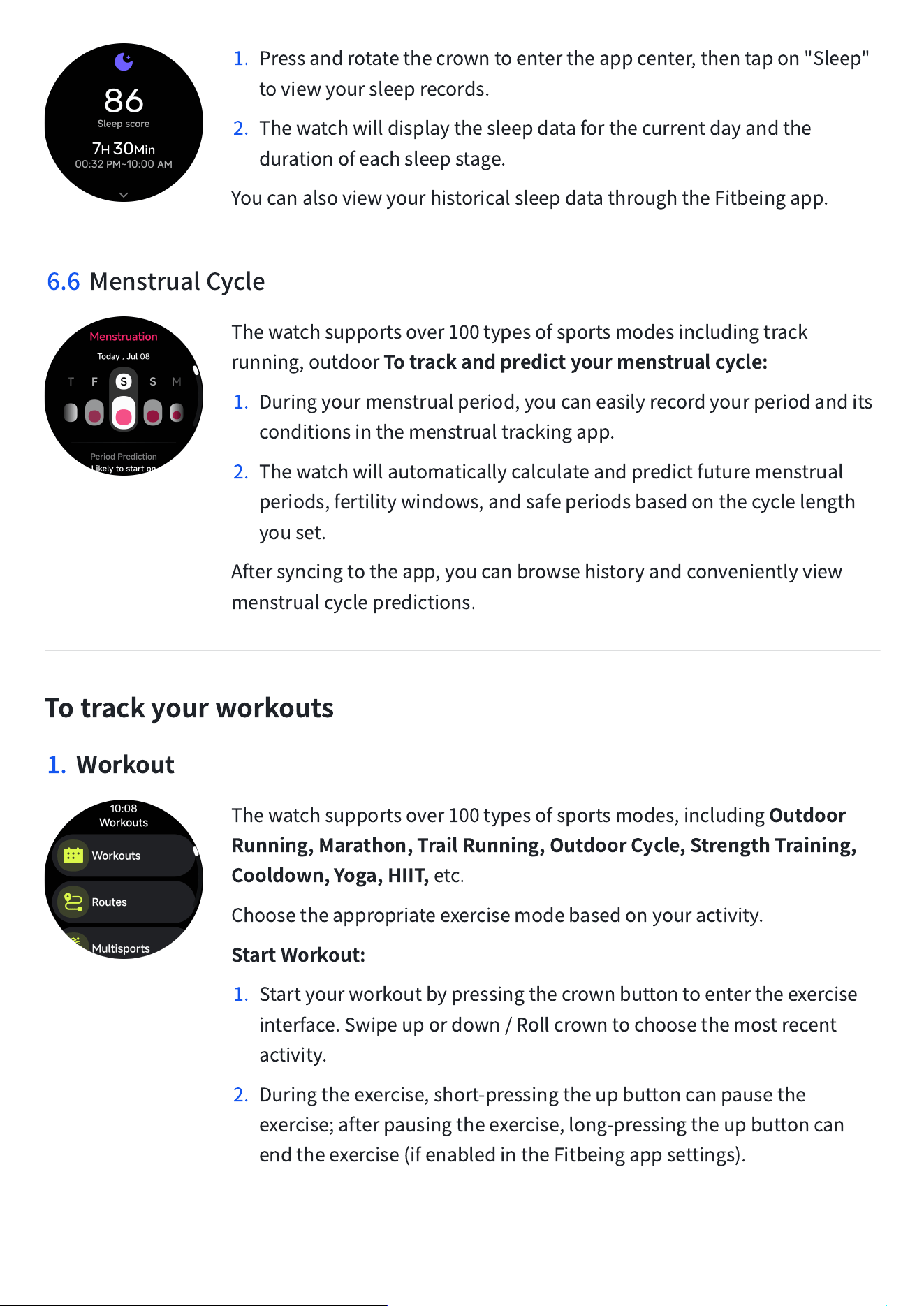
1. Pressandrotatethecrowntoentertheappcenter,thentapon"Sleep"
toviewyoursleeprecords.
2. Thewatchwilldisplaythesleepdataforthecurrentdayandthe
durationofeachsleepstage.
YoucanalsoviewyourhistoricalsleepdatathroughtheFitbeingapp.
6.6 MenstrualCycle
Thewatchsupportsover100typesofsportsmodesincludingtrack
running,outdoor
Totrackandpredictyourmenstrualcycle:
1. Duringyourmenstrualperiod,youcaneasilyrecordyourperiodandits
conditionsinthemenstrualtrackingapp.
2. Thewatchwillautomaticallycalculateandpredictfuturemenstrual
periods,fertilitywindows,andsafeperiodsbasedonthecyclelength
youset.
Aftersyncingtotheapp,youcanbrowsehistoryandconvenientlyview
menstrualcyclepredictions.
Totrackyourworkouts
1.
Workout
Thewatchsupportsover100typesofsportsmodes,including
Outdoor
Running,Marathon,TrailRunning,OutdoorCycle,StrengthTraining,
Cooldown,Yoga,HIIT,
etc.
Choosetheappropriateexercisemodebasedonyouractivity.
StartWorkout:
1. Startyourworkoutbypressingthecrownbuttontoentertheexercise
interface.Swipeupordown/Rollcrowntochoosethemostrecent
activity.
2. Duringtheexercise,short-pressingtheupbuttoncanpausethe
exercise;afterpausingtheexercise,long-pressingtheupbuttoncan
endtheexercise(ifenabledintheFitbeingappsettings).
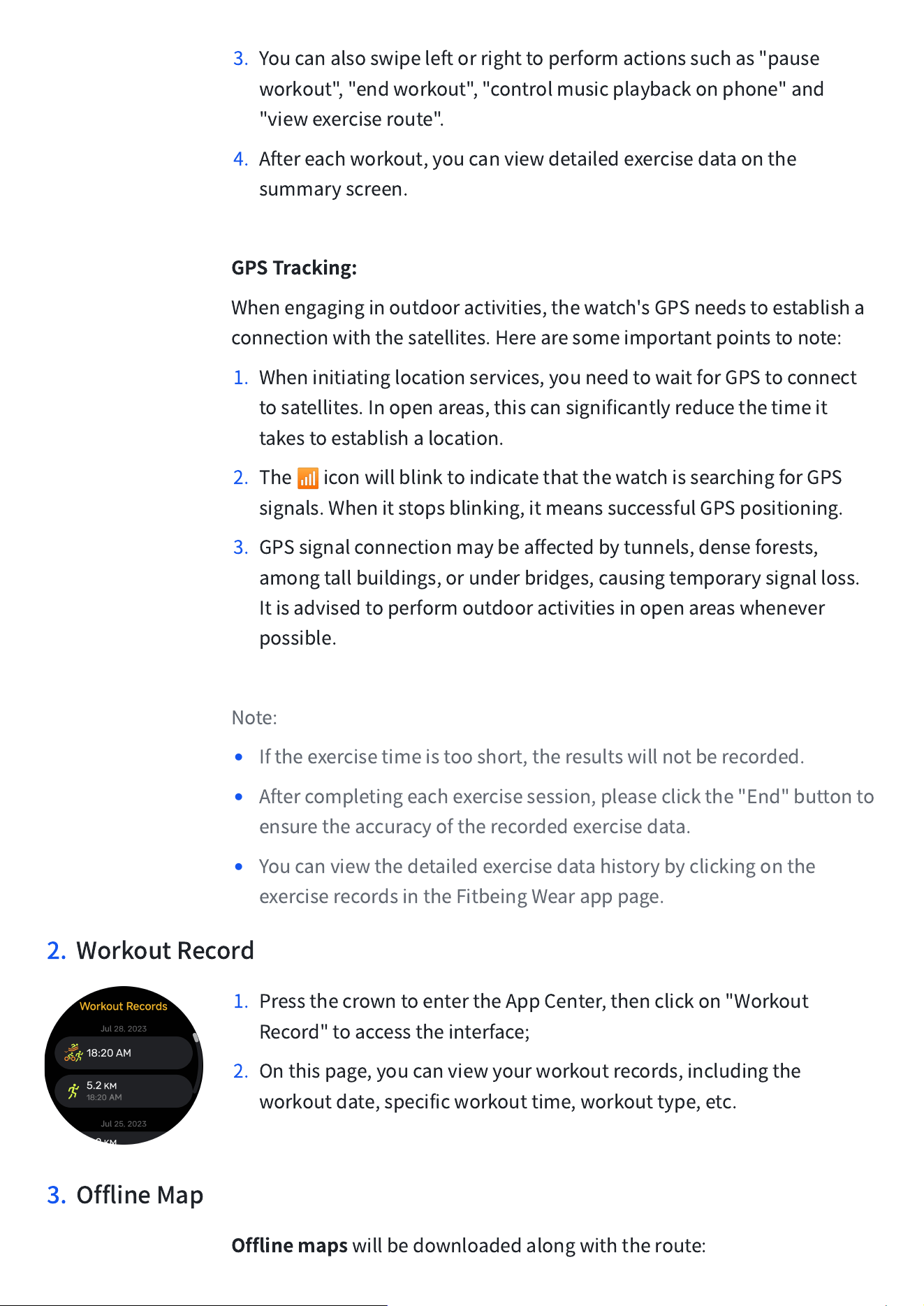
3. Youcanalsoswipeleftorrighttoperformactionssuchas"pause
workout","endworkout","controlmusicplaybackonphone"and
"viewexerciseroute".
4. Aftereachworkout,youcanviewdetailedexercisedataonthe
summaryscreen.
GPSTracking:
Whenengaginginoutdooractivities,thewatch'sGPSneedstoestablisha
connectionwiththesatellites.Herearesomeimportantpointstonote:
1. Wheninitiatinglocationservices,youneedtowaitforGPStoconnect
tosatellites.Inopenareas,thiscansignificantlyreducethetimeit
takestoestablishalocation.
2. The
📶
iconwillblinktoindicatethatthewatchissearchingforGPS
signals.Whenitstopsblinking,itmeanssuccessfulGPSpositioning.
3. GPSsignalconnectionmaybeaffectedbytunnels,denseforests,
amongtallbuildings,orunderbridges,causingtemporarysignalloss.
Itisadvisedtoperformoutdooractivitiesinopenareaswhenever
possible.
Note:
•
Iftheexercisetimeistooshort,theresultswillnotberecorded.
•
Aftercompletingeachexercisesession,pleaseclickthe"End"buttonto
ensuretheaccuracyoftherecordedexercisedata.
•
Youcanviewthedetailedexercisedatahistorybyclickingonthe
exerciserecordsintheFitbeingWearapppage.
2. WorkoutRecord
1. PressthecrowntoentertheAppCenter,thenclickon"Workout
Record"toaccesstheinterface;
2. Onthispage,youcanviewyourworkoutrecords,includingthe
workoutdate,specificworkouttime,workouttype,etc.
3. OfflineMap
Offlinemaps
willbedownloadedalongwiththeroute:
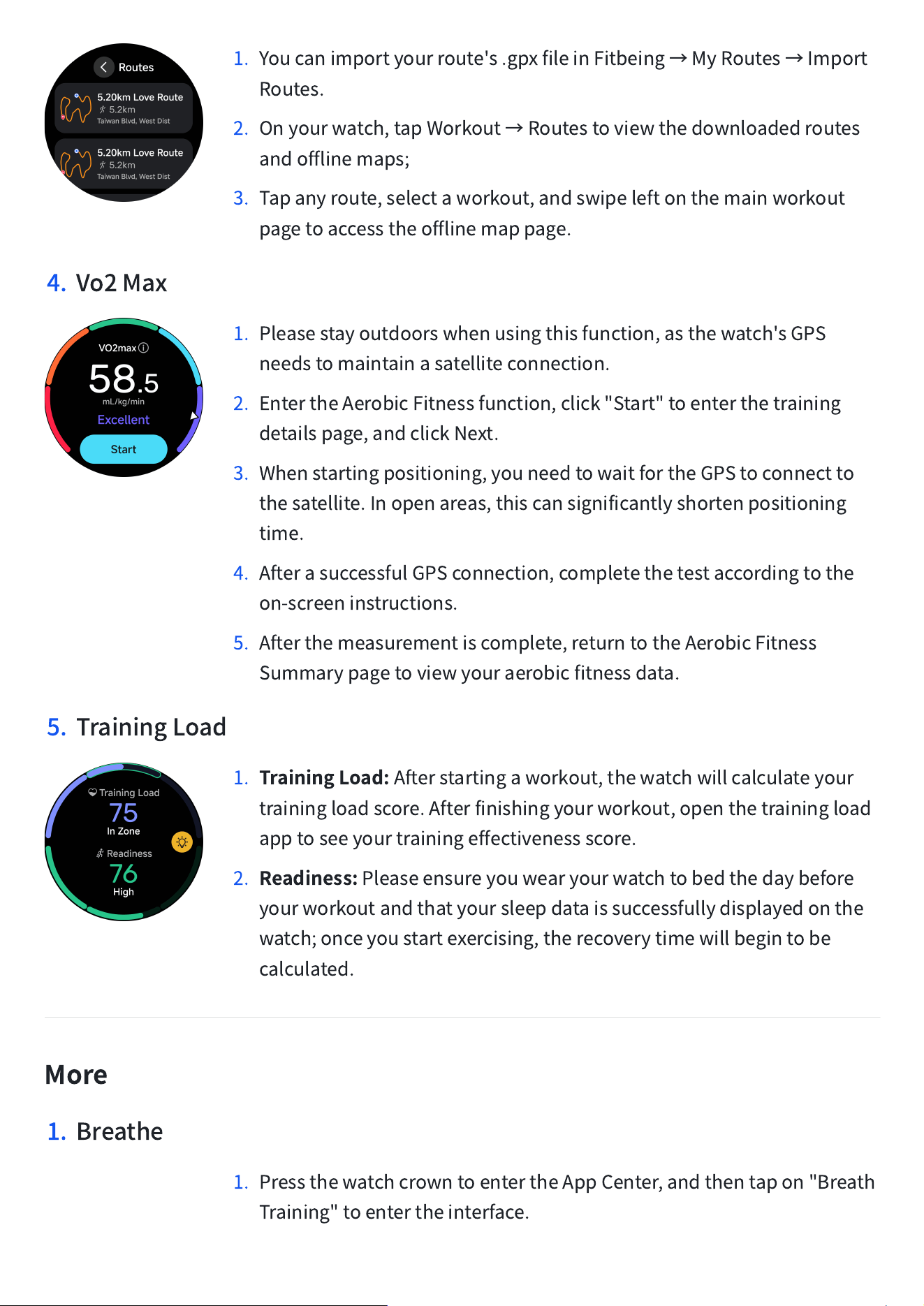
1. Youcanimportyourroute's.gpxfileinFitbeing
→
MyRoutes
→
Import
Routes.
2. Onyourwatch,tapWorkout
→
Routestoviewthedownloadedroutes
andofflinemaps;
3. Tapanyroute,selectaworkout,andswipeleftonthemainworkout
pagetoaccesstheofflinemappage.
4. Vo2Max
1. Pleasestayoutdoorswhenusingthisfunction,asthewatch'sGPS
needstomaintainasatelliteconnection.
2. EntertheAerobicFitnessfunction,click"Start"toenterthetraining
detailspage,andclickNext.
3. Whenstartingpositioning,youneedtowaitfortheGPStoconnectto
thesatellite.Inopenareas,thiscansignificantlyshortenpositioning
time.
4. AfterasuccessfulGPSconnection,completethetestaccordingtothe
on-screeninstructions.
5. Afterthemeasurementiscomplete,returntotheAerobicFitness
Summarypagetoviewyouraerobicfitnessdata.
5. TrainingLoad
1.
TrainingLoad:
Afterstartingaworkout,thewatchwillcalculateyour
trainingloadscore.Afterfinishingyourworkout,openthetrainingload
apptoseeyourtrainingeffectivenessscore.
2.
Readiness:
Pleaseensureyouwearyourwatchtobedthedaybefore
yourworkoutandthatyoursleepdataissuccessfullydisplayedonthe
watch;onceyoustartexercising,therecoverytimewillbegintobe
calculated.
More
1. Breathe
1. PressthewatchcrowntoentertheAppCenter,andthentapon"Breath
Training"toentertheinterface.
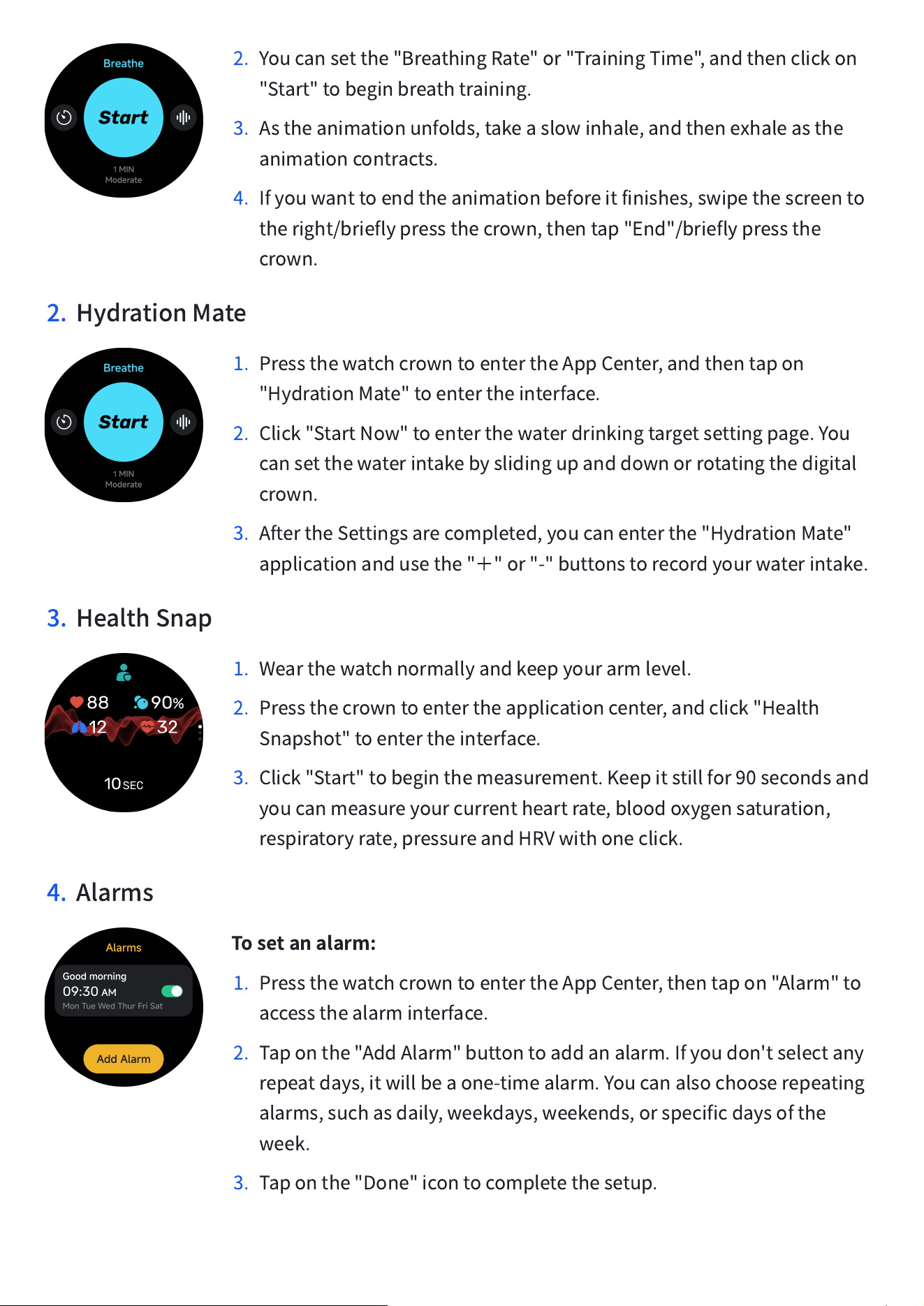
2. Youcansetthe"BreathingRate"or"TrainingTime",andthenclickon
"Start"tobeginbreathtraining.
3. Astheanimationunfolds,takeaslowinhale,andthenexhaleasthe
animationcontracts.
4. Ifyouwanttoendtheanimationbeforeitfinishes,swipethescreento
theright/brieflypressthecrown,thentap"End"/brieflypressthe
crown.
2. HydrationMate
1. PressthewatchcrowntoentertheAppCenter,andthentapon
"HydrationMate"toentertheinterface.
2. Click"StartNow"toenterthewaterdrinkingtargetsettingpage.You
cansetthewaterintakebyslidingupanddownorrotatingthedigital
crown.
3. AftertheSettingsarecompleted,youcanenterthe"HydrationMate"
applicationandusethe"
+
"or"-"buttonstorecordyourwaterintake.
3. HealthSnap
1. Wearthewatchnormallyandkeepyourarmlevel.
2. Pressthecrowntoentertheapplicationcenter,andclick"Health
Snapshot"toentertheinterface.
3. Click"Start"tobeginthemeasurement.Keepitstillfor90secondsand
youcanmeasureyourcurrentheartrate,bloodoxygensaturation,
respiratoryrate,pressureandHRVwithoneclick.
4. Alarms
Tosetanalarm:
1. PressthewatchcrowntoentertheAppCenter,thentapon"Alarm"to
accessthealarminterface.
2. Taponthe"AddAlarm"buttontoaddanalarm.Ifyoudon'tselectany
repeatdays,itwillbeaone-timealarm.Youcanalsochooserepeating
alarms,suchasdaily,weekdays,weekends,orspecificdaysofthe
week.
3. Taponthe"Done"icontocompletethesetup.
Snooze:
Aftersettingthealarm,youcanenablethesnoozefunction,
whichwilldelaythealarmfor10minutes.
Stop:
Whenthealarmvibratesandrings,tapon"Stop"toendthealarm.If
youhaveenabledthesnoozefunction,youcantapon"Snooze"todelay
thealarmby10minutes.
Delete
:
Inthe"Alarm"interface,taponthealarmyouwanttodeleteand
enterthealarmeditingpage,thentapon"Delete"toremovethealarm.
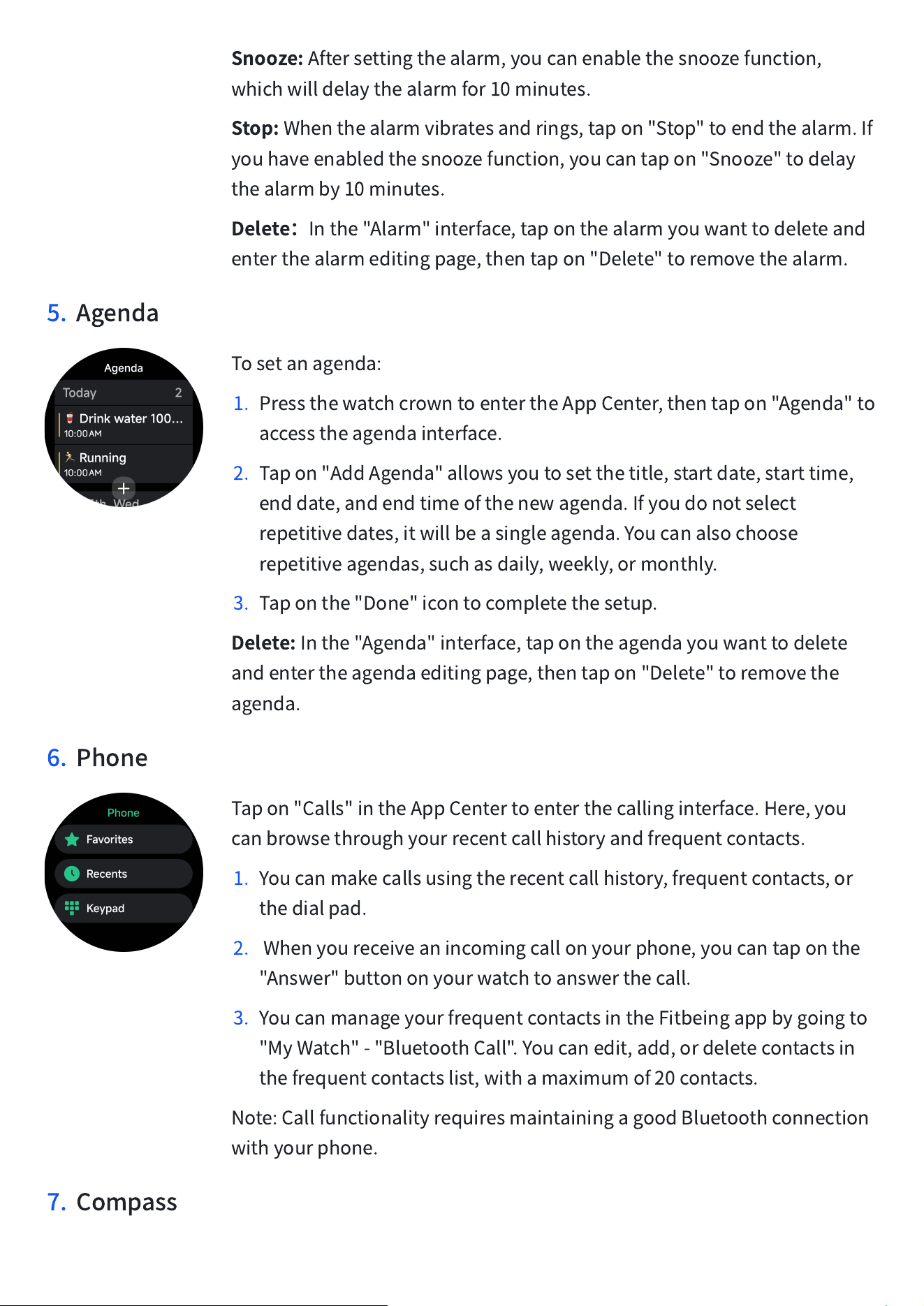
5. Agenda
Tosetanagenda:
1. PressthewatchcrowntoentertheAppCenter,thentapon"Agenda"to
accesstheagendainterface.
2. Tapon"AddAgenda"allowsyoutosetthetitle,startdate,starttime,
enddate,andendtimeofthenewagenda.Ifyoudonotselect
repetitivedates,itwillbeasingleagenda.Youcanalsochoose
repetitiveagendas,suchasdaily,weekly,ormonthly.
3. Taponthe"Done"icontocompletethesetup.
Delete:
Inthe"Agenda"interface,tapontheagendayouwanttodelete
andentertheagendaeditingpage,thentapon"Delete"toremovethe
agenda.
6. Phone
Tapon"Calls"intheAppCentertoenterthecallinginterface.Here,you
canbrowsethroughyourrecentcallhistoryandfrequentcontacts.
1. Youcanmakecallsusingtherecentcallhistory,frequentcontacts,or
thedialpad.
2. Whenyoureceiveanincomingcallonyourphone,youcantaponthe
"Answer"buttononyourwatchtoanswerthecall.
3. YoucanmanageyourfrequentcontactsintheFitbeingappbygoingto
"MyWatch"-"BluetoothCall".Youcanedit,add,ordeletecontactsin
thefrequentcontactslist,withamaximumof20contacts.
Note:CallfunctionalityrequiresmaintainingagoodBluetoothconnection
withyourphone.
7. Compass
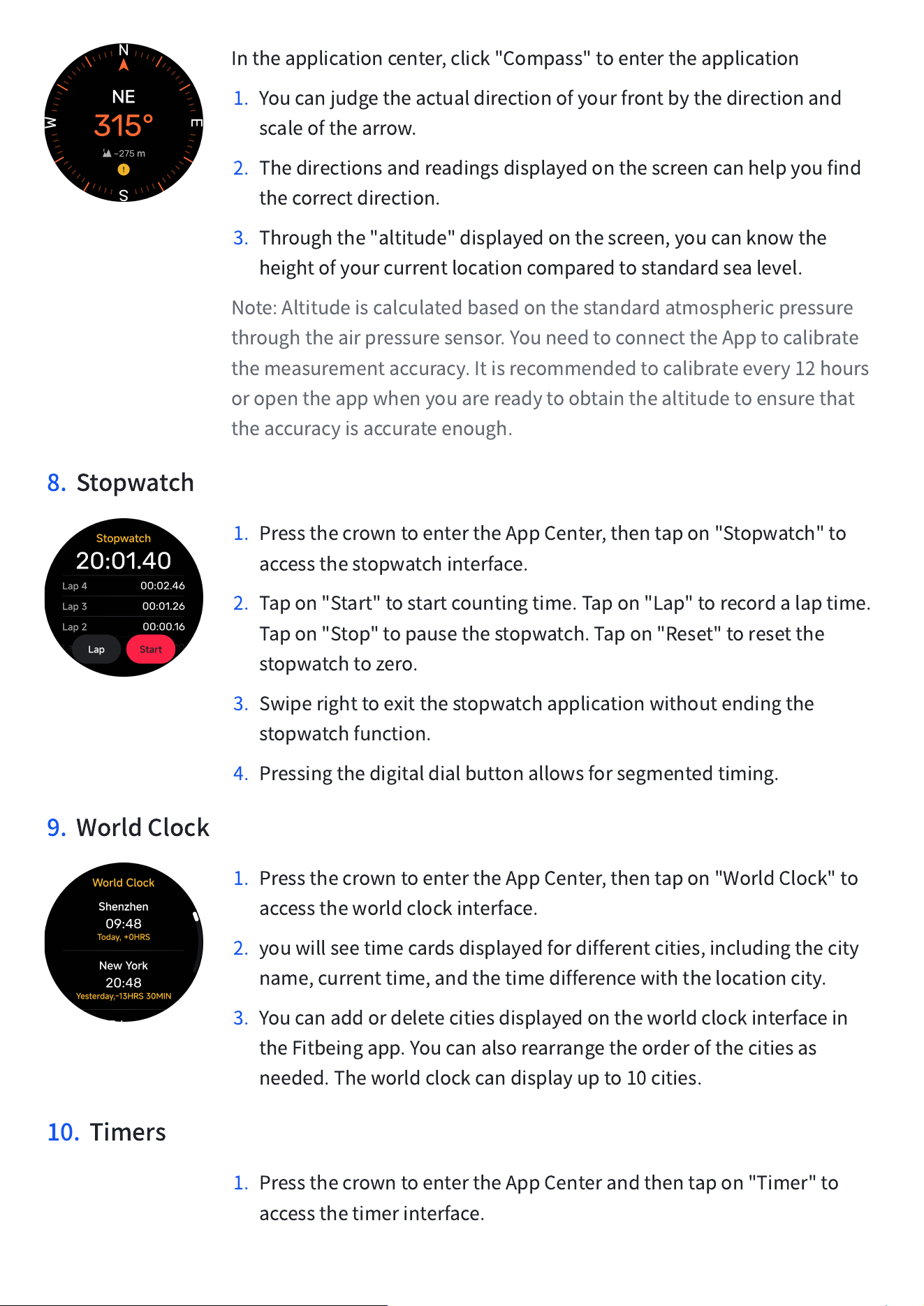
Intheapplicationcenter,click"Compass"toentertheapplication
1. Youcanjudgetheactualdirectionofyourfrontbythedirectionand
scaleofthearrow.
2. Thedirectionsandreadingsdisplayedonthescreencanhelpyoufind
thecorrectdirection.
3. Throughthe"altitude"displayedonthescreen,youcanknowthe
heightofyourcurrentlocationcomparedtostandardsealevel.
Note:Altitudeiscalculatedbasedonthestandardatmosphericpressure
throughtheairpressuresensor.YouneedtoconnecttheApptocalibrate
themeasurementaccuracy.Itisrecommendedtocalibrateevery12hours
oropentheappwhenyouarereadytoobtainthealtitudetoensurethat
theaccuracyisaccurateenough.
8. Stopwatch
1. PressthecrowntoentertheAppCenter,thentapon"Stopwatch"to
accessthestopwatchinterface.
2. Tapon"Start"tostartcountingtime.Tapon"Lap"torecordalaptime.
Tapon"Stop"topausethestopwatch.Tapon"Reset"toresetthe
stopwatchtozero.
3. Swiperighttoexitthestopwatchapplicationwithoutendingthe
stopwatchfunction.
4. Pressingthedigitaldialbuttonallowsforsegmentedtiming.
9. WorldClock
1. PressthecrowntoentertheAppCenter,thentapon"WorldClock"to
accesstheworldclockinterface.
2. youwillseetimecardsdisplayedfordifferentcities,includingthecity
name,currenttime,andthetimedifferencewiththelocationcity.
3. Youcanaddordeletecitiesdisplayedontheworldclockinterfacein
theFitbeingapp.Youcanalsorearrangetheorderofthecitiesas
needed.Theworldclockcandisplayupto10cities.
10. Timers
1. PressthecrowntoentertheAppCenterandthentapon"Timer"to
accessthetimerinterface.
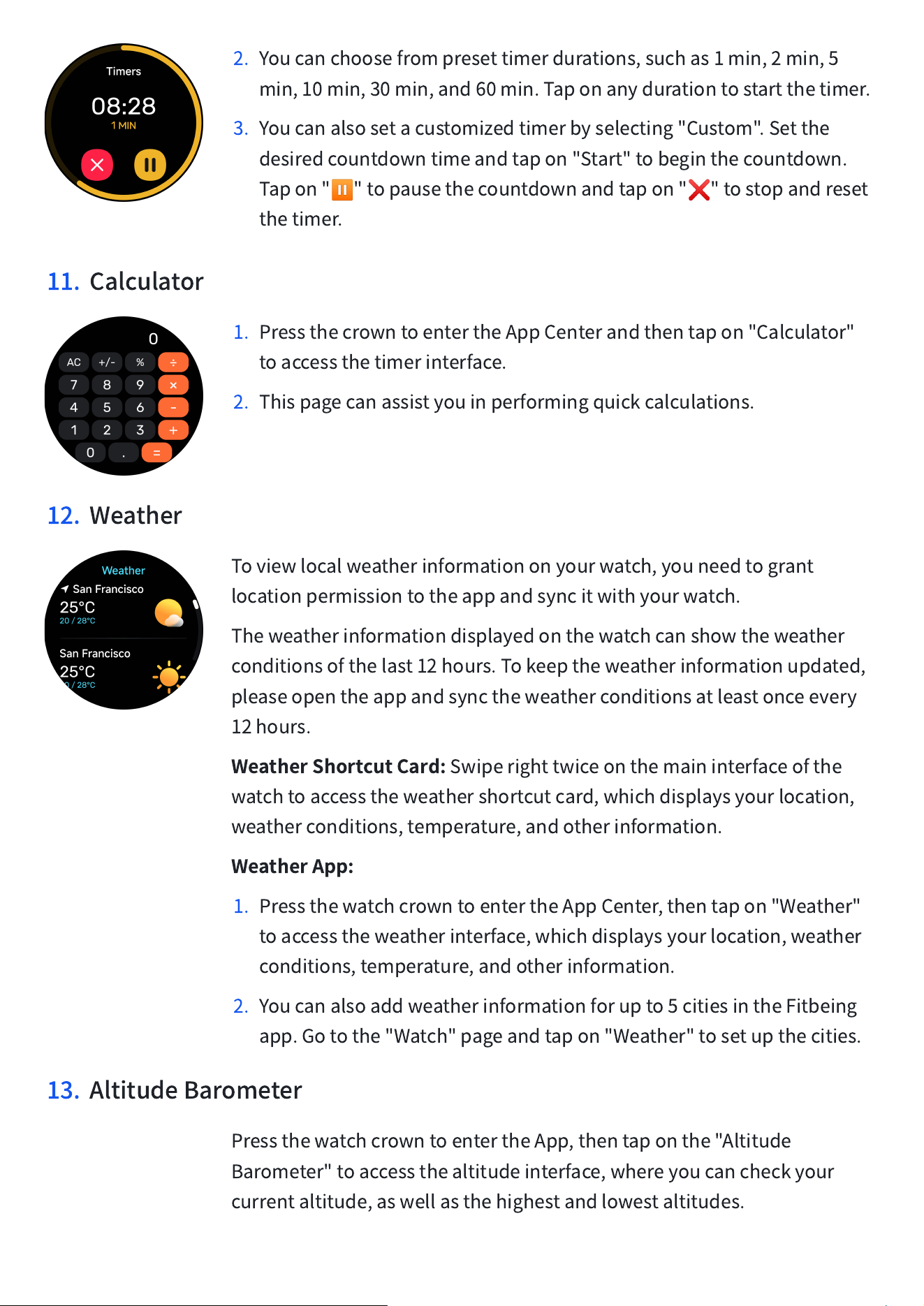
2. Youcanchoosefrompresettimerdurations,suchas1min,2min,5
min,10min,30min,and60min.Taponanydurationtostartthetimer.
3. Youcanalsosetacustomizedtimerbyselecting"Custom".Setthe
desiredcountdowntimeandtapon"Start"tobeginthecountdown.
Tapon"
⏸
"topausethecountdownandtapon"
❌
"tostopandreset
thetimer.
11. Calculator
1. PressthecrowntoentertheAppCenterandthentapon"Calculator"
toaccessthetimerinterface.
2. Thispagecanassistyouinperformingquickcalculations.
12. Weather
Toviewlocalweatherinformationonyourwatch,youneedtogrant
locationpermissiontotheappandsyncitwithyourwatch.
Theweatherinformationdisplayedonthewatchcanshowtheweather
conditionsofthelast12hours.Tokeeptheweatherinformationupdated,
pleaseopentheappandsynctheweatherconditionsatleastonceevery
12hours.
WeatherShortcutCard:
Swiperighttwiceonthemaininterfaceofthe
watchtoaccesstheweathershortcutcard,whichdisplaysyourlocation,
weatherconditions,temperature,andotherinformation.
WeatherApp:
1. PressthewatchcrowntoentertheAppCenter,thentapon"Weather"
toaccesstheweatherinterface,whichdisplaysyourlocation,weather
conditions,temperature,andotherinformation.
2. Youcanalsoaddweatherinformationforupto5citiesintheFitbeing
app.Gotothe"Watch"pageandtapon"Weather"tosetupthecities.
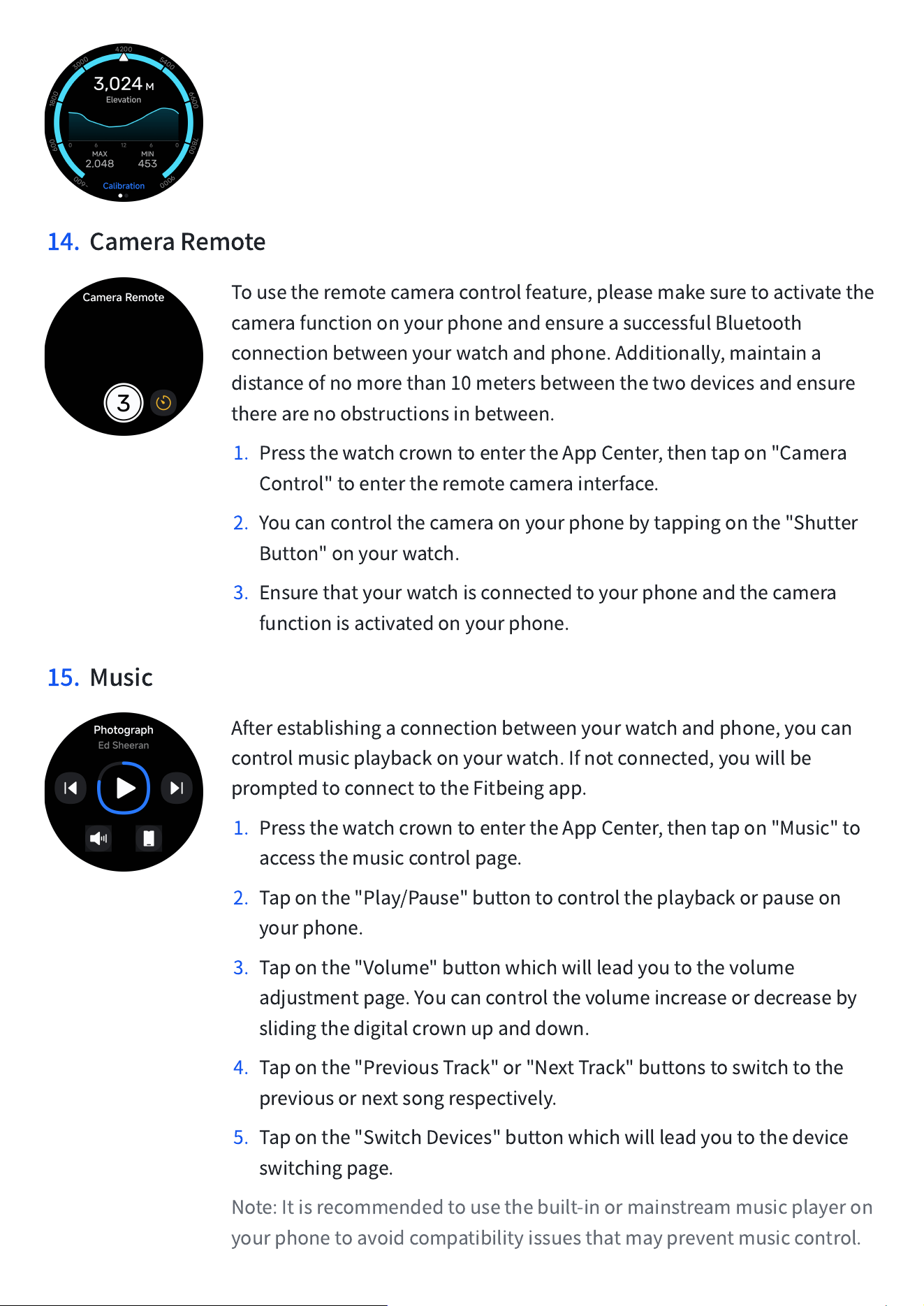
13. AltitudeBarometer
PressthewatchcrowntoentertheApp,thentaponthe"Altitude
Barometer"toaccessthealtitudeinterface,whereyoucancheckyour
currentaltitude,aswellasthehighestandlowestaltitudes.
14. CameraRemote
Tousetheremotecameracontrolfeature,pleasemakesuretoactivatethe
camerafunctiononyourphoneandensureasuccessfulBluetooth
connectionbetweenyourwatchandphone.Additionally,maintaina
distanceofnomorethan10metersbetweenthetwodevicesandensure
therearenoobstructionsinbetween.
1. PressthewatchcrowntoentertheAppCenter,thentapon"Camera
Control"toentertheremotecamerainterface.
2. Youcancontrolthecameraonyourphonebytappingonthe"Shutter
Button"onyourwatch.
3. Ensurethatyourwatchisconnectedtoyourphoneandthecamera
functionisactivatedonyourphone.
15. Music
Afterestablishingaconnectionbetweenyourwatchandphone,youcan
controlmusicplaybackonyourwatch.Ifnotconnected,youwillbe
promptedtoconnecttotheFitbeingapp.
1. PressthewatchcrowntoentertheAppCenter,thentapon"Music"to
accessthemusiccontrolpage.
2. Taponthe"Play/Pause"buttontocontroltheplaybackorpauseon
yourphone.
3. Taponthe"Volume"buttonwhichwillleadyoutothevolume
adjustmentpage.Youcancontrolthevolumeincreaseordecreaseby
slidingthedigitalcrownupanddown.
4. Taponthe"PreviousTrack"or"NextTrack"buttonstoswitchtothe
previousornextsongrespectively.
5. Taponthe"SwitchDevices"buttonwhichwillleadyoutothedevice
switchingpage.
Note:Itisrecommendedtousethebuilt-inormainstreammusicplayeron
yourphonetoavoidcompatibilityissuesthatmaypreventmusiccontrol.
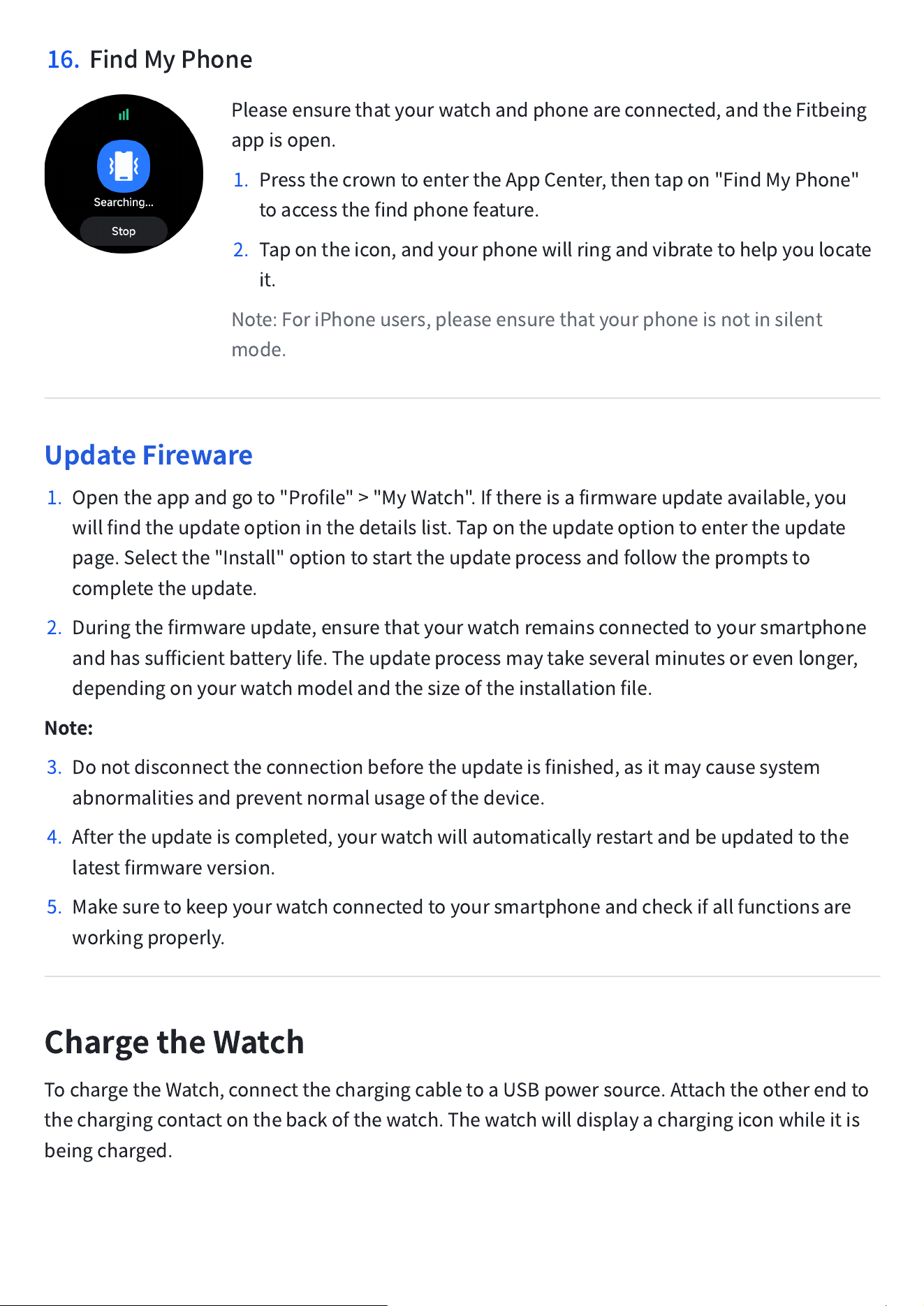
16. FindMyPhone
Pleaseensurethatyourwatchandphoneareconnected,andtheFitbeing
appisopen.
1. PressthecrowntoentertheAppCenter,thentapon"FindMyPhone"
toaccessthefindphonefeature.
2. Tapontheicon,andyourphonewillringandvibratetohelpyoulocate
it.
Note:ForiPhoneusers,pleaseensurethatyourphoneisnotinsilent
mode.
UpdateFireware
1. Opentheappandgoto"Profile">"MyWatch".Ifthereisafirmwareupdateavailable,you
willfindtheupdateoptioninthedetailslist.Tapontheupdateoptiontoentertheupdate
page.Selectthe"Install"optiontostarttheupdateprocessandfollowthepromptsto
completetheupdate.
2. Duringthefirmwareupdate,ensurethatyourwatchremainsconnectedtoyoursmartphone
andhassufficientbatterylife.Theupdateprocessmaytakeseveralminutesorevenlonger,
dependingonyourwatchmodelandthesizeoftheinstallationfile.
Note:
3. Donotdisconnecttheconnectionbeforetheupdateisfinished,asitmaycausesystem
abnormalitiesandpreventnormalusageofthedevice.
4. Aftertheupdateiscompleted,yourwatchwillautomaticallyrestartandbeupdatedtothe
latestfirmwareversion.
5. Makesuretokeepyourwatchconnectedtoyoursmartphoneandcheckifallfunctionsare
workingproperly.
ChargetheWatch
TochargetheWatch,connectthechargingcabletoaUSBpowersource.Attachtheotherendto
thechargingcontactonthebackofthewatch.Thewatchwilldisplayachargingiconwhileitis
beingcharged.
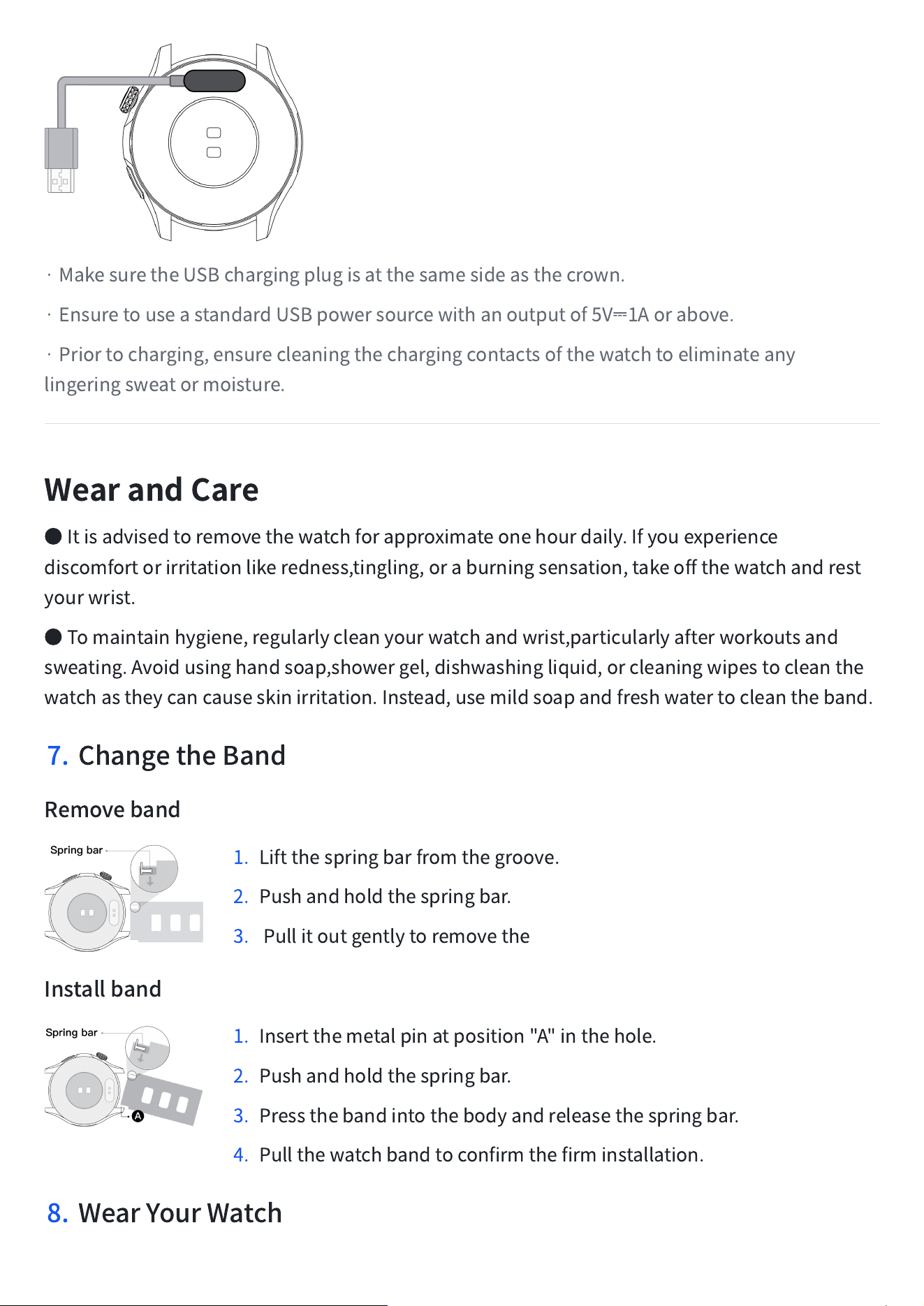
·MakesuretheUSBchargingplugisatthesamesideasthecrown.
·EnsuretouseastandardUSBpowersourcewithanoutputof5V
⎓
1Aorabove.
·Priortocharging,ensurecleaningthechargingcontactsofthewatchtoeliminateany
lingeringsweatormoisture.
WearandCare
●
Itisadvisedtoremovethewatchforapproximateonehourdaily.Ifyouexperience
discomfortorirritationlikeredness,tingling,oraburningsensation,takeoffthewatchandrest
yourwrist.
●
Tomaintainhygiene,regularlycleanyourwatchandwrist,particularlyafterworkoutsand
sweating.Avoidusinghandsoap,showergel,dishwashingliquid,orcleaningwipestocleanthe
watchastheycancauseskinirritation.Instead,usemildsoapandfreshwatertocleantheband.
7. ChangetheBand
Removeband
1. Liftthespringbarfromthegroove.
2. Pushandholdthespringbar.
3. Pullitoutgentlytoremovethe
Installband
1. Insertthemetalpinatposition"A"inthehole.
2. Pushandholdthespringbar.
3. Pressthebandintothebodyandreleasethespringbar.
4. Pullthewatchbandtoconfirmthefirminstallation.
8. WearYourWatch
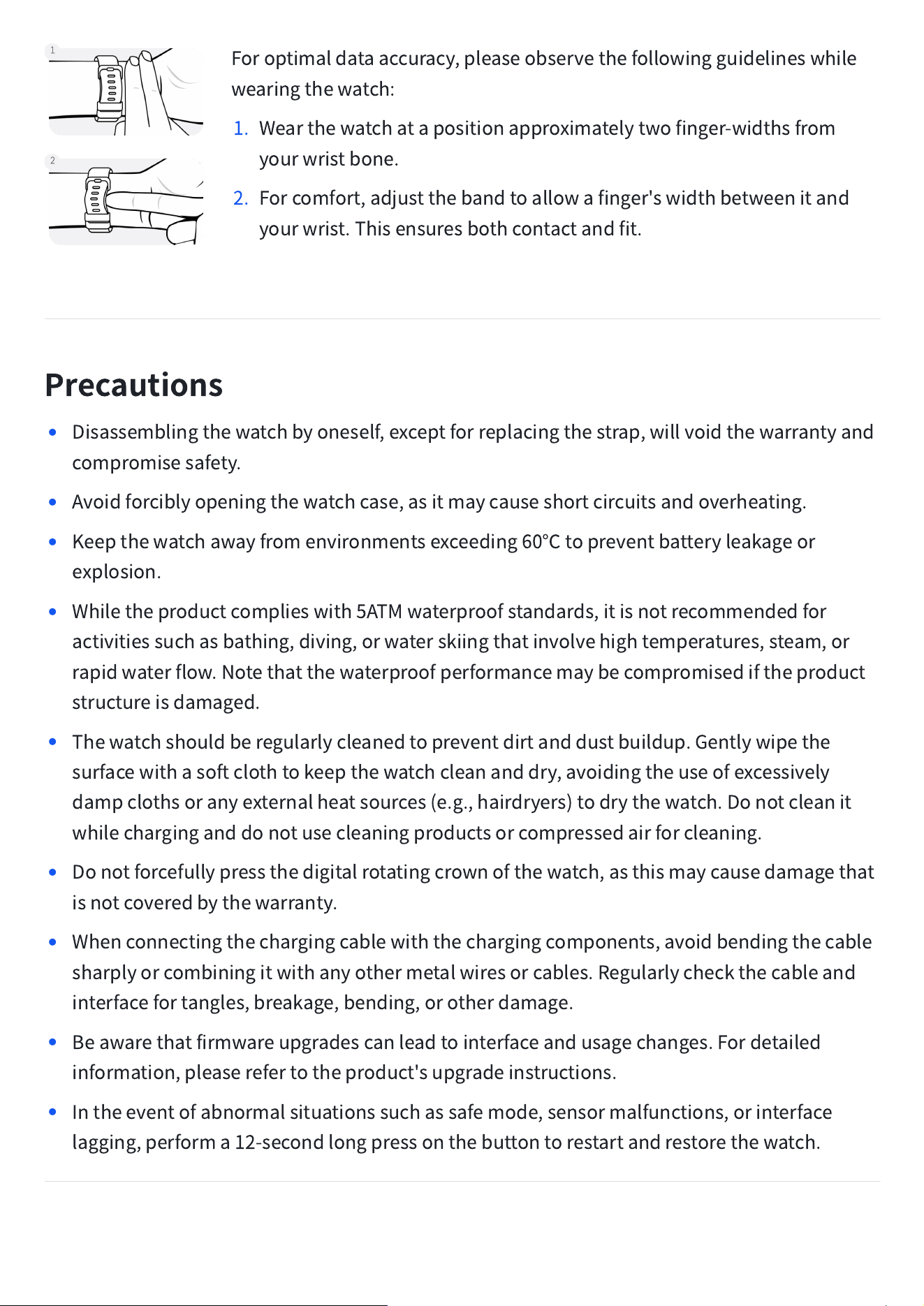
Foroptimaldataaccuracy,pleaseobservethefollowingguidelineswhile
wearingthewatch:
1. Wearthewatchatapositionapproximatelytwofinger-widthsfrom
yourwristbone.
2. Forcomfort,adjustthebandtoallowafinger'swidthbetweenitand
yourwrist.Thisensuresbothcontactandfit.
Precautions
•
Disassemblingthewatchbyoneself,exceptforreplacingthestrap,willvoidthewarrantyand
compromisesafety.
•
Avoidforciblyopeningthewatchcase,asitmaycauseshortcircuitsandoverheating.
•
Keepthewatchawayfromenvironmentsexceeding60
℃
topreventbatteryleakageor
explosion.
•
Whiletheproductcomplieswith5ATMwaterproofstandards,itisnotrecommendedfor
activitiessuchasbathing,diving,orwaterskiingthatinvolvehightemperatures,steam,or
rapidwaterflow.Notethatthewaterproofperformancemaybecompromisediftheproduct
structureisdamaged.
•
Thewatchshouldberegularlycleanedtopreventdirtanddustbuildup.Gentlywipethe
surfacewithasoftclothtokeepthewatchcleananddry,avoidingtheuseofexcessively
dampclothsoranyexternalheatsources(e.g.,hairdryers)todrythewatch.Donotcleanit
whilecharginganddonotusecleaningproductsorcompressedairforcleaning.
•
Donotforcefullypressthedigitalrotatingcrownofthewatch,asthismaycausedamagethat
isnotcoveredbythewarranty.
•
Whenconnectingthechargingcablewiththechargingcomponents,avoidbendingthecable
sharplyorcombiningitwithanyothermetalwiresorcables.Regularlycheckthecableand
interfacefortangles,breakage,bending,orotherdamage.
•
Beawarethatfirmwareupgradescanleadtointerfaceandusagechanges.Fordetailed
information,pleaserefertotheproduct'supgradeinstructions.
•
Intheeventofabnormalsituationssuchassafemode,sensormalfunctions,orinterface
lagging,performa12-secondlongpressonthebuttontorestartandrestorethewatch.
HelpandGuide
FrequentlyAskedQuestions
Ifyouencounteranyproblemswhileusingtheproduct,youcanaccessthe
"Profile
→
Help&Support"sectionintheFitbeingappforassistance.
ScantheQRcodeontherighttoaccessorvisithelp.fitbeing.comfor
assistance.
KeySpecifications
Display
1.32"HDAMOLED/1500nits/24-bitcolor
Resolution
466x466
BatteryCapacity
420mAh
WirelessConnection
Bluetooth5.3
Waterresistancegarde
5ATM
Satellitepositioning
GNSSL1+L5dual-band
,
SupportGPS\BDS\GAL\GLO\QZS
Geomagneticsensor
Supportcompass
Barometersensor
Supportsaltitude/barometer
Ambientlightsensor
(
ALS
)
Supportsauto-brightness
Temperaturesensor
Supportsskintemperature
BodyDimension
44.8mm×44.8mm×11.8mm
WorkingTemperature
0°C~50°C
CompatibleOperatingSystems
iOS13.0andabove,Android9.0andabove
RegardingtheWatch
Thisappisnotamedicalproduct.Alldataandresultsareforreferenceonly,andshouldnotbe
usedasabasisformedicalresearch,diagnosis,ortreatment.Thisdataisn'tavailableatcertain
times,suchasduringheartrate,bloodoxygen,sleep,orexercise.
FCCRequirement
Anychangesormodificationsnotexpresslyapprovedbythepartyresponsibleforcompliance
couldvoidtheuser
’
sauthoritytooperatetheequipment.
ThisdevicecomplieswithPart15oftheFCCRules.Operationissubjecttothefollowingtwo
conditions:
1.thisdevicemaynotcauseharmfulinterference,and
2.thisdevicemustacceptanyinterferencereceived,includinginterferencethatmaycause
undesiredoperation.
Note:ThisequipmenthasbeentestedandfoundtocomplywiththelimitsforaClassBdigital
device,pursuanttoPart15oftheFCCRules.Theselimitsaredesignedtoprovidereasonable
protectionagainstharmfulinterferenceinaresidentialinstallation.Thisequipmentgenerates,
uses,andcanradiateradiofrequencyenergy,andifnotinstalledandusedinaccordancewith
theinstructions,maycauseharmfulinterferencetoradiocommunications.However,thereisno
guaranteethatinterferencewillnotoccurinaparticularinstallation.Ifthisequipmentdoes
causeharmfulinterferencetoradioortelevisionreception,whichcanbedeterminedbyturning
theequipmentoffandon,theuserisencouragedtotrytocorrecttheinterferencebyoneor
moreofthefollowingmeasures:
‒
Reorientorrelocatethereceivingantenna.
‒
Increasetheseparationbetweentheequipmentandreceiver.
‒
Connecttheequipmentintoanoutletonacircuitdifferentfromthattowhichthereceiveris
connected.
‒
Consultthedealeroranexperiencedradio/TVtechnicianforhelp.product'supgrade
instructions.
ISED
Thisdevicecontainslicence-exempttransmitter(s)/receiver(s)thatcomplywithInnovation,
ScienceandEconomicDevelopmentCanada
’
slicence-exemptRSS(s).Operationissubjectto
thefollowingtwoconditions:
1.Thisdevicemaynotcauseinterference.
2.Thisdevicemustacceptanyinterference,includinginterferencethatmaycauseundesired
operationofthedevice.
L'émetteur/récepteurexemptdelicencecontenudansleprésentappareilestconformeaux
CNRd'Innovation,SciencesetDéveloppementéconomiqueCanadaapplicablesauxappareils
radioexemptsdelicence.L'exploitationestautoriséeauxdeuxconditionssuivantes:
1.L
’
appareilnedoitpasproduiredebrouillage;
2.L
’
appareildoitacceptertoutbrouillageradioélectriquesubi,mêmesilebrouillageest
susceptibled'encompromettrelefonctionnement.