HOW TO ADD ITEMS (Android
TM
)
Note: Ensure your device is running Android 9 or later. Previous versions of
Android are not supported. Download and install the Find Hub app on Google Play.
This app is required to connect and manage your GeoTrack Smart Tag on Android
devices.
1. Place the unit next to your Android phone.
2. Press the back button to start the Smart Tag. At the beep, the device will be
powered on and ready to pair.
3. Turn on Bluetooth on your device.
4. Keep the device within 20 cm/7.9 in and open the Find Hub app
5. Pop-up the notification on your phone → Click “Connect” → “Agree and
Continue” → “Open the Application”.
6. Click the Settings icon to re-change the item name and item type.
Disclaimer: This is neither an anti-theft nor an anti-lost device.
This device provides the last detected location.
Compliance Content
FCC Compliance Statements
This device complies with Part 15 of the FCC Rules. Operation is subject to the following
two conditions: (1) this device may not cause harmful interference, and (2) this device
must accept any interference received, including interference that may cause undesired
operation.
Note: This equipment has been tested and found to comply with the limits for a Class B
digital device, pursuant to Part 15 of the FCC Rules. These limits are designed to provide
reasonable protection against harmful interference in a residential installation. This
equipment generates, uses and can radiate radio frequency energy and, if not installed
and used in accordance with the instructions, may cause harmful interference to radio
communications. However, there is no guarantee that interference will not occur in a
particular installation.
If this equipment does cause harmful interference to radio or television reception, which
can be determined by turning the equipment off and on, the user is encouraged to try to
correct the interference by one or more of the following measures:
-- Reorient or relocate the receiving antenna.
-- Increase the separation between the equipment and receiver.
-- Connect the equipment into an outlet on a circuit different from that to which the receiver
is connected.
-- Consult the dealer or an experienced radio/TV technician for help.
Caution: Changes or modifications not expressly approved by the party responsible for
compliance could void the user’s authority to operate the equipment.
HOW TO ADD ITEMS (iOS)
Requires: iOS or iPad OS with the latest software
1. Place the Smart Tag next to your iPhone or iPad.
2. Press the back button to start the Smart Tag. At the beep, the device will be
powered on and ready to pair.
3. Turn on Bluetooth on your device.
4. Open the Find My app on your iPhone、iPad.
5. In the Find my app tap items-Add item-other supported item.
6. Click on ‘Continue’.
7. Name your Finder then click "Continue”.
8. Choose an emoji.
9. Click on “Continue” and then “Finish” to complete the pairing process.
10. The unit will be paired successfully after two beeps.
11. Once paired, you can find the unit location, serial number or move it on the app.
Tips:
Complete the pairing process within 10 minutes, other wise the device will enter the
standby mode after 4 consecutive beeps.in that case, open the cover and remove
the battery and start the operation again from step 4.
Smart Tag
SH-302A
USER MANUAL
The Bluetooth® word mark and logos are registered trademarks owned by Bluetooth SIG,
Inc. Any use of such marks by Wellmade Corporation Limited is under license. Other
trademarks and trade names are those of their respective owners.”
*a) Battery type CR2032;
b) Nominal voltage 3Vdc.
Correct Disposal of this product this marking indicates that this product
should not be disposed with other household wastes throughout the
EU. To prevent possible harm to the environment or human health
from uncontrolled waste disposal, recycle it responsibly to promote the
sustainable reuse of material resources. To return your used device,
please use the return and collection systems or contact the retailer
where the product was purchased. They can take this product for
environmental safe recycling.
Hereby, [Insert Company Name] declares that the Radio
equipment type in compliance with Directive 2014/53/EU
requirements, the full text of the declaration of conformity are
available at the following internet address:
[Insert Website URL]
HOW TO REMOVE ITEMS
▪ If other phones want to add this tag, you need to remove it from Find My / Find
Hub app first.
▪ Click the setting icon, Select “Remove from Find Hub” to remove the tag. When
you hear a long sound, indicating that it is successfully. When remove item is
completed, you can reinstall the battery or wait 5 minutes, it will Pop-up the
notification on phones.
▪ Note: If the tag is not near from your phone, remove Item maybe fail, Then it can
not be add item to other phones until it is factory reset.
HOW TO POWER OFF
After quickly pressing the back button 3 times, quickly press and hold the button for
3 seconds. When 4 beeps are heard, it indicates that the device has successfully
powered off.
FACTORY RESET
Quickly press the back button 5 times, then quickly press and hold the button for 5
seconds until a long beep is heard. This indicates that the factory reset was
successful.
To use the Apple Find My app to locate this item, the latest version of iOS, iPadOS,
or macOS is recommended. Use of the Works with Apple badge means that a
product has been designed to work specifically with the technology identified in the
badge and has been certified by the product manufacturer to meet Apple Find My
network product specifications and requirements. Apple is not responsible for the
operation of this device or use of this product or its compliance with safety and
regulatory standards.
Apple, Apple Find My, Apple Watch, Find My, iPhone, iPad, iPadOS, Mac, macOS
and watchOS are trademarks of Apple Inc., registered in the U.S. and other
countries. IOS is a trademark or registered trademark of Cisco in the U.S. and other
countries and is used under license.
This product has been certified by Google to meet Find Hub network accessory
specifications. Google is not responsible for the operation of this product. Google is
also not responsible for ensuring that the product complies with any applicable
safety standards or other requirements.
Find Hub network requires location services and Bluetooth to be turned on.
Requires cell service or internet connection. Works on Android 9+ on select devices
and in certain countries for age-eligible users.
Android is a trademark of Google LLC.
BATTERY WARNING: KEEP OUT OF REACH OF CHILDREN
SPECIFICATIONS
Product Name
Model Name
Range
Temperature
Operating Frequency Band
Alarm
Material
Dimensional Size
Maximum radio-frequency
power transmitted
Smart Tag
SH-302A
≥XXm(≥XX feet) depending on environment
0℃ to +45℃ (5°Fto 122°F)
2.402GHz-2.480GHz
Max. XX dB,
PC+ABS
32*32*8.3mm
XXdBm
INGESTION HAZARD: This
product contains a button
cell or coin battery.
DEATH or serious injury can
occur if ingested.
A swallowed button cell or
coin battery can cause
Internal Chemical Burns in
as little as 2 hours.
KEEP new and used
batteries OUT OF REACH of
CHILDREN.
Seek immediate medical
attention if a battery is
suspected to be swallowed
or inserted inside any part
of the body.
•
•
•
•
•
This product contains a replaceable and non-rechargeable DC 3V CR2032 coin
battery, please attention below warnings:
• Remove and immediately recycle or dispose of used batteries according to
local regulations and keep away from children. Do NOT dispose of batteries in
household trash or incinerate.
• Even used batteries may cause severe injury or death.
• Call a local poison control center for treatment information.
• Non-rechargeable batteries are not to be recharged.
• Do not force discharge, recharge, disassemble, heat above 100℃ or incinerate.
Doing so may result in injury due to venting, leakage or explosion resulting in
chemical burns.
• Ensure the batteries are installed correctly according to polarity (+ and -).
• Do not mix old and new batteries, different brands or types of batteries, such as
alkaline, carbon-zinc, or rechargeable batteries.
• Remove and immediately recycle or dispose of batteries from equipment not
used for an extended period of time according to local regulations.
• Always completely secure the battery compartment. If the battery compartment
does not close securely, stop using the product, remove the batteries, and keep
them away from children.
button
button
HOW TO REMOVE /
REPLACE THE BATTERY
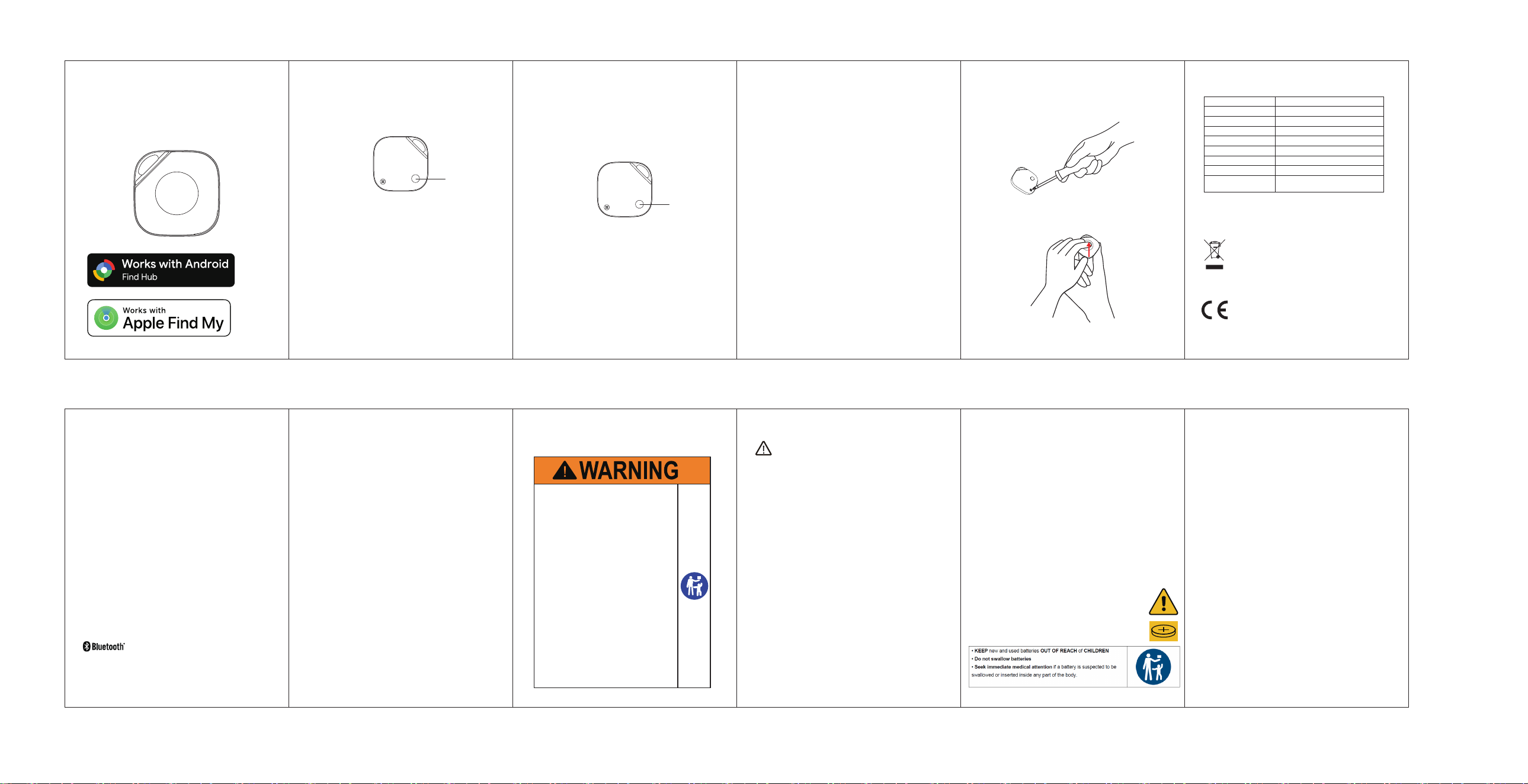
1. Use a screwdriver to remove the fixing screw.
2. Manually lift the front cover using the notch.
If a battery has been ingested, or there is a possibility one
might have been ingested, please seek medical attention
and inform the medical authorities that you suspect battery
ingestion.
It’s not always clear when a child has swallowed a button
battery, as there are no specific symptoms. However, they
might:
• cough, gag, or drool;
• seem to have a stomach bug or virus;
• vomit;
• complain of pain in their stomach, chest, or throat;
• appear tired or sluggish; and
• lose their appetite.
Since the signs aren’t obvious, it’s important to keep a close
eye on loose, used, or spare button batteries in your home,
as well as the products that contain them.
If the battery compartment does not close securely, stop
using the product and keep it away from children.
(For PAS 7055)
WARNING
● Do not ingest battery, Chemical Burn Hazard.
● This product contains a coin / button cell battery. If the coin / button cell battery
is swallowed, it can cause severe internal burns in just 2 hours and can lead to
death.
● Keep new and used batteries away from children.
● If the battery compartment does not close securely, stop using the product and
keep it away from children.
● If you think batteries might have been swallowed or placed inside any part of the
body, seek immediate medical attention.
● Please do not expose the product to any mechanical stress or impact.
● Do not attempt to disassemble the battery.
● This product is not a toy or edible. When using the tool, the sharp part of the
specified tool should only face the gap, be careful not to hurt your fingers.
● Risk of fire or explosion if the battery is replaced by an incorrect type.
● Replacement of a battery with an incorrect type that can defeat a safeguard;
● Disposal of a battery into fire or a hot oven, or mechanically crushing or cutting
of a battery, that can result in an explosion;
● Leaving a battery in an extremely high temperature surrounding environment
that can result in an explosion or the leakage of flammable liquid or gas;
● A battery subjected to extremely low air pressure that may result in an explosion
or the leakage of flammable liquid or gas.
(For IEC 62368-1)
(For UL4200A)
(For UL4200A)