www.diymalls.com [email protected]
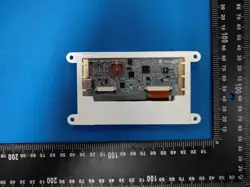
ESP32 2.8 inch TFT Touch Screen 240*320
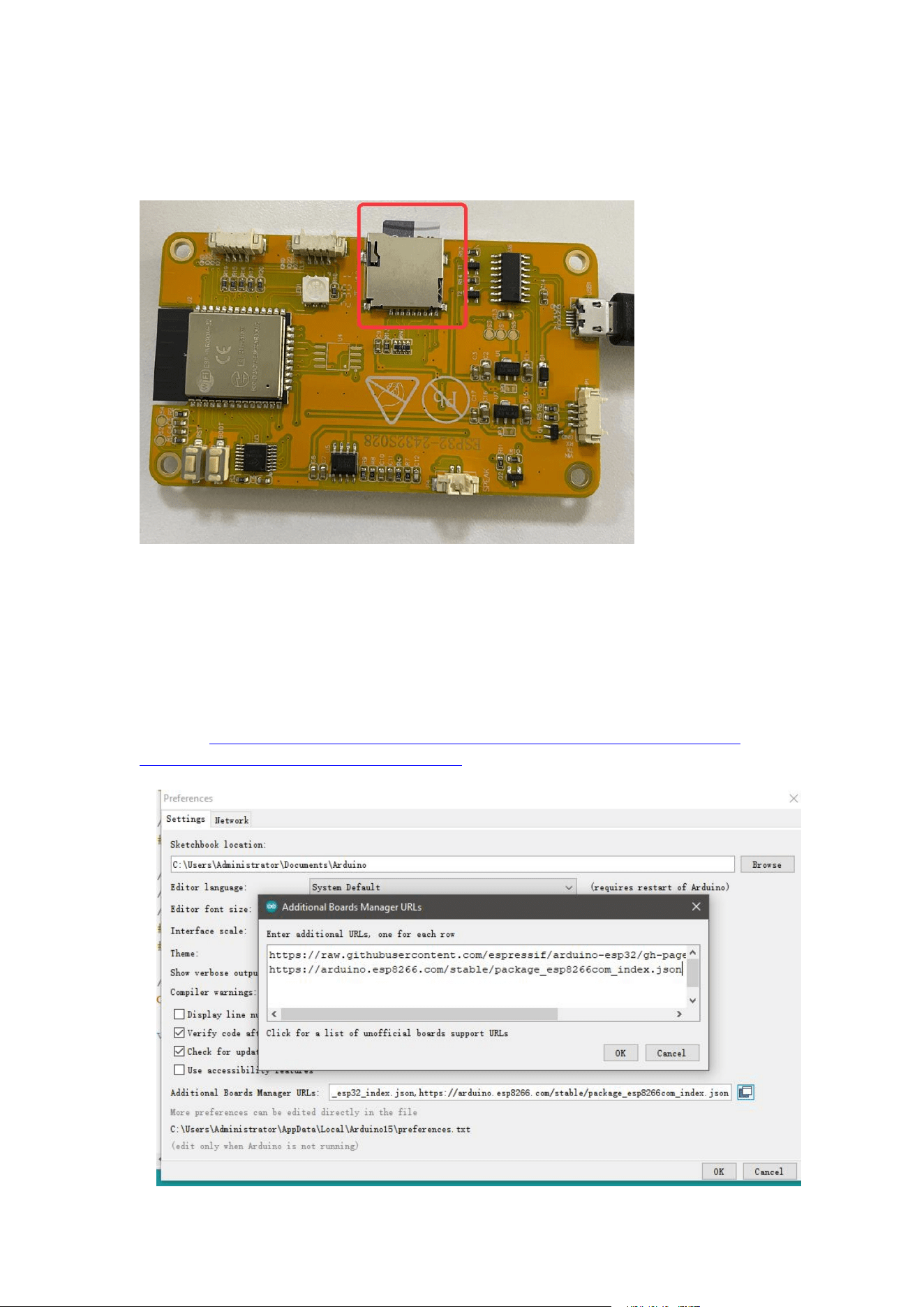
First Install TF Card
There are two ways to upload code to the screen:
1. uplode code via arduino IDE
2. upload code via espressif flash tool
Upload code via Arduino IDE:
Install the ESP32 boards
Select “File>Preferences>settings>Additional Boards Manager URLs” to fill
the link: https://raw.githubusercontent.com/espressif/arduino-esp32/gh-
pages/package_esp32_dev_index.json
www.diymalls.com [email protected]
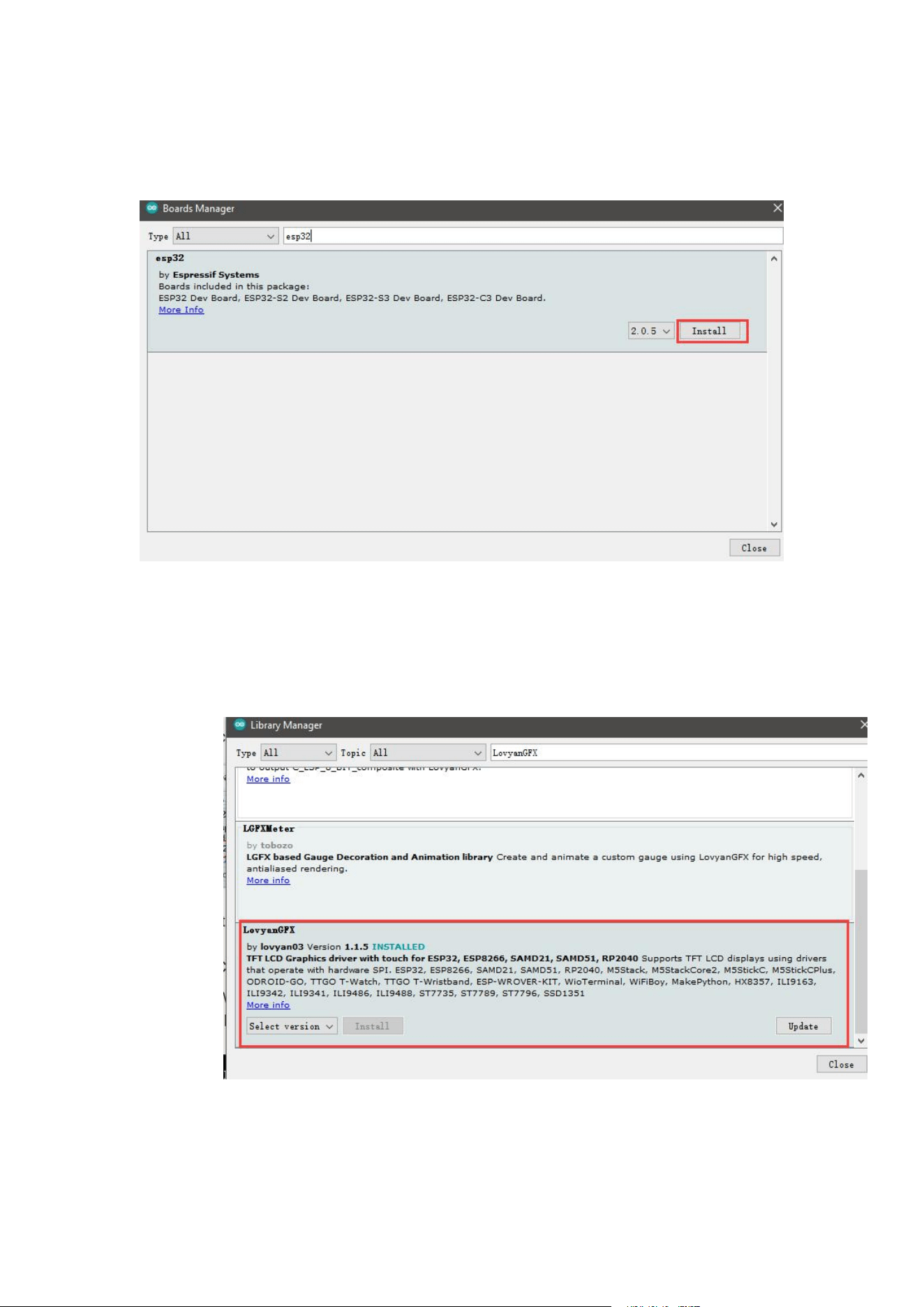
Click “Tools>Board>Boards Manager” to search for and install the ESP32
library:
Install LovyanGFX
Click “Tools> Manager Libraries” to search for and install LovyanGFX
library.
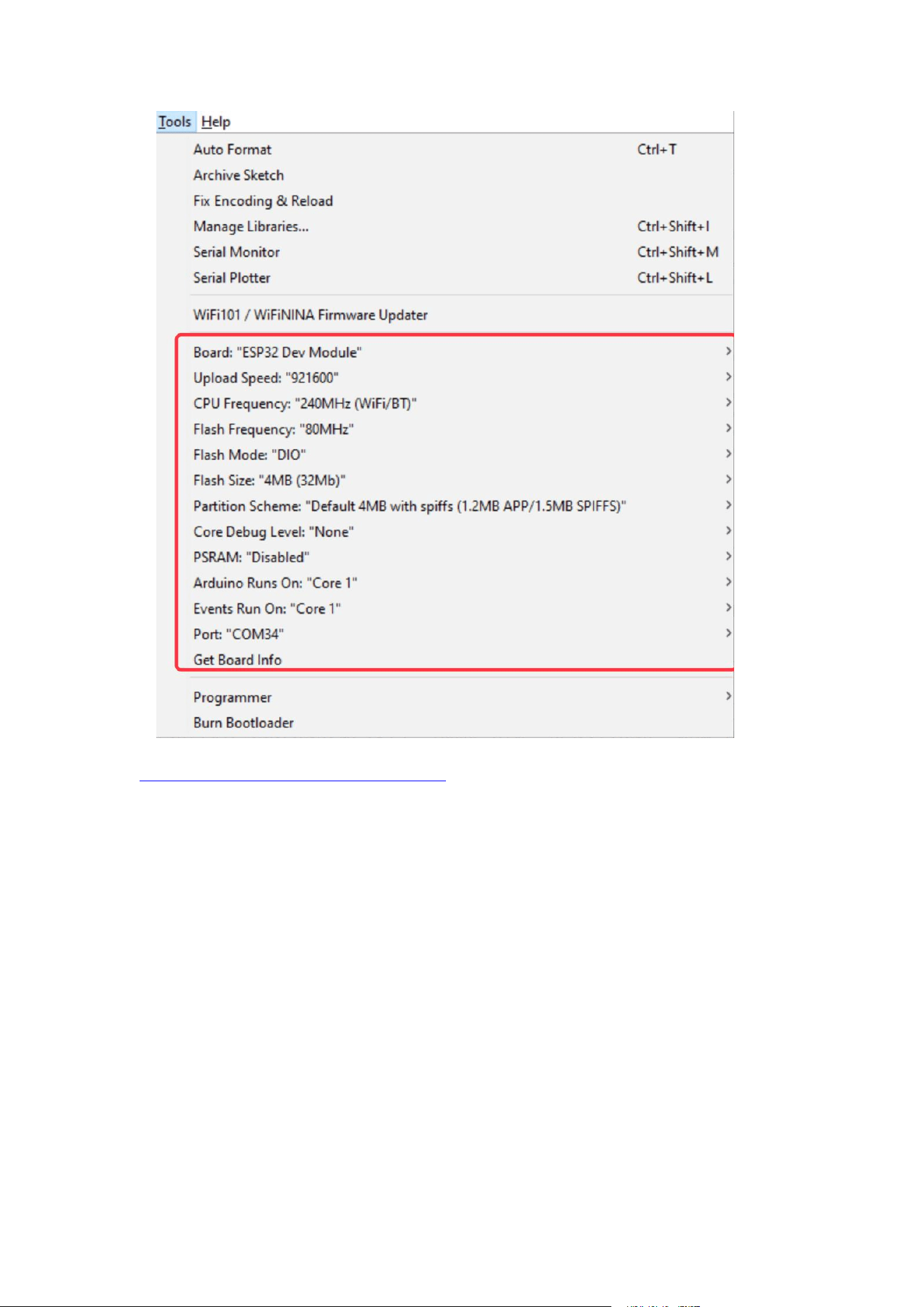
Select and set the parameter in the Tools menu, as the picture:
www.diymalls.com [email protected]
You can get the source code and bin file from below link:
https://tinyurl.com/ESP32-2432S028
Unzip the file and open it.
Verify and upload it.
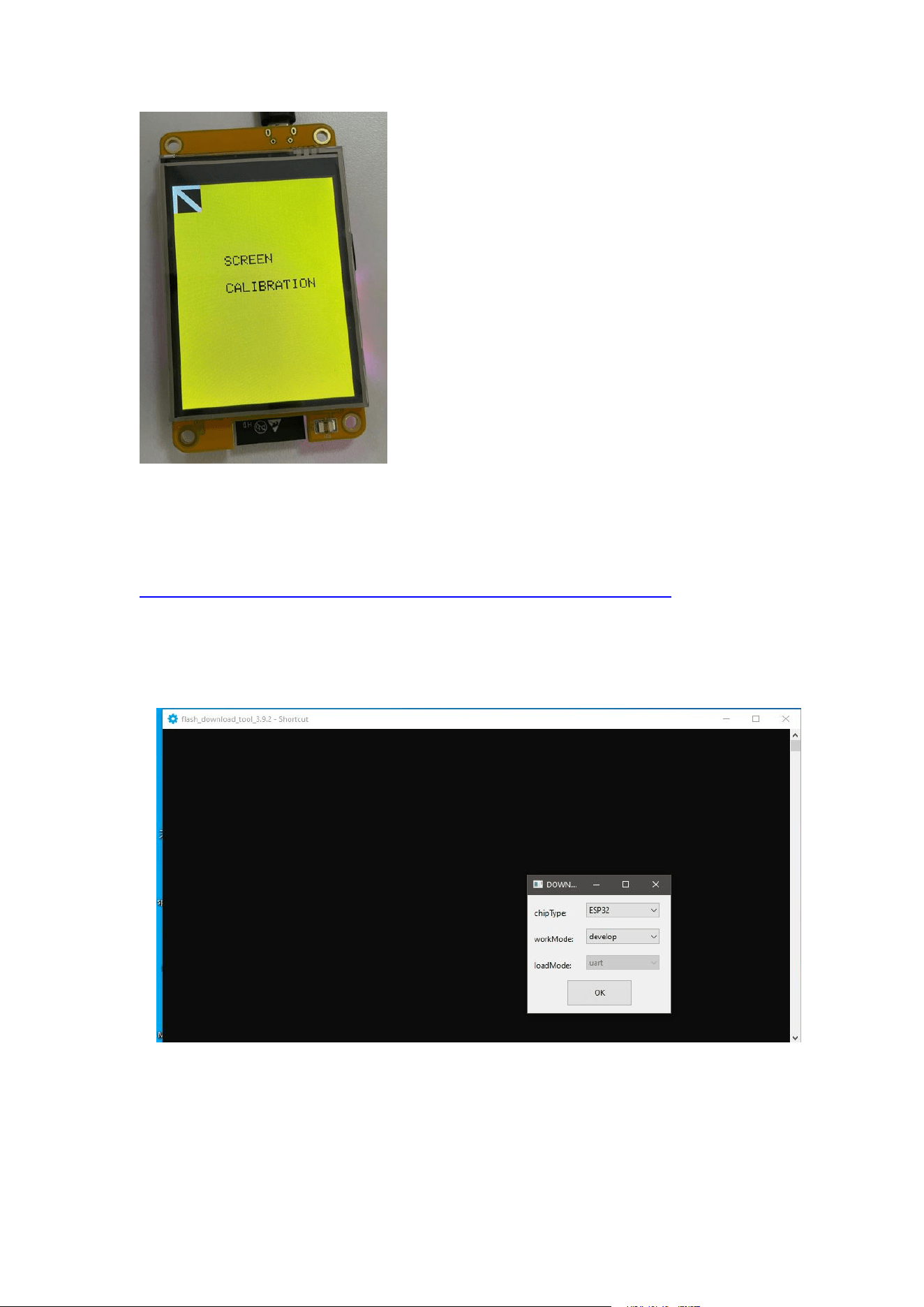
After uploading, the screen will be displayed as follows, you should click on
the four corners in sequence.
www.diymalls.com [email protected]
Flash screen with espressif tool
Flash Tool Download link:
https://www.espressif.com.cn/en/support/download/other-tools
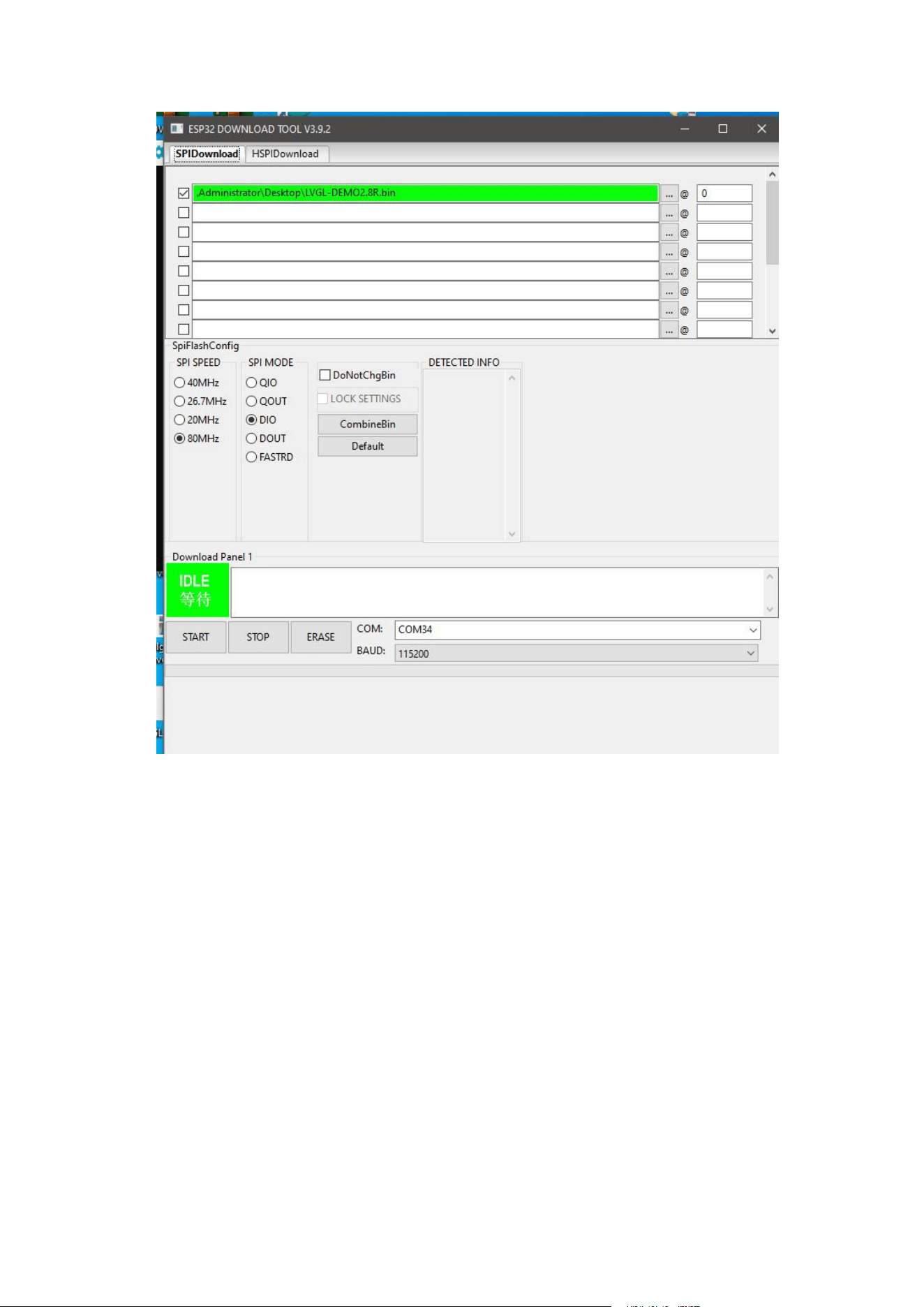
Open tool:
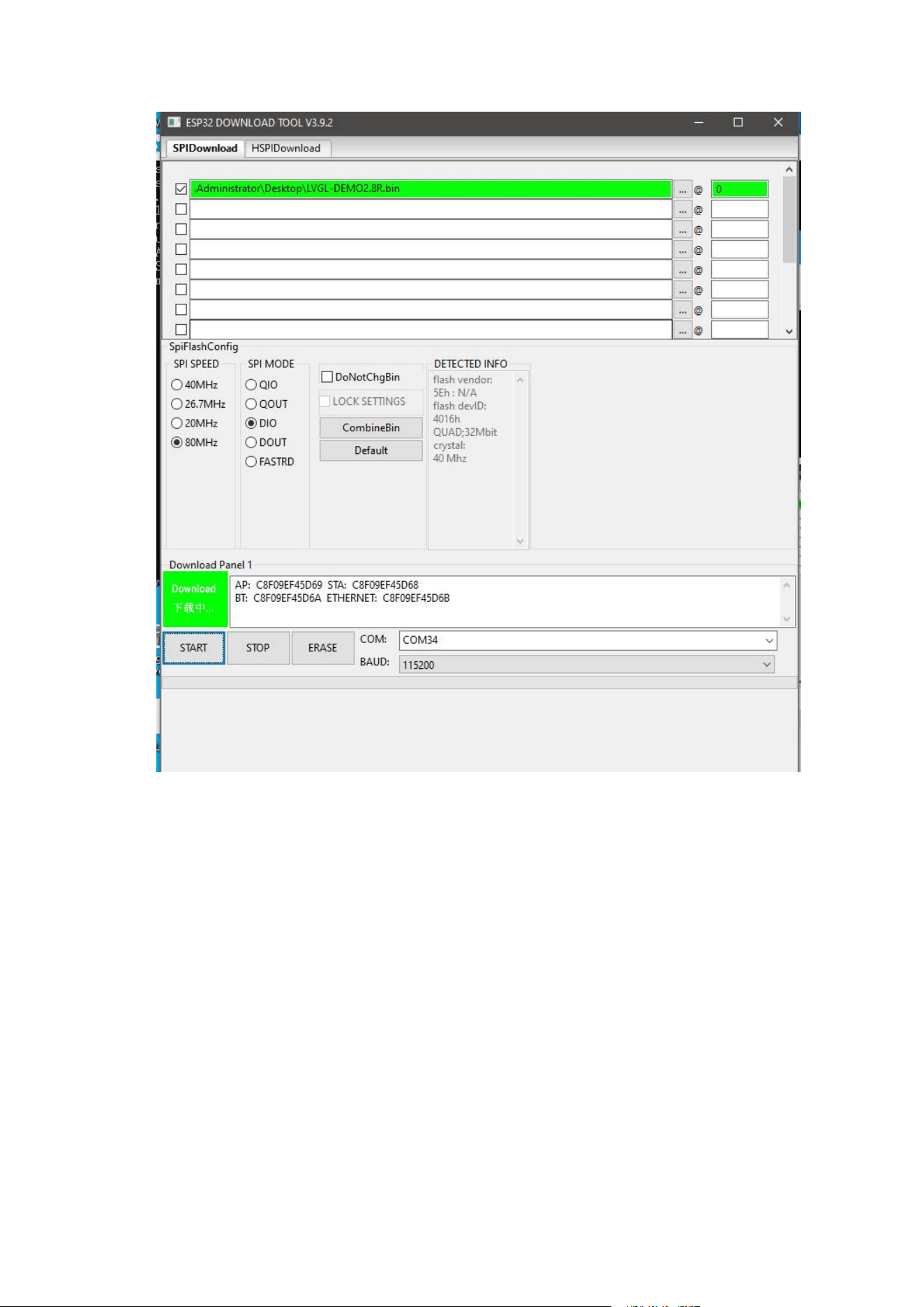
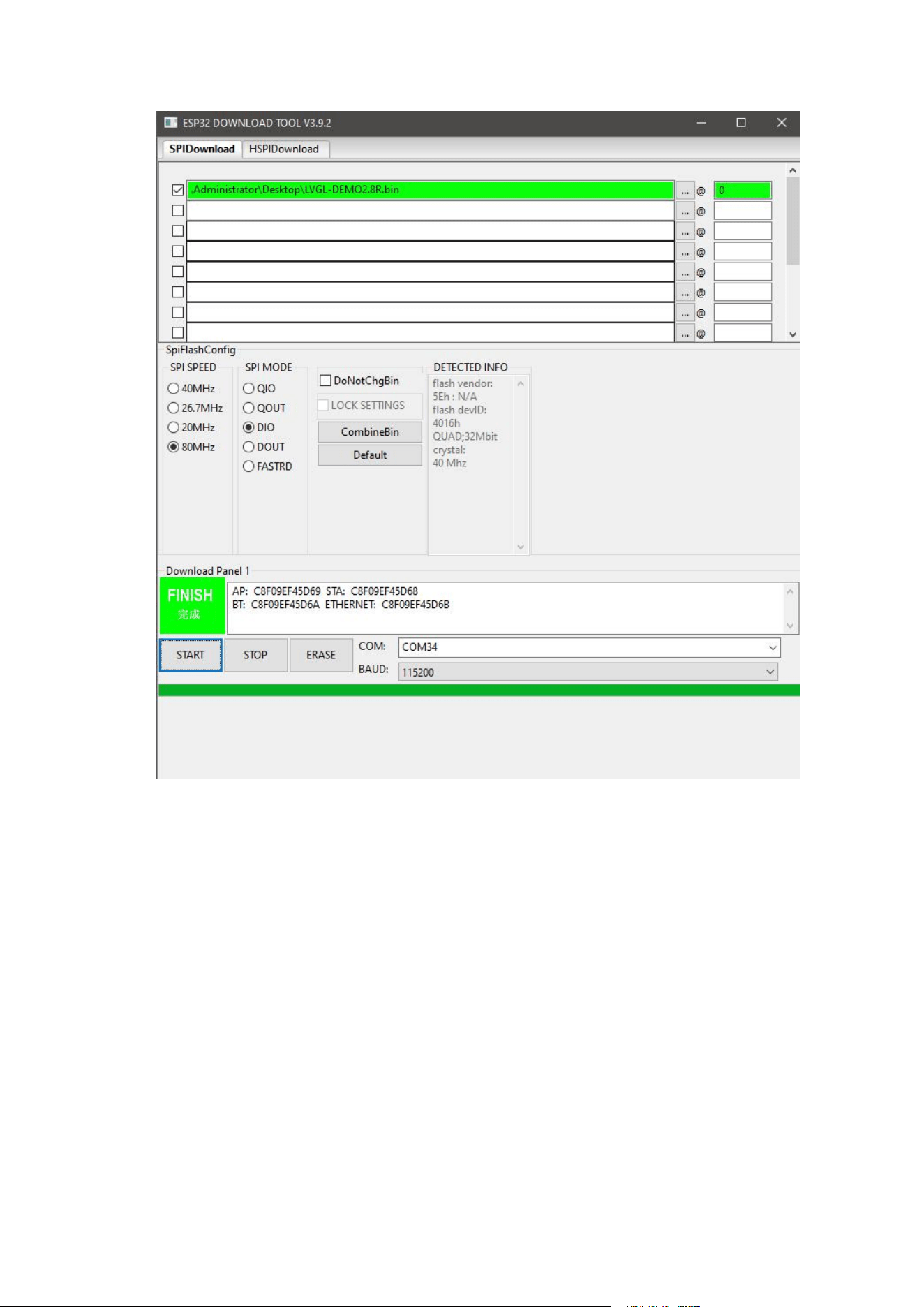
Choose bin file, make setting as below:
www.diymalls.com [email protected]
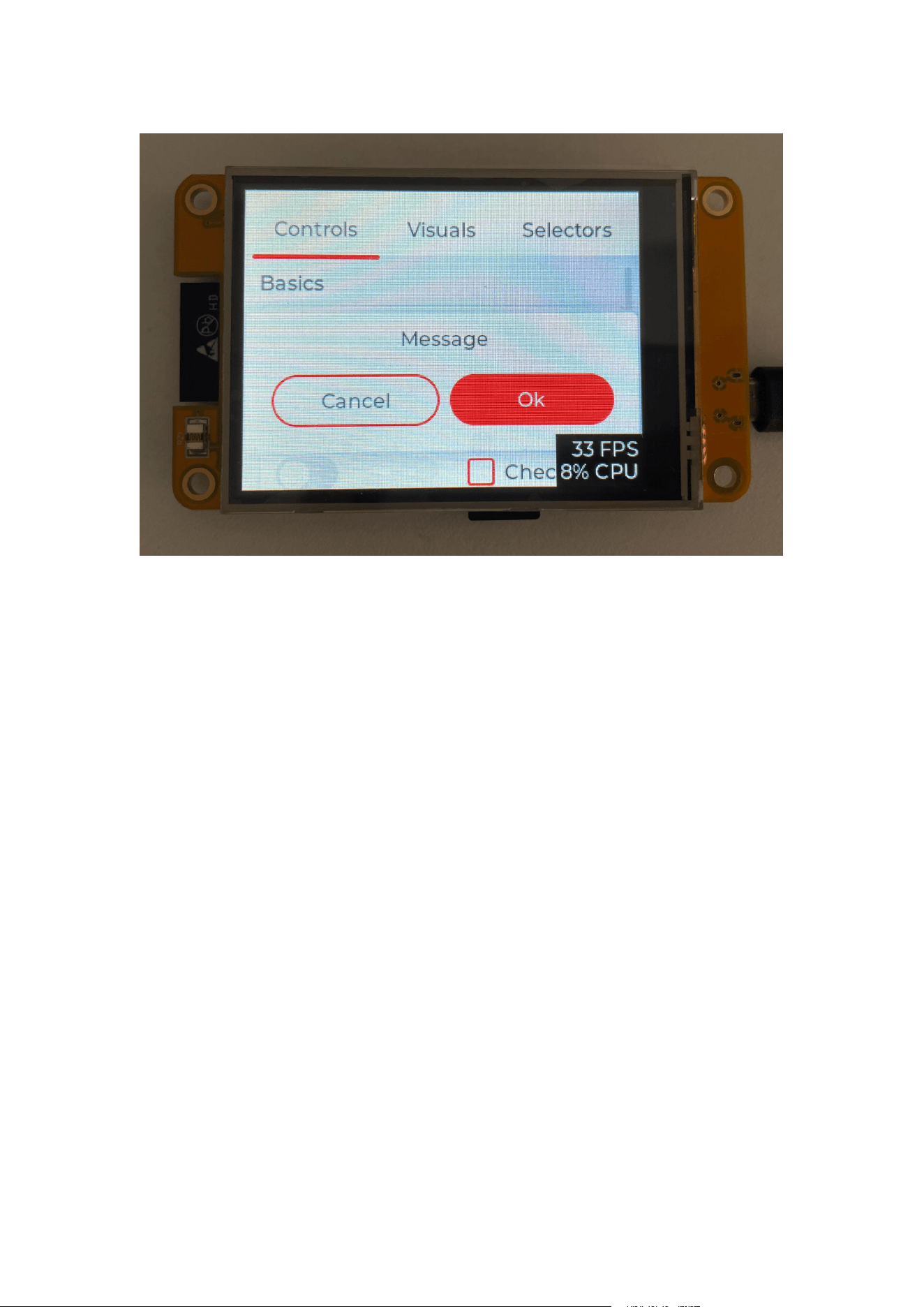
After finish flashing, unplug micro USB, then plug, it will show as below: