
1
VOICECAN ECHO
User Manual
Warranty, Safety & Support Included
Welcome to Voicecan Echo
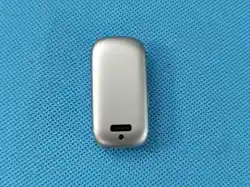
Voicecan Echo is a lightweight wearable AI voice recorder designed to help you capture
meaningful everyday moments.
With multiple recording modes and APP integration, Voicecan Echo allows you to replay,
organize, and preserve important voice memories anytime.
Please read this manual carefully before first use.
Download the Voicecan APP by scanning the QR code
2
1. Initial Setup
Step
Instructions
1
Download the Voicecan APP by scanning the QR code or searching “Voicecan”
on the App Store or Google Play.
2
Create or log in to your Voicecan account.
3
Press and hold the device button until the white LED starts flashing.
4
Open the APP and tap Add Device.
5
Select the device named VOICECAN Echo and complete pairing.
6
Follow the in-app instructions to configure network for audio synchronization.
7
Press and hold the button to start recording.
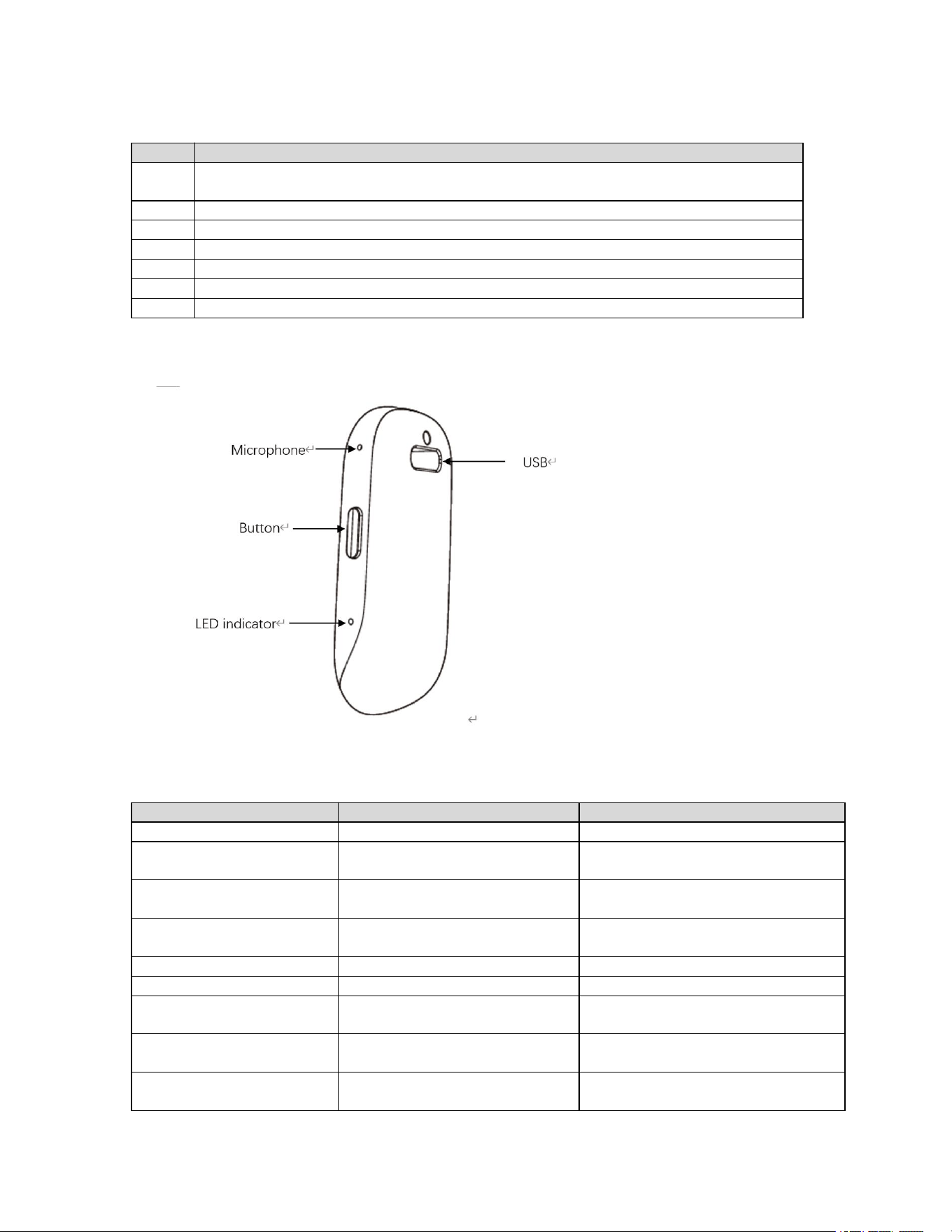
2. Product Diagram
3. LED Indicator Guide
LED Status
Device Status
Description
Flashing White
Waiting for activation / pairing
Complete device setup in the APP
Constant Red
Smart Capture Mode
Device is recording in Smart
Capture Mode
Constant Purple
Lookback Mode
Device is operating in Lookback
Mode
Green flashes 3 times
Charging while recording
Returns to current recording LED
afterward
Breathing Green
Charging (not recording)
Device is charging
Constant Green
Fully charged
Battery fully charged
Yellow flashes 3 times
every minute
Low battery
Please recharge soon
Blue flashes once every 5
seconds
BLE transfer in progress
Keep device close to your phone
Blue flashes once every
0.5 seconds
OTA firmware updating
Do not power off during update
3
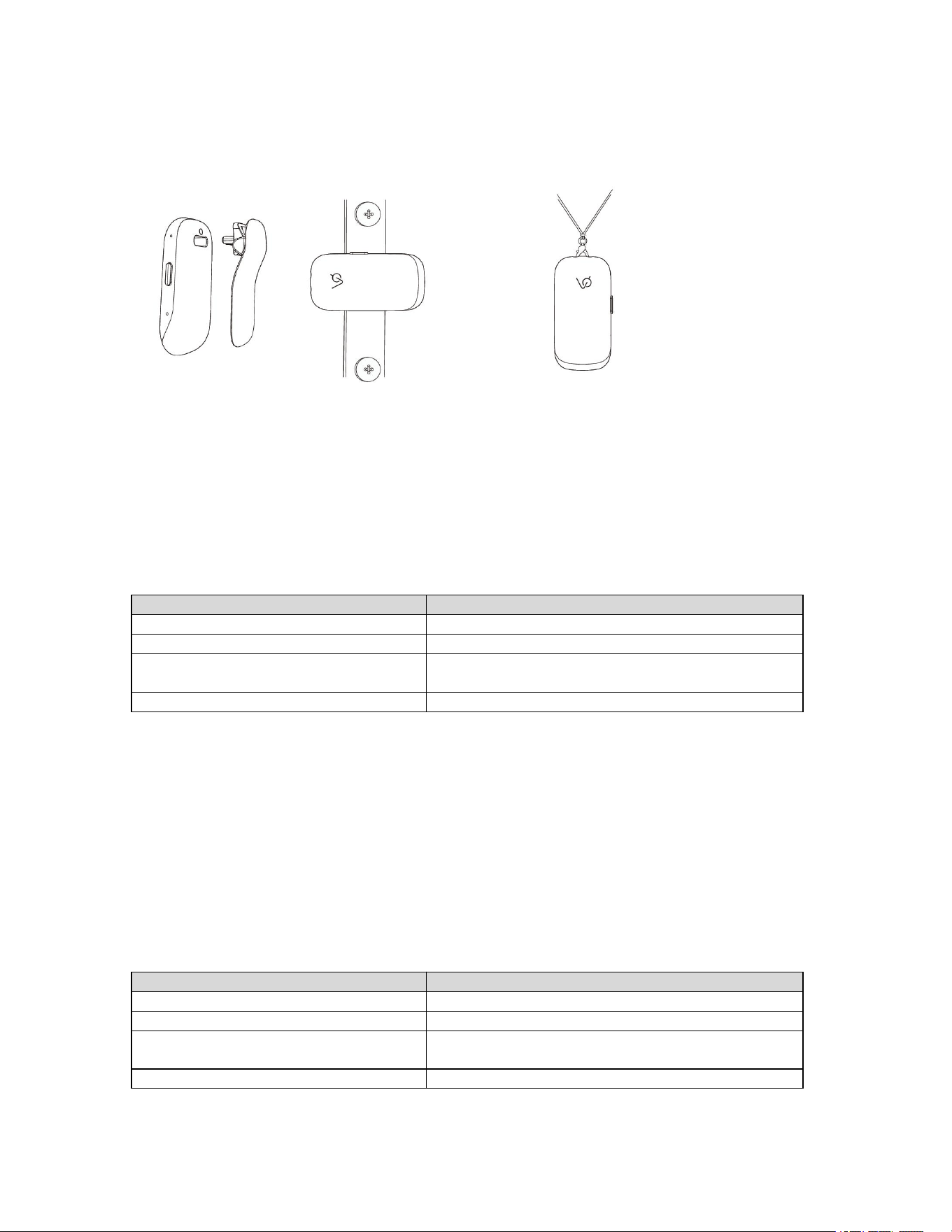
4. Wearing Styles
Clip-On Style Pendant Style
5. Smart Capture Mode
Smart Capture Mode is designed for long-duration continuous recording.
The device continuously records audio while AI helps organize important moments
automatically.
You can also manually add Highlight markers at any time.
Action
Device Response
Press and hold
Power on → Constant red LED
Single press
Add a Highlight marker
Double press
Switch to Lookback Mode → Constant purple
LED
Press and hold during recording
Stop recording → LED turns off
6. Lookback Mode
Lookback Mode is designed for capturing important moments that just happened.
The device continues running in the background without continuously saving all audio.
When you hear something worth keeping, simply press the button once to save the recent
audio segment.
Action
Device Response
Press and hold
Power on → Constant purple LED
Single press
Save recent audio
Double press
Switch to Smart Capture Mode → Constant red
LED
Press and hold during recording
Stop recording → LED turns off
4
7. USB Drive Function
Voicecan Echo can also function as a USB flash drive when connected to a computer via the
USB Type‑ C port.
The USB drive function can be enabled or disabled in the APP settings.
Note:
Recording functions are unavailable while USB drive mode is active.
USB drive mode is unavailable while recording functions are active.
8. Charging
Item
Details
Charging Port
USB Type‑ C
Recommended Adapter
5V USB power adapter
Full Charging Time
Approximately 2 hours
9. Package Contents
Included Items
Quantity
Voicecan Echo Device
1
Clip
1
Lanyard
1
USB Cable
1
User Manual & Warranty
1

5
Warranty, Safety & Support
1-Year Limited Warranty
This warranty covers manufacturing defects under normal use.
It does not cover damage caused by misuse, accidents, unauthorized modifications, or
improper storage.
Responsible Use
Please use this device responsibly and in accordance with applicable laws.
Always respect the privacy and consent of others when capturing moments.
Users are solely responsible for complying with applicable laws and regulations regarding
audio recording and privacy.
Unauthorized or unlawful use of this product may result in legal consequences, for which
Voicecan AI Inc assumes no responsibility.
Battery & Safety
Do not disassemble or attempt to replace the battery
Do not expose to excessive heat or fire
Avoid damaging the device
Use only approved charging accessories
Keep this device and its accessories away from small children. Small parts may pose a
choking hazard.
Privacy
Your privacy matters.
Voicecan Echo only keeps moments when you choose to save them.
Your data stays on your device or in your app unless you decide to use cloud features.
For more details, visit www.voicecan.ai/privacy
FCC Caution
This device complies with part 15 of the FCC Rules. Operation is subject to the following two
conditions: (1) This device may not cause harmful interference, and (2) this device must
accept any interference received, including interference that may cause undesired operation.
Any changes or modifications not expressly approved by the party responsible for
compliance could void the user's authority to operate the equipment.
NOTE: This equipment has been tested and found to comply with the limits for a Class B
digital device, pursuant to Part 15 of the FCC Rules. These limits are designed to provide
reasonable protection against harmful interference in a residential installation. This
equipment generates, uses and can radiate radio frequency energy and, if not installed and
used in accordance with the instructions, may cause harmful interference to radio

6
communications. However, there is no guarantee that interference will not occur in a
particular installation.
If this equipment does cause harmful interference to radio or television reception,
which can be determined by turning the equipment off and on, the user is encouraged to try
to correct the interference by one or more of the following measures:
-- Reorient or relocate the receiving antenna.
-- Increase the separation between the equipment and receiver.
-- Connect the equipment into an outlet on a circuit different
from that to which the receiver is connected.
-- Consult the dealer or an experienced radio/TV technician for help.
The device has been evaluated to meet general RF exposure requirement.
The device can be used in portable exposure condition without restriction.
Limitation of Liability
To the maximum extent permitted by law, Voicecan AI Inc shall not be liable for any indirect,
incidental, or consequential damages, including but not limited to loss of data, loss of
recordings, or loss of use.
Disclaimer
This product and its services are provided "as is" without warranties of any kind, either
express or implied, except as required by applicable law.
Environmental Compliance
This product complies with applicable environmental regulations, including RoHS and
REACH.
Support
Website: www.voicecan.ai
Support Email: support@voicecan.ai
Legal
By using this product, you agree to our Terms of Service.
Visit www.voicecan.ai/terms for more information.