AI Voice Recorder
Product
User Manual
Card
statement
This manual is for informational purposes only and does not constitute
any commitment. Product information and specifications may change
without prior notice, and we reserve the right to update them at any
time.
1. Product Parameter
Specifications
Parameter
Product size
85.6*55*4.6 mm (thickest part:
5.6 mm)
Internal battery
US
500 mAh
B
Type-C
Interiorinput power
5V-1A
Working temperature
-10℃to+55℃
Audio Format
Opus
2. Product Presentation
Thank you for choosing our product!
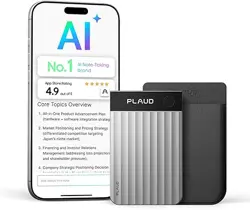
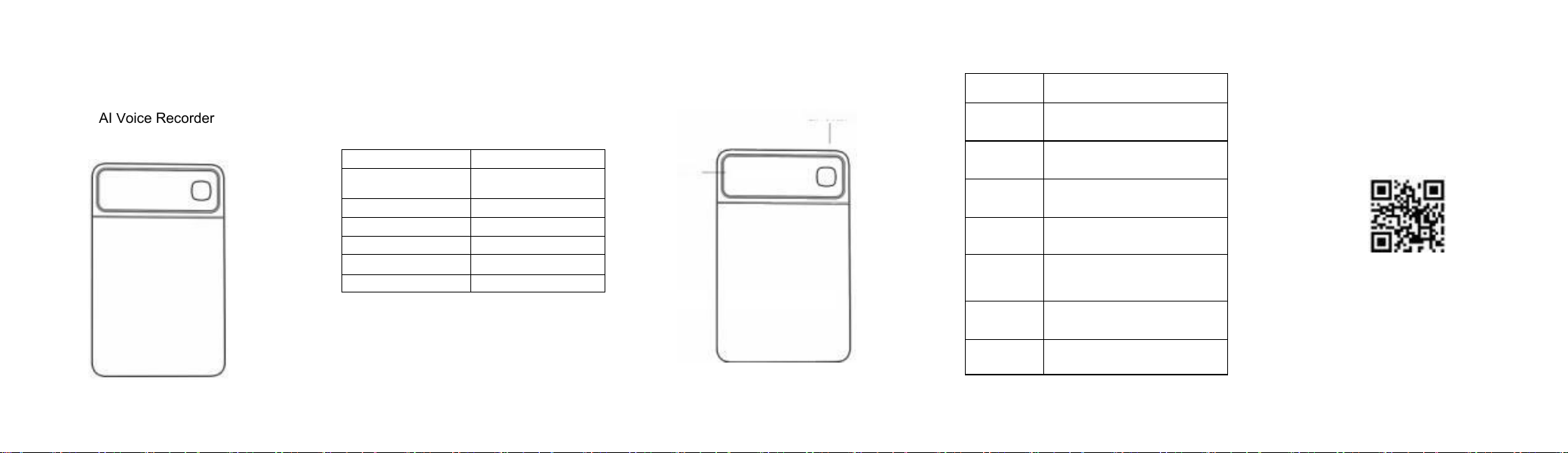
This is a back-mounted voice recorder specifically designed for smartphones,
easily attached to the phone's back for recording important sounds anytime,
anywhere.
We recommend using this back-mounted voice recorder with our companion
app, which facilitates easy export, transcription, and translation of recording
files.
Power/Recordin g button
display scre en -
3. Device Function Description
Operation Method/Rules Specify
Power On Operation
Long-press the switch for 3 seconds to power on; the
screen will illuminate and display battery level and time.
Start recording
To activate recording, press and hold the button for 1
second. The vibration motor will shake once, and an
undulating pattern will appear on the screen.
Record status screen-
off rule
Recording status; the screen will automatically turn off
after 10 seconds
Turn on the screen
after silencing the
recording
The recording is active and the screen is off. Shortly
press the button to turn on the screen, which displays
ripples flowing on the display.
Ringing recording
status and screen-off
rules
In non-recording mode, the screen will automatically
turn off after 10 seconds
Charging Display Rules
Connect to power, enter non-recording mode, and turn
on the screen to display "Charging" and "Charging in".
During Wi-Fi fast
transfer
The screen displays the Wi-Fi icon
4. App Connection Description
This back-mounted voice recorder requires the dedicated app to
enable real-time speech transcription, multilingual translation, and
automatic meeting summary functions.
Scan the QR code to download the app

5. Matters Need Attention
To ensure stable equipment operation and a long service life, please read and
strictly adhere to the following operating procedures.
※Do not bang or drop the console violently
※Avoid exposing the host to chemical solvents such as benzene derivatives or
diluents.
※ Do not place the main unit near strong magnetic or electric fields (e.g., near
speakers or transformers).
※ Do not immerse in water or place near high-temperature heat sources (such
as stoves, radiators, or direct sunlight inside the vehicle).
※Do not disassemble, repair, or modify the equipment yourself to avoid
damage or safety hazards.
Precautions forthe use ofthe internal battery:
1. Do not disassemble, impact, compress, or place the battery in a fire.
2. If the battery shows severe bulging, stop using it immediately.
3. Do not place the device in a high-temperature environment.
4. Do not discard batteries indiscriminately to avoid environmental pollution;
recycle and dispose of them according to regulations.
5. Lithium batteries must not be submerged in water.
Other notes:
The factory memory capacity of the product varies depending on the conversion
unit used. Additionally, part of the device's nominal capacity is allocated for
system formatting and other functions, meaning not all space is available for
data storage. Consequently, there is a discrepancy between the actual
displayed capacity and the product's nominal capacity, resulting in a lower
usable storage space than advertised.
When charging with a power adapter, consumers should select and use an
adapter that is cCC-certified and meets the required standards.
1. The voice recorder cannot start:
※Check if the battery is depleted. Try restarting the device after connecting it to
a computer or charger.
2. Cannot download the file:
※Check if the internal storage space is full;
※ Check whether the Type-C data cable is damaged.
7. Accessories List
Recording Device
1
User's manual
1
Type-C data cable
1
Magnetic attraction ring
1
The names andconcentrations of hazardous substances present in the product warranty card
Thank you for purchasing our product. To provide better service, please return
this card along with the purchased product in good condition if you wish to
receive warranty repair services.
agency; Customer Name:
Sales Date: contact number:
userinfo: customer address:
disclaimer:
This warranty card serves solely as proof of repair services and has no other
legal effect.
Warranty Terms:
Within one year from the date of purchase, if the product malfunctions under
normal use, our company will provide free repairs.
The warranty period begins on the date of product purchase and the invoice
date.
When submitting for repair, please present this warranty card and the
purchase invoice.
Keep the warranty card properly; it cannot be replaced if lost. The purchase
date filled in must match the invoice; otherwise, it will be invalid.
The following situations are not covered by the free warranty:
Products that have exceeded the warranty period and for which no purchase
invoice or valid proof can be provided;
Where the product has shown signs of wear and tear due to use, but the
consumer requests a replacement with a new unit;
Malfunctions caused by failure to operate according to the instructions;
Damages caused by falling, collision, self-installation, or unauthorized
modification;
Product damage caused by performance overload testing for commercial
display purposes or similar uses.
Part Name
Hazardous material
Pb
Hg
Cd
Cr(V)
PBB
PBDE
Shell and Co-
mponents
O
o
O
o
o
O
Printed Circuit
Board Assem-
bly
×
o
o
o
o
0
Cell
o
o
O
o
O
O
Loudspeaker
O
O
O
O
O
O
This table is prepared in accordance with the provisions of S/T11364.
◎
The content of hazardous substances in all homogeneous materials of
this component is below the limit requirements specified in GB/T 26572.
The symbol × indicates that the concentration of the hazardous substance
in at least one homogeneous material of the component exceeds the limit
specified in GB/T 26572.
This identification period refers to a ten-year timeframe under normal
operating conditions of electronic and electrical products, during which
harmful substances in the products will not leak or undergo sudden
changes, and normal use of these electronic information products by users
will not cause severe environmental pollution or significant harm to
personal safety or property.
_
_

This device complies with part 15 of the FCC Rules. Operation is subject to the following two conditions: (1) this device may
not cause harmful interference, and
(2) This device must accept any interference received, including interference that may cause undesired operation.
Changes or modifications not expressly approved by the party responsible for compliance could void the user’s authority to
operate the equipment. This equipment has been tested and found to comply with the limits for a Class B digital device,
pursuant to Part 15 of the FCC Rules. These limits are designed to provide reasonable protection against harmful interference
in a residential installation. This equipment generates uses and can radiate radio frequency energy and, if not installed and
used in accordance with the instructions, may cause harmful interference to radio communications. However, there is no
guarantee that interference will not occur in a particular installation. If this equipment does cause harmful interference to radio
or television reception, which can be determined by turning the equipment off and on, the user is encouraged to try to correct
the interference by one or more of the following measures:
‐‐ Reorient or relocate the receiving antenna.
‐‐ Increase the separation between the equipment and receiver.
‐‐Connect the equipment into an outlet on a circuit different from that to which the receiver is connected.
‐‐ Consult the dealer or an experienced radio/TV technician for help.ct.
The device has been evaluated to meet general RF exposure requirement.